Mansel Scheffel · Youtube · 16:08

Anthropic Just Dropped Their Internal Skills Playbook (copy this)

A 16-minute walkthrough of how Anthropic organizes AI skills internally — and how to map that logic to any business.

Posted
June 4th 2026
today
Duration
16:08
Format
Tutorial
educational
Channel
MS
Mansel Scheffel
§ 01 · The Hook

The bait, then the rug-pull.

Anthropic published its internal guide to building and scaling skills — the same playbook the company uses to run its own AI-assisted workflows. This breakdown translates the developer-centric framework into something a solo operator or small team can actually copy.

§ · Chapters

Where the time goes.

00:00 – 02:05

01 · Skills aren't just a markdown file

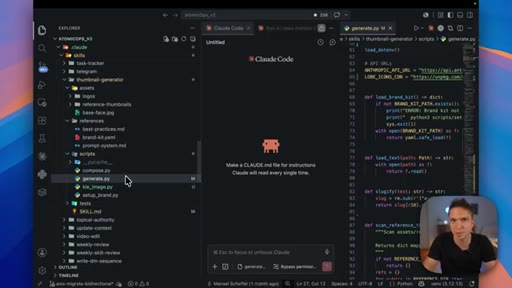
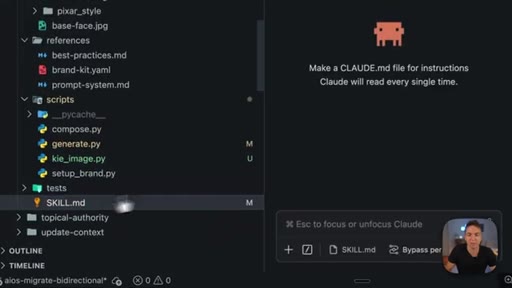
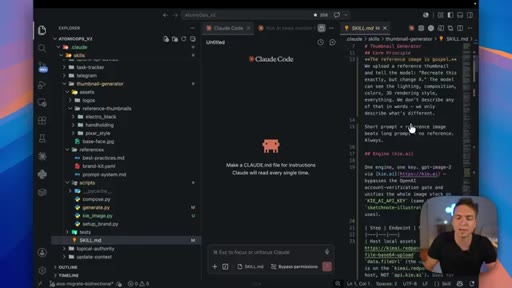
Skills are folder systems: the .md is the SOP, scripts are deterministic tools, and assets are reference examples of what good output looks like.
02:05 – 04:51

02 · Categorize your skills: the four pods

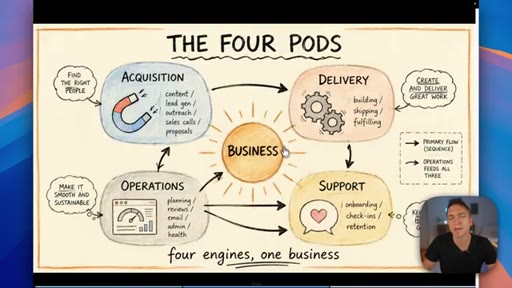
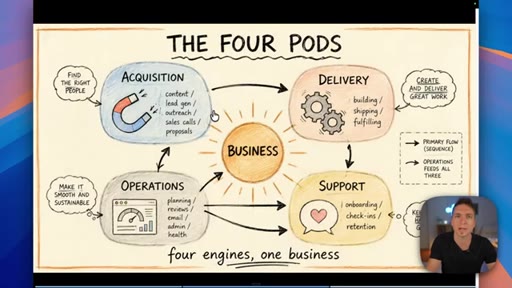
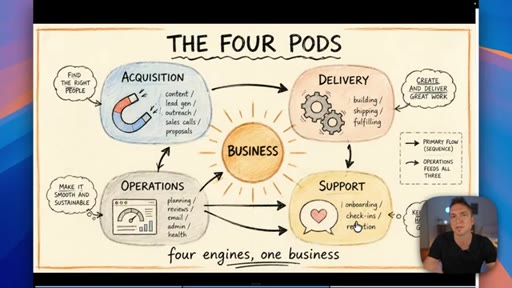
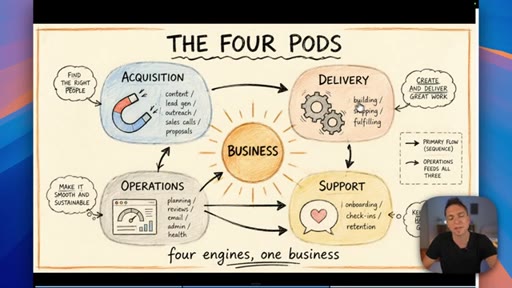
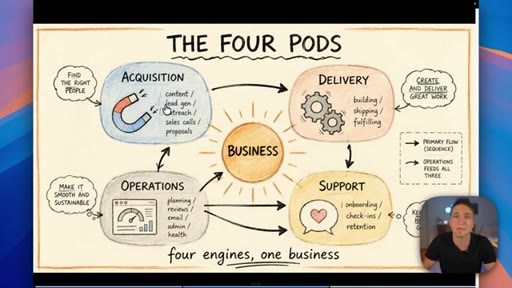
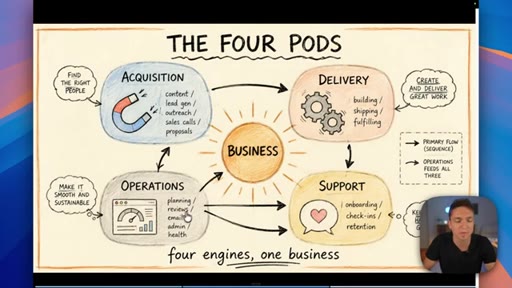
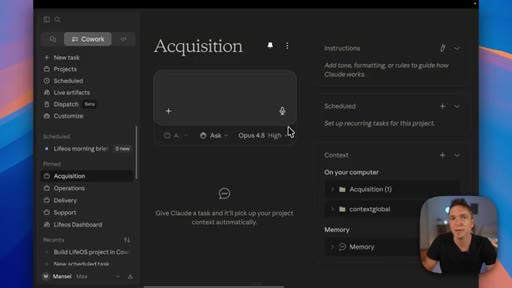
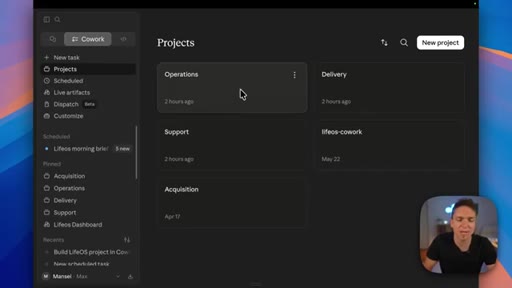
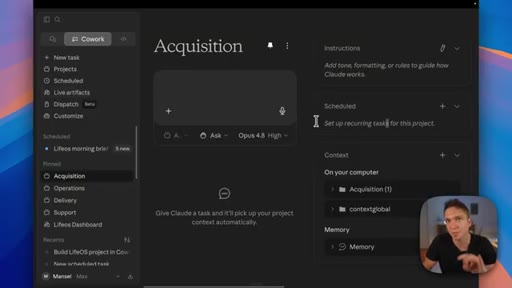
Anthropic sorts skills by technical type; the presenter maps that to four business functions — Acquisition, Delivery, Operations, Support — and shows how they map to Claude project folders.
04:51 – 09:08

03 · Tips for building better skills

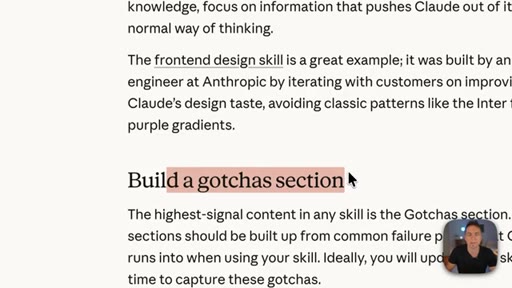
Key Anthropic tips: do not state the obvious, build a gotchas section from real failure points, write descriptions for the model not for humans, use progressive disclosure, do not railroad Claude with over-specified steps.
09:08 – 12:10

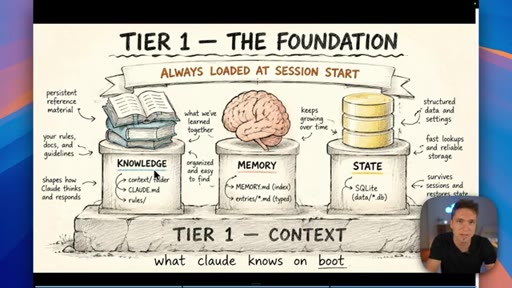
04 · The three types of Claude memory

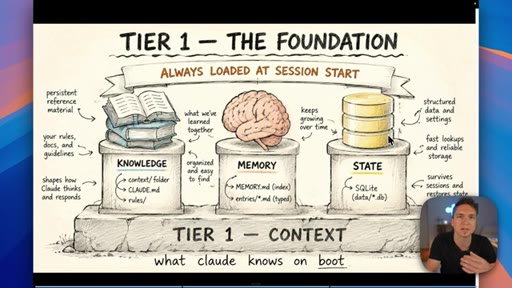
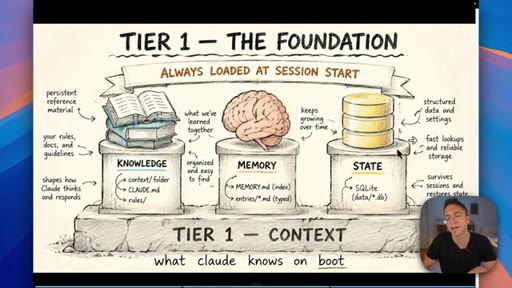
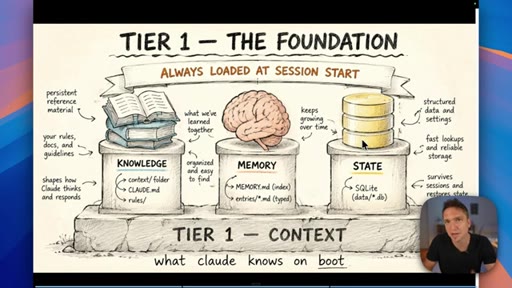
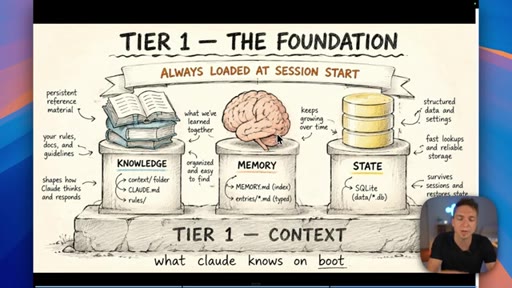
Memory is not a single thing: Knowledge is static facts authored upfront; State is mutable workflow data stored in a database; Memory is what Claude learns from working with you over time.
12:10 – 14:00

05 · How to share skills and build a plugin marketplace

Skills are portable zip files; a GitHub-backed marketplace lets teams distribute and version-control skills so everyone pulls the latest copy.
14:00 – 15:02

06 · Measure your skills

Track trigger rates, token costs, and under-triggering patterns — observability turns guessing into decisions about which skills to improve or prune.
15:02 – 16:08

07 · Skill injection: the security risk

Pulling unverified skills from external repos is a live attack vector; build from problems you own and understand before importing anything external.

§ · Storyboard

Visual structure at a glance.

open — skills intro
four pods framework
tips — gotchas section
three memory tiers
plugin marketplace
measure skills
CTA — get started
§ · Frameworks

Named ideas worth stealing.

02:05 list

The Four Pods

  1. Acquisition
  2. Delivery
  3. Operations
  4. Support

A four-category map for organizing all business AI skills — mirrors the four core functions every business runs and maps cleanly to Claude project folder structure.

Steal for Organizing your own skill library and Claude project setup
09:08 model

Three Tiers of Claude Memory

  1. Knowledge (static, authored upfront)
  2. State (mutable, database-stored)
  3. Memory (learned from interaction)

A framework for deciding where to store different types of information — prevents the common mistake of lumping everything into a single file or memory system.

Steal for Designing any persistent AI workflow or agent that needs to remember things across sessions
06:20 concept

Progressive Disclosure Loading

Skills load lazily — description stub first, full body second, assets on demand. Optimize the description as the decision gate; everything else loads only when matched.

Steal for Writing skill descriptions that actually trigger reliably
§ · Quotables

Lines you could clip.

05:16
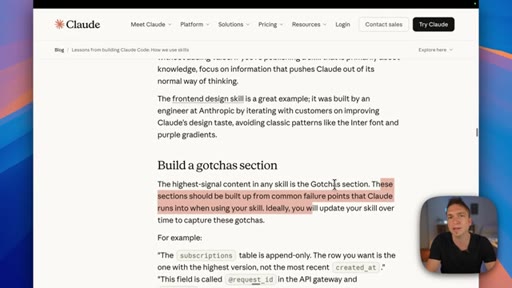
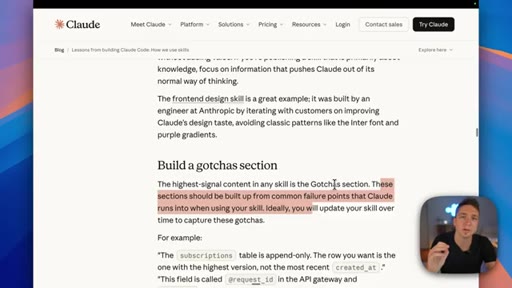
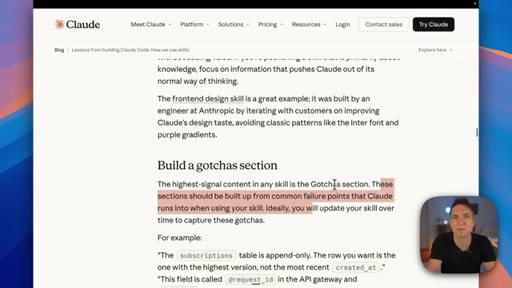
"The highest signal content in any skill is the gotcha section. These sections should be built up from common failure points that Claude runs into."
Counter-intuitive claim with a clear action — most people think the instructions are the important part → TikTok hook
11:51
"You're not really going to get anything done in your business if your AI employee has dementia."
Punchy memorable line that reframes memory as a must-have, not a nice-to-have → IG reel cold open
15:55
"Start with the problem and build it yourself. If you can speak any language, that means you can tell Claude exactly how to go and build your process from start to finish."
Empowering closer — positions non-technical users as capable → newsletter pull-quote
§ · Resources Mentioned

Things they pointed at.

04:04productCowork (Claude project workspace)
12:10toolGitHub ↗
§ · CTA Breakdown

How they asked for the click.

15:40 next-video
"Check out the videos on the screen — they'll definitely help you on your journey. Or you can join my community where I'm helping people and business owners solve their AI problems every single day."

Soft multiple-option close — video playlist links on screen plus community link. No hard sell.

§ 04 · The Script

Word for word.

HOOK opening / re-engagementCTA the pitch metaphor analogy
00:00HOOKSo Anthropic just released their internal guide on how they build and scale skills with inside their own business. In this video, we're gonna explore all the things that they learned, and then we're going to map them to how the everyday user and business user would incorporate this into their business. So by the end of it, you'll have a very clear picture of what you need to know.
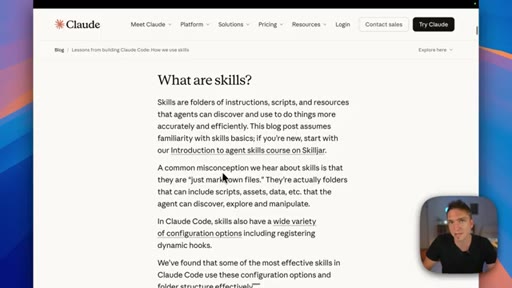
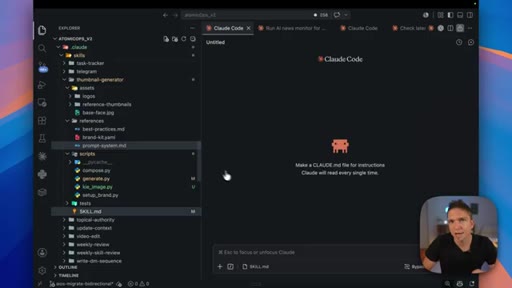
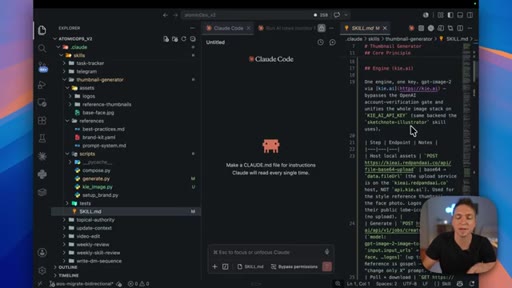
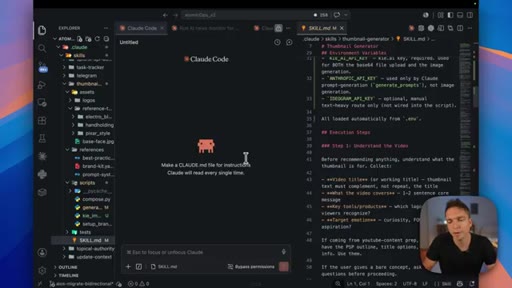
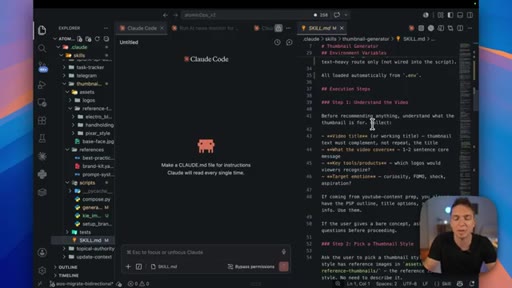
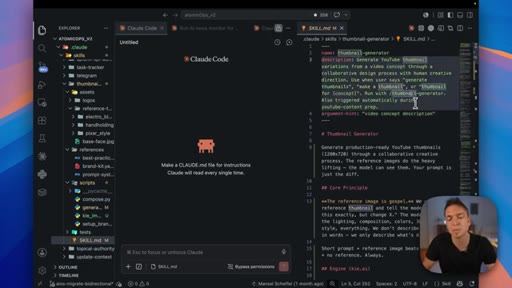
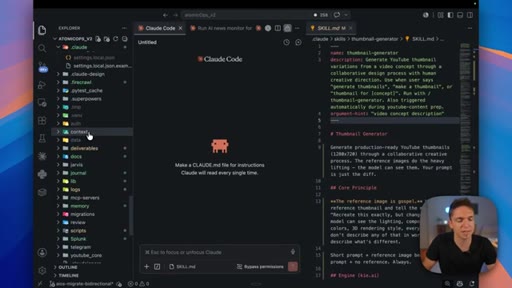
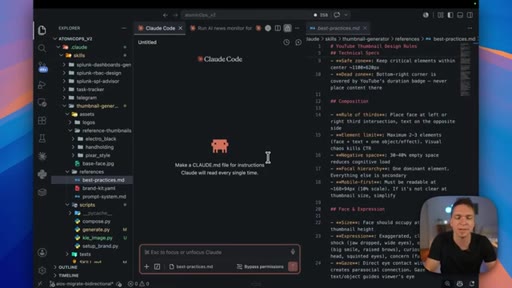
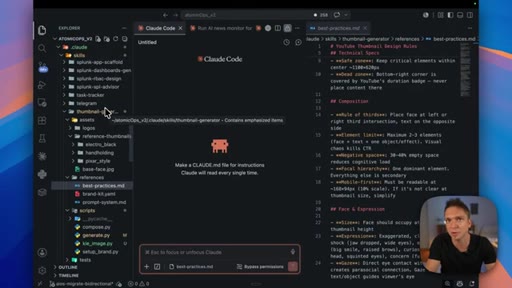
00:15HOOKSo one of the first things that they point out to in the beginning is that a common misconception is that people think skills are just a markdown file that do a bunch of things. And if we flip across to my environment, you'll see that that is definitely not true. And so here we are in my environment, and you can see we've selected the thumbnail generator skill just for example here.
00:31HOOKWe have our markdown file, which is what most people think this is. And inside here, you can just think of this like a standard operating procedure. It is the knowledge in your head about how to do a certain task that you have fed to Claude, and it went and printed it all out so that it knows how to do that process in the same way that you would.
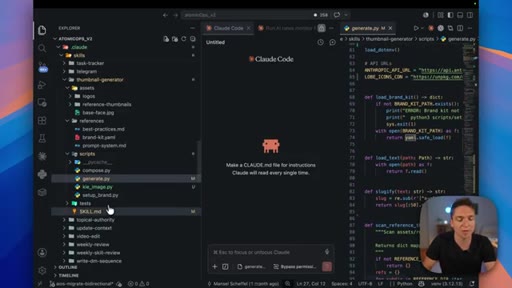
00:46HOOKMore importantly though, it doesn't just read this. There are several things that you can read inside there. You have scripts which are the tools that get the job done.
00:53HOOKSo for instance, when we're trying to reach out to whatever would generate my thumbnail, we would probably use a combination of a Python script and an API in order to achieve that. So by having the Python script have a very specific set of instructions, in this case, go out there and generate me an image via this API, we know that between having our markdown file with the instructions
01:12and our generate, which is the exact tool that needs to complete the job, that we're going to get the thumbnail that we want. How we mix the probabilistic nature of AI with the determinism of scripts and that's how we get reliability in our workflows within a business. More importantly though, inside here, we have other things that help us get this done a lot better.
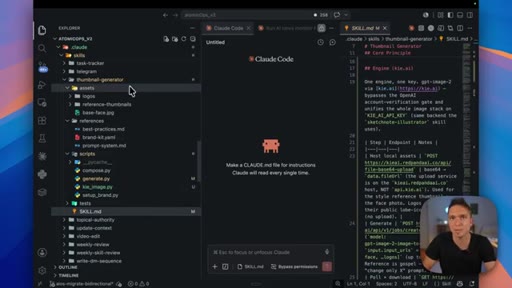
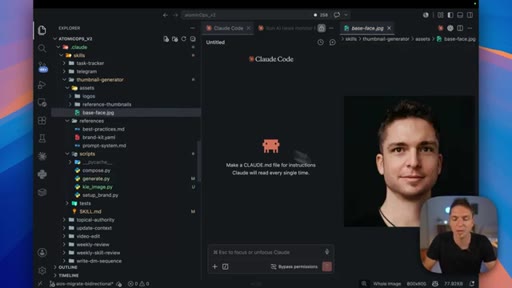
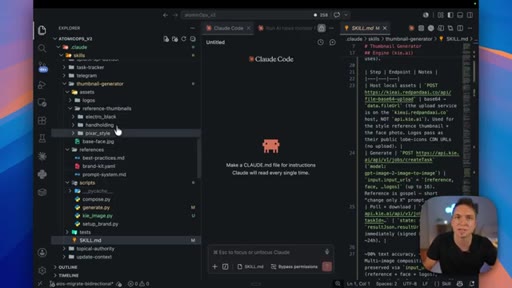
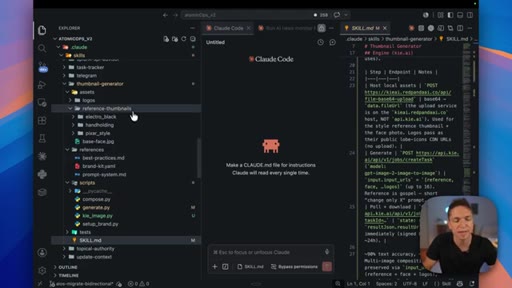
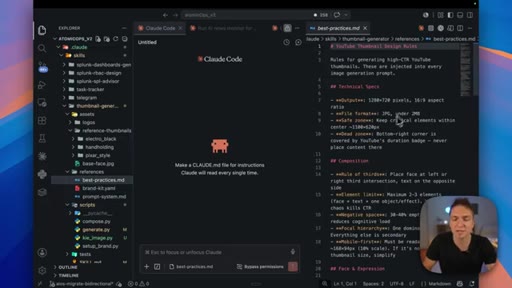
01:28The first one being any assets that we might need. These are examples of what good might look like. So it could be a picture of my face that goes into this thumbnail generator.
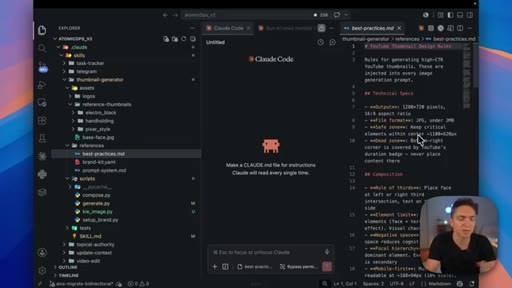
01:36It could be reference thumbnails in different styles that I use on this channel. It could be best practices around what we would want it to draw when looking at a thumbnail. This would obviously change from skill to skill and I'm not going to harp on about this forever because I have tons of other videos going into skills from this point of view that you should definitely watch after we've covered this thing.
01:54The point Anthropic is trying to make here is that it's not just a simple markdown file. This is probably the most important thing that you can learn when you're using AI because it's how you're going to get the best results from using AI within your business. This is where things get interesting.
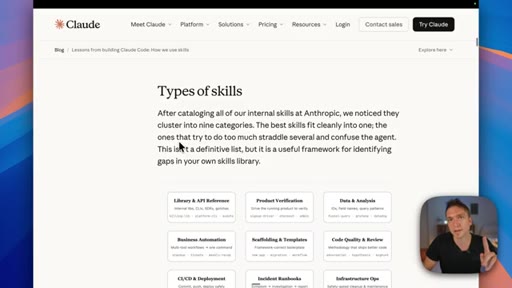
02:07So they categorize their skills, which is obviously the right thing to do. Humans need a logical way of understanding what goes where. Because they're obviously a development house and they're building AI, theirs are all categorized around a more technical nature.
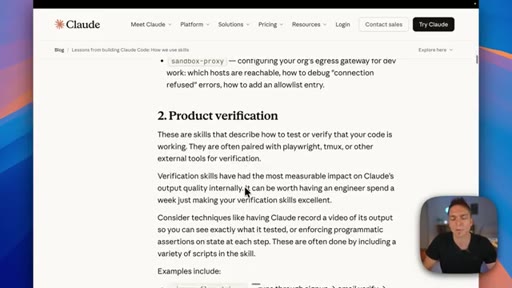
02:20So they've got library and API references, they've got product verification, data fetching and analysis,
02:25stuff like that. That's obviously not so meaningful for you, the everyday user or business user out there. You need a much more logical framework that makes sense to you and your life to categorize the things that you're doing every single day.
02:36And that's why I've been using Pods on this channel for the last six months because to me, they make most sense. For those of you wondering what those four pods might be, here they are on screen right now. The first one being acquisition.
02:45This is how we get our clients. The next one is delivery. This is how we serve our clients with a product or a service, whatever that might be.
02:51We then have operations, and this is everything that runs on the back end to support our own business. We have support, which is how we support the product or service that we've put out to our customers. For me, this made complete logical sense from the beginning because these are the four things that you're going see in every business.
03:05There might be one or two other things, and of course, you might have your own logical interpretations. But I think everybody understands this map and by doing that, we can understand exactly what type of skills need to go in which part of our business. For instance, in acquisition, I know I need to go out there and do lead gen.
03:20So I'm probably gonna have some form of lead gen skill in there. I'm gonna have a content generation skill because that's really important for marketing. I might have skills for outreach and sales calls and proposals and things like that.
03:30And the same thing for my internal ops. I might have planning and reviews, a daily brief, AI news, whatever it is that I need. But by understanding this framework, it's a lot easier for us to break things down for our own minds.
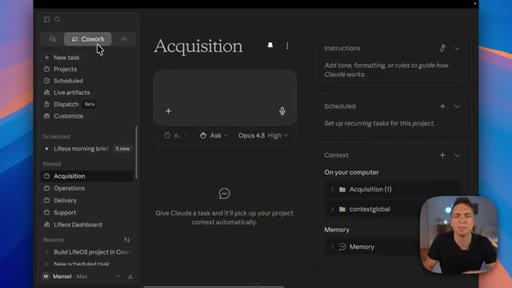
03:40This is more for the human. But the other benefit of doing this and categorizing them comes into play when we switch over to co work because we can use that exact same model and we can turn it into different project folders. For those of you who don't know what projects are, they're just a logical space where Claude runs with its own specific set of rules or context and things like that.
03:57I have deep dives into exactly how to set all of this up and build an AI operating system using Cowork. I'll link that down as well. But at a high level, the reason that we map our pods is so that we can map them to projects in here, again, so that we have that logical interpretation,
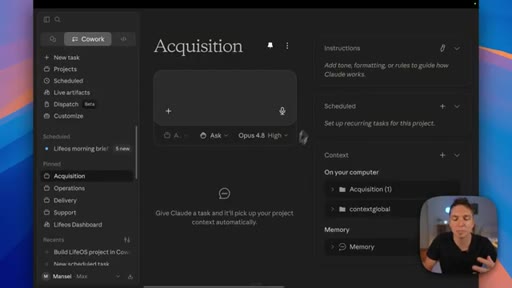
04:09and we can build our own environments in here. So let's use acquisition as an example. We've mapped all of the skills that we did in there.
04:14We brought them into Cowork or built them inside Cowork. They're sitting in the back end waiting to be used. Because we've broken it down logically, we know, okay.
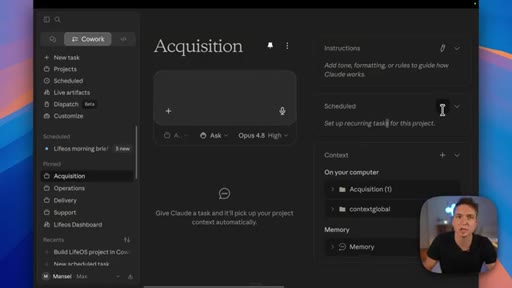
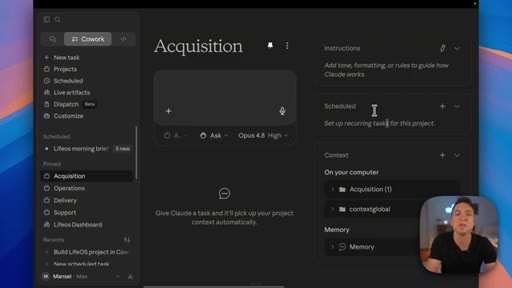
04:20Cool. Let's schedule three or four skills that we've identified running the schedule. We would then just add it into our acquisition project over here so that we logically know where everything is.
04:28And I think this is one of the main benefits of categorizing everything, and it's one of the most important things that you can do when you're trying to architect your own solutions or solutions for your clients. Because if you do all of this stuff upfront from the audit all the way through to the pod mapping to the point where you can just lift and shift things into co work because you've planned them, you're going to set yourself up for success.
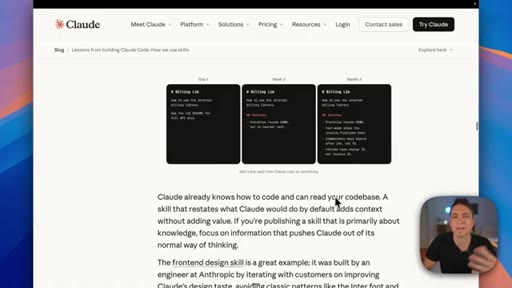
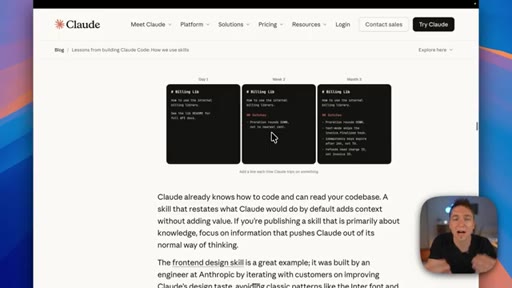
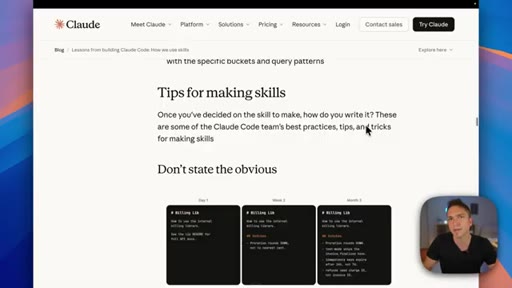
04:45The foundations are the most important part of anything that you're building because literally everything else is a decision that stems from that. Then next up, they get on to tips for making skills themselves. So don't state the obvious is the first thing that they point out here, and they're kind of telling you that Claude knows how to do what it needs to do on a daily basis.
05:01You don't need to give it every single tiny piece of information to get a job done. The example that they give is that Claude already knows how to code. You don't need to remind it how to do that.
05:10For you, the everyday user or business, Claude already knows how to write. Your job shouldn't be to tell it literally how to write. It should be you telling it how to write how you want it to write by providing examples
05:19or telling it how not to write so that you avoid the AI slop. That's what they're leading with in these images over here where they show you these gotcha sections. It's things that you learn over time that the AI did that you don't actually want to do.
05:30They're talking about it in-depth on the gotchas over here. The highest signal content in any skill is the gotcha section. These sections should be built up from common failure points that Claude runs into, and you'll see that a lot.
05:41If you ask Claude to go and write something for you, even if you've given it examples of what good might look like for you and what your voice sounds like, it's still gonna put some slop in there from every now and then. Very important to have a list of things not to do or a list of gotchas telling it, do not say this list of words.
05:57Do not write like this. Make sure you don't end sentences this way. Something very common that AI does when it writes is it says, it's not about this, but actually about that.
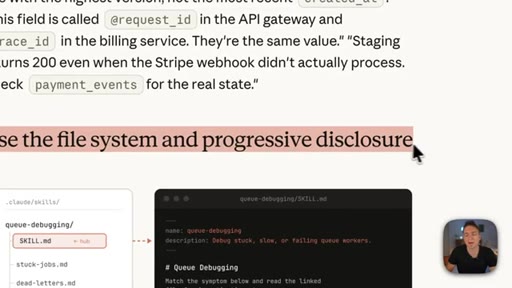
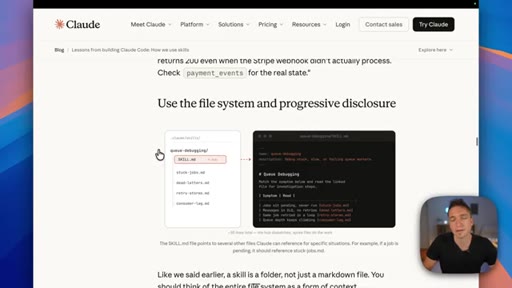
06:05And that's how you know immediately that someone is full of shit and whatever it is that they've written is blatantly just AI trash. So your goal is to learn these patterns over time and make sure that your skills get better by having these gotcha sections in for whatever it is that you're building. The next thing that they mention is to use the file system and progressive disclosure.
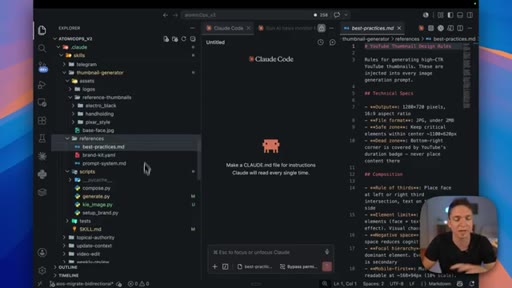
06:20So we touched on this a little bit. Essentially what progressive disclosure means is that it's not going to read every single thing inside our skill directory up front. It loads it on demand.
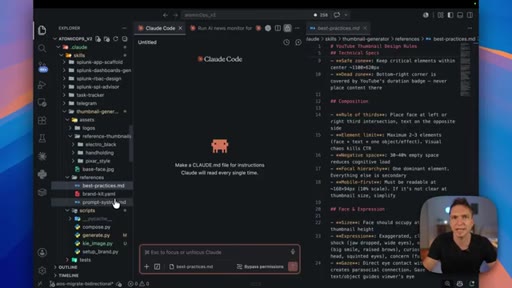
06:29The first thing that it will load is this little bit up at the top just so that it knows the skill actually exists. Then if you had to say something like generate me a thumbnail, it would read the description, say, hey, this is a match. I'm now going to read the rest of this skill over here.
06:42So it's doing that progressively. And then once it's read through here, anything else that you would reference that it might need in order to complete its job.
06:50For instance, any of these files in here, any of these logos that I spoke about earlier, it would then go and load that stuff. And like I said, it's important that we have these things in here because it helps Claude understand what a definition of done looks like, what good looks like, maybe even what bad looks like, what your voice sounds like.
07:05Whatever we would need to complete this lives in here and is loaded on demand. That is the benefit. We're not eating all of these tokens up front.
07:11So the TLDR is to never just use the skill dot m d use every part of the file system that you can because you're going to get a much better skill and workflow and therefore much better results. Next up, they are very quick to point out not to railroad Claude. By that, they mean don't give it too much very, very specific information.
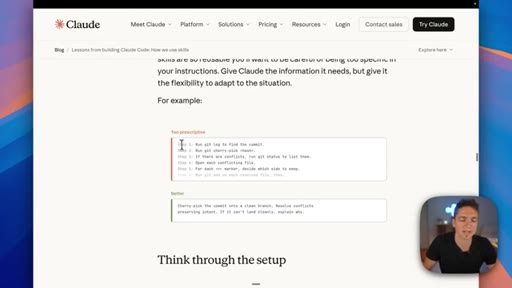
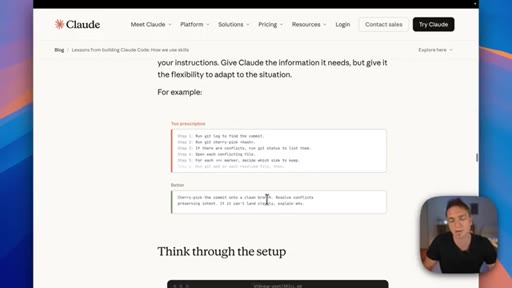
07:27An example they're giving here is a very, very specific list of steps that realistically AI can figure out for itself, like run git log to find the commit, run git cherry pick and literally things that you wouldn't need to tell it instead of just saying cherry pick the commit onto a clean branch. For those of you who aren't technical, that probably means nothing.
07:44But the point that they're trying to make here is that when you're building these skills inside here and you're just using your plain English to tell Claude how the process works step by step, don't be overly verbose to the point where it's just ridiculous. Like open Chrome, click here, do this, type that. It knows how to do all of that stuff.
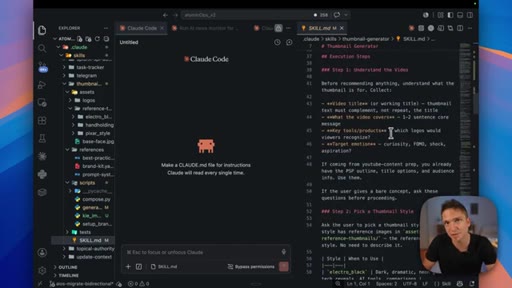
08:01What we're doing inside our skill, we're being specific, but we're being the right amount of specific. You can see here with our steps. We say step one, understand the video.
08:08Before recommending anything, understand what the thumbnail is for. I'm not telling it exactly how to understand understanding something.
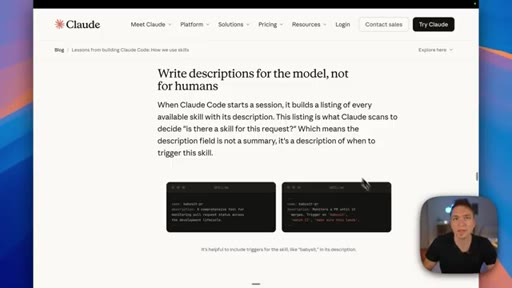
08:15That would be ridiculous. I'm giving it just the right amount of context in order to understand what is involved in understanding step one before it progresses on to step two. Next up, they talk about writing descriptions and they should be written for the model, not for the human.
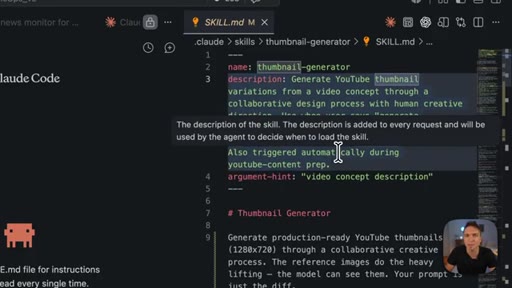
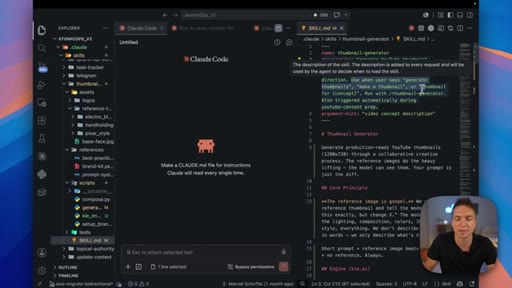
08:27So if we flip on back here, we look at this description up at the top. This is not for you to open this up and read it. It's for Claude to understand as a part of progressive disclosure whether this skill solves the thumbnail problem.
08:39So while you can obviously read this in plain English, you wouldn't want to write a summary of what the skill is for yourself. You're telling the AI how to use this thing and you can see that we're blatantly doing that over here. Use when user says generate thumbnails, make a thumbnail or thumbnail for whatever the concept is and then we tell it that it can run a command for it as well.
08:55Point is here, there are two very things. If I was just writing a summary, would say this is a thumbnail generator for YouTube videos. That's a summary.
09:01This is the description that is meaningful for the AI. And don't worry, you don't have to write any of this stuff, Manny. Of course, the skill creator and Claude can do all of this for you.
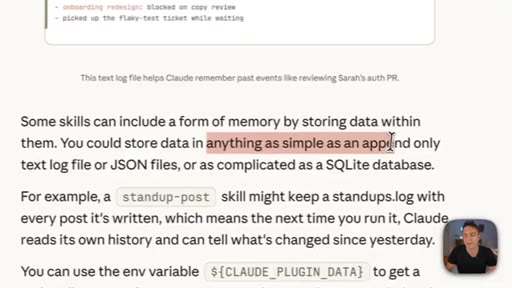
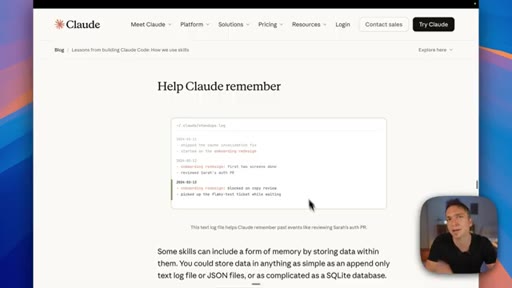
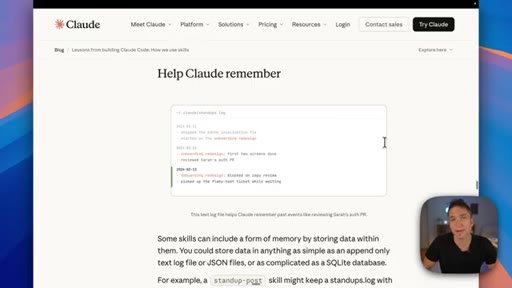
09:08Next up, they're talking about how to make Claude remember, and this is something that I love talking about because so many channels out there lump everything into memory, and I think that is the totally wrong approach. Because memory is varied things, and they talk about that exact same concept over here. Some skills can include a form of memory by storing data within them.
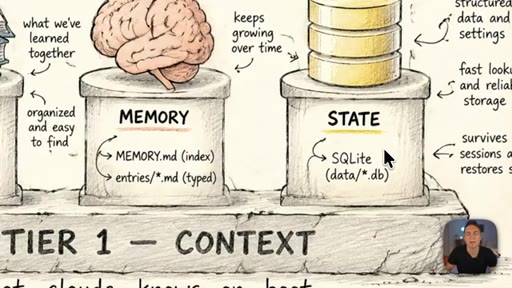
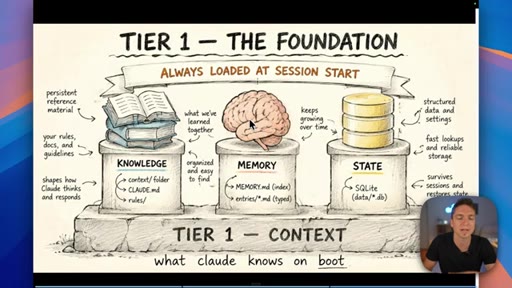
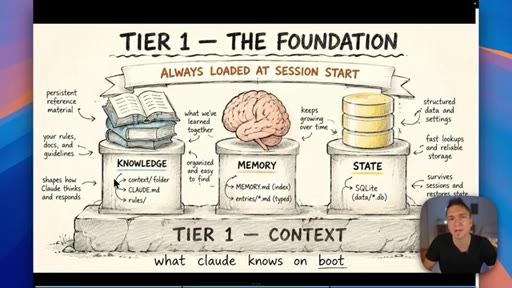
09:24You could store data in anything as simple as an append only text log file or JSON files or a SQLite database, and of course that scales up and up and up. But the first thing that I like to do when I talk about memory is to break it up in categories because this all forms part of the context. I think context is the overall top branch, and then these three things that you see on screen, they form a part of that.
09:44And again, do this because it's way easier for the humans to understand what goes where by looking at it from this point of view. So when we're talking about a skill or Claude remembering something, there are different parts of that memory. The first one is knowledge, and this to me is something that the humans know upfront.
09:58I know what my voice sounds like. I know who my clients are that I'm trying to reach out to. I know what my business is, what it does.
10:03All of that kind of information, we can stash that in different places. We could put it in our Claude MD file. We could put it in a rules folder, or we could put it in a context folder that lives inside our AI operating system.
10:14As you can see over here, I've got context for all the various parts of the skills that run within my business. But then we can also store this knowledge, like I've been saying this entire time, as references inside here. So for this skill, this is a form of memory.
10:25This best practices MD file over here is a form of knowledge, more specifically from my point of view. I'm giving it the knowledge that it needs in order to complete the goal without it having to make this up every single time I run Claude. It is a static form of knowledge that always lives there.
10:39Then the second part of our memory is state because, of course, if we're running a workflow and something changes between now and later, that is a state that has changed. Let's use lead generation as an example.
10:49If I'm running leads, might start them off as a cold lead. I run a workflow, it reaches out to them, then I know that their state has changed. They're no longer a cold lead.
10:58I have now reached out to them and therefore it could be in progress. So the state changes over time. And for me, state gets stored in a database, whether that is a SQLite database or an Airtable, even a Google spreadsheet.
11:09The point is with this, we are tracking state. So while it is a form of context and a form of memory, it is a very different thing that can live in a very different system. It is not just something that we throw into a rag database because reasons.
11:21Then finally on this, we have memory in the sense that I like to understand pure memory, and that is where Claude remembers things about you just by working with you. It is the things it learns as a result of talking with you over time. So if we come back to our environment over here, everything that I do here, if I start to say the same thing over again like, I really hate x y z, Claude's gonna make a note of that and it's gonna stash it inside our memories folder over here somewhere on the left hand side.
11:45If we were in Cowork, it would do that automatically because Claude has native memory per project. It also has memory inside its chat functionality. They are separated, so currently they're not linked and they don't feed off of one another.
11:55But the point is that they're in there and it is very different to both knowledge and state. It is memories that Claude has learned from working with us. You can do it whatever way you want to do it, but Anthropic recommends that you need to do it and so do I.
12:06You're not really going to get anything done in your business if your AI employee has dementia. Next up, they talk about skill distribution. This is pretty easy.
12:13Skills are essentially just that folder space that we've been looking at this entire time. You can easily zip these things up and share them with whoever you want to as long as it's got everything that it needs for the skill to run. And that's the power of putting all of the context inside here.
12:25As long as we have everything we need inside here instead of some elaborate system out there, this skill is entirely portable no matter who you give it to. So all you could do is just right click and zip this folder up, or you could ask Claude to zip it up and move all of your skills to a larger repository somewhere else to share it with whoever you want.
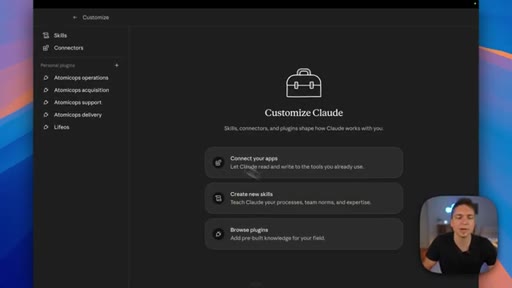
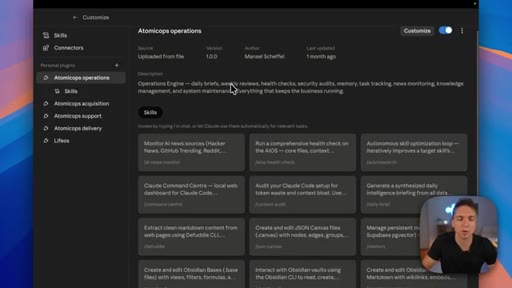
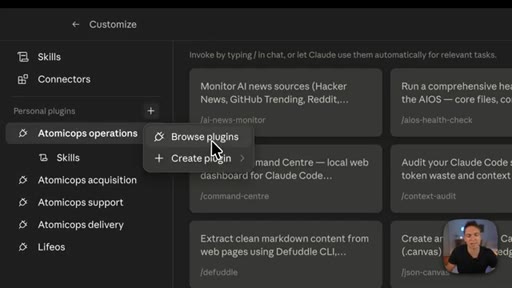
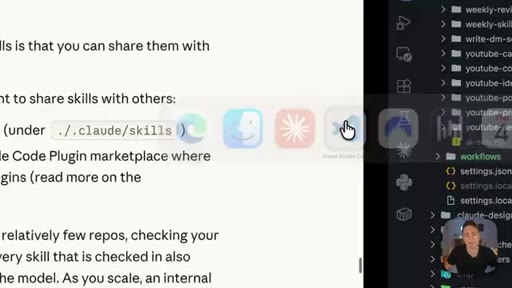
12:41But there is even a more powerful method that you can use for sharing this that is not only secure, but it makes more sense because of the way that we might want to update skills, and that is to have something called a plug in marketplace. To illustrate that, I'm gonna head on over to Cowork. On the left, you can see I've got four plug ins here.
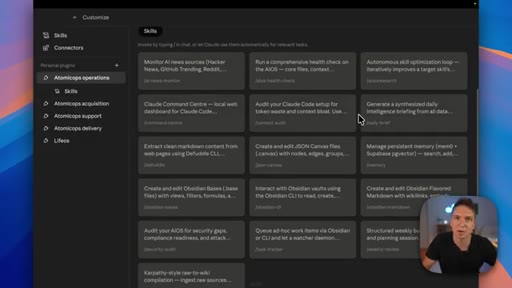
12:54This is everything that you saw in my Versus Code environment, but all of my skills that live inside my plug in marketplace, and they run my AI operating system within Cowork.
13:03You can see it's like a logical way to group a whole bunch of skills. Again, that's why I started off with the whole pod mappingcategorizing thing because inside here I know that each of those pods that we've been talking about, all of my skills can be packaged accordingly and I can just import them into the project.
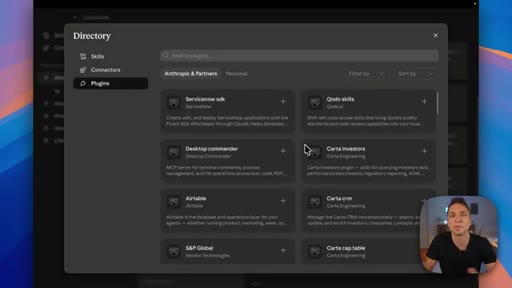
13:17I can then also distribute this to the entire team if I want to via the marketplace that I set up, and they can just lift and shift this to whatever it is that they need to use it for. And we can see a further illustration of this if we just go over to plug ins and we hit plus and then browse plug ins. This is what Anthropic has for a marketplace between itself and its partners.
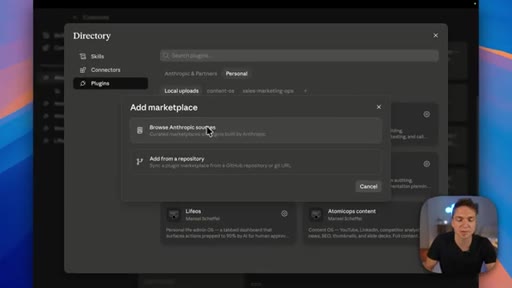
13:34They're all just sharing a marketplace and that's how we come here and you can just hit on these little plus symbols to download any plug ins or skills that you want from these marketplaces. More importantly for you as a business, if you wanted to have this sort of thing, can create your own under personal over here. You can see I've got quite a few and you can just hit plus and then add marketplace.
13:51You can then either browse Anthropic sources to add custom marketplaces. You could then add your own repository as well, which you do via GitHub. I'm not going to cover that in this video.
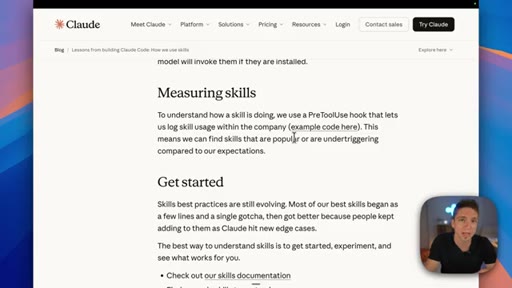
14:00Just know that it's down below. Then finally on this, they talk about measuring their skills, that's very important. Observability in your entire environment is very important.
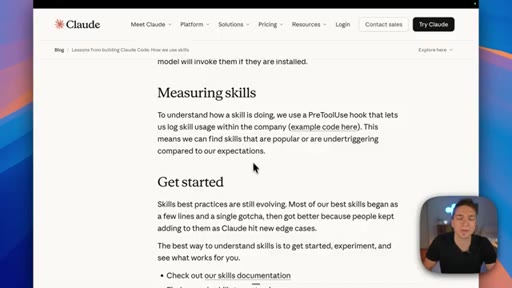
14:08Specifically here, they're talking about this means we can find skills that are popular or under triggering compared to our expectations. So what they're doing here is tracking what people are using, but then they're also trying to see what wasn't triggered properly, which might indicate that there is a problem with the description that they set up for that skill amongst a few other things.
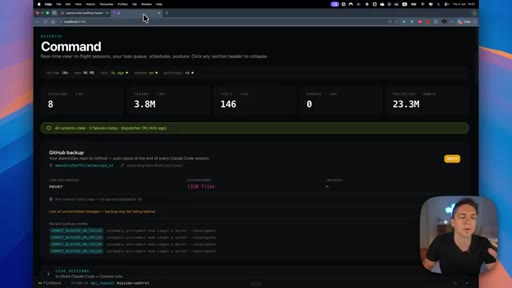
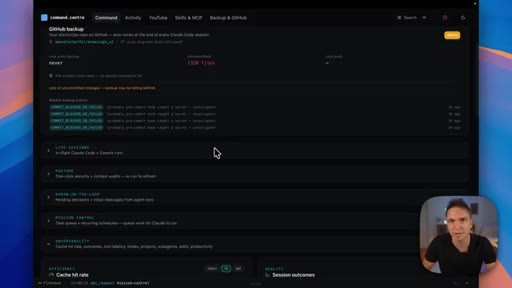
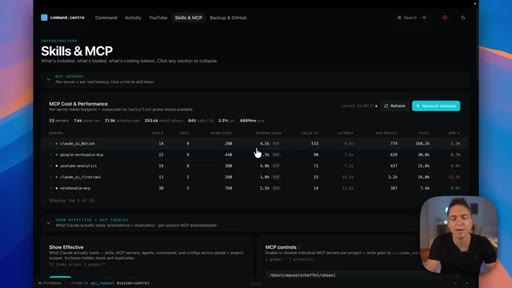
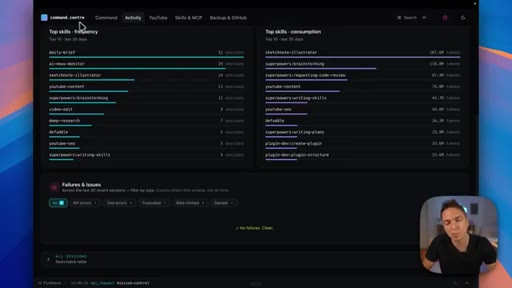
14:24But for your use case, and more importantly, for your entire business, you need some form of observability, and that's why we have a dashboard like this. You obviously might not need something as complicated as this, but it blows my mind that Anthropic hasn't given us something natively to look at our skills and the activity within our environment so that we can make the decisions that they keep telling us to make, which is why I built this thing.
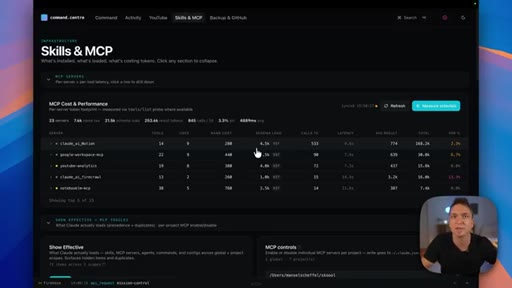
14:43It ties into exactly what they are talking about there, where we want to measure the activity of our skills, the cost of our skills, how many tokens they use and therefore how much that costs us, how they are invoked, any security problems that we might come across. We can put all of that into a command center dashboard like this and more importantly, it gives us the data that we need in order to make decisions as a business.
15:02Because the absolute worst thing that you can do is to go out there and connect yourself to a repo and grab a 100 skills from some random place. Not only is it gonna bloat your own environment and complicate Claude's actual brain in getting the work done for you, but it's also a massive security risk. Skill injection is one of the biggest attacks right now because of people who don't understand this and they just go out there and pull all of this stuff down into their environment.
15:23And that's why I always say, start with the problem and build it yourself. If you can speak any language, that means you can tell Claude exactly how to go and build your process from start to finish because you're doing it every day yourself. And if you don't know your own sales processes, that probably means you're not making much money right now.
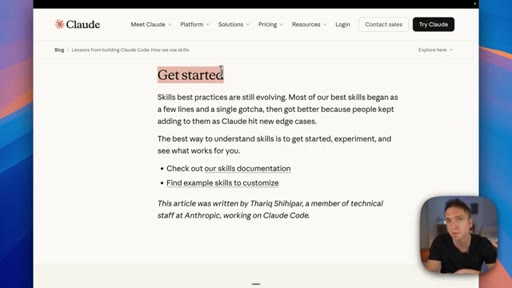
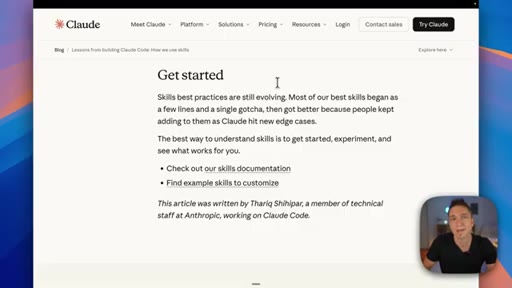
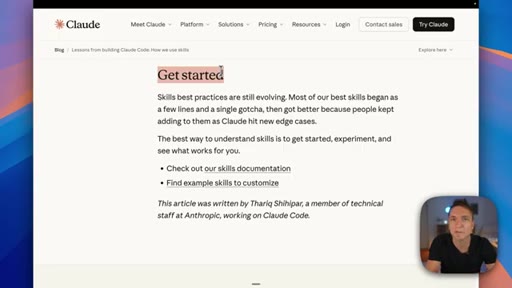
15:38CTAIn which case, you need to address that first and then come back to automation. And that's it. The next step from them is to go and get started.
15:43CTAAnd if you want help doing that, there is an entire list of all the videos that I mentioned down below. You can learn about everything that I spoke about in great detail, including how to build your own AI operating system and run the majority of your business on it, whether it's in Versus Code or Cowork. Thanks very much for watching.
15:56CTAIf you have any comments, leave them down below, and I will get back to you as soon as possible. Otherwise, check out the videos on the screen. They'll definitely help you on your journey.
16:03CTAOr you can join my community where I'm helping people and business owners solve their AI problems every single day. See you
— full transcript
§ 05 · For Joe

The folder is the skill — architecture decides reliability.

WHAT TO LEARN

Every gap between what Claude produces and what you want can be traced back to something missing in the skill folder — a gotcha section, a reference asset, a wrong description, or the wrong memory tier.

  • The markdown file is the SOP; the scripts are deterministic tools that execute it. Without both, you get either AI drift or brittle automation that breaks on edge cases.
  • Reference assets stored inside the skill folder define what done looks like — Claude loads them on demand, not at startup, so they add no token cost until they are needed.
  • Mixing probabilistic AI judgment with deterministic scripts is the formula for reliable output — the markdown tells Claude what, the script locks in how.
  • Mapping skills to four business functions (Acquisition, Delivery, Operations, Support) makes it obvious where a new skill belongs and prevents the folder from becoming a junk drawer.
  • The same pod structure maps one-to-one to Claude project folders so that context stays scoped — Claude working inside the Acquisition project only loads Acquisition-relevant skills.
  • Write descriptions for the model, not for yourself — the description is what Claude reads to decide if this skill matches a request, and most under-triggering is a description-language mismatch.
  • The gotchas section is built from real failures — every time Claude produces something wrong, add it as a gotcha. The section compounds in value the longer you run the skill.
  • Do not over-specify steps — telling Claude exactly how to do sub-tasks it already knows defeats the purpose. Specify the outcome and the constraints, not the mechanics.
  • Knowledge is static and authored upfront; State is mutable and belongs in a database; Learned memory is what Claude accumulates from working with you. Each lives in a different system.
  • A skill is self-contained by design — every reference, script, and asset lives inside the folder so you can zip it and hand it to anyone without setup instructions.
  • Track which skills fire most, which fire least, and which cost the most tokens — usage data is the only reliable signal for deciding which skills to improve and which to prune.
  • Pulling skills from external repositories you do not control is an active security risk — prompt injection can be embedded inside a skill definition and will execute silently.
§ 06 · Frame Gallery

Visual moments.