Jack Roberts · Youtube · 26:24

Claude Code just Changed Website Design Forever

A 26-minute walkthrough that builds a client-editable website and AI-powered CMS from scratch using Claude Code, GitHub, Vercel, and MongoDB Atlas.

Posted
June 4th 2026
today
Duration
26:24
Format
Tutorial
hype
Channel
JR
Jack Roberts
§ 01 · The Hook

The bait, then the rug-pull.

The opening promise is blunt: Claude can now build the thing clients pay thousands for, but almost everyone using it is missing the one piece that makes it sellable. That gap and how to close it in a single session is what the next 26 minutes are about.

§ · Chapters

Where the time goes.

00:00 – 00:55

01 · The CMS Problem Solved

Core tension: clients need to edit, developers do not want to be on call forever. Frames the CMS as the fix.
00:55 – 02:37

02 · What The CMS Does

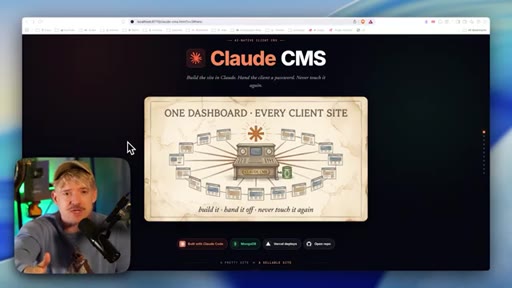
Walkthrough of the Claude CMS landing page and one-dashboard-per-client architecture.
02:37 – 05:23

03 · Live CMS Demo

Real-time demo of editing copy, changing prices, toggling mobile view, and the SEO panel inside an existing CMS build.
05:23 – 05:46

04 · Grab Claude And Start

Step 1: Claude desktop on the 20-per-month plan, or online alternatives like Base 44.
05:46 – 06:36

05 · Pick A Design Reference

Screenshot inspiration from real sites and Dribbble prevents the default Claude aesthetic.
06:36 – 08:47

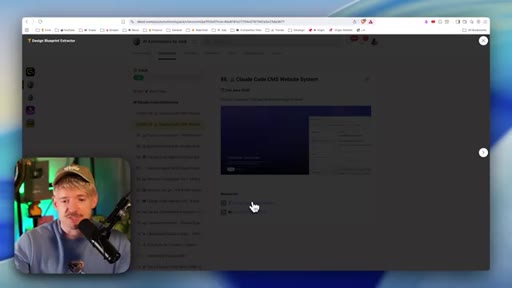
06 · Use The Blueprint Extractor

Firecrawl-powered skill extracts structured style context from live websites and feeds it to Claude as design intent.
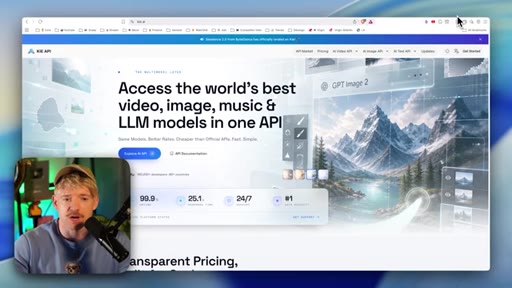
08:47 – 09:49

07 · One Shot Website Build

One-shot output demo: Leverage brand, AI-generated graphics via Kie.ai, multi-section landing page.
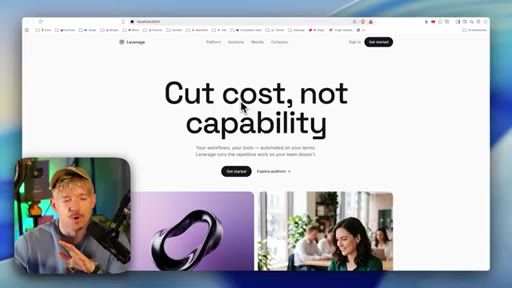
09:49 – 10:37

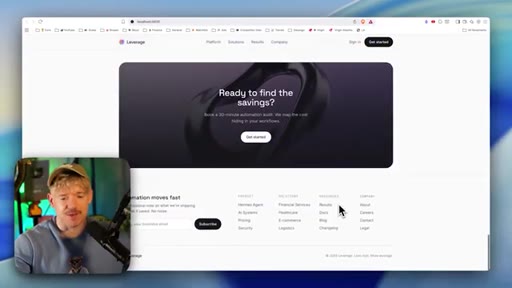
08 · Add Logos And Polish

Iterative screenshot-feedback loop with Claude to reach production quality.
10:37 – 11:42

09 · Host It For Free

Single Claude prompt creates a private GitHub repo and deploys to Vercel at no cost.
11:42 – 12:51

10 · GitHub And Vercel Explained

GitHub is code storage, Vercel is the live mirror. CLI authentication means Claude handles both without manual dashboard work.
12:51 – 13:44

11 · Deploy The Website Live

Claude creates the repo and publishes live; domain purchase shown inside Vercel dashboard.
13:44 – 17:23

12 · Build The CMS In Claude

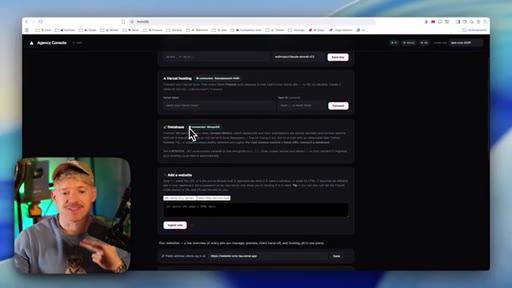
Three-layer architecture: master dashboard, client sites, ingestion machine. Claude receives a pre-built CMS prompt file. Vercel and OpenRouter tokens wired in.
17:23 – 19:02

13 · Add The Safety Layer

Guardian validation: client edits are AI-checked before publish. Copy, image, and page edits allowed; structural changes blocked by default.
19:02 – 20:52

14 · Connect MongoDB

Document model matches page/version data shapes. Free 512MB tier on Atlas, always-on cloud.
20:52 – 21:49

15 · Set Up Your Cluster

Creating an Atlas account, cluster, database user, and choosing the Drivers connection method.
21:49 – 23:56

16 · Publish The CMS Live

CMS deployed to Vercel; MongoDB hydration from scratch demonstrated by wiping local copy and watching Atlas restore it.
23:56 – 24:29

17 · Two Links One System

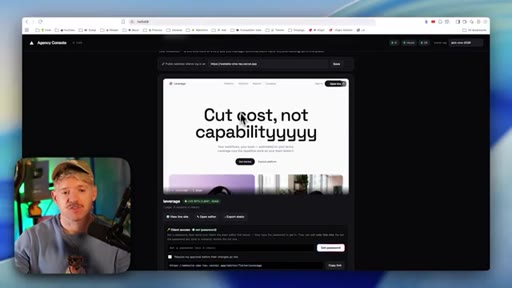
Owner link (private master dashboard) vs. client link (password-protected Vercel editor). Credentials never touch the client.
24:29 – 25:28

18 · Client Editor Walkthrough

Client experience: enter password, open editor, change copy, publish, verify change is live on Vercel.
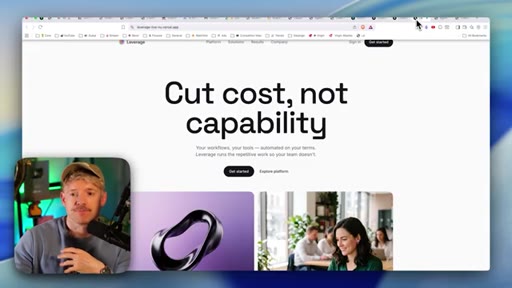
25:28 – 26:24

19 · Scale To Many Sites

Claude creates one master command site plus individual client sites; all feed into one dashboard.

§ · Frameworks

Named ideas worth stealing.

13:44 model

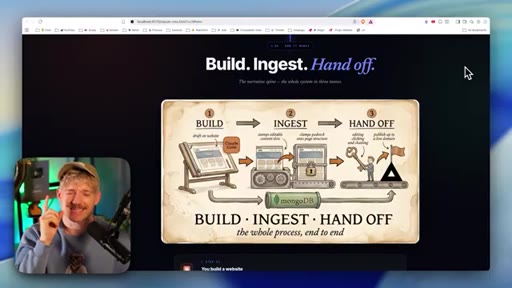
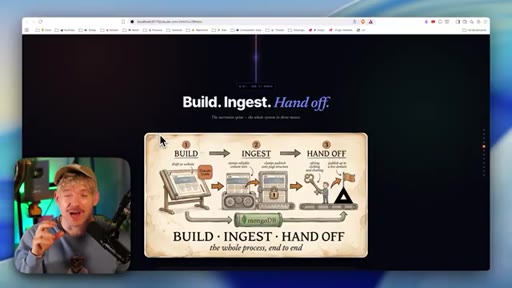
Build Ingest Hand Off

  1. Build the site in Claude Code
  2. Run the ingestion machine to make it CMS-editable
  3. Hand client a password-protected editor link

Three-step deployment model that separates build-time from edit-time and removes the developer from the client-edit loop entirely.

Steal for Any productized web service or done-for-you agency model
17:23 concept

Guardian Validation Layer

AI middleware that validates every client edit before it publishes. Allows copy, image, and page changes; blocks structural edits by default. Implemented as an optional safe-gate.

Steal for Any multi-user editing system where you want to protect structural integrity without locking clients out
23:56 model

Two-Link Architecture

  1. Owner dashboard (local/private, holds all API keys)
  2. Client editor link (Vercel-hosted, password-gated)

Separates infrastructure credentials from client access. Owner controls model selection, Vercel token, and MongoDB connection. Client only sees the editor.

Steal for Any white-label or agency model where clients need editing access but not root access
§ · Quotables

Lines you could clip.

00:10
"99% of Claude websites are unusable because of one limitation."
Bold claim, zero context needed, instantly creates curiosity → TikTok hook
01:44
"A beautiful site that they cannot touch."
Four-word payoff that names the exact fear clients have → IG reel cold open
17:35
"AI is not writing code. We are basically just changing copy on it."
Repositions the CMS from scary to safe in one sentence → newsletter pull-quote
17:40
"Nothing is live until publish, and every publish is a snapshot."
Tight engineering guarantee that doubles as a sales line → newsletter pull-quote
§ · Resources Mentioned

Things they pointed at.

05:23productClaude Desktop ↗
06:36toolDribbble ↗
06:53toolFirecrawl ↗
08:59toolKie.ai ↗
10:45toolGitHub ↗
10:45toolVercel ↗
§ 04 · The Script

Word for word.

00:00Claude Code just changed website design forever. It can now build beautiful, responsive websites that clients pay thousands of dollars for.
00:08However, 99% of Claude websites are unusable because of one limitation.
00:14And by the end of this video, you will have a beautiful website live and deployed. And know how to build a CMS system that solves its biggest limitation, letting you optimize for SEO,
00:27add as many pages as you want, and so many new other things. Meaning that you and your clients can edit these websites as much as you want so you can save more time, make more money, and get light years ahead of everybody else. And if you're new, I'm Jack.
00:40I built consumer life tech startup with a gazillion customers. Now I run my own AI startups. And here, I share the stuff that actually works.
00:47So if you haven't already, grab that beautiful coffee and let's dive straight in. So this is the Claude CMS. And if you sell websites to clients, your sleep is never gonna be better than it is after watching this video.
00:59The idea with this is that we have one dashboard for every single client site or even just your own website. And even if you're building one website for yourself, this is gonna make the process of editing it so much easier.
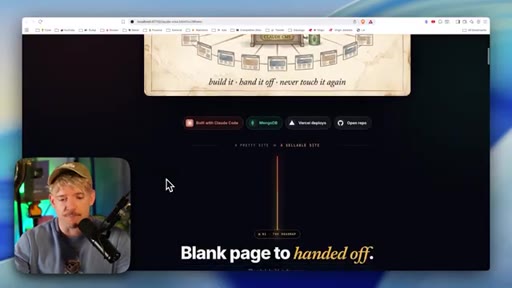
01:11The idea here is that we can build them, we can hand these off to clients, and they never actually have to touch it again. And I'm not only gonna show you exactly how to build this CMS, but how to build a beautiful website with the latest techniques that actually convert and work very, very well.
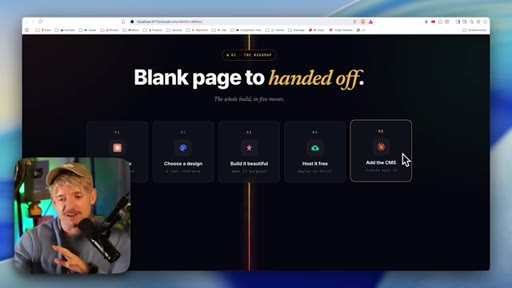
01:25Now we're gonna do this in five simple steps. First of all, we're gonna go ahead and grab Claude. Once we've done that, we're gonna pick a design reference, how we want it to look.
01:33We're gonna make it look beautiful and build it. Then we're gonna host that website for $0 completely for free. And then we're gonna go ahead and integrate the CMS, which is gonna be the piece of resistance
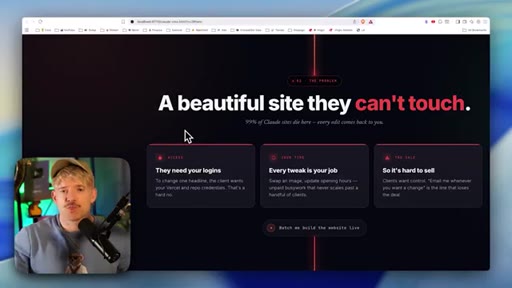
01:44of the entire operation. And I've spent days building this specifically to show you exactly how this works and why it's so freaking epic. So what we want really is a beautiful site that they can't touch.
01:55If we're building this for other people, like in your team or for clients, we want something that, realistically speaking, they can edit, but they can't destroy the kingdom, so to speak. And this is the big problem with the way that most people are building websites right now. Right?
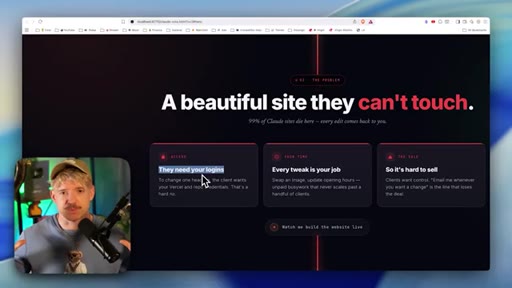
02:09Because to make edits, they either need your logins, which is one thing, or every time they wanna tweak something like, I wanna change the copy or I wanna change my review, you have to do something about that. And it adds so much more work to your shoulders and your plate, meaning that you can't ever really automate the process and you can't have a hands free experience from your team or your clients because you're the website guy.
02:30You're the guy that has to touch it all the time. And it also makes it hard to sell because clients are like, great, but how do I make edits? What does that physically look like?
02:38And before I show you how you build these websites live in any style that you want to, but actually looks epic and not like Claude's slob, I'm gonna show you one thing here. I need to point something out. That Claude can now build
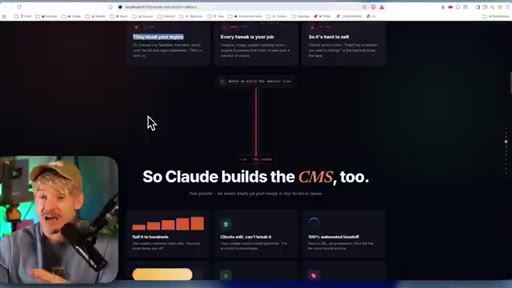
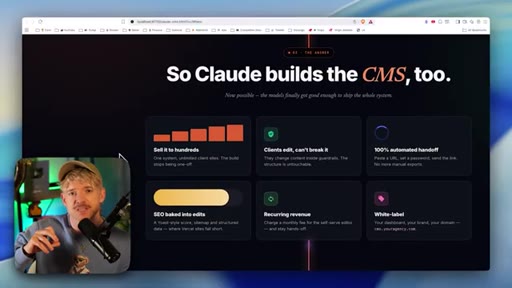
02:48the CMS as well. Just standing for central management system, meaning you can sell way more of them.
02:54Clients can edit the website without breaking it. It's a 100% automated hand off. You can also
03:01bake into this SEO optimizations, which I'm gonna show you, which is freaking crazy. You can generate recurring revenue from it if you do wanna sell it.
03:08And obviously, you can eventually, if you want to, get a white labeling, but that is way down the road. But just to show you what's possible with the CMSs. So this was a website we built on my last video.
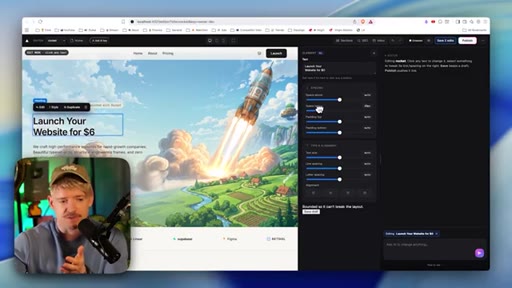
03:16Now this is what the website looks like in the CMS. So say for example, we gave this to a client. What they can do now is they can chat to AI here to make any changes they want to.
03:25Crucially as well, let's say that they don't wanna charge $0, but actually they wanna charge $6. I come numb. I select 6.
03:31Awesome. You can also do those things here by moving moving spacing, whatever you want to. That's how freaking cool this thing is.
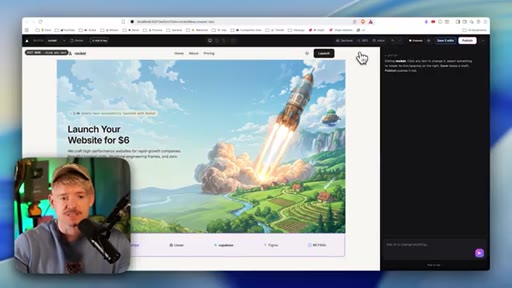
03:37You can literally edit it and go about it. Obviously, it's got loads of things. We can see what it looks like on tablet.
03:42I can see what it looks like on mobile. Really freaking care. I'm gonna go down and just literally mobile optimize it and ask suggestions based on that.
03:47It just gives a beautiful interface for if you're building your own websites, you prefer to build on this, can do. When I come down and basically click on selections, I I can then have conversations with it here on the right hand side.
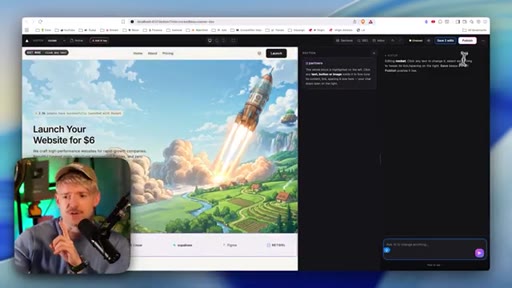
03:58Loads of really cool things. You can save it. You can publish it.
04:02Or the cool thing is SEO. So if click on SEO, for example, I can say my key phrase. So my key phrase is grow on, I don't know, like, I don't know, AI growth or whatever the thing is, and it'll give me an SEO score of of, like, 60.
04:13I can come down here and say blah blah blah. I can see here the best way to build your website, whatever the thing is. Right?
04:19I can come down here, add my description, and let you save it, and then have this updated on the on on literally our website instantaneously. And then what it'll also do for us as well, if I've got multiple websites, I can click down here and see other websites that I've got and do edits on this.
04:33So you get this full system that lets you edit anything you want to. The other cool thing that you can do in the CMS for Computer Rocket is basically go into different pages. So can come down to about I can click on the pricing page.
04:44I can make edits to any page that I want to. It's really freaking cool. I can even come down on the left hand side to add either an article page, a blank page, whatever the thing is, and go through that entire process.
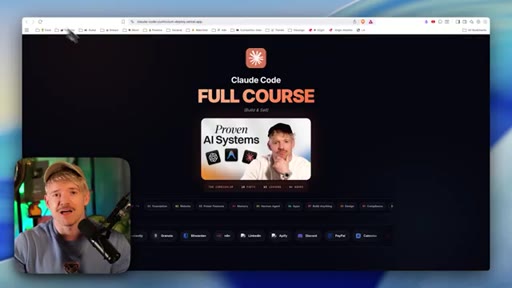
04:55And this was all built by Claude Code. And by the way, I just released the full Claude Code masterclass inside the community that will take you from zero building websites, power features, memory systems, Hermes, all the way down to generating income compliance with this. Even the full thing, I'll put a link down below so you can go and grab it.
05:09It is by far the best piece of content I've ever created. I get messages about it all the time. So if Claude Code sounds like Spanish, you can set that one up down below.
05:16So now we understand the power of this Claude CMS and just how epic it is. The first thing we need to do though is actually build together a beautiful website within Claude code that looks unique and will actually convert. So step number one is literally grab the Claude app.
05:30It's literally if you catch up on the master class, you're just downloading Claude desktop and you wanna be on that $20 a month plan to get started, you can use online services like Livable, Bold. New, Base 44, AI Studio. We're gonna be using the Claude app directly.
05:44Now what we wanna do realistically is get inspiration to make it feel like it's not a Claude generated website, which is what 99% of them look like. And we can help Claude know this in a couple of ways.
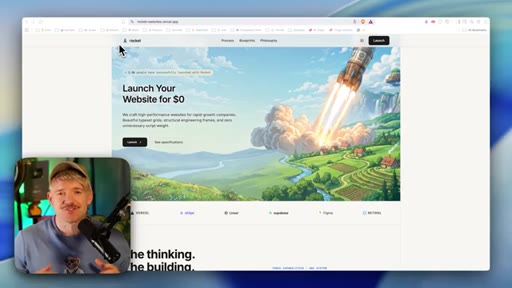
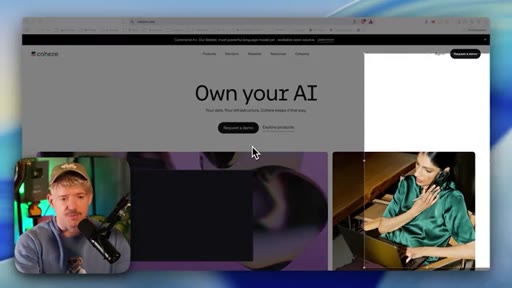
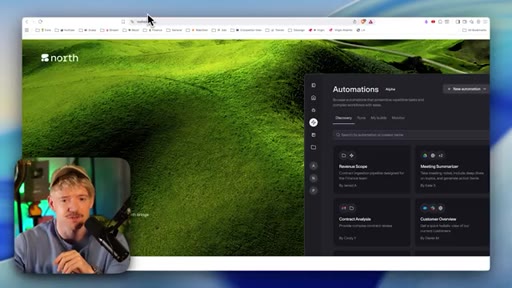
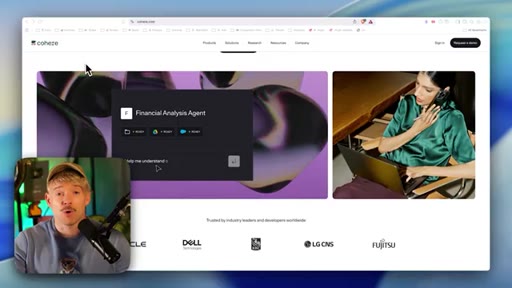
05:54One is just sharing URL. So I think this is a beautiful website. I really like the vibe.
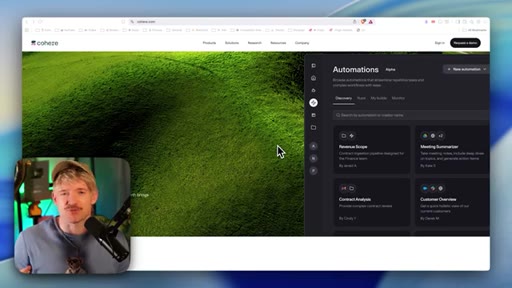
05:59They've done such a good job of scale. Probably one of the best jobs I've seen in a while actually of having making things feel big and small at the same time, the blending lots of elements together. So what you can do is either find websites that you like, you can come down and take screenshots of this, and we can literally grab this like so.
06:14Copy it. Shoot straight over to Claude, and literally drop in those screenshots. Another classic example, by the way, is a website called dribble.com.
06:22This one's awesome for finding websites that make your vibe, that you think look really cool. You can literally type things in here. I could say like, yeah, like dashboard for example.
06:30Find a dashboard that I like really easily, and I could just say, hey Claude, I love this design. I can copy the image and come straight over. I'm gonna go ahead and use a skill that I built in my community, which basically lets me get a full design blueprint.
06:41I'm just gonna grab that real quick. Just come over here and do the design blueprint extractor. Come down and download this.
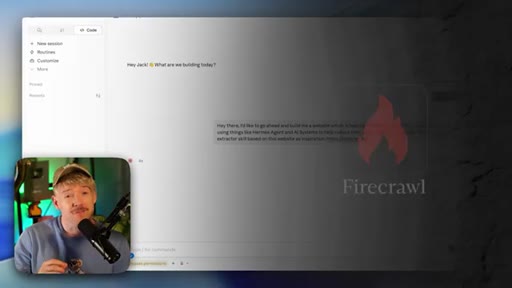
06:46And then you just come over to Claude and explain what you want the website to be about. Hey there, I'd like to go ahead and build me a website which is helping businesses scale with AI
06:55automations and using things like Hermes agent and AI systems to help reduce their cost. I want you to do the design blueprint extractor skill based on this website as inspiration. Or if you're not using the skill, can let just drop in exactly what you want it to look like.
07:09I wanna use this because I just wanna get a good understanding of how it all connects. I'm using something called Firecrawl, which is a really great way of AI understanding and breaking down different websites. Effectively, it's just a more powerful way to get information from online.
07:25So if you're trying to understand, for example, branding or why does a website look a particular kind of way, like what is it specifically about the fonts and the and the colors? Firecrawl is fantastic at helping us understand that information. So it's wonderful.
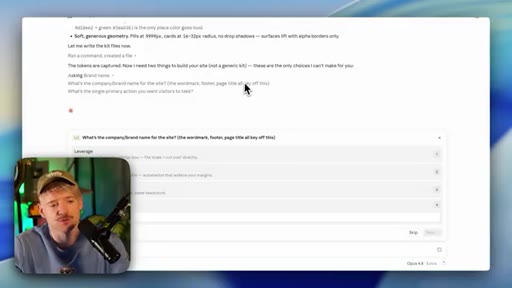
07:38That's what I tend to use when I'm ever doing any kind of website stuff. Cool. And then Claude's come back and asked us, what's the company brand name for the site, the word mark, the button?
07:45Why don't we do something like Leverage? I think that'd be pretty cool. This is an example.
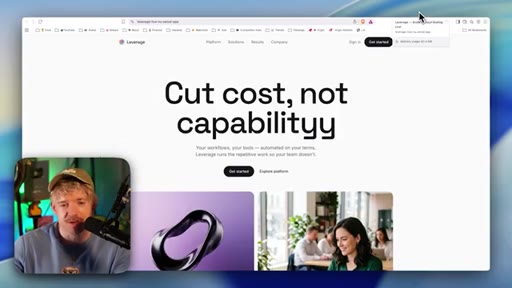
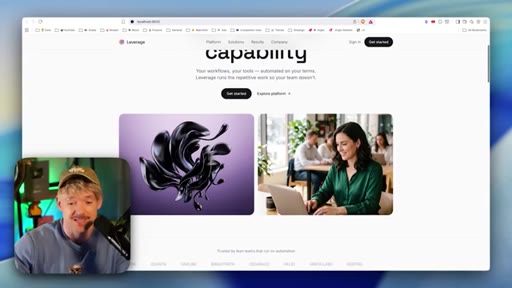
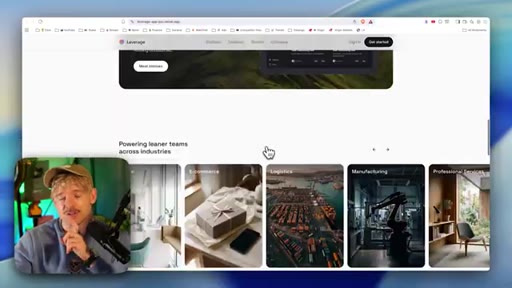
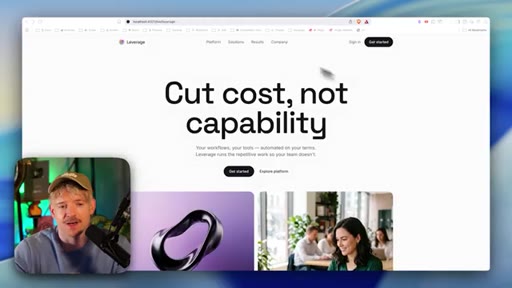
07:49And then in CTA for this, we're just gonna go ahead and say, let's go down and get started. And guys, this was its one shot output. Cost not capability, your workflow, your tools, automate on your terms, blah blah blah.
07:59As you can see, I've got these two images. These are gonna be a list of companies that we work with, which is cool. Measured reliability.
08:06This is gorgeous. And what it's also done for me, which is incredible, is generated specific images. Check this out.
08:12I told him to have things like him his agent and he's built this custom graphic for me. Why is it done though? Well, do you remember the original?
08:18The original thing here, for example, had this on it, which is it had a nice background and then it had a actual like screenshot or something on top of it. So you can see this is what it's done. I think this is for a one shot, really unique.
08:32You're not gonna get this just by prompting cord and sliding things into it. This is fantastic. And then it's given us a really nice professional theme with multiple different images.
08:40Here's how our systems work, come down, and then we've got data, and then we're ready to get started with lots of things. Automation moves fast. Now this was a complete one shot.
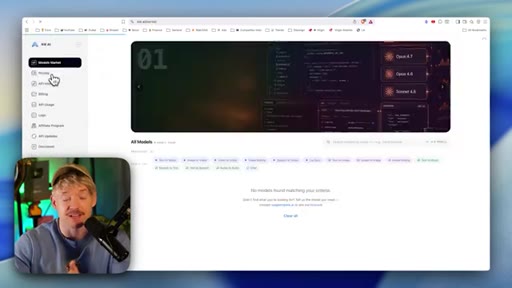
08:49And if you want Claude to have the ability to add in images, what we can do is give Claude that skill. We can do that by coming over to this website, which is probably the cheapest way to do it, which is KeyeraPI. You basically give it an API key.
09:01From the left hand side here, you have API keys. It lets you come over. You can grab that API key and share it.
09:06And it's like one of the cheapest ways to actually generate images, and that's exactly how this model did it for me. Now we can think about ways that we may wanna improve this website. For example, I would quite like to have maybe some logos there, some visuality which is cool.
09:17And then I think what would be cool I think this is good. Maybe we can improve this section a little bit. So what I might do is just take a screenshot of this like so, come back over to Claude, and you can just ask it to do certain things.
09:27It could say, hey, I like the kind of patchy design of this, or I love the way that this part of the website logs. You just literally come back, you take the screenshots, you say, hey, Claude, I wanted to do more like this or more like that, or any inspiration that you like, and Claude will go ahead and execute. Then effectively, you just go back and forward a couple of times until it reaches the point where like, dude, this is perfect, then you'd be ready for the next step.
09:49Then once that's done, we can now see the beautiful website and look at this. I think the logo's just in addition, make it look gorgeous and pop. We've got all our different thing.
09:57This is quite crisp. It's quite nice. It's like we don't want it to be too fantastical, too out of this world.
10:03Nice, crisp, really cool what it does. And guys, this was all created by Claude.
10:09How cool is this? Like, even this, I think, is freaking fantastic. Right?
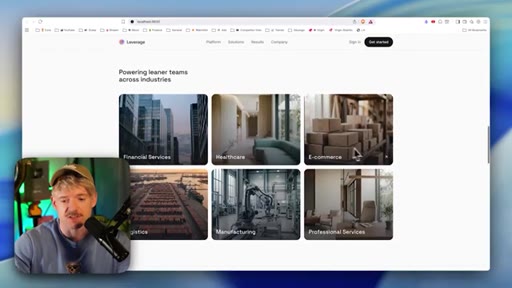
10:12And you can specify this. It just gives it a super duper premium feel. Here, we've got all the other things that we're doing, financial services, health care.
10:19Again, that maps very nicely to the original, which I think is gorgeous. We can play around that a little bit.
10:24We got a nice image, plugs into everything, already run, explore the system, come down, and then we have the full website. And effectively, we can just alter this as we want to, very crisp. And then the next step is to actually get this hosted.
10:36And the way to do that is to tell Claude code to do two things, which is to follow. Hey there. I would like you to create a private
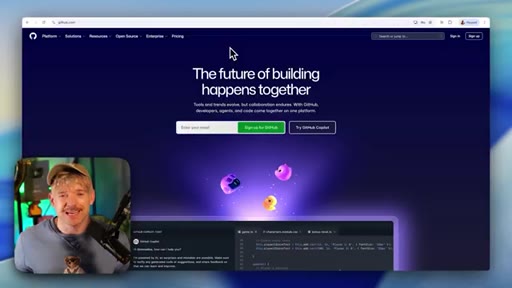
10:44GitHub repo, and then I want you to go ahead and basically post this onto Vercel creating a website. Now, what is GitHub?
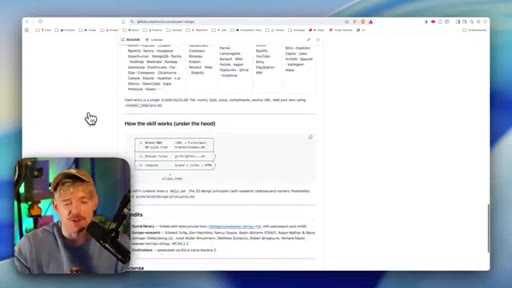
10:52What is Vercel? TLDR, if you're not familiar, GitHub is just an online place where we store stuff. So websites, all the code basically lives in GitHub.
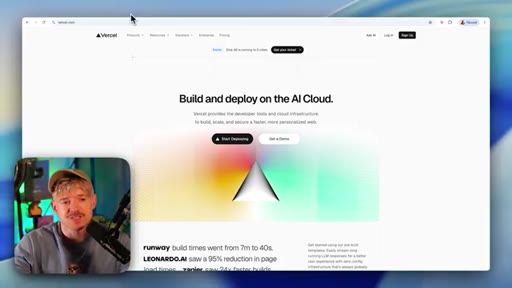
11:00So all code that we're building for our website, loads of different individual files. GitHub is just a place where it lives. And then Vercel is the agent that then deploys this.
11:11So imagine the code, the information lives in GitHub. And Vercel is just a one to one reflection of what lives in GitHub. Right?
11:18This kind of deploys the website, and we just use Vercel to do that. Now the cool thing is we can connect to both these services without even actually going in and pushing buttons by using something called a CLI, which is command line interface.
11:31Oh my gosh, Jack. What the hell does that mean? Basically, we just open up a browser, we sign in, and then we're fully connected.
11:37So then Claude can just reach over, create the files, edit files in GitHub, then reach over to Vercel, pay basically post it and do anything that it needs to. And just so you're right, this is what GitHub looks like. You have these different folders, power design, people release projects here all the time.
11:51They can be open source. This is the one I did on design, for example. It's really cool.
11:54And like, some are open source, you can clone them and do various different things. And all you ever do, if you wanna use one, is come down here, copy it, throw it into Claude, and say, hey, do something really cool with this. And guys, this is literally how easy this is.
12:06I told it to do it. It's gone ahead. It's created a private GitHub repo for me and it's published it live.
12:11So if I click on this for example, you can see, open it up and here's our website. I'm ready to rock and roll and now I can share this with clients and do like a thousand different things. And just for your information how this physically works, if you come over to Vercel and you click on the app here, which is the one that we've got, you can see this is the actual website.
12:28And then from here, if we want to, we can do some really cool things like domains. Like, I click on domains on the left hand side. Can actually buy a brand new domain for my website.
12:37I could call it coolidea6twenty, whatever the hell it is, .com, and they can buy it. And that will be linked to my own account.
12:43And basically, I have this I can show clients. That's literally the whole process. And now that's live, it takes us very nicely onto the CMS.
12:49Now the cool thing that you can do with Claude Code is actually tell it, hey, I want you to build for me a central management system for managing my website. And this is what I want. I want it to have this feature and that feature.
13:01And Claude will actually build that for you and sync everything together. I'm gonna show you an example of exactly how this works. But the way that I kinda structured this myself is essentially really simple.
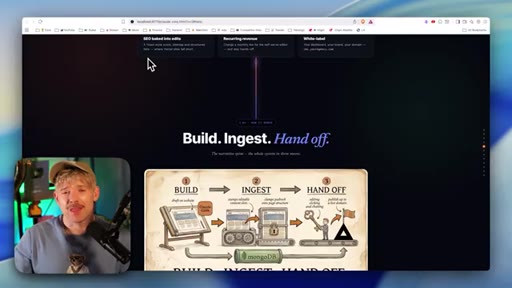
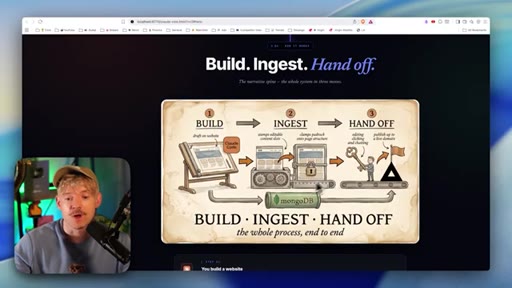
13:10So the idea, and I think the best way that I found to do this is you build a website just like we did, and we post it on Versal. That is step one. Step two is what I call the ingestion machine.
13:21I thought along and hard about this structure, what would be the best way when you've got the CMS. And effectively, what we wanna do here guys is get this website. So build a system.
13:29Well, we just simply drop it in, and I'll show you exactly what that looks like. And then you can hand off the keys to the clients to do whatever they want to. And we're gonna be using MongoDB,
13:37which is an unbelievably simple way to manage all the kind of data in the background and the storage. So very simply, we build the website.
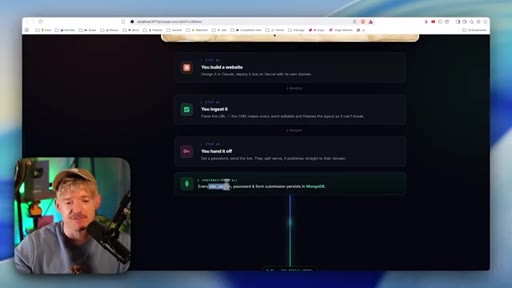
13:44Step one. We design and cloud, we deploy it live and versatile as on demand. Awesome.
13:47Then we're gonna ingest it. Ingest the CMS, basically, it's gonna make everything editable for us, which is freaking awesome.
13:53And then we can hand it off to our team, to our clients, and then we'll be absolutely flying. And every site version password is protected and it's very, very cool. I'm gonna show you it looks like in a second.
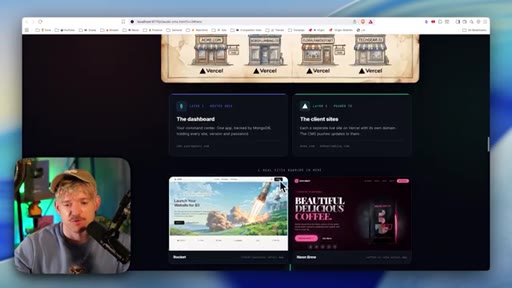
14:02So the idea here is that we have one dashboard, which is a set CMS for us. And then level two is all the different sites that we have. So Bob's Plumbing Co, all this stuff connects to one single dashboard, which means that all of your hundreds and hopefully thousands of clients can all connect to one individual thing.
14:19So for example, I can have this website, that website, and it all beautifully connects together. And to show you how this works, I'm gonna grab one that I made inside my community. It's gonna come down here and grab the Claude CMS.
14:28What I'm gonna do is come down and just download this guy. And I'm literally just gonna come down and attach the file. Hey.
14:32Go ahead. Read this and open up the CMS, please. And you'll best understand exactly how to build it by seeing this.
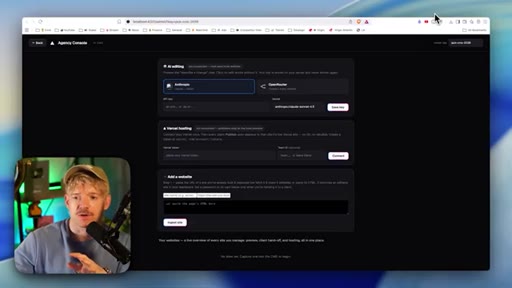
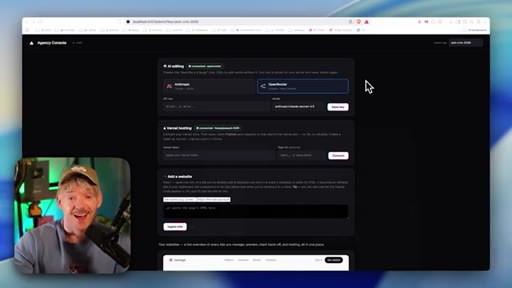
14:37So in this system, there's two things we wanna connect to. One is gonna be Vercel so that any changes that are gonna make in the dashboard will appear automatically in Vercel. And the second one is OpenRooter so that people can magically edit and amend their site.
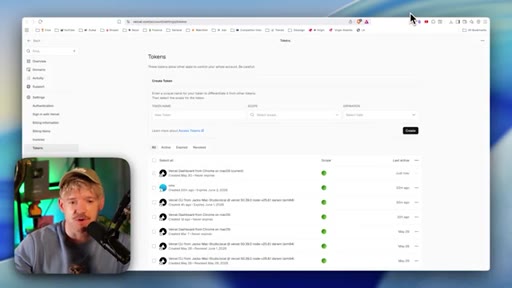
14:50So first one is to grab the Vercel tokens, which you can do at vercel.com/account/settingsforward slash tokens. And if you're building this yourself, you'll still need to basically create this token.
15:01So let me go ahead and grab one real quick. We'll give this one a name of Tester. We'll call the scope of my projects and expiration.
15:07I'll just put it to expire an hour for test purposes. Come down and click on create. Then you're gonna copy that token and basically come over and let's just throw that one in here for the self hosting.
15:15Beautiful. Come down and click on connect. Beautiful.
15:17And it's fully connected. Fantastic. Then it wants an AI editing.
15:20I'm gonna go ahead and use OpenRooter, which is my favorite. You head over to openrooter.ai. It just lets you connect to effectively like any kind of AI you want to.
15:27And then on the left hand side, you're gonna come over to API keys, come down, create a brand new key, give it a name. You'll need at least $10 if you're gonna be using OpenAI for this. Once you got the key, come over to API key, and you're gonna throw that bad boy in there, come down, click on save, and then that should all be rocking and rolling, and we're all good to go.
15:42And if I scroll down, I can see actually like an example site. So the next thing that we need to do is just basically grab our website and throw it in Claude. And I basically just came over to Claude.
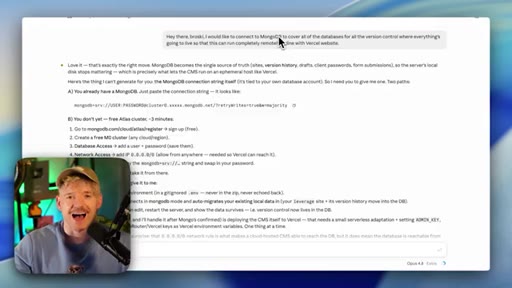
15:50I said, hey there, bro. People say, Jack, you can't call AI, bro. I'm afraid, guys, I am ready for the uprising.
15:55And it's not gonna come up to me because we are technically bros. I basically say, go ahead and add this website. You'll see the URL to the website from Versal and you also have access to get a repo because remember,
16:06Claude has access to the repo and Claude has access to the links. It can see all those things together and then just paste it in. And now we've done that, if we come back over to the local host, we should be able to see the page.
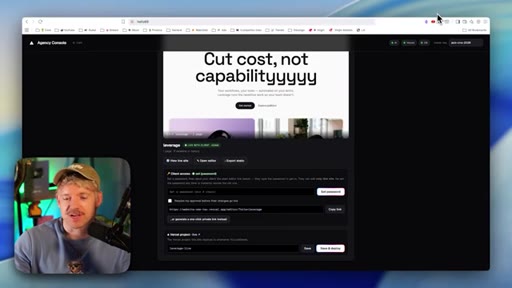
16:15So this effectively is how it'll look. We'll get our pages here, which is awesome, and I can change them back. This is where it gets really cool.
16:21So I can view the live site. Fantastic. Or I can open the editor, which we're gonna do here.
16:25Now if we wanna give this to clients, we can set a password like this. Okay? Whatever the password is.
16:30And then the client can access it this website with that password. And that's effectively how you can share it and let either your team or different clients use it. Now if I open editor on this, let's see what it looks like.
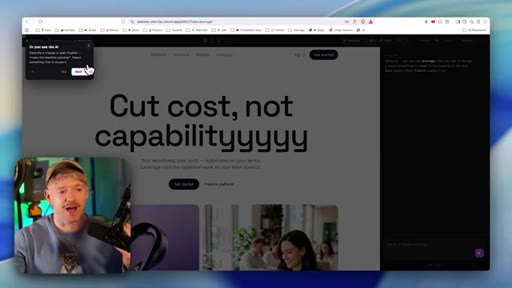
16:41So we've got here so now I can just edit it easily. Cut cast not capability. I mean, this is so freaking slick.
16:46I'm gonna come down. Maybe I want to make a change. Right?
16:49Maybe I wanna say said nothing leaves like you say, and every action is logged. I could say every action is captured. Okay.
16:56Just for instance, I think that's cool. I can come down. I click on publish for for example.
17:00And then if I come over to the website itself, it's my local host, I scroll down as you can see. Now look at this. It says every action is captured.
17:07So you can see it's updating the website. And so this is really good, but it only really covers half of the question because what we need to know is actually connect this to a database. So that basically, we can Virgin controller and the client can go back and make amendments.
17:20You can make amendments, and we can't really do this here. So this is currently on local host, but what we're gonna wanna do is connect it to MongoDB. But to do that first, I just want you to understand something really important.
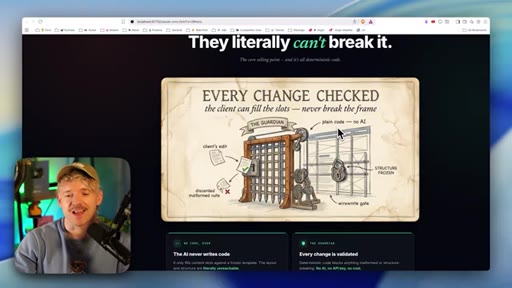
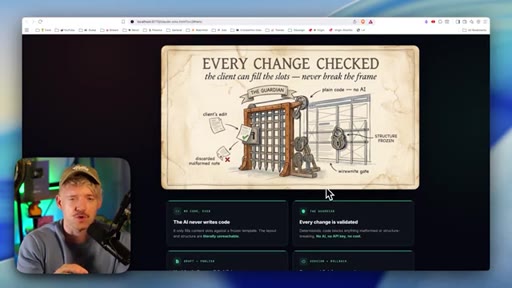
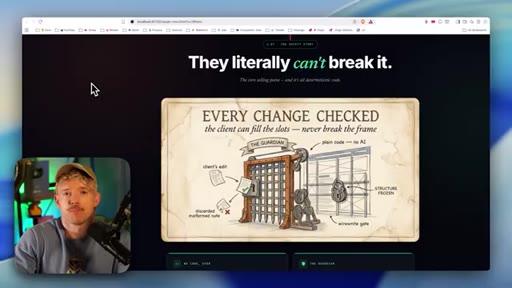
17:30So the idea with this is that every single change we make is checked. So we can actually build into this Guardian systems that basically mean there's certain things they can't change, like about the structure or whatever it is. So we have the client's edits, and if it's okay, we let it through to change it.
17:47But if not, we can discard that. So things like actually changing the structure of the website, you can remove these, of course you can. But you can make it very safe to do that.
17:54So the idea here is that AI is not writing code. We're basically just changing copy on it. Although, of course, we can make this a full code editor if we want to.
18:01We're gonna validate every change and nothing's live until publish, and every publish is a snapshot. In other words, we can always reverse this back. And the reason why I've created this version this way is because the client isn't reading whole school whole school website design.
18:14Effectively, it's given the ability to create websites, edit copy, edit images, add new pages. That's it. They don't need to completely redesign different things.
18:22But we could do that if we want to. So this is an optional safe gate that we can take off and on. But it does bring us into the question of where do we store all this stuff?
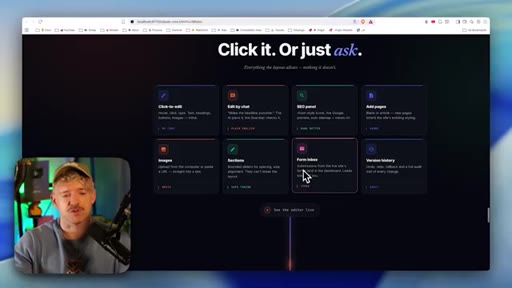
18:31Well, we store all this stuff basically after understanding the fact that we can do many things on here. Right? We can click on buttons.
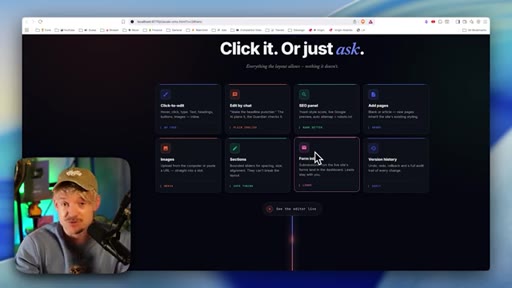
18:36We can edit it by the chat. We have an SEO panel. We can add pages.
18:39We can add images, add sections. We can even have a form inbox on that. So if we have a form on the website,
18:46it can actually go through to the CMS and they can it almost functions then as like an an entire, like, where they're capturing all of their emails, which is insane. And obviously, we've got version history which is freaking cool. So again, all these different systems, very, simple.
18:59And we stand it up and ready to rock and roll. But what we need to do is point it towards MongoDB. MongoDB,
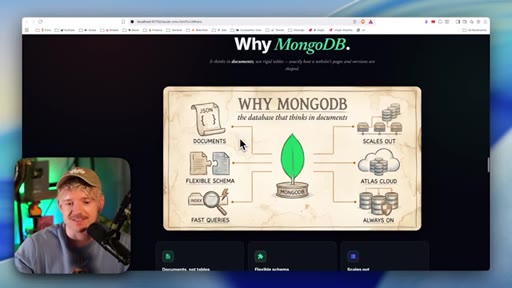
19:05super freaking cool platform. Idea of it here is to and it's perfect for these kinds of applications. Takes all of our documents and files as a beautiful place to store it.
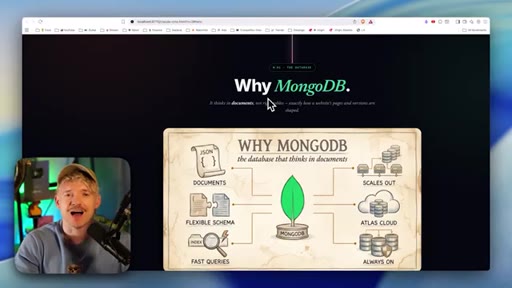
19:14It's unbelievably easy to set up. And the reason why we're gonna be using MongoDB here, there's a couple of reasons One is the fact that it is gonna think more so in documents rather than tables, which is exactly how website pages and versions are shaped. Of course, there's many different options.
19:27MongoDB is gonna be unbelievably easy to set up. So we can take JSON documents, a flexible schema, fast queries. It's gonna scale out.
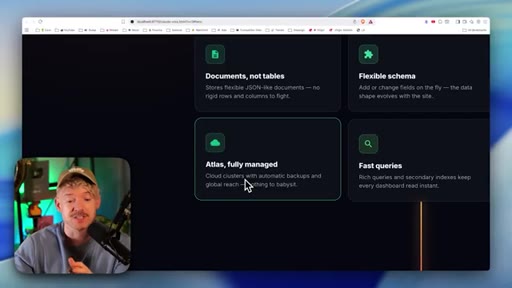
19:34It's got something called the Atlas Cloud, which is pretty sick, and it's always gonna be on twenty four seven. Documents on tables. Stores flexible JSON like documents, no rigid rows, no columns that it's fighting against, so it can be more flexible.
19:46We've got the Atlas product, which is basically fully managed. Cloud clusters with automatic backup, global reach, very, very cool. Flexible schema, very fast queries, it's always on, and it scales out.
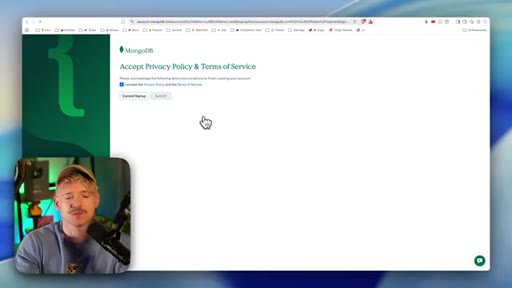
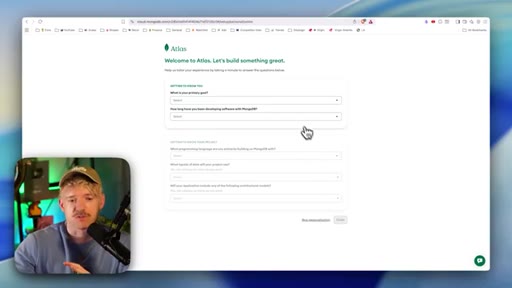
19:56So how on earth do we actually connect it? Well, first I'm gonna do is shoot over to MongoDB. And on this page, can download and click on get started and come down and create account by setting up with Google.
20:05And then once you've done that, you're gonna come down and accept the privacy policy. And remember, when you're building AI systems for anything, we have the code editor. But one of the core components, if you think of it like like a like a kind of like two sides of one coin here, is the database and storage.
20:20Anything we're doing is gonna require data and storage. So this is like user accounts, histories on the websites, how do we roll it back, lots of interesting things.
20:29And the the MongoDB Atlas is fantastic for this sort of thing. But you do want some kind of storage system there. So it's gonna get to know a little bit.
20:36I'm gonna go ahead and skip the personalization on this, but it will just basically change, I I think, like, the way that they onboard you. So if you wanna be specific about that, you can go and do that.
20:44You can pick your host plan. I'm gonna get down on the free one with 512 megabytes of storage. Come down.
20:49Close to zero is fine. We could call this one something like website CMS. We need to do only one word.
20:55AWS is fine. This is decent. Come down and then click on create deployment.
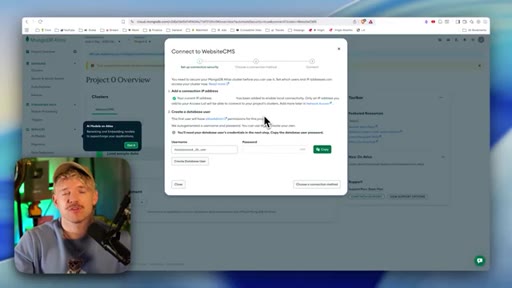
20:59And of course, we've got to validate that we're human beings, carbon based life forms. And so at this stage, we need to go ahead and create a database user. So just come down here and click on this button here.
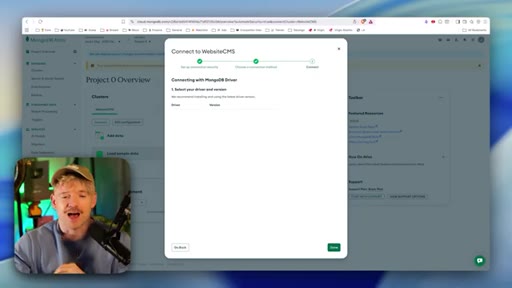
21:06Then once that's done, we're gonna come down in that choose a connection method, and we're gonna wanna go with the top one here, which is drivers. And then you just tell Claude that you want to connect MongoDB to cover all the databases and version control. And what this will allow us to do is go from being something this CMS, something that's running local in on your computer.
21:24That's something that actually we can use on a website. So we can actually share this live with clients and they don't need to download things. They can literally just go to the website, enter the password, and everything is tracked as one single source of truth in MongoDB.
21:37And then all you're do guys is that you grab this information, share it with Claude in a safe way, and then you'll be fully connected. And just like guys, MongoDB is fully connected. So the next thing that we need to do is basically take this wonderful thing we have on our local computer and actually just create its own website.
21:54So I'm gonna say, this is awesome, dude. What I'd like to do now is basically publish this CMS on its own Vercel
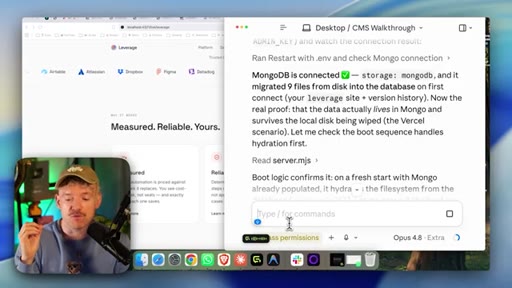
22:00URL, please. And as you can see, whilst it's doing that in the background, the boot logic confirms it on a fresh start. Mongo was already populated.
22:06Populated. It It hydrates hydrates the the file system from the database. Let me prove it the hard way.
22:10Wipe a local leverage copy and watch it come back from Mongo. Hey, guys. It literally is this simple to connect softwares now to your your own actual individual builds.
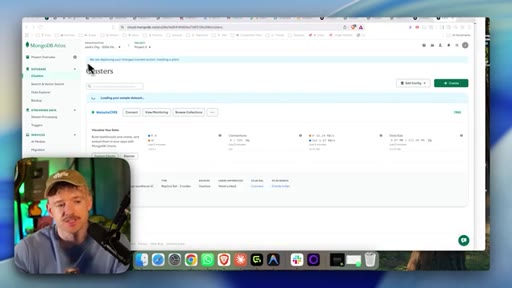
22:19And then basically, guys, you can see on the left hand side, we can organize database. They've got a really beautiful UI for this sort of stuff. And it's got like a gargantillion features inside MongoDB, which is interesting.
22:28But if you come on to, clusters here, you can see we now have the website CMS uploaded in. We can see the size of the data. We can see the connections.
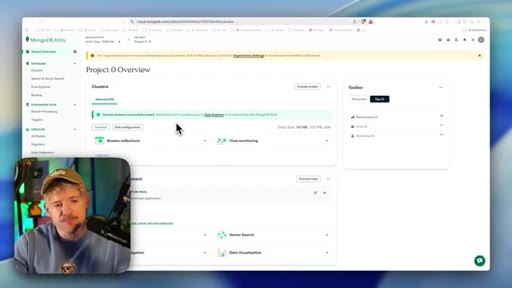
22:36All this beautiful data and information for us to manage and see exactly what's going on behind the scenes. Okay. So in MongoDB guys, you can have your organization and your projects.
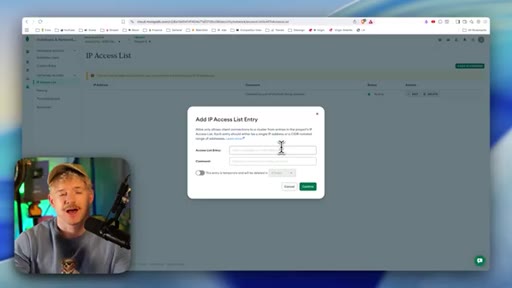
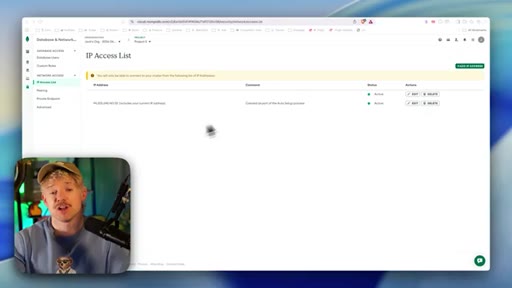
22:44So we'll make sure that we're on our project, which is project zero by clicking on it. And effectively, what you can do in MongoDB is decide which IP addresses can basically edit it. So what we're gonna do on the left hand side is come over down here to database and network access.
22:59And then you can see I've got this and it has the resources. If you come down here to IP access list, like so, and then what we're do is come down to add IP address. And here, guys, you can either just add in the IP address of your client or you can enter this one in here, which you keep access to basically any IP address, and then come down and click on confirm.
23:15And just like that, it's now active. And, effectively, now, it's really cool because we can just basically whitelist any kind of IP we want to.
23:21We have full control of that for our website database. And for example, now I'm in the editor. So I wanna make some edits.
23:27This is exactly what it looked like for the client. I can come down and add in, let's say, a little wise. I wanna say cut cost, not capability.
23:34I come down. I click on save. Let's click on publish as a for instance.
23:38And when it's live, when we refresh the page, we should physically see that going on when this publishing is finished. Cool. So that's published.
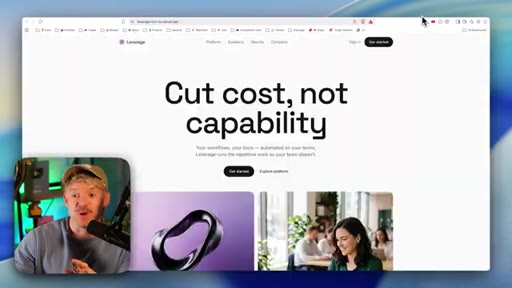
23:45Let's go ahead and check now the live web site. Then if I refresh this one here, there you go. And this is the live thing running right now on Vercel, meaning you have full editorial capabilities.
23:53So the best way to think about how this entire system works very simply is there are two links. Okay? We have, first of all, your link.
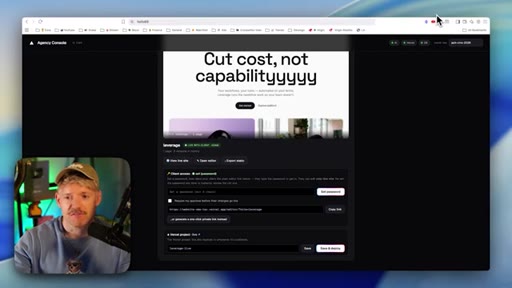
24:01This runs on your computer. You're the only person that has access to this master overview. You control things like what is the model that allows the website editing, you know, the Versal hosting, the database connection to MongoDB,
24:14all of this stuff. This is your command center. This is where we add in all of your websites.
24:18I've got one here, but I could add as many as I want to. And if I my client says to me, hey, Jack, I love this website. I would love the ability just be able to edit and do various different things.
24:29I can say, hey, no problem. I can come down here and all I'm gonna do is share this link with them. Okay?
24:34And then I'm gonna share with them a password like Hello69. Obviously, you wouldn't use that in reality, but you get the idea. And effectively, what happens is they get this link, which is this link right here.
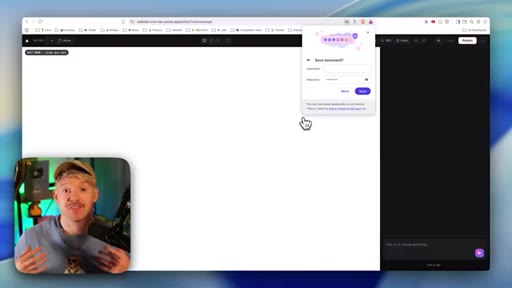
24:43We just copy and paste that one. We come over and paste in the password. We unlock the editor, and then this is the client opening it up, and it's like, hey, this looks really cool.
24:51Now they themselves, they get an a guide about how does it work, this is how you edit it. This is insane.
24:56And basically, can scale this to as many websites as you want to for the price of it. So I've got cut cost not capability to say, I actually wanna fix that typo. I wanna remove that.
25:06I'm the client. That's exactly what I wanna do, which is decent. I can come down and then I click on publish.
25:10Give that a second. And let's see now if I, the client, have actually gone ahead and updated everything. Okay.
25:16Cool. So it says it's published. So if I check out the actual website itself, which is this one here, and I refresh it, do I see a standard thing and add it.
25:24So that's the client having full access. And then all I do, I basically just add as many as websites as I want to. It's all managed in one system.
25:31And then when you set it up, basically, what Claude does is Claude creates for you the websites you build of which there'll be many. But it creates one kind of master site that just allows people to sign in and they only get access to the thing that they use their credentials for. And so what Cloud does is when it creates these websites of which you can have five, ten, twenty, thirty, forty, it also creates one other website.
25:52This is like your central master command. And effectively, just log in with a unique password to go and edit this thing. Obviously, you could make this a million different ways.
26:01You can give everyone username. Pat, there's a million different ways you could do it. This is like v one beta of this thing, but just goes to show how you can actually scale this up with so many different websites.
26:11Now building a CMS is just one part of many different facets that you need to master with ClaudeCode if you wanna get the full capabilities. So the next thing we wanna do is learn more of those capabilities by watching this video right
— full transcript
§ 05 · For Joe

The gap between a Claude site and a sellable one.

WHAT TO LEARN

Building the website is the easy part; the thing that makes it a business is the layer between your code and your client cursor.

  • A client who cannot edit their own site will always need you, and that dependency caps how many clients you can take on at once.
  • Design reference screenshots fed directly to Claude at the start of a build prevent the generic AI aesthetic without requiring manual CSS overrides later.
  • Firecrawl lets Claude analyze any live website mathematically for color, typography, and spacing, giving it design intent rather than just a description.
  • Deploying via CLI-authenticated GitHub and Vercel means Claude handles the entire push without you touching a terminal.
  • A document-oriented database maps naturally to versioned page snapshots -- each publish is a recoverable state, not an overwrite.
  • Separating the owner dashboard from the client editor link means API keys and infrastructure controls never enter the client relationship.
  • A validation layer that blocks structural edits by default is the difference between a client editor and a client liability.
  • Charging for recurring CMS access converts a one-time build fee into an ongoing service relationship.
  • Version history baked into the CMS removes the most common objection to handing clients editor access: the fear that they will break something irreversible.
§ 06 · Frame Gallery

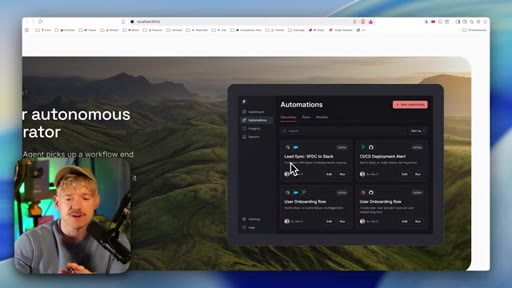
Visual moments.