The bait, then the rug-pull.
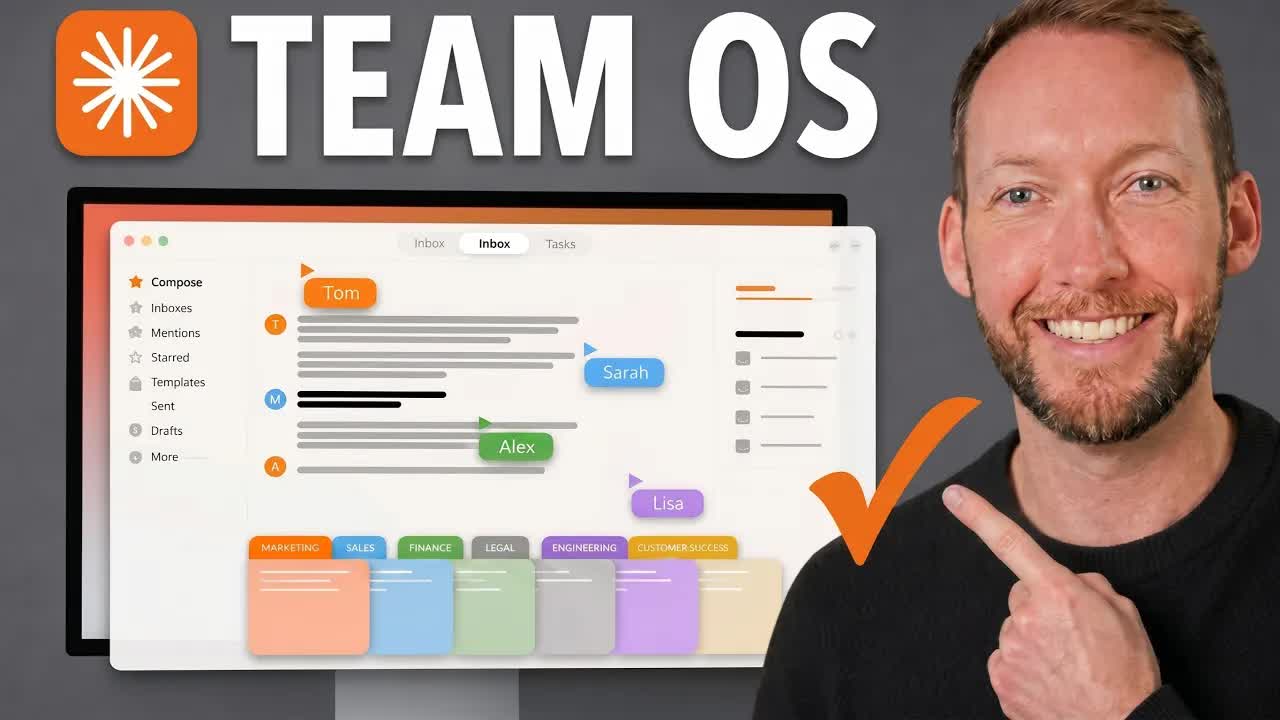
Solo agentic setups are solved. The moment you add a second person, three problems appear at once: memory has to be shared without leaking, non-technical teammates need a way to edit context without breaking anything, and whatever you build has to survive the next wave of AI tools without locking you into one interface. This video is the blueprint for solving all three.
Where the time goes.

01 · Cold open -- the team problem
States the three challenges that appear when scaling an agentic OS to a team: shared memory, non-technical access, and future-proofing against tool churn.
02 · Agentic OS recap
Quick definition for viewers who have not yet built one: folders and files that inject the right context at the right moment, stopping every session from starting at zero.
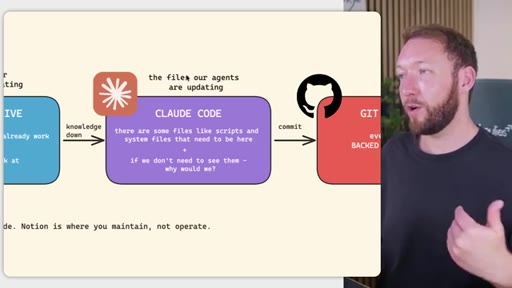
03 · Three-tier storage model
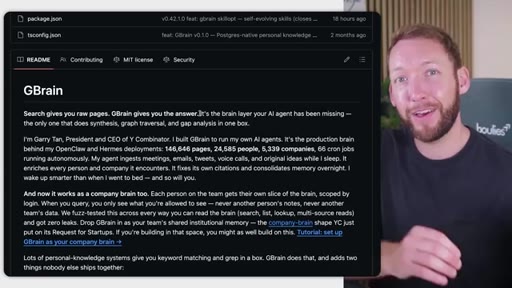
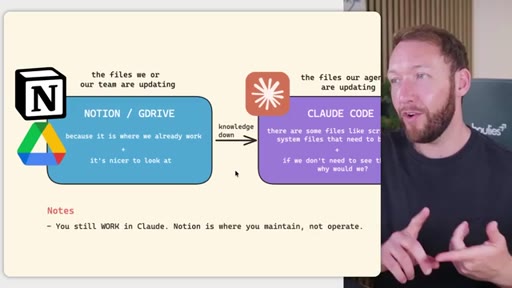
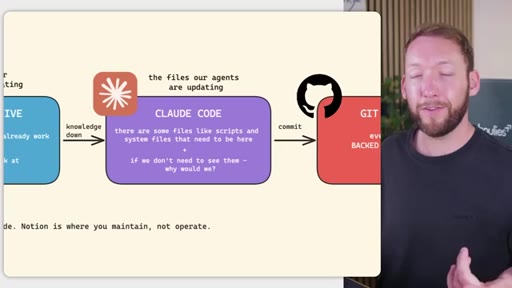
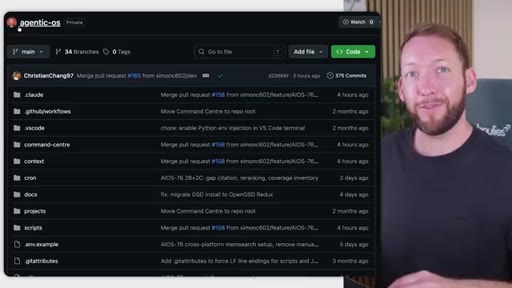
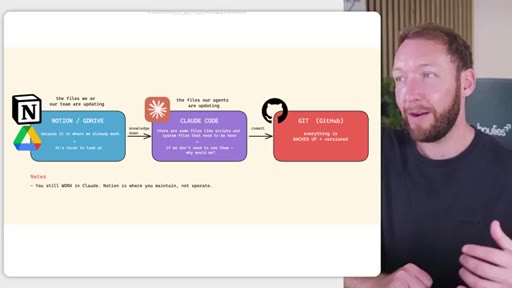
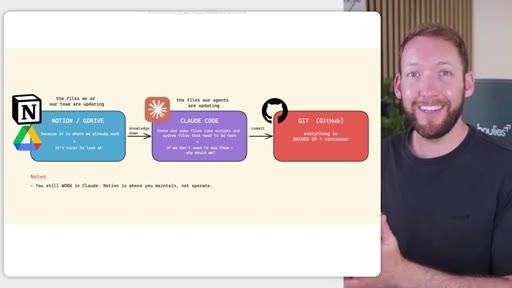
Notion/GDrive for human-maintained markdown; Claude Code for agent-maintained files; GitHub as backup and version control. Borrows architecture from GBrain and software's principle of separating what changes frequently from what stays stable.
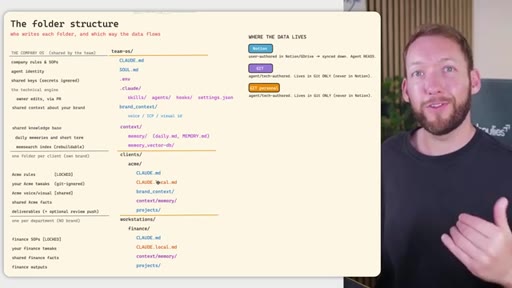
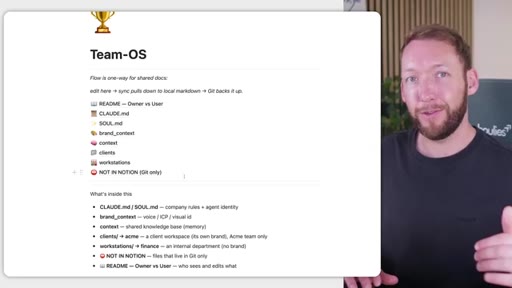
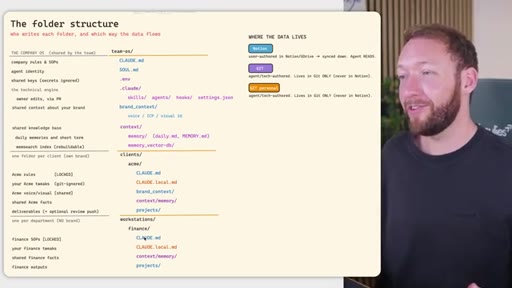
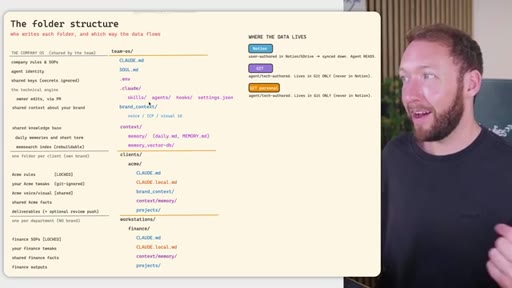
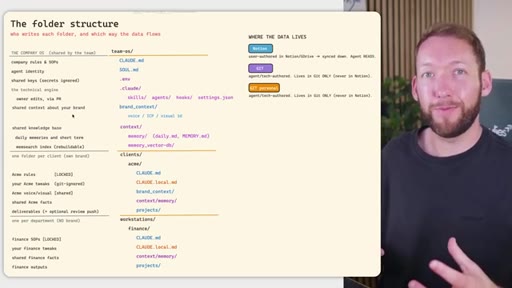
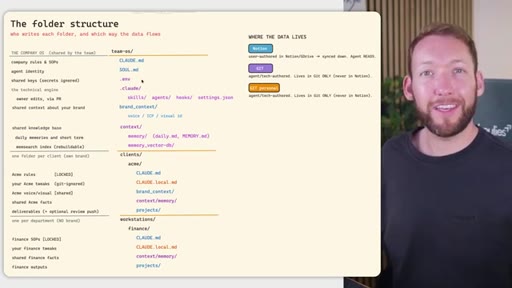
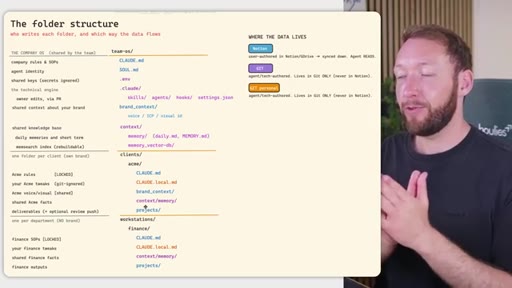
04 · Team OS file structure
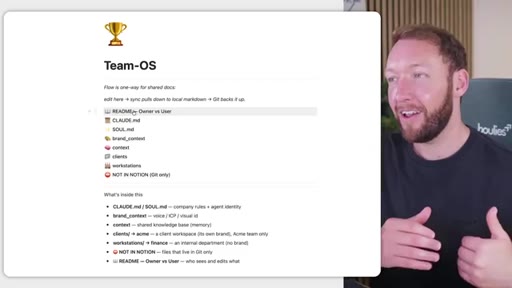
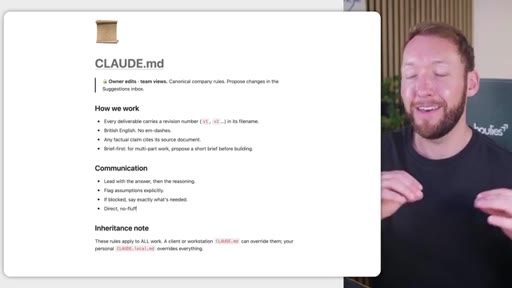
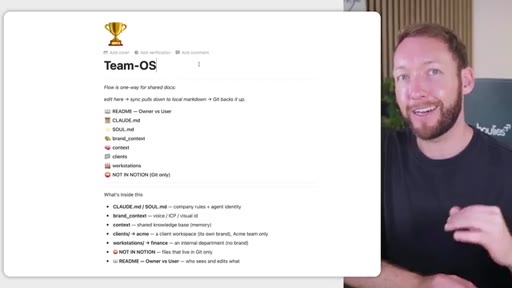
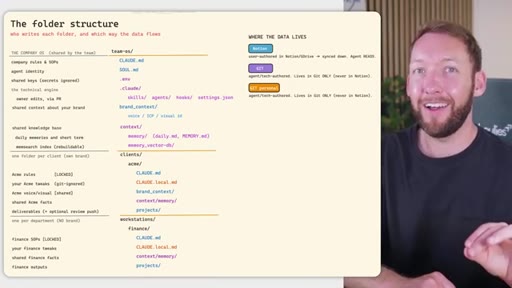
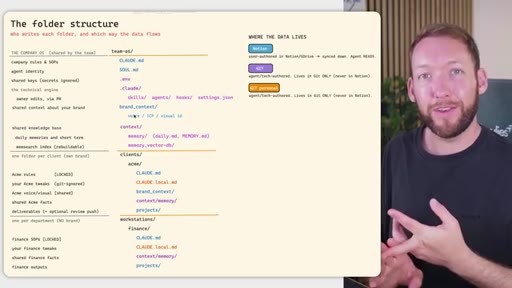
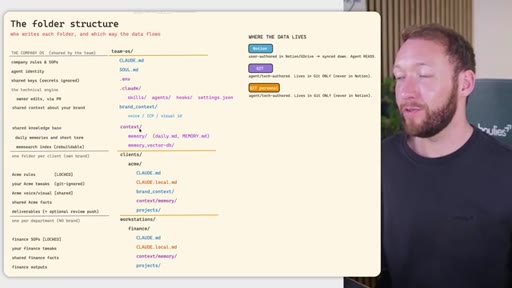
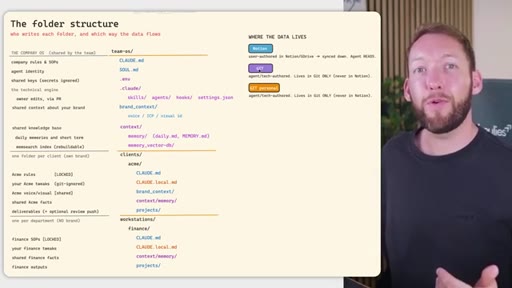
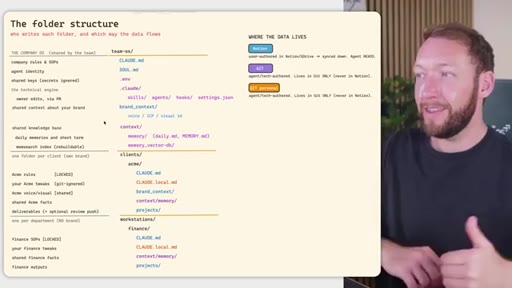
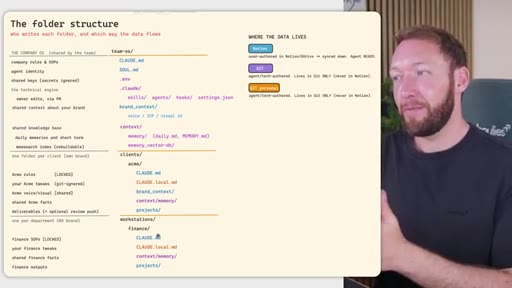
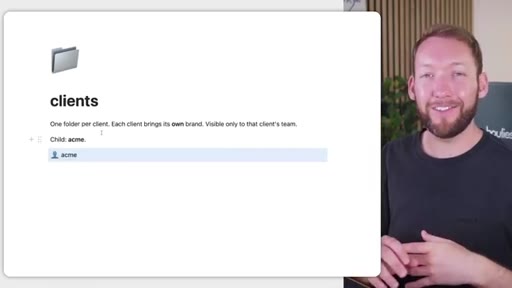
Full annotated folder tree: CLAUDE.md, SOUL.md, brand_context, context/, clients/<acme>/, workstations/<finance>/. Color-coded by who edits each file (Notion = blue, GitHub = purple).
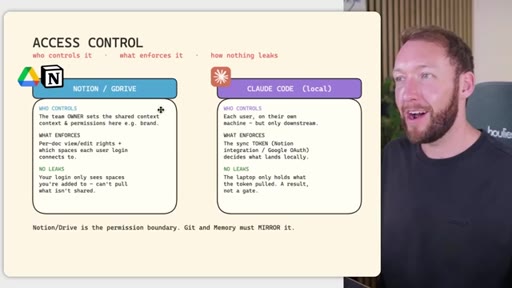
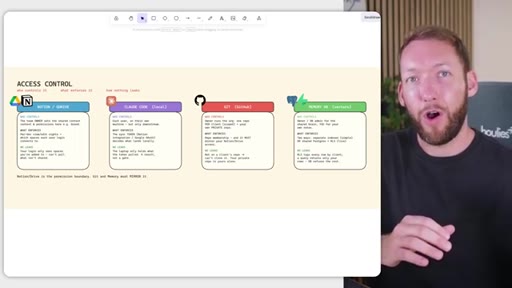
05 · Access control across four systems
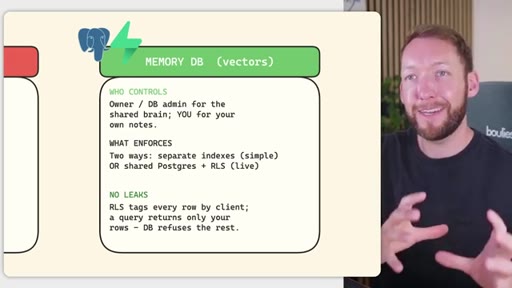
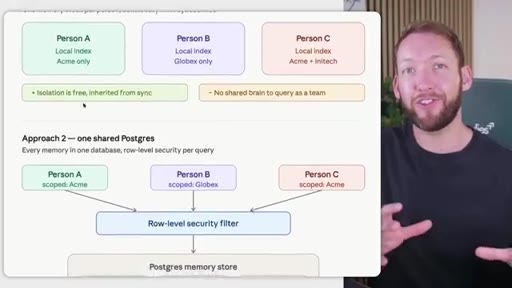
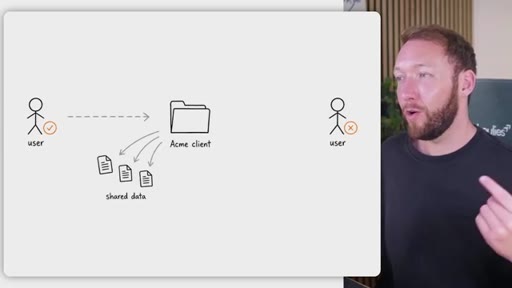
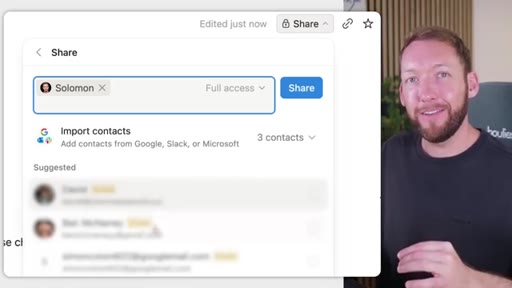
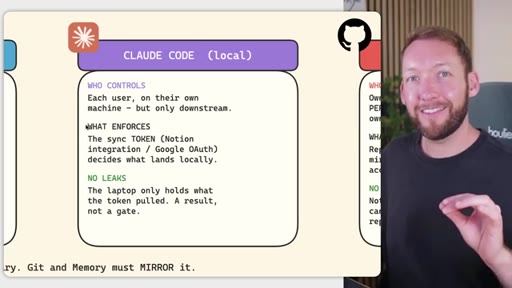
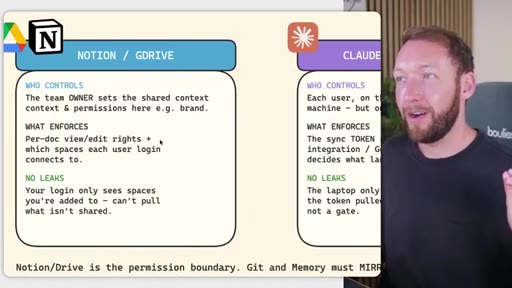
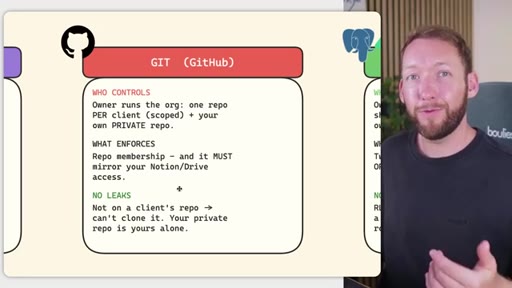
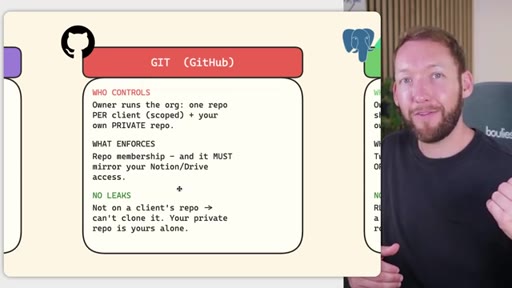
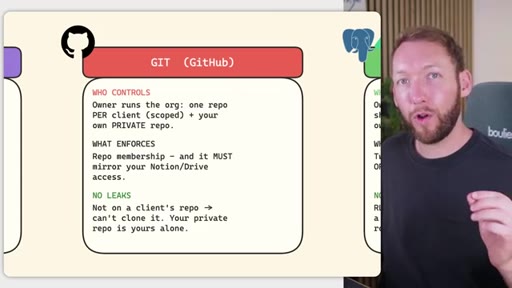
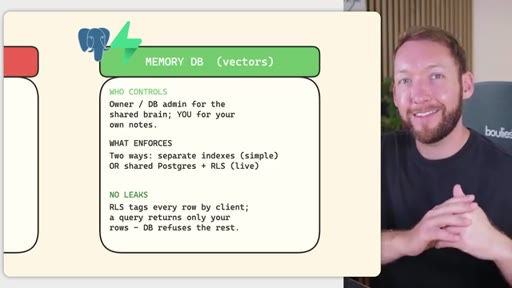
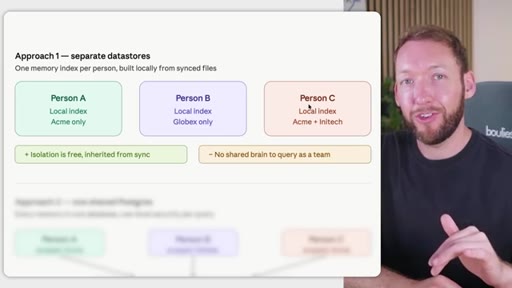
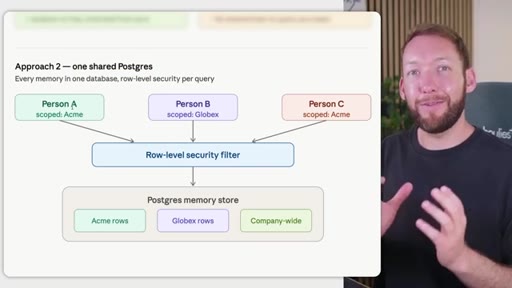
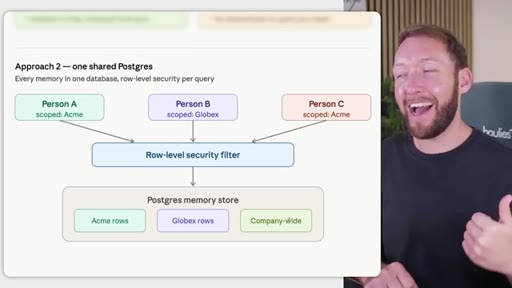
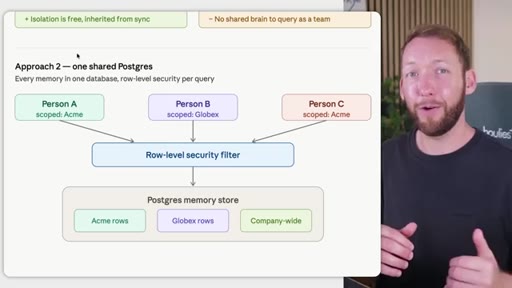
Rule: Notion/Drive is the permission boundary. GitHub repo membership must mirror it. Local Claude Code only holds what the token was allowed to pull. Memory database needs RLS per client. Two memory approaches: per-person local indexes vs. shared Postgres with RLS.
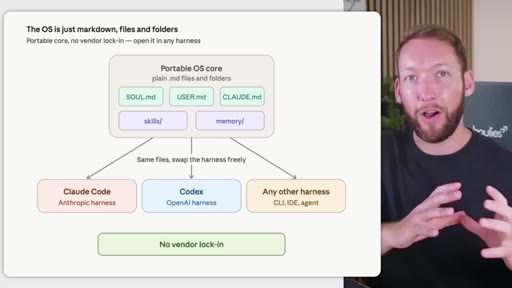
06 · Portability and no vendor lock-in
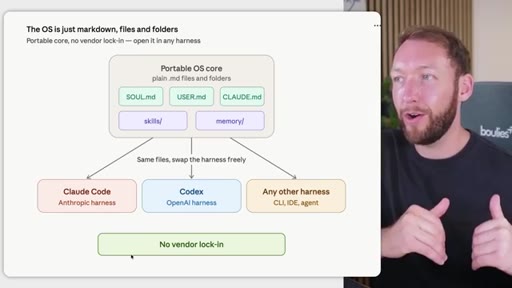
The OS is plain markdown files and folders -- move it to Claude Code, Codex, or any CLI agent without rebuilding. Closes with next-video CTA on memory systems.
Visual structure at a glance.
Named ideas worth stealing.
Three-tier team OS storage model
- Notion / GDrive (human-editable markdown)
- Claude Code (agent-maintained files)
- GitHub (backup + version control)
Separates who edits what: non-technical team members work in Notion, agents work inside Claude Code, and GitHub backs up everything including the Notion exports.
Permission mirror rule
Notion/Drive is the permission boundary. GitHub repo membership and memory database row-level security must mirror it exactly -- no system enforces another's rules automatically.
Two memory database approaches
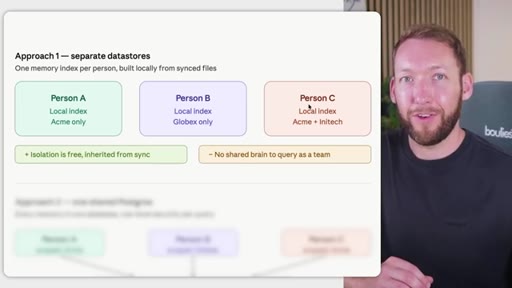
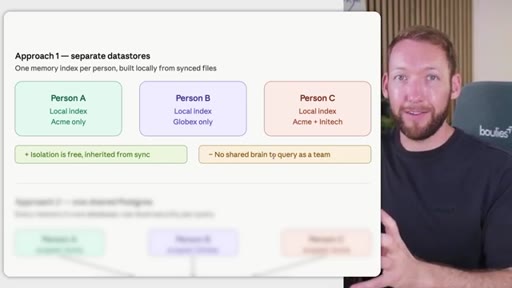
- Approach 1: Per-person local indexes (simple isolation, no shared brain)
- Approach 2: Shared Postgres with row-level security (scalable shared brain, harder setup)
Choosing between isolated local memory (easy, no cross-team queries) and a shared Postgres store with RLS (complex, enables institutional memory across the whole team).
Lines you could clip.
"Having one stops us from starting every conversation from zero."
"The LLM model provides the intelligence, and the OS provides the memory and the judgment about what information to load when."
"Notion/Drive is the permission boundary. Git and Memory must mirror it."
"The whole OS underneath is just markdown files and folders. So this means you can be completely portable. No vendor lock-in."
Things they pointed at.
How they asked for the click.
"If you want to just grab this agentic operating system with full team considerations taken into account and memory databases being built in this scalable way, then you can just join the Agentic Academy in the community below."
Soft sell mid-video before the memory database section. Mentions specific release date (June) which creates urgency. Community link (skool.com/scrapes) in description.
Word for word.
One permission model, four systems, zero gaps.
The moment you add a second person to an AI workflow, access control becomes the product -- and it only works if every system enforces the same rules.
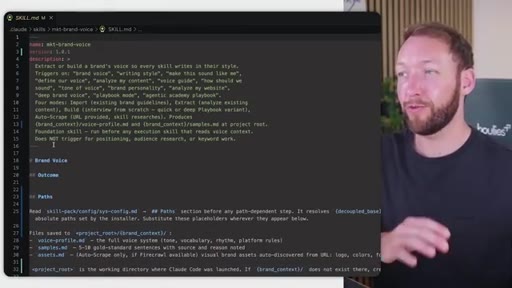
- Store human-maintained AI context (brand voice, company rules) in the tool your team already uses -- Notion or GDrive -- not in YAML config files that non-engineers cannot safely edit.
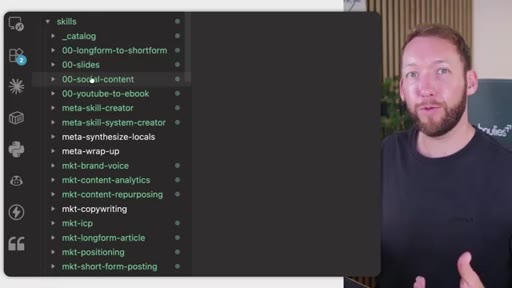
- Agent-maintained files like skills, settings, and memory updates belong inside Claude Code, not in Notion -- formatting errors introduced by Notion exports break skill execution.
- Your shared drive is the permission boundary for the entire system: GitHub repo membership and memory database access must mirror Notion access exactly, because the systems do not talk to each other.
- GitHub is version control and backup only; non-technical team members never need to open it if the sync from Notion to Claude Code is set up correctly.
- Per-person local memory indexes give you free isolation inherited from sync permissions, but they eliminate the shared institutional brain -- no team member can query what another has stored.
- A shared Postgres store with row-level security per client is harder to stand up but scales to many teams and clients: each query is filtered at the database layer, not in application code.
- The entire architecture is plain markdown files and folders, which means you can swap the AI harness (Claude Code, Codex, any CLI agent) without rebuilding your context library.