Riley Brown · Youtube · 16:14

Browsers Are Dead. Codex Just Replaced Them.

A 16-minute breakdown of why AI browsers lost before they launched and how Codex and Claude Code absorbed the browser entirely.

Posted
May 28th 2026
yesterday
Duration
16:14
Format
Essay
educational
Channel
RB
Riley Brown
§ 01 · The Hook

The bait, then the rug-pull.

Everyone assumed the next computing era would look like Chrome with a chatbot stapled to the side. Riley Brown opens by calling that prediction wrong in the first sentence and spends 16 minutes making the case that Codex and Claude Code have already replaced the browser as the primary surface for knowledge work.

§ · Chapters

Where the time goes.

00:00 – 02:14

01 · The wrong bet on AI browsers

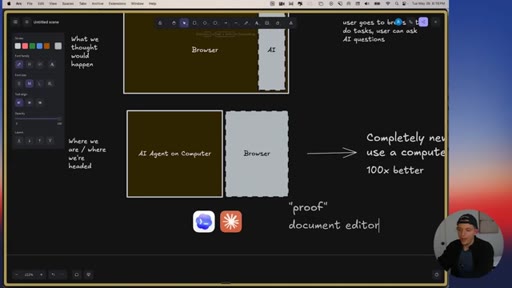
Pattern interrupt: the AI browser prediction was wrong. Context on Claude Code to Cowork to Codex lineage via Dan Shipper on Lenny Podcast.
02:14 – 06:05

02 · Demo: Codex in-app browser and Proof

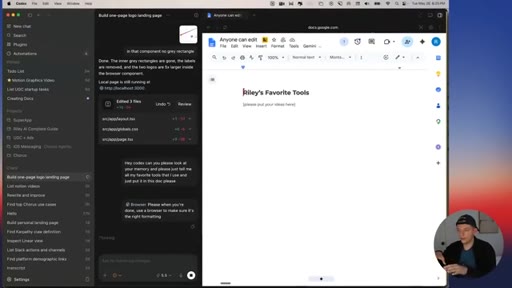
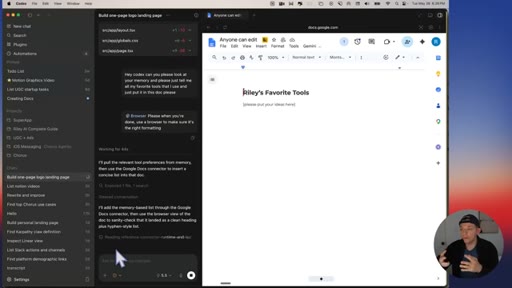
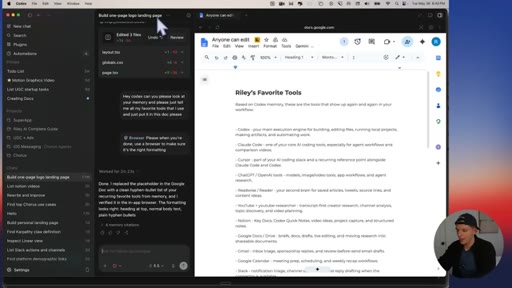
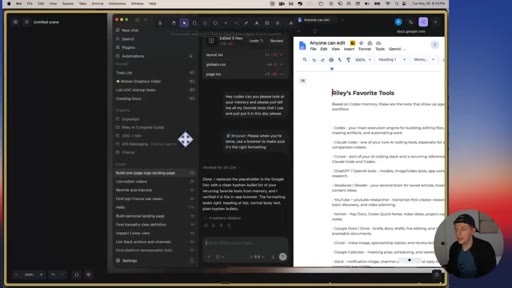
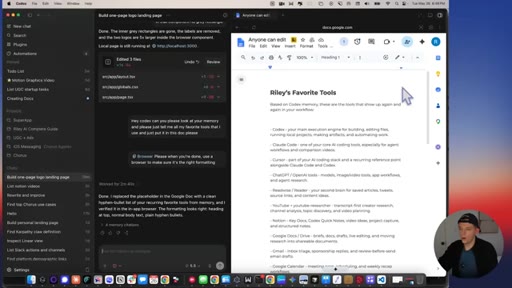
Live demo of Codex controlling Google Docs and Notion via in-app browser. Introduces Proof as an agent-native document editor. Codex writes Riley favorite tools list directly into a Google Doc.
05:05 – 07:05

03 · Breaking update: persistent sessions

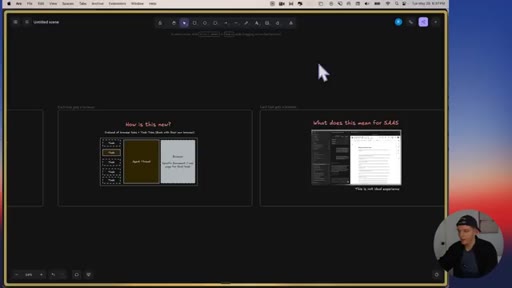
Mid-video insert: Codex just shipped persistent login sessions. Demonstrates staying signed into Twitter, Google Docs, and Notion across new chat threads.
06:05 – 10:14

04 · Task tabs vs. browser tabs

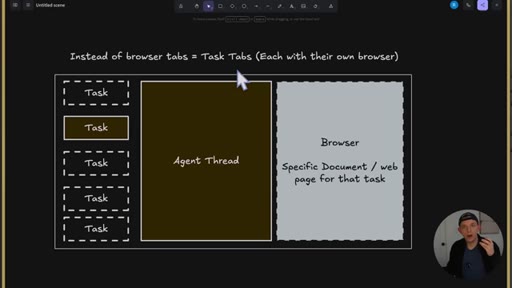
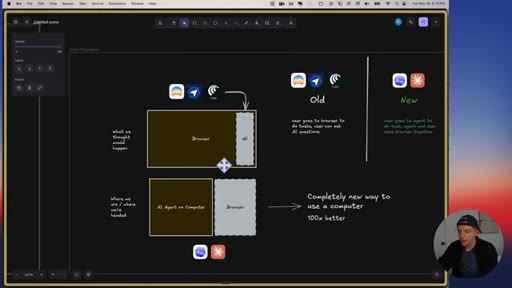
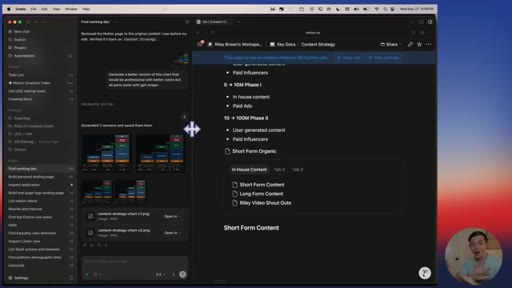
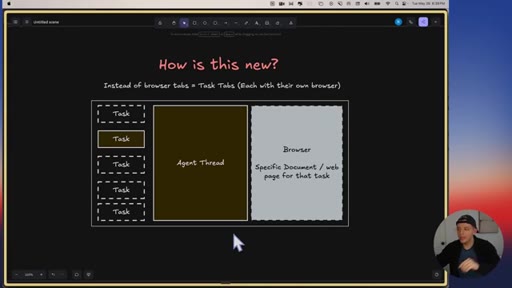
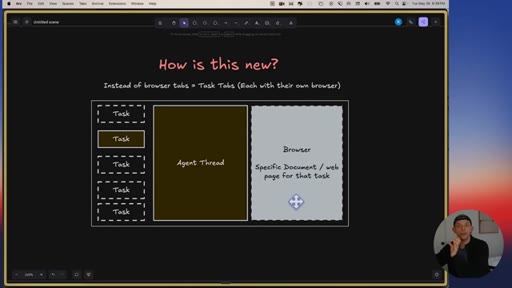
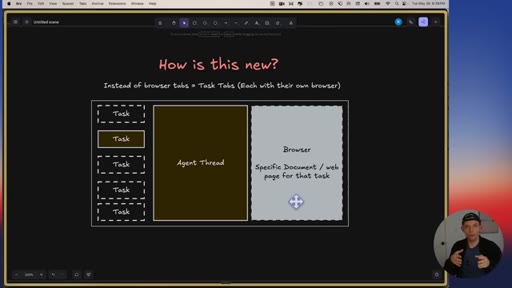
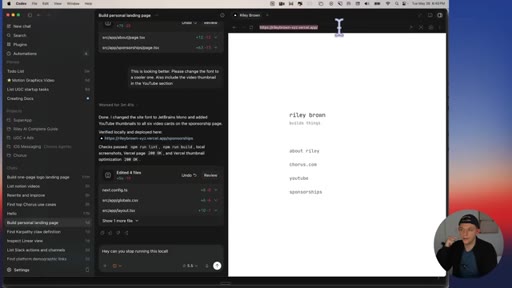
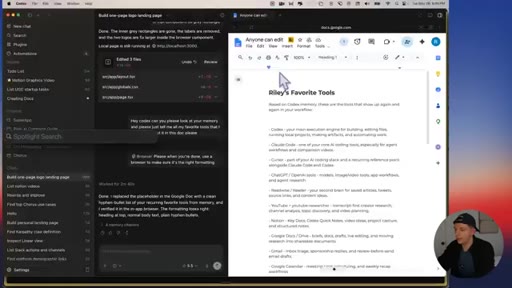
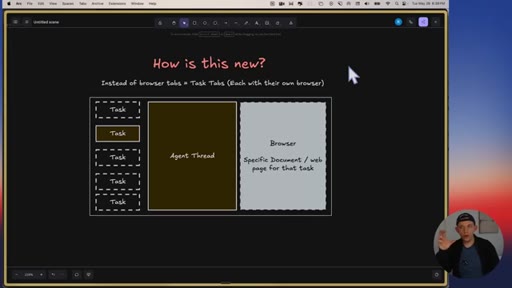
Core paradigm diagram: browser tabs equal one flat list; task tabs equal each thread with its own agent and browser. Visual walkthrough of what this looks like in Codex today.
08:43 – 10:14

05 · Agent-native apps and the future of SaaS

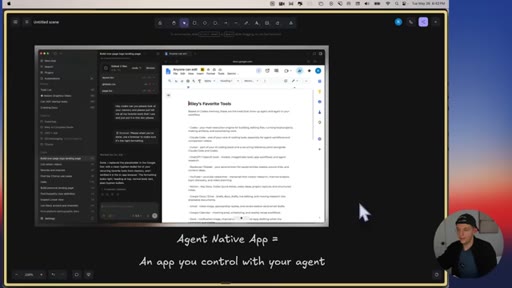
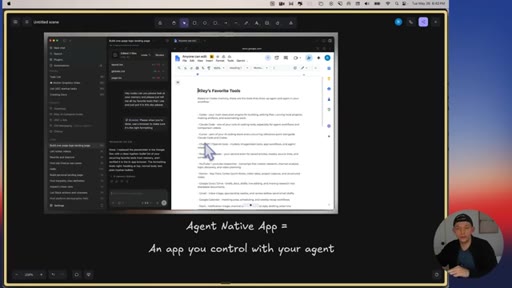
Defines agent-native app. Argues that winning SaaS will expose itself to the user existing agent rather than bundle its own. Google Docs plus Gemini button is the wrong model.
10:14 – 13:34

06 · Three predictions

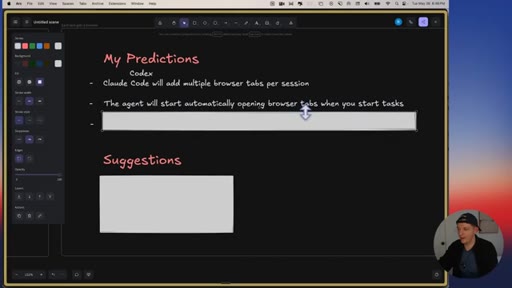
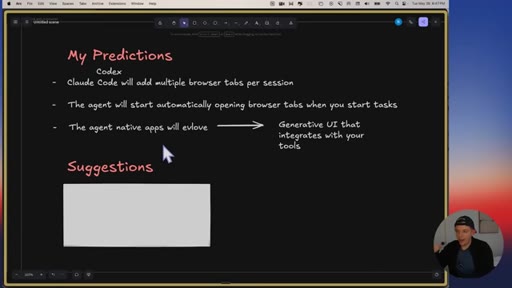
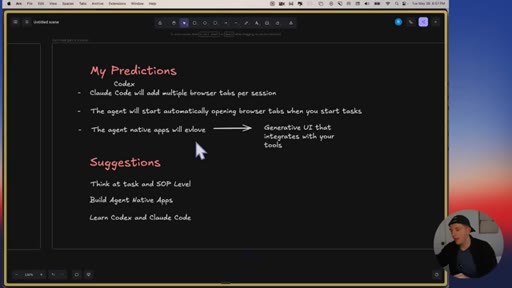
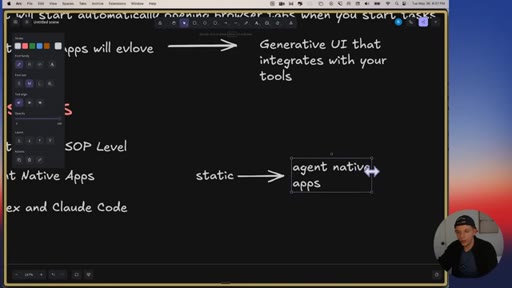
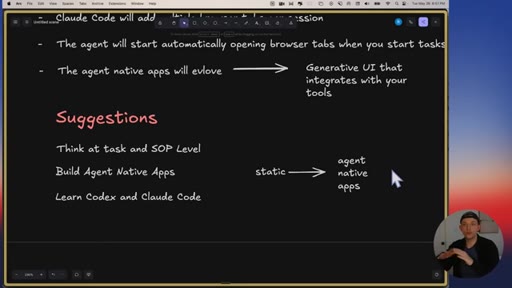
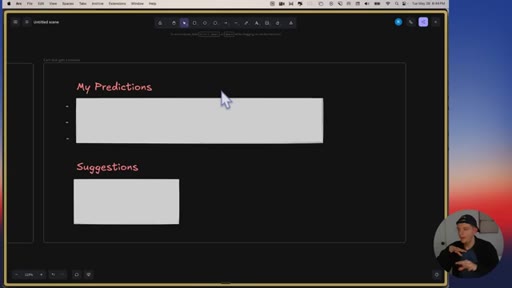
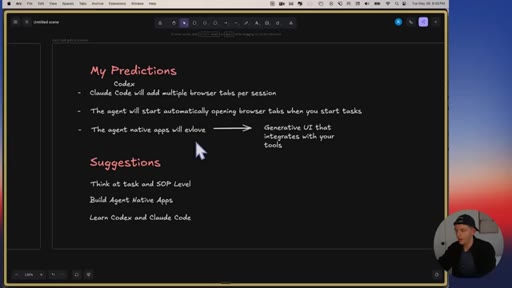
1) Multiple browser tabs per agent thread. 2) Agents auto-opening the right apps when a task starts. 3) Agent-native apps evolve into generative mini UIs.
13:34 – 15:13

07 · Three suggestions

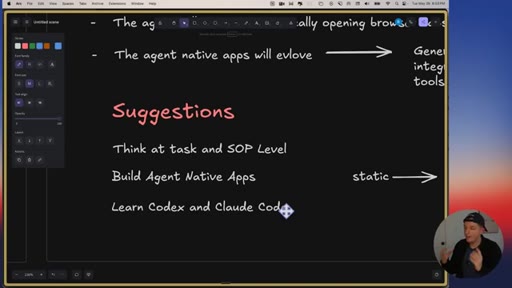
Think at task and SOP level. Build agent-native apps instead of static apps. Learn Codex and Claude Code.
15:13 – 16:14

08 · Product demo: chorus.com

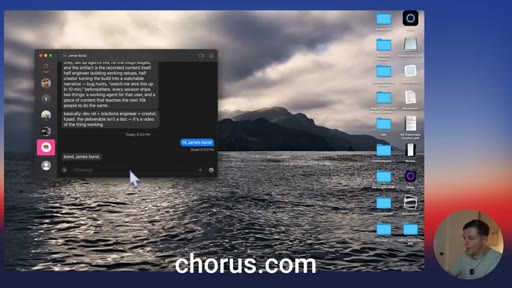
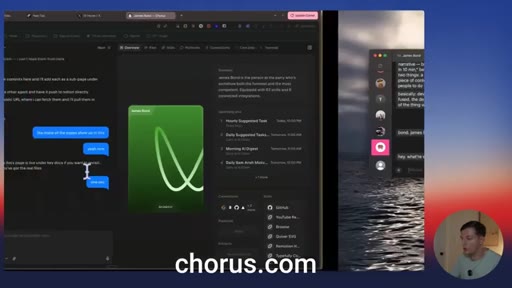
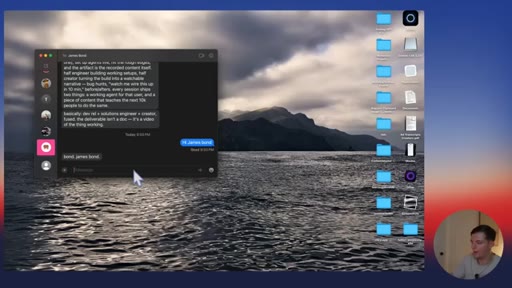
Outro plug for Riley own product, an iMessage-first 24/7 AI agent. Framed as a direct application of the video thesis.

§ · Storyboard

Visual structure at a glance.

open
timeline
paradigm
browser demo
task tabs
agent native
SaaS thesis
predictions
suggestions
product demo
§ · Frameworks

Named ideas worth stealing.

06:10 model

Task Tabs paradigm

Replace browser tab management with task management: each goal gets its own agent thread and browser panel. The agent thread is primary; the browser is subordinate to the task.

Steal for Any product that surfaces multiple browser contexts; reframe navigation around goals, not URLs.
09:30 concept

BYOA SaaS model

Instead of embedding an AI inside your SaaS app, design the app to be controllable by the user own agent. Expose clean APIs and context, let the user Codex or Claude Code do the work.

Steal for Any SaaS product roadmap discussion about where to invest in AI features.
10:14 list

Three-step agent prediction

  1. Multiple browser tabs per agent thread
  2. Agents auto-open apps based on learned task patterns
  3. Generative mini UIs replace static dashboards

Near-term predictions for how Codex and Claude Code will evolve in the next 3-6 months.

Steal for Product strategy discussions about where agent platforms are heading.
§ · Quotables

Lines you could clip.

00:00
"In 2025, everyone thought that we were gonna create these new browsers and inject AI inside of them, but we are starting to realize that this is not what is happening at all."
Clean cold open calling mainstream prediction wrong with confidence, zero setup needed. → TikTok hook
06:13
"Instead of it being a bunch of browser tabs, it is a bunch of task tabs on the left sidebar."
The thesis in one sentence, instantly graspable contrast. → IG reel cold open
08:17
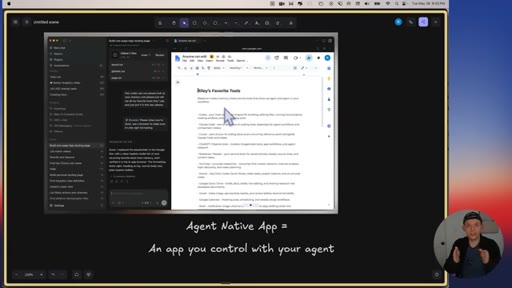
"This app right here is an agent native app, and that is an app that you control with your agent."
Clean definition moment. → newsletter pull-quote
09:44
"The future of SaaS might just be to create an app that your existing agent that more and more people will use will have access to."
Counterintuitive SaaS take that challenges standard AI product assumptions. → newsletter pull-quote
14:51
"I think learning how to use Codex and Claude Code, basically the most important thing that you can do in the world of business right now."
Strong declarative hot take, shareable standalone. → TikTok hook
§ · Resources Mentioned

Things they pointed at.

02:20productProof (agent-native document editor by Every)
05:10toolNotion ↗
06:32productComet (AI browser)
06:35productDia browser
06:36productAtlas (OpenAI browser)
11:00toolTypefully ↗
12:20productLovable ↗
12:20toolReplit ↗
12:20toolGamma ↗
15:13productchorus.com ↗
§ · CTA Breakdown

How they asked for the click.

15:13 product
"By the way, this is ClaudeCode or Codex running in my text messages. This is a new product that my team and I have been working on."

Soft demonstration-based pitch. The product chorus.com is framed as a live example of the video thesis, which works because the audience just watched 14 minutes of context. No discount, no urgency.

§ 04 · The Script

Word for word.

HOOK opening / re-engagementCTA the pitch
00:00HOOKIn 2025, everyone thought that we were gonna create these new browsers and inject AI inside of them, but we're starting to realize that this is not what's happening at all. In this video, I wanna talk about how you can prepare for the future
00:15HOOKof using AI agents in these brand new super apps like Claw Desktop and Codex.
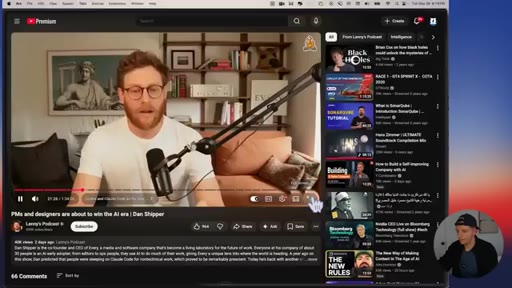
00:21I'm about to play some clips from this podcast. This is Lenny's podcast, and he invited a guy named Dan Shipper on his podcast. And I believe he has an incredible intuition into where AI agents are going.
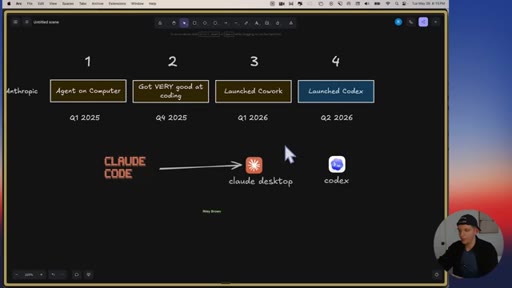
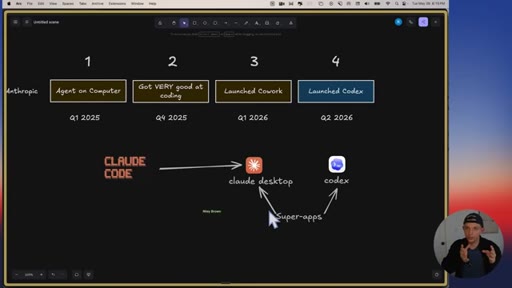
00:34Basically, what happened was Anthropic realized at some point that with Cloud Code, once you have a coding agent on your computer that can build anything, it's actually really good for any kind of work you wanna do. And people started just
00:47hacking Cloud Code essentially to do all their work. So Anthropic then built Cowork, which is, you know, a little bit of a nicer wrapping around Cloud Code, but it's fundamentally the same thing. You know?
00:57I think OpenAI made a couple of different bets. They launched the Codex desktop app, and I think the Codex desktop app takes
01:05if you look at all the lessons that, like, Anthropic learned, they went from Claude code to Cowork, and you can kinda see that in the tabs on the on the Anthropic desktop app UI. I think OpenAI was just like, we we see where this is going.
01:19Like, let's just skip to that. And I think Codex right now, it's my daily driver. I, like, spend all all my time in it, basically.
01:26I flip the clock every once in a while, but I think they're getting the paradigm right. And it's clear to me that whoever is in the lead, because I again, I think it'll change. Whoever's in the lead, it feels very obvious to me that
01:39all of the work that you do is going to be in one of those surfaces. So that's what Dan believes. Dan believes that most work that people do will be done in one of these two apps.
01:49And so these super apps are really good at doing any coding task or any knowledge work task, like creating documents, spreadsheets, or basically anything that you could theoretically do on your computer. And what Dan explains next, I really wanna make sure that you have the right context to understand exactly what he's saying.
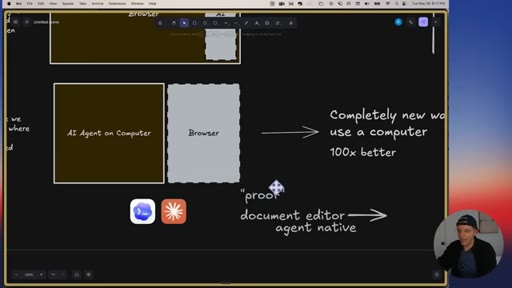
02:07So he's about to talk about a tool that he uses called Proof. And so his company, Every, created a product called Proof. And what it is is a document editor.
02:17So this is a document editor, and I want you to just picture
02:22like Obsidian or Google Docs. Right?
02:25He created a document editor except it's made to be agent native, and this agent native document editor is made to be used by humans
02:36and by agents at the same time. And because both Codex
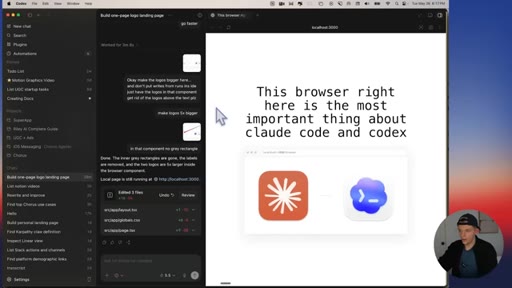
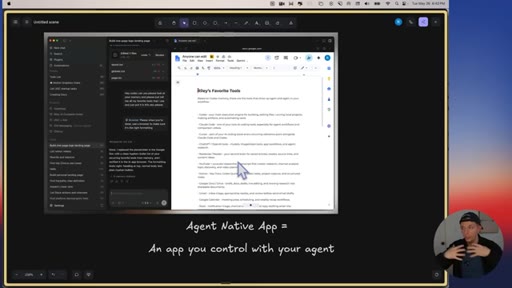
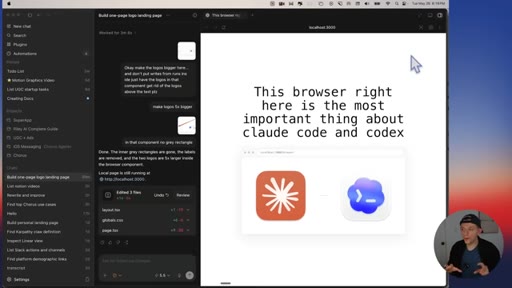
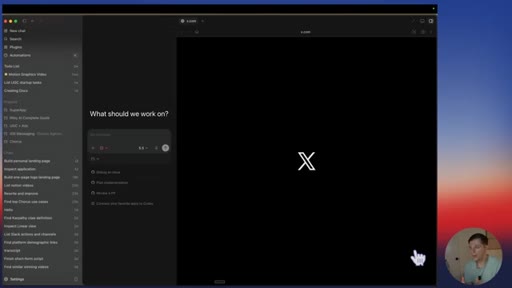
02:42and Claude Code are developing these browsers, this browser over here that sits right next to my agent, Claude Code also has a very similar browser that sits right next to your agent chat. Because these super apps all will come with a full browser.
02:59Right? Imagine this is Google Chrome that you can use alongside your agent. It'll completely change the way people use computers.
03:07Okay. Let's listen to the rest of this clip. Uh, for example, when I'm writing a document,
03:12Codex has a browser in, uh, in the app. It has an in app browser.
03:17And when I'm writing a document, I just go into one of my one of my codex threads, which I have one thread for every project. And I just open the in app browser. I go to the document.
03:27I usually do it in proof, which is this online mark markdown editor I built. And then I just have codex running and watching me in proof.
03:35And codex can see what I'm doing. I can see what Codex is doing. It's all kind of in one place, which is the an extension of the same thing that made Cloud Code work really well originally.
03:45And I basically feel like I have this parallel work buddy that not only can it respond and write in the document, but then it can go do research. It can go it can use my computer to basically do anything that I can do on my computer, and that's, like,
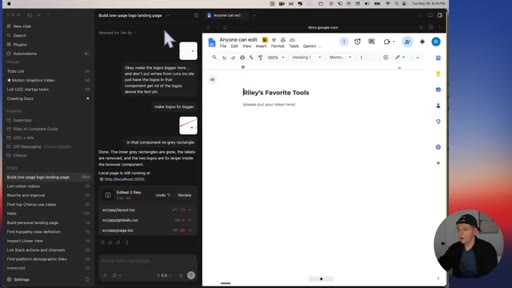
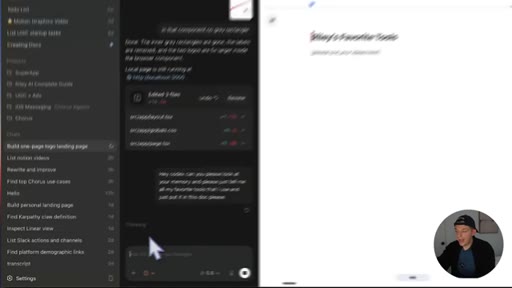
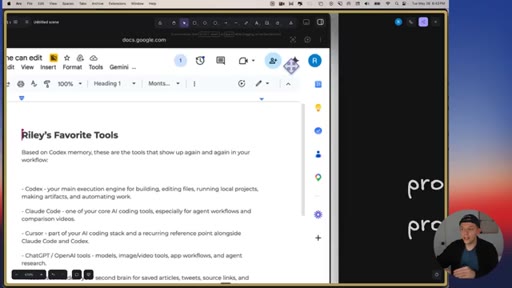
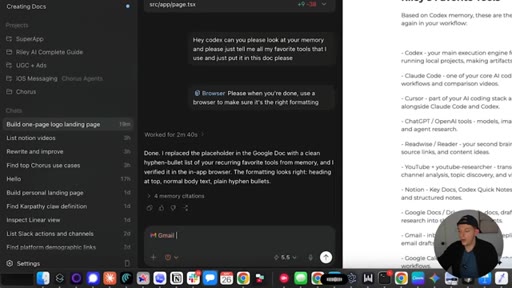
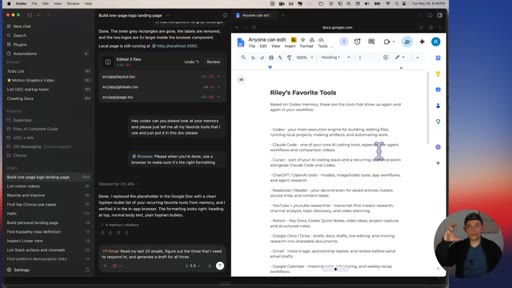
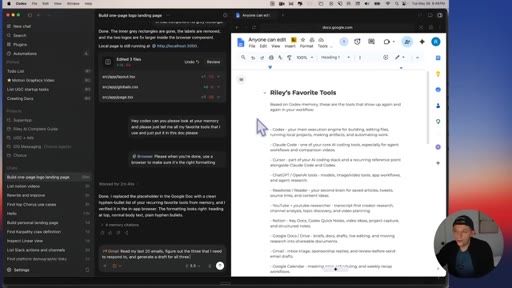
03:59incredibly powerful. So just to illustrate, right now on Codex, I have this browser open, and I can type directly into Google Docs. And I can also say, hey, Codex, can you please, uh, look at your memory and please just tell me, like, all my favorite tools that I use and just put it in this doc, please?
04:17And because Codex has full context over my browser, it can view the browser, it can see exactly what I'm working on, and it has browser use. I could also say browser. Uh, please, when you're done, use browser use to, like, make sure it's the right formatting.
04:32Right? I can also allow Codex to control this browser and make sure it's the proper formatting.
04:38These AI agent tools that have full control over our computer has full memory and context over my integrations and everything like that. And look at that. It just wrote this down.
04:50So now it's verifying Google Doc formatting. And look, now it's fully controlling a browser.
04:57That little mouse is not me. That is browser use within Codecs. Hey, guys.
05:02This is me from the future. Codex, right before I was about to upload this video, Codex just got an update
05:08to their in app browser. I'm not kidding. As of one hour ago, when you use Codex,
05:14you stay logged into your browser. So here I'm fully signed into the browser on Twitter and watch. I'm gonna go to a new tab.
05:23I'm gonna open the browser and now I can sign into anything. So I can go to twitter.com
05:28and I can open it up and you can see here I'm still signed into my previous account. Here I can go to docs.google.com and check this out.
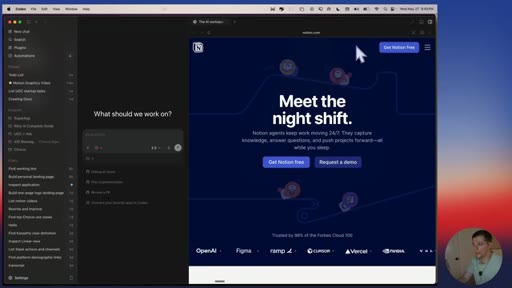
05:38I'm already signed into my Google Docs account. And here I have Codex open. This is my Notion.
05:43I'm signed into my Notion. If I were to create a new chat by pressing command n and I were to go open up my browser, I could click browser and I could type notion.com and I should.
05:54And I think all I have to do is click log in and yes, I'm already logged in. So it's logged into my Notion.
06:00We are approaching a full web browser directly inside Codex. So the reason this is new is we are shifting from a world of
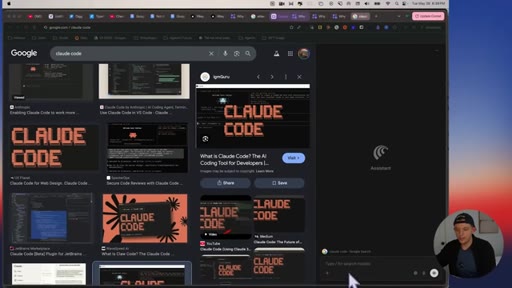
06:11browser tabs to task tabs. If we go to an application like Comet,
06:17which was an AI browser, and they added this assistant side panel.
06:22And this assistant side panel can actually control the browser, and they basically created these new AI browsers. And there's some other examples as well. There was Dia browser and then Atlas, which was OpenAI's browser,
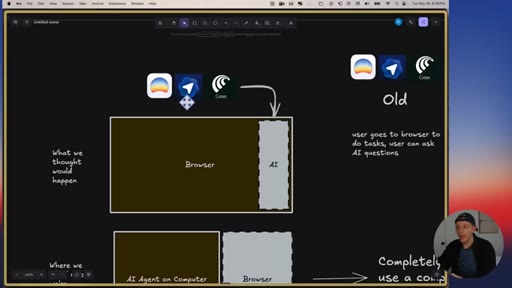
06:35and even Google Chrome itself is starting to get some AI features. But this new future with your AI agent platforms or your super apps, instead of it being a bunch of browser tabs, it's a bunch of task tabs on the left sidebar.
06:51And when you click on a task tab, it opens up an agent thread and then you see your browser. Right? It opens your browser.
07:00Your agent will open your browser, or you can open your browser manually, but you have all of the different browser tabs
07:08for your agent thread. That's the paradigm that we're shifting to for productive work. Instead of having all these random tabs open, you just have your task, your agent, and then the browser tabs that are relevant to that task.
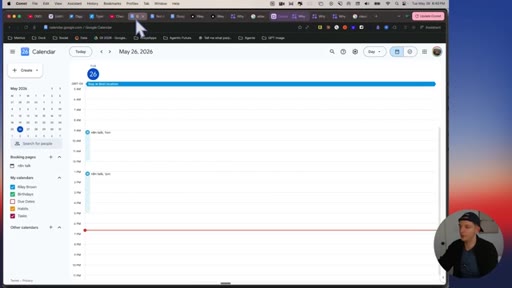
07:21Right? We're going from this right here. Right?
07:24And and you get lost. I know you've used web browsers and you end up getting lost and you're like, okay. What was I even doing?
07:30And we're switching to something that looks like this. We have different tasks. Each task has different,
07:37uh, side panels. Right? Here's my personal landing page.
07:42So the browser that's open right here, this happens to be running a website. Right?
07:47This is deployed on the Internet and this browser tab is relevant to this task. So I switch from this task to this task
07:56and here we have the Google Doc open. And so I can interact with my agent and my agent can control this document and I can control this document. This app right here is an agent native app, and that is an app that you control with your agent.
08:13You can directly edit it. Your agent can see your changes.
08:17Your agent can edit it. You can see your agent's changes. So it's becoming this collaborative
08:22process with AI agents. As AI agents get smarter, the AI agent will, in theory, be able to do more and more of this.
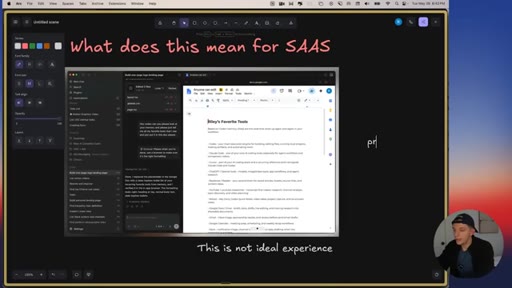
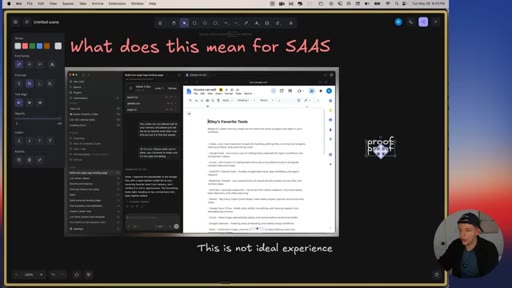
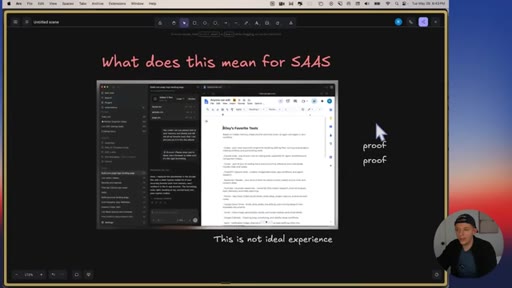
08:30And the fact that it can control your computer and your browser means that maybe over time, it'll actually predict what you wanna do and it will just do it for you. And so what does this mean for SaaS or software in general? And the reason why Dan,
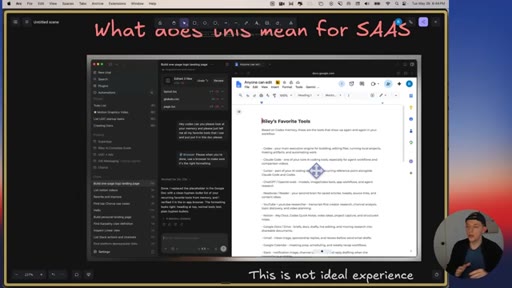
08:46uh, the reason he built the thing called Proof is he believed that using Google Docs is not an ideal experience. You have to sign in, authentication's
08:55really annoying, uh, the interface is not ideal for using AI agents. Instead, he built his own document editor, which is much more lightweight,
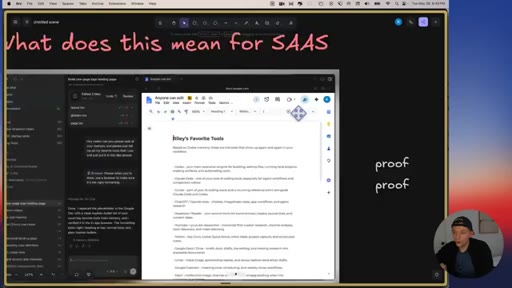
09:05but it's much better for AI agents and human collaboration. And so what his thesis is is that all of the best SaaS companies will kind of become these agent native apps, apps that you can use with your AI agent.
09:20Instead of building a SaaS app, right, on Google Docs, you can click this Gemini button and you can have AI edit this. The problem with that is this AI that's connected to Google Docs doesn't have the same context as Codex does.
09:35Codex is connected to all of my apps. Codex knows everything about me. And so the future of SaaS might not be building an app that comes with an AI agent inside.
09:45CTAThe future of SaaS might just be to create an app that your existing agent that more and more people will use will have access to. Right?
09:54CTAMake an app that your users can use with their own agents. They can bring their own agents. They can use their own tokens rather than providing an agent and providing tokens like Lovable or Replit or a tool like Gamma.
10:09CTAAnd so to conclude this video, I wanna do some predictions and some suggestions. So my predictions for the future are as follows. So let's take a look at first prediction.
10:19I think that Claude code and I will say codex will add multiple browser tabs per session or per task.
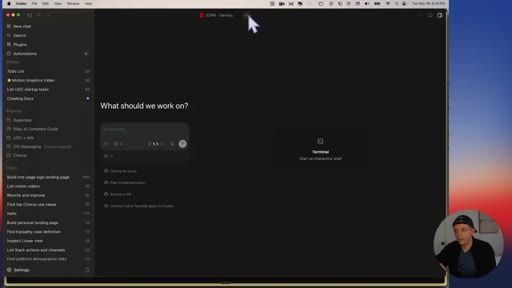
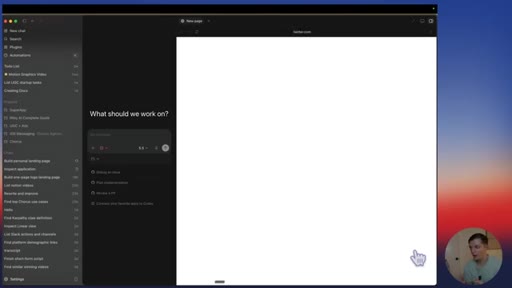
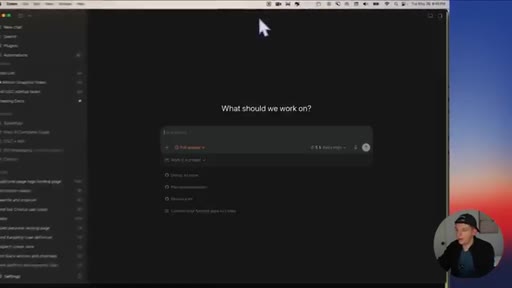
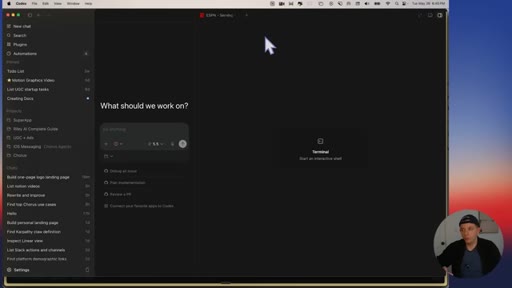
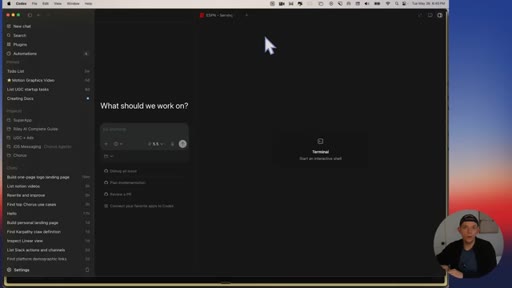
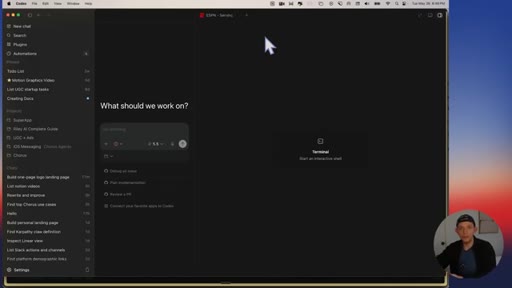
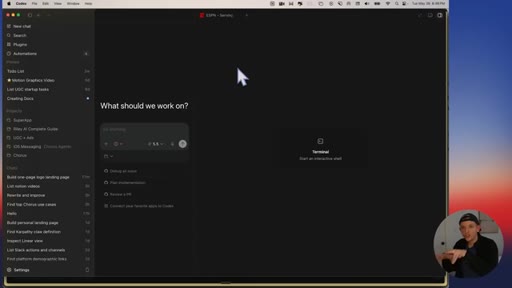
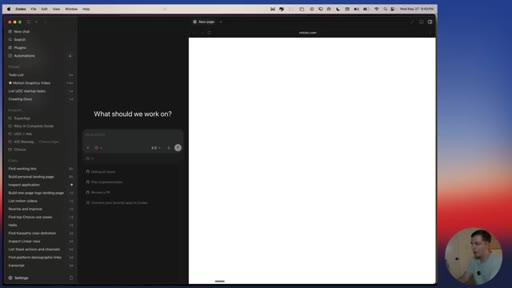
10:29If we were to go to codex, you'll see that we have a browser open right here. I can create a new tab. I can open this up, and I can open up a browser right here, and I can go to espn.com,
10:42for example. I can't click here and open up a new browser. I believe that you'll be able to open as many browsers as you want per chat thread.
10:52And to kind of piggyback on this prediction, I believe that the agent will start opening one or multiple browser tabs when you create a new chat. Let's say I wanna create
11:03some Twitter posts and I use a tool like Tightfully, which is where I draft all of my tweets. It may open my Notion and it may also open type fully automatically whenever I suggest that I want to write some tweets.
11:17Why would it do that? Codex might do that automatically because every time I go to write tweets, I open up Notion and I also open up type
11:25The agent that you're interacting with in the super app will start learning based on your activity in the browser. It'll start doing things automatically. And maybe the future of, like, automating your workflows
11:37is less about constructing them and more as about just doing high quality tasks over and over again.
11:45And then over time, your own AI agent will just learn how to do tasks for you. Wait. I forgot.
11:51That was my second prediction. Right? The agent will start automatically opening browser tabs when you start tasks.
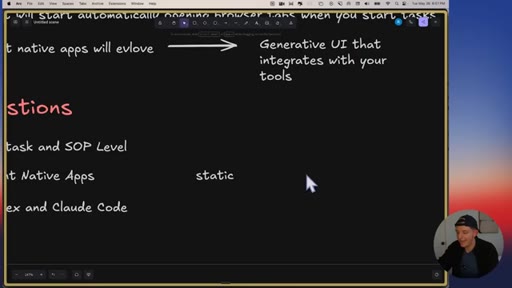
11:58I genuinely believe that's the direction it's going. And then finally, I think the agent native apps are going to evolve into a new type of app and these are gonna be generative UIs
12:09that integrate with your own tools. Let me explain what I mean here.
12:15On Codex, you can create plugins And for instance, I have a Gmail plugin. And what I can do is I can say, read my last 20 emails, figure out the three that I need to respond to, and generate a draft for all three.
12:30What I believe the future of AI in these super apps will be it'll generate a UI or the or a mini app that shows the input message and the response.
12:42Right? And your agent will automatically create these little generative UIs for you to refine it.
12:48Here's a drafted response to this person. Let me know if you like it. And you'll be able to open it up in your browser.
12:54And once you check your agent's work, you'll be able to send it directly in the app that your agent generates for you. You'll be able to create little mini apps that integrate with all of your tools, and you'll actually be able to use all of your integration.
13:09And so that's how we're gonna kind of transition into this Jarvis future where you tell your computer to do something, boom, generative UI, you might make some refinements like Tony Stark, and then you're like, send. Send it off, and that is going to be the future.
13:23And I don't think we're that far off from that. I think three to six months into this new generative mini apps are what I call them. And so my suggestions to you are as follows.
13:33I want you to start thinking about your entire job at the task and SOP level. Take all of the things that you do and organize them in a list of tasks.
13:43What are all the things that you do on the way to completing something? And if you were to create these little documents, you'll be able to organize things at the task level. And this will allow you to be organized once Codex and ClaudeCode add these
13:58full browser features, which I guarantee you they will. And you'll be equipped to, like, kind of divide all of your work into these tasks. You'll be able to get way more done.
14:06If you are a builder or if you are an indie hacker or you wanna make money selling applications, I highly recommend try to take a risk and try and go from the world of these static applications that you might submit to an app store to these mini apps or these agent
14:24native apps that you and agents can use. And I guarantee you once you go down this rabbit hole you will find so many interesting ideas.
14:33You can create a an app that is basically a skill that other people can install
14:40onto Codex that makes a certain task easier to do. And then finally, I just think you should learn Codex and ClaudeCode. I'm telling you Codex and ClaudeCode are the future of all knowledge work.
14:51Coding tasks, general knowledge tasks, I think most things are just gonna be done inside Codex and Claude Code.
14:58I'd a 100% agree with Dan Chipper from the Lenny podcast. I think he's spot on, and I think learning how to use Codex and Claude Code, basically the most important thing that you can do in the world of business right now. Hey, guys.
15:11CTAThanks for watching this video. By the way, this is ClaudeCode or Codex running in my text messages.
15:16CTAThis is a new product that my team and I have been working on. This is my James Bond agent that runs on my phone or my computer. Hello, buddy.
15:24CTAThis is Claude Opus 4.7 responding to me.
15:29CTAI can change it to any other model. This is running twenty four seven on a computer. Right?
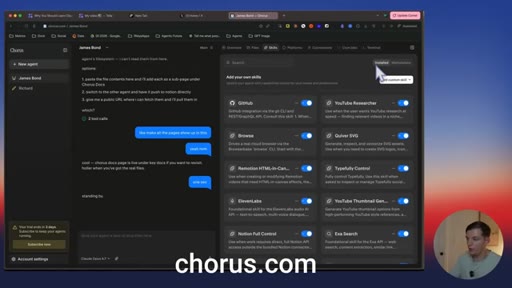
15:33CTAAnd it has files. So it's basically if you're running OpenClaw in the cloud twenty four seven except you can use any model you want. You have access to all of the files.
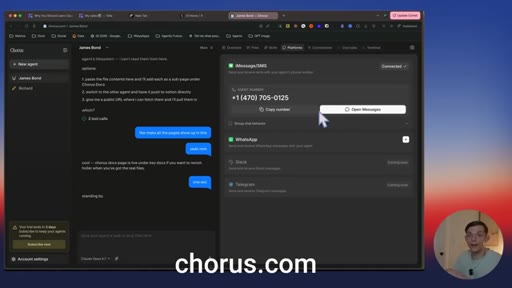
15:43CTAYou can create skills or you can browse our built in skills. There's so many of them. You can very easily connect it to iMessage.
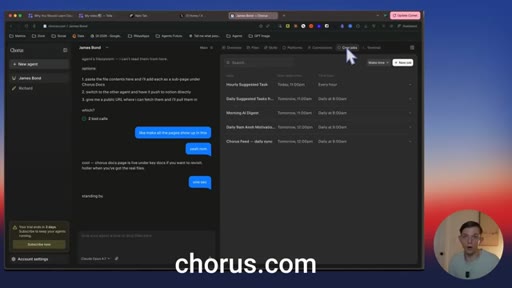
15:51CTAThis agent is built to be iMessage first and allow you to just get done anything you would want to get done that you would do on ClaudeCode or Codecs. And you have all of your connections, and you can create automations as well. And this agent runs twenty four seven.
16:06CTAYour laptop does not need to be open. I hope you guys enjoy this product. We've been working on it for a while.
16:11CTAAnyway, I'll see you guys here for the next video. Peace.
— full transcript
§ 05 · For Joe

The agent is the OS now. The browser is a panel.

WHAT TO LEARN

Codex and Claude Code did not add a browser feature; they absorbed the browser, and that changes what it means to build software, organize work, and learn new tools.

  • Task tabs replace browser tabs: the productivity unit is shifting from a URL to a goal, with an agent thread and a browser panel scoped to that goal.
  • An agent-native app shares state with the agent in real time; both the human and the AI can read and write simultaneously, which is fundamentally different from a chatbot button in a traditional SaaS UI.
  • The winning SaaS strategy may be exposing your app to the user existing agent rather than bundling your own, because the user agent already has full context across all their tools.
  • Persistent browser sessions inside agent platforms remove one of the last friction points between the agent and the open web; Codex shipped this in a single update.
  • Automating workflows in the agent era may require less explicit workflow construction and more repetition: do a high-quality task consistently and the agent learns to replicate it.
  • Generative mini UIs, ephemeral interfaces the agent creates for a specific task, are the likely successor to static SaaS dashboards, bridging the gap between raw agent output and human review.
  • Organizing your work at the task and SOP level is the practical preparation step: agents can execute tasks, but they need tasks to be defined clearly before they can learn from them.
§ 06 · Frame Gallery

Visual moments.