Simon Scrapes · Youtube · 17:43

I taught Claude how to build my carousels and it's INSANE

A 17-minute walkthrough of a Claude Code skill system that goes from topic to on-brand carousel in under two minutes by baking your design system into the pipeline, not the prompt.

Posted
May 27th 2026
yesterday
Duration
17:43
Format
Tutorial
educational
Channel
SS
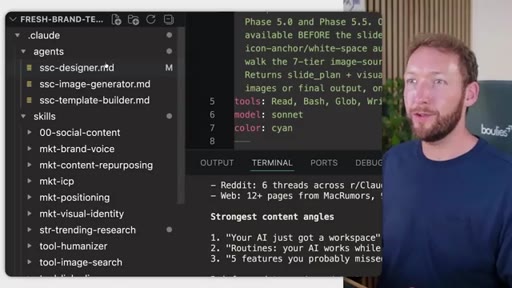
Simon Scrapes
§ 01 · The Hook

The bait, then the rug-pull.

The problem with AI carousels is not the model, it is the absence of a design system. Simon Scrapes opens by showing side-by-side the generic output anyone gets from a basic prompt versus the brand-consistent carousels his Claude Code skill system produces, then spends 17 minutes walking through every stage of the pipeline that makes the difference.

§ · Chapters

Where the time goes.

00:00 – 01:17

01 · Why Most AI Carousels Fail

Problem framing: generic AI output has no brand continuity, no visual hierarchy, no real research. Contrast with a proper system output.

01:18 – 03:08

02 · Why Automating Carousels Is Worth It

3x LinkedIn reach, highest Instagram engagement rate, second distribution window for carousels, 8-10 slide sweet spot from data.
03:09 – 15:12

03 · The System in Action

Full pipeline walkthrough: first-run onboarding, API config, brand voice, visual identity, trending research, slide planning, image generation, LinkedIn preview.

15:13 – 17:43

04 · The Secret to Consistent Design

Design system as source of truth, deliberate variation vs enforced consistency, Canva Magic Layers for last-mile edits, final recap.

§ · Storyboard

Visual structure at a glance.

open
output demo
data slide
API config
reference images
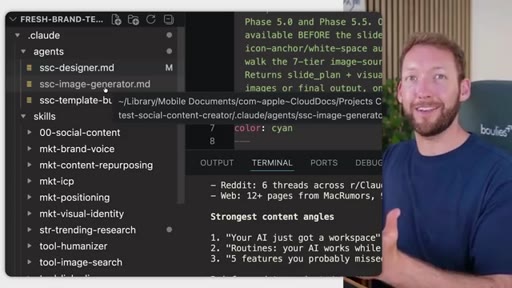
designer sub-agent
Claude Code file tree
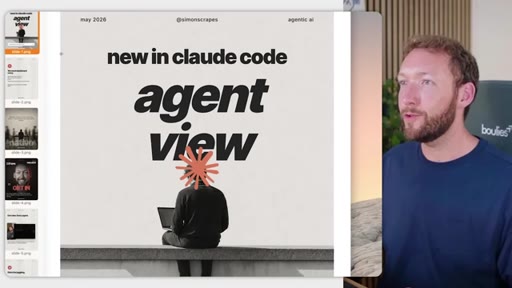
generated carousel
close
§ · Frameworks

Named ideas worth stealing.

03:09 model

Social Content Creator Skill System

Multi-agent Claude Code pipeline: brand voice skill to visual identity skill to trending research skill to SSC designer sub-agent to SSC image generator agent to LinkedIn preview. Stores all brand tokens in a configuration file reused on every run.

Steal for Any repeatable content production workflow that needs brand consistency across AI-generated outputs
05:21 concept

Visual Identity Tokenization

Brand colors, typography, layout grids, and template variations extracted from reference images and stored as reusable tokens rather than re-described per prompt.

Steal for Any multi-session AI design workflow including thumbnails, social graphics, and slide decks
16:07 concept

95% Done Principle

AI generates to 95 percent; final 5 percent is a manual Canva Magic Layers edit. Reframes expectation to prevent perfection-seeking reprompt loops.

Steal for Setting client expectations for any AI-assisted creative deliverable
§ · Quotables

Lines you could clip.

13:00
"The fix isn't just making better prompts. It's having a visual identity and giving that system one source of truth for what on brand actually means."
Single-sentence thesis, no setup needed, universally applicable beyond carousels → IG reel cold open
15:35
"The variation between the slides is allowed and actually deliberate, but the consistency underneath is enforced by the design system."
Articulates the core carousel design tension in one tight sentence → newsletter pull-quote
17:10
"If you need just the odd one-off slide, then just use Canva. This is overkill."
Honest product scoping builds credibility → TikTok hook
§ · Resources Mentioned

Things they pointed at.

04:09toolOpenAI image generation GPT-image-2
04:09toolGemini image generation
04:15toolApify ↗
04:15toolZerneo
§ · CTA Breakdown

How they asked for the click.

17:18 product
"If you wanna grab this specific system, then it's inside our community in the description below."

Soft single-appearance CTA bundled with other skill systems to increase perceived value. Non-pushy, appears only at the very end.

§ 04 · The Script

Word for word.

HOOK opening / re-engagementCTA the pitch metaphor
00:00HOOKSo this is the problem with AI generated carousels right now. Most of them look like AI made them. And guess what happens when people see this on your LinkedIn or your Instagram?
00:08HOOKThey're not gonna engage. There's either no brand continuity between posts or every slide looks exactly the same.
00:15HOOKSo there's no visual hierarchy. It's probably gonna ask you for a topic and then make stuff up without doing the proper deep research. It's gonna add random AI generated images or emojis that aren't relevant or don't look artistic at all, they don't add anything to the post.
00:29HOOKAnd let's be honest, we've all seen this AI slot. But compare that to these outputs when you have a proper system. You give it a topic or a blog post or really any source, and it generates a full carousel system that actually feels like your brand.
00:44HOOKIt's consistent across posts, and it's got variation in layouts across slides.
00:49It's designed to stay engaging. And there's still just one input in, but this time it's platform ready content that you get out at the end. And this isn't about flooding social media with more AI content.
00:59Nobody needs that. It's about building systems that help you turn genuinely valuable ideas of your own into polished content much faster without everything looking generic and AI made. So in this video, I'll show you the system running, the workflows behind it, and what actually makes it different.
01:13HOOKSo you can either build your own version of this or just install mine today. So let's get into it. So before I show you the system, here's why Carousel specifically
01:22HOOKare worth this effort. Because they're the hardest to produce because you need that consistency, but the numbers make the case better than I can.
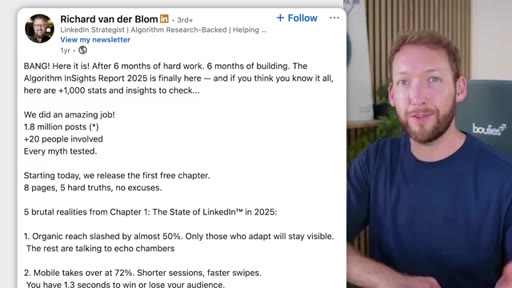
01:29HOOKSo on LinkedIn, carousels are one of the most effective organic content formats, consistently outperforming plain text posts because they hold the attention longer. So there was a report based on 1,500,000
01:40HOOKposts that found carousels generate around three times the reach of standard text posts. And the reason for that is dwell time. So users spend approximately fifteen to twenty seconds on carousels
01:50HOOKversus eight to ten seconds for single image or text posts. And LinkedIn's algorithm reads that as a quality signal. So the longer somebody can be reading your post, the better.
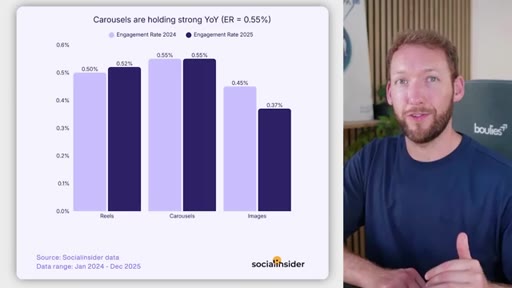
01:59HOOKAnd on Instagram, it's exactly the same story from the other direction. So carousels held the highest engagement rate of any Instagram post going into 2026. So even ahead of reels and well ahead of single images.
02:11HOOKSo for carousels, Instagram literally gives you a second distribution window that single images and reels never actually get. So you get double the exposure. But the catch, and this is the bit that actually matters for the system, is every carousel should look like it belongs to the same visual system but not look exactly the same.
02:27HOOKAnd there's a subtle difference there. You want the same fonts, the same accent colors, the same layout grids because audiences are gonna follow your brand, but they're gonna get bored if every single layout is exactly the same. And supposedly,
02:39HOOKeight to 10 slides is the consistent sweet spot. So carousels do work, but they only work if they're consistent and on brand every time but have visual variety. So usually, you need a human to nail that part.
02:49HOOKAnd this is exactly the part that we've systematized. And the reason we've systematized it is because we don't wanna be creating it from scratch every time. We don't wanna be spending three or four hours in Canva for one post that we don't know is gonna perform.
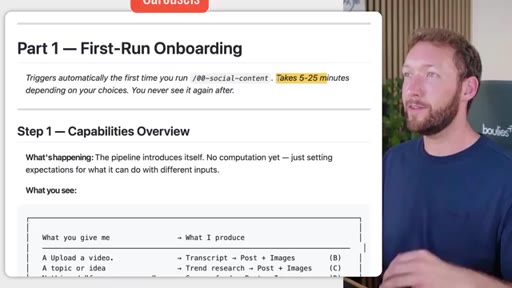
03:01HOOKSo actually, what we wanna do is maximize our chances by being able to produce as much content as possible, refining it, and picking the best ones, the most valuable ones for our audience. So the user gets put through a first run onboarding if it's the first time using this tool, and it usually takes between five and twenty five minutes depending on whether the user has a brand voice, whether they have a topic in mind, whether they have a visual identity all spun up.
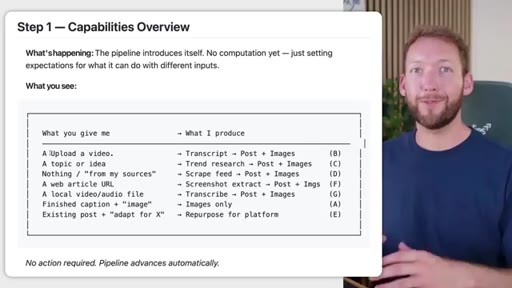
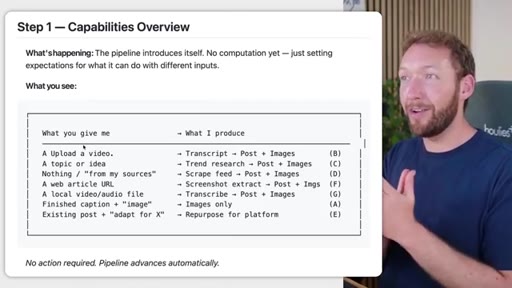
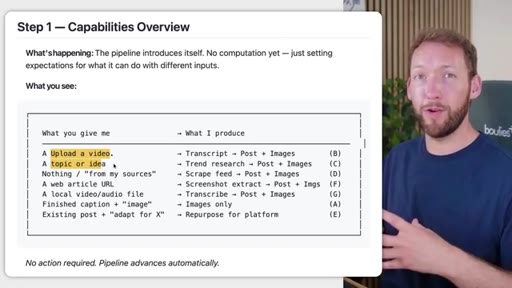
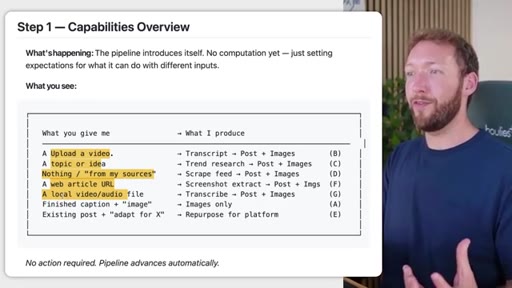
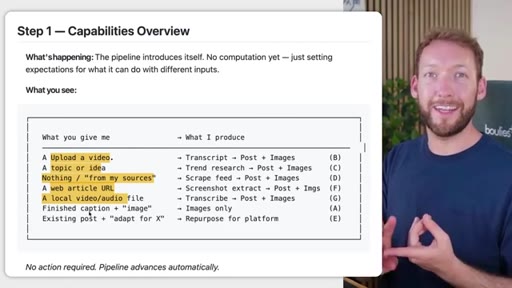
03:22But if they don't, then we're gonna actually create those assets for them. So first, we're effectively looking for an input source, and we have a ton of different input sources personally. So we wanted to give you the flexibility to actually use almost any input and get a production ready carousel out the back of it.
03:37So you can upload one of your own videos. You can actually just put in a topic or idea, and it will go and do trending deep research on that using a trending research skill. You can ask it to scrape your feed, I e, you don't have a solid idea already, but you want ideas based on what other people are posting.
03:52You can pass in a web article URL, a local audio file that then gets transcribed, and you can pretty much put anything in here, a PDF, an existing post that you wanna adapt to a different platform.
04:02So whatever you give it, it's effectively gonna be able to produce a post body as well as the associated images or carousel images in a consistent slide format as we saw. There are certain APIs required for it.
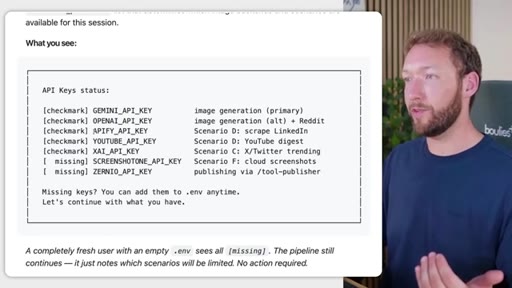
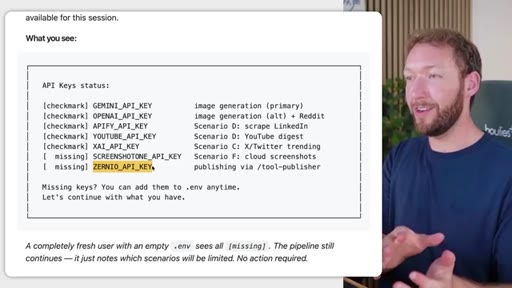
04:14At the moment, we're using OpenAI image generation GPT two point o, but you can choose to use Gemini if you want. And depending on the other input sources, you can add your own API keys.
04:23Say you want to scrape LinkedIn, for example, then you would add your Appify API key, and it would go and scrape a LinkedIn post for the topic, for example. We're then publishing using an API accessible social media tool called Xerneo, where it will upload all of our draft posts, and we can just go and basically post it directly from Claude.
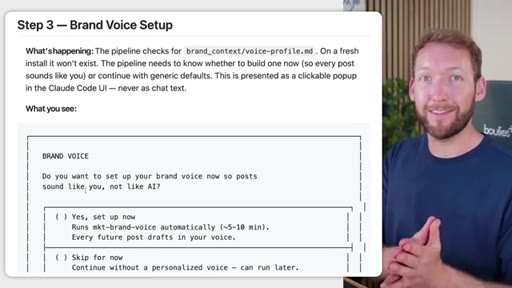
04:40Now this is where it starts getting personalized to you and your business or your brand, and you can do this for multiple brands if you want. If you wanted to run this for many clients, that's also possible, then you can absolutely do that inside our own AgenTek operating system. So at this point, we are basically setting up our own brand voice.
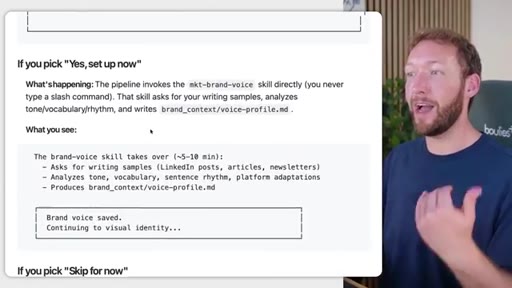
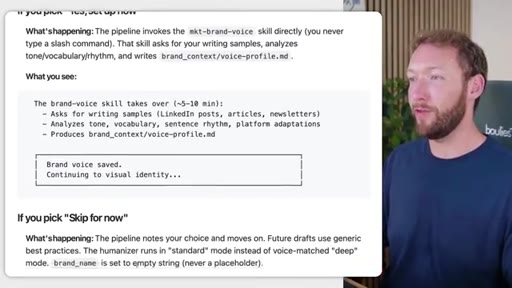
04:55So if you already have a brand voice document, we call it voice profile, then effectively, you're gonna skip through this stage. But if you don't have it, then the brand voice skill is gonna take over. So it's gonna quiz you on certain things you say, grab writing samples from either your own work or people you like to emulate, analyze the tone, and come up with a voice profile out the back of it.
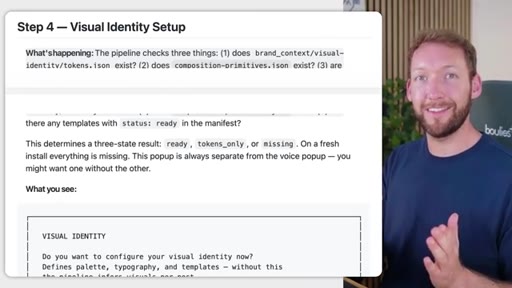
05:12And then we've got a default voice profile if that's not for you. Now this is where it gets really, really important, which is the visual identity setup. So everything you saw with the consistency
05:21of multiple slides. So we've produced many carousels whilst we're testing this, and all of them have a consistency across the slides.
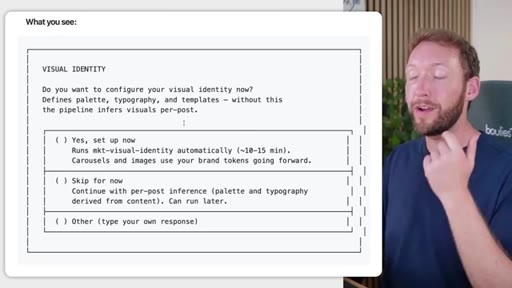
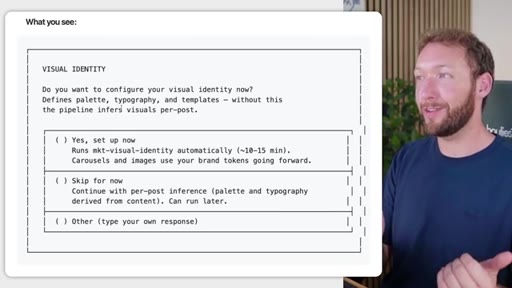
05:29Despite the fact they're completely different topics, this all comes from the visual identity. So first, it checks, does that actually exist, and do we have the specific tokens that are needed to put that in and make it consistent in the images? If we don't have it or it doesn't exist, then it's gonna ask us to configure our visual identity.
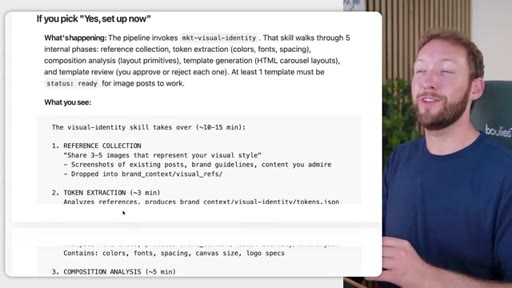
05:44So it's literally gonna go through and help us define our palette, typography, and all of the different templates. So for this skill system, which we call the social content creator skill system, it will create a LinkedIn carousel set of templates for the hero, set of templates for the body, set of templates for the the CTA
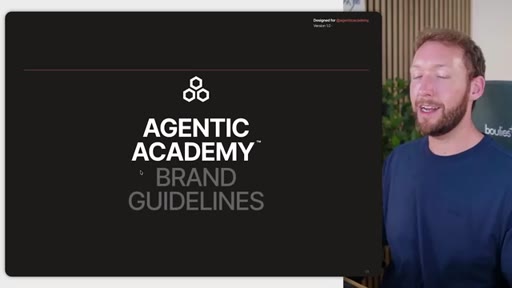
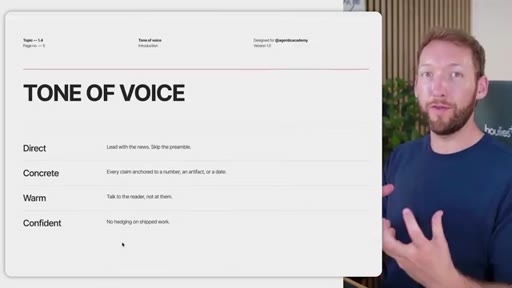
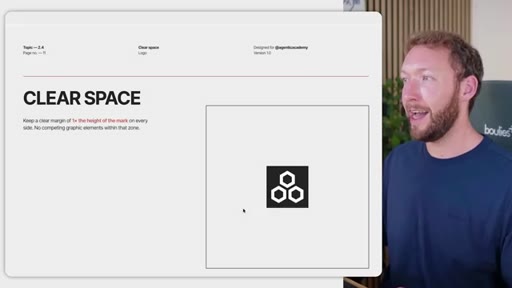
06:01based on the styles that you want to emulate and also based on your visual identity. And if you don't already have a visual identity, then part of this system is actually gonna spin you up a bunch of brand guidelines. So this is the brand guidelines for the Ageneca Academy.
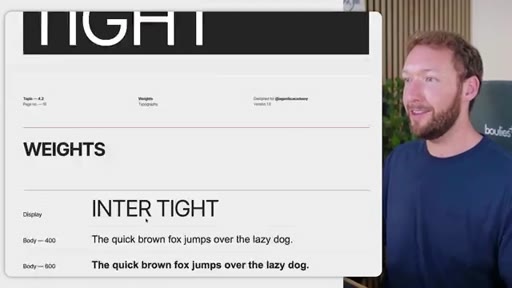
06:14We've got all stuff about how we present the logo, the colors, the typography, and a bit about the mission of the brand. And this is exactly how you'd get it if you were to pay a brand agency to do this, and I did that just to prove that we could reverse engineer this process. So we've got the logo type, how we should present the logo on different pages, minimum sizes, and then the most important thing is, like, our color palette and how we use those together.
06:36So you can see the color palette here, the different combinations of colors, the typeface we're using, and the different weights, how those scale, and most importantly, a little bit of a representation of how they would actually be used on dashboards, on social posts, etcetera, to make sure that they fit your brand colors.
06:51And those brand colors we saw, right, are are being emulated throughout the LinkedIn carousels that we've produced at the back of this tool. And that's because it quite literally is passing those in consistently for every single carousel. It's an enforced design rule, but what we don't want to do is keep it looking exactly the same between slides every single time or you lose the user.
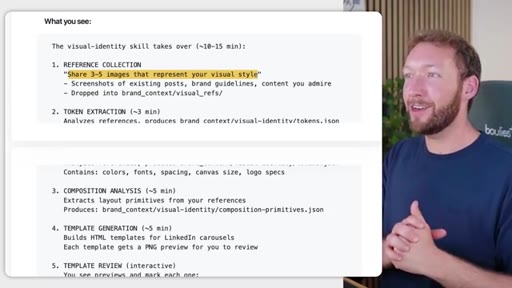
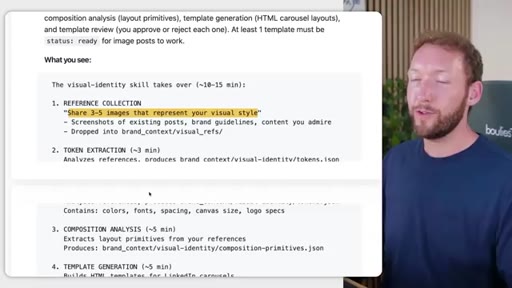
07:11So we've also tackled that scenario too. So when you are actually setting it up using our visual identity skill, it will go and collect three to five images that represent your visual style. So you will paste in screenshots of your existing posts, brand guidelines,
07:25content you admire. Say you wanna grab something from Instagram or Canva, and all you need to do are input examples, and it will use those to generate your own templates.
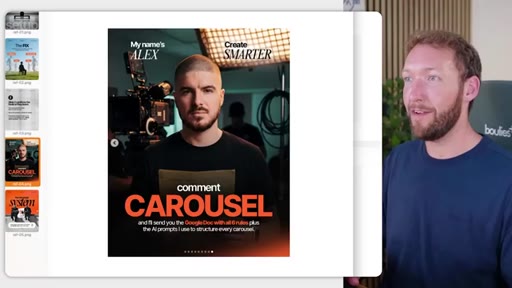
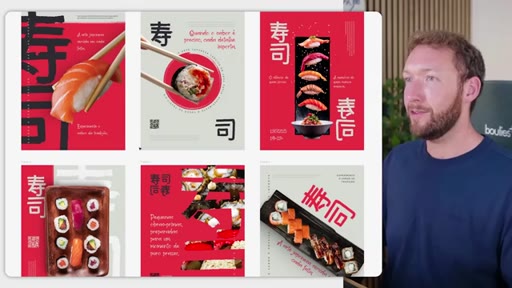
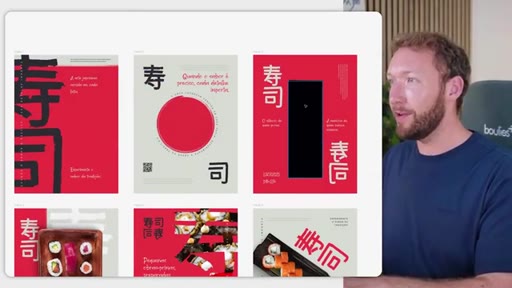
07:34So for example, the ones that we had generated were all following a style guide that we found on Instagram. So somebody else's style that we really liked and wanted to emulate but not copy, we've effectively taken and used these as reference images, and they're saved as reference images inside our folder. It's then taken those and generated templates using our brand colors instead of his brand colors.
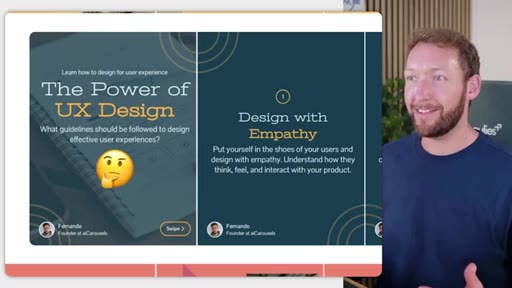
07:56You could do exactly the same on Canva. Go to social media, Instagram post templates, open any of these carousel templates that you like, and screenshot them or download them from Canva directly, and then turn these into templates for our own design. But, ideally, we want something that's quite artistic looking that we can replace with different images, and therefore, I'd go to something like Figma templates or Instagram just to get direct inspiration.
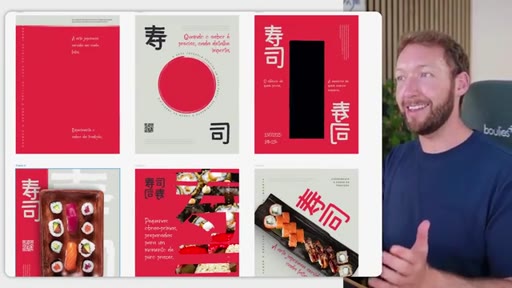
08:19So for example, you could grab this free template in Figma and actually maybe you like the style of the variation of this different template. But what you can do is if you're not representing food is actually just go through and remove all the food images here. So this would be your hero image or hero page, and we could even remove the text across there.
08:37We then have several variations of body pages. So that gives it some visual variety, but you can see it's still from the same brand.
08:44It's consistent across different slides. It feels like part of a visual identity. You could take this, give these as reference images, and it would convert these into templates, but it would use your brand colors.
08:54So say my brand color is orange, it would change all the accents to orange and therefore make it yours. So this probably takes ten to fifteen minutes the first time. But what we're effectively doing is spinning up a configuration file that you will use every single time.
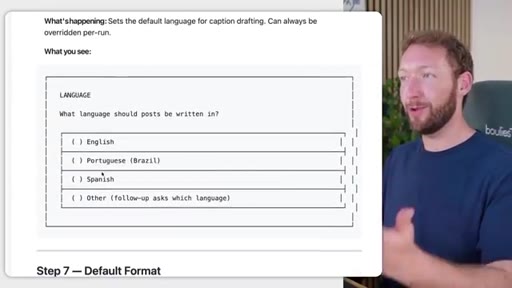
09:08You choose your default platform. You choose the language that you wanna generate the posts in, and then we can generate carousel single images or just text only posts. But I think carousels have proven themselves to be really valuable here and the hardest to produce usually.
09:20Once that setup is complete, you head on to the actual content generation stage, and this is where the secret sauce happens, where the magic happens. Now if you want to rebuild all the logic of this, it's taken us a few weeks to get right. But if you do, we're gonna spill all the secret sauce here of exactly how each stage works.
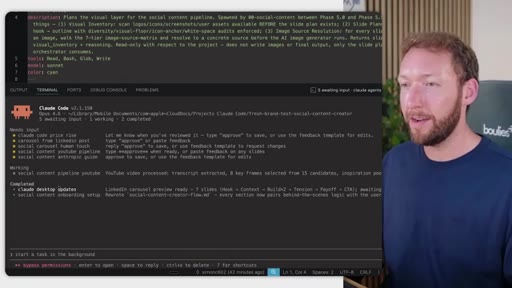
09:36But before we do that, make sure you subscribe down below to see what skill systems we're gonna demonstrate next. So initially, very, very simple. It's just basically checking, have you set up the config?
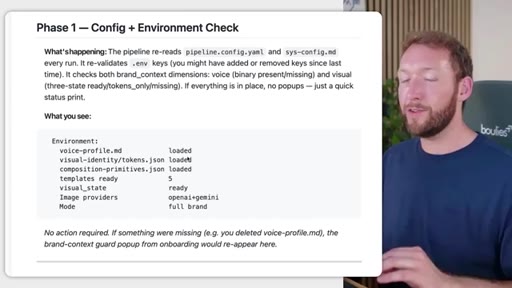
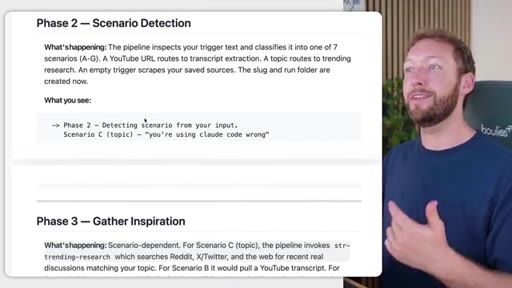
09:46HOOKIf you have, then you don't need to rerun all the steps we've gone through so far. It's then gonna work out the different scenarios. So have you uploaded your own video, or have you given it a topic?
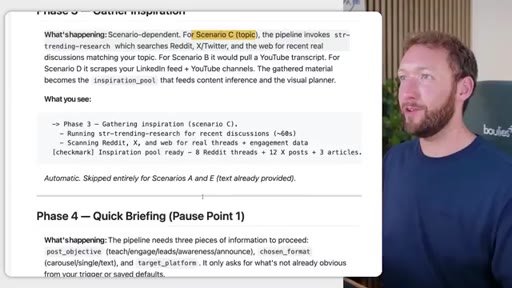
09:55HOOKHave you linked it to a web page? All those different things are gonna determine the next steps. It's then gonna go and gather inspiration.
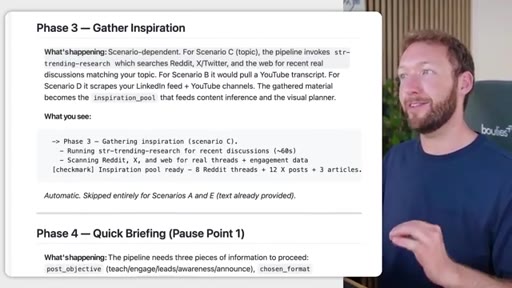
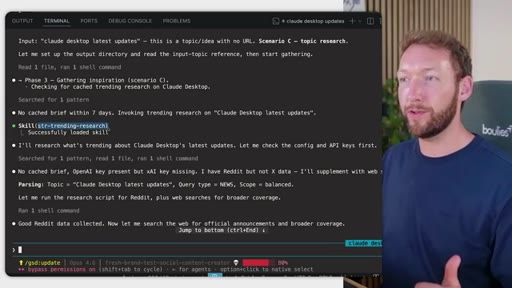
10:02HOOKSo depending on the scenario, for example, for scenario c where we've got a topic, the topic is gonna invoke a different skill, which is all about trending research, which searches Reddit, x, and Twitter and the web for real discussions that match your topic. I don't have to go out and do all the research.
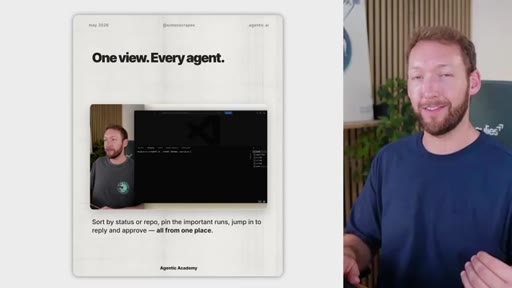
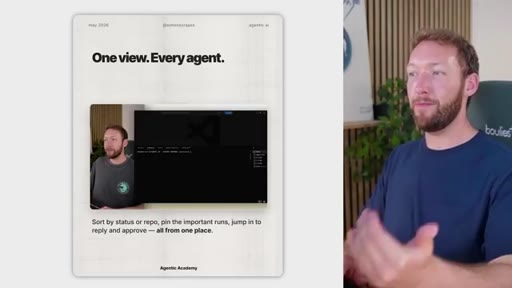
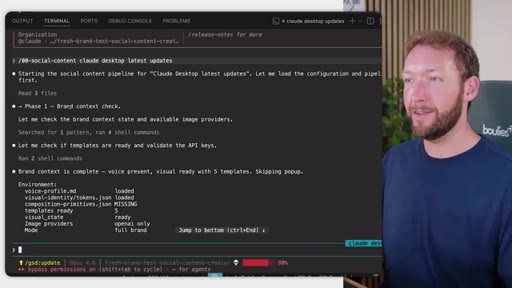
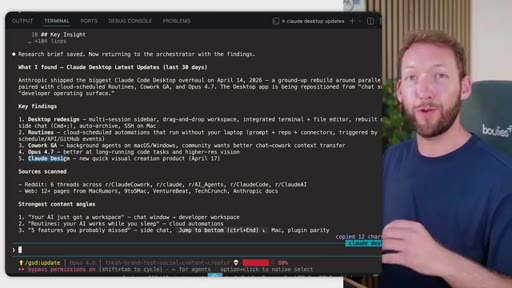
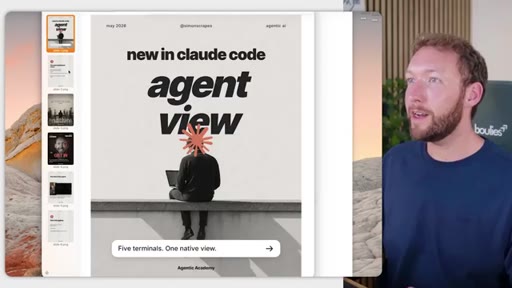
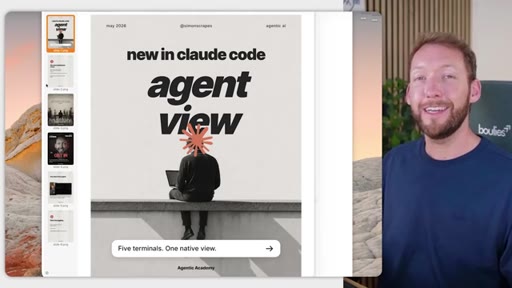
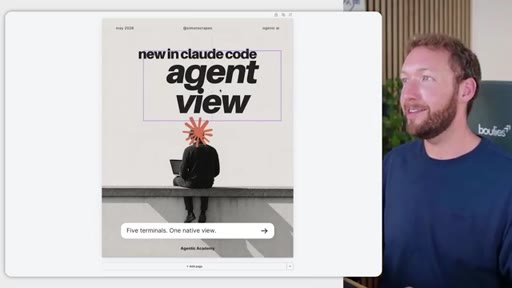
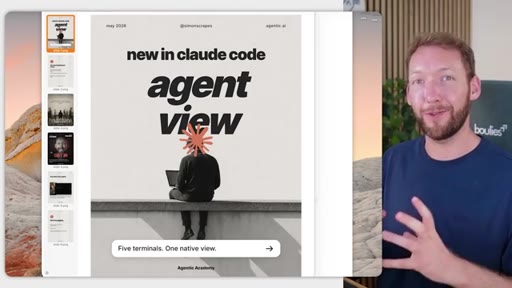
10:17HOOKIt's gonna do that for a specific topic. And I've got an example here where I asked the agent view for Claude code desktop updates. So in here, I just ran the social content system and said Claude desktop latest updates.
10:30It's doing all the brand context checks, loading the environment variables, and then identifying that it's topic research required. So it goes and gathers inspiration, checks if there's any research in our existing file directory first, and then if not, it invokes the trending research skill.
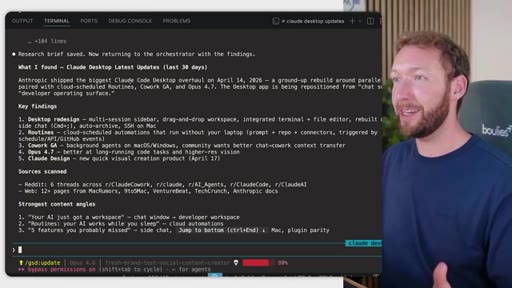
10:44It will go and research what's trending about Claude desktop's latest updates, does a bunch of web searches, collects the research across Reddit and web sources. Then we've got basically a summary of what it's found. So Anthropic shipped the biggest Claude Co desktop overhaul on 04/14/2026.
11:00It found that we've done a desktop redesign. They added routines. They added a Cowork GA, which are background agents on Mac OS and Windows.
11:07They released Opus 4.7 and also Claude design, which wasn't necessarily desktop, but it was in the Claude desktop Reddit discussions. And then basically comes up with content angles from that. So one of them is routines.
11:18Your AI works while you sleep, which is a really good contact angle. What you can do is tell it which angle you wanna work on or just tell it work on one of them, and it will then go on to the next phase. So that's totally scenario dependent.
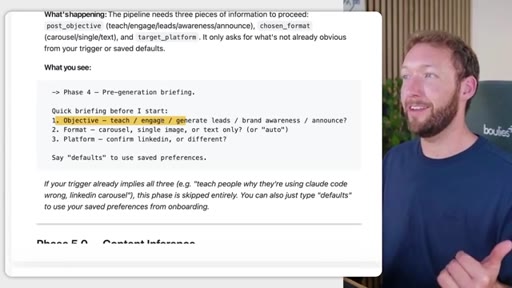
11:28If you're uploading a video, it's gonna follow slightly different steps that we saw earlier. It might come back and ask you certain questions, like, what's your objective? Is it to generate leads?
11:37Is it to teach? What format do you want and what platform are you targeting? Because the output's gonna differ whether you want it on LinkedIn or Instagram, for example.
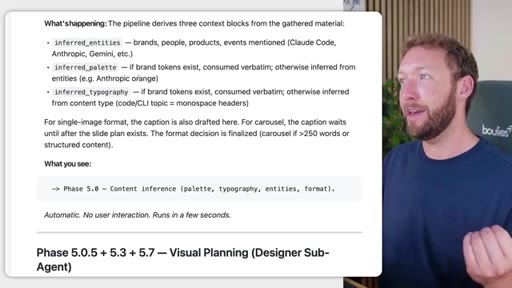
11:44It's going to automatically check what context it has around your visual identity. But if you mention, like, brands like Anthropic, etcetera, it's gonna try and actually retrieve the logos if relevant, the typography, etcetera.
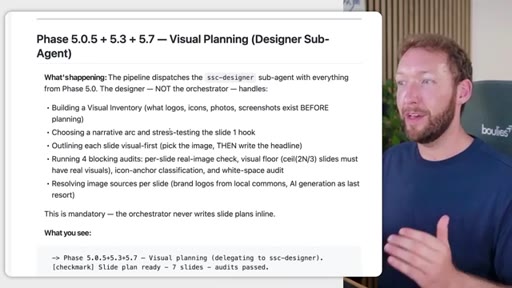
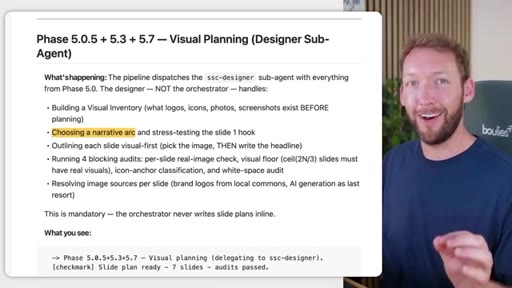
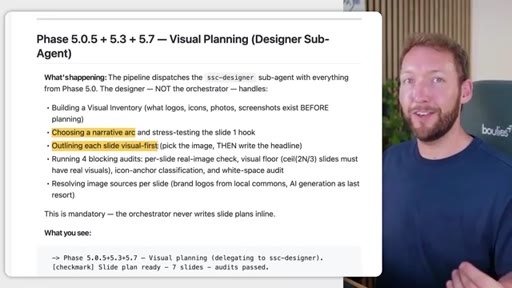
11:56Because if you don't have a brand visual system, then it's gonna just use theirs instead. Now this is where it gets more complex, but literally where the magic happens. You've got a designer sub agent that builds a visual inventory.
12:07So it's gonna work out what logos, icons, photos, and screenshots we have already. It's gonna choose a narrative arc and stress test the slide one hook. So we all know the most important thing is that hero image, getting somebody to stop.
12:20Getting an image and a hook to stop that scroll is probably the most critical thing. So it focuses a lot on that. And then what it's gonna do is outline each slide visually first.
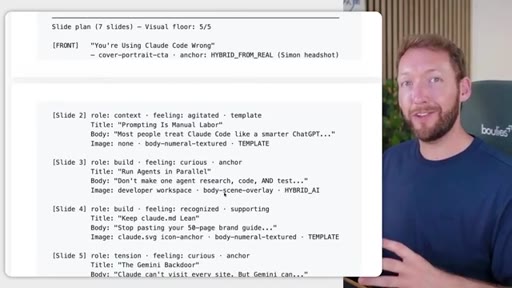
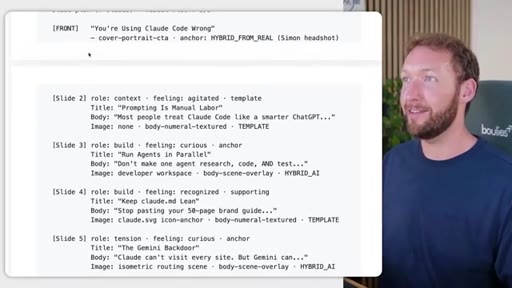
12:28So it's gonna pick the image, then write the headlines, and position those as best it can around the headlines. It then does a bunch of checks. But, basically, what you get out the back of it is the caption, which is effectively the post body, and the slide plan.
12:41So before we actually go and generate the visuals for this, it comes back for a human in the loop step so that you can review and check you're happy with this content. Does it actually represent what you were trying to get across with this value? Would it be valuable for your audience?
12:52Those are the kind of questions that you're asking yourself at this phase. So we've got the front page. You're using ClawCode wrong.
12:57We've got slide two, what role it plays, the title of the slide, the text body, and then the image. So everything plays a real part, we're actually thinking about how things are brought together, not just randomly assigning things to different slides. It's a story that wants to convey that and generate value.
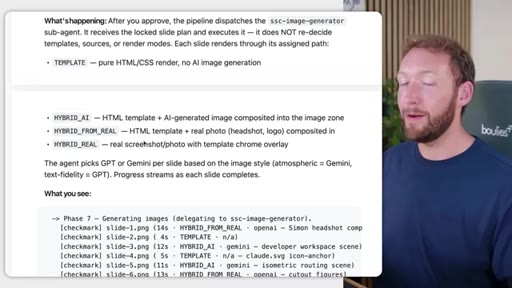
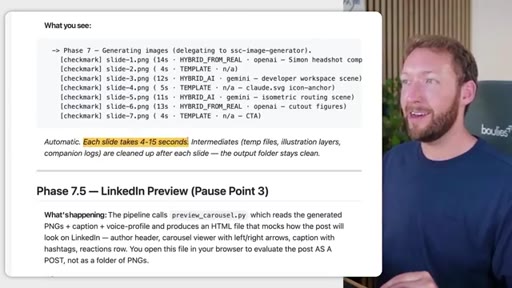
13:13So that uses our SSC designer agent, but we've also got an image generator agent because what we actually wanna do is spin out separate context. Purely for image generation, we just wanna pass in a prompt and generate those images.
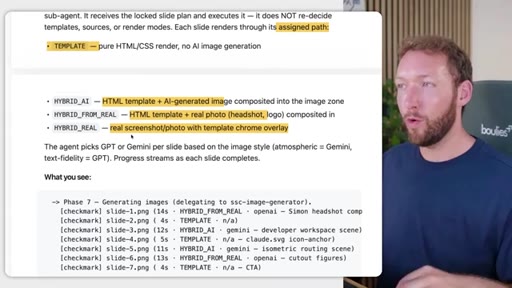
13:25So it receives a slide pan and generates each slide's image based on that plan. And we've got various combinations of that. So it can be pure HTML
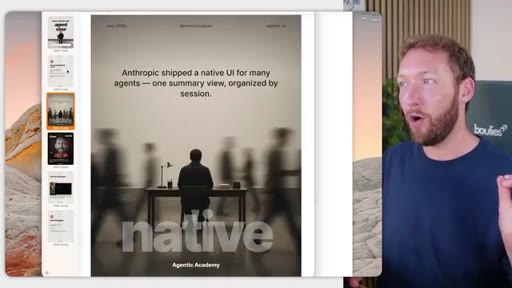
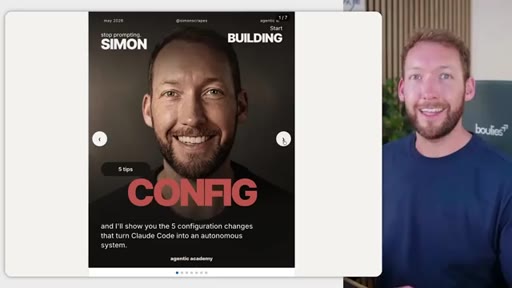
13:33where there's no AI image generation required because you've actually input a template that can just be used. It could be AI generated image goes in the HTML template, so it can include a real headshot or logo like this, where it's got my headshot from my documents and put it into a slide, or where it's grabbed the Anthropic logo and put it into the hero image here.
13:52And it's gone out and done that automatically, by the way. Or a really powerful combination is where it goes and grabs real screenshots or photos from the URL that you've given it.
14:01So it will literally go to the website and take photographs of the most important parts and extract those and bring those back to your carousel template as images. Now we don't wanna do the thinking around this, but it's gonna do the thinking, and that's gonna take about a minute for a full carousel, a minute to two minutes.
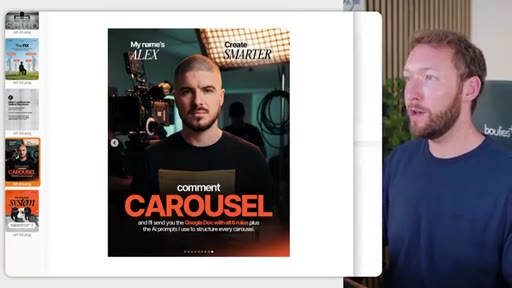
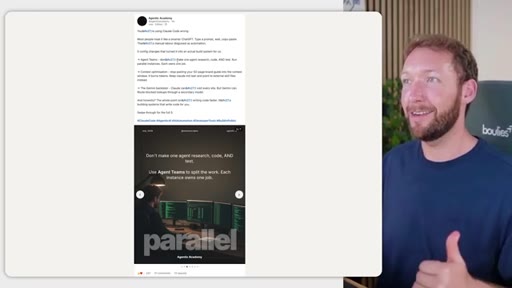
14:16And then we get to a point where we've got a set of generated slides inside a really cool HTML LinkedIn preview. So if I just zoom out here, you can see that we've got this mock up of a LinkedIn post or an Instagram post where we've got all the body of the text there, but also the carousel that we can flick through as if we were reading this on LinkedIn ourselves.
14:35And you can see a screenshot that's been taken there too. So at the end of it, you've got out the back from starting with nothing, complete brand voice document based on samples of your writing, a visual identity style guide that's converted into tokens so they're really usable across multiple visual assets. So it's not just your carousel templates.
14:53It can be used consistently again and again to create your carousels, your infographics, and we also do other systems like slide generation, for example. And, of course, platform ready posts in your brand voice, in your style that save you as a business owner tons of time. So they're completely bespoke.
15:08They feel like your brand, and they're way better than any other AI generator that I've tried before. And we kinda touched on this, but the fix isn't just making better prompts. It's having a visual identity
15:18and giving that system one source of truth for what on brand actually means. So having fonts that are consistent, your color palettes, like your accent colors, the grid, the layouts, the rules, the templates that every single slide is gonna read from or all of your systems are gonna read from. And, ultimately, we want variation
15:35in layout of the slides because it engages the user. It keeps it consistent and on brand, but not looking exactly the same and boring the user.
15:44So the variation between the sides is allowed and actually deliberate, but the consistency underneath is enforced by the design system.
15:51Now you can see these aren't perfect. Right? You might actually want the Anthropic logo on this guy's back.
15:56So what we actually did was add an extra manual step inside the process that I think you're gonna love. So it turns it from having to reprompt those annoying small edits to basically the content output being a 95% version.
16:08So this is a 95% version that you can just go in and tweak for yourself. So we can literally open Canva magic layers, import this image, and then it's gonna convert it into actual editable layers.
16:18So at the moment, these are AI generated images. We can't edit a thing. But if we import it into Canva's magic layers feature, then everything becomes editable.
16:26So let's change the size of the main text. Move this logo down here. Let's change the size of the subtext.
16:33Let's change some additional text down here. And now you've got a slide that's indistinguishable from what you'd make yourself but without the four hours of work, and it also has an accompanying post too. So quick recap.
16:45CTAGeneric AI carousels that I've seen don't work because there's no design system holding them together. So what we've done is bake that into every single visual that we create. So you put your topic in, you get on brand, well researched posts out, and you review it and make sure it's valuable for your audience before anything ships.
17:02CTASo it's not intended to just put more and more content out, but what it's doing is taking the value that you already deliver, packaging it really nicely on brand in your design style. And, honestly, if you need just the odd one off slide, then just use Canva. This is overkill.
17:14CTABut if you're posting carousels every week across platforms and you need them to actually look like your business, then you want to build a system like this. And if you wanna grab this specific system, then it's inside our community in the description below.
17:26CTAAnd you not only get this, you get all of our other skill systems like PowerPoint slide generation, creating long form written content, and short reels from your long form content. So thanks for watching. Give the video a like if you enjoyed it, and let me know in the comments if you've been doing something similar to get all your visual assets feeling like an on brand system.
— full transcript
§ 05 · For Joe

The design system is the product, not the prompt.

WHAT TO LEARN

AI carousels look generic because they have no persistent design system, and fixing the prompt does not fix the problem.

  • Brand identity stored as reusable tokens eliminates session-to-session drift; redescribing your brand in every prompt is why the output keeps looking different.
  • LinkedIn carousels generate roughly 3x the reach of text posts because dwell time is the algorithmic quality signal, and carousels hold attention 2x longer than single images.
  • Instagram gives carousels a second organic distribution window that reels and single images structurally never receive.
  • Eight to ten slides is the data-backed sweet spot: enough variation to hold attention, short enough for most audiences to complete.
  • The designer sub-agent plans images first and writes headlines around them; reversing this order produces slides that look visually empty.
  • A human review checkpoint before image generation is the highest-leverage moment in an AI content pipeline since a slide plan takes seconds to revise but regenerated visuals do not.
  • Canva Magic Layers converts raster AI slides into fully editable layers, ending the reprompting loop for minor corrections and producing output indistinguishable from manual work.
§ 06 · Frame Gallery

Visual moments.