Austin Marchese · Youtube · 13:44

Build These 4 Claude Projects to 10x Output

A 14-minute operating manual for turning Claude Code from a chat toy into a compounding personal AI infrastructure.

Posted
May 27th 2026
yesterday
Duration
13:44
Format
Tutorial
educational
Channel
AM
Austin Marchese
§ 01 · The Hook

The bait, then the rug-pull.

The title makes a promise the content actually keeps: stop consuming, start building. Four projects, fourteen minutes, and a framework that stacks — each one feeding the next until you have a personal AI infrastructure that learns from itself.

§ · Chapters

Where the time goes.

00:00 – 02:03

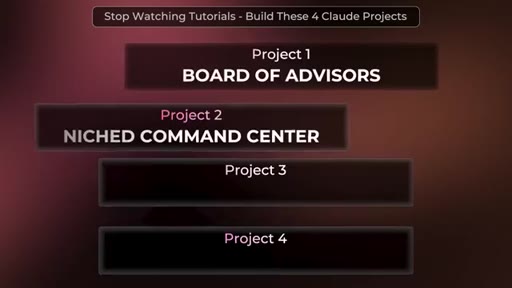
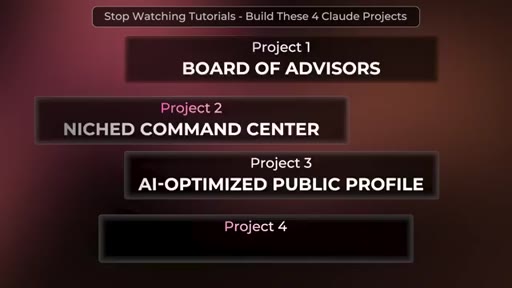
01 · Project 1: Board of Advisors

5-step process to clone domain experts into a reusable /ask-the-board skill inside a Claude Project.

02:03 – 02:28

02 · Bridge and promise

Four-project framing and confidence guarantee.

02:28 – 03:58

03 · Project 2: Why build for yourself

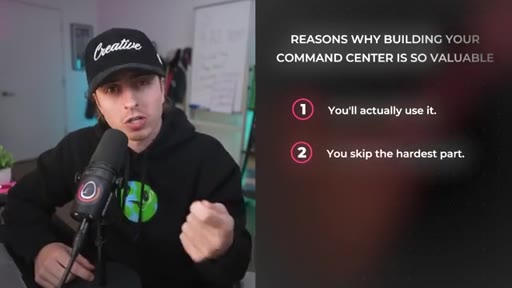
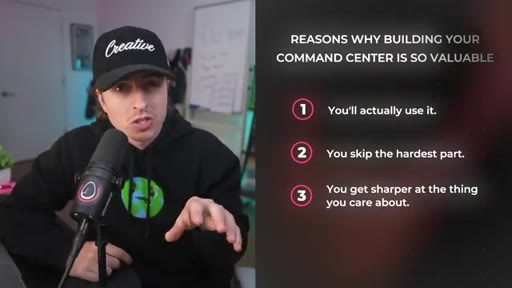
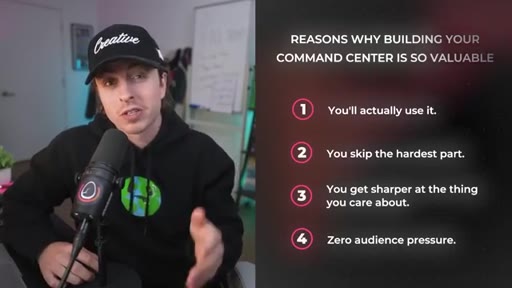
Four reasons: you will use it, you skip analysis paralysis, you sharpen critical thinking, zero audience pressure.
03:58 – 05:58

04 · Project 2: Niched Command Center

Planning prompt, MVP loop, personal finance tracker demo, YouTube tracking dashboard reveal.

05:58 – 09:16

05 · Project 3: AI-Optimized Public Profile

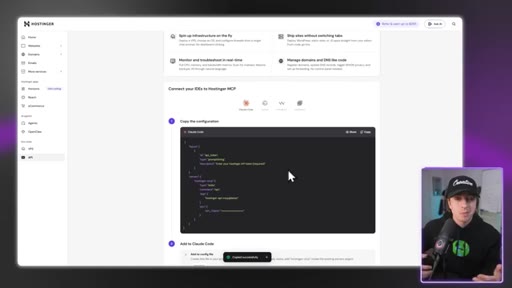
Set page goal, pull design inspiration, scaffold Node.js with Claude, AI SEO blocks, deploy via Hostinger MCP.
09:16 – 09:52

06 · Anti-slop agreement and giveaway

Subscribe CTA framed as a mutual agreement, Claude Max giveaway shoutout.
09:52 – 13:07

07 · Project 4: Internal Operating System

Three-folder structure, CLAUDE.md brain, /improve-system skill, /ingest-resource skill, GitHub as IP storage.

13:07 – 13:44

08 · Recap and CTA

Four-project summary, teaser to Karpathy internal OS breakdown video.

§ · Storyboard

Visual structure at a glance.

open
board prompt demo
four reasons
finance tracker build
project 3 intro
Hostinger deploy
good vs great output
/improve-system skill
CTA / subscribe
§ · Frameworks

Named ideas worth stealing.

00:00 list

Board of Advisors (5 steps)

  1. Step 1: Let Claude interview you (goals, career direction)
  2. Step 2: Identify board members (bias toward creators with public content)
  3. Step 3: Ingest their content into a Claude Project
  4. Step 4: Create a /ask-the-board skill
  5. Step 5: Query the board with your question

Turns publicly available expert content into a persistent advisory panel accessible via a single slash command.

Steal for Any decision that benefits from multiple expert perspectives — hiring, pricing, strategy pivots
09:52 model

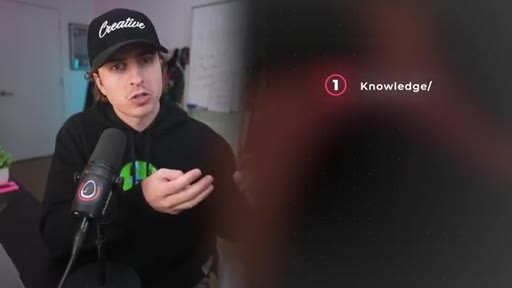
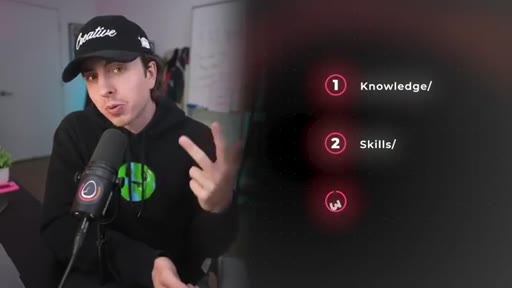
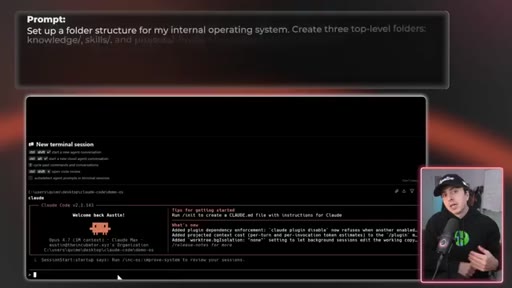
Internal OS Structure (Knowledge / Skills / Projects)

  1. Knowledge — meeting notes, voice samples, frameworks, saved articles, board content
  2. Skills — repeatable slash-command processes (/ask-the-board, /improve-system, /ingest-resource)
  3. Projects — active work (command center, public profile, client deliverables)
  4. CLAUDE.md — root brain file that tells Claude how to use the whole system

A persistent folder structure that turns Claude from a stateless chatbot into a context-aware collaborator that remembers and improves.

Steal for Any knowledge worker who runs recurring workflows and wants AI that gets sharper over time without re-prompting from scratch
02:28 list

Four Reasons to Build for Yourself First

  1. You will actually use it — solves today problems, not hypothetical ones
  2. You skip the hardest part — no analysis paralysis on what to build
  3. You get sharper at the thing you actually care about — maps your real workflow
  4. Zero audience pressure — build fast, no marketing required

A reframe for anyone stuck on what should I build — the answer is always the tool that solves your current workflow.

Steal for Positioning any tool or course that teaches by building rather than by watching
§ · Quotables

Lines you could clip.

02:28
"Most tools you will create just sit unused because they solve hypothetical problems. This is designed to solve problems you have today."
Cuts straight to the real reason most AI side projects fail → TikTok hook
03:34
"The tool is nice that you will be creating, but flexing your critical thinking muscles is the massive unlock."
Reframes the value of the exercise beyond the output → IG reel cold open
10:40
"Simply put, it is a bunch of files that help AI go from a good output to a hyper specific great output."
Clean one-line definition of an abstract concept → newsletter pull-quote
12:37
"I think my internal operating system as the intellectual property of my life."
Revalues accumulated AI context as personal IP → TikTok hook
§ · Resources Mentioned

Things they pointed at.

00:22toolWhisperFlow
00:22toolHex (open-source voice-to-text)
13:27channelAndrej Karpathy internal OS breakdown (follow-up video)
§ · CTA Breakdown

How they asked for the click.

09:16 subscribe
"All I ask is that you subscribe as part of this agreement to help this content reach more people."

Framed as an anti-slop agreement — mutual exchange between creator and viewer, not a generic ask. Lands mid-video before the highest-value project (Project 4).

§ 04 · The Script

Word for word.

HOOK opening / re-engagementCTA the pitch metaphor story
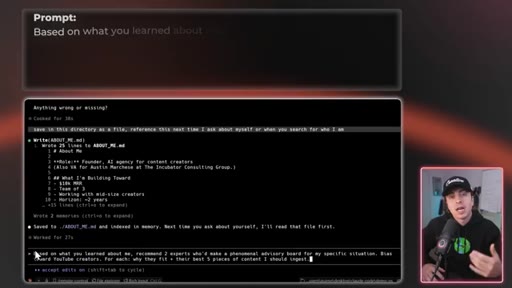
00:00HOOKProject number one is your own board of advisors. This project will let you build your own board of advisors by cloning professional experts so you can make decisions with confidence. So step one here is let Claude interview you.
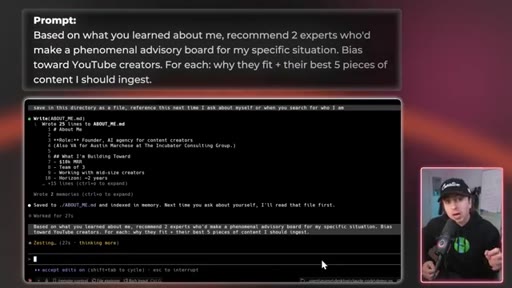
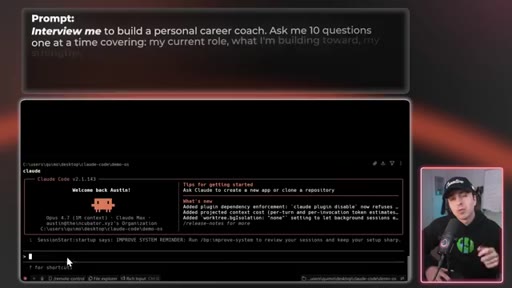
00:11HOOKRun this prompt so Claude can get to know your goals and where you wanna go with your career. The key phrase here is the interview me part, which tells Claude to pull context from you instead of guessing or making assumptions. And the pro tip here when you're answering these questions is to use a voice to text tool, like call it Whisperflow or Hex, which is the free open source alternative, which will allow you to talk instead of typing, which is like 10 times faster.
00:32Step two is identify your board members. Once Claude knows what you want to accomplish in the next one, five, ten years, ask it to suggest who should be on your board. For this video, we're gonna start with two people but you can add as many as you want.
00:44Generally, I like to bias towards people who have publicly available information. For example, YouTube creators because their full body of work is accessible and that serves as training data as you recreate these people on your board. And for any prompt that I go through, take a screenshot of it and then send it into Claude Code.
01:00It's essentially the same as typing it. So after you know who's on your board, step three is ingest their content to create their clone. So go to YouTube or wherever that person has training data available and pull all the links to the content that you wanna ingest.
01:12Then paste that right into Claude and ask Claude to ingest that data into your project. Here you can see a prompt I use which helps me ingest specifically YouTube data. Step four is create your board skill.
01:21Once steps one and three are done, create a custom skill that lets you ask your board questions in one go. We'll go deeper on the concept of custom skills in project four, but the quick version is that a skill lets you run a multi step process automatically by just calling that specific skill.
01:36If I had to really simplify it, just think of it as a reusable prompt that you can easily update. In this case, we're gonna call the skill ask the board. So Claude knows to loop through every single board member instead of just one and then get you a response based on all of their analysis.
01:49Step five, now that you've created the skill, you can actually go ahead and ask your question. Just type slash ask the board followed by whatever is on your mind. So for example, it could be based on everything you know about me, what should I do to capitalize on AI?
02:00HOOKWhen I was the COO of my last tech startup that raised over 18,000,000, I used this exact process to help me make any big decision that I was doing. I can't stress how valuable this one project is, but that's just the first of four quad code projects you need to do whether you're technical or not.
02:15HOOKAnd I promise, if you do all four of these, you will walk away feeling 10 times more confident about building with AI. Project number two is create your niched command center. The goal of this project is to get your hands dirty building a tool that helps you today
02:28with something you're already working on. For me, I spent a lot of time on YouTube, so I built a YouTube planning command center. And before we get into how to build your niche command center, there are four reasons why building this is so valuable.
02:40The first is that you'll actually use it. Most tools you'll create just sit unused because they solve hypothetical problems. This is designed to solve problems you have today.
02:48Two is you skip the hardest part. Coming up with the right problem is what causes analysis paralysis and by building it for yourself, this skips all of it. Three is you get sharper at the thing you actually care about.
02:59Building this project forces you to map your workflow and determine how you actually do things. And the tool is nice that you'll be creating, but flexing your critical thinking muscles is the massive unlock. And the fourth and probably the most important is that there is zero audience pressure.
03:12You don't have to ask, does this look good? You don't have to make it pretty. You don't have to think about marketing.
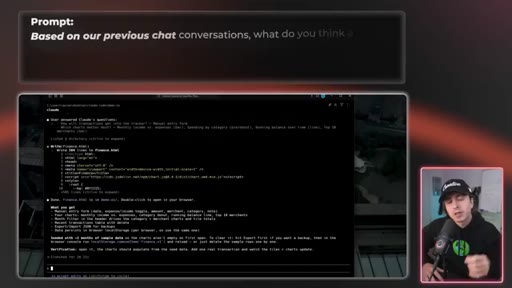
03:16It's literally just for you so you could build quickly. So step one of this whole process is choose what to build. If you don't know what to build for your niche command center, this prompt helps you create a list of options based on your previous chats with Claude.
03:28Pick one of those concepts, but for this video, I'm building a personal finance tracker that charts all of my expenses and income. And before we get to step two of this project, the question that's probably coming up in your head is, how can I make this so anybody can use it if I want? We'll show that in project three and what makes it 10 times easier is today's sponsor.
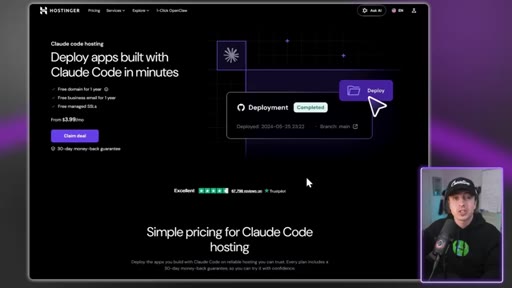
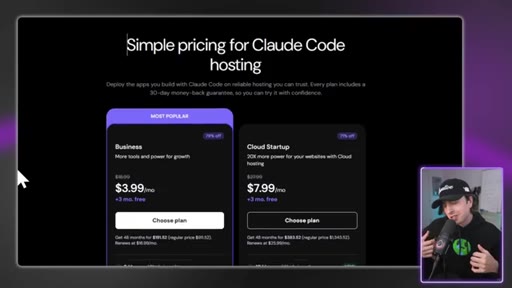
03:45So shout out to the goats at Hostinger. Hostinger just launched a hosting plan built specifically for Claude code users. And amongst the premium services out there, it is by far the most affordable starting at as little as $3.99
03:57a month, which is less than a cup of coffee. But the part that I'm most hyped about is the Hostinger connector. It's an MCP server for Claude code.
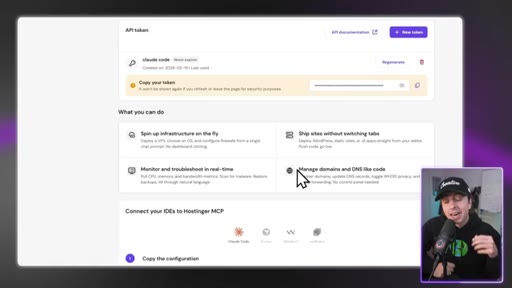
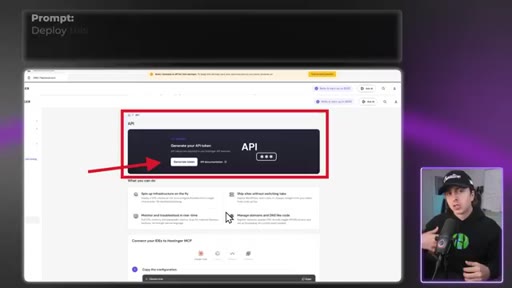
04:04To deploy an app that you're working on, you just need their API key, and then you bring that into Claude code, and it can deploy the app right from your terminal. You build in Claude code, you deploy in Claude code. One session, you essentially don't ever have to think about it ever again.
04:16And let's say something breaks, their AI troubleshooter can scan the logs and tell you exactly how to fix it. In project three, I'll be using this exact feature to deploy an app that we build. And for that, I won't have to buy a domain because Hostinger gives everyone access to select domains for free for the first year.
04:32So you'll see me using this tool in a bit and I've used this for years. So to get access, click the first link in the description, then use code Austin m to get 10% off. Now let's go back to your niche command center.
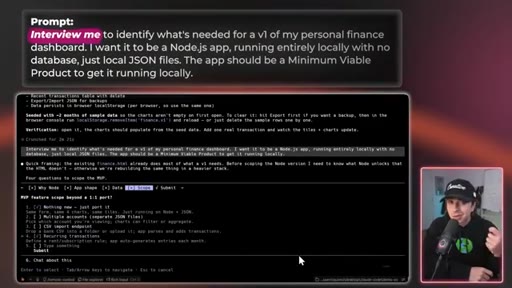
04:41Step two of this is you wanna plan and build out the MVP. There is a universally agreed upon best practice when using tools like Claude Code. You wanna plan before you build anything complex.
04:50So step back, breathe, and think about what you need Claude to build before it actually builds it. The key here is a planning prompt. This is similar to project one where you let Claude interview you, but there's technical guardrails baked in.
05:02This interview will help you build a plan for the features you actually need, not what some template online says about a finance dashboard or something. Then after going back and forth and landing on a plan that you like, you can improve it and let Claude rip. And if you hit any issues, just copy and paste the error that you see into Claude or screenshot the error and just fired it in.
05:21Once Claude creates this minimum viable product that you can start using, just start using it. The point isn't to launch something perfect, it's to create something that's valuable today and add features as you need them. For the personal finance example, let's say it doesn't look at your credit card transactions.
05:34You could just say, hey, I wanna add credit card transactions to it. And just continue this iteration cycle as quickly as possible, and your niche command center is gonna start becoming extremely valuable. I built the finance tracker as an example I knew would apply to most of you, but the one that I actually use is this YouTube tracking dashboard on screen.
05:50At this point, it's pretty robust and it has all the features I need to help plan my YouTube videos. And now I don't have to pay for any external subscriptions, That's a added bonus.
05:59And every single feature is specific to exactly what I need. If somebody else tried using this, it likely wouldn't work that well. So this niche command center is built just for you.
06:09But what if you want other people to start using it? That goes to project number three, which is building your AI optimized public profile. For this project, we're going to create a personal website that is optimized for AI SEO.
06:19There are two goals here. First, humans land on it and they think, wow, this is awesome, and they get a great first impression of you. Personally, I've always loved building websites.
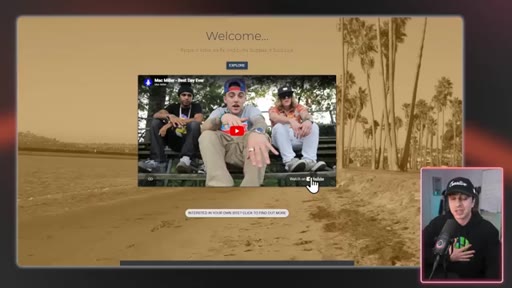
06:27I built awesome arcaze.co years ago. It's the first engineering project I ever built just because I believe so much that you should just have your personal website.
06:34It's fun, it's creative, it's awesome. Second is that people will start going to AI first to learn about a person. When someone types in who's awesome arcadesi, I want my personal website to help tell the story.
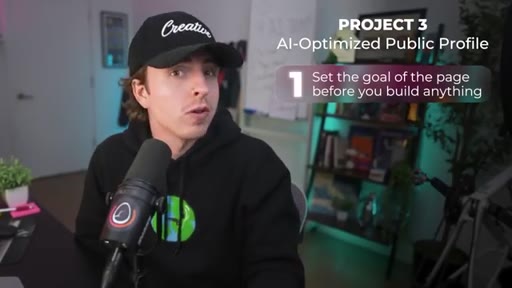
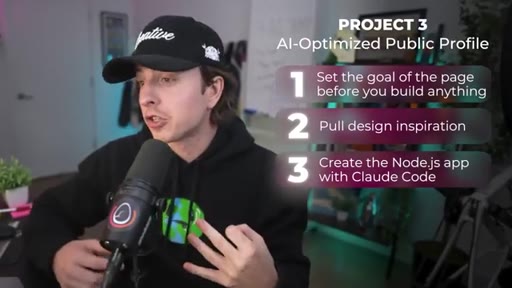
06:45So to do this, step one is set the goal of the page before you build anything. The question you wanna ask yourself is when someone lands on your page, what do you want them think or what do you want them to walk away with? For me, this is somebody who's smart.
06:55I wanna work with them. Pick what you want and then reverse engineer the styling and the structure based on that feeling. Step two is pull design inspiration.
07:03Find sites that you like, a creator you admire, a brand that you think is dope. Just find things that you love and that can be a source of inspiration. Or you could go to any of these websites and they have a bunch of inspirations already pre curated so that you could just find something that you love.
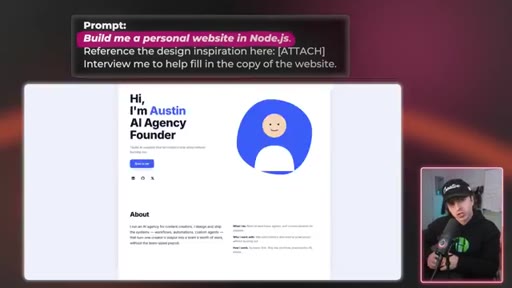
07:17Step three is create a Node. Js app with Claude code. So what you wanna do is you take the goal from step one, the inspiration from step two, and then have Claude scaffold an initial proof of concept.
07:26This prompt will help you create it and interview you to fill in the copy. And in the prompt itself, it says build me a personal website in Node. Js.
07:33That'll help us deploy it to Hostinger in a little bit. Step four is optimize for AI. We're starting to see the trend where people aren't going to Google to find answers, they're going to AI.
07:41And so that means AI is likely gonna be the first that looks you up. And whether that's a recruiter that AI scans about you or a buyer looking to purchase from you or teammates looking to see who the hell is this guy. Basically, anyone trying to figure out who you are.
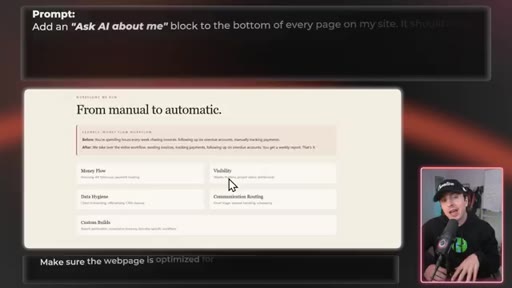
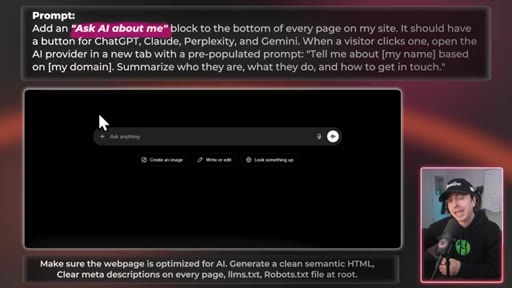
07:52So to optimize this, we're gonna have Claude generate these following things. And then at the bottom of each page, we're gonna add an ask AI about me block, which will have links to each of the AI providers. Then when someone clicks that button, it'll go to the AI chat with a preloaded prompt.
08:07And when they hit enter, it'll load information about you. I love this little feature and I think it's gonna be part of most modern websites at the footer the same way social links are there. But it essentially sets you up for success for a person to go into AI and ask it about you.
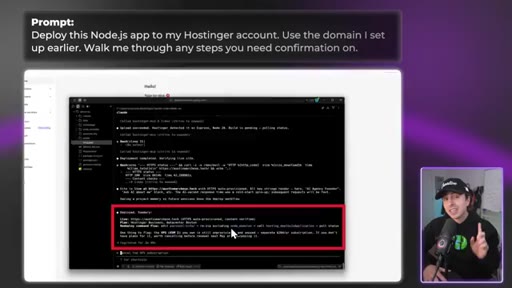
08:20Send this prompt into Claude to help set it up. At this point, you have your AI optimized website and now step five is deploy the app. There are a number of ways to do this, but today we're going to use the Hostinger Connector.
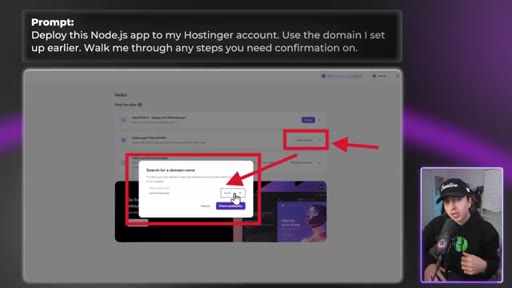
08:31To do this, go to their website and then pull the API key from there. And then we're gonna use that to configure the connector. You can have Claude do all of this for you once you actually have the API key and the connection string, or you can edit the MCP file directly.
08:42After that, I select the free domain that I wanna use for the site. For me, I'm gonna deploy to awesomercasey.tech. Then in your Claude code session, you can send this prompt and that's that.
08:50Claude handles the deploy and it's really that simple. And if anything fails, Hostinger's AI troubleshooter will scan the logs and tell Claude what's wrong. This makes it so Claude can fix it in seconds.
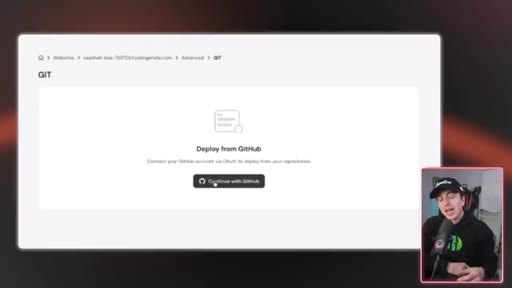
09:00And there are other ways to do this like using GitHub to auto deploy through Hostinger, which is likely a better option for a fully scaled out product. But for the sake of this project, that's not needed.
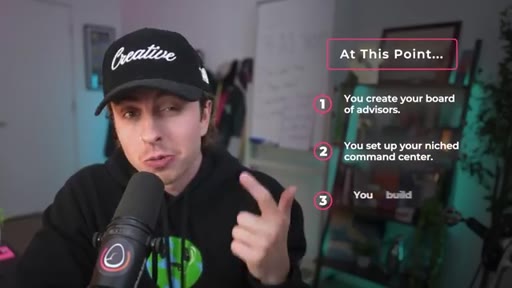
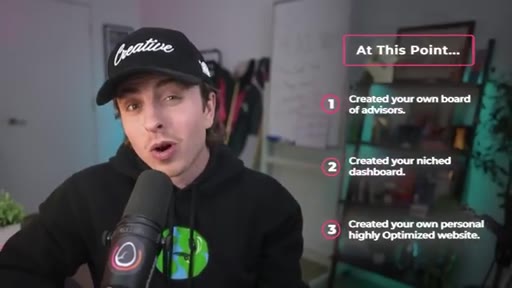
09:10CTANow at this point in the video, you've created your own board of advisors to help you get high quality answers. You've created your niched dashboard, and then you've created your own personal AI optimized website.
09:19CTANow project four is the one project that made me go from AI is awesome to AI will change the world forever. Before we get into that, if this is your first video, welcome the channel. But if it's your second or more, here's our anti slop agreement.
09:33CTAThe visuals, the testing, the time I put into this, this is for humans, not for AI clanker robots. So all I ask is that you subscribe as part of this agreement to help this content reach more people. Also, do wanna congratulate Ali Nezavar
09:45CTAsix one two seven for winning our Claude Max giveaway. Comment below with what you're building to enter the next giveaway. Now project four is about creating your own internal operating system.
09:55This is a project that personally made me realize or confirm that AI was going to change the world. So your advisor board, your command center, your public profile, these are all tools you built. The internal operating system is the system that can hold all of it together.
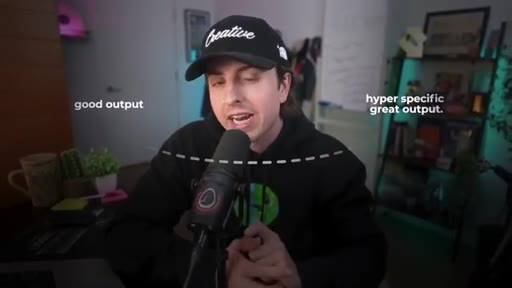
10:07Simply put, it's a bunch of files that help AI go from a good output to a hyper specific great output. And there are three steps to get this set up, The structure, the improvement loop, and the skills that maintain it. And I use this for my own team and I've set this up for other 7 figure businesses.
10:21And every time I do it, they're just like, yo, this is crazy. And I'm just like, I know. Step one is set up the structure.
10:27There are three folders in this system. Knowledge is everything you want Claude to know. This is meeting notes, voice samples, frameworks you trust, articles you've saved.
10:35This is where your board of advisors content would live. There's skills. This is your repeatable processes.
10:40The ask the board skill we created in project one would live here. And then there's project. This is what you're actively working on.
10:46So for example, your command center and your public profile could live here once you start building them out. Here's a prompt you can run to set up this structure. There's a couple of keys here, but one of them is that claud dot m d is the file at the root that is the brain of the whole thing.
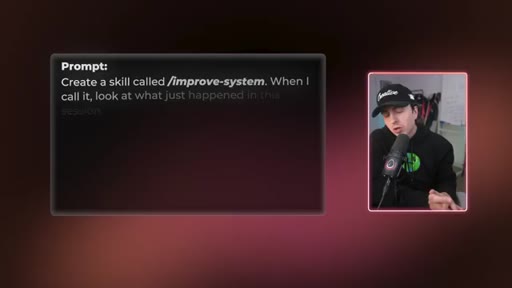
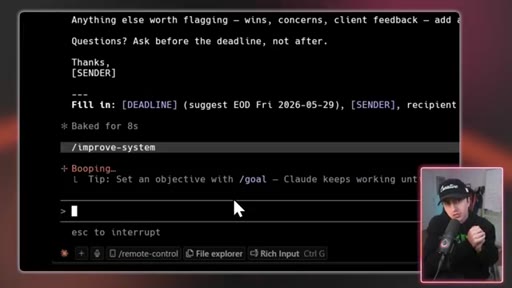
11:00It essentially tells Claude how to use the folders so you don't have to re explain every time you open a new session. It's like teaching Claude how to use this system. Step two is you wanna build a slash improve system skill.
11:11This is the most important part of the whole process. Most people use AI, they get an output that's okay, and then they just accept it. And I frankly don't blame them because most of us have never had to manage or train someone to upskill them.
11:23So it just doesn't really come naturally. So the key with AI is creating a system that logs information, which we did in step one, and then a system that captures feedback so your system improves over time. That's what the slash improve system skill does.
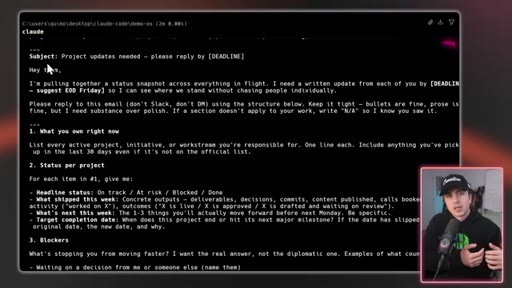
11:35Here's how it could work. Let's say you write an email and the first draft is too verbose. You could say rewrite shorter.
11:40And eventually, you land on a good draft. Then after landing on that final draft, would run slash improve system. And then the next time it writes an email, it'll automatically be more concise.
11:49Every iteration, it teaches the system and it improves. On screen, you can see a simple version of this improved system skill that you can immediately set up. If you want a more productized version of this that I use for every client I work with, if you go to buildpartner.ai,
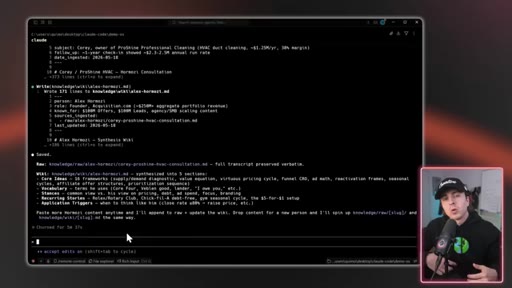
12:01it has a Claude code plugin that does exactly this and it's free to try out. That version allows you to run at once and it'll audit your whole setup, suggest improvements, and it'll update files for you. Step three is build an ingest resource skill.
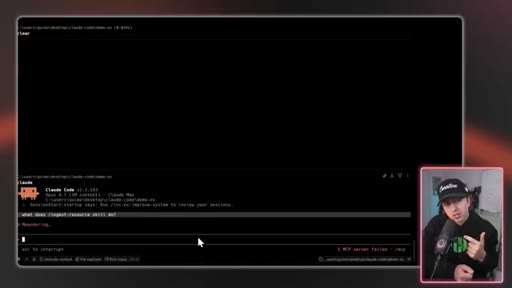
12:14Improve system is a teacher that helps your internal OS learn. The ingest resource skill lets you systematically bring in new information called articles, transcripts, YouTube videos, and ingest it into your system to make sure it's set up properly. Think of this like a librarian that helps you get information and then put it in the right place so that the AI brain knows where to look.
12:32Step four is you put it all in GitHub. And this is technically optional, especially if you're just using this yourself, but I do think it matters.
12:38I think my internal operating system as the intellectual property of my life. And it started with just me using it, but now my whole team's plugged into it. And every time I set up something similar with my clients, they're just blown away.
12:49For this reason, I like to treat it as software. And generally speaking, software lives on GitHub. And by adding it, it's easy to undo any changes that you make, and you can see your whole progress over time.
12:59CTAThen eventually, it sets it up so anybody can start using this system. Here's a prompt you can use to help you get started with this. The key with this internal operating system is that you create a foundation
13:07CTAthat can build up over time. Data ingestion that allows you to build up a valuable dataset and a simple way to improve the system. So once you create your board of advisors, you set up your niche command center, you build your AI optimized public profile, and then you set up your internal operating system, you will have an entirely different swagger about building with AI.
13:25CTAMy advice is just start doing things, don't overthink it. Now if you wanna go deeper on the internal operating system, I have this video where I break down how Andrea Carpathi, the former head of AI at Tesla, set up his own version of this.
13:37It builds on everything that we covered in project four and gives an in-depth tutorial on how to do this. I'll see you over there. Peace.
— full transcript
§ 05 · For Joe

Four projects that teach AI fluency by using it.

WHAT TO LEARN

The fastest way to get good at AI is to build something that solves a problem you already have — and then build the system that makes every next thing you build smarter.

  • A Board of Advisors in Claude is only as good as the content you feed it — bias toward creators with large public archives because their body of work is the training data.
  • The hardest part of building a personal tool is choosing what to build; solving that by building for yourself eliminates analysis paralysis entirely.
  • Planning before building is the single most agreed-upon best practice in Claude Code — a planning prompt that interviews you produces a spec that matches your actual workflow, not a template.
  • AI SEO is already diverging from Google SEO: a page that pre-populates prompts for four AI providers will be found by AI-first researchers the way a social link is found by humans.
  • CLAUDE.md at the project root is the difference between a session that starts cold and one that picks up where the last left off — one file replaces all your re-explaining.
  • A /improve-system skill that logs session feedback closes the loop most people leave open: getting a better output today and forgetting to teach the system what worked.
  • Versioning your internal OS on GitHub treats accumulated AI context as intellectual property you can share, fork, and restore — not a disposable chat history.
  • The four projects are not independent — each one feeds the next, and the internal OS is the container that makes all of them compounding rather than isolated.
§ 06 · Frame Gallery

Visual moments.