Alex Finn · Youtube · 44:14

Hermes Agent is the greatest AI tool ever made. Here's how to set it up

A complete 44-minute orientation — from curl install to autonomous cron jobs, Kanban triage, memory architecture, and mission control.

Posted
May 26th 2026
today
Duration
44:14
Format
Tutorial
educational
Channel
AF
Alex Finn
§ 01 · The Hook

The bait, then the rug-pull.

Claim stacked on claim: the greatest tool ever made, a 24/7 employee, the most powerful memory in AI agents. Alex Finn opens with zero hedging and twelve seconds of pure assertion before the chapter map even begins.

§ · Chapters

Where the time goes.

00:00 – 01:50

01 · Intro

Hook and chapter map — the video is built to be jumped around.
01:50 – 03:13

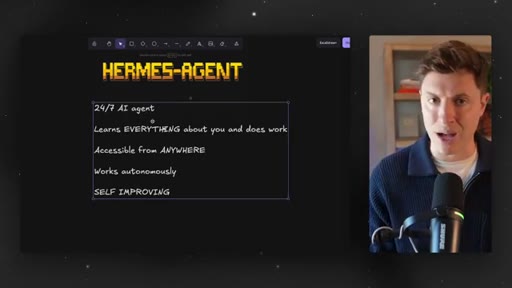
02 · What Hermes Agent is

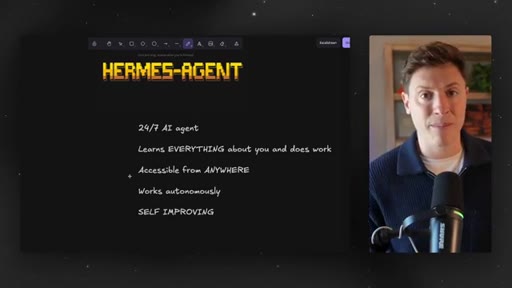
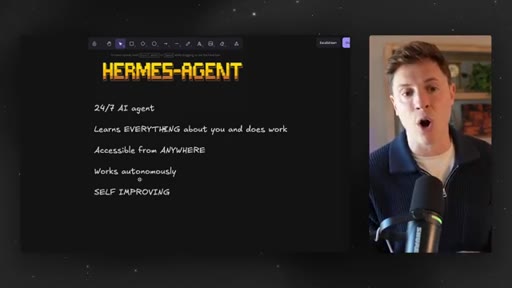
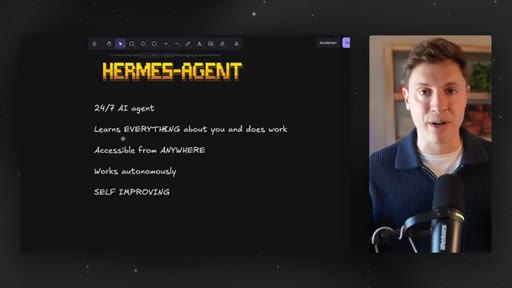
24/7 autonomous agent, learns everything about you, accessible from anywhere, self-improving.
03:13 – 05:17

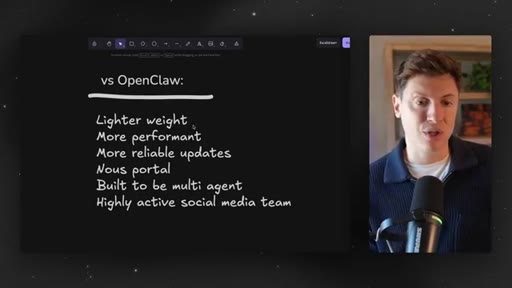
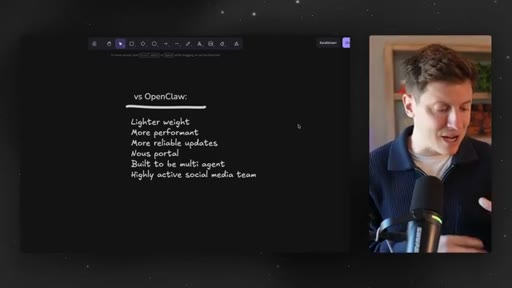
03 · Hermes vs OpenClaw

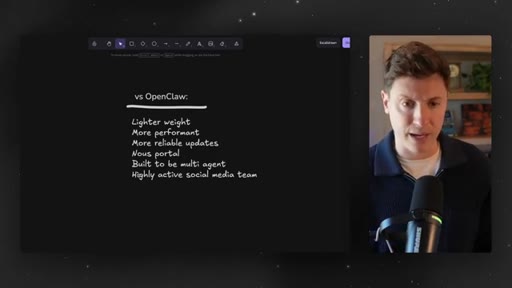
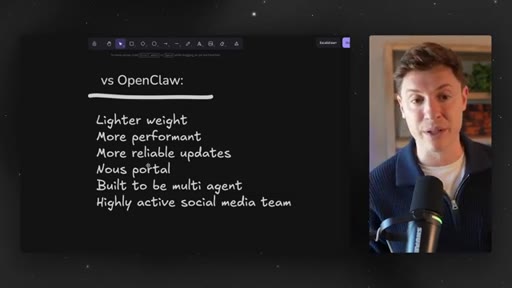
Lighter weight, more reliable updates, Nous Portal, multi-agent-native. OpenClaw breaks on every update.
05:17 – 07:57

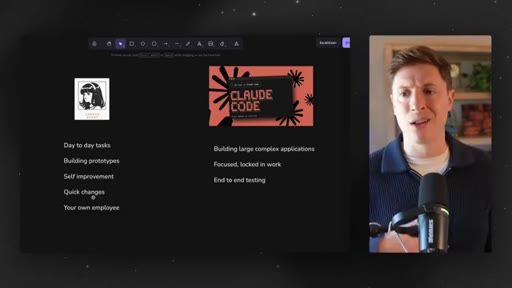
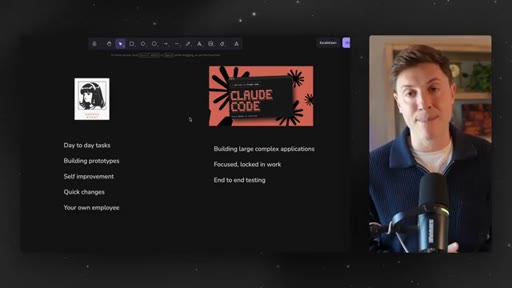
04 · Hermes vs Claude Code / Codex

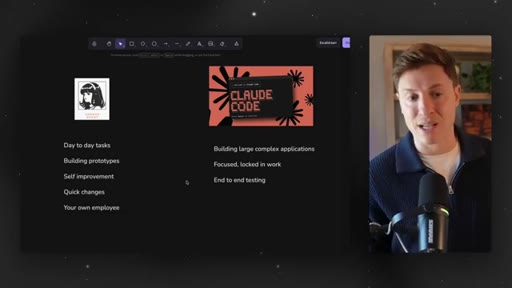
Hermes = general employee; Claude Code/Codex = focused deep coding sessions on complex applications.
07:57 – 09:28

05 · Installation

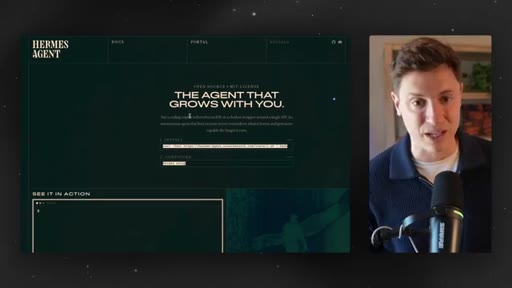
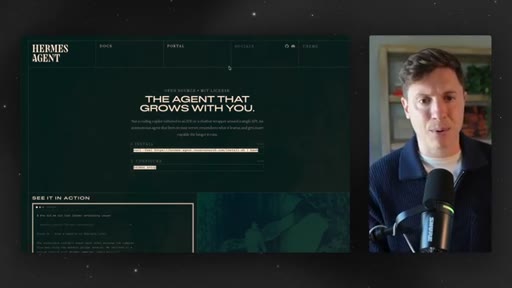
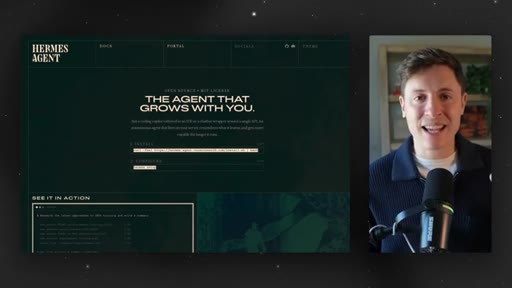
curl command from hermes-agent.nousresearch.com; quick setup; skip OpenClaw import for a clean agent.
09:28 – 13:44

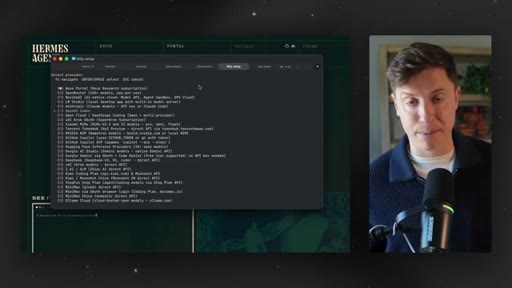
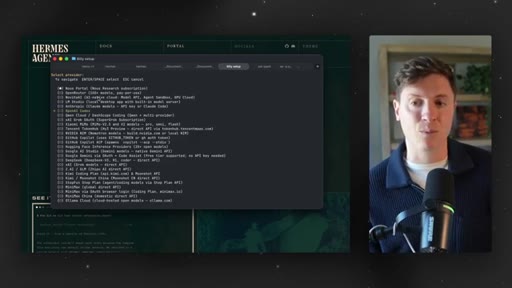
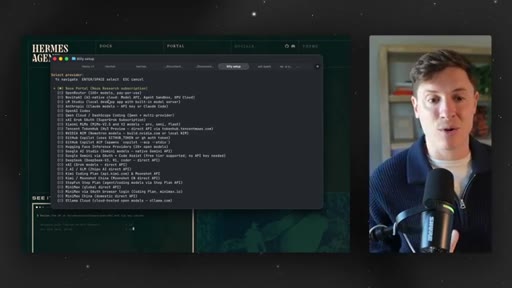
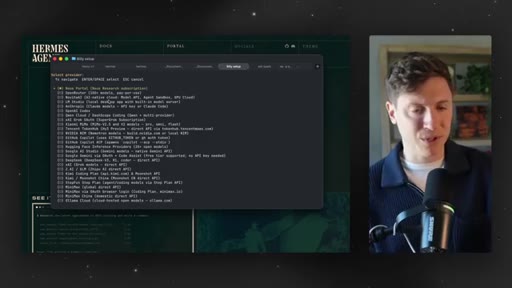
06 · Choosing a model

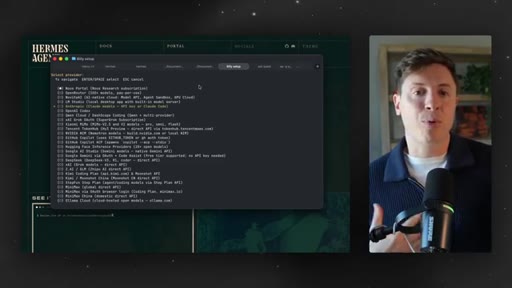
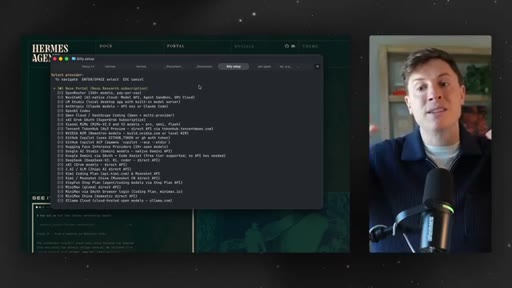
Three tiers: Anthropic API (best), ChatGPT subscription (budget, now viable with GPT-5.5), Nous Portal (cheap, robotic).
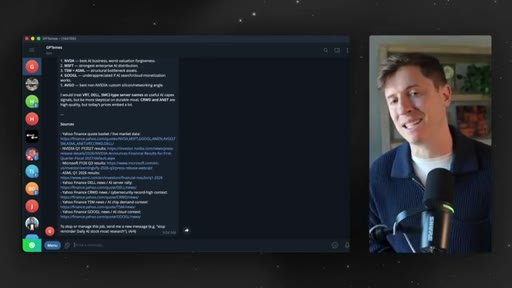
13:44 – 18:02

07 · First things to do

Write a personal brief (who you are, what you are building, your goals). Set up a nightly 2AM cron for micro-app generation.
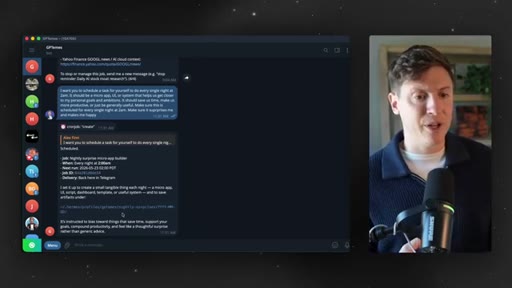
18:02 – 21:00

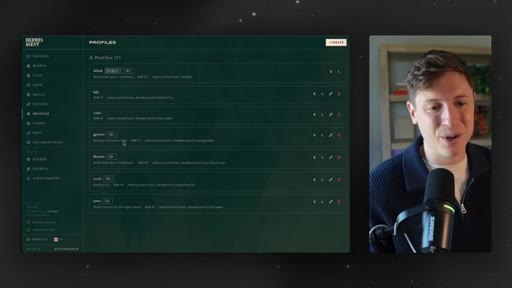
08 · Hermes dashboard

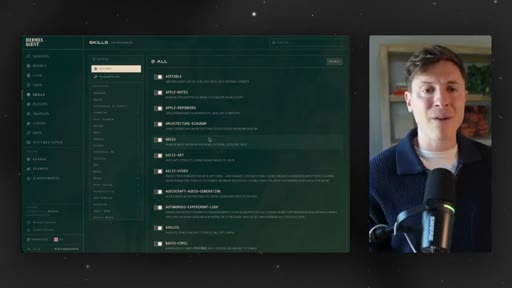
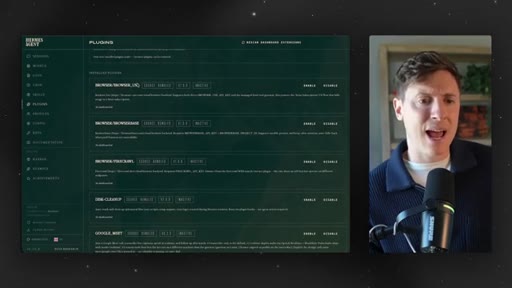
Browser UI via hermes dashboard terminal command. Models, cron jobs, skills browser, plugins, profiles.
21:00 – 23:15

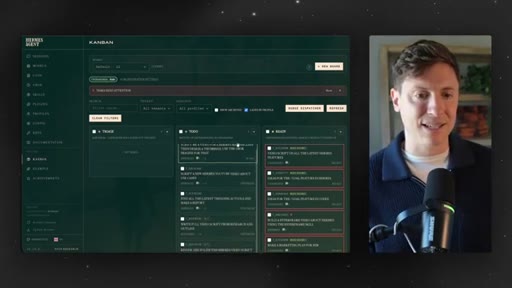
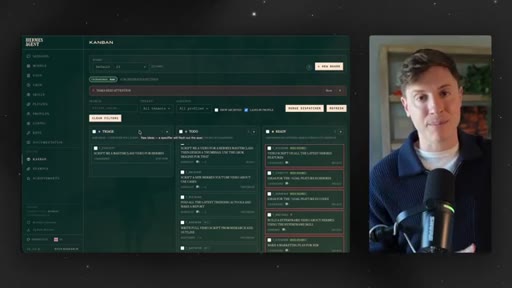
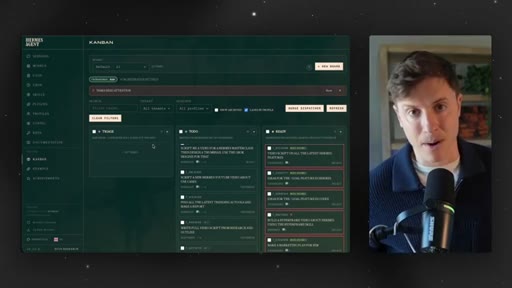
09 · Hermes Kanban board

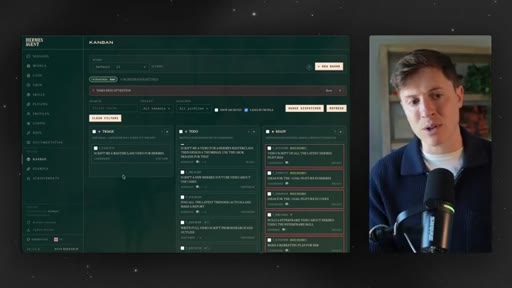
Drop tasks into Triage, walk away, come back with tasks split and dispatched. Recommended morning ritual.
23:15 – 25:40

10 · Use case 1: Daily tutor

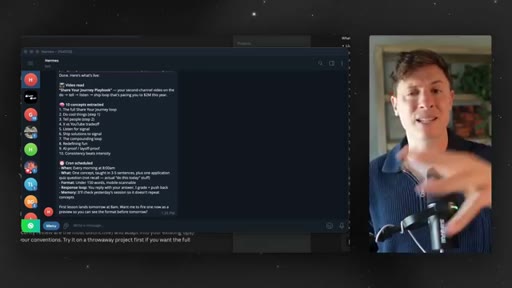
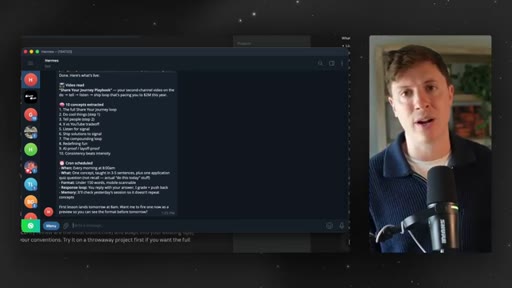
Give Hermes a YouTube video link; it pulls the transcript and schedules a daily quiz cron.
25:40 – 27:47

11 · Use case 2: Computer administrator

Tailscale private network lets Hermes fetch any file from any device, including remote local dev servers.
27:47 – 29:40

12 · Use case 3: Session recall

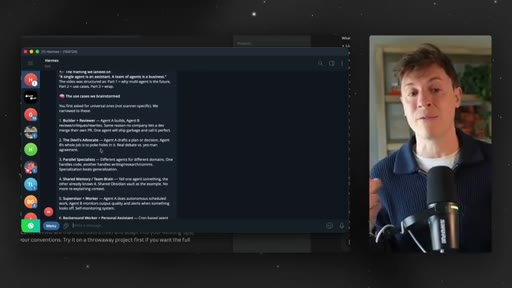
Every conversation is logged and searchable — recall any idea, link, or discussion from months ago.
29:40 – 34:30

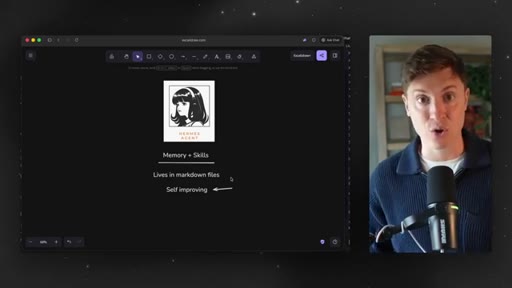
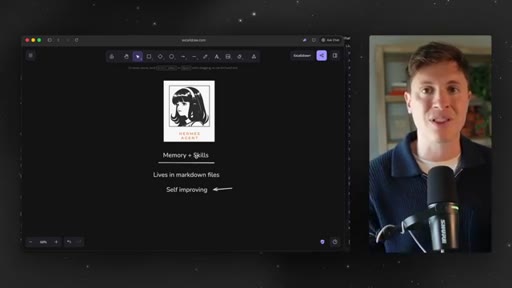
13 · Memory and skills

Local markdown files store everything. Self-improvement loop rewrites skill files after each task. New skills ship with updates.
34:30 – 37:38

14 · Mission control

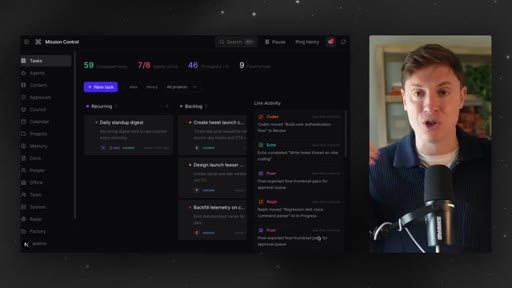
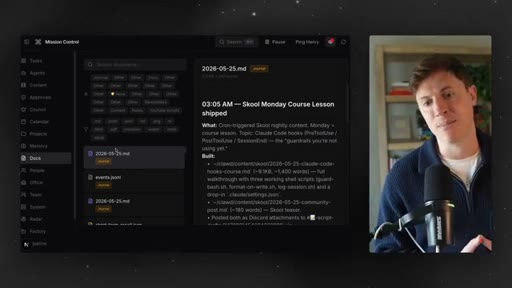
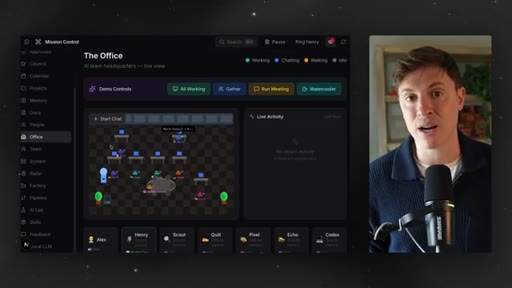
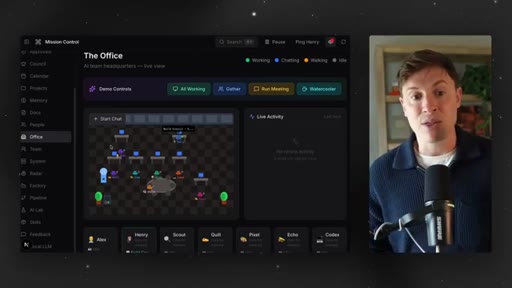
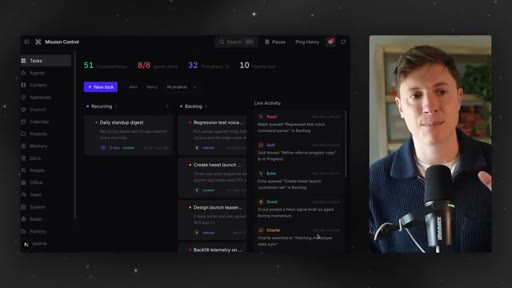
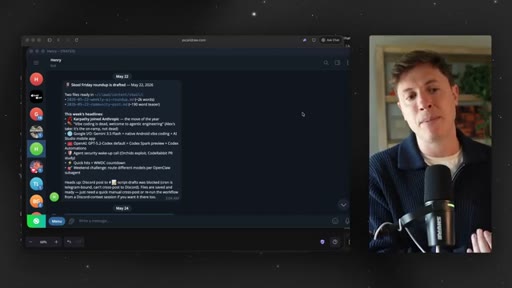
Custom browser interface built by the agent: content pipeline, memory wiki, docs page, animated multi-agent office view.
37:38 – 38:42

15 · Troubleshooting

Open Hermes folder in Claude Code or Codex, describe the problem, the IDE fixes it.
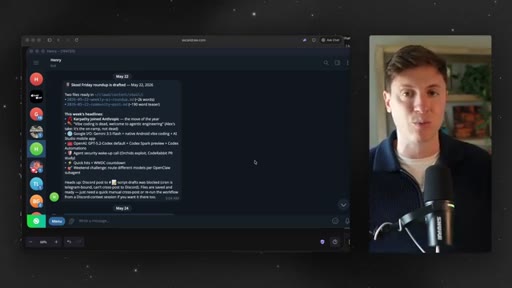
38:42 – 44:14

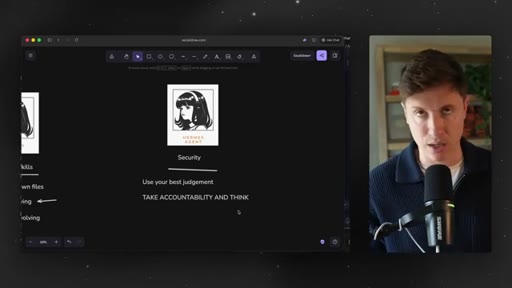
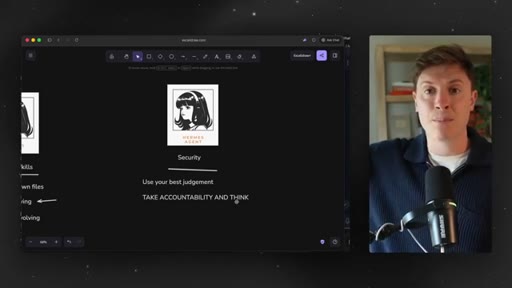
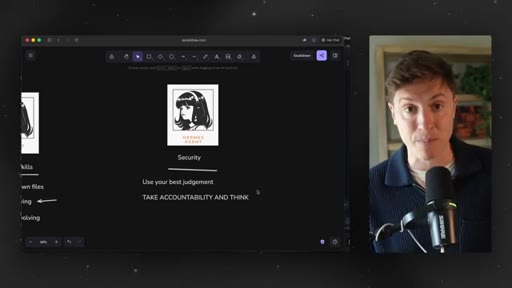
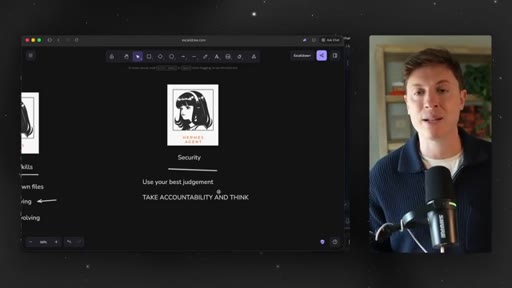
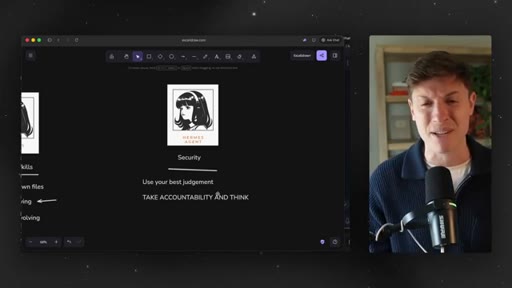
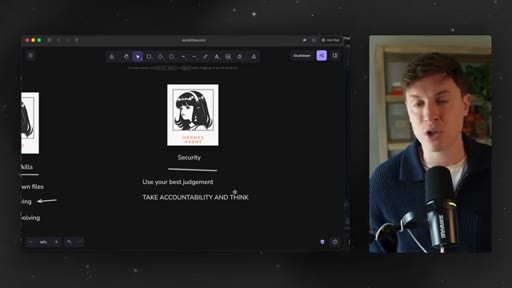
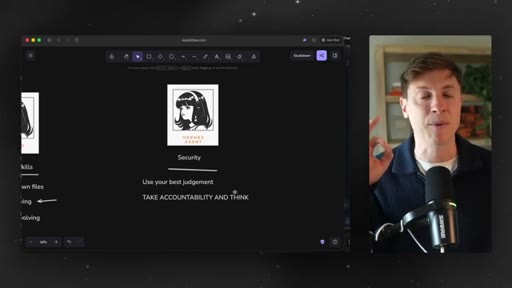
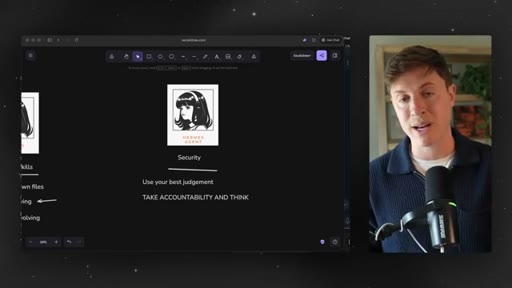
16 · Security

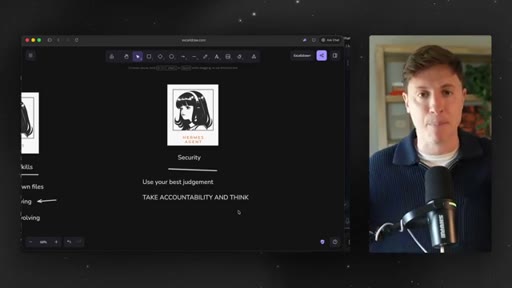
Security concerns are vastly overrated. No VPS or separate accounts needed. Use good judgment.

§ · Storyboard

Visual structure at a glance.

open
hermes website
what it is — slide
vs openclaw — slide
hermes vs claude code — slide
installation — website
model selection — terminal
personal brief demo
skills dashboard
kanban board
tailscale
memory + skills
hermes tools list
mission control
security slide
close
§ · Frameworks

Named ideas worth stealing.

09:28 list

Three-tier model selection

  1. Expensive: Anthropic API (Claude)
  2. Moderate: OpenAI ChatGPT subscription
  3. Cheap: Nous Portal (MiniMax, Kimi)

Framework for choosing the right AI model for Hermes based on budget and quality tolerance.

Steal for Any video or guide explaining AI tool costs to beginners
05:40 concept

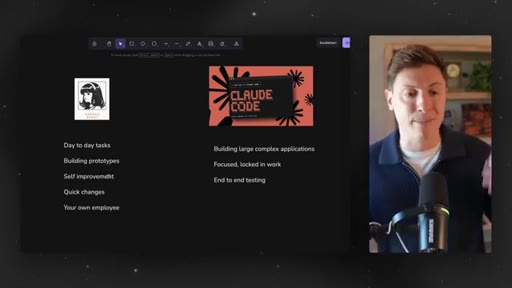
Hermes vs Claude Code split

  1. Hermes: day-to-day tasks, prototypes, research, file management, self-improvement
  2. Claude Code/Codex: large-scale complex apps, end-to-end testing, focused deep work

Mental model for when to reach for Hermes vs Claude Code/Codex.

Steal for Any comparison video positioning two complementary tools
13:44 concept

Personal brief onboarding

  1. Who you are
  2. What you are working on
  3. Your goals and ambitions

The three-part context brief to give any new AI agent on day one so it can act proactively toward the right outcomes.

Steal for Any AI agent setup guide or onboarding workflow
21:00 concept

Kanban morning ritual

  1. Write daily to-dos on paper
  2. Move AI-doable tasks into Hermes Triage
  3. Walk away and make breakfast
  4. Return to a half-finished to-do list

A daily workflow pattern that uses the Hermes Kanban board to delegate async work before the day starts.

Steal for Any productivity video about async AI delegation
§ · Quotables

Lines you could clip.

00:00
"Hermes agent is the number one AI tool you should be learning right now."
Strong declarative claim, zero setup needed, lands in 5 seconds. → TikTok hook
02:59
"The more you use it, the more powerful it gets."
Tight one-liner about the self-improvement flywheel. → IG reel cold open
04:13
"Every time I do an OpenClaw update, I can be like 90% sure I am about to rip my hair out."
Relatable frustration with a specific competing tool. → TikTok hook
38:38
"The security concerns are vastly overrated. Yeah. I said it."
Contrarian take delivered with self-awareness. → IG reel cold open
41:21
"Every AI YouTuber on planet Earth is getting paid by Hostinger to shill you a VPS. Literally zero of them are actually using Hostinger themselves."
Industry callout — instantly shareable controversy. → TikTok hook
§ · Resources Mentioned

Things they pointed at.

§ · CTA Breakdown

How they asked for the click.

08:15 product
"Join the Vibe Coding Academy. I do live bootcamps covering Hermes and all the other AI tools every single Friday."

Repeated mid-video and at close; pitched as the community for staying on the cutting edge of AI agents.

§ 04 · The Script

Word for word.

HOOK opening / re-engagementCTA the pitch analogy
00:00HOOKHermes agent is the number one AI tool you should be learning right now. It is a super powerful AI agent that is basically your twenty four seven AI employee. The problem is most people have absolutely no idea how to use it or get any sort of value out of it.
00:16HOOKIn this video, I will show you how to use this incredible tool. I will cover literally everything from installation
00:24HOOKto get it up and running and choosing the right model and choosing the right computer to use cases, everything. If you stick with me into the end of this video, you will be a master of the most powerful AI agent on planet Earth.
00:37HOOKNow let's lock in and get into it. If you haven't used or mastered Hermes agent yet, this is about to be the best sixty so minutes of your entire life because it is going to change everything for you. This is Hermes agent.
00:52HOOKWhat I'm going to show you in a second first is what it's all about, everything you need to know about it, then I'm gonna show you how to install it, use cases, all that. This video is built to be jumped around if appropriate.
01:05So if you don't need to see installation, if you already know what Hermes agent is, you can look down below and find different sections. So feel free to jump around however you'd like. But let's get into it first.
01:16Let's first talk about what Hermes agent is for those that are new or for those that just need a refresher. After that, we'll talk about Hermes versus OpenClaw, which one you should be using.
01:26We'll talk about which models you should be using. We'll talk about should you use local models. Should you put this on a Mac mini?
01:31We'll talk about where you should install this, how to use their dashboard that I promise you 99% of people are using wrong. They're built in automation and Kanban board, how to take advantage of their self improvement. We'll talk about which skills you should be using,
01:45use cases, security, all of that. So jump around for that. But first, let's start off with what Hermes agent is.
01:51It is a twenty four seven AI agent. That means it can work for you around the clock, completely autonomously, completely proactively,
02:00figure out tasks and activities you should do to advance you, to make you more money, to get you closer to your goals. It is a custom employee for you.
02:09And I truly believe it's the most powerful AI technology out there right now. It learns everything about you in the way you work. It learns your goals,
02:18what activities you do every day, what tasks you do every day, how you make money, what you're trying to achieve. It learns everything about you and saves it into its ultra powerful memory, the most powerful memory in AI agents. It's accessible from everywhere, so you don't have to install any sort of Hermes app.
02:36You can just have this integrated into your Telegram, your Discord, your iMessage, whatever you want, so it lives where you live. It can do work autonomously. So in the middle of the night while you're sleeping, go and build an entire SaaS application and launch it for you.
02:50And here's the part that separates Hermes agent from everyone else. It is self improving. Every time you send it a message, every time you send it a prompt,
02:59it will do that task, and it will learn, okay. What went well? What didn't go well?
03:05Next time I do this, how do I do it better? And it actually learns and edits its own skills. So the more you use it, the more powerful it gets.
03:13The number one question I get though is Hermes or Open Claw. Well, I got some answers for you. For those that have been watching this channel for a while,
03:23you know I was really, really big into Open Claw. I still am, but they have run into many issues that I'm hoping and I'm sure they will solve.
03:32I am good friends with the team. I know they'll improve things. But at the moment, I am recommending Hermes agent for several different reasons.
03:40One, it's lighter weight. Open Claw has gotten and feels very, very bloated. Because it feels bloated, it's not quite as performant.
03:49It's not quite as quick. Hermes just feels a lot snappier and a lot quicker. But here's the big reason here's the big reason why I think you need to go with Hermes at the moment and why I think you're watching the right video is because
04:01Openclaw's biggest issue the last couple months is every update has broken it.
04:08Every time I do Openclaw update, I can be, like, 90% sure I'm about to rip my hair out.
04:14I don't know if they're not testing it. I don't know what the deal is, but every time I upgrade OpenClaw, it breaks. And for me, someone who lives with AI, who's always using AI agents,
04:25it's a little bit quicker for me to fix it. Right? But for those who don't use AI agents agents a ton, it is a pain in the wazoo
04:32to have to fix their agent every single time it breaks. And so that reason right there, the more reliable updates, I think is the biggest reason
04:41to be using Hermes at the moment. They also have a bunch of other really cool things. They have the new portal, which is they actually have their own AI model services built into Hermes.
04:51So if you wanna save money, you can use their built in models. It's built to be multi agent, so it's really easy to spin up multiple agents at once, have them do a ton of work, have them work autonomously, which is amazing. And their social media team's just great.
05:04So if you go on x, you have recommendations, you have feedback, you tweet it, you can be about, like, 90% positive that their official account's gonna reply to you within, like, ten minutes. They have a really, really great social media team.
05:16Now before we get into installation, I wanna answer another question I get quite often, which is, which should you be using? Hermes agent, Claude code, codex. A lot of videos on my channel are about vibe coding, using Claude code, using codex.
05:30Still amazing tools. Still tools I use every single day. But there are times where you should be using Hermes agent and when you should be using Claude code and Codex.
05:40Hermes agent, you want to think as, like, your general chief of staff, your general employee that can do any kind of work or task for you. Day to day tasks,
05:50doing research, building documents, building spreadsheets, being your administrator for your computer, moving around files, cleaning up files, bouncing ideas,
06:00being your business adviser. Right? That's where your Hermes agent is gonna be.
06:04Think of it as your general purpose business adviser employee. It's also great at building prototypes. Don't get me wrong.
06:11Hermes, Open Cloth, they're great at vibe coding. You can use them for vibe coding. I primarily use them, though, to build prototypes.
06:20So if I'm out on the go, I'm at the gym, I get a great idea. I pull out Telegram. I hit Hermes up and say, hey.
06:25Build this for me. I come back. I have a full prototype.
06:28It's also great at building its own tooling. Right? So if I'm building, like, you know, extensions to the Kanban board, if I'm building a mission control, I'm using Hermes agent to build the tooling for itself because it's most familiar with how it works.
06:40If I'm doing things where I want the process to continuously improve, be better every time I do it, I like to use Hermes agent because, again, the real strength of this agent overall is the self improvement. If I just want quick changes in an app, if I wanna change a button color real quick, this or that, I'll say, Hermes, go quickly do it because I can just spin it up real quick.
06:59You just wanna think of it as, like, your own general purpose employee. When you use Claude Code and Codecs, this is when you're building large scale complex applications. Right now, I'm building Henry Intelligence Machines about to change the world.
07:13Link down below. I'm using a combo of Codex and ClaudeCode for that just because they have so many different features purpose built for vibe coding, for getting complex
07:24applications built. So if you're going deep into a vibe coding session, you have a trillion dollar idea for a business, I still recommend using ClaudeCode or Codex for that.
07:34That's your focus locked in work. You're gonna have open your two windows side by side codex, Claude code. You're gonna have 20 different agents going.
07:42You're sitting down. You're locked in. You have codex, Claude code going.
07:46And end to end testing, there's tons of really good testing features with Claude code and codex. So I still prefer, again, for that more complex coding session, you go with Claude Coder Codecs.
07:56HOOKNow that we covered some of the basics of what Hermes agent is, let's get into actually installing it. So we're gonna cover installing it, which models you should choose, first things you should be doing, use cases, and a whole lot more. If you learned anything at all so far, make sure to leave a like down below.
08:13HOOKCTASubscribe and turn on notifications. Also, sure to join the Vibe Coding Academy. I do live boot camps covering Hermes and all the other AI tools every single Friday.
08:24HOOKCTALink for the Vibe Coding Academy down below. It's the number one AI community on planet Earth. I promise it'll be the best decision you ever make.
08:31Okay. So if you go to Hermes agent website, I'll put the link for it down below. There is a command here, a curl command.
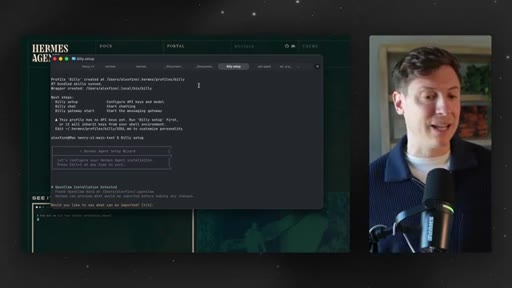
08:38You simply click copy on. From there, you open up your terminal, and what you're going to do is you're going to paste that in. Because I already have Hermes installed, I'm gonna do a slightly different command, so bear with me here.
08:49Once you hit enter on the command, you're going to go into setup mode. Couple options here. First thing off the rip, if you already have OpenClaw installed, it's going to give you the option to actually import all your OpenClaw stuff, all the memories, everything involved with that.
09:03Feel free to do that if you want. That's one option. If you're doing this clean, if you wanna set up a clean agent, I actually recommend this for most people.
09:11I think using OpenClaw and Hermes side by side is a great idea. I don't think there's any need to have them all have exactly the same memories and skills. So even if you have OpenCL installed, it might be good idea just to say no there.
09:22What we're gonna do is we're going to do quick setup. We're just gonna configure the things we wanna configure. So the first option we're going to get is the model.
09:30Let's discuss the different model options for Hermes. You have basically three tiers of options. Right?
09:37Expensive, moderate, and cheap. Obviously, the more money you spend, the better results you're going to get.
09:44So on the expensive side is going to be Anthropic. Claude is just the best model for these types of AI agents. Unfortunately,
09:52Anthropic cut off use of OAuth for this, meaning you can't use your existing Anthropic subscription, you're so gonna have to do API key. With an API key, you're basically paying for every single thing you do.
10:06This is going to be more expensive than your $200 a month for the subscription or your $200 a month for the CHI GBT subscription. So you probably if you have good use, probably spend a few $100 a month. It's gonna be the most expensive, but you're gonna get the best use out of it.
10:20The good news is on the moderate tier is OpenAI Codecs. You get a good amount of usage with your OpenAI subscription inside Hermes.
10:30So even if you're in the $20 a month subscription, you get decent usage. Couple pieces of good news there. ChatGBT
10:37inside these agents, OpenClaw and Hermes, absolutely sucked up until recently.
10:44ChatGBT five four and earlier, literally completely useless in Open Claw and Hermes. ChatGBT 5.5,
10:50though, it's very good. Right? Is it as good as Anthropic?
10:53Is it as good as Claude? No. But now it's actually usable.
10:58Now it's actually solid and good. So if you're on a tighter budget or even if you just wanna save a couple dollars a month, you can go ahead with your ChatGPT subscription here.
11:08Still get pretty good usage. Still get good functionality out of it, get a ton of usage. You're gonna get way more usage than Anthropic out of this, and you'll be good to go.
11:17So there's nothing wrong, in my opinion, with using your ChatGPT subscription here. With Claude, it's just gonna do tasks a little bit better, and it's gonna have a little bit warmer of a personality, more fun to interact with. On the cheaper side, you have many different options.
11:31If you're already paying for XAI, you can use your XAI OAuth here. You can also go with the new portal.
11:37This is actually the creators of Hermes Agents AI subscription. They kinda curate different models.
11:45It's only, like, $20 a month. You're getting cheaper Chinese models powering your agent, which honestly is not gonna be quite as good, but it's usable.
11:55Right? MiniMax, Kimi,
11:57very usable models, very cheap models. The personality is just gonna feel very robotic, and it might not be that great when it comes to actually executing on tasks. I would, at the very least, recommend the moderate option, which is ChadGPT.
12:12You're gonna get, you know, good functionality out of it. It's gonna have a decent personality.
12:17So choose your model from there, whether it's OAuth or API. It'll instruct you on what to do from there. You gotta get your API key, if you need to log in, if you're doing chat GPT, proceed with that.
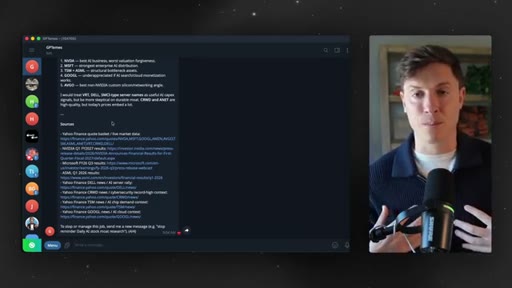
12:27Now next is going to be what messaging platform to use, and you're gonna have a few options there. You're gonna be able to choose between Telegram, WhatsApp,
12:37Discord, iMessage. Let me tell you this.
12:40The best way to communicate with your agent is without a doubt going to be Telegram. Telegram's the best way to do it. Telegram is actively working to make
12:52platform like a platform you communicate with agents with. They're adding tons of functionality. They're allowing you to do a bunch of different things like topics,
12:59allowing your agents to actually talk to each other. There are so many cool things in Telegram they're adding. They're really the only plat messaging platform on planet Earth where they're they're trying to make it, like, AI agent friendly.
13:11You could do Discord. There's some cool things with Discord there. I have a video on using Discord with your agents.
13:17But as a main communication channel, I don't think anything comes close to Telegram. You need to be doing Telegram. It's also free, so that's pretty cool.
13:23Telegram's the way to go here. You go through those couple things. You'll be all set.
13:27You'll be good to go. You'll have it all set up. When you set up Telegram, it's gonna give you a couple steps on actually connecting it to Telegram.
13:33It's really simple. You don't need me to put in the video. Really easy to do.
13:37You're just copying a token from Telegram into your Hermes, and you'll be good to go. Then you're all set up. You can start chatting with your agent.
13:44So let's talk about first things to do. This is your own AI employee. Right?
13:49This is your own personal assistant. If you were to right now go and hire a personal assistant, they come over and it's day one, and they're ready to do work for you.
13:59What's the first thing you would do with that person you just hired? Well, you'd probably first tell them about your self and your business so they're familiar with you. Right?
14:08That is what we're gonna first do with Hermes. Hermes has the best memory in the game. Hermes remembers everything about you.
14:16It's constantly self improving. So let's do this. Let's tell Hermes all about us.
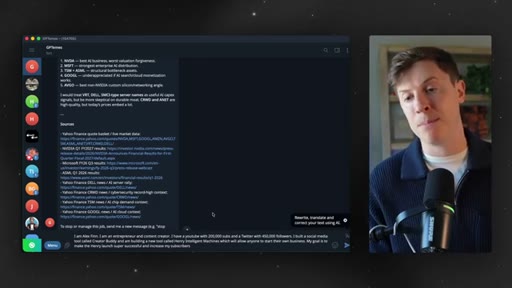
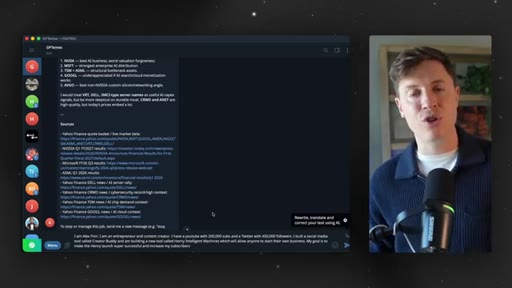
14:22So here's what I did, and you should do this too alongside with me. I am Alex Finn. I'm an entrepreneur and content creator.
14:27I have a YouTube with 200 k subs and Twitter 400. So I told you all about myself, what I have achieved up to this point. I built a social media tool called Creator Buddy, and I'm building a new tool called Henry Intelligent Machines, which will allow anyone to build their own business.
14:39So talking about what I'm working on, and then I talk about my goals and ambitions. My goal is to make Henry launch super successful and increase my subscribers.
14:48So talk about your goals and ambitions as well and what you wanna achieve. That's super important because when we get Hermes to start doing things proactively for you in a second, it will be able to look at your goals and ambitions and figure out tasks to do proactively for you. So make sure you cover those three things, who you are, what you're working on, and your goals and ambitions.
15:09Hit enter on that. That will be saved into your Hermes memories, and it will know you so much better. And let's do this.
15:16Before I start going through the user interface, so the amazing dashboard they built out, the Kanban board, all of that, let's set up a task. Let's set up a scheduled repeatable task Hermes can do for you every single night.
15:29So there's this thing in Hermes called cron jobs. Basically, what they are, just scheduled tasks that run autonomously. We're going to set up a scheduled task.
15:38Everything we do, everything we set up is just plain English into Hermes. It's just plain English into the text box. You talk to it like a normal human being.
15:47It's the best part about AI. So what we're gonna do is we're gonna talk to you like a normal human being, and we're gonna tell it to do something super specific and helpful for us every single night that brings us closer to our goals. So let me put this prompt in here.
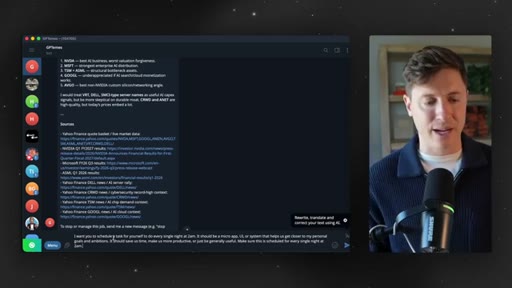
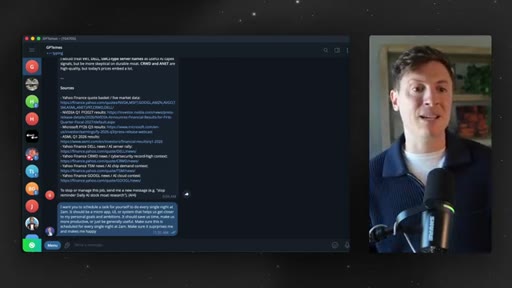
16:01Feel free again to pause, follow alongside with me. I want you to schedule a task for yourself to do every single night at 2AM. It should be a micro app UI or system that helps us get closer to my personal goals and ambitions.
16:13It should save us time, make us more productive, or just be generally useful. Make sure this is scheduled for every single night at 2AM. Make sure it surprises
16:21me and makes me happy. Boom. Putting that down below.
16:26What this is going to do is make your Hermes agent proactive. It's gonna have it schedule a task for every single night where it's gonna look its memories, systems, goals, ambitions, and put something together, build something out, vibe code something for you that will get you closer to your goals and ambitions, something that will just be generally helpful and delightful.
16:46You hit enter on that. It's going to schedule the task. Let's hit enter.
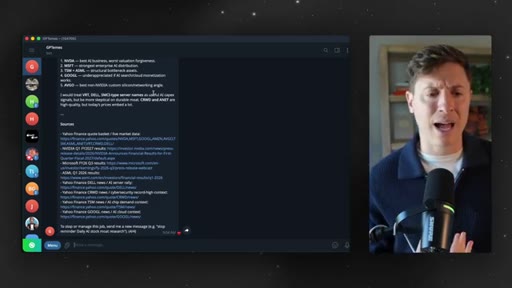
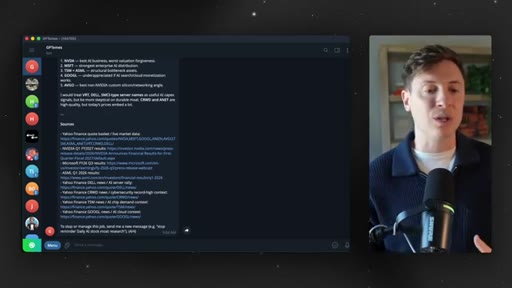
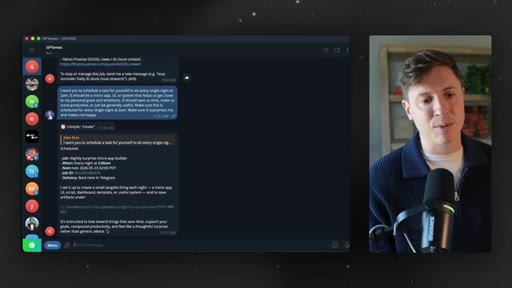
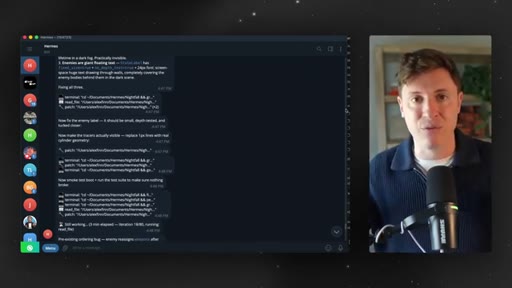
16:50Here we go. And GPT means this is my Hermes agent powered by GPT. I have a lot of different Hermes agents, a lot of different open claws.
16:57If you want, like, a video on multi agent approach, feel free to let me know down below as well. And as you can see here, this is one of the cool parts about Hermes. You can see all its tool calls.
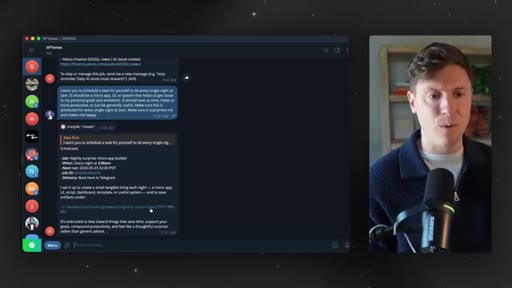
17:07So it's scheduled a cron job called create. It's scheduled. It's gonna happen every night at 2AM.
17:13The next run is tonight at 2AM, and it's gonna deliver it here inside of Telegram. I set it up to create a small tangible thing every night, a micro app.
17:22It's instructed by us towards things that save time, support your goals. Boom. Just like that.
17:26Hermes is getting to work for us. Our employee is getting to work.
17:30This is how you talk to your employees. Right? You talk in deliverables.
17:33This is what I want. This is when I want it. That's how it goes.
17:37It's talking to us just like an employee, so that's amazing. Now I have a whole bunch of other tips, tricks, use cases. We're gonna go through that in a second.
17:45I first wanna take you through the Hermes dashboard. I wanna take you through all the really cool UI stuff they built out. This is something OpenClaw no one else is really doing.
17:55So let me show you that now. And, again, if you need to, you're familiar with different things, feel free to skip down different chapters down below. So if you go into your terminal and you say Hermes dashboard
18:06and hit enter, it is going to open up a browser with your Hermes dashboard inside of it.
18:13This is what it looks like here. Tons of things going on. I wanna kinda walk you through this real quick.
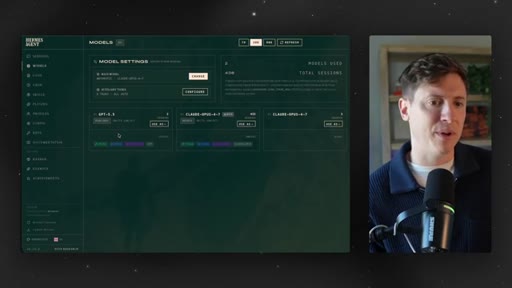
18:20If you go to models, you can very easily swap out your different models, try new models. Very, very easy to do. You don't need to go through terminal for all of this.
18:28As you can see, my model for some of my agents is, Others is GPT five. If you go into your cron section, you can see some of your scheduled cron.
18:36So you should be able to see the one you just scheduled where it's gonna do something proactively for you. If you want, you can create one manually here. This is a good way to create cron jobs if I you wanna make sure maybe it's a little bit more complex and you wanna make sure it builds it the correct way.
18:52Going into the UI is a good way to do it. You also have skills. So this is really cool.
18:57We're gonna dive more into this in a second when we go back into Telegram. But, again, the strength of Hermes is the self improving skills. Every single thing you have it do,
19:06it reviews what skills it used and how to improve the skills based on what you asked it to do. So it's constantly self improving.
19:14So you can come in here and see a lot of these skills it has. You can go in, browse, turn it on. Like, you can play Pokemon in Minecraft, which is unbelievable.
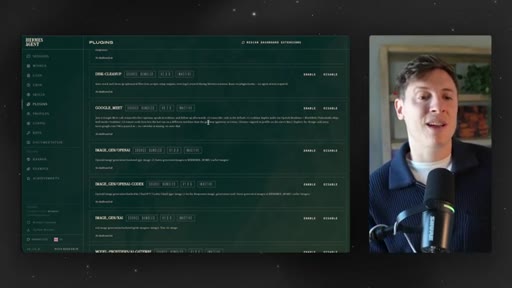
19:23And so it learns things as it goes. You can see all those skills here and make sure the right skills are turned on. We have plugins here.
19:29These are, like, extra powerful abilities your Hermes agent can have. Make sure you come on here, and you can turn on any ones you need. It has some things, you know, like browser use, browser base, FireCrawl, which allow it to crawl the Internet really well.
19:43It already has built in tools around using Chrome and using your computer computer use, But you can add on if you already have API keys around any of these, add them on here.
19:55I highly recommend enabling the image gen from OpenAI. Allows us to generate images. The OpenAI image generation model is the best in the game by far.
20:04So I would turn that on so it can generate its own images as well. That makes it super good if, like, you're building games with your agent. I use the OpenAI image gen model to build assets for games.
20:15So if you go to your Hermes and say, hey. Build this game for me. It'll be able to go in and actually generate all the assets for the game it's building too if you're a nerd like me.
20:22Profiles, this is a good one if you wanna set up a multi agent approach. A profile is basically just a different Hermes agent. As you can see here, I am using something like seven or eight different Hermes agents at once.
20:34So you can go in here. If you wanna do multi agent approach, just click create, set up a second Hermes agent, and it'll be booted up and ready to go. This is cool.
20:42You can see the skills for each, so you can see which ones I'm using more. My default, which is just Hermes, has a 150 skills, which means I've been using it more than the others. So this is a good way to set up your multi agents.
20:52Config, there's a whole bunch of options here. You can go through this if you want. Text to speech.
20:57I'm not a big text to speech guy. But where I wanna take you next is Kanban. This is a really cool screen in here.
21:03This is probably where you'll spend most of your time in the dashboard is the Kanban board. This is super powerful, and they just shipped it recently.
21:10This is basically an automated way to multitask. Right? So coming in your Kanban board, it has the different statuses of tasks, triage,
21:19to do, ready, in progress, blocked, done. What's really cool here is if you put tasks into triage,
21:27what will happen automatically is your Hermes agent will take that task, split it into subtasks,
21:34move it to to do, and then automatically assign it to different sub agents to do. So if I, for instance, go in here and I say, script
21:42me a master class video for Hermes, and I hit create,
21:49it's gonna go in there. And what's gonna happen in a second is the Hermes agent will actually take that, split it into steps, and assign it to agents to automatically
21:58do things for me. This is really cool, and this is what I highly recommend doing. I write down all my to dos on this piece of paper every single morning.
22:06What I do is after I write down my to dos, I go in here to this Kanban board, and I take any tasks that an AI agent can do for me, and I just put it into triage. Right?
22:18I'll just dump in, like, five or six tasks into triage. They go in there. I walk away.
22:23I do something else. I make breakfast. I make a pop tart, whatever.
22:26By the time I come back and you saw it happen live, the tasks move to to do, agents start grabbing it, and they start getting things done for me. By the time my breakfast is over, I already got half my to do list done. My AI agent has already tackled half my day for me.
22:42That's how you should be operating as well. Start every morning, kinda triage yourself with a list of tasks. You get them into your Hermes Kanban board, and by the time you're done your breakfast, you already got, you know, half the things you need to get done today done already.
22:57So that's a really cool way to use this Kanban board. This Kanban board is super powerful. You probably can find 20 other different things
23:04to do and how to use this, but that's the way I like to use it. Just using it in the morning, getting my tasks in. By the time the day's halfway over, I'm almost done everything I needed to do, which is really amazing.
23:13Now that we went through the dashboard, let's go through a couple different use cases here. I'll show you how it works, how it self improves, how it uses different skills, things like that. I'm putting out over the next few days a Hermes, like, seven use case video.
23:29If you wanna catch that when I drop that, feel free to turn on notifications down below too. It's gonna cover in-depth, beginner, medium, advanced use case. But let's go over a few of those here.
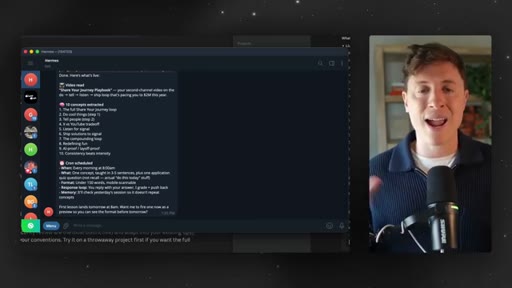
23:39I'm So gonna show you three simple use cases any of you guys could take advantage of and get some value out of. The first one is a daily tutor.
23:48If you're anything like me, you watch a ton of educational videos on YouTube. I'm watching them all the time. I mean, you're watching one right now.
23:55And one thing I love to do is give those videos to my Hermes agent, have them get the transcripts, learn everything that's in the video, and then be my tutor every morning.
24:06So it'll give me some fun facts from the videos I watched recently, maybe even quiz me and ask questions. Watch how we do this.
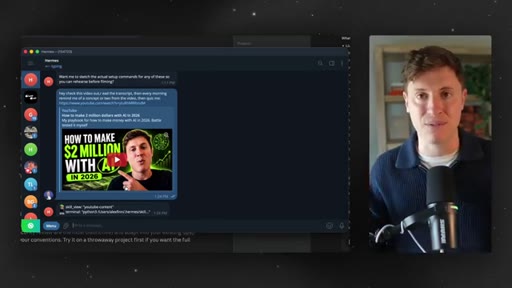
24:12So I got this video I put out on my second channel link down below on how to make $2,000,000 to AI in 2026. Say I'm a viewer. I watch the video.
24:21I find it super helpful. Let's take this link. What I'm gonna do is I'm gonna give it to my Hermes agent.
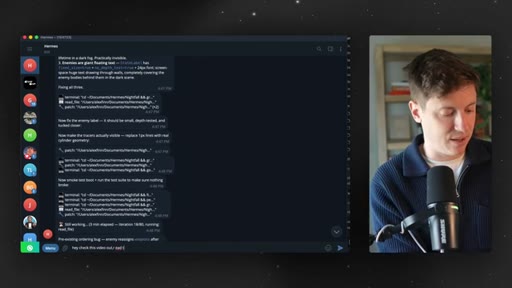
24:27And I do this with basically any video that has a ton of content that I find helpful. I say, hey. Check this video out.
24:35Read the transcript. Then every morning,
24:40remind me of a concept or two from the video, then quiz me. And then I give the link to the video.
24:50I hit enter. And then as you can see here, it's using its built in YouTube content skills. It's going in.
24:56It's pulling down the video. It's reading the transcript. It's pulling out all the important facts and information from it.
25:03And now it's going to schedule a cron job, which, again, as we talked about earlier, just a scheduled task that happens at specific times. And it's gonna send me a message every morning saying, hey. Here's a couple things to remind you from that video.
25:15You should be doing this with any video or educational video you watch that has important interesting information in it. That's how you reinforce these facts in your brain.
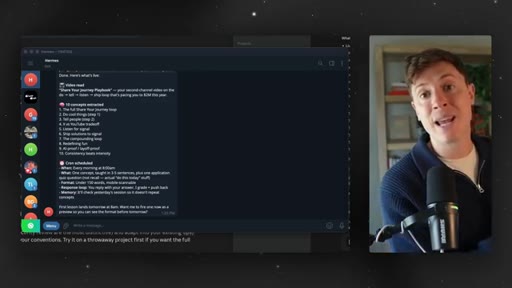
25:25Got it? There's a shared journey playbook. It's extracted 10 important concepts from it, and it's scheduled the Quran for every morning at 8AM.
25:33And I'm gonna get my first lesson at 8AM tomorrow. This is how I'm learning more and more with Hermes and improving my life. Let's get into the next use case.
25:41So you should be setting this up. Everyone watching should be setting this one up. The next one is actually maybe the most powerful one I use, which is my computer administrator.
25:51If you put every device you got, your iPhone, your computers, your Mac minis, whatever you got, your iPad,
25:58all in the same kind of private network, your Hermes agent can move around any of them and get any content you need. Here's what I mean by that.
26:07A lot of the times, I'll be out and about, and I'll be like, oh, man. I wish I had that document
26:13from my computer. Oh, man. I wish I had that presentation
26:16from my iPad. I can't access it because I didn't put it on Google Drive or anything. Now with Hermes Agent,
26:23Hermes can act as the computer administrator, basically, like my device administrator, and get me any file I need from any of my computers at a moment notice.
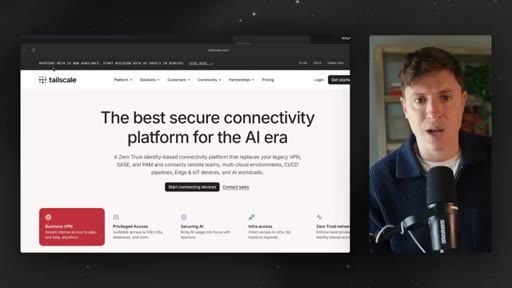
26:34This is how you do it. You go on tailscale.com. For those who don't know, Tailscale is an amazing tool.
26:41It's completely free. It basically gives you your own private network on all your devices. Not sponsored in any way, by the way, here.
26:47I just really like their product. You put it on all your devices, and what's gonna happen is now your Hermes can move
26:55across all of your devices and get any documents, files, anything at all you need and move them around your devices when you need them. So for instance, I'm on my laptop. I need an agent dot m d file from my Mac Studio.
27:09I just go on my telegram and say, hey, Hermes. Get me the agent dot m d rules file from my Mac Studio and drop it off on my MacBook Pro. It goes.
27:18It does that. It can move around any of my devices no matter where I am in the world and get me the files I need. This is also great if you're doing development too.
27:27So if you're a VibeCoder using Codex or ClaudeCode, this allows you to actually test and load up local hosts from any of your devices. You don't need to be on the device the local host is running.
27:38So that's really helpful as well. Now Hermes is my device slash administrator
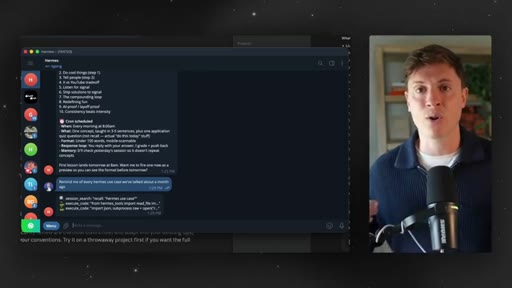
27:43across all of my devices, which is really awesome. The next use case I'll go over is an amazing one, and that is a session recall use case. What does that mean?
27:53Hermes has a feature that OpenClaw doesn't have no other AI tool really has, which is really incredible session recall. Every session you have with your Hermes agent, every conversation you have, everything you've ever said to your Hermes agent is stored in a log, a session log.
28:11And that means at any point, you can go and ask your Hermes to recall anything you've ever talked about. So if you wanna say, hey. Tell me what we talked about last Thursday at 8AM, it can do that.
28:21If you wanna say, hey. Tell me what we talked about three months ago at 2AM, it will be able to do that.
28:27No other AI agent has this type of memory. So what's the use case of this? What's what's a good use case here?
28:33Well, we can take advantage of this incredible memory. We can say, remind me of every Hermes use case
28:41we've talked about a month ago. This is incredible memory. Now at any point, can go, hey.
28:48Remind me that thing we talked about a month ago. Remind me that thing we talked about a week ago. What's every YouTube video I dropped in here last week?
28:55What's every YouTube video I dropped in here three months ago? What's every link I gave you two months ago? You can quickly recall anything you've ever talked about, any idea you've ideate, what's every business use case we've discussed last month.
29:09You know, I am constantly dropping in business use cases to my Hermes agent going, oh, is this real? Can we turn this into a product? And now I can quickly get it to recall all of those things.
29:20You can see here. Look at all these use cases we've talked about. Really amazing stuff here that I can just I'll I never forget anything now.
29:27Everything it remembers. It's the ultimate second brain for your life. As long as you're running everything through your Hermes agent, you'll literally never forget anything.
29:36So this is a really amazing use case of Hermes agent as well, being able to remember everything you've ever talked about. So let's go into the next section, which is very particular to Hermes agent, which is the memory and skills functionality
29:47inside Hermes. And what makes it so special, and what makes it better than every other AI agent out there. First of all, just the basics on how those things work.
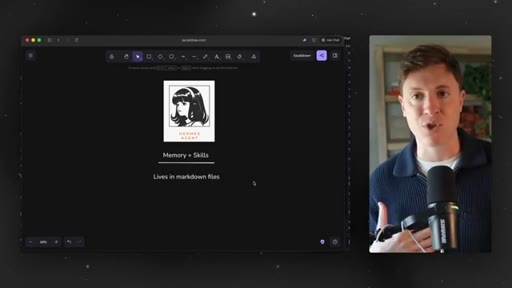
29:54All your memories and all your skills live in markdown files on your computer, and this is really important. When you have memories on chat GPT or Claude, they live in the cloud.
30:05You don't know what they are. You don't know what's saved. You don't know what those AIs know about you.
30:10With Hermes, it's different. They all live in markdown files on your computer. So everything it remembers about you, every skill it learns,
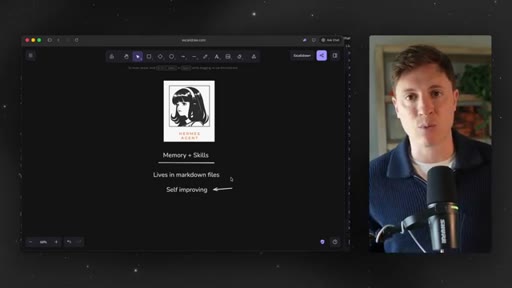
30:19you can audit and look at and change because it's just on, a text file on your computer. But here's the big one. Here's what makes Hermes agent so unique is the self improvement.
30:30Hermes built into it every step of the way, self improving. So whenever it does anything, every task you give it, it figures out along the way what was the best way to do that thing and updates its skills and memories for that best path.
30:46What do I mean by that? Say you tell it to go and read the transcript from a YouTube video and take out all the best practices from it. It'll go.
30:55It'll search for how to find transcripts in YouTube videos, and then it'll grab the transcript, and it'll find all the important points from that video. Once that task is done, it'll figure out and review how it did that task and then save it to memory how it did it.
31:11So next time you give it that task to do, it can just go, oh, I did this before, and this is exactly how I did it. And it'll do it that way again. Now if you have them do it, and then maybe it does something wrong, you say, hey.
31:22Actually, can you do it this way? It'll remember that, save it to memory, and, again, self improve. So, basically, every time you have your Hermes agent do something, do a task, learn something, go and do something,
31:36it reviews what it did, saves it as a skill in memory, and it use that every time it does that task again. So it is constantly self improving.
31:45The more you use Hermes agent, the better it gets, the more custom it gets to you, which is what makes it so powerful. And third, this is a big one. Their memory and skills are constantly
31:56evolving. Every update in Hermes agent adds new built in skills.
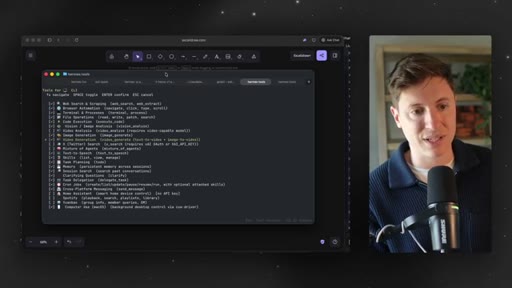
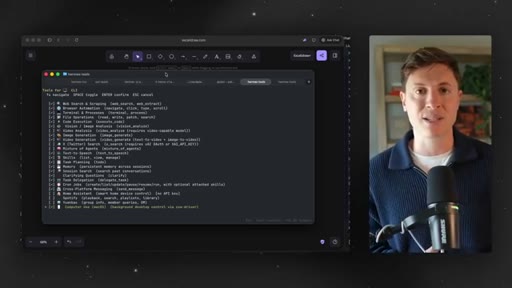
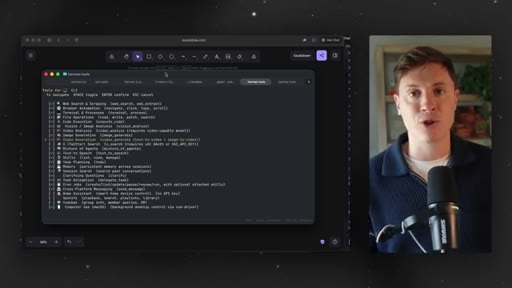
32:03A big one from the last update was computer use. I now can have Hermes agent go and control things on my computer. If you wanna see all the tools it's adding, all you need to do is go and say Hermes tools, hit enter.
32:15It's gonna go in. You'll be able to say configure, and you can see a lot of the tools it's adding here.
32:21They're constantly adding. If you haven't done Hermes tools yet, make sure you do that and you can turn these on. You wanna make sure you have on browser automation as well as computer use, which you see at the bottom.
32:33That way, if you're ever away from your computer, you can go in and say, hey, Hermes. Do this on my computer. Build this report.
32:38Build this slideshow. Whatever it is, it'll go into it. And I know an objection I'll get there is, hey.
32:44Chad GBT can already build presentations. Claude can already build presentations. The reason why you wanna be doing those things with Hermes' agent is because Hermes
32:54knows everything about you. It has the best memory of any AI there. So if you say something like, hey.
33:00Build me this presentation. It'll be able to do it better than Claude and Chad GBT. One, because it's self improving, and it learns
33:07every step of the way the way you need to do things and the way you want it to be done. And two, it knows all the context around you, so it knows what your preferences are. So these tools are super, super valuable.
33:19Another new one they added is this video generation one. I love this one. Image generation, video generation.
33:26If you plug your Hermes into Grock's
33:30OAuth or ChadGBT's OAuth, you can now use those tools assets.
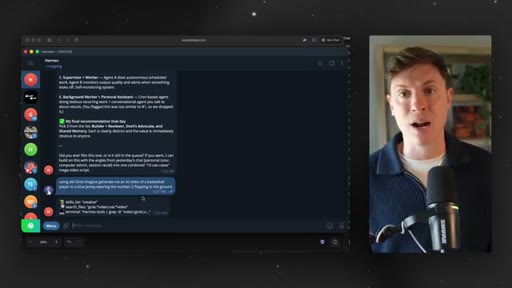
33:36Let me show you. Using XAI Grok Imagine generate me an AI video of a basketball player in a blue jersey wearing the number two flopping to the ground. I'm gonna hit enter on that.
33:46And because it just learned this new skill being able to generate AI videos, it's going to be able to go in and create that video for me. So it's constantly learning these new skills and improving and getting better.
33:58There's no other AI out there that can go from moving files around on your computer to getting transcripts to YouTube to generating videos. Hermes can do it all. It is constantly improving, expanding its functionality.
34:11Alright. Looks like the video is done. Let's see what we got here.
34:14Oh, man. Yep. That number two guy in the blue jersey is certainly taking a dive there.
34:19Wow. That's a big flopper. This is not based on any sort of a realistic person.
34:25Any resemblance to anyone in the NBA, purely coincidental. So pretty good. The next part about Hermes agent, which is really awesome, is mission control.
34:35Mission control is a custom interface for your AI agent. This allows you to build out any tool you need
34:44for your AI agent to get good work done. Everyone should have a mission control for their AI agent. One, because it's just super helpful because you can build out custom tooling for your AI agents.
34:54Two, because it's just fun. This is a fun thing to do. You're allowed to have fun with AI.
34:59You're allowed to have fun with AI agents. Not every single thing you do needs to be some sort of min max hyper optimization to ship more code. You're allowed to just have fun with your AI agent, and the mission control is a really good way to do that.
35:13There's a lot of custom tooling I built out here. One thing is this content pipeline where I can put in content ideas, and then Hermes will go in and actually add scripts, create thumbnails,
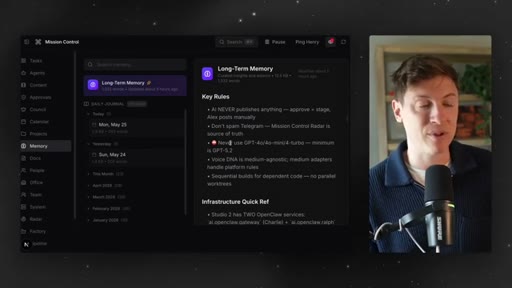
35:26things like that. All I need to do is put a new idea in here, and then Hermes takes it and moves it along the content pipeline. I have a memory page.
35:34This is basically like a memory wiki where I can go in and see all the memories my agent has. So I can go in, read everything we've talked about from the last month, day by day, see our long term memory because Hermes memory is so freaking powerful,
35:50basically, everything we say and do is recorded. So sometimes I just like to almost like a journal or a diary, go back and see things we worked on in the past. I had now had this really nice user interface where I can see those things.
36:02I have a docs page. This allows me to see every single artifact and document we've ever created. Makes it really easy to see things.
36:10Usually, when you have your agent build out different documents, it goes into, a random folder on your computer. Now I can just say, hey, put in our docs in our mission control, and I can quickly easily read it like this. I have a kind of an animated two d office view where I can see all my agents walking around doing things, all my open claws, all my Hermes always working.
36:29I can come in here and see exactly what they're doing at any given time. And many more things here. All you need to do to build your mission control is literally go to your Hermes agent and say, hey.
36:41I want a mission control. Build out a custom mission control where we can later add tools in that we can use to improve our workflows. You don't need to know how to code.
36:51There's nothing super crazy or complex here. Every time I say, hey. Build a mission control, someone in the audience goes, oh, why don't you go into more detail?
36:58There's no more detail you need to know. Literally, anything you need, anything you want from your agent, just say, hey. Do this for me.
37:07That's how smart the agent is. You want a new tool? Go to your agent and say, hey.
37:11Build a new tool. Whatever you want. So to build a mission control, literally go to your Hermes agent and say, hey.
37:17Build out a mission control for me. Then once you have that built, say, hey. Okay.
37:21I want this tool now. I want this tool now. I want that tool now.
37:24And it'll go and build it out for you. You should have your own custom dashboard slash interface just like this where you can play around, build any tools you need, and have some fun. Mission control, super critical
37:35concept you need to have in your Hermes agent. Next part we'll talk about is fixing issues with Hermes agent.
37:42This hasn't been as much of an issue with Hermes agent as it was with OpenClaw. OpenClaw would crash every time I'd update it. Doesn't happen quite as much with Hermes agent, but you still should be prepared with how to fix things inside Hermes agent.
37:56And the way to do this is very simple. You're basically just going to open up Hermes agent in ClaudeCode or Codec.
38:04So you go into ClaudeCode. You go into Codecs. Inside either one of those tools, you open up the folder that your Hermes agent is in.
38:12This is typically in the root of your computer. You'll see, like, a Hermes folder. You open that up in ClaudeCode or Codecs.
38:19Then you say, hey. I have this problem with Hermes. Please fix it.
38:24And your ClaudeCode or Codex will go and fix that issue. That literally solves 100% of the issues I've ever had with Hermes, be quite honest with you.
38:32Claude code and codex are great at debugging these agents. So any issue you have, just make sure you open up in Claude code and codex, and it will go and fix those issues for you. Next thing I wanna talk about is security.
38:44This is a really big request for me. Security. Here's the thing when it comes to security
38:50with these agents, with OpenClaw and Hermes, and this is going to be a really controversial thing I'm about to say. This is gonna get a 100 replies in the comments section.
39:00Oh, you're such an idiot. You're so dangerous. You're you're gonna hurt people.
39:03Shut up. Here's the thing when it comes to security with Hermes and Open Claw. The security
39:08concerns are vastly overrated. Yeah.
39:10I said it. There I go. The security concerns with OpenClaw and Hermes are vastly overrated.
39:17My question to you is this. If you go on the Internet, if you watch YouTube, if you're on Twitter, you probably know a lot of people that are using Hermes and OpenClaw. How many of those people have had a major catastrophic
39:29security event? Truly, do you know anybody who has had a major catastrophic
39:35security event with Open Claw or Hermes agent? My guess is the answer you're gonna give me is no. Now does that mean security events are it's impossible to have with Hermes or the it's absolutely perfect when it comes to security?
39:48No. It it doesn't mean that at all. I'm not saying it's completely invincible.
39:53But what I'm gonna tell you is this. Hermes agent and Open Claw only do what you tell it to do.
40:01So if you say, hey, Hermes. Go and create me a presentation
40:06on LLMs. It's not gonna go and then go into your private photos folder and then leak all your nudes to the Internet. That's not how it works.
40:15It's not like you're gonna go say, hey, Hermes. Check the score of the NBA game last night, and then it's gonna go and leak all your text messages on Twitter. That's not how any of this works.
40:26These agents only do exactly what you tell it to do. So the only way it's going to have a major catastrophic
40:33security event is if you go and you tell it to do something extremely stupid. If you go and tell it to delete all your text message and all your emails, it's going to delete all your text message and all your emails, but nothing else.
40:46If you tell it to go and drop you a document in your folder, it's going to drop you a document in the full it's not gonna do anything else other than that one thing. So what that means is you need to have some accountability.
40:59Right? You need to think before you give it a prompt, is this going to cause it to do something really stupid?
41:05Am I asking it to do something really stupid? It's not like you can say, hey.
41:10Code me an app, and then it's gonna text your ex girlfriend. That's not how this works. So just think before you go, is this thing I'm asking you to do bad in nature?
41:20If not, then you're good to go. You have nothing to worry about. But for some reason, these naysayers
41:26and doomers on the Internet say, oh, Hermes, it's the most dangerous thing ever. Don't put it on your computer. Don't put it on your main computer.
41:32No. Put it on your main computer. I have it on my main computer.
41:35I have it on every computer I own. I didn't isolate it. I don't think you need to isolate it.
41:40I think going and creating a new iCloud account just for your Hermes agent is actually a quite stupid and time wasteful thing to do. I don't think there's any point in doing it As long as you just have some personal accountability and think about what you're telling your agent to do, I don't think there's any risk at all.
41:59And I know that's gonna piss people off. I know the purists online who've been going around telling everyone, oh, this is a major security threat.
42:05That's gonna make them go to the replies and cry like little babies, but I don't care until someone on planet Earth can tell me someone who's had a bad security event with one of these agents. I don't really care.
42:16Just use good judgment. Be an adult. Think about what you're doing,
42:21and security won't be a concern. I don't think you need to make an iCloud account. I don't think you need to make a separate Google account.
42:28I think you're adding radical amounts of complexity for no reason. I think you should install it on your main computer. I don't think you need to have a VPS, which for the record, the VPSs are scams.
42:39Don't put it on VPSs. Every AI YouTuber on planet Earth is getting paid by Hostinger to shill you a VPS. I promise you all those AI YouTubers are shilling Hostinger.
42:49Literally zero of them are actually using Hostinger themselves. So don't listen to them. Just install Hermes on your main computer.
42:56I don't care. You're not gonna have security issues if you practice some accountability and good judgment. That's security.
43:04You don't need a Mac mini for this. You don't even need to buy, like, a super expensive Mac studio like I did. All you need is whatever computer you own.
43:11It could be an old dusty laptop in your closet can be. Whatever you're using right now, you can install it on there. There's no concern.
43:18CTAThere's no issues. All of a sudden expose all your text messages. Relax.
43:23CTAThat is the basics of Hermes agent. If you watch this video, you know how to set it up, what to do, how to run it, what you should be doing with it. I make tons and tons of content on AI agents like Hermes,
43:34CTAlike Open Claw, like Clawd Code, like Codex. So if you learned anything at all, like, subscribe, turn on notifications.
43:41CTAI do live live live boot camps every single Friday in the number one AI community on planet Earth, the Vibe Coding Academy. Link down below for that. Make sure to join.
43:52CTAWe have thousands of people in there that absolutely love it, that are learning a ton. If you wanna stay in the cutting edge, join it. Best decision you'll ever make.
43:59CTAI am so deeply and eternally grateful that you would spend all this time with me to watch these videos and learn from me. It's an honor of a lifetime I can somehow build this platform and make you educational AI videos. I'm so grateful.
44:12CTAThank you for watching, and I'll see you in the next
— full transcript
§ 05 · For Joe

The agent that improves itself every time you use it.

WHAT TO LEARN

Hermes Agent's core differentiator is a self-rewriting skills architecture — every completed task updates a local markdown file, compounding the agent's usefulness over time.

  • Give any new AI agent a personal brief on day one covering who you are, what you are building, and your goals — without this context, proactive tasks will miss.
  • The self-improvement loop is not a marketing claim: Hermes literally rewrites its own skill files after each task, storing the best path for next time.
  • All memories and skills live as local markdown files you can read, edit, and version-control — a meaningful trust advantage over cloud-stored AI memories.
  • The Kanban triage workflow is the highest daily ROI pattern: drop tasks before breakfast, let sub-agents dispatch them, come back with half the list done.
  • Connecting all your devices to a private Tailscale network turns your agent into a cross-device file administrator available from anywhere.
  • Session recall — the ability to retrieve any past conversation — is the most underrated feature; it makes the agent a searchable second brain for every idea you have ever discussed.
  • ChatGPT became a viable budget model for AI agents only with GPT-5.5; earlier versions were genuinely unusable in agentic contexts.
  • The line between Hermes and Claude Code is general vs. specialist: Hermes handles day-to-day delegation, prototypes, and file management; Claude Code handles large-scale focused builds.
  • Security risk from these agents scales with what you ask them to do — the agent cannot go rogue; it executes your instructions and nothing else.
§ 06 · Frame Gallery

Visual moments.