Ras Mic · Youtube · 35:53

My Agentic Engineering Workflow

A 36-minute live build showing how one developer uses GPT-4.5, Greptile, and WhisperFlow to ship a Claude-artifacts feature through automated review loops.

Posted
May 22nd 2026
3 days ago
Duration
35:53
Format
Tutorial
educational
Channel
RM
Ras Mic
§ 01 · The Hook

The bait, then the rug-pull.

The workflow has changed. Not because the tools changed first, but because the experience of building complex features taught a different discipline — one where the model writes the code and an automated reviewer decides when it is good enough to ship.

§ · Chapters

Where the time goes.

00:00 – 01:50

01 · Workflow overview

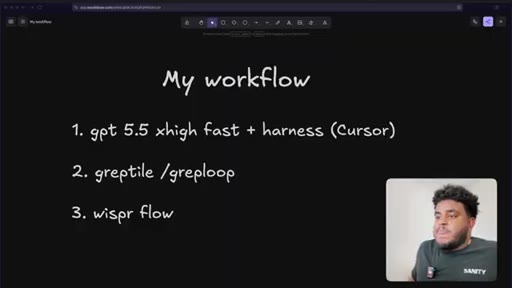
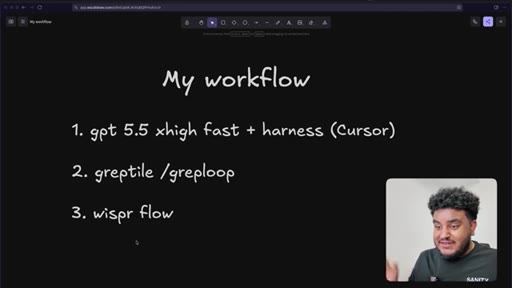
Three-tool stack introduced: GPT-4.5 xhigh fast in Cursor, Greptile /greploop for automated review, WhisperFlow for voice prompting.
01:50 – 04:06

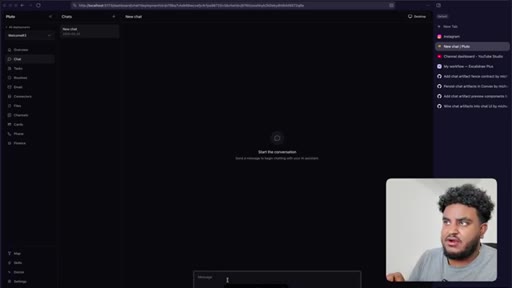
02 · Pluto demo + feature goal

Tour of the Pluto app (chat, tasks, routines, files, finance, desktop computer). Feature goal stated: Claude-style artifacts panel.
04:06 – 09:11

03 · Prompting Cursor + plan mode

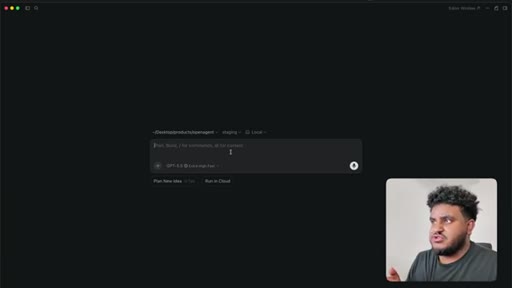
Voice prompt via WhisperFlow asks Cursor to research Claude artifacts, then generate a build plan. /code-structure skill explained. Sub-agents deployed.
09:11 – 10:46

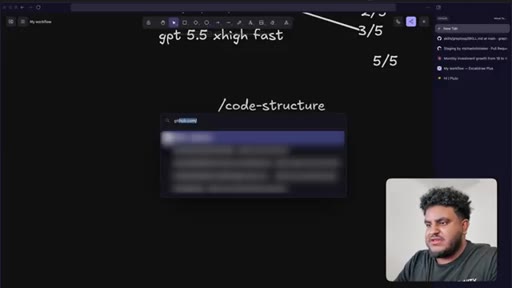
04 · Plan review + PR strategy

Five-PR rollout discussed and accepted. Red Dead Redemption interlude while agent cooks.

10:46 – 12:35

05 · Scrimba sponsor

Scrimba full-stack developer path sponsored segment.
12:35 – 15:18

06 · First feature test

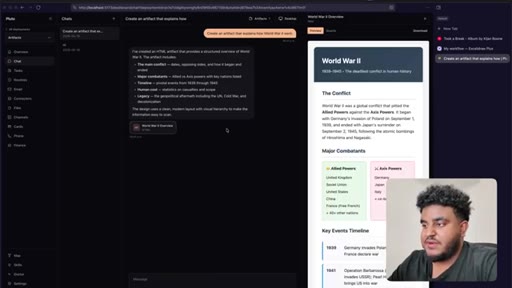
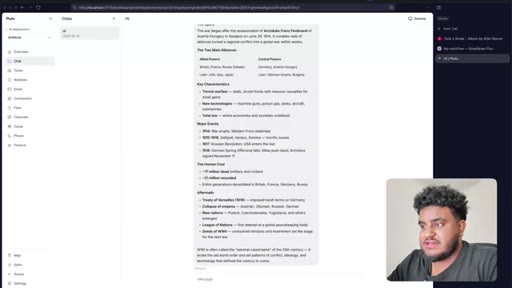
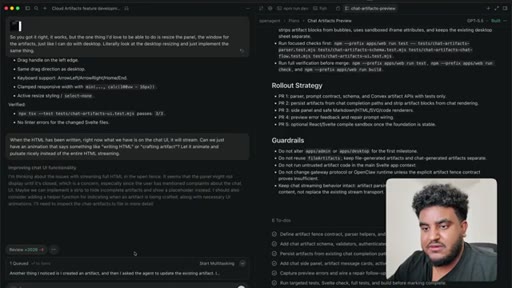
Agent finishes build. World War 2 artifact tested live — HTML preview renders in side panel. Bugs noted: streaming HTML visible, dark mode not updating.
15:18 – 19:21

07 · Iteration loop

Streaming suppressed (replaced with 'crafting artifact' animation), dark mode fixed, version history added, panel resize implemented. Feature declared working.
19:21 – 23:45

08 · PR to staging + Greptile review

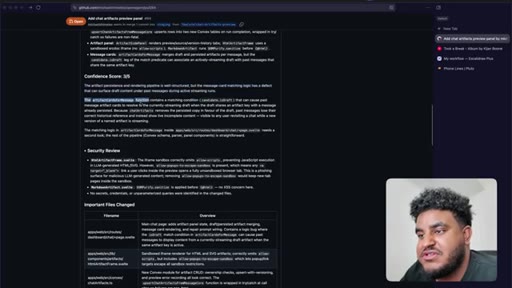
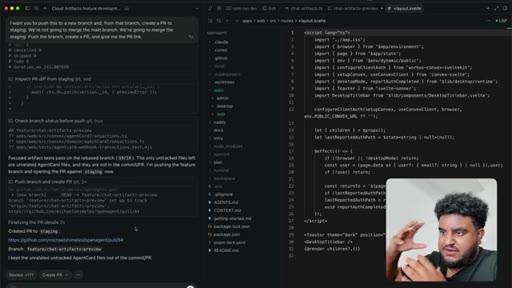
Agent pushes branch, opens PR to staging. 2,000 lines added. Greptile returns 3/5 — draft-content leak bug and security issues flagged.
23:45 – 27:07

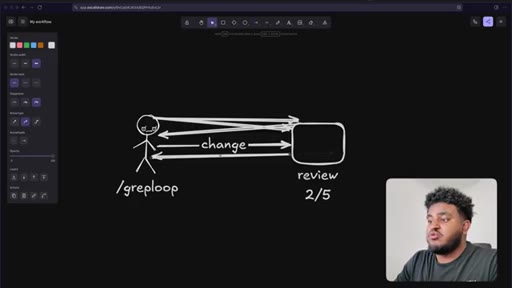
09 · /greploop cycle (3 to 4 to 3)

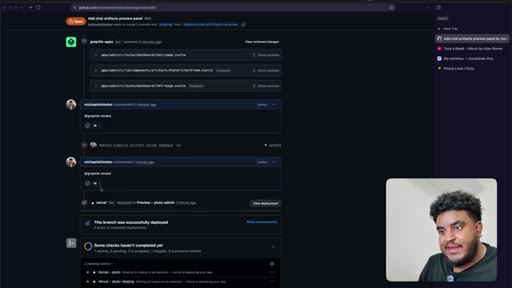
/greploop triggered. Score climbs to 4/5 then dips back to 3/5 as new issues surface. Decision point reached: PR is too large.
27:07 – 30:02

10 · Split into 4 stacked PRs

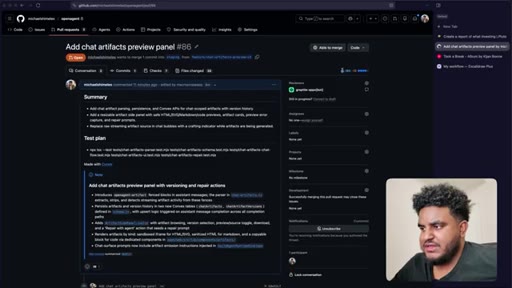
Author determines 2,000-line PR is too large for reliable review. Agent splits into four stacked PRs under 1,000 lines: fence contract, persistence, preview components, chat integration.
30:02 – 33:24

11 · Four PRs greploop'd to 5/5

Each PR runs its own greploop. All four reach 5/5 and are merged to staging sequentially.
33:24 – 35:53

12 · Staging test + wrap-up

Final test: artifact for best restaurants in Toronto. Sub-agent spawned for research; main thread stays responsive. Feature ships. Workflow recap delivered.

§ · Storyboard

Visual structure at a glance.

cold open
workflow list
Pluto artifacts demo
greploop diagram
Cursor plan mode
first artifact renders
Greptile 3/5 review
PR split decision
final 5/5 merge
wrap-up
§ · Frameworks

Named ideas worth stealing.

06:06 model

The Greploop Cycle

  1. Push change to PR
  2. Greptile reviews and scores
  3. If score < 5/5: agent reads comments, patches code, pushes
  4. Repeat up to 5 turns
  5. Merge when score >= 4/5 or stuck

An automated quality gate where the review tool and the coding agent form a closed loop, iterating on the same PR until a confidence threshold is met.

Steal for Any project using a CI-integrated code review tool
27:07 concept

PR Size Rule

Keep individual PRs under roughly 1,000 lines so automated and human reviewers can cover the entire change. Split large features by concern: data model, parser, UI, integration.

Steal for Any agentic development workflow
§ · Quotables

Lines you could clip.

06:56
"It will keep going until it gets a five out of five."
punchy one-liner that captures the whole greploop mechanic with no setup needed → TikTok hook
28:28
"You don't want the agent to keep editing — it's gonna start hallucinating."
counterintuitive and practical warning that lands without context → IG reel cold open
01:19
"I yap for a living. WhisperFlow just makes so much sense."
self-aware and relatable for content creators who code → TikTok hook
§ · Resources Mentioned

Things they pointed at.

00:48toolCursor ↗
01:04toolGreptile ↗
01:19toolWhisperFlow
23:02toolConvex ↗
23:12toolDaytona ↗
34:00channelmy agent is better than Claude (Ras Mic previous video)
§ · CTA Breakdown

How they asked for the click.

35:24 subscribe
"Would really appreciate a like, a comment, and subscribe."

Soft ask at the very end after full value delivery. No mid-roll pitch other than the clearly labeled sponsor segment.

§ 04 · The Script

Word for word.

HOOK opening / re-engagementCTA the pitch
00:00HOOKMy agentic engineering workflow has changed. It's better. The models have got better.
00:05HOOKSome of the tools have switched up. The main important thing that you need to understand, though, is that the experience I have from building applications, it's what steers me when I do agentic development, when I use agents to build my applications. Now usually the videos I've done is I'll show you the tools that I use and sort of high level experience my workflow.
00:23HOOKThere's an app I've been working on called Pluto, and I'm gonna build out one of the features that I had planned with you. This video might be long. This video might be short.
00:30HOOKThis video might get in the nitty gritty. I don't really have a plan for this other than record me building a feature.
00:36HOOKAnd if that excites you, I hope you're ready. Sit back, relax. Let's get straight to it.
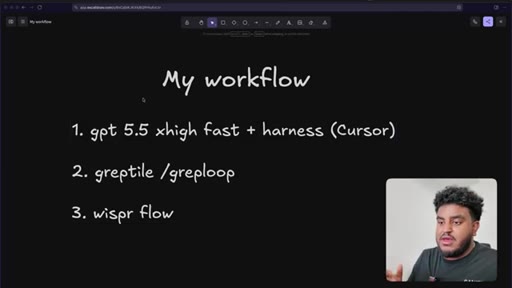
00:41HOOKSo high level of my workflow. I'm using g v d five five extra high fast, and I'm using it in cursor. Now I know a lot of people love using Codex app and the Codex CLI.
00:52HOOKYou can do that as well. I genuinely just prefer Cursor. Now Cursor's on the more expensive side, but in my opinion, it is worth the cost especially for the app that I'm building.
01:01HOOKSecond thing that I'm introducing is I'm using Greptile for the code review. Now there's other great code review tools as well, But the reason why I stick with Greptile, and I really like Greptile, is the slash grep loop skill that they have. I'll explain what that is in a second.
01:15HOOKAnd third, I use WhisperFlow. I've noticed that, man, when you speak, when you use speech to text, you will say a lot more than you type.
01:22HOOKRight? It's gonna take me a second to type things out. But if I'm just a yap, I'm already a yap or I'm a YouTuber.
01:28HOOKI yap for a living. WhisperFlow just makes so much sense, and I'll be honest with you.
01:32HOOKI haven't been on the paid plan. I've used it for the last couple months. I haven't paid for a single thing.
01:36HOOKI don't even know what paid users get. That's how much I've been using that, and that's how generous the free tier is. So we're gonna use cursor, g p t 5.5 extra high fast.
01:44HOOKWe're gonna use greptile. I'm gonna talk about the grep loop, and we're gonna use whisper flow for all our prompting. Let's build out this feature.
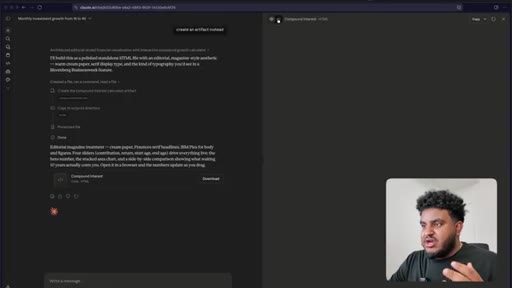
01:51So what I wanna build for Pluto is an artifacts feature like Claude. Right? And if you're not familiar with artifacts,
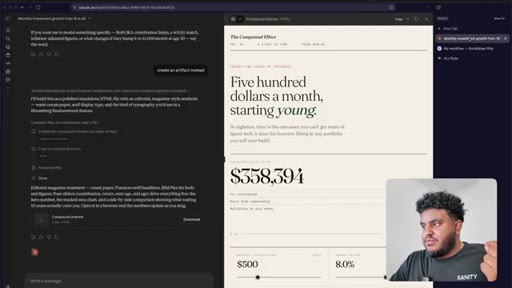
01:58I have an example here. I prompted the agent here, show me financial projection of some who invest $500 a month from age 18 and how much money they'll have by 40. Now Claude built, an inline component, which is actually pretty cool, and maybe this is another feature we look at.
02:12But right now, what I want is basically what's on the right and, like, an HTML page or React page, whatever it is being generated, and I can visually see this.
02:22This is what artifacts was. This is what I think Anthropic, like, innovated on and it was pretty cool, and I'd like that for Pluto. Now Pluto is pretty awesome.
02:30There's a lot of cool things that come with Pluto out of the box. Right? I obviously have a chat interface.
02:34I can connect to my iMessage, Telegram, Slack, but there's a couple cool form factors. Right? I have a Kanban board called tasks.
02:41I can also set up routines, which are repeated tasks. Every agent gets its own email. Right?
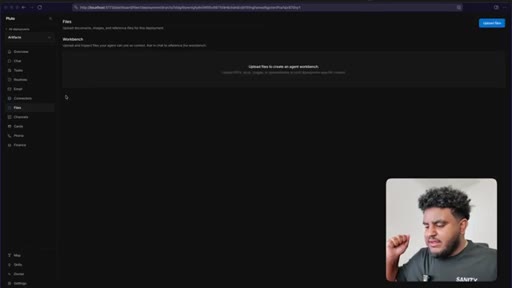
02:47Thousand plus connections, right, using Composio. And then we have a files a dedicated files workbench, and this is basically where you can upload, like, you know, invoices, contracts,
02:57spreadsheets, whatever. And, like, there's a OCR workflow and, like, there's a very specialized
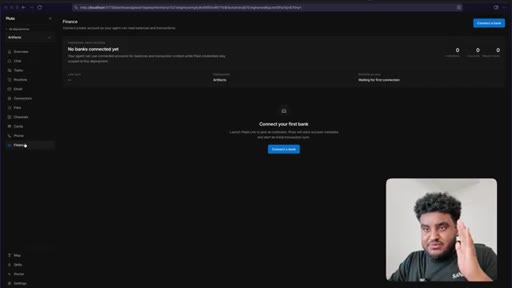
03:03files workflow where the agent has precise knowledge and data, especially for very, very large files. This is pretty awesome. And then cards, you we're actually working on I'm actually working on being able to give the agent its own credit card, virtual card so it can make payments, has its own phone line, and then finance is something cool where you can connect your business's finances and it can read all the information.
03:24Right? So this is basically an agent for businesses. And when we go to chat, you can also give every agent has its own dedicated computer.
03:33Right? Right now, we have Linux machines. Soon, we might be able to give access to Mac machines or Windows machines, but right now, we have Linux.
03:39So this is all pretty cool. This is Pluto in a nutshell. If you want a more dedicated video on Pluto and how it works, let me know in the comments down below.
03:46Let's build out this feature. Now the first thing I'm gonna do is I'm obviously gonna open up cursor. I'm gonna open up cursor.
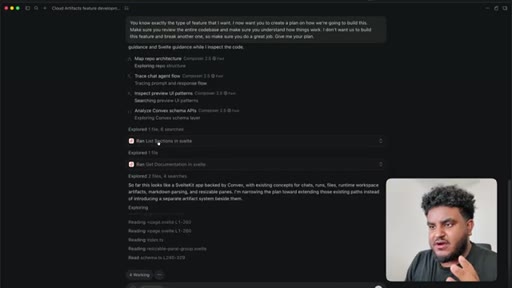
03:52Let's give let me zoom in a little bit, and I'm gonna start yapping. I want to build a Claude artifacts like feature. If you're not familiar with Claude artifacts, basically, I can prompt the agent to do something.
04:02And if there's, a visual component, whether it's writing HTML or a markdown file or whatever the case, maybe a react file, it will preview it to the side.
04:12And because you're a smart agent, you have access to a web fetch tool, why don't you search the web and learn what the CloudRefacts feature is and tell me about it because this is what we're going to build. And WhisperFlow processes that. We hit enter.
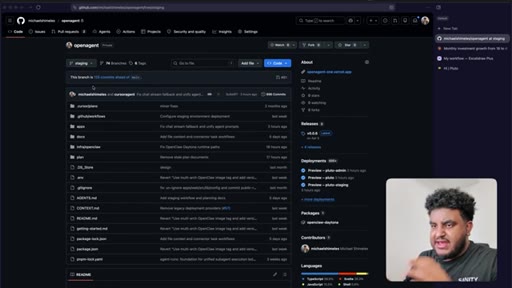
04:25Now the way I'm sort of working on this app or at least the workflow that I have in terms of CI, CD, and all that type of stuff, I'm using GitHub, of course. But the way I'm developing everything is I have a staging branch. Everything
04:39gets, like, you know, I'm I'm working on a feature locally. Once I like it, move on to staging branch. I test it out on staging branch for some time, and if I like it, move it over to the main branch.
04:49Now I talked about greplu for a second. I kinda wanna explain to you how that works. So one of the code reviewers I have here is greptile.
04:57This is a pretty large PR, so I won't be able to review the entire thing, but there was a moment in time it did. Let me show you exactly where that could be. I think we just need to unload,
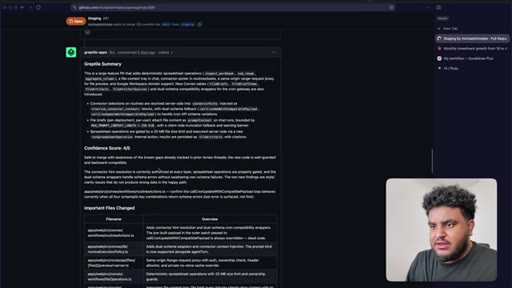
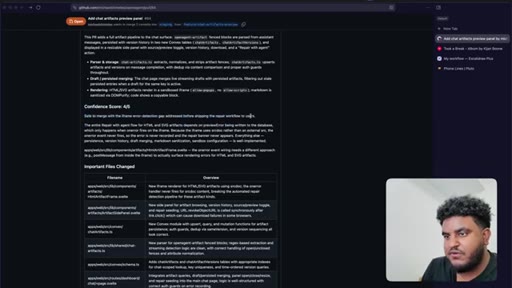
05:09and here you have it. Now what's cool with the grep tile, get the summary and you get this confidence score. Right?
05:14You get this confidence score. Right now, there's a four out of five. Anything four out of five and higher, obviously, being a five out of five is good enough for me.
05:22But what's cool about greploop, and if you don't know how to set up, if you haven't had it set up already, you literally just go to greptile's repo, find their skills, and the greploop skill is what you want.
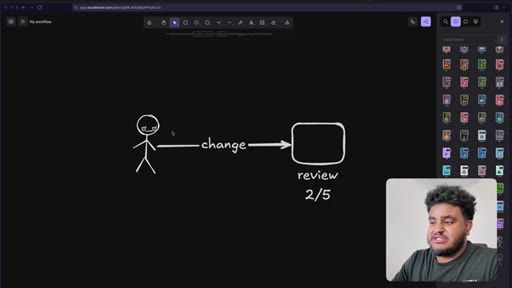
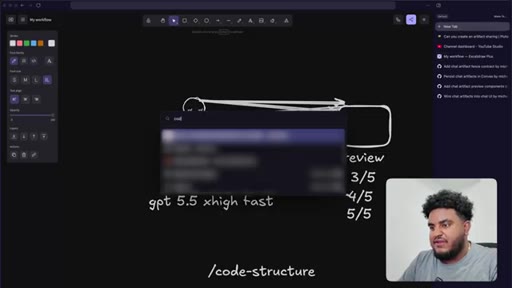
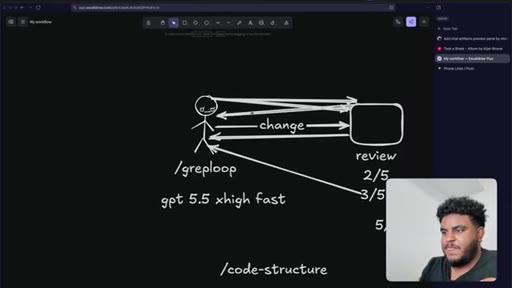
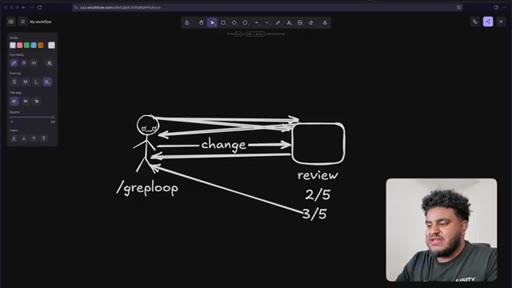
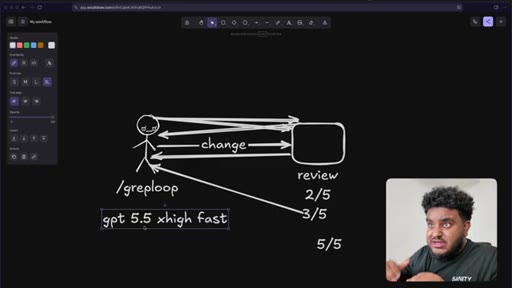
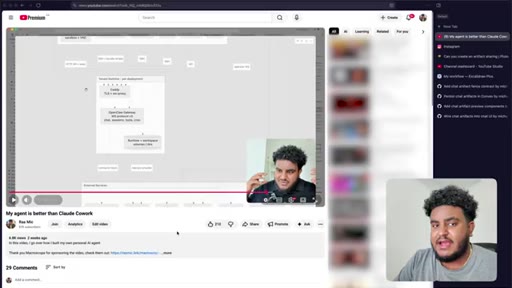
05:34And, essentially, how greploop works, I can diagram this for you. Let's say there is me right here. I actually have a great icon for this.
05:41Let's say there's me. I push a change to my app. What greptile is going to do is greptile is going to review it.
05:48Right? It's gonna do a review, and then let's say I get a two out of five. Right?
05:52Let's say it works, but there's some security features that I missed. There's some edge cases that I missed. Like, I just missed a bunch a bunch of things.
05:59Now I can read the comments, give it to my agent, and get the agent to address the comments, or I can just enter
06:08grep loop, assuming you have the skill installed. Once I have grep loop loaded, what's going to happen is my agent is going to read from GitHub.
06:18It's going to read the comments. It's going to take in the comments. It's going to address the comments, and it's gonna push a change.
06:25And then what's going to happen is it's going to wait for a new review to be generated. Right? Because every time you push to that same branch, greptile files a review.
06:34Now let's say a change was made and it gives it a three out of five. Meaning, yeah, you addressed some things, but there's still some more missing. What greploop is going to do is it's going to wait till it gets the new review.
06:45When it sees the three out of five, it's gonna realize, hey. This isn't a five out of five. Let's go back.
06:50Addresses the changes. Pushes again. It will keep going.
06:53I think there's a maximum of, like, five to six turns, but, essentially, it will keep going until it gets a five out of five. Right?
07:01And the reason why I like GPT 5.5 extra high is extra high fast
07:08is it's a really intelligent model and especially when it comes to building complex features, it just writes a bunch of tests. And in this case, this is actually great because whenever I get feedback, it reviews the test and realizes, okay, the test case, the originally wrote passed, I need to add some more additional things and this has just been a great experience thus far.
07:28So let's see what we got. It says, found the feature. I think you mean claw
07:33clawed artifacts. Oh, they're right. Cloud.
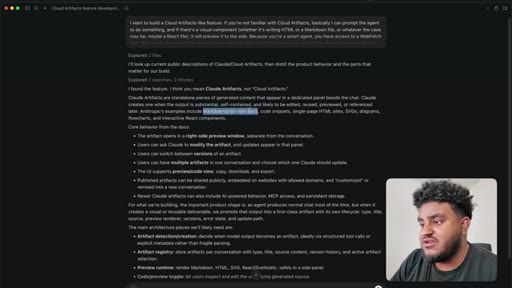
07:35My bad. Clawed artifacts are standalone piece of generated content that appear in a dedicated panel beside the chat. Cloud creates one when the output is substantial, self contained, and is likely to be edited, reused, previewed,
07:47or referenced later. Anthropics examples include markdown, plain text doc, code snippets, single page sites, SVGs, diagrams, flowcharts, and interactive React components.
07:57So so far so good. Core behavior from the docs, the artifact opens in the right side preview. Users can ask Claude to modify the artifact, etcetera, etcetera.
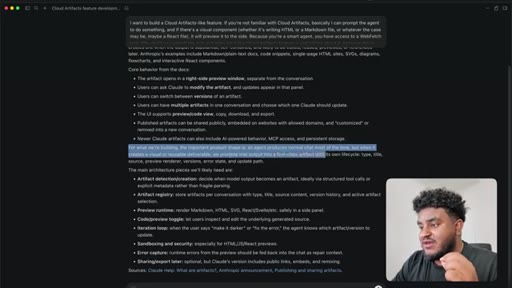
08:05So it it's got the gist. For what we're building, the important product shape is an agent produces a normal chat most of the time. But when it creates a visual or reusable deliverable, we promote that output into a first class artifact
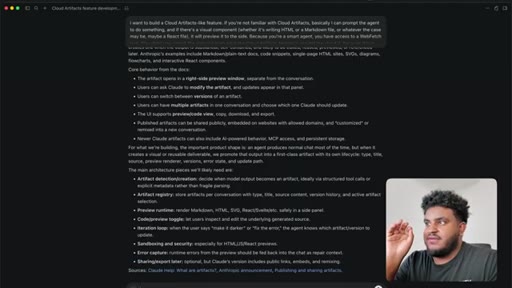
08:18with its own life cycle, type, title, source, preview, renderer, versions, error state, and update path. The main architecture pieces will likely need artifact detection and creation, makes sense, artifact registry, preview runtime,
08:32code preview toggle, iteration loop, sandboxing and security, error capture, and sharing export later. Okay.
08:40So so far, we're good. Now this is what I'm gonna do. You would know exactly the type of feature that I want.
08:45I now want you to create a plan on how we're going to build this. Make sure you view the entire code base. Make sure you understand how things work.
08:52I don't want us to build this feature for the cost of breaking another one, so make sure you do a great job and yeah. Give me your plan. So it's going to generate a plan.
09:00Let me go to plan mode. It's gonna generate a plan. Now there are other skills that I have, one in particular that I really use a lot, and it's called slash code
09:09dash structure. And, basically, take you guys to the repo, and, again, I'll link this down in the description down below. This is my personal skill.
09:16This basically restructures a specific feature, the code base in a service layer. Therefore, it's very clean.
09:23It's very understandable if I need to dive in and look into the code, which I'll be honest for the most part, I haven't really been after using this, but it also helps the agent read the code and understand what's going on. Right? So this is another skill we'll be using as well.
09:37Now let's go back to cursor. We see that multiple sub agents using composer two five fast have been deployed, and it's going to be working on this plan. While the feature's working, I can open up Steam, and I've been I've been obsessed with, uh, Red Dead Redemption two again.
09:53I played it before. I finished it before. But for some reason, I don't know why, I just have this urge to play it again.
10:00So while this feature's working, we can play. So right now, I don't know if you could see, but I'm taking Jack Fishing. I think his name is Jack.
10:08He's John Martson's kid. And, yeah, we're gonna wait for cursor to cook, and I'm a play in the meantime. While AI is generating code, let me show you how you can get better at agentic engineering, and that's with today's sponsor.
10:19Before I introduce today's sponsor, let's hear from everyone's favorite CEO, Dario. Let's see what he has to say. I think I don't know.
10:26We might be six to twelve months away from when the model is doing most, maybe all of what SWEs do end to end. So we're six to twelve months away from all software engineering being done by agents. Yet if I go on Anthropix careers page and I select engineering and design for product, I see 20
10:47open roles. It's very important for us to understand that engineering is not dead. In fact, it's become more alive because generating code has become so much easier.
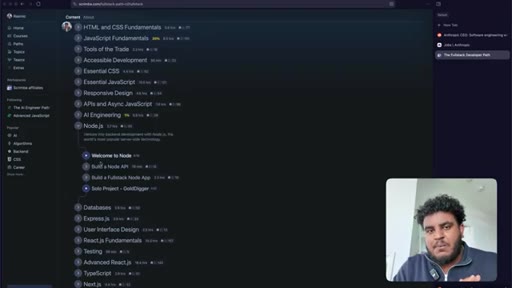
10:55That's why I highly recommend Scriba, the sponsor today's video, and their full stack developer path. If I was getting started today and I didn't wanna spend four years in college, I would take this exact path, the full stack developer path. You're gonna learn everything from HTML CSS
11:10to responsive design to setting up back ends using Node. Js databases, express UI design.
11:16You're gonna learn React. You're gonna learn advanced React. You're gonna learn about Next.
11:19Js, one of my favorite frameworks, although I find Svelte to be better. And here's what's interesting about Scrimba.
11:25Scrimba is the most unique platform and I'm not saying that because they sponsored this video, but I want to show you just a random video. So I'm gonna click play. At the moment, where we're making our fetch request So you hear the instructor talking.
11:37Right? And you see him screen sharing. But at the same time, this screen
11:42is an IDE in the browser. And then I could go back to watching a at the top.
11:48This is by far the most unique learning platform I've ever used. If wanna take advantage of the times than we're in, then there's no better way than learning how to write and architect and engineer, and the best way to get started is using Scribble.
12:02Make sure to check them out. The link is in the description. I highly recommend the full stack developer path.
12:06Now let's get back to the video. Okay. So plan complete.
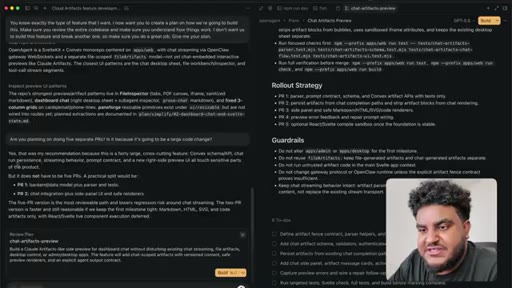
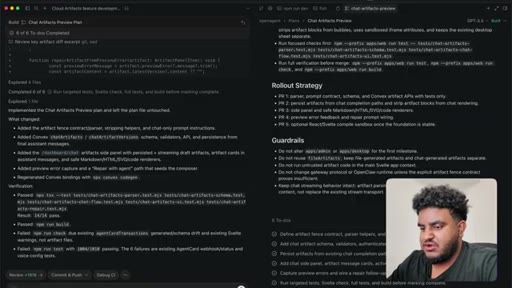
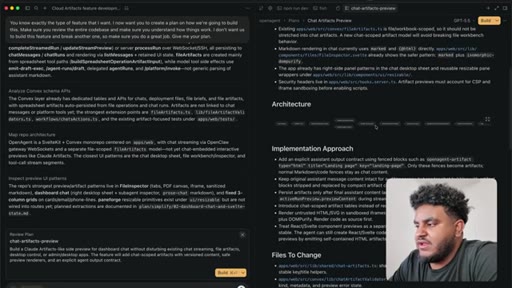
12:09It says chat artifacts preview plan. Add a right side artifacts panel to slash dashboard slash chat that opens when the assistant creates substantial visual or reusable content. The first milestone should support markdown
12:22SVG and code artifacts safely. Framework component previews should be added through a follow-up sandbox compiler path rather than by running arbitrary React Svelte code directly
12:32in the main app. Okay. Cool.
12:33What I found, the main chat surface, it already handles list a direct gateway streaming, fallback schedule runs, active run preview recovery, message rendering, attachments, a desktop side sheet, and a sub agent inspector. Alright.
12:46So it's glazing my code. We love that. And this is the diagram we get user prompt, chat, run, row, gateway stream, checks if it needs to preview the content, artifact blog, parser.
12:56Okay.
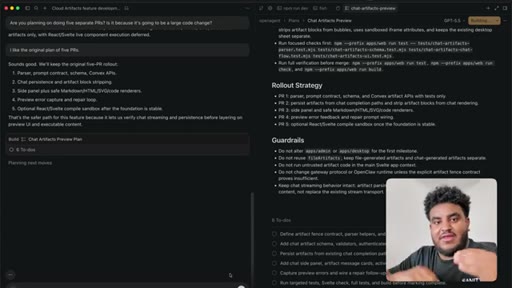
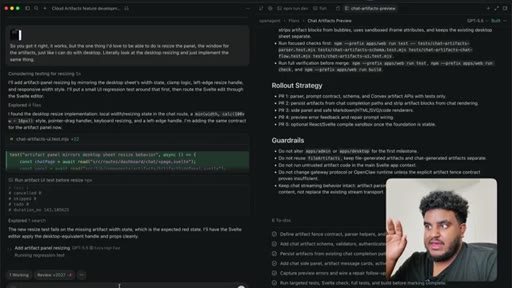
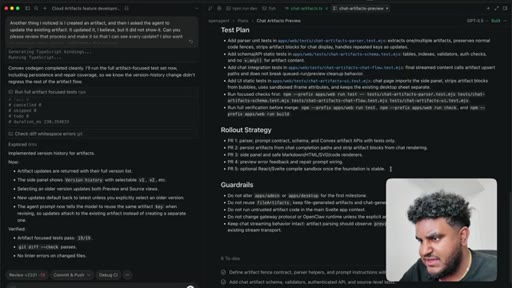
13:03So one thing I noticed, there's a rollout strategy here. Um, it's planning on doing five PRs. Let me see.
13:08Are you planning on doing five separate PRs? Is it because it's going to be a large code change? Now I will say for Greptile to work for any code review to work properly, you're going to want to keep the PRs minimal.
13:19Right? If the PR is too large with too many files, it's going to be hard for any agent to review it. So minimal PRs that are to the point that fix a specific thing, chef's kiss.
13:28It says yes. That's my recommendation because it's fairly large cross cutting feature. Okay.
13:33But it doesn't have to be five PRs. A practical split would be back end data model plus parser
13:38and tests, PR two chat integration plus side panel. The five PR versions are most reviewable path.
13:44Honestly, I like the original plan of five PRs. I'd I'd rather keep it minimal and simple.
13:50Alright. It says sounds good. We'll keep the original five PR rollout.
13:54That's safer path for this feature because it lets us verify chat streaming and persistence before layering on preview UI and executable content. That's fair. Again, I would rather my PRs be minimal.
14:05I can test. I can verify things look good, and then I can move on to the next thing versus having this giant large PR. And I know you probably like, but you have a large one for the staging.
14:14Again, the staging is the place where I'm testing it. Right? I'm testing the feature.
14:17If something's not working, we're back to local, and then we'll merge back to staging. Right? But for stuff like this, I need to have multiple PRs, and that's what we're going to do, and we're gonna let this agent cook.
14:29Highly recommend this album, mixtape, whatever this is, fire. My favorite song, gen five or took a break. And, yeah, this is kind of the life of agentic engineering.
14:38It's like, it's it's just going and I'm just waiting, and I could maybe read a book, play a game, or work on another project. Also, side topic, I can't believe Arsenal won
14:48the Premier League. I can't believe like, I have been a proud Arsenal hater for basically all my life. I made it, uh, like, a a known thing that, like, one of my goals,
15:00um, as an avid soccer, uh, football fan is I I I give great joy watching Arsenal lose, the fact that they won the Premier League honestly breaks my heart. This is how you know Jesus is returning soon, that Arsenal winning the league, it we really are in the end times. Alright.
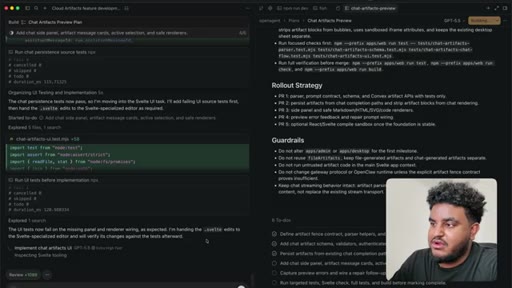
15:18So cursor is done with the task. We see here that it's implemented the chat artifacts preview plan. I'm not even gonna read all this.
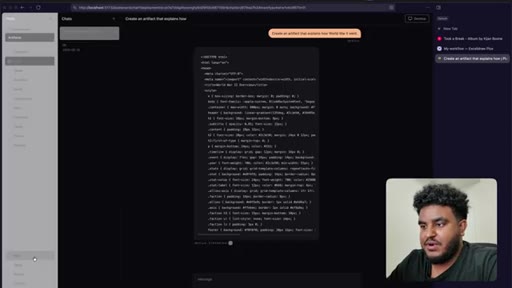
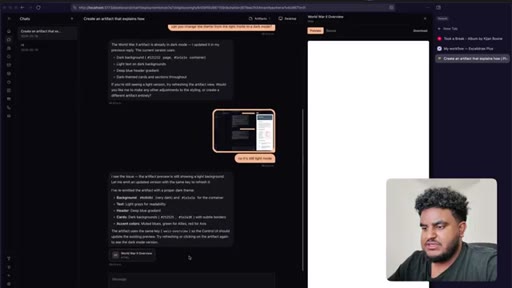
15:27Let's go just test out the feature. Let's say, create an artifact that explains how World War two went, and let's just hit enter.
15:34So let's see. This is the first try. Again, probably might not work.
15:38It might work halfway. Let's see what we get from the agent. Oh, okay.
15:43So it is writing HTML. It's streaming HTML off rip.
15:47Probably not something I wanted to do. I probably wanted to just, like, say it's, you know, cooking. I don't wanna see the stream.
15:55But so far so good. It's working. Alright.
15:58Let's see. Oh, and by the way, the underlying model that I'm using is GLM five.
16:05Simply for a cost perspective, like, the cost to the type of knowledge you get is pretty high. Obviously, it's no Opus or, you know, GPT five five, but it'll do the job.
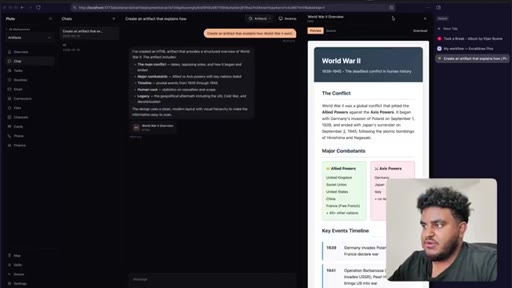
16:16And there you have it. We have our preview. Now, again, it is ugly because I'm using GLM five five.
16:22I know if I use Opus, it'll probably be very beautiful and chic, but I mean, it did it. Now there's a couple things from a product perspective. I I would love to be able to slide this right here.
16:32So I'm just gonna take a screenshot real quick. Let's copy this. Let's go back to cursor.
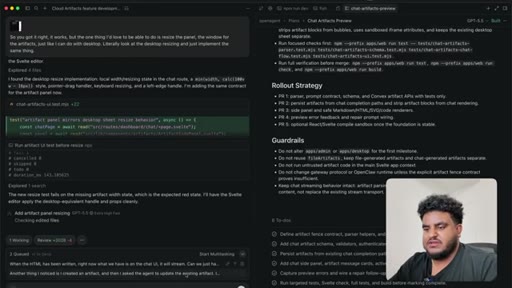
16:38Paste this, and I'm gonna say so you got it right. It works. But the one thing I'd love to be able to do is I'd love to be able to resize the panel, the window for the artifacts just like I can do with desktop.
16:50Literally look at the desktop resizing and just implement the same thing and hit enter. And, basically, what I mean by that is if I open the desktop oh, and that's probably something I should think about. When I open the desktop, you could see here I can
17:02resize this to my liking. But with this right here, it's just a fixed thing and I can download HTML if I want to. Now can I make changes?
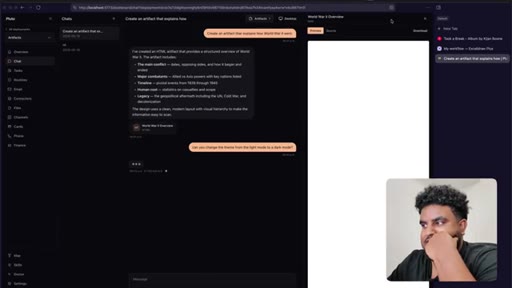
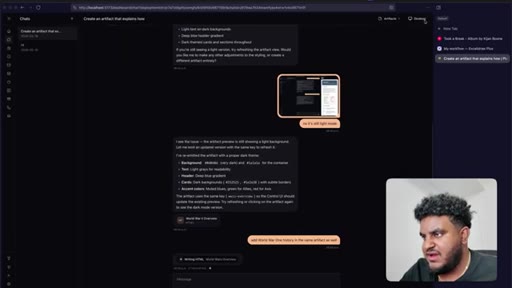
17:10Let's see. Can you change the theme from like the light mode that it's into, uh, dark mode? Let's see
17:17if it can do that. Oh, okay. This is a known bug I have on the app.
17:23When I open the desktop and close it, there's, a routing issue. So assume
17:28that didn't happen. Embarrassing. I know, but that's another bug for another day.
17:32I'm gonna try again. Can you change the theme from light mode to dark mode? Let's see if it actually updates the existing artifact.
17:39Would be interested to see if it actually worked out the box. Okay. We can see the resizing has been added.
17:45Great. But I asked it to change it to dark mode, and it said it already was in dark mode. I sent it a screenshot,
17:52and it says, I see the issue. The artifact preview is still showing the light mode one. Let me emit.
17:58Uh, see, this is why the streaming is annoying. Okay. We're gonna fix that.
18:01I don't like it streaming the HTML. Let's go back here and say, when the HTML has been written, right now, we have is on the chat UI, it will stream.
18:11Can we just have, like, an animation that says, oh, like, you know, writing or building or actually, it should say something like writing HTML or crafting artifact. Actually, I like crafting artifact.
18:24Right? Crafting artifact, let it animate and pulsate nicely instead of the entire HTML streaming. So we'll have this queued up.
18:32Another thing that I noticed is okay. See, there you go.
18:36It worked. It says here, I see the issue. The artifact preview is still showing the light mode.
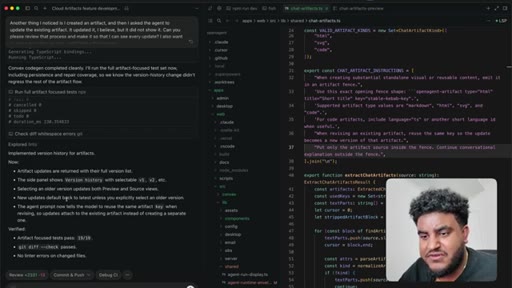
18:39Let me emit an updated version with the same key to refresh it. Another thing I noticed I created an artifact, and then I asked the agent to update existing artifact.
18:50And it updated it, I believe, but it did not show it. So can you please review that process and make it so that I can see every update? I also wanna see every older version.
19:00Right? Yeah. Make that happen.
19:02And then we're gonna hit next on this one. So we have these two queued up. We have
19:07this almost done, I believe. GVT55 like it always does.
19:11It's writing a test. Tests are great. It's okay.
19:14We're gonna be happy with this. Now, we're getting to a point where this this looks pretty good.
19:19I like this feature. Now, I'm going to show you how in just a bit once these two are done, I'm gonna show you how I'm going to merge this into staging, and this is where Greptile is going to come in play. Some interesting findings here.
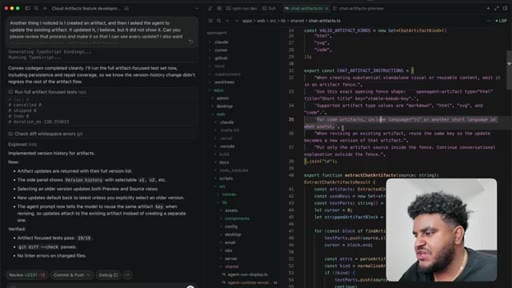
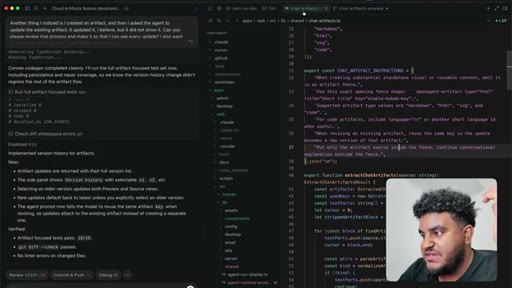
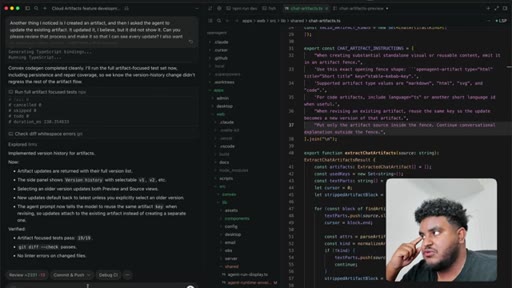
19:32I I can see the chat artifact instructions that it's generated. It says when creating a substantial standalone visual or reusable content emitted in an artifact fence,
19:42Use this exact opening fence shape. Open agent artifact type HTML title, short title key, stable Kavav key. Okay.
19:50Supported artifact type values are markdown HTML, SVG, and code. For code artifacts, include language TS or another short language ID when useful. When revising an existing artifact, reuse the same key so the update becomes
20:04a new version of the artifact. Put only the artifact source inside the fence. Continue conversational explanation
20:10outside the fence. That's pretty interesting. It says your artifact updates
20:14are returned with full version history. The side panel shows version history. Selecting an order version updates both preview and source views.
20:21New update defaults back to latest unless it's simplicity. Select an older version. The agent prompt now tells the model to reuse the same artifact, and we just read that.
20:29Let's see right here if we can see yep. We see v two v one, and let's say add World War one, uh, history in the same artifact as well.
20:38So let's make this a history document HTML. World War two was a global conflict that pitted the allied powers against the axis powers that began with Germany's invasion of Poland on 09/01/1939 and ended with Japan surrender on 09/02/1945.
20:53And now we have that. Okay. So I don't need to see the streaming.
20:57I can just see that it's writing HTML. That's great. We have multiple different versions right here.
21:03I can close this. I can open this. I can resize this.
21:07I mean, I don't think there's much that we're missing. Now what's interesting is I don't think we followed
21:13this plan right here, this rollout plan. We'll see.
21:17I'm gonna ask you to push this to a branch and make a PR to staging. But here's one thing I do wanna say. I don't necessarily create the plan for the agent, although I do think it helps.
21:28There are times where I'll just build the feature going back and forth with it. The plan sometimes and actually, most of the time is really for me because I'll work on multiple features at a time, and I need to remember what it is that I was working on or what it is that me and the agent were working on. So low key, it actually helps me.
21:43I'm pro plan for myself, but I also use it with the agent, more so myself, to be honest with you. Now let's go back here.
21:52The update has been made. We can see version three active, and, yeah, we see World War one and then World War two.
21:59So this feature is pretty much done. I really like it. I I thought we'd have more issues, uh, family.
22:06GPT 5.5 extra high. Fast is amazing. So let's clean up.
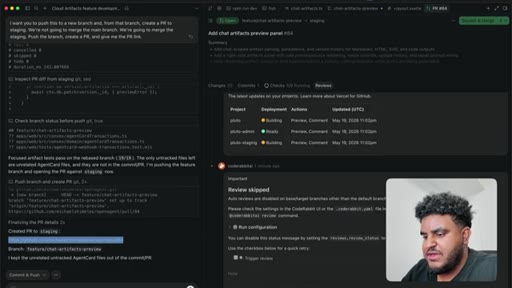
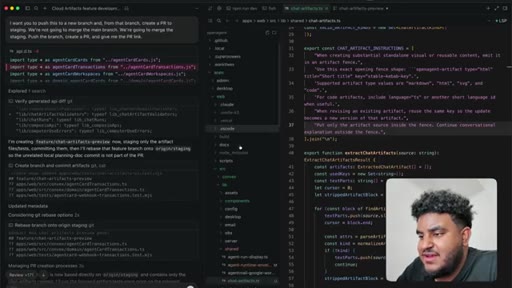
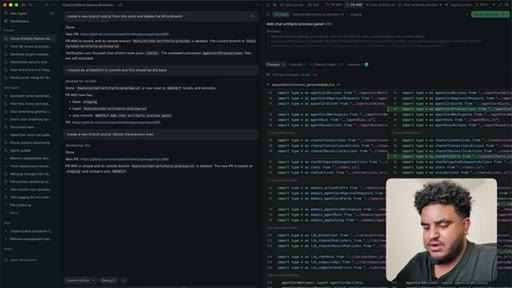
22:10I want you to push this to a new branch, and from that branch, create a PR to staging. We're not going to merge to main. We're gonna merge to staging.
22:19So push the branch, create a PR, and give me the PR link. I'm gonna hit enter.
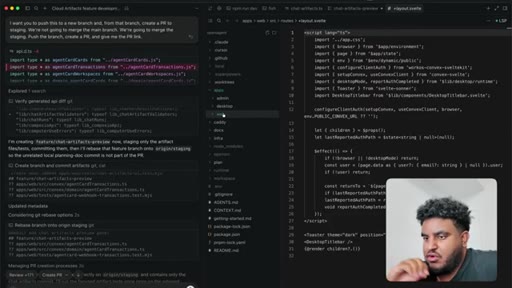
22:24So now what's going to happen is it's it's because I have GitHub connected, it's going to create a new branch, push that app branch, create a PR. It's going to give me the PR link, and then we're gonna review the PR, and we're gonna see what score Greptile gives us. Oh, and by the way, for the tech stack, I am using SvelteKit.
22:41This is a full Svelte app. You don't believe me? Let me
22:45open let me open there you go. They have dot Svelte file.
22:49You have oh, it's also not only just a web app. There's also a desktop app using Electron for that.
22:57There's a web app, and then there's an admin dashboard to manage admin stuff using Svelte to power everything. Convex, best back end in the world. Convex literally orchestrates
23:07everything. Deploying this on Daytona. Daytona is the best agent
23:12cloud provider. I used a bunch of them. Fell in love with Daytona.
23:16And there's a couple other tools like super memory for memory, agent mail for mail, Plaid for the financial stuff, Twilio for the phone. So really incorporating
23:25a lot of services, creating these very composable service layer abstractions so that each service connects to a specific thing, and I can find the code easily. So this is a very this project, in my opinion, is a very well thought of agentic engineered project.
23:39It's not perfect by any means, but it's pretty dang good. So let's open this PR. I can view it in Cursor's PR viewer, but I'm gonna be honest.
23:49I am going to go on GitHub. Let's go on GitHub. But Cursor's is pretty nice too.
23:54It's just not real time, meaning, like, when an update pushes, I have to click, like, refresh here to make sure I see it. But let's go back here. We could see Greptile is fired off.
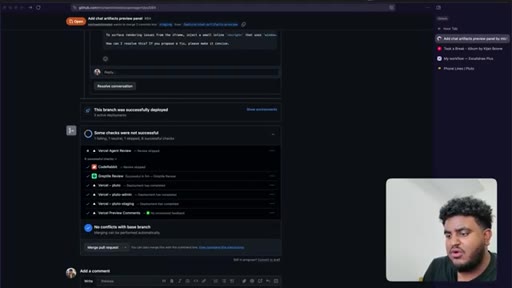
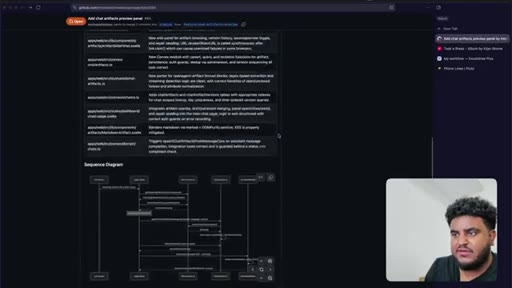
24:04We do have CI pipeline. I'll explain that maybe in another video if you're interested, but now we see 2,000 lines added, 13 removed. Great summary written by cursor.
24:14We're just gonna wait on the Greptile review, and we're gonna see what we get. Alright. The review is here.
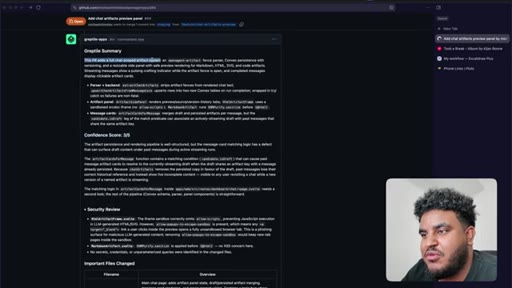
24:19And ladies and gents, we got a three out of five confidence score. Let's see why.
24:25This PR adds a full chat scope artifact system, fence parser, convicts persistent versioning, and resizable side panel with save preview rendering for markdown. Let's see.
24:36Okay. It's explaining. Let's let's see the issues.
24:38Okay. This is security issue. The artifact persistence and rendering pipeline is well structured, but the message card matching logic has a defect that can surface draft content under past messages during active stream runs.
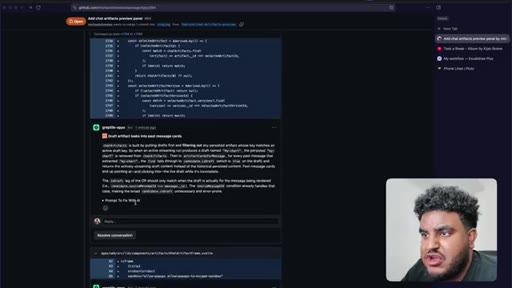
24:51The artifact cards for message function contains a matching condition
24:56that can cause past message artifact cards to resolve to the current streaming draft when draft shares on artifact key with a message already persisted. Because chart artifacts removes the persistent copy in favor of the draft, past messages lose their correct historical reference and instead show a live incomplete content.
25:14Oh, this makes sense. Visible to any user. This makes sense.
25:17And then there's some security stuff. Now, usually, you get these comments. Right?
25:21And these comments basically tell you where the issue is, and you can copy the prompt to fix. Where the issue is, sometimes you'll get commit suggestions where it will commit the message for you, but usually, you can just copy the prompt to fix. Now here is where grep loop comes in.
25:36I'm gonna go to cursor. I'm gonna do slash grep loop,
25:42and we're gonna hit enter. Now what's going to happen is what I explained to you earlier. I push the change.
25:49I got a three out of five. I fired greploop. Greploop is gonna read the feedback.
25:55It's going to make changes. The cursor agent's gonna make changes. Push
25:59to GitHub. Rereview if it's a four out of five, back to cursor cursor updates. And then when it's a five out of five or there have been five turns,
26:08then it stops. So this is, my process.
26:13Build the functionality, test it, you know, actually see if it works. It worked, but there's some edge cases we can't catch off an initial use.
26:20Then we fire that off to greptile. Greptile gives us a review. There's some security things we missed as well.
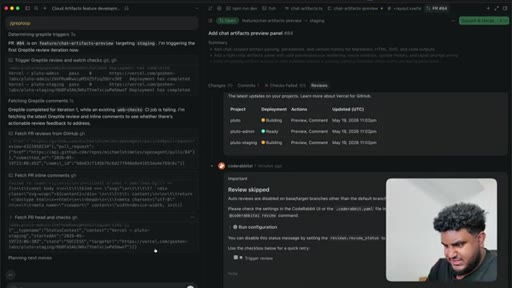
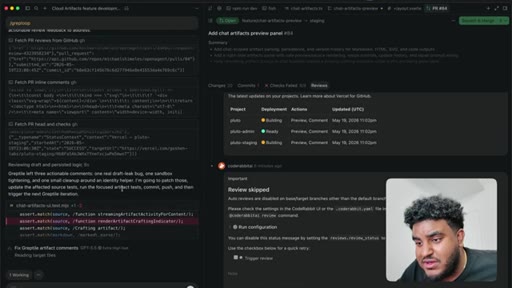
26:26Slash greplu starts cooking. So you can see here, it says, greptile left three actual comments,
26:32one real draft leak bug, one sandbox tightening, and one small cleanup around an identity helper. I'm gonna patch those, update the affected source test, run the focused artifact test, commit, push, and then trigger the next greptile iteration. This is where slash greploop
26:48works and cooks. And now, I'm probably gonna go grab some meat. I'll be right back.
26:52Got some, uh, pasta cream sauce. Let's see if our grep review has changed.
26:58Let's refresh. It actually pushed the change, and now you see, I didn't even write that. The grep loop did it.
27:04So it fired, you know, GitHub's API and wrote add grep tile review. And whenever grep tile, like, drops this emoji, that means it's reviewing the code changes, and you can see a review started a minute ago. In a couple minutes, we'll see if this is a five out of five or four out of five.
27:20Sometimes, I'm not gonna lie, especially if the PR is big, it might even degrade. So let's see what we get. Alright.
27:26So we got an update and we got a four out of five. It says it's safe to merge with the iframe error detection gap address before shipping the repair workflow to users.
27:36It tags this specific file and says the on error event wiring needs a different approach. Example, post message from inside the frame to actually surface rendering errors to HTML and SVG artifacts. So it again, it addressed it like, see, this review is complete, got a thumbs up, and then now we have this one comment.
27:54And, again, I can copy this, paste it, and then tag at greptile review for a new review after push has been made, or I can just wait on grep loop to continue to cook. So notice this, we're literally following the same trajectory.
28:09Went from, in this case, three out of five to four out of five. Now hopefully,
28:15next we go five out of five. Again, there are times where it will get stuck at four out of five. If I notice it going in a continuous cycle, I'll probably stop.
28:25I'll review myself and I'll just merge. Right? Because you don't want the agent to keep editing, editing, editing, and then it's gonna start hallucinating and making stuff up.
28:34You know, short, simple, concise, to the point, not too long, that's the sauce that I've seen success with.
28:41Now it's fixing up that edge case. If I click here, can see the changes it's making, and I just gotta wait. I can work on another project or, um, I'm a play a little bit of Red Dead Redemption.
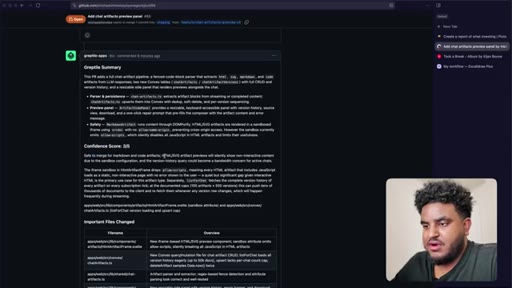
28:50Alright. So we got a three out of five. It says you're safe to merge for markdown and code artifact.
28:56HTML SVG artifact preview will silently show non interactive content due to sandbox configuration, the version history query could become a bandwidth concern for active chats. Right?
29:07And we get some feedback here. Now I could just fire off the grep loop here. Right?
29:11And to fire off the grep loop, all I would do is like slash grep loop. But in my humble opinion, this PR is a little too big. Right?
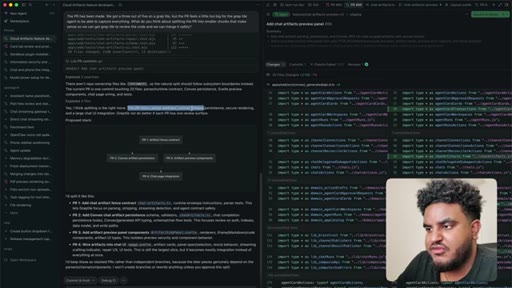
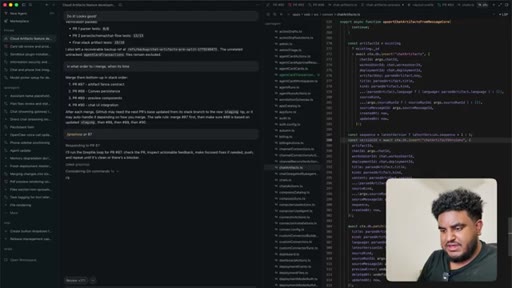
29:18It's over 2,000 lines. So what I'm gonna do is as follows. I'm gonna go to cursor and say the PR has been made.
29:24We got a three out of five on a Reptile, but the PR feels a little too big for the Reptile agent to be able to capture everything. Uh, what do you think about splitting the PR into smaller chunks that makes sense so we can get Reptile to review the code and we can merge it safely?
29:40And we're gonna hit enter and the goal is to at least get this to a couple 100 lines each, maybe even if it's thousand,
29:48that's fair. But I feel like 2,000 lines is just a pretty big PR and I don't wanna get into the cycle of like, Greptile keeps catching issues because, again, code base like, the PR is just large. Right?
30:00So let's try to make it smaller. And if you're an engineer and you've worked in the engineer org, you know, you know, the smaller the PR, the more focused the PR, the better your life is, and I think the same applies to the agent as well. Alright.
30:12So we got a response that says, yes. I think splitting up is the right move. This PR makes this parser contract, convict scheme, secure rendering, and a large UI integration.
30:20Greptile do better if each PR has one review surface, And the suggestion is four PRs, add chartered effect, fence contract. Okay. And then the artifact persistence.
30:31Okay. Preview. Okay.
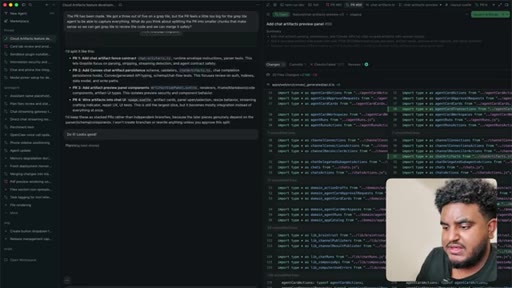
30:32This all sounds good to me. I'd like to keep this as stacked PRs rather than independent branches because later pieces genuinely depend on each other, and I'll be like, do it.
30:41Looks good. This looks like a genuine good plan. G p t five five extra high fast for it to win.
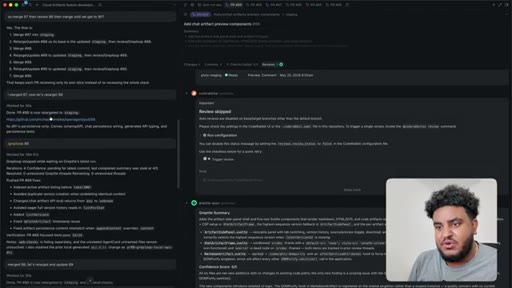
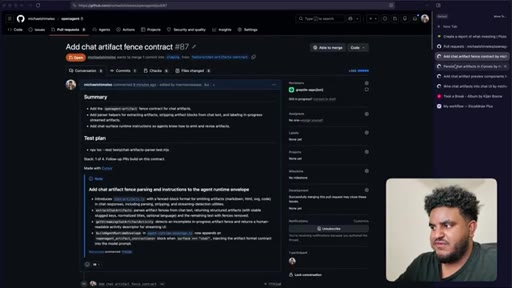
30:46It sounds like a Starbucks order, and let's see what it generates. So the PRs have been split. I have four PRs here, And if I open up on my browser, have PR one, two, three, four,
30:57all under a thousand lines code. It's gonna be much easier for the Greptile agent to review and for us to deploy a fix using greploop. Alright.
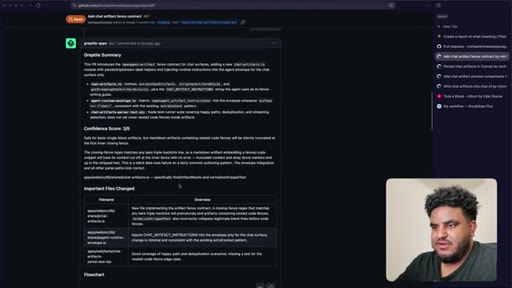
31:04So the reviews came in and every single one got a three out of five. Every single. So this is great.
31:10So let's see the issues here. It says, safer basic single block artifact with markdown artifacts containing nested code fences will silently be truncated at the first inning closing fence. The closing fence rejects matches any bare triple backtick line, so markdown artifact embedding a fenced code snippet
31:26will have its content cut off at the inner fence with no error. Okay. So this is pretty good catch.
31:32It gives us some feedback. Let's use the grep loop. Now, we're on p r 87.
31:36Remember, we have a stacked p r here, so we have a number of them. We wanna fix eighty seven first. So let's go back here and let's say,
31:44please review actually, no.
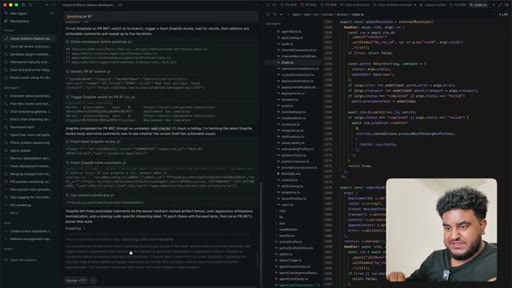
31:47I don't need to do that. I'm gonna do slash grep loop, and I'm just gonna say p r 87. There you go.
31:54A little gold text right there, p r 87. So now what's going to happen is the cursor agent knows to run the grep loop on p r 87.
32:02It's going to read the contents. Again, I'll show you this diagram I drew earlier. It's going to read the review, read the feedback,
32:09fix it, push a change. That change push is going to call the Greptile review again, and then it won't stop until it gets a five out of five or it's taking five turns, whichever one comes first. So in this case, we see it says here, grab title left three actionable comments on the parser contract.
32:27It points that out. It's thinking right now. It's going to push the fixes, and it's going to rereview it, and it won't stop again till that either gets a five out of five or it has five turns.
32:39So you probably noticed a shirt change. I had day job work I had to do. I had to take care of my lady.
32:43I got a little busy, but guess what? We got our grep loops done. So instead of boring you with the details, I'm just gonna show you what I did.
32:51We grep looped each PR. We did grep loop 87. Once I got a five out of five, merged it.
32:57Then we went to 88, grep loop. Once I got a five out of five, merged it. 89, grep loop, five out of five merged it, 90 merged it.
33:06We did that and you can see here five out of five here, five out of five here and all of it has been merged to staging. Now, what we have left is to actually test this thing. So let's go in open chat.
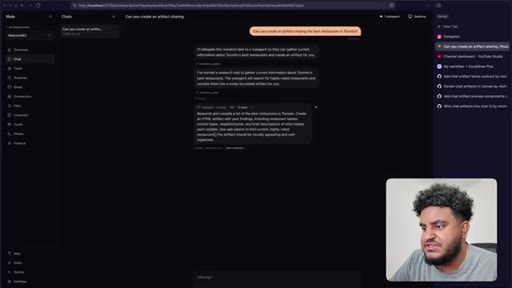
33:19Let me just refresh real quick. Open chat. Let's say, can you create
33:24an artifact sharing the best restaurants in Toronto? So hopefully, this works.
33:31And if it doesn't, we're gonna debug together. But if it does, we cooked.
33:35Alright. So what happens is it says here, I'll delegate this research task to a sub agent then can gather the current information about Toronto. So it spawned a sub agent and I can click on open inspector here
33:47and see what's going on. Basically, it saw that, okay, I'm gonna need to do some research for this and instead of blocking the main thread, I'm gonna deploy subagent. The reason why this is cool is I can say
33:58what's up with you today. Just being a weirdo talking to AI like a friend.
34:04And the main thread is not blocked because this has been given off to a sub agent. And I can chat with the main agent and you can see here it responded to me saying, hey.
34:14I'm doing well. And it told me it has a sub agent running and I can get it to do other things which is pretty cool. I do talk about it in this video, my agent is better than Claude Cowork on how I architected the agent and how like the sub agent stuff works.
34:24So check it out. It's literally like the fourth video on my channel. And if we go back here to the sub agent, we see that I got good data from both,
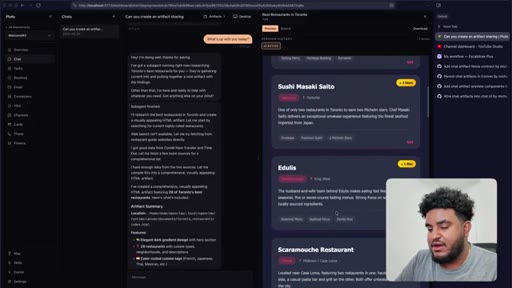
34:32uh, condoness traveler and timeout Toronto. Let me fetch a few more sources to get a comprehensive list. So it's doing its research finding the best restaurants in Toronto.
34:41And we can see the artifact here. Now mind you, not the prettiest one, pretty ugly, and that's probably because I'm using GLM five, but it got it done.
34:50It worked. We finished building the feature, and it was all because of this simple workflow where I use GPT 5.5 extra high, fast.
34:59We have Greptiles, Greploop skill. Right?
35:02Minimal PRs. Right? We don't want the PR to be too big.
35:05We want them to be minimal. And just a little back and forth and a little structure gets you a long way. Now something I'm going to do, and I I talked about this earlier, is I won't show it in this video, but I'll probably run this skill right after just so it can clean up the code and we have this nicely tidied
35:22CTAdocumented functions where I know exactly where artifacts are and the agents know where artifacts are. And that's pretty much it.
35:28CTAThis is how you do agentic engineering. At least this is how I do it, ladies and gents. I hope you found value in this.
35:34CTAI know this is rather a long video. Let me know if you like stuff like this. Every time, you know, I hop on podcasts or other people's channels and I share this stuff, people seem to really like it and I never really done it on my channel.
35:44CTASo let me know your thoughts down below. Would really appreciate a like, a comment, and subscribe. Thank you so much for watching this video.
35:50CTAI'll see you in the next one. Peace.
— full transcript
§ 05 · For Joe

Close the loop between generation and review before merging.

WHAT TO LEARN

The moment you treat code review as a manual step, agentic development stalls — the workflow that actually ships is one where the reviewer and the generator cycle automatically until a quality threshold is met.

  • Automated review tools return a confidence score that acts as a ship or no-ship signal — treat anything below 4/5 as a reason to run another fix cycle, not a reason to merge and hope.
  • PR size is a hard constraint on review quality: a 2,000-line diff causes automated reviewers to miss issues, while splitting by concern into sub-1,000-line PRs produces complete, actionable feedback.
  • Voice prompting produces longer and more specific instructions than typing — the quality of the prompt is directly proportional to how much context the agent gets, and speaking removes the typing bottleneck.
  • Capping an automated fix loop at five turns is a safety rule, not a quality threshold — past that point the agent begins introducing new issues rather than resolving the original ones.
  • Sub-agents running on separate threads keep the main conversation responsive; the ability to continue prompting while a background task runs is a workflow multiplier, not a cosmetic feature.
  • A build plan generated before starting serves the human more than the agent — it provides a re-entry document for multi-session work and a shared vocabulary for follow-up prompts.
  • Service-layer code architecture makes agent context windows more efficient because the model can scope changes to a single module without reading the entire codebase.
§ 06 · Frame Gallery

Visual moments.