Nate Herk | AI Automation · Youtube · 10:43

Give Me 10 Mins and Ill Save You Millions of Claude Tokens

A 10-minute field guide to Claude prompt caching: why your sessions burn out, what the TTL rules actually are, and three habits that fix 95% of users.

Posted
May 21st 2026
yesterday
Duration
10:43
Format
Tutorial
educational
Channel
NH
Nate Herk | AI Automation
§ 01 · The Hook

The bait, then the rug-pull.

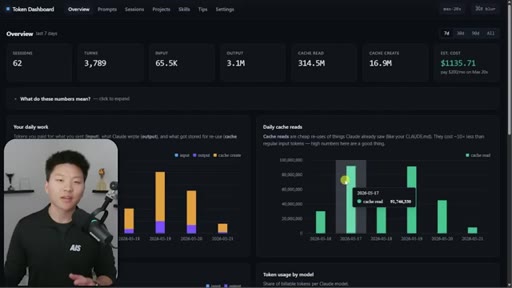
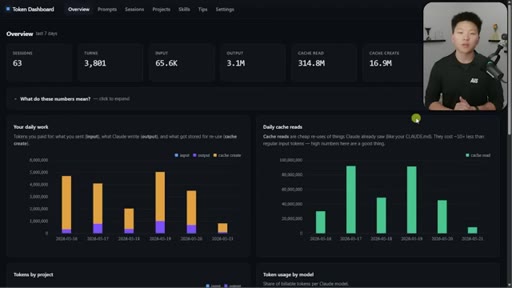
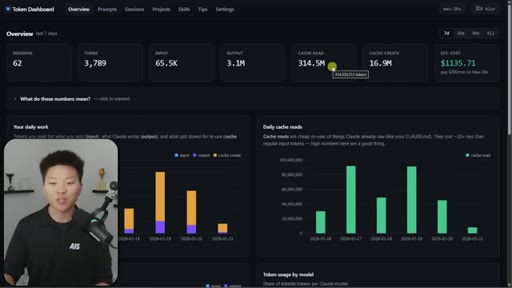
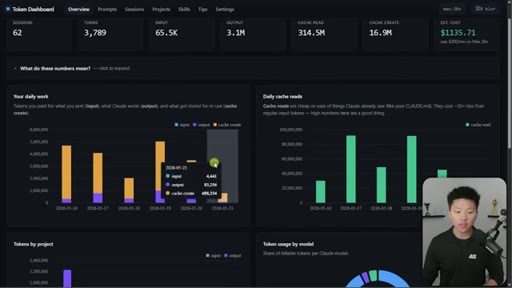
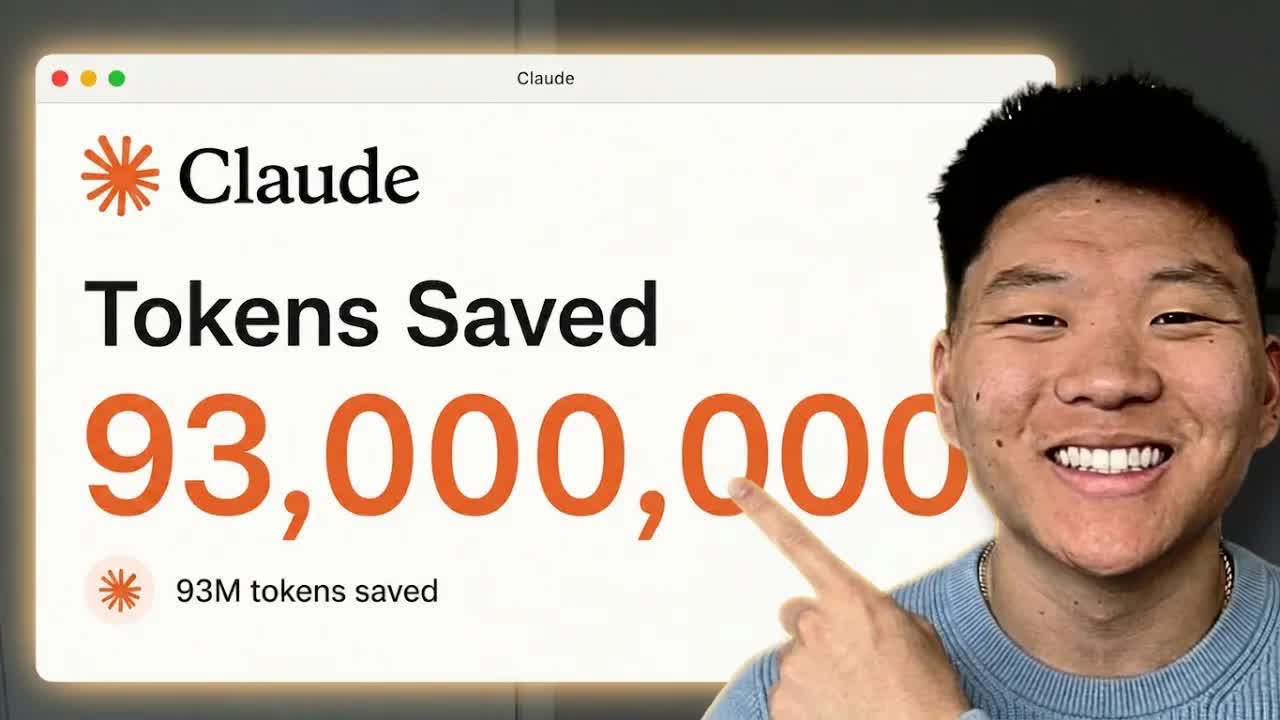
Nate Herk opens on a live token dashboard: 91 million tokens saved in a single day, 300 million in a week, all from prompt caching running silently in the background. The pitch is disarmingly simple: you do not have to change anything, but you do need to know the two or three things that can quietly blow it all up.

§ · Stated Promise

What the video promised.

stated at 00:18 "Im gonna make it as simple as possible and only really tell you what you need to know in order to make sure that you are saving your session limits and saving tokens." delivered at 06:12
§ · Chapters

Where the time goes.

00:00 – 01:25

01 · What caching actually costs

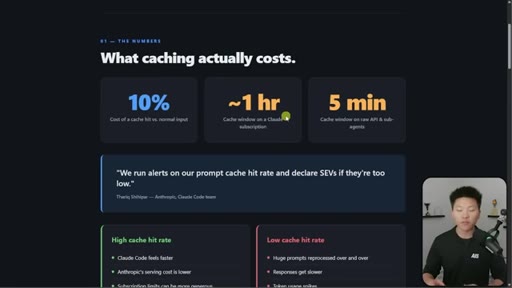
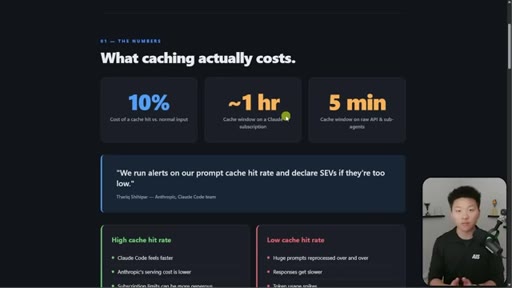
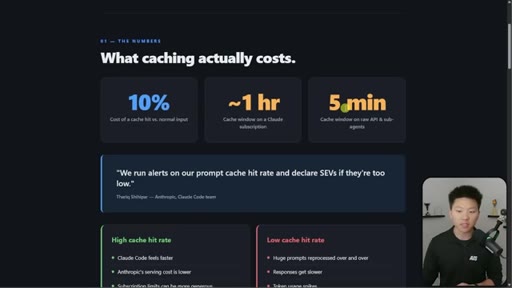
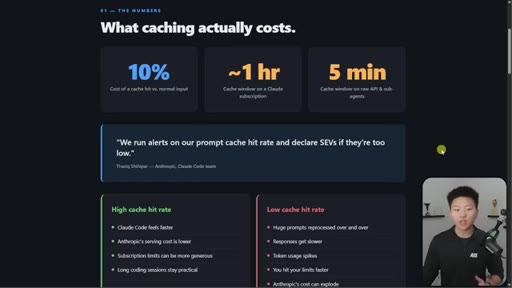
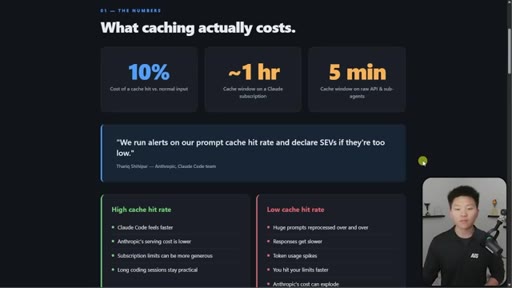
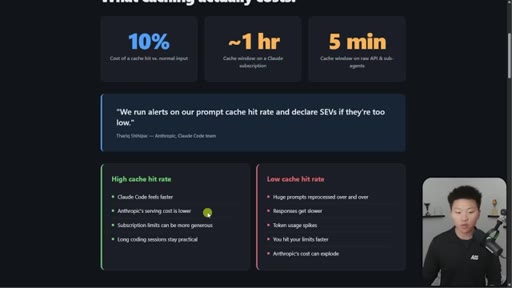
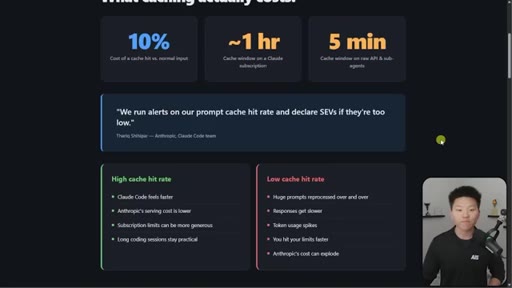
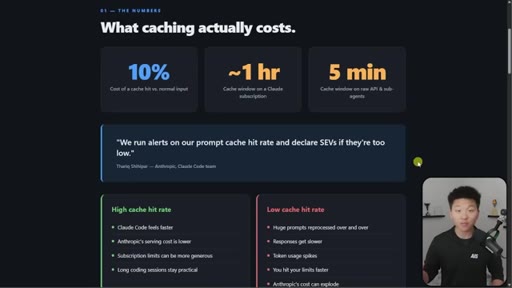
Hook on real dashboard numbers. 10% cost for cached tokens. 1hr TTL on subscription, 5min on API/sub-agents. Thoric/Anthropic quote on cache hit rate monitoring.
01:25 – 02:47

02 · How the cache grows per turn

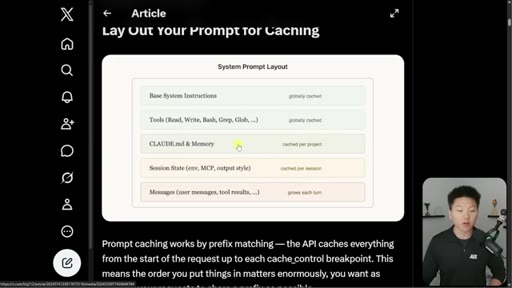
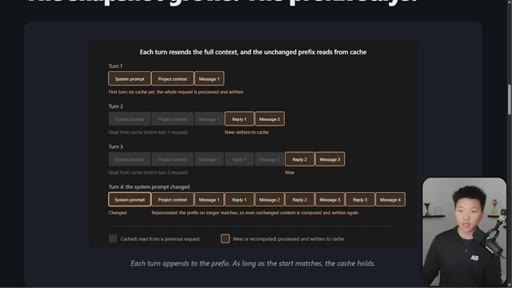
System layer globally cached, Project layer per-project, Conversation layer grows every turn. Prefix-matching via Thoric diagram.
02:47 – 04:32

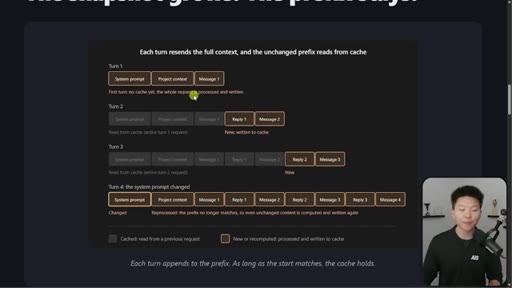
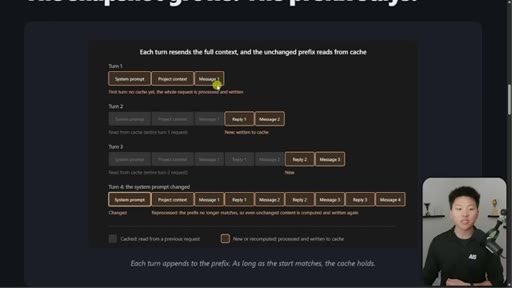
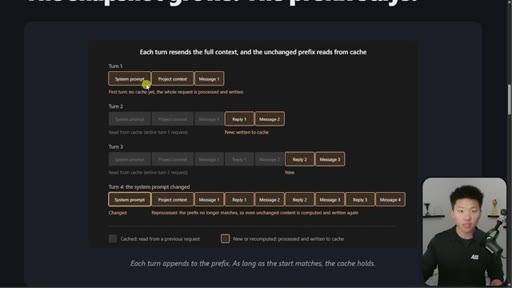
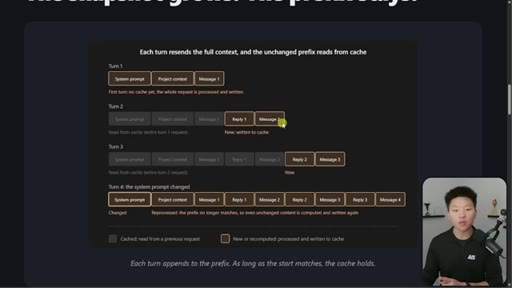
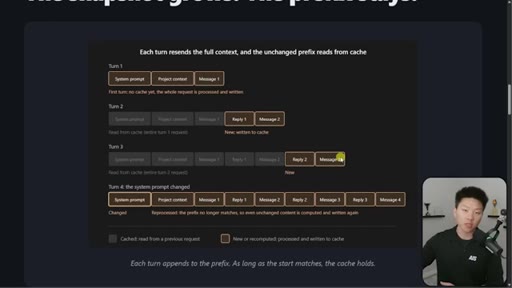
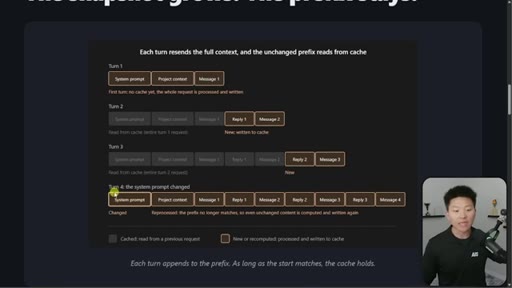
03 · The 4-turn visual example

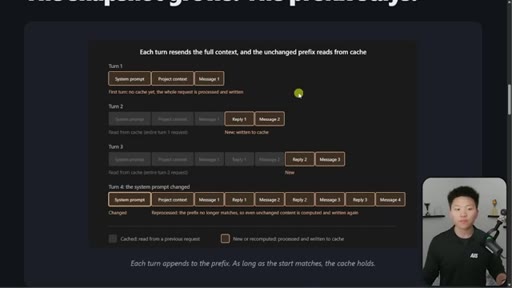
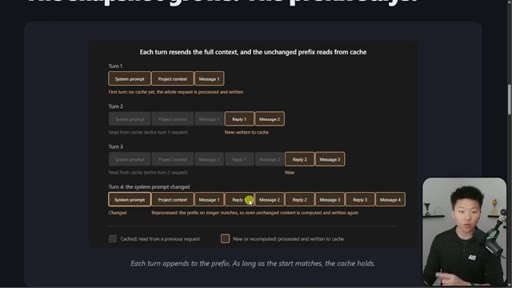
Four-turn diagram showing what is cached vs processed fresh each turn. Danger: changing system prompt at message 16+ means full recache.
04:32 – 05:05

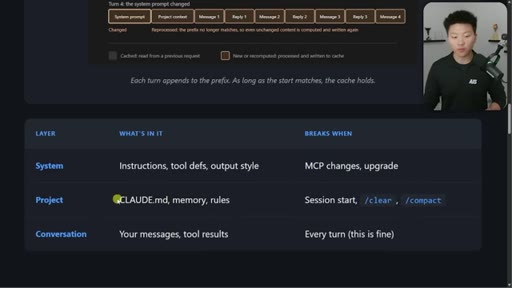
04 · Three layers and what breaks each

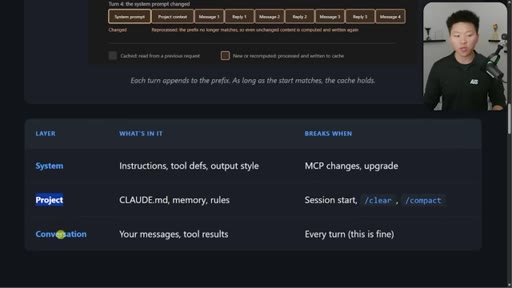
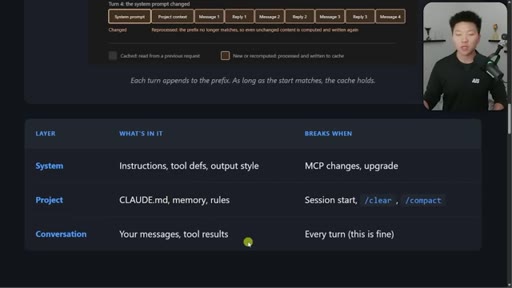
System / Project / Conversation table with exact events that bust each layer.
05:05 – 06:12

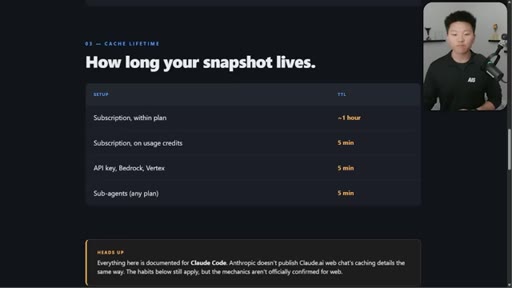
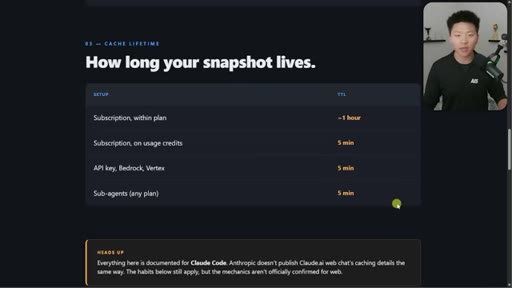
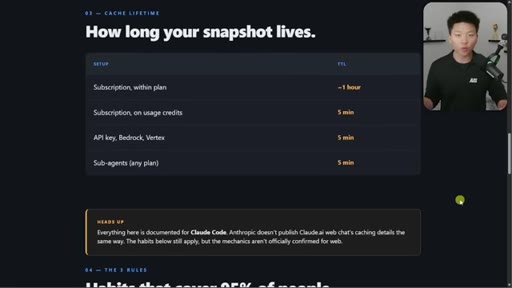
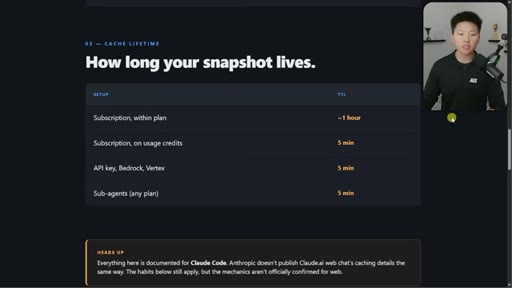
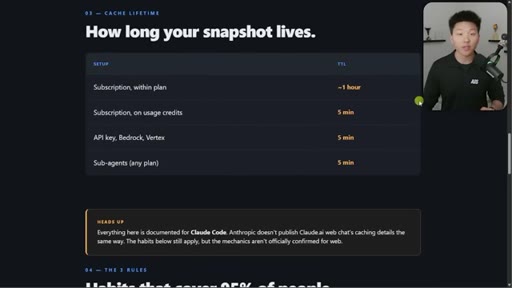
05 · Cache lifetime TTL table

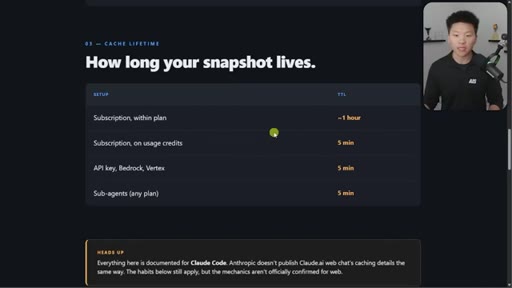
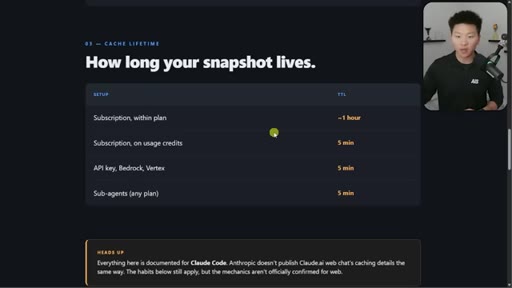
Subscription within plan ~1hr. On usage credits: 5min. API key: 5min. Sub-agents: 5min. Addresses April Reddit panic.
06:12 – 07:34

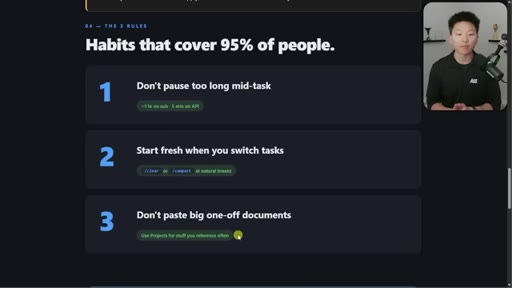
06 · Three habits that cover 95%

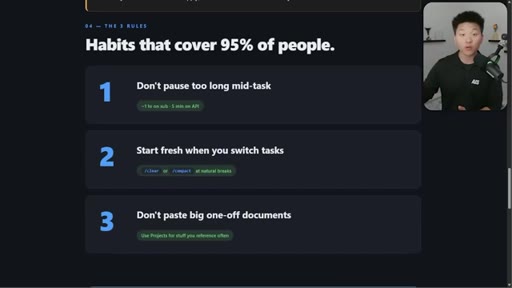
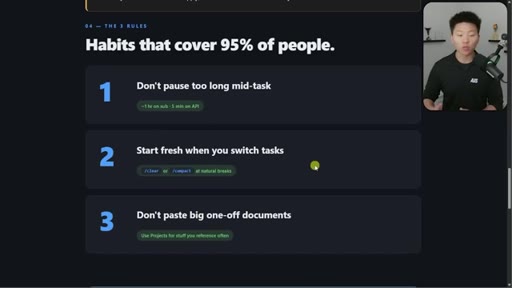
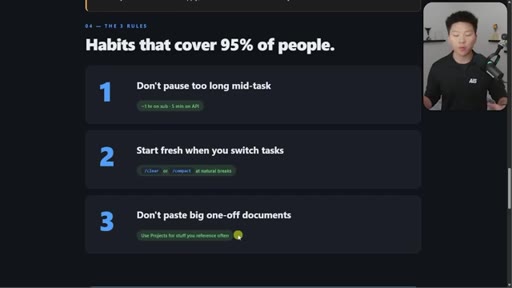
1. Do not pause too long. 2. Start fresh when you switch. 3. Do not paste big one-off docs. Demo of session-handoff skill.
07:34 – 09:01

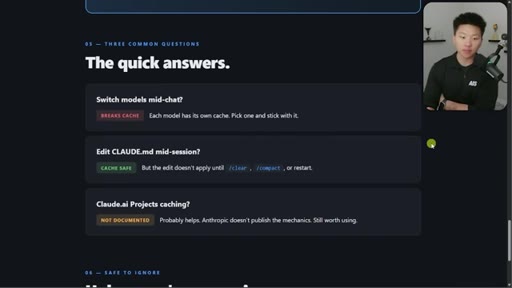
07 · What else breaks the cache

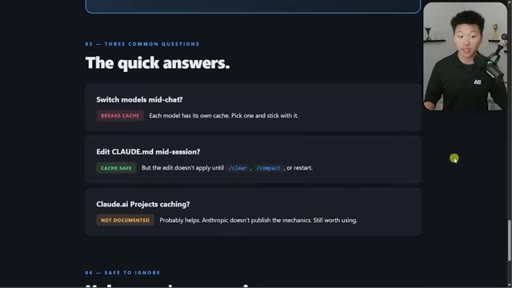
Model switching = full recache. Opus plan mode = cache-breaking on every plan/execute toggle. Editing CLAUDE.md mid-session is safe.
09:01 – 10:43

08 · Token dashboard and CTA

Free GitHub repo in School community. Tracks sessions/turns/tokens/cache reads/cost. Local device only. Setup via one Claude Code command.

§ · Storyboard

Visual structure at a glance.

dashboard hook
title slide
cost numbers
system prompt layout
4-turn diagram
three-layer table
TTL table
3 habits
keep it alive
quick answers panel
dashboard demo
outro
§ · Frameworks

Named ideas worth stealing.

02:47 model

Three-Layer Cache Model

  1. System (globally cached)
  2. Project (cached per project)
  3. Conversation (grows each turn)

Every Claude Code session has three stacked layers with different caching rules.

Steal for Any explainer about why Claude sessions feel expensive
06:12 list

Three Habits That Cover 95% of People

  1. Do not pause too long mid-task
  2. Start fresh when you switch tasks
  3. Do not paste big one-off documents

Opinionated 80/20 reduction of all caching complexity into three daily behaviors.

Steal for Any tutorial covering a complex system
05:05 list

TTL Table by Setup

  1. Subscription within plan: ~1 hour
  2. Subscription on usage credits: 5 min
  3. API key / Bedrock / Vertex: 5 min
  4. Sub-agents any plan: 5 min

Definitive reference for how long a cache snapshot lives across different Claude access modes.

Steal for Quick-reference slides or posts about Claude subscription vs API differences
§ · Quotables

Lines you could clip.

01:13
"We run alerts on our prompt cache hit rate and declare SEVs if theyre too low."
Anthropic-sourced authority, highest clippability → TikTok hook
07:58
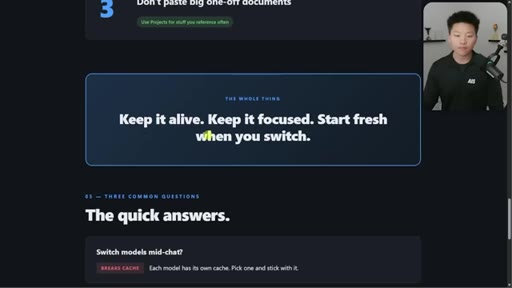
"Keep it alive. Keep it focused. Start fresh when you switch."
Three-word triptych, zero jargon → newsletter pull-quote
08:28
"If you switch the model, you are recaching everything."
Counterintuitive gotcha, actionable → IG reel cold open
§ · Pacing

How they spent the runtime.

Hook length25s
Info densityhigh
Filler5%
§ · Resources Mentioned

Things they pointed at.

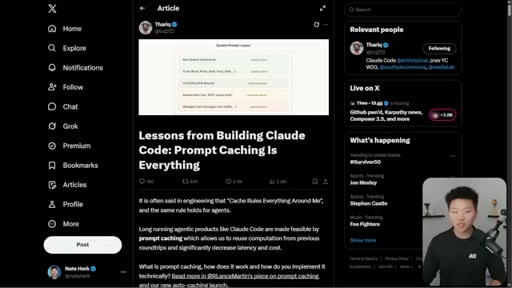
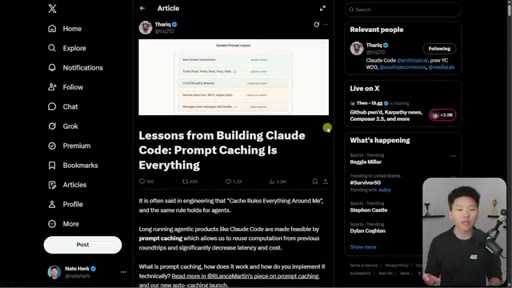
01:13linkThoric X article: Lessons from Building Claude Code Prompt Caching Is Everything
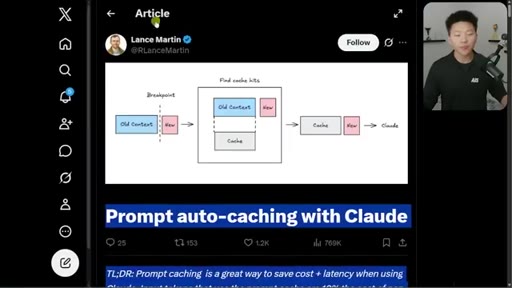
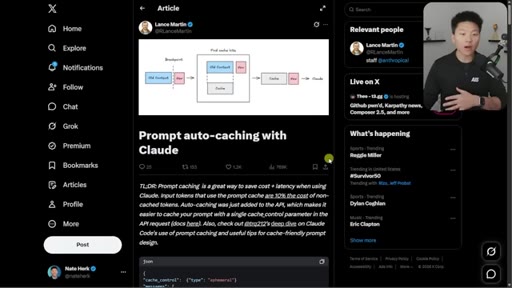
10:19linkLance Martin X post: Prompt auto-caching with Claude
§ · CTA Breakdown

How they asked for the click.

09:32 link
"You will go to my free School community. The link is in the description. Click on classroom, click on all YouTube resources."

Soft community CTA driven by giveaway perceived value. Two free tools bundled makes it feel like a package, not a pitch.

§ 04 · The Script

Word for word.

HOOK opening / re-engagementCTA the pitch metaphor analogy
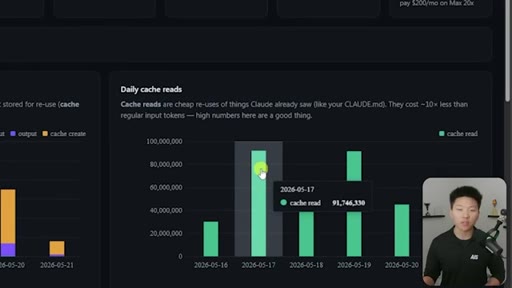
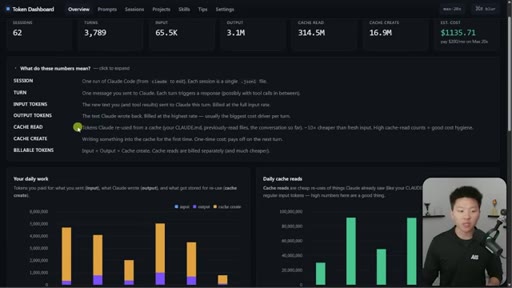
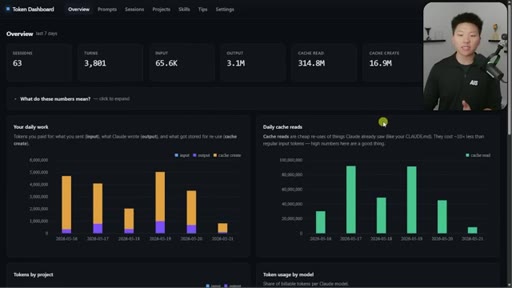
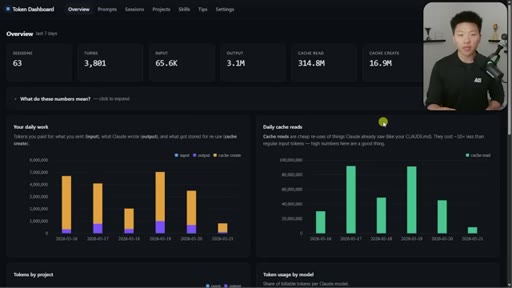
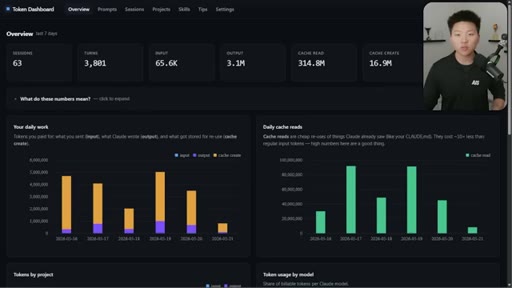
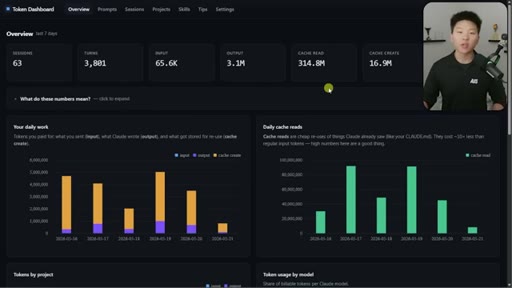
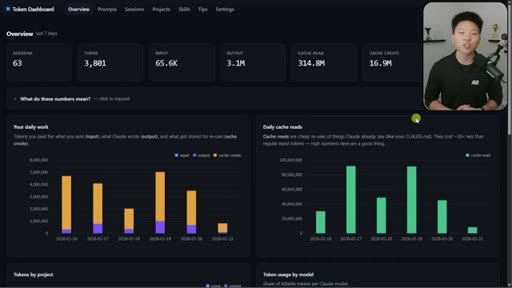
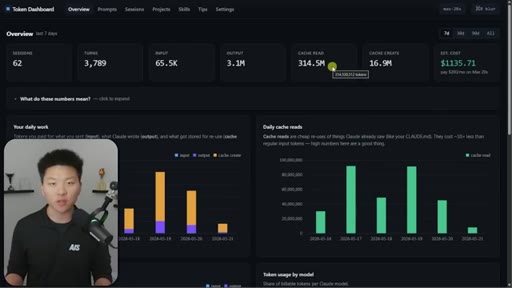
00:00HOOKSo look at this. On this day, I saved 91,000,000 tokens because of cache read, and in the past week, I've saved over 300,000,000 tokens because of it. Now don't freak out.
00:07HOOKThis isn't anything that you have to go change. This is happening automatically if you are using Claude code or Claude. I And know that the concept of prompt caching might seem a little bit overwhelming, but today, I'm gonna make it as simple as possible and only really tell you what you need to know in order to make sure that you are saving your session limits and saving tokens.
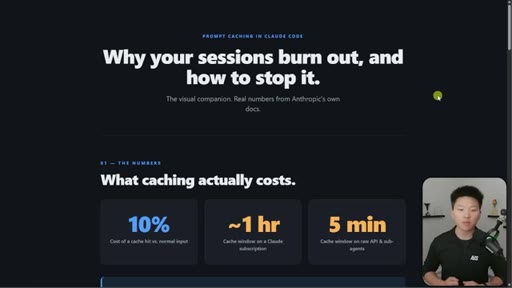
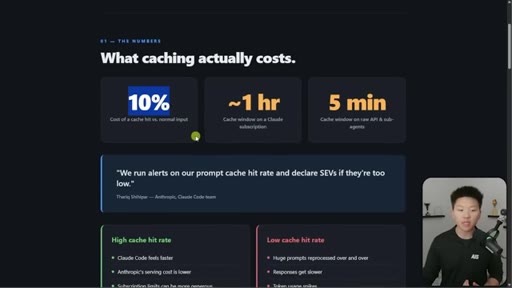
00:22HOOKI'll also give you guys this entire token dashboard for free so you can actually start tracking your tokens a little bit Anyway, so let's talk about prompt caching, why your sessions burn out, and how to stop it. So what does caching actually cost you? Well, cached tokens only cost you 10% of normal input.
00:37So all the tokens that are getting cached are saving you a ton of money. So if we go back to this example, on this day when I had 91,000,000 tokens cached,
00:45that costed me only as if I was processing about 9,000,000 of those tokens. The cache window on a cloud subscription is an hour. Meaning, if you're working with cloud code and you don't touch it for an hour and then you send another message, everything in that session gets uncached.
00:59So if you leave a session sitting for an hour or longer, then you're gonna pay more for it. And if you're using Cloud via API or sub agents, then the TTL or the time to live is only five minutes.
01:08You can change that, but it's just a little bit more expensive. You could bump it up to an hour if you want. But for Claude code inside of your terminal or your extension, whatever it is, that's an hour.
01:15And now here's a quote from Thoric from Anthropic. He said that we actually run alerts on our prompt cash hit rate and declare SUVs if they're too low. So, basically, them saying we take this stuff really, really seriously.
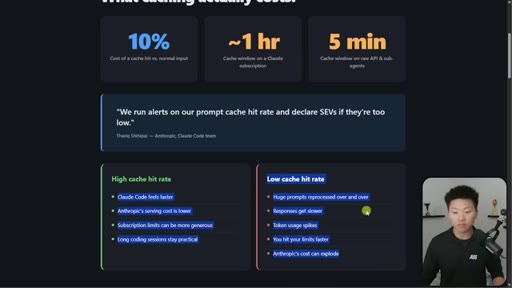
01:25And if we see that the hit rate isn't very high for users' Cloud Code caching, then we do something about it immediately. And that's very nice of them, but also, of course, it benefits themselves because with a high cache hit rate, Cloud Code feels faster, their serving cost is lower, subscription limits feel more generous, you know, because you're using less, and long coding sessions stay practical.
01:46And then if you have low cache hit rate, this is what happens. And, obviously, it's just a lose lose for everybody. And that's why I said, like, prompt caching can get very, very complex.
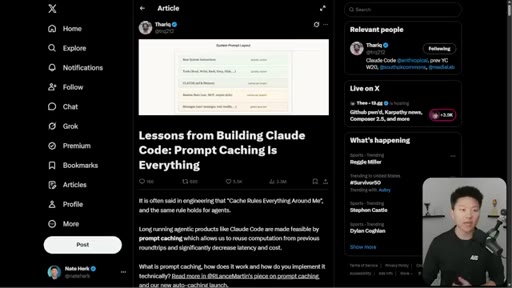
01:56And if you wanna check out more, then I'll link this article right here, which Thorik really goes into some depth here. But if you read this, at least when I did, was like, okay. This is a little bit overwhelming.
02:04I have a feeling I don't actually need to know all of this, but I do need to know at least a little bit, at least, you know, the eighty twenty of prompt caching so that I can get the most out of my session limits, and that's what I'm gonna break down today. So let's take a look at an example of how this actually grows. So by default,
02:20when you shoot off a message to Claude, there's going to be some information that needs to be cached right away. And, actually, let me just switch back to one of Thoric's graphics real quick. You can see here that we have the base system instructions get globally cached.
02:32We have tools like read, write, bash, grab, glob globally cached. We have per memory or sorry, per project things like Cloud. M d and memory, and that gets cached per project.
02:40We've got session state, and then we have user messages which grow each turn. So now that we take this into
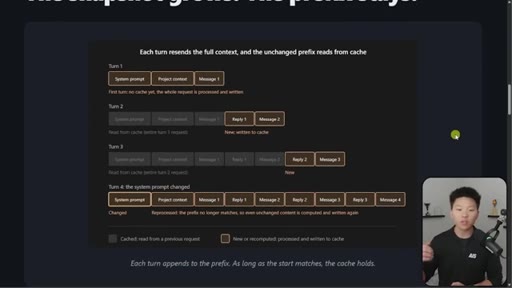
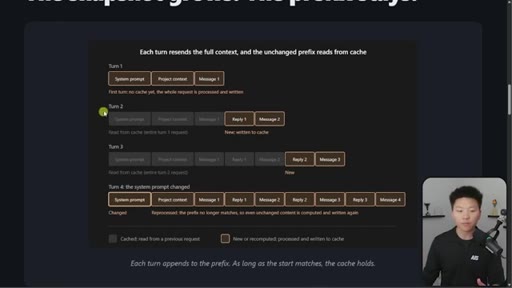
02:47context, when we flip back over here, this is what it looks like. This is an example where we have four turns. So on turn one, there's no cache.
02:54Basically, we're matching on a prefix. So don't really have to worry about what that means, but I might mention that later. So, anyways, on turn one, there's nothing.
03:02Right? We're opening up a fresh session. We load in the system prompt, the project context,
03:06and we shoot off our first message. And all of this is kind of in this, like, brown highlight border, which means that this is new, and it has to be fully processed, and it's being written to the cache here.
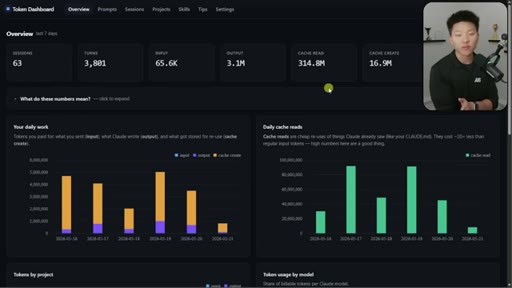
03:17So before I continue down this graphic, in this dashboard, you can see that we have the difference between cache create and cache read. So on these days, you can see what are my input tokens, my output tokens, and my cache create. And And then over here, you can see my daily cache reads.
03:31And just a quick explanation, a cache create is writing something into cache for the first time. It's a onetime cost, and it pays off the next turn, unless, of course, everything gets uncached.
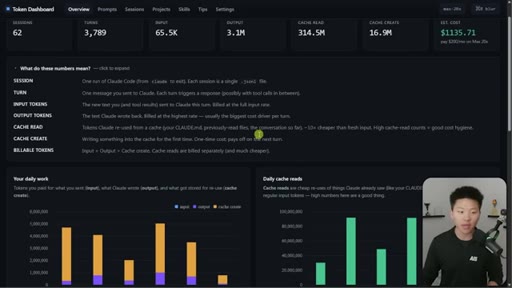
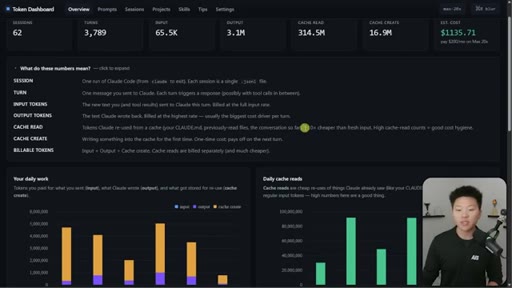
03:41And the cache read is tokens that Claude reused from a cache, like your claude.m d or some of the files or some of the global system instructions. And these are the things that are 10 times cheaper than fresh input. So anyways, on turn two,
03:54given that we're within that one hour TTL window, everything here is already in context, so it's cached. And then all that Claude actually has to process for the first time is reply one and message two, and it caches that.
04:06So then down here in turn three, all of that's cached, and we are bumping up a reply and a message, and those are the things that only get processed each time. But if we waited an hour and then we sent another message, or if we change the system prompt, then everything from the very beginning has to get fully recached. So imagine if you were on message, like, you know, 16 and you're way, way, way over here on the right and you change the system prompt or you wait an hour,
04:30then everything getting recached is going to be a pretty expensive move that you just made. So, anyways, once again, we have the system layer, the project layer, and the conversation layer.
04:38The system layer has instructions, tool definitions, output style, and here's where it might break. The project level or the project layer has Cloud. M d memory and rules, and then here's when that might break.
04:49And then we have, of course, the conversation, which is just like the replies and the messages, which gets recached every time, but that's how it should be. So here's where there's been some confusion among the community. So how long does the cache snapshot live, which is kind of called the TTL, the time to live?
05:06So on your Cloud subscription, you have an hour by default because it uses your subscription. But if you go over that weekly limit and you are now playing in your extra usage territory where you are paying per token API,
05:18then by default, that will be five minutes, which is very dangerous if you're managing multiple sessions and you're constantly recaching everything because five minutes is passing. You gotta be careful about that. And people were kinda suspicious.
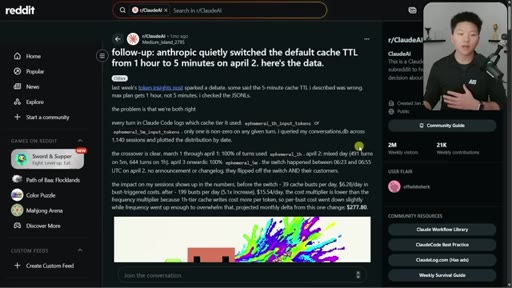
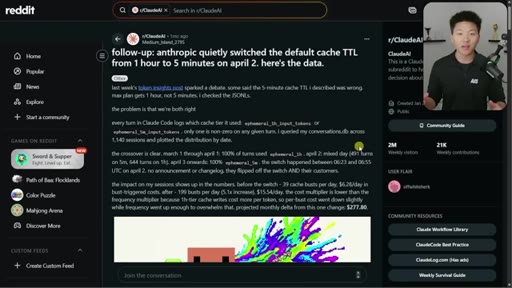
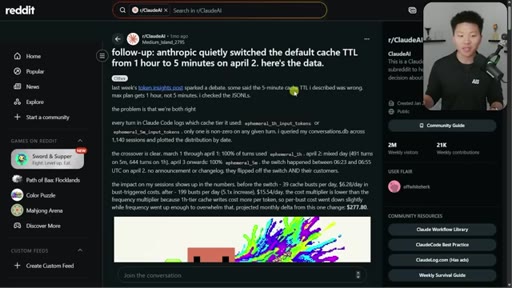
05:29I don't know if you remember, like, a month or so ago when everyone was complaining about their clawed subscriptions, how quick they were eating it up. People thought maybe that they switched the cache TTL
05:38from an hour to five minutes without, like, saying anything to anybody. It turns out they didn't. So it is an hour, but that's just like you know, there was a lot of confusion around that.
05:47And I get why because, honestly, it's not super clear. Like, if you're on an API, you have five minutes by default, but you can increase the cost and you can do an hour, and then your sub agents on any plan are gonna be five minutes. And for some reason, all of this is documented about Cloud Code and the API, which are two very different things.
06:03But the cloud.ai, like, the web, we don't know exactly how that works. At least, I haven't found documentation on that exact.
06:10HOOKI'm assuming it's the same as your subscription, but I don't know a 100% for for fact. Anyways, three habits that cover 95% of people.
06:18HOOKDon't pause too long. So if you've gone over an hour on a session, just hand it off to a new session.
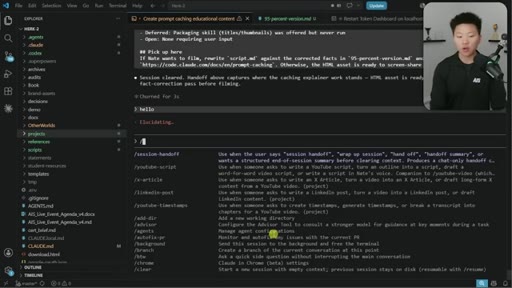
06:25HOOKObviously, start fresh when you switch tasks. So do a slash compact, which will break the cache, or do a slash clear. Or you can also use my session handoff skill, which I will include as well for free.
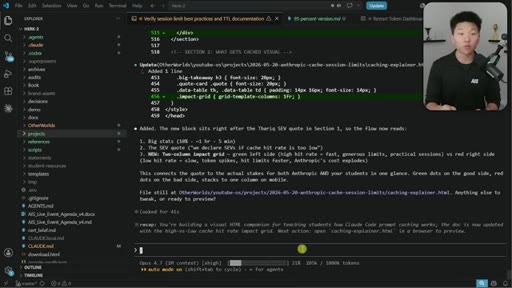
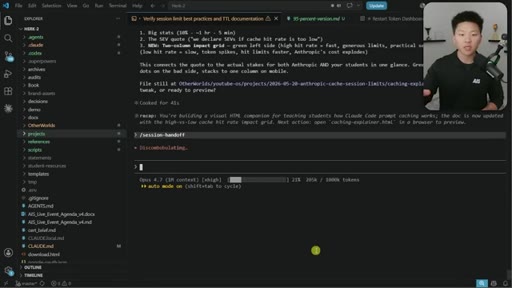
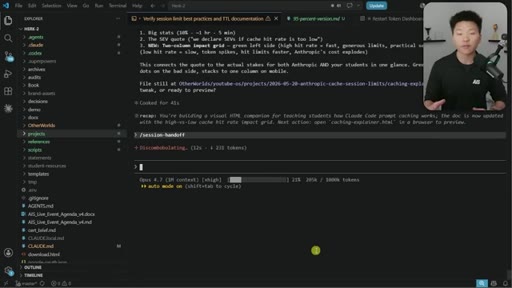
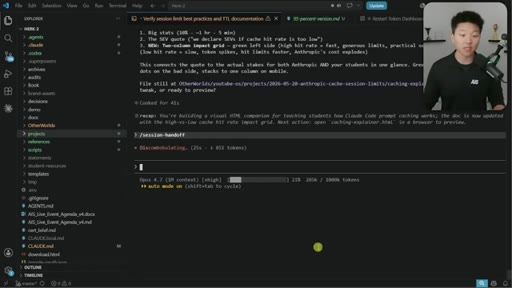
06:35So both the token dashboard GitHub repo and the skill will be in my free school community. The link for that's down in the description. But, basically, what that means is let's say right here, I've got this project which helps me build this HTML file you guys are looking at.
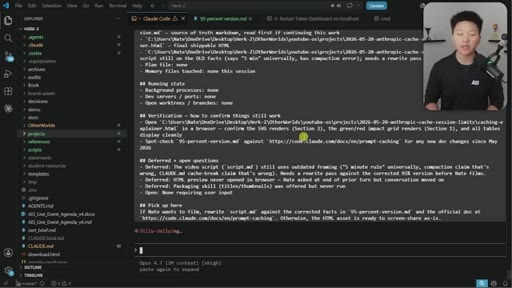
06:46It's got 205,000 tokens in here. And if I come in here and just do a session handoff, this basically summarizes everything we've done, all the important files that we've built, all of the open decisions, exactly where to pick back up.
06:56And then I basically am able to just copy that summary, do a slash clear, and then keep going. And it feels like I haven't actually lost anything.
07:03So that has been basically my replacement for doing slash compact. I've just enjoyed doing this better. And sometimes the compact takes a long time.
07:10This typically doesn't take anywhere over a minute. There you go. So that is my session handoff.
07:14I do a slash copy, and then I just go ahead and clear that, paste it in, hit enter, and now I'm basically right back where I was. And then this last one is for if you're using Claude Chat specifically. If you're gonna be pasting big documents in there, you're probably better off doing a project because like I said, I don't know exactly how the caching works in Cloud Chat,
07:31but we do have some confidence in saying that projects, those files are cached a little bit differently and probably more optimized for storing a bunch of documents compared to just dropping them into your Claude chat. So keep it alive, keep it focused, and start fresh when you switch.
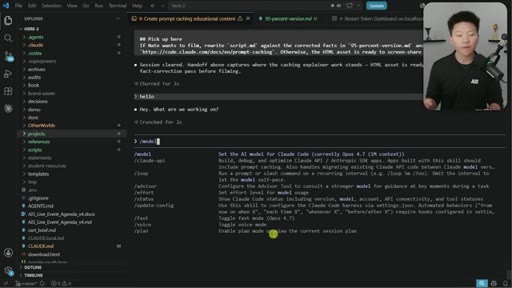
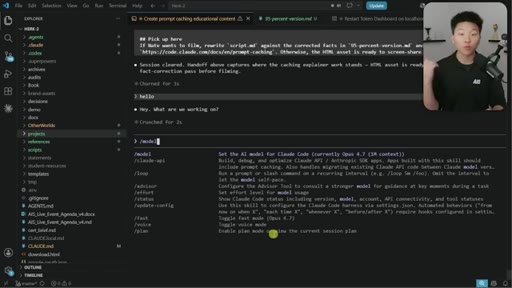
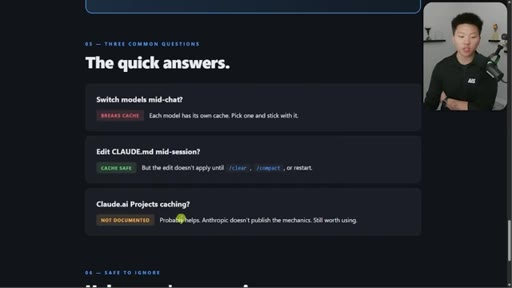
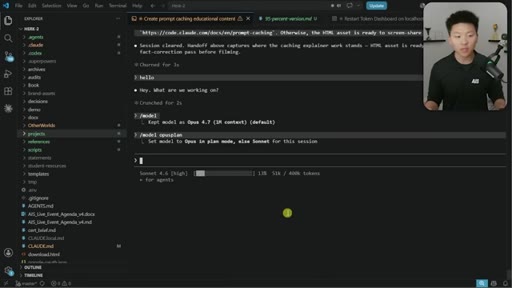
07:45Now there's a few other things that were a little bit confusing to me as far as, like, what breaks the cache. So the first one is if you switch the model. So, you know, if you're in here and you're talking to Claude, hello, hello, hello, and then you go in here and you do a slash model and you actually switch the model, that's going to recache everything.
08:02Because if you remember earlier, said it's prefix matching, which I'm not gonna dive into right now. But if you switch the model, then you are switching essentially the prefix, and it can't match on that same cache. So if you switch the model,
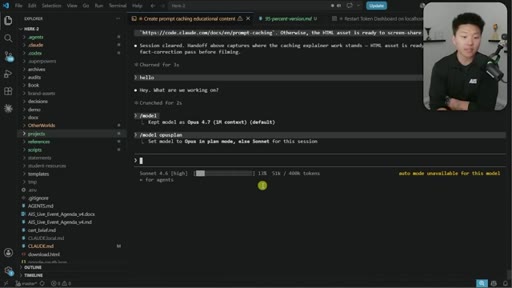
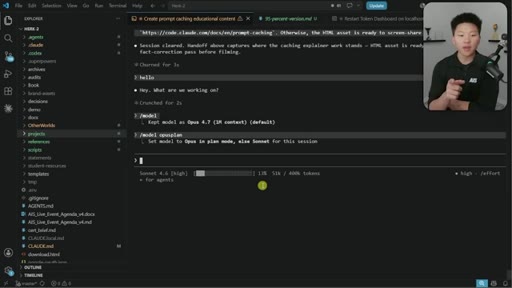
08:13you are recaching everything. Now I do wanna apologize for something here because if you do model opus plan, which is something I've shown before in, like, token hacks videos,
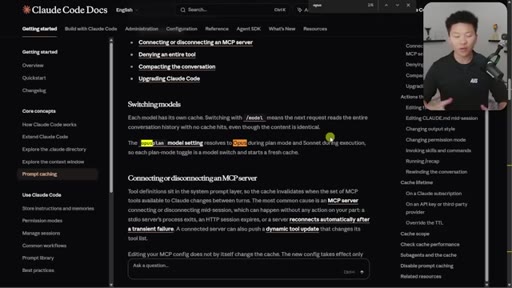
08:23this basically means it uses opus for plan mode and then it switches to sonnet for the execution. But if you do that, just keep in mind, that's actually gonna break the cache because you're switching model halfway through.
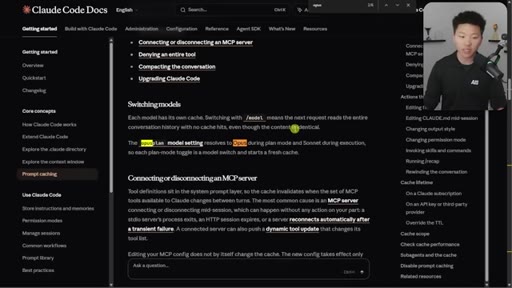
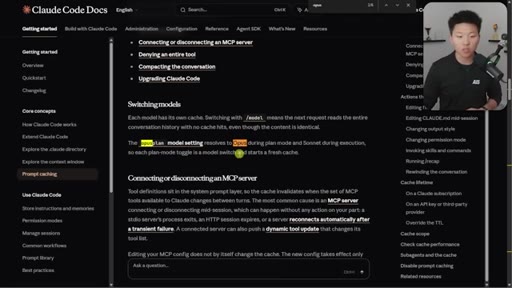
08:33So right here, you can see each model has its own cache. Switching with model means the next request reads the entire conversation history with no cache hits. Even though the context is identical.
08:42The Opus plan model setting resolves to Opus during plan mode and Sonnet during execution, so each plan toggle is a model switch and starts a fresh cache. So it's very interesting because typically the point of that is to save your session limit, and I think ultimately in long run it does, But it is important to understand that doing that does reset the cache.
08:59CTANow what you can do is you can edit your cloud.md, and you can do that mid session because the edit actually doesn't apply until you restart that session, so the cache stays safe. And then, of course, the cloud.ai projects caching.
09:11CTAIt's not exactly documented, but pretty confident that it does help to drop docs in projects rather than in the chat. But, anyways, this token dashboard, like I said, is very helpful to just be able to understand, get a little bit more visibility into your tokens. This does track your tokens on a local device.
09:27CTASo if you switch over to a laptop, then your dashboard is gonna look different than on your main, like, PC or whatever you use. But it's very, very simple. It is a GitHub repo.
09:35CTAYou will go to my free school community. The link is in the description. You'll click on classroom.
09:38CTAYou'll click on all YouTube resources, and then you'll be able to find it right in there. And once you get that GitHub repo, all you have to do is give the link to Claude code and say, hey. This is a token dashboard.
09:47CTASet this up on a local host. Boom. You've got it open.
09:50CTAAnd it will pull in all of your past sessions. So it's not like you're gonna start fresh as soon as you, you know, link in this repo.
09:57CTAIt will read your past files, it will pull in your tokens. And then, of course, I will also include that session handoff skill that I just mentioned to you guys. So I know this one was super quick.
10:05CTAHopefully, this one was helpful, though. It's just important. Like I said, when I hear about stuff like this, I love to understand it to the point where I know how to use it and I know what's going on under the hood.
10:15CTABut truthfully, if I looked at some of these other articles, like how in-depth they go and how much nuance there is, most of the stuff right now, I just don't need to know because I'm not using the the API in this way super heavily. So the reason I wanted to throw that out there is because it's important to stay updated and follow things, but just understand what do you really need to know at its core.
10:34CTASo if you guys enjoyed the video or you learned something new, please give a like. Helps me out a ton. And as always, I appreciate you guys making it to the end of the video, and I'll see you on the next one.
10:41CTAThanks, guys.
— full transcript
§ 05 · For Joe

Teach one system, give away two tools.

Format steal

Open on a real number that makes people eyes pop, frame the complexity as the 20% you actually need, then hand over two free tools that live in your community.

  • Lead with your own dashboard showing real savings, not theory.
  • Use the 80/20 framing explicitly: tell viewers you are skipping the parts they do not need.
  • Give away two things not one: dashboard plus skill makes the CTA feel like a bundle.
  • Build your explainer slides in the very tool you are teaching and say so on screen.
  • End with a one-sentence mantra they can screenshot.
  • The apology move (I taught this before and I was wrong) builds massive trust.
§ 05 · For You

Three things you can do today to stop burning Claude tokens.

For Claude users

You are probably losing a significant chunk of your Claude subscription every week to preventable cache misses, and the fix takes about five minutes to learn.

  • If you step away from Claude Code for more than an hour, start a new session when you return.
  • When you finish one project and start something different, type /clear before beginning.
  • If you paste the same long document into Claude Chat repeatedly, create a Claude Project and put the doc there instead.
  • Do not switch between Claude models mid-session: pick Sonnet or Opus and stay with it.
  • Editing your CLAUDE.md file mid-session is safe and will not break your cache until you restart.
§ 06 · Frame Gallery

Visual moments.