Dan Martell · Youtube · 15:12

Learn 97% of Claude in Under 16 Minutes

A 15-minute product walkthrough that turns Claude subscribers into power users — 16 hacks, one per minute, zero filler.

Posted
May 21st 2026
today
Duration
15:12
Format
Listicle
hype
Channel
DM
Dan Martell
§ 01 · The Hook

The bait, then the rug-pull.

Dan Martell opens with the Ferrari metaphor. You bought a supercar and you are doing school-zone speeds. Sixteen hacks follow, each one a gear shift. By the end, the car is moving.

§ · Stated Promise

What the video promised.

stated at 00:10 "I will walk you through 16 Claude hacks that will save you hours of time, grow your business, and boost your productivity." delivered at 13:24
§ · Chapters

Where the time goes.

00:00 – 00:28

01 · Hook and promise

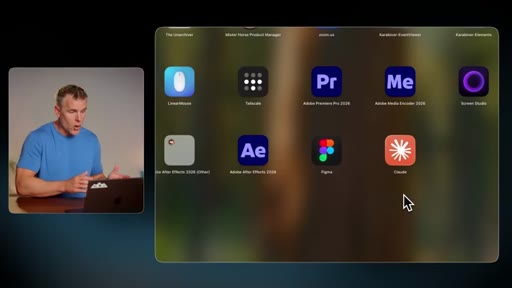
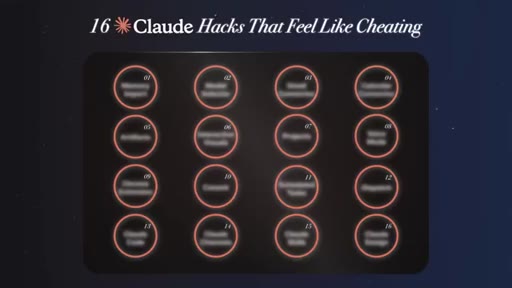
Ferrari metaphor, 16-hack circle preview grid, qualifies himself as daily Claude and AI product builder
00:28 – 01:08

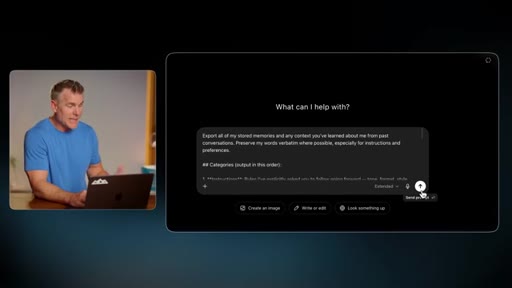
02 · Hack 1: Memory Import

Migrate ChatGPT preferences and history into Claude via prompt export and import in under 2 minutes
01:08 – 01:45

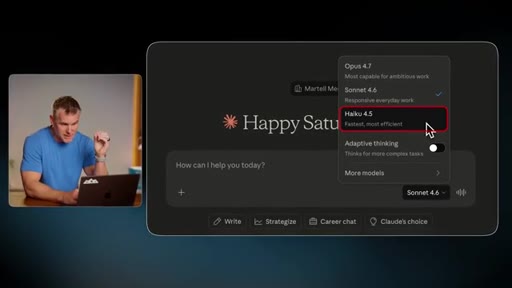
03 · Hack 2: Model Selector

Haiku for bulk data, Sonnet for everyday tasks, Opus for patterns and metrics

01:45 – 02:47

04 · Hack 3: Gmail Connector

Connect inbox, let Claude draft replies and search. Power move: share Claude account with EA so she self-serves from inbox

02:47 – 04:00

05 · Hack 4: Calendar Connector

Schedule time blocks in natural language. Advanced: give it quarterly goals and audit whether calendar matches priorities

04:00 – 05:08

06 · Hack 5: Artifacts

Build interactive mini-apps inside the chat, editable spreadsheets and tools, no developer needed
04:48 – 05:26

07 · Hack 6: Interactive Visuals

Clickable live visuals inside chat. Demos his own HEIT framework as a visual built in seconds from Slack context
05:26 – 07:07

08 · Hack 7: Projects

Context-loaded folders with team sharing, Google Drive integration, system prompts. Mines coaching call transcripts for content ideas
07:07 – 07:47

09 · Hack 8: Voice Mode

3x faster than typing, transcribes full conversation, works while driving

07:47 – 08:39

10 · Hack 9: Chrome Extension

Claude takes over the browser, scrapes data, clicks buttons, surfaces patterns automagically

08:39 – 09:14

11 · Hack 10: Co Work

Claude takes over the computer and executes multi-step tasks while you step away

08:40 – 09:14

12 · Hack 11: Scheduled Tasks

/schedule in co work runs morning briefing, inbox triage, and recurring tasks at a set time daily

09:14 – 10:01

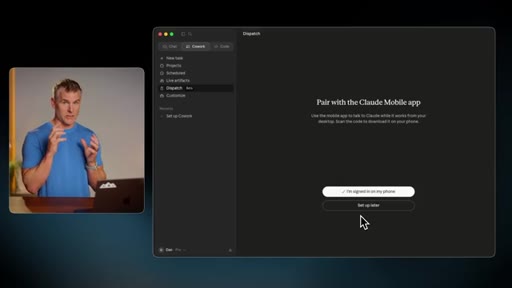
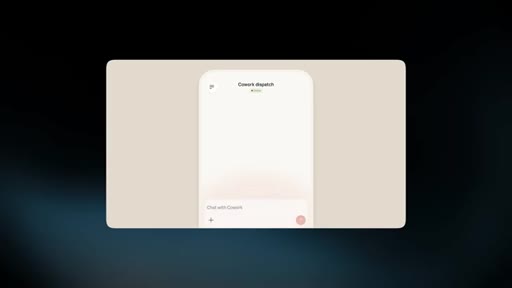
13 · Hack 12: Dispatch

QR code pairs Claude Desktop to iPhone. Trigger co work automations remotely from anywhere.

10:01 – 11:58

14 · Hack 13: Claude Code

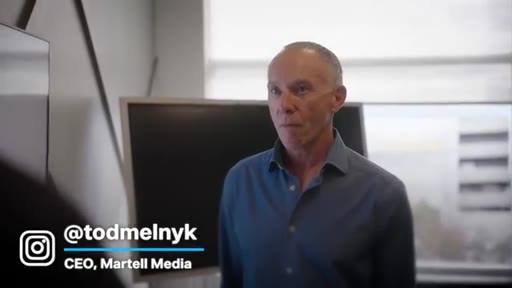
Plain-English AI developer. Dan shut down company for two days to train everyone. CEO Todd built CEO dashboard in 3 days without coding.

10:58 – 12:29

15 · Hack 14: Claude Channels

Connect iMessage, Telegram, or Discord to Claude Code so you can build from anywhere while computer runs

12:29 – 13:24

16 · Hack 15: Claude Skills

Repeatable task templates. Humanizer skill targets 20 AI writing patterns. Thousands shared on GitHub.

13:24 – 14:30

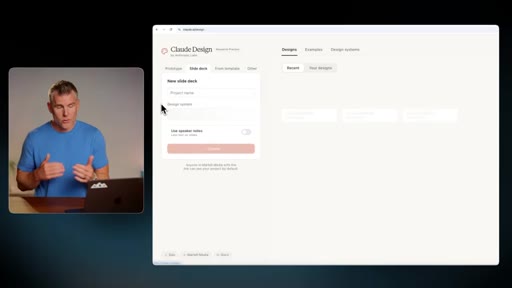
17 · Hack 16: Claude Design

claude.ai/design for pitch decks, landing pages, motion graphics, brand-matched. Adobe partnership incoming.
14:30 – 15:12

18 · Close and kicker

Permission to pick just one hack. Live Claude voice interaction as comedic outro.

§ · Storyboard

Visual structure at a glance.

hook Ferrari metaphor on screen
16-hack circle preview grid
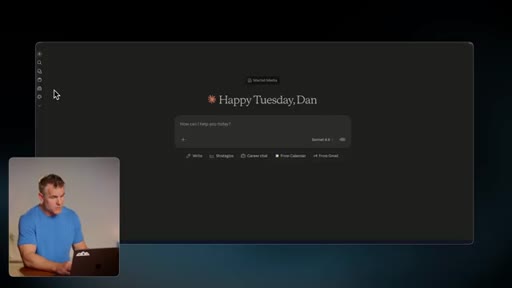
Model selector Claude UI demo
HEIT framework visual artifact
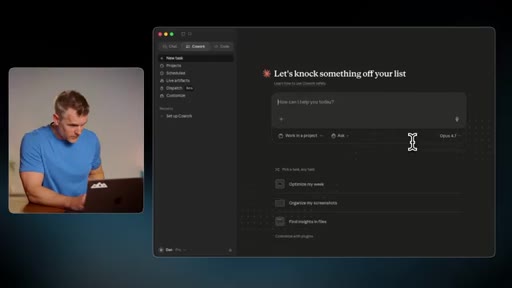
Co Work Claude desktop app
Claude Code circle title card
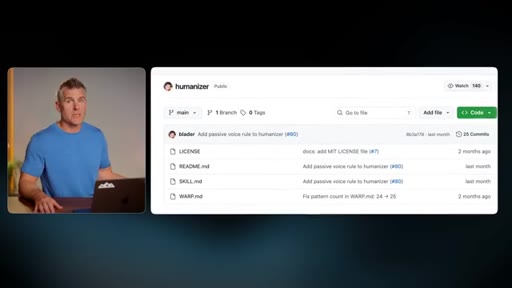
Humanizer skill on GitHub
Claude Design interface
Close next video recommendation card
§ · Frameworks

Named ideas worth stealing.

05:01 acronym

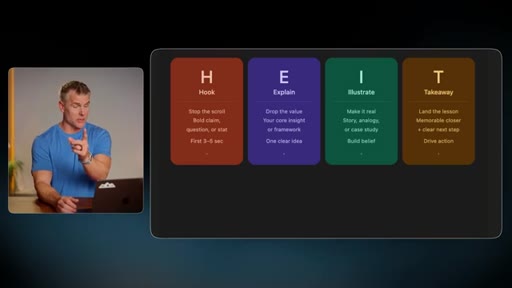
HEIT Framework

  1. Hook — stop scroll, bold claim, first 3-5 sec
  2. Explain — drop the value, one clear idea
  3. Illustrate — make it real, story/analogy/case study
  4. Takeaway — land the lesson, memorable closer and clear next step

Dan Martell short-form video structure, demonstrated live in the Interactive Visuals hack as a clickable Claude artifact

Steal for Any tutorial or listicle video structure
01:08 model

Model Tier Matching

  1. Haiku = bulk data, speed, cost
  2. Sonnet = everyday tasks, email, drafting
  3. Opus = patterns, metrics, complex thinking

Simple decision rule for which Claude model to use, explained via concrete use cases not spec sheets

Steal for Any AI tool explainer — map tiers to jobs-to-be-done
§ · Quotables

Lines you could clip.

00:00
"Most people open Claude and use it like a fancy Google search. That is like buying a Ferrari and only driving it 10 kilometers an hour."
Self-contained vivid metaphor, zero setup needed → TikTok hook
03:04
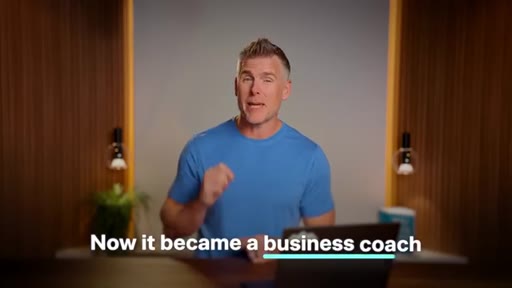
"Now it became a business coach."
Punchline — calendar plus goals use case lands in one sentence → IG reel punchline
10:01
"I shut down my whole company for two days and taught everybody how to be a Claude Code engineer."
Extreme social proof, pattern interrupt → TikTok hook
10:40
"AI is the only technology ever created that teaches you how to use it better."
Quotable standalone thesis, no context required → newsletter pull-quote
13:55
"This is the worst it is ever gonna be."
Classic forward-looking closer, applies to any AI capability → IG reel closer
§ · Pacing

How they spent the runtime.

Hook length28s
Info densityhigh
Filler5%
§ · Resources Mentioned

Things they pointed at.

§ · CTA Breakdown

How they asked for the click.

04:00 product
"Just DM me AI business on Instagram at Dan Martell and I will send it right over to you."

Single mid-video CTA at minute 4, no hard sell, no sponsor. Free lead magnet AI Company OS playbook. No end-screen product pitch — ends on permission framing and a live Claude voice interaction kicker.

§ 04 · The Script

Word for word.

HOOK opening / re-engagementCTA the pitch metaphor analogy story
00:00HOOKMost people open Claude and use it like a fancy Google search. That's like buying a Ferrari and only driving it 10 kilometers an hour. I build AI products every single day through my company Martell Ventures, I heavily use Claude in all my work.
00:14HOOKSo I'm gonna walk you through 16 Claude hacks that will save you hours of time, grow your business, very important, and boost your productivity in ways that will blow your freaking mind. Let's get into it. Number one, the memory import.
00:26HOOKSee, if you are still stuck on ChadGBT, so sorry to hear, now we gotta migrate you over, but you don't wanna lose your contacts. It'll bring all over everything, your preferences, your history, and it'll transfer it over like that.
00:38It's a simple way to import everything you've done in Chad GPT and bring it over to Claude in less than two minutes. We go to our settings, we go to capabilities, and then start import.
00:47Claude then gives you a prompt, and then you paste it into ChadGBT, then it gives you everything it knows about you. Gotcha.
00:54So you take the output and paste it back into the Claude box. You click add to memory and voila, tufini, you're done. Hack number two, model selector.
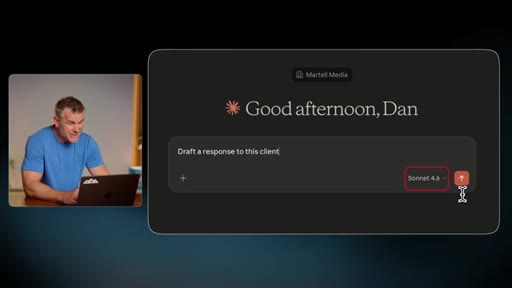
01:03Claude has three different power levels essentially and you gotta pick the right one for the right job. So you click the model selector at the bottom right and then you see we've got Haiku. This is your cheapest and fastest model.
01:14Then you've got sonnet, best for everyday tasks. You've got opus, that's best for complex tasks, or you can select this little adaptive thinking thing so it picks automatically depending on the task.
01:26So you don't have to think, but then you'll have as much control. I like to set my own control. So for example, if you're looking for patterns and metrics, Opus crushes.
01:33It thinks way harder. If you're drafting an email response, Sonnet, it's awesome. And my favorite part, it's faster and it can give you different options.
01:41If you're trying to summarize 50 meeting notes, it's just a bunch of data, Haiku, instant, done in seconds. Next, hack number three, the Gmail connector.
01:49Dan, is it secure? Your security at home is a bazillion times less security than the team at Clot. I just want you to know that.
01:57So stop asking me if it's secure and start using the tools to make yourself some money. You should just not be touching your inbox. You can literally do all your email through Clot.
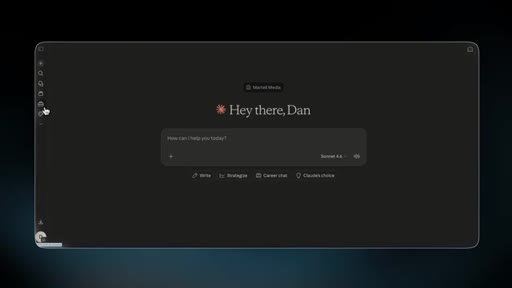
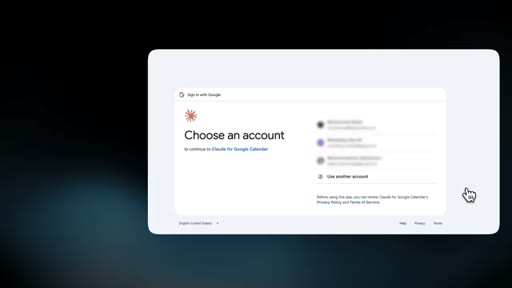
02:06But first, we gotta connect it. If you go to customize in the sidebar, connectors,
02:11then choose Gmail, then log into it. Super easy.
02:14Click, log in, it's added. I asked Claude to find stuff, summarize it, draft replies for me, and for what it's worth, Gmail inbox search sucks. So how about we get the AI to search for us?
02:27If you want a cheat code and you have an assistant, what I do is I have a Claude account that is for my assistant and I. I've connected to my inbox, and they can use that to search my inbox through our shared Claude account so that she can self serve on any questions she would normally ask me. She can find it in my inbox.
02:44Power move. Hack number four, calendar connector. Similar but different.
02:49Let me tell you why. Essentially, cloud connects your Google Calendar and it can do a lot of cool stuff. Yes.
02:54It can schedule things. It can help you with meetings. It can find your free time.
02:58But even more important, it can help you analyze your time. So same thing. We go to the same place on the sidebar, connectors, Google Calendar,
03:06log in. Now I can go into Clyde and add something like add one hour time block sometime before Friday for me to review our next YouTube outline. It then creates the time block and let me know why it picked that time.
03:16An advanced move is to give it your goals for the quarter, maybe for the year, and then say, analyze my calendar. Now analyze my email because you get that too, and see if I'm spending the right amount of time on the projects to achieve those goals. Now it became a business coach.
03:31CTAAnd these are only two connectors and there's connectors for Slack, Notion, GitHub, Google Drive, and a bunch of others. Now, before we move on, if you're an entrepreneur and you're trying to keep up on all of this AI chaos but you're maxed out on time, I totally get it. That's why I built my AI company OS playbook.
03:48CTAThe exact framework that I use to plug AI into every department within my business. If you want it, it's yours for free. Just DM me AI business on Instagram at Dan Martell and I'll send it right over to you.
03:58CTAHack number five, artifacts. Essentially So what it is is working apps right in the chat. It essentially creates
04:06CTAlike little mini apps within the chat that you can use and change things around and just kind of iterate. I get asked every day, hey Dan, I got this idea. I want hire a developer.
04:14How do I find the right person? I go, look in the mirror. You are that person.
04:20Try it. Just say, build me this thing and watch Claude build it. So for example, you could say, build me a spreadsheet with sample data and then make the columns editable, include the sales reps who's involved, the status of the sale, the product they sold, and any other information you think that would be relevant, and then hit boom, enter, and then pow.
04:38It just creates these interactive apps in chat. So it's not just like an information back and forth. Now we're building things.
04:45Hack number six, interactive visuals. Now this is my favorite because I used to take the data from Claude and then go visualize it in other tools. Now I get to stay right inside the chat.
04:56Claude builds you live clickable visuals that you can use to explain anything. It's literally done what I call accelerated learning. So for example, you can ask it to visualize the height framework, which is how we shoot our short form videos.
05:09And if you want any context on that, just check Slack. So now it's gonna use my Slack as a connector. And it builds me this cool whole visual that I can click on and expand to learn more about what it is, and it's all done by pulling the information and visualizing it.
05:21It's as simple as telling it visualize this. Hack number seven, projects. Think of it like this.
05:27It's essentially a folder that's preloaded with all the context you might have around a project. See why it's called projects? And then you can actually invite other people to collaborate with you on those projects so that your chats and their chats are all in one place and you can kinda riff off each other.
05:41If you're on a team account, highly recommend you do. So here's how we do it. We go to the sidebar,
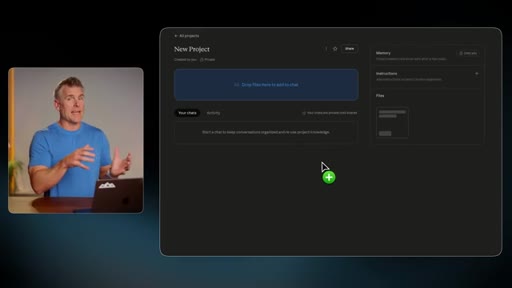
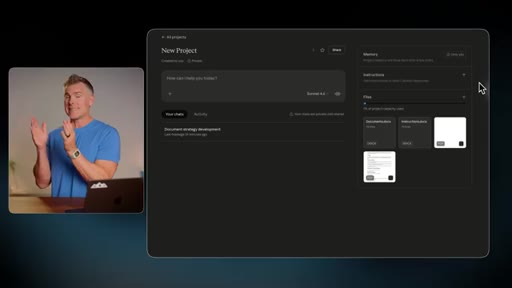
05:46then you click projects, then new project. Now I drop context in there, so everything from internal documents to PDFs to anything I've downloaded, any instructions, copy paste other chats, you put all that in the knowledge sections.
06:00When you start chatting with it, it has all that reference material to be able to give you good answers. I have every one of my coaching calls transcribed. So if I'm looking for an example, a story, a client, I can go into the project that has already linked up to that Google Drive and tell it to search every transcript to find examples or stories around this pain or this challenge, and that feeds me ideas for me to talk about in my content.
06:23And a pro move is you can create a system prompt that you copy and paste into the instruction box, which then essentially acts like what used to be called a custom GPT so that you can get the same result over and over every time you come into that project. Hack number eight, voice mode. Now we get to talk to Claude because guess what?
06:40I can talk three times faster than I can type. So it's super easy. On a desktop, click that little wave form at the bottom of your prompt bar.
06:47On mobile, just click the mic button. I do this all time while I'm driving, I'm having fun. It's easy.
06:52And the cool part is it transcribes a whole conversation, so if you ever wanna use that in something else, it's all there to go. The best part is you could be super messy in whatever you're thinking about, and Claude is smart enough to go, oh, you're probably talking about this and give you a really great answer. Hack number nine, Chrome extension.
07:07Non negotiable for me. The Chrome extension is a go to tool. If you're a Claude user, please install it.
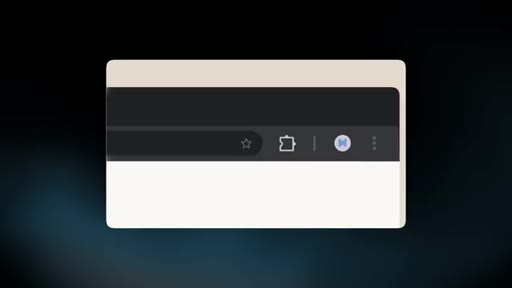
07:13So what it does is it allows you to use your browser through Claude to automate tasks. So the first thing we gotta do is go to the Chrome web store and find Claude for Chrome and install it. And what it is?
07:25Pretty much everything you do in your browser, the Claude Chrome browser extension could do for you. So for example, if you got like a spreadsheet and you got all these numbers and you're like, I wonder what the pattern is and what should I pay attention to, you can just ask it. Then Claude takes a snapshot of the site, starts scraping everything, clicks buttons, works inside your browser, and it finds the insights.
07:44It does everything that you would have to do that you might not even know how to do for you automagically. Hack number 10, co work. This is where it gets nerdy.
07:53Like, my kind of people are sticking around right to the end starting now. What it is is Claude will take over your computer and do work on your computer while you step away. On your Claude desktop, so it's a separate app you have to install on your desktop, open up and you'll see co work.
08:08Open co work. It's in the top left. And here's a tip.
08:11Make sure you toggle on computer use in your settings cause it needs that to be able to do things on your computer. Then you just describe any tasks you need to be done and the steps that it requires and Claw breaks it down and execute step by step. So for example, you could say, last month's sales numbers from HubSpot, drop them in a Google sheet, build a summary chart, and post on the team Slack channel before Monday 9AM, and it'll take over control of my computer to do it all.
08:35It's like Claude's hands doing the work for you. Hack number 11, scheduled task. This is one I use every day because there's things that I do every day that I just want somebody else to do for me and it's Klut.
08:46So it's within co work, just type forward slash schedule and then it'll allow you to schedule whatever you just typed. Things that used to be done by my chief of staff that honestly she doesn't have to do, I'll just set it up, schedule it, and nobody has to worry about it.
08:58It does that at the same time every day as long as my computer's open. So every morning, Clod could read your inbox. It can send you a summary.
09:05It can figure out what's urgent. Can tell you what's new in the world. It can essentially do everything that you're probably doing every time you sit down at your computer anyway.
09:11Hack number 12, Claude Dispatch. We can essentially talk to Claude through Dispatch.
09:18Claude's made this super simple. Just go into co work, then you'll see a menu item called dispatch. Click it.
09:24You'll see a QR code. Pull out the camera app on your phone, scan it, and it'll actually redirect you to the app store to install the app, and then it'll connect your app to your computer. So now you might be out at dinner and realize you forgot something and you wanna send it to your team so you can actually use dispatch on your phone to say, hey.
09:42Go grab my Martell Ventures pitch deck and send it to Roddy and ask him to give feedback, and then send an email to the team with all the updates. So now you can do all the co work automations executing on your computer because you turned that little setting on on the go. Hack number 13, Claude Code.
09:56It's essentially an AI software developer that can code anything in plain English. A couple months ago, I shut down my whole company for two days and taught everybody
10:07how to be a Cloud Code engineer. If you wanna do 10 times, a 100 times more work than anybody else, you have to learn how to build apps in Cloud Code. And the cool part is is Anthropic has a full setup guide that'll teach everything to you, and I'll link it up below.
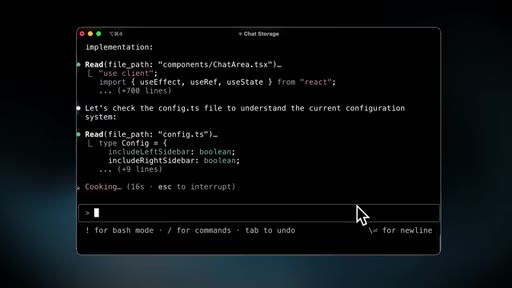
10:20And look, there's two types of Cloud Code. There's using it in the Cloud app on your computer or you can actually do it in the terminal. Now if you don't know what a terminal is, that's fine.
10:29Just ask Claude and it'll tell you how to use it. I want you to know that AI is the only technology ever created that teaches you how to use it better. One of my CEOs, Todd, who's 60, he's not but I joke with him he is, literally use Clogcode to build a CEO dashboard.
10:45I'm telling you, nobody heard from Todd for three days. Then he emerges out of his office and he brings us in there and he's got a TV on the wall and he's showing us this app he built and essentially is doing his job. Somebody that is not technical,
10:58not somebody learn how to code, he just knows how to talk. So this is cool, but what if you wanna do like coding stuff while you're on the go? Well, that's where hack number 14 comes in, Claude channels.
11:08Essentially, you can use iMessage, Telegram, Discord to chat with Claude.
11:14So now you can code from anywhere as long as your computer's running. Anthropic put a full guide together to help you set it up, I'll link it below again. But at a high level, here's what you wanna do.
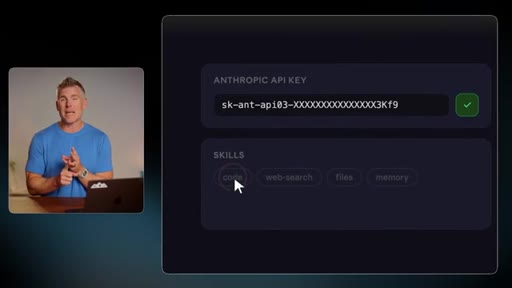
11:23First, you create your bot on Telegram, iMessage, Discord. Pair it with Clogcode in your terminal, and then finally, up your API keys and skills. Now API keys is just something you're gonna have to learn to do.
11:33It's like creating a spreadsheet if you never create a spreadsheet. Once you learn how to do it once, you'll learn that it's just how all these computers talk to each Now you can use Clog Code from anywhere and build stuff and iterate with it as long as your computer's running. So just tell it what you need it to build.
11:46For example, my buddy Arturo was running late and he was about to miss a flight, so then he actually messaged Clog Code to check his email because he connected and to look at his calendar because all the details were there and for it to check into his flight for him. A lot of people are using Cloud Code like their own personal AI agent, but that's why I built my own platform called Apex.
12:05Essentially, it's like a digital twin. So I have a guy named Kai. That's my guy, and he handles everything.
12:11But it's way easier to set up, it's way more secure, and it gives you access and privacy to your own things. And it can use all the language models and all the AI. So if you're interested, just click the link in the description and check it out for yourself.
12:22Hack number 15, Claude skills. This is where you can train Claude to do a repeatable task for you exactly the same way every time.
12:31The way you turn anything into a skill is once you've got something going, you're working with something, you're asking to refine it, just say, turn this into a skill. So to do this, just go on the left side of your sidebar and click customize, skills,
12:43and browse, and install. Or you can create your own. And the cool part is is you can install other people's skills, ton of them that are created for like legal, financials, HR type skills.
12:52There's literally thousands of them shared on GitHub. So one of the most popular skills is one called Humanizer where it targets the 20 specific AI writing patterns that we all know exist and then it rewrites whatever your AI did in a more human tone. And last, Claude Design.
13:08This one's gonna turn everybody into a world class designer. I'm talking pitch decks, one pagers, landing page mock ups, full apps, even motion graphics. As of the filming of this video, it is the newest release from Claude.
13:20So if you wanna use it, real simple. Go to claude.ai/design. Now just describe what you want, and Claud will build you a draft in minutes.
13:28And it can even match your styles, brand guides, whatever you got, you can give it as examples and it'll match that as it designs for you. So basically, I want to visualize the main points in my book, buy back your time. So maybe I was creating a workbook, which already exists, but if I didn't, I could use this to visualize the points to take those elements out of my book and then create visual examples so that help people learn it easier.
13:49And then bada bing bada boom. Done. Like, look at it.
13:52Not visually what I would do, but it gets me there. For most people, it is a game changer. And this is the worst it's ever gonna be.
13:59You don't think in six months it's gonna be better? Twelve months? Two years?
14:02I think designers need to start learning how to use this. And they recently partnered with Adobe, so the whole design world is gonna get mixed up big time. So I just overloaded your mind with a bunch of hacks, but here's the cool part.
14:14You don't need to do them all. Now you just know that they exist. So all I need from you is to know which one are you gonna use today.
14:20Just leave a comment below and let me know. And look, if it doesn't work for you, that's fine. Go to the next one.
14:25CTAAI can be crazy, but I trust that you can do this. You know, people mess with me all the time. They're like, Dan, I feel like I'm behind.
14:31CTANo. You're not. I have never felt ahead, and I just accepted I never will feel ahead.
14:36CTAAnd the only question I get asked myself is am I doing the work that's gonna keep me ahead? You're watching this so that means you're part of this. And if you just do one thing from this video, you are more ahead than 99% of And remember, just DM me AI business and I'll send you over my AI company OS playbook.
14:52CTAAnd if you wanna go deeper on what AI tools to use, I rank the best ones to make money in this video here. So click the link and I'll see you on the other side. Hey, Claude.
15:01CTATell me how cool I am. Alright. You're running three entities from Kelowna Woah.
15:05CTAWoah. Woah. Claude, keep it secret.
15:07CTAI'm in a room full of people, yo. I'm surprised, Dan. That's crazy.
15:10CTAYou're welcome.
— full transcript
§ 05 · For Joe

The 1-minute-per-hack format is the product.

Steal this structure

Sixteen features in fifteen minutes works because each hack has exactly three moves: name it, explain it, show it.

  • Build a branded title card system like Dan uses animated coral-ring circles numbered 01-16 — it doubles as chapter nav and makes every hack independently clippable.
  • Use your own frameworks as the demo content — Dan demos Interactive Visuals by visualizing his own HEIT framework. The product demonstrates itself.
  • Place your single CTA at minute 4, not the end — attention is still high, the video has proved its value, and you have not asked for anything yet.
  • End on permission, not pressure — you do not need to do them all, just pick one. Converts anxious viewers into action-takers.
  • The live Claude voice interaction kicker is a 30-second clip that will outperform the full video — build in a show-do-not-tell moment at the very end.
§ 05 · For You

Where to start if you are paying for Claude and barely using it.

Your week-one moves

Three hacks pay for themselves in the first week — here is how to stack them.

  • Connect Gmail first (Hack 3). Claude inbox search beats Gmail search. If you have an assistant, share the account so she stops asking you questions and finds answers herself.
  • Add the Calendar connector second (Hack 4). Give it your quarterly goals and ask: am I spending time on the right things? One honest answer per week is worth the subscription.
  • Install the Chrome Extension (Hack 9) and leave it on. You will not notice it until you need it, then you will wonder how you worked without it.
  • If curious about Claude Code (Hack 13): do not learn to code, learn to describe what you want. The CEO in the video is not a developer. He just knows what he wants. Start there.
§ 06 · Frame Gallery

Visual moments.