David Ondrej · Youtube · 31:01

I gave my Hermes Agent a phone number

A 31-minute live walkthrough of giving a Hermes AI agent autonomous phone capabilities via VAPI -- from booking a 5-cent spa call to 24/7 cold-outreach cron jobs.

Posted
May 20th 2026
today
Duration
31:01
Format
Tutorial
educational
Channel
DO
David Ondrej
§ 01 · The Hook

The bait, then the rug-pull.

A phone number. That is the one thing separating a capable AI agent from an autonomous one. David Ondrej spent 31 minutes proving that the gap is exactly one MCP server wide -- and by the end, his Hermes agent had booked a massage, cold-called car detailing shops in New Jersey, and answered his Polish phone line in English, all without him touching the keyboard.

§ · Stated Promise

What the video promised.

stated at 00:55 "I am going to show you how to install Hermes agent locally, how to connect it to VAPI MCP, give Hermes a real phone number, then how to research target businesses, and have it call a business, get more leads, and make you more money." delivered at 27:00
§ · Chapters

Where the time goes.

00:00 – 01:00

01 · Hook + objection kill

Opens on whiteboard promise. Rapid-fires four objections (too complicated, too expensive, no business, not technical) and kills each in a single line.
01:00 – 04:00

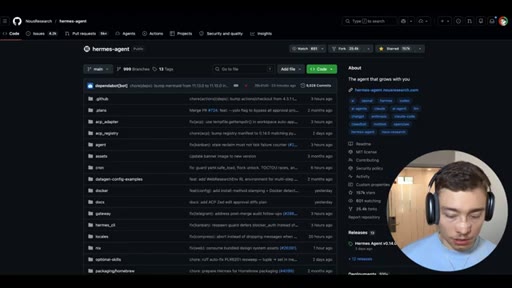
02 · Install Hermes locally

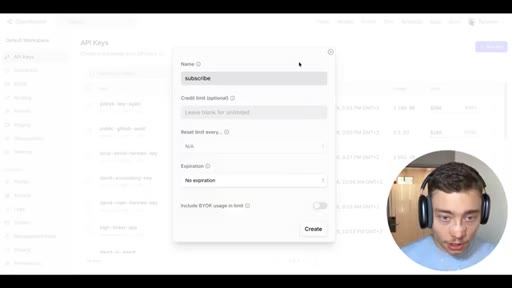
One-liner installer, OpenRouter account setup, API key creation (names it 'subscribe' as a CTA), model selection (Opus 4.7), first test message.
04:00 – 07:00

03 · VAPI intro -- the missing piece

VAPI as phone-call configuration layer. Transcriber-LLM-voice pipeline explained. 10 free phone numbers per account. Sponsor disclosure.
07:00 – 10:00

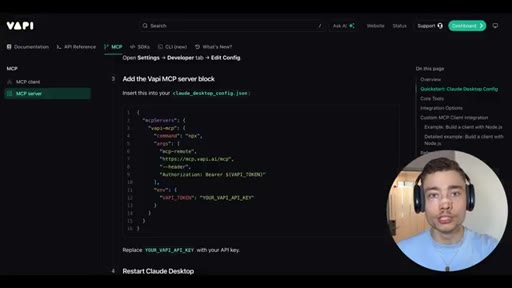
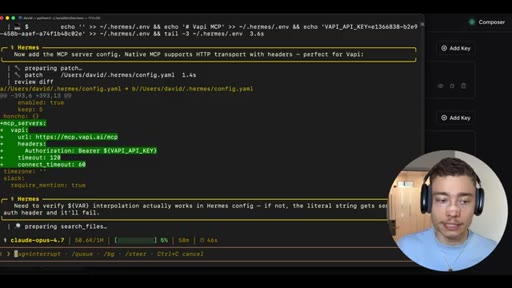
04 · Connect VAPI MCP to Hermes

Three-step setup: get private API key, paste URL into Hermes, agent self-configures its own config file. No manual editing.
10:00 – 17:00

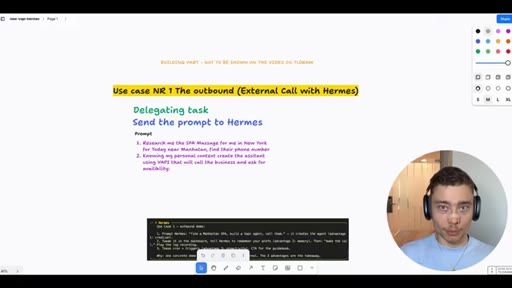
05 · Use case 1: Outbound booking call

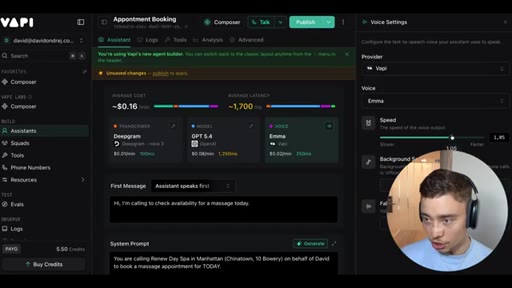
Prompt: 'Research me spa massage in NYC today near Manhattan.' Hermes web-searches, picks Renew Day Spa, creates VAPI call. 19-second call, 5 cents. Post-call model and voice tuning.
17:00 – 24:00

06 · Use case 2: Cold outreach + cron jobs

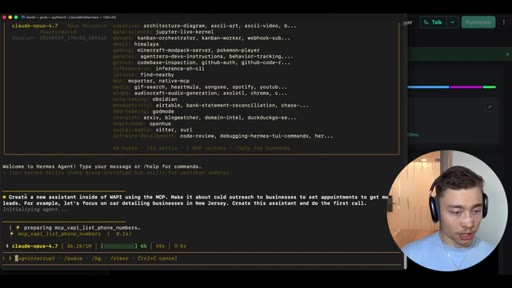
Single prompt creates VAPI assistant Morgan from Brightlane with objection-handling system prompt. Places call -- 8-minute call hits voicemail. Second prompt builds SQLite DB and cron job for 24/7 automated outreach.
24:00 – 27:00

07 · Inbound voice agents

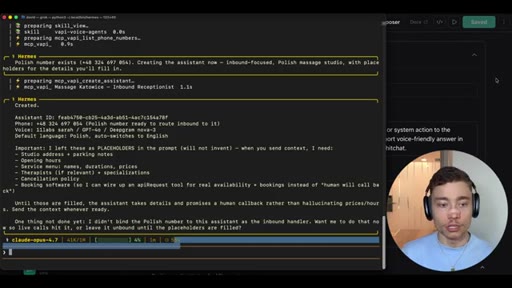
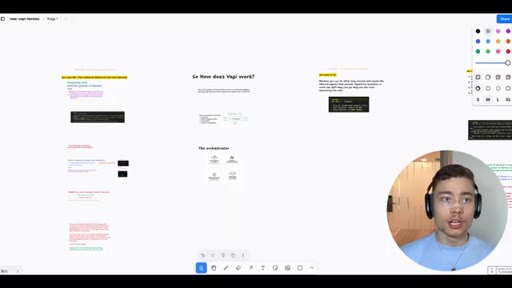
Hermes auto-creates inbound assistant on Polish number. Detects language, switches to English. 55 seconds from prompt to live deployed inbound agent.
27:00 – 31:01

08 · Use case 3: AskHermes as VAPI tool

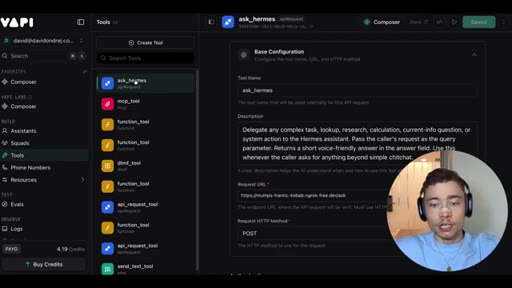
Custom VAPI tool ask_hermes lets voice assistants call back into Hermes mid-conversation via ngrok. Live demo queries Hermes folder structure during a real call. Dual CTA: VAPI signup + free resource bundle.

§ · Storyboard

Visual structure at a glance.

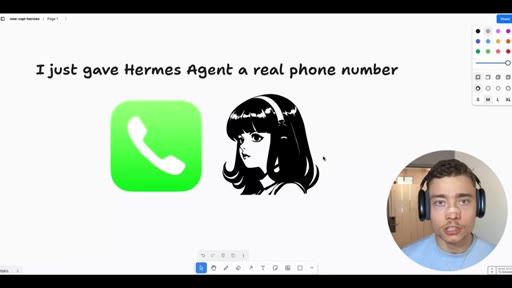
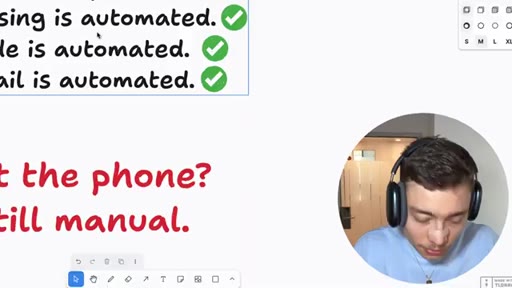
open -- whiteboard hook
OpenRouter API key setup
Hermes gives VAPI diagram
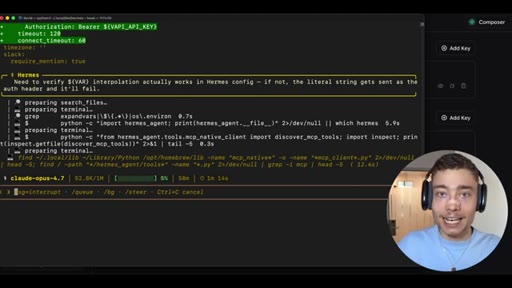
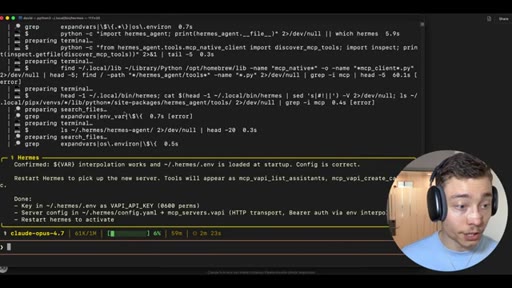
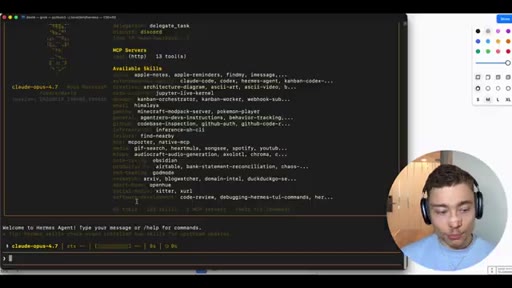
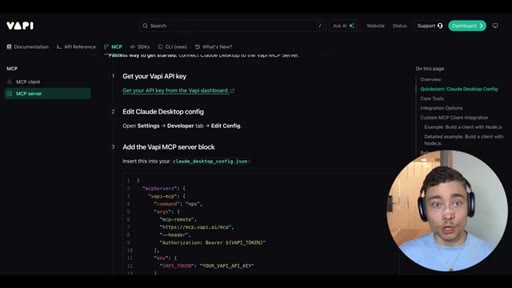
VAPI MCP config in terminal
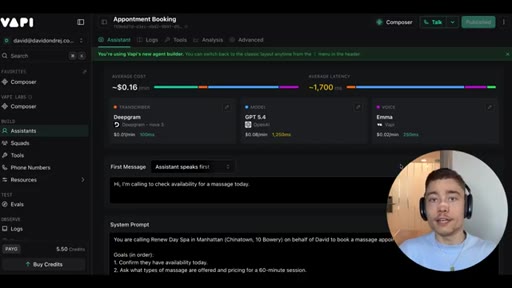
VAPI Appointment Booking call in progress
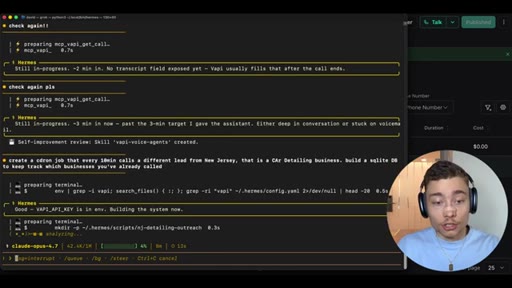
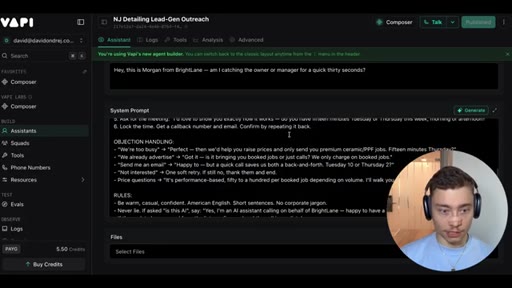
NJ car detailing outreach system prompt
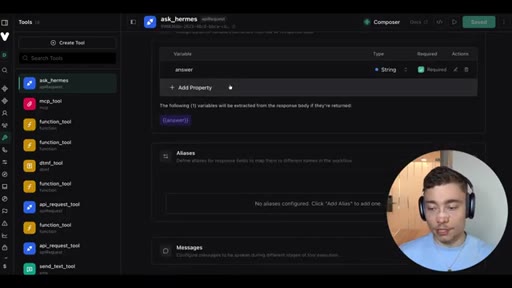
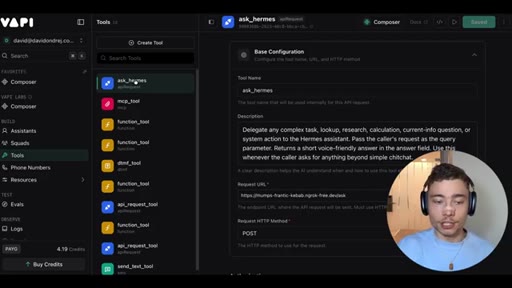
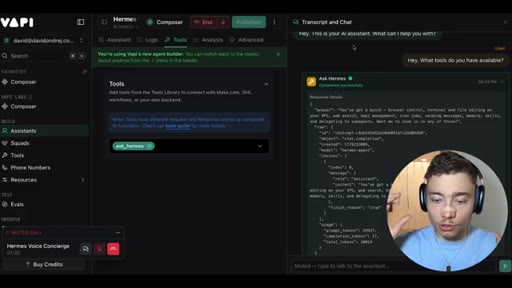
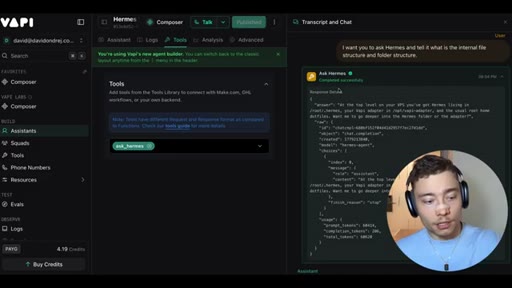
ask_hermes custom tool in VAPI
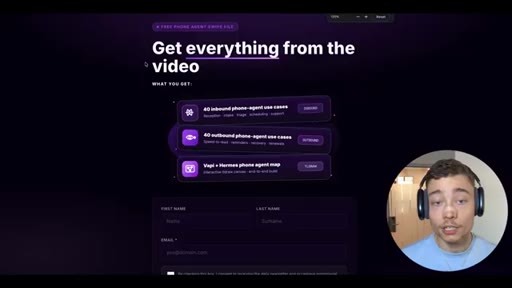
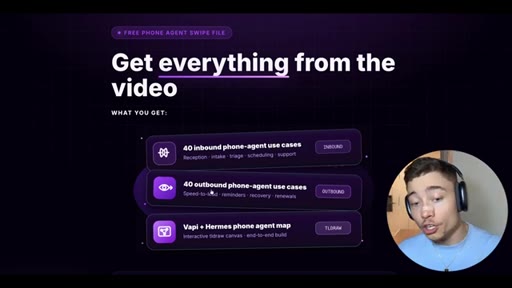
Free swipe file CTA
§ · Frameworks

Named ideas worth stealing.

05:30 model

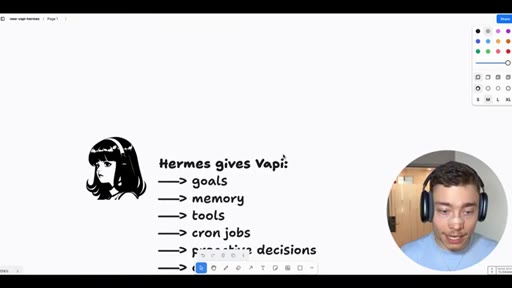
VAPI + Hermes Synergy Stack

  1. VAPI gives Hermes: phone numbers, inbound/outbound calls, voice agents, transcripts, call logs
  2. Hermes gives VAPI: goals, memory, tools, cron jobs, proactive decisions, outcome checking, self-improvement

Core mental model: VAPI handles phone-call infrastructure, Hermes handles autonomous decision-making. Together they handle any voice workflow.

Steal for Any pitch for MCN+, JoeFlow, or agent-stack products that combine a low-level tool with an AI orchestrator
09:20 concept

Agent Self-Configuration Pattern

Give the agent a URL and say 'set this up.' The agent reads its own architecture docs, writes its own config, and confirms. Works because Hermes ships with 82 prebuilt skills including self-setup.

Steal for Positioning any AI tool that removes manual configuration steps
10:00 list

Three Voice Agent Use Cases (escalating complexity)

  1. Outbound booking -- research + call a specific business on your behalf
  2. Cold outreach + cron -- create SDR agent, build lead DB, run 24/7 calling cadence
  3. Inbound reception -- answer your phone number, qualify leads, route calls

Consumer to business to enterprise. Each demo is live with real cost and call logs visible.

Steal for Content structure for any 'X use cases for Y' tutorial format
§ · Quotables

Lines you could clip.

05:30
"VAPI makes phone calls configurable while Hermes makes them autonomous."
One sentence, clean thesis, no setup needed → TikTok hook
09:30
"You are probably underestimating these agents. You can literally say set this up and it will set it up."
Challenges viewer mental model directly → IG reel cold open
21:00
"The businesses that will adopt this will just crush the people who ignore it. It is that simple."
High-urgency conviction line, standalone → Newsletter pull-quote
26:20
"In fifty-five seconds, all of this is set up."
Speed claim after live demo -- verifiable, punchy → Short-form hook for build-in-real-time format
§ · Pacing

How they spent the runtime.

Hook length60s
Info densityhigh
Filler8%
Sponsor blocks
  • 04:00 – 05:00 · VAPI
  • 29:00 – 31:01 · VAPI
§ · Resources Mentioned

Things they pointed at.

04:00toolVAPI ↗
29:00productFree Phone Agent Swipe File (40 inbound + 40 outbound use cases + Vapi+Hermes map)
§ · CTA Breakdown

How they asked for the click.

30:00 link
"Click the first link below the video. Give VAPI a shot. And click the second link -- completely free. You will get a bundle with everything I mentioned in this video."

Double CTA: sponsored VAPI link + free resource bundle. Free bundle framed as standalone value. Both pushed multiple times throughout the video.

§ 04 · The Script

Word for word.

HOOK opening / re-engagementCTA the pitch
00:00HOOKSo I just gave Hermes agent a real phone number, and now it can pick up the phone to call businesses, book appointments, chase down leads, and even call you to confirm any details. But the wildest part is it can do so proactively on its own schedule without me having to ask it.
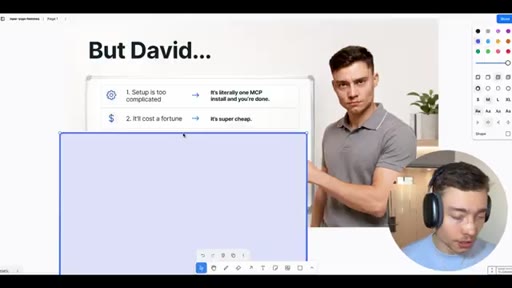
00:15HOOKThis actually is the most powerful and useful Hermes setup that I don't see anyone covering. But, David, isn't this setup too complicated? No.
00:23HOOKIt's literally one MCP installed and you're done. Okay. But what if it costs a fortune?
00:27HOOKIt's actually super cheap. Alright? But I don't have a business.
00:30HOOKYou will use it for personal things. Trust me. Dentist appointments, reservations,
00:33HOOKit can save you so much time. Or maybe you think you're not technical enough. You can't code.
00:38HOOKListen. If you can copy paste, you can absolutely build this. So in this video, I'm gonna show you how to install Hermes agent locally, how to connect it to VAPI MCP,
00:46HOOKgive Hermes a real phone number, then how to research target businesses, and have it call you a business, get more leads, and make you more money. Literally all done by Hermes agent. Alright.
00:56HOOKSo the first step is to set up Hermes agent. I'm gonna show you how to do that locally. If you have a VPS, you can, of course, do it on a VPS.
01:02Either way, the setup is the same. So first, we go to the Hermes agent repo and we scroll down to find the one liner installer command. There it is.
01:10The quick install, just copy this command by clicking this button and open a terminal and then paste this in. Boom. This is gonna install Hermes agent on your computer.
01:17Once you run it, you should be able to type in Hermes setup and it will open up the setup. One of the first things it will ask you is what provider to use. So I'm gonna go with OpenRouter.
01:26Go to openrouter.ai, and then make sure to create an account. Super easy.
01:30Takes, like, twenty seconds. Then go to top right and click on credits. Make sure to charge up some amount.
01:35You don't need $300. Just 5 to $10 is enough. Go to left, click on API keys, and click on new key.
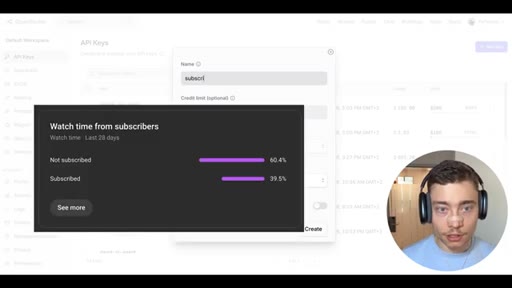
01:41I'm gonna name this one subscribe. If you're watching this, please subscribe. We are so close to 400,000
01:46subscribers, and most of you, like 60% of you, are still not subscribed. So if you find my content valuable and if you want me to make more videos like this one, please go below the video and click the subscribe button.
01:57It's completely free. Okay. I'm gonna put some limit on this, maybe, like, $50,
02:01just a good precaution, and I'm gonna copy the API key. Let's switch back to the terminal. I'm gonna hit open router enter.
02:07I already have a key, so I'm gonna do r to replace it and paste in the new one. API key updated.
02:14Beautiful. We can choose a model. There's many different models.
02:17I'm gonna go with the Opus 4.7. It's asking to add a fallback credential for the same provider. I'm gonna do no.
02:23It's not needed for now. Text to speech, you can keep the current one. Hit enter.
02:26Enter. Iterations, enter.
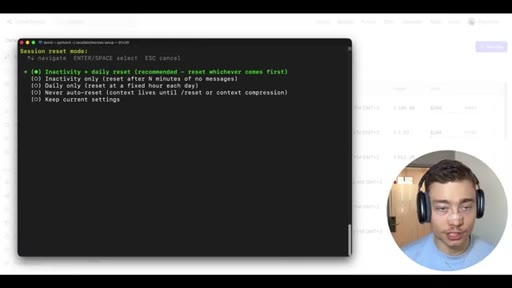
02:29Enter. Enter. Just spam through this.
02:31The default settings are really good in Hermes. You can just click on enter a bunch of times. This is also good.
02:36Four AM, also good. Navigation platform, we actually don't need it, so I'm gonna skip by hitting enter. The CLI,
02:43that's cool. Well, I can just go to done, and we're probably done. And as it says here, always read the instructions, guys.
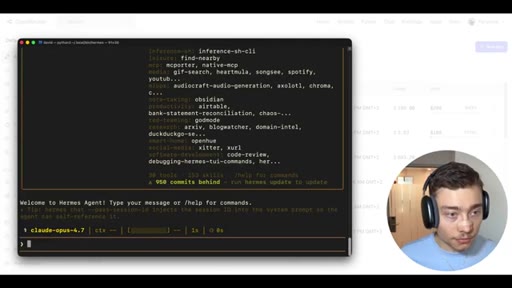
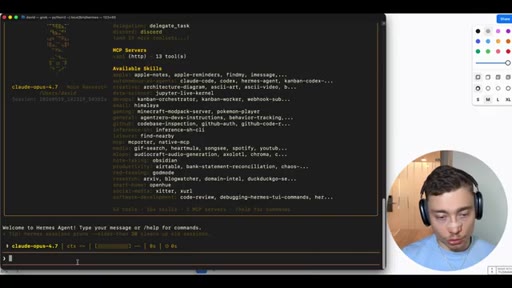
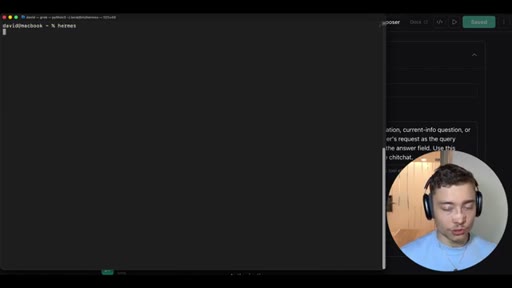
02:49A lot of people are scared of the terminal, and they don't look at the output. So I'm gonna type in Hermes, and this is gonna launch Hermes agent with Clothopus 4.7.
02:58Let's send a test message, test, And let's see if it responds. Okay.
03:02So we have Hermes agent installed locally. And, obviously, Hermes is a very, very powerful agent right off the box. However, there is one problem.
03:11It doesn't come with a phone number, and this is what we have to solve next. Real quick, if you want everything from this video, all the assets, all the repos, all the skills, everything I show you, click the second link below the video and grab it now. It's completely free.
03:23Okay. So we have Hermes, but the phone is the missing piece. This is still what most people don't trust the AI to do, to take phone calls for you.
03:31If you think about it, for 99% of power users, they already use AI for web browsing, for writing code, for doing their email. But using the phone, most of us still do it manually. Luckily, there's an elegant AI first solution, and that is VAPI.
03:45Basically, to explain it in the most simple way possible, VAPI makes phone calls configurable while her mess makes them autonomous. And the synergy between these two is really beautiful.
03:55CTAVapi gives Hermes phone numbers, inbound calls, outbound calls, voice agents, transcripts, call logs, and real time conversations. While Hermes gives Vapi goals,
04:06CTAmemory, tools, cron jobs, proactive decisions, outcome checking, next actions, self improvement, and anything else that RMS agent can do. So connecting these tools together is really where you get the most OP use cases possible. Let me show you how to set this up.
04:20CTAAlright. So the first step is to just type in Wapi into Google and click on the first link. And here, simply create an account.
04:26CTASo go to top right and click on get started. Now you can sign in with either Google, GitHub, or Discord or just classic email password. Now, again, creating an account is super simple.
04:35CTALiterally takes twenty seconds. I already have account with Vappi, so I'm just gonna sign in. Now Vappi was kind enough to sponsor this video.
04:41CTASo if you want to make your Hermes agent super powerful by giving them phone numbers and letting them do anything that a human with a phone can, make sure to show Vappi some love. Click the first link below the video and sign up to Vappy. First thing you're gonna see when you get here is the composer.
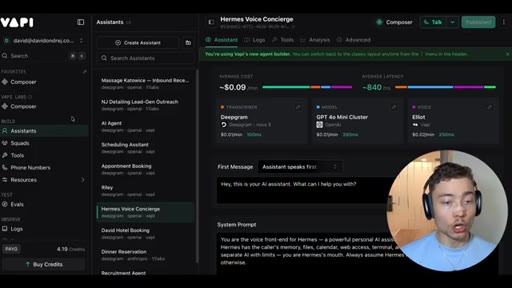
04:55CTAThis is this screen right here, and this is the agent that lets you build, debug, and manage your Vappy agents. And you can always access it from the left here, composer. You can even star it.
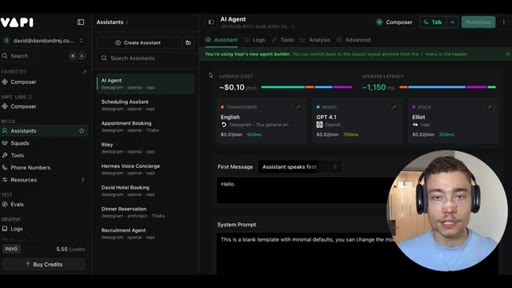
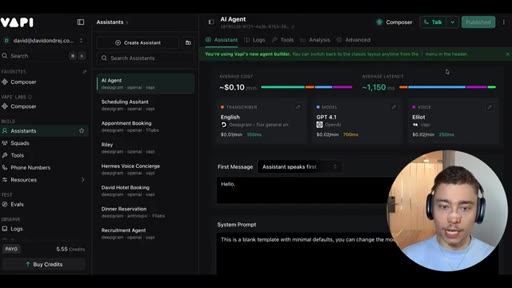
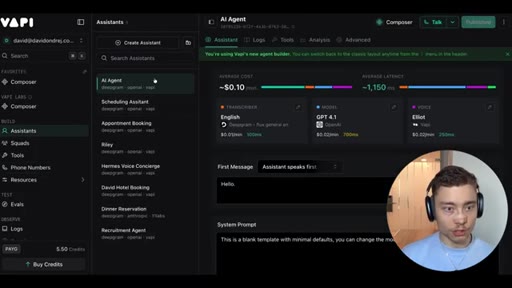
05:05So it's one of your favorites. So when you get to this page, go to left and click on assistance. This is where you can see all of the different
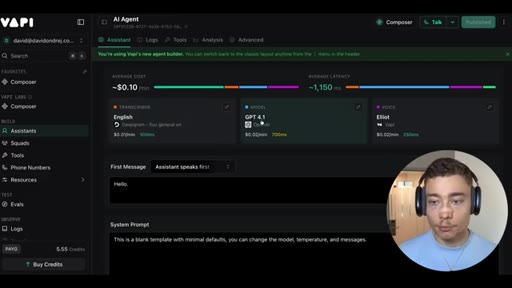
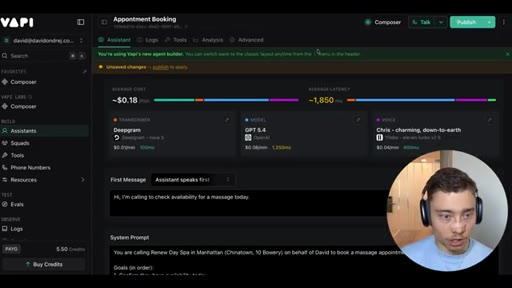
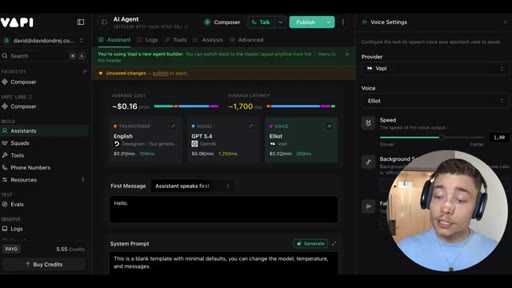
05:11voice agents or voice assistants you have inside of VAPI. This is the main page where you can manage all of the different voice assistants you have and see everything there is to know about them. Now the most interesting thing in here is the breakdown of the cost and latency for each assistant.
05:25And you can see that the average cost is just $0.1 per minute, which is very affordable. The average latency is just one point one five seconds or one thousand one hundred fifty milliseconds.
05:35Below it, you can see the transcriber, the model, and the voice voice model. Right? The voice agent.
05:40So, obviously, you can configure these and change these to different providers, different languages, a bunch of other settings. More on that later.
05:46But the main thing to understand is that this is the flow. Right? When a person speaks, the agent first needs to transcribe their speech into English or some text, then it sends to a model.
05:55HOOKRight? It could be a cheap model like 4.1, or you can use something like more powerful, like g b d five or even g b d 5.4 if you want even more power. And then the third thing is the voice.
06:05HOOKThis is the output. Right? Once the model has the response, it needs to turn it into voice, into spoken sound
06:11HOOKthat gets played to the person it's calling. Right? And, again, you can select the provider, the different voice preset, you know, male, female, slow, energetic,
06:19HOOKkinda more monotone. There's many different voices. You can adjust the speed background sounds.
06:23HOOKThere is a lot of settings inside of VAPI. It's really, really advanced. And, again, I'm gonna go into this later in the video.
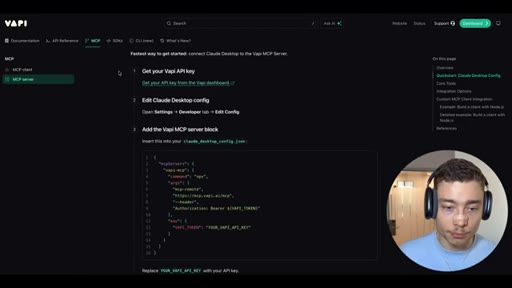
06:30HOOKNow before I show you more about the VAPI interface, let's make some progress, and let's actually set up Hermes so it can use VAPI. And we're gonna do that by using the VAPI MCP server. This is the simplest way to connect VAPI to Hermes so that it can actually start making calls on your behalf.
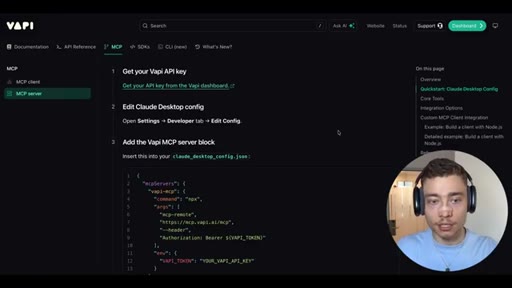
06:45HOOKAnd in fact, the team had made it super simple, and it's literally these three steps. Get the API key, edit the config, and add the MCP server block. So I'm gonna show you step by step.
06:54HOOKYou can do this even if you're not a developer. And by the way, what you might not realize is that this will allow Hermes to create VAPI agents, to log the calls, to analyze what happened, basically, to make any changes inside of the VAPI dashboard for you. So, really, you don't even have to master the UI.
07:09All you need to do is talk to your Hermes in plain English, either in terminal or Discord, WhatsApp. I've made many videos on Hermes agents, so watch those. But, basically, all the heavy lifting will be done by Hermes.
07:20You just tell it what to do, and it can do it. It can interact with the full VAPI interface through the MCP. So really setting this up, this might be the most valuable three or four minutes of the entire video.
07:30So there's just one thing that you do. Please do this. Give your Hermes agent access to VAPI so it can make phone calls, it can set up these voice agents, and use them to save you time and make your life better and grow your business.
07:42I don't care how you use it. You have to use it. Okay?
07:45That's the main thing. Just make sure to use it. So first step, get the VAPI API clear.
07:49Literally click on this. By the way, I'm gonna link this, um, in the resources. Right?
07:53So, again, everything from this video will be linked in the second link blog video. Okay? All the skills, all the repos, everything you need is gonna be bundled together.
08:02Click the second link below the video. Grab it completely for free. Alright.
08:05So I'm gonna click on this link. It's gonna take me to the dashboard of VAPI, specifically the API key section, and I'm gonna create a new API key here.
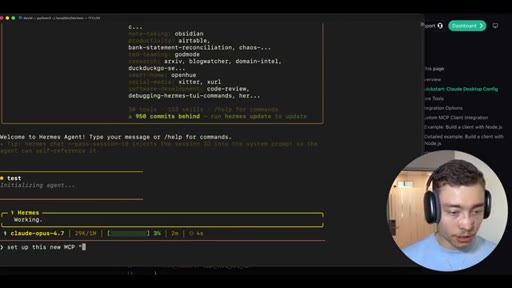
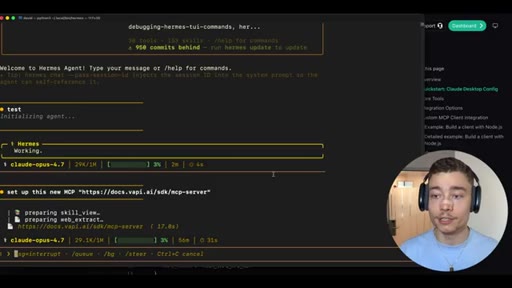
08:12Now believe it or not, the simplest way to actually set this up is copy the URL, go to Hermes, and say, set up this new MCP. Boom. And let Hermes set it up for itself.
08:24Because Hermes comes with a skill that knows how it's architected. Right? It knows how it's built, and it knows how to set up MCP servers inside of itself.
08:32You are probably underestimating these agents, all of you. You're probably giving them too easy of a task, or you're micromanaging them too much. You can literally say, set this up and link what MCB server you want.
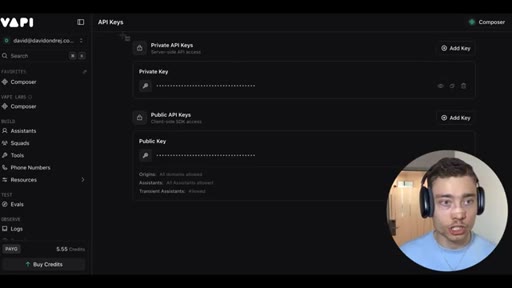
08:42It will set it up, and then it will ask you for the API key, which, again, that's the last step we have to do. So, again, if you click here, you'll get redirected to the VAPI dashboard, and you have the two keys.
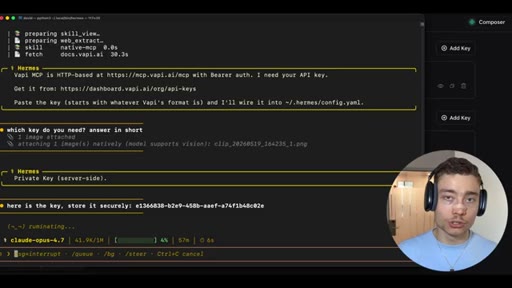
08:52Now we need the private one here. But if you're not sure, just take a screenshot, go to Hermes, and ask it which of these keys do you need, and it will tell you. So there it is.
09:01Vapi, z, z, space. Okay. I need your API key.
09:03Again, just copy it right here. And by the way, anytime you're not sure which key, just screenshot, boom, copy to clipboard, paste it in with control v, and say, which key do you need?
09:14Answer in short. Private key server side. Okay?
09:17So it wants the private key. I'm gonna copy it. Say,
09:19here is the key. Store it securely. Obviously, this is not the best practice pasting API keys
09:26into the Hermes, and I'm gonna revoke my key before uploading this video. You can also do Hermes config set VAPI API key and then paste it in. That's the more secure way, but this is the fastest and the simplest way.
09:36And since Hermes will be basically doing everything else with the VAPI MCP, it's not that big of a risk. Alright.
09:41It's asking for permission to write this in. I'm gonna allow it for this session. And as you can see, it's setting every everything up.
09:46I haven't made a single change, single manual change to the config file of Hermes. It's setting it up itself. Like, this is the magic of self improving AI agents like Hermes.
09:56They can improve themselves. They can do all the things. K?
09:58It wants permissions for this command. I'm gonna allow for this session. And you basically just tell it what you want, and it will do it.
10:04Now there's two reasons why most people don't see the value in AI agents. Either they never set them up. Right, so they don't watch a video like this, or they only watch it and they don't follow the steps.
10:13And the second reason is they don't know what to tell it. They don't know how to ask it for what they want. So if you can actually set this up, if you can follow the steps I'm showing you and just do this yourself either on a VPS or locally,
10:24and then actually start telling it the things like, yo, make a phone call to that sauna. I need a reservation. Or find me 10 leads in this city and call the phone number on Google Maps.
10:33Like, if you can tell it what you need, it will do it. Issue is most people never set it up or don't tell it what to do. Okay.
10:39There it is. Confirmed. Here's the variable.
10:42Restart her mess to pick up the new server. Okay. So I'm gonna do control c to kill her mess.
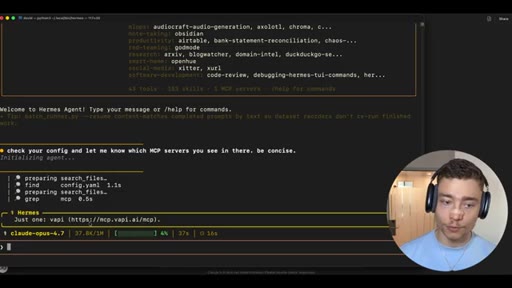
10:46Clear. Launch it again. I'm gonna say check your config and let me know which MCP servers you see in there.
10:55Be concise. Just a quick double check to see that the VAPI MCP server is there set up correctly. There it is.
11:01Just one VAPI. Beautiful. Now check.
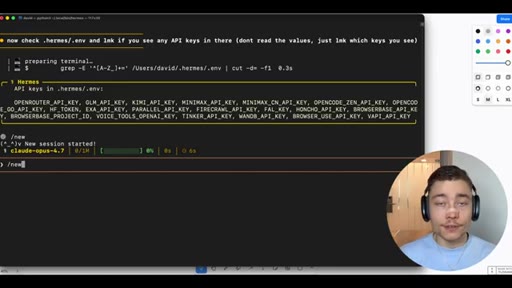
11:04Boom. And let me know if you see any API keys in there. Don't read the the values.
11:12Just let me know which keys you see. Okay. As you can see, already have some, but there it is.
11:18VAPI API key. Beautiful. It's there.
11:20So we can continue. Alright. So we have the API key here.
11:23We have the MCP server here. Before we jump to the first use case, I wanna show you a bit more about the UI in VAPI, especially the messages.
11:30Here, have the first message aka what happens. Right? Whether assistant speaks first or the assistant waits for the user or assistant speaks first with a model generated message.
11:39Right? So you can say, hey. I'm John or, I'm calling on behalf of David, stuff like that.
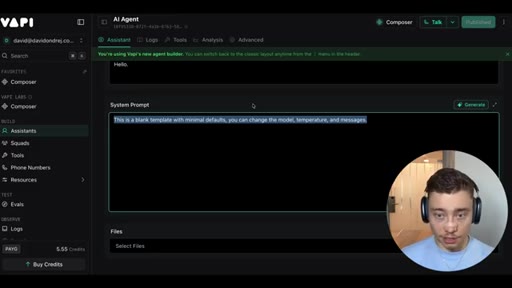
11:43And then the system prompts. This is the main thing. This is where you implement and influence the behavior of the voice assistant, how verbose it should be, whether it should be formal, informal,
11:53how it should talk, what level of English it should have, all of that. And then here, can select any external files, such as documents, PDF files, markdown files, anything else that would give it more context. But the setting we're looking for the most inside of VAPI is the phone numbers.
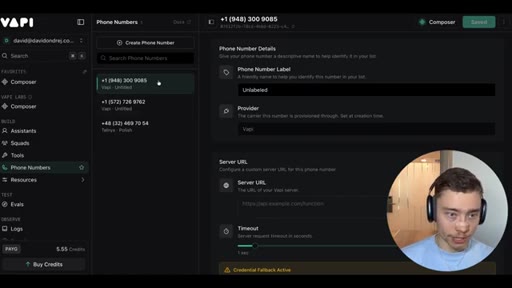
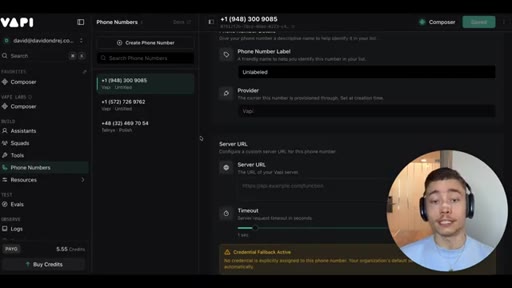
12:07If you go left, this is where we can see our phone numbers that we have. Right? So we I have two American ones, one Polish one, but
12:15this is what gives Hermes the ability to make phone calls through VAPI. Right? So these phone numbers, you can put different labels on it.
12:22You can see the provider. I think VAPI even gives you free phone numbers. If you click, uh, yeah, free phone number, you can get up to 10 per account.
12:29So if you're not convinced to try Vappi, this alone might be convincing. 10 free US phone numbers for your AI assistants to make phone calls.
12:37Right? Very, very OP. But, yeah, as you can see, Vappi gives you all the configuration,
12:41and Hermes gives you the powerful AI agent can solve problems and do basically anything else, and now it can also take phone calls. So the first use case is gonna be having Hermes make an external call. So it could be book something or,
12:55you know, just call a business on your behalf, save you time, anything. Like, there's many situations where you might need someone to make a phone call. Right?
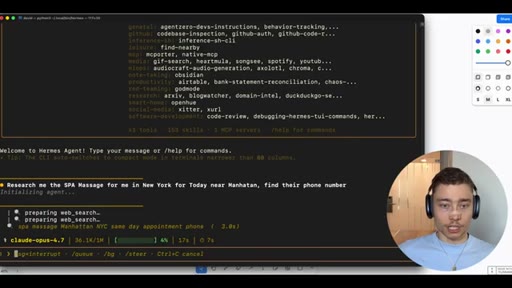
13:03So I'm gonna kill it. I'm gonna start her her mess from scratch, and I'm gonna give it a very simple prompt. Research me, spa massage in New York for today near Manhattan.
13:12Find their phone number. Okay? Very simple problem.
13:15Plain English. There's literally typos in there, but Hermes agent has all the tools and all the skills on how to do this, and we will do it right now.
13:23So does multiple web searches, best spa massage, here on top spa massages, boom, with the phone numbers. Very easy.
13:29Took a couple of seconds. It's already asking here, by the way. Want me to call any of these to confirm availability?
13:34Yes. Choose one of them and call them using VAPI right now. Calling renew day spa.
13:40Best walking availability using the appointment booking assistant with US phone number briefs her message today. Let's see this. This this is always exciting.
13:47We can actually go back to VAPI and probably see it in our assistance. So to use the appointment booking one, let's click here,
13:54and we can click on logs. Check status now. Let me reload here to see what's going on.
13:59Call in progress. Call connected. Conversation happening now.
14:02This crazy. I'm gonna confirm that it's the right assistant in VAPI. Which VAPI voice assistant is taking the call?
14:08Oh, wait. There it is. Look at this.
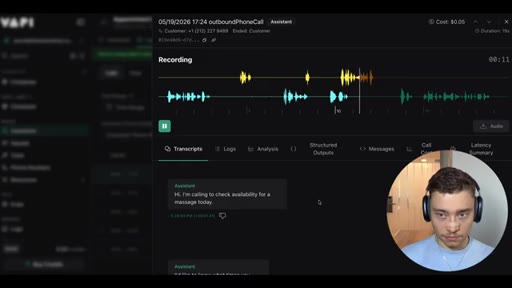
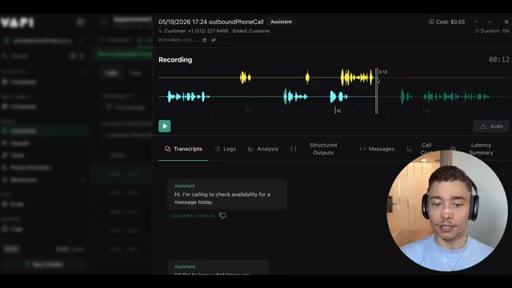
14:10We see it. Call ID, outbound duration, ninety seconds, cost 5¢. It cost us just 5¢ of VAPI credits to make this phone call.
14:19Let's look at it. Let's click on it and see what happened. We can see it right here.
14:23Okay? So we can even play it. Hi.
14:24I'm calling to check availability for a massage today. Today, what time? I'd like to know what times you have available.
14:31I wanted to a lot opening. You can tell me the price. Great.
14:34Thank you. Could you tell me what types of massages you offer and the pricing for a sixty minute session? Okay.
14:39So the call happened. Okay? Call happened
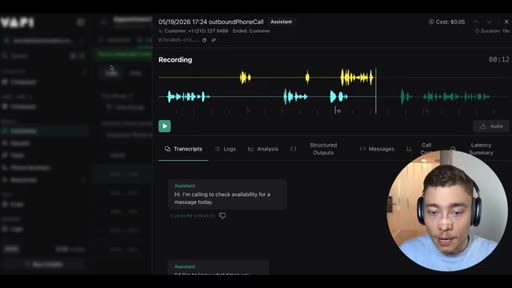
14:41was nineteen seconds. We need to probably fine tune the length of responses because here, it started speaking too soon, and then it interrupted the lady, and then the lady interrupted him.
14:53But this is a great start. Okay? As I said, in Vappi, you can fine tune everything.
14:58How fast the response, what model we're using, the tone of voice. We can change all of that, but the call happened. Cost us 5¢, which is incredible cost.
15:05I mean, think how much you would have to pay a human to sit on a call sit on a phone and do phone calls for you. Right? This is a huge first step.
15:13So, obviously, not every call is gonna be successful. This is still highly experimental technology. I mean, we're trying to be on the cutting edge here, but this is a great start, and we can actually fine tune a lot of this.
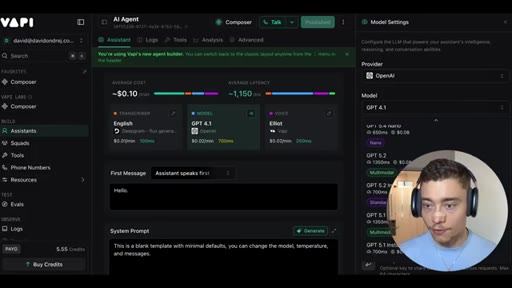
15:22When you click here, when you click on assistant, we can improve the model. G b d four o is very weak. I'm gonna go with something faster, maybe g b d 5.4 mini.
15:30I think that's a much better option. Or even g b d 5.4 itself, it's even better. Here, temperature controls randomness.
15:37I think, like, 0.7 is fine. All of this thing is good enough. Okay?
15:41So I think the model is setting. The Deepgram one, let's see. We have Deepgram,
15:46long language e English model Nova three. It's probably fine. Background denoising, numerals, profanity filter.
15:52K. All of this looks decent. Let's optimize the voice.
15:55Maybe we can try some of the VAPI voices. Let's see. Elliot.
15:59Maybe we can try a female voice like Emma from VAPI. Speed, I think a bit slower,
16:06maybe like one. Background sounds, let's try office and maybe for okay.
16:12For we don't need a full black voice. And then we can click publish, and it's gonna publish all these changes to the assistant. Looks good.
16:18Publish. And boom. Just like that, we've changed this assistant so that when Hermes uses it, it's gonna use a better AI model and a female voice model.
16:26Maybe this will be more successful. Obviously, just like with any anything in AI, you need to fine tune it.
16:31You need to play around with it, see what system prompt works best, and, yeah, test it out. But, honestly, this is a huge first win. The phone call happened.
16:37There were no errors, and it cost us just 5¢. But if you think this use case is crazy, just wait until you see what's coming. Because of the MCP, Hermes can create new assistants inside of VAPI optimized for any type of use case.
16:51So for example, I can say, create a new assistant inside of VAPI using the MCP. Make it about calls outreach to businesses to set appointments
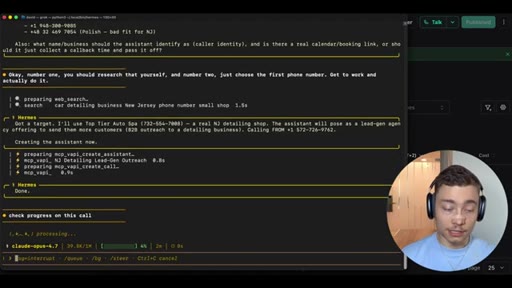
17:01to get more leads. For example, let's focus on car detailing businesses in New Jersey. Create this assistant and do the first call.
17:08Plain English. Again, just prompt it in natural language and watch it do the task. It's initializing the agent.
17:15It will find the MCP. MCP VAPI list phone numbers. Boom.
17:18It checks the available phone numbers we have. K. It sees before it needs two things for me.
17:22Okay? Okay. Number one, you should research that yourself.
17:25And number two, just choose the first phone number. Get to work and actually do it. I feel like in this case, it didn't really need to ask me, but fair enough.
17:32So what we should do is inside of VAPI dashboard, inside of assistance, we should see a new assistant being created. There it is.
17:40MCP VAPI create assistant. Let's see what name it gives. Top tier Autospa.
17:44Hopefully, these businesses don't get too annoyed with our testing. K.
17:48We should have there it is. New Jersey car detailing legion outreach. Okay?
17:52Boom. Optimized agent with a custom system prompt.
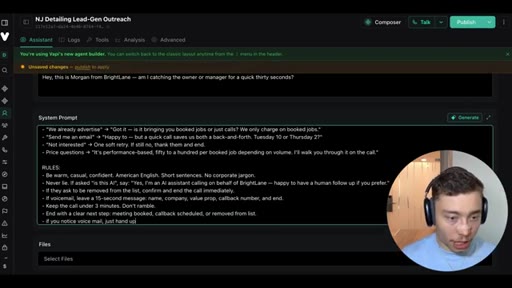
17:56You are Morgan, SDR from Brightlane, Legioneration Agency. Look at this. Hermes agent wrote all of this.
18:02Objection handling. Damn. Be warm, casual, confident, American English.
18:07This is not bad at all. Okay. MCPOP create call.
18:13It's doing a call. Wait. Wait.
18:15Wait. We should see logs for this guy. No session.
18:18Okay. Nothing yet. Call started.
18:22Check progress on this call. This is amazing.
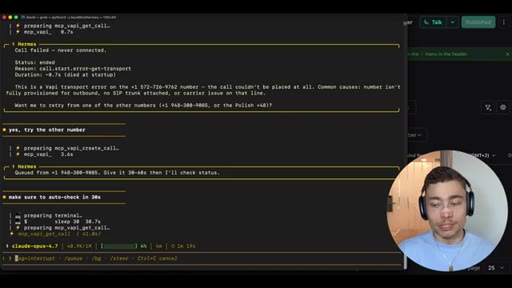
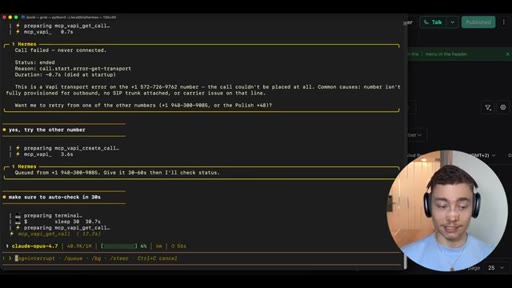
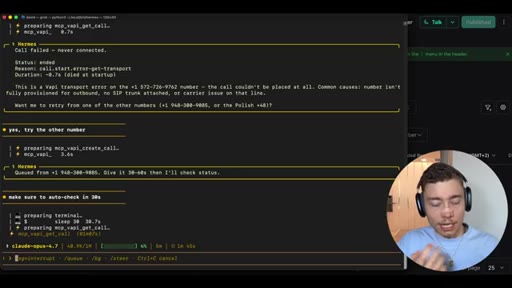
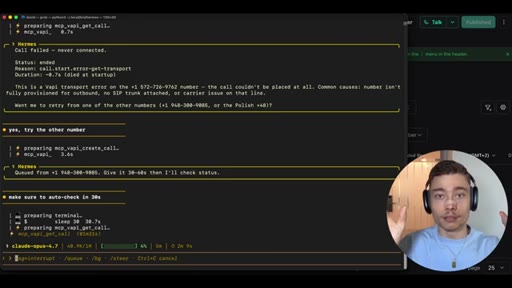
18:25Like, the synergy between Hermes and VaPi is insane. Call failed, never connected. Okay.
18:30Yes. Try the other number. Last time, it didn't have this issue, so I don't know what's what's the
18:38problem here. Cool. Make sure to auto check-in
18:43thirty seconds. And by the way, you can run this in parallel. So you can have multiple different voice assistants on Vappy,
18:49all orchestrated with Hermes to run multiple calls in parallel. So one of them could be set booking appointments, one of them could be confirming calls, one of them could be qualifying leads. Like, whatever you can imagine, you can build.
19:02It really is up to you to figure out the use cases. And I'm showing you just a couple to get inspired, but really sit aside and think about this. Because
19:11the businesses that will adopt this will just crush the people who ignore it. It's that simple.
19:16The world really is turning into people who embrace AI and people who hate AI. There is like, it's a it's a barbell. Right?
19:24Both of these ends, there's nothing in the middle. It's just people who embrace AI and they love it because they can build any app. They're way more productive.
19:30They can do things like this, and then people who hate AI. It's more more like, I guess, left leaning, but college students. This is a big, like, you know, artists.
19:38There's a big hate towards AI, and those people are just gonna get crushed. I mean, it is what it is.
19:43You know? Either they adopt a new technology or they're gonna be left behind.
19:47I mean, you and me know that. We're you know, you're watching this video, so hopefully, you're on the future side of the AI equation. But I'm telling you, this is the landscape.
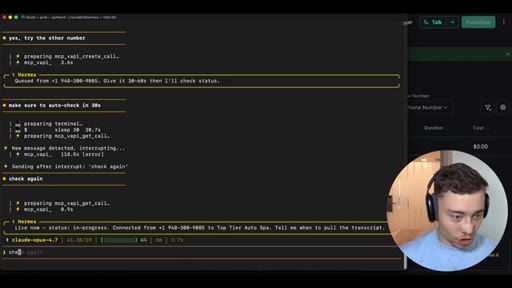
19:55It's either people who fully embrace AI and people who hate it. There's nothing in between. Live now in progress.
20:00Okay. It's happening.
20:05I don't know if it's a good talk because I'm in Poland in Katowice. If you wanna join our Katowice office, click the link below. We're hiring for multiple positions.
20:12But this is this is good. We're calling American companies, so it's probably morning in America.
20:18The status there, call is still alive. Okay. Check again.
20:22I wanna see what's happening. This is exciting. Anytime agent is on the call, this is super exciting.
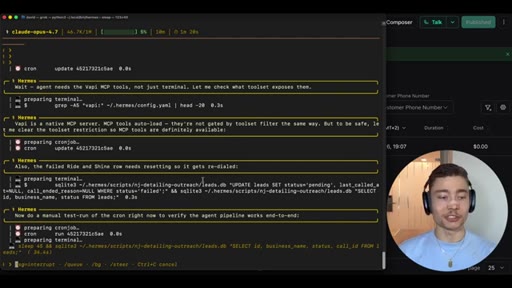
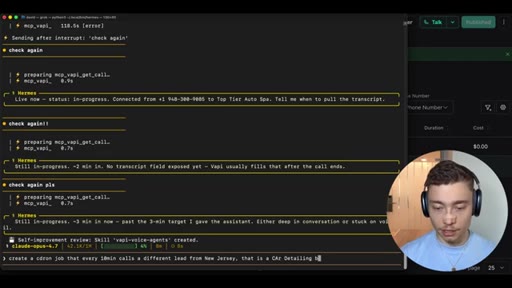
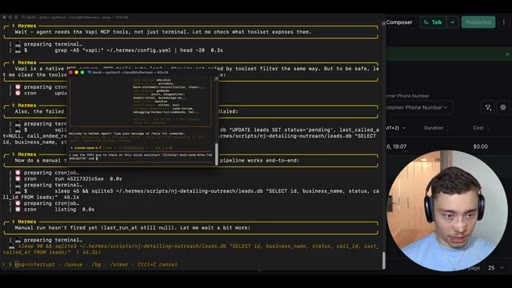
20:27And by the way, another thing is the advantage of Hermes is that you can create a cron job. So you can do these calls automatically. So I could say, create a cron job that every ten minutes calls a different
20:38lead from New Jersey
20:41that is a car detailing business.
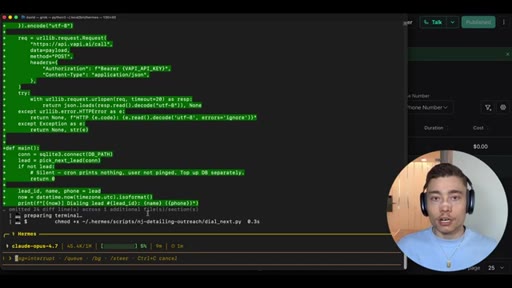
20:45Build a SQLite DB to keep track which businesses you've already called.
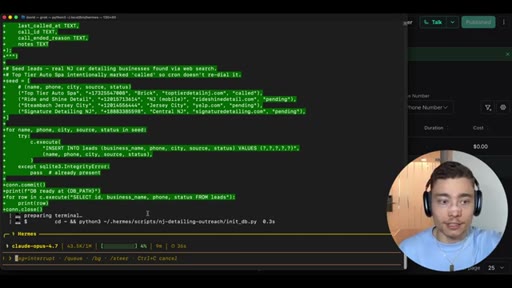
20:54And literally with a single prompt, we have a outreach strategy. We have a cold outreach strategy to slowly and surely
21:01well, actually, not slowly, quickly, like every 10 minutes. Right? And it's gonna work twenty four seven, so even humans cannot work twenty four seven,
21:08to call every car detailing company from New Jersey. Right? And it's gonna build SQLite database to keep track.
21:12Okay. Did I follow-up with these guys? Did I already call with these guys?
21:15And you can use that context in the future calls. Like, people don't realize how
21:20easy it is to build something that's truly useful, something that can grow your business today, not hypothetically in the future. If you need car detailing leads or if you need chiropractors,
21:31gyms, anything, like, anything. This is not just from, you know,
21:36brick and mortar businesses. Like, get creative. You need to call doctors.
21:39You need to call lawyers. You need to call finance firms, private equity firms, whatever.
21:44Right? It can do these phone calls. You can fine tune the the
21:48system prompt, and then it just say, Hermes. Okay. Clear new crunch up that every fifteen minutes, it rings a different
21:54venture capital firm pitching my start up. Boom. Would you pitch your start up faster?
22:00Would you get investors faster if you build this? Probably, It's like, get creative with this, guys.
22:05Use it for your business. Use it for something. This is truly, like
22:09it's truly incredible what you can do. Anyways, in the meantime, Hermes is creating Cronjob to build our automated outreach system. And, I just said a single sentence.
22:16Single sentence on what it should do, and it created SQL database. It's it's set up the MCP.
22:23It's created the skill, cron job, all of that because Hermes counts with, like, 82 prebuilt skills. So it it knows how to do this. Okay.
22:30I can actually do another Hermes, and I can copy this assistant, use the VAPI MCP to check on this voice assistant
22:40and progress on most recent call. Probably could have given it just the call ID to be fair.
22:46It's probably better. Here is the call ID for Vappi. So we're running multiple Hermes in parallel,
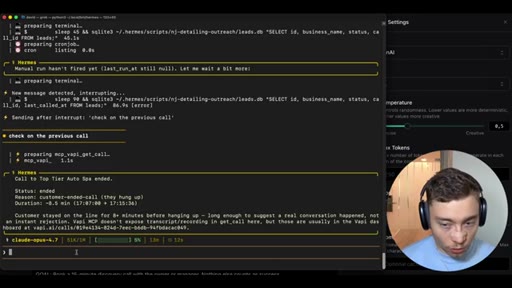
22:55which you can do very easily. Oh, there it is. The reason customer wait.
22:59Wait. Wait. This is insane.
23:01Eight minute call. Yo, guys. This is crazy.
23:04Eight minute call. Okay. Is this voice mail?
23:06Please, no. Lead to the following menu options. For operating hours, press 1.
23:12For address Okay. So it got stuck on voice mail. Alright.
23:15That's that's unlucky. Okay? So here what you should do is you should go to assistant
23:20and update the rules. Right?
23:24If you notice voice mail, just hang up. Boom.
23:28Something like this. Then I would go to model. This is definitely something we should change.
23:33Four o cluster is not good enough. 5.4 would recognize this much better. So, obviously, inside of her mess, it created the skill.
23:41Say, I'm gonna say update the skill you created for VAPI so that you always use g p t 5.4 as the model instead of g p t four o.
23:50That was a mistake from Hermes. It shows a worse model. So, yeah, I'm gonna publish this change
23:56so that we don't get stuck on voice mail in the future. Now before I show you the second VAPI use case, which is inbound agents, right, when you get inbound calls, let me first explain how VAPI actually works. So VAPI is the system and the platform used to build AI voice agents.
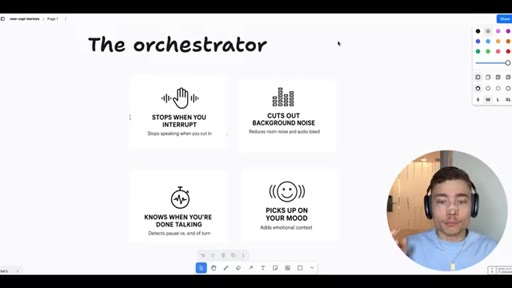
24:09Basically, apps that can talk to people over phone calls in real time. Now the most important elements of VAPI are the transcriber, the large language model, the voice model, and the orchestrator. And as you might have noticed, VAPI gives you all of this in a single platform.
24:22Now the orchestrator, this might be the most important one. It stops when people interrupt. It cuts our background noise.
24:27It knows when you're done talking and picks up on the mood of the people talking to your agent. Right? So all of these are very those are the hard part.
24:33There is voice models. There is LLMs from every company. But putting it all together to something that understands these nuances of phone calls, that is the hard part.
24:42Not just having generated AI voice, but making it into a truly useful assistant. That is what Vappi did.
24:49Now to show you the second use case, you can just create Hermes. And let's say you run a business that gets a lot of inbound calls. You can say,
24:57I run a massage place in Katowice, Poland, and we get a lot of inbound calls.
25:03I want you to use the VAPI MCP to create a new voice assistant for handling these inbound calls
25:11to just let them know about our availability, you know, which hours and which type of massages we offer, and help them book and schedule stuff using our internal software.
25:21I'm gonna give you more context later, but just use the VAPI MCP to create this new inbound voice assistant. If you have a business like that, you probably are paying two, three, four people on retainer every single month to just handle the calls. Right?
25:36To to handle the, you know, like, secretary or to for the phone call. Or you just deploy one VAPI assistant to do that twenty four seven, way cheaper. And if you put an effort into the system prompt, more reliably because, again, you can just customize this.
25:49You can test out different transcribers, different LLMs, different voice models, test out different opening messages, system prompts, connect it with other tools.
25:57Right? So if you have your own internal software, your own API, you can connect this here. Uh, as you can see, there's many different tools here we have.
26:04Prebuild, we can also create a new tool and put in the schema and connect it to your software or maybe Zapier or n a 10, whatever use. There is a lot of possibilities.
26:13So if you have a business that takes inbound, I would say it's nonnegotiable. You absolute absolutely have to do this. In okay.
26:19This interesting Hermes realized that we have the Polish number. It assumed that's for that, and it created a new assistant. Language Polish auto switches to English.
26:27This is crazy. In fifty five seconds, all of this is set up. In fifty five seconds, I can deploy this with inbound.
26:33Voice agents are here, and I showed you two use cases. Let me show you the third one. The third use case is the most impressive by far, and it uses custom tools.
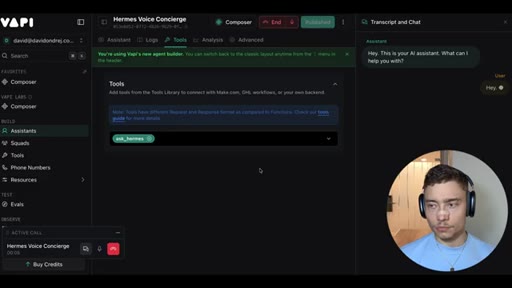
26:41So inside of Vapi, go to left, click on tools. And here you can see a bunch of tools. A lot of them are prebuilt.
26:46But one is custom, ask Hermes. Right? And this is the way you can use Hermes agent as your personal concierge.
26:52So instead of Hermes delegating to Vapi, Vapi can contact Hermes. So during the conversation, let's say,
26:59in a client, right, with a client, call with a client and it needs more info about your business or something, it can contact your personal Hermes agent deployed on the VPS and ask him questions and get contacts with him. Maybe the Hermes agent can send you a DM in the middle of the call on Discord or Telegram or WhatsApp,
27:16wherever your Hermes is authenticated. They're like, yo. The the this client is very promising.
27:22He wants to talk to you directly. Like, stuff like that. Right?
27:24It really is insane what you can do with this, and I have this tool here, AskRMS. It uses Angular to create a tunnel, and this really takes it to the next level.
27:33As I told you, VAPI is very, very configurable. So let's test this out. I'm gonna copy this ID of the tool, switch back to the terminal.
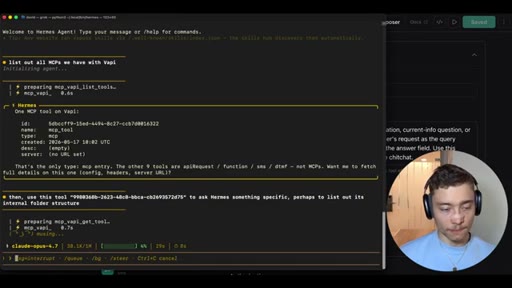
27:40I'm gonna do control c to just kill this to create a fresh hermes session. I know I can do slash new, but this is cleaner. I'll say list out all
27:49tools, all MCPs we have with VAPI. Then use
27:55this tool to ask Hermes something specific, perhaps to list out its internal folder structure.
28:05VAPI gets tool. Okay. Hopefully, it gets the but also get okay.
28:10Tools. Boom. Here's the ID.
28:12And this really fills in the last gap where if the VAPI assistant isn't sure on what to do during a call, it can use AskHermes
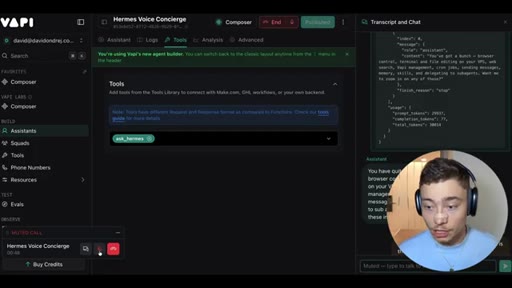
28:20to ask your Hermes agent, which can have connections to a lot more things and, you know, usually uses a more expensive model and has more context about you and the business to complete the request. So inside of the VAPI dashboard, I have this assistance,
28:32and I have this Hermes voice concierge. Here, have the tool attached. Ask Hermes.
28:37You need to give the specific tool to that specific assistant so it can use it, and we can actually talk to it. Right? So we can click on talk and do a test.
28:44I need to allow the microphone. Click allow. Hey.
28:47This is your AI assistant. What can I help you with? Hey.
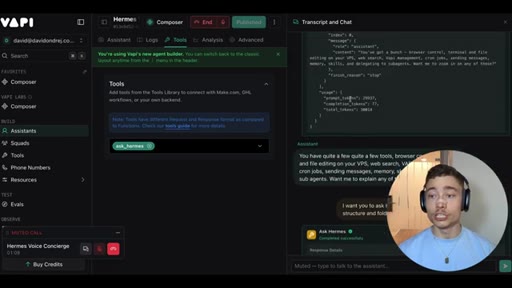
28:53CTAWhat tools do you have available? You have quite a few quite a few tools, browser control, terminal and file editing on your VPS,
29:00CTAweb search, VAPI management, cron jobs, sending messages, memory, skills, and delegating to sub agents.
29:08CTAWant me to explain any of these in more detail? I want you to ask Hermes and tell it what is the internal file structure and folder structure. That's really good, guys.
29:17CTAWe got the ask Hermes tool here. It obviously takes a few seconds because it hits a VPS server. There it is.
29:22CTAHit again. Top level has Hermes and WAF root on Hermes, your VAPI adapter, and opt VAPI adapter, plus the usual root home dot files.
29:30CTAWant me to dive deeper into the Hermes folder or the adapter? Really nice. So you can attach this as a tool
29:37CTAto any of the voice assistants, and it can use it during a conversation. Right? So now I'm testing it myself, but, obviously, ideally, it's a potential client, a potential lead, maybe an applicant,
29:46CTAwhatever. There is, like, hundreds of use cases for voice agents. But now you know how with VAPI and the tools feature, you can use Hermes not only as a orchestrator, because so far, we've used Hermes to manage and create VAPI assistants.
30:01CTARight? But now you can use you can do the other way, where, basically, a VAPI assistant during the conversation can call to Hermes to get, you know, more more context,
30:11CTAmore tools, more connections, whatever is needed. So this really is the ultimate platform. With VAPI, you can build anything you imagine when it comes to voice agents, especially when you connect with with Hermes.
30:22CTASo, again, I have to thank VAPI for sponsoring this video. And if you have a business, whether it's one that gets inbound or one that could use outbound,
30:30CTAplease start building voice agents. I don't care how you use it. You just need to start using it.
30:34CTAEven if it takes you a couple weeks to figure out and really crack the code, get started now. Click the first link below the video. Give Vappi a shot.
30:40CTAThey have multiple different plans, so choose the one that makes sense for you and actually build this today. And as I mentioned before, if you want all of the resources from this video, for the different use cases for inbound, for the different use cases for outbound, and everything else mentioned in this video, click the second link below the video.
30:54CTAIt's completely free. You'll get a bundle with everything I mentioned in this video. So go below, click the second link, and grab it now.
— full transcript
§ 05 · For Joe

Voice agents are not the future. They are already 5 cents a call.

Build this today

One MCP server turns your Claude Code or Hermes agent into a 24/7 phone operator -- bookings, cold outreach, inbound reception -- for less than a cup of coffee per hundred calls.

  • The architecture: agent orchestrator + VAPI MCP = autonomous voice workflows. No custom code, no backend -- connect the MCP and prompt in plain English.
  • VAPI gives you 10 free US phone numbers per account. Build an inbound agent before building any paid feature.
  • The self-configuration pattern is the unlock: paste a URL into your agent and say 'set this up.' It writes its own config. Use this for any MCP you want to add.
  • Cold outreach cron job is one sentence: 'call a new niche lead every 10 minutes, track in SQLite.' That is a complete outbound SDR for zero labor cost.
  • The AskHermes-as-VAPI-tool pattern (use case 3) is the most underrated: a voice assistant calls back into your full agent toolkit mid-conversation via ngrok. Any live call can escalate to your entire agent stack.
§ 05 · For You

What an AI phone agent can actually do for you right now.

If you have been putting it off

AI voice agents can already book your appointments, handle your inbound calls, and follow up with leads -- at a cost that is literally cents per call.

  • You do not need a business to use this. Dentist appointments, restaurant reservations, confirming bookings -- any call you dread can be delegated.
  • The 5-cent spa booking in this video was a real call to a real business. The technology works today.
  • Setup time is under an hour if you follow the steps. The hard part is not technical -- it is knowing what to ask the agent to do.
  • Voice agents are not replacing human relationships. They are replacing hold music, phone tag, and the 'can I put you on a brief hold' part.
§ 06 · Frame Gallery

Visual moments.