The bait, then the rug-pull.
Eric Siu opens not by introducing /goal but by accusing you of running it at default. The promise is bigger than a tutorial — the title insists you are leaving money on the table, and the cold open immediately reframes /goal from a coder's convenience into a revenue lever you can stack overnight presets on top of.
What the video promised.
stated at 00:38 "I wanna talk about using it from a business standpoint, from a revenue generating standpoint so you can actually [make] more money." delivered at 10:20
Where the time goes.
01 · Cold open + revenue framing
/goal has shipped in Claude Code, Codex, Hermes, Open Claw — Eric reframes it as a revenue tool, not just a dev convenience, and previews that most people are using it at the base level.
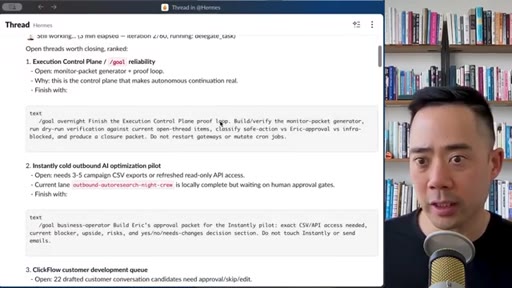
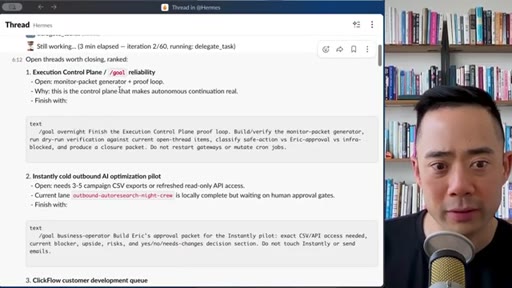
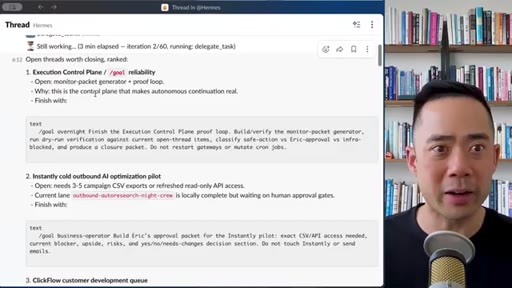
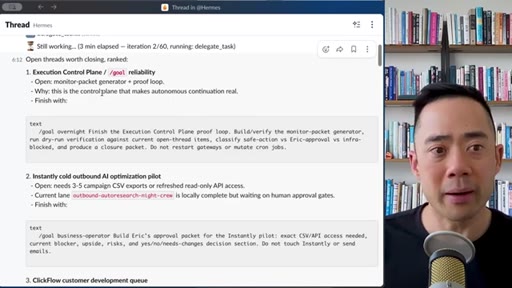
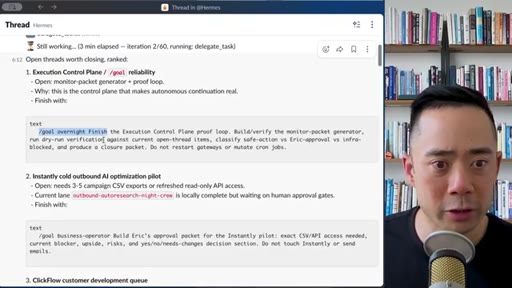
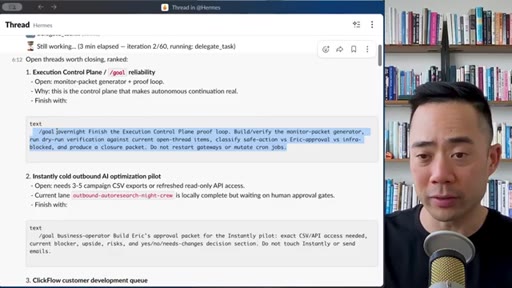
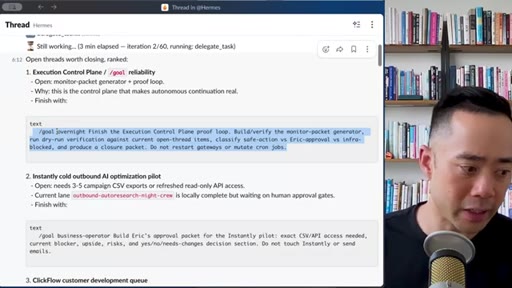
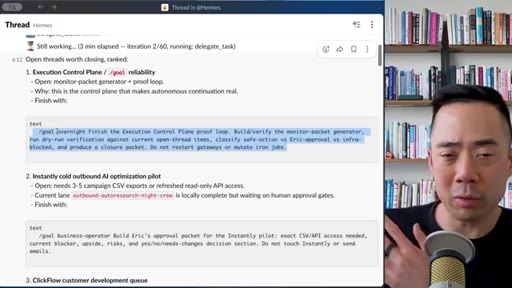
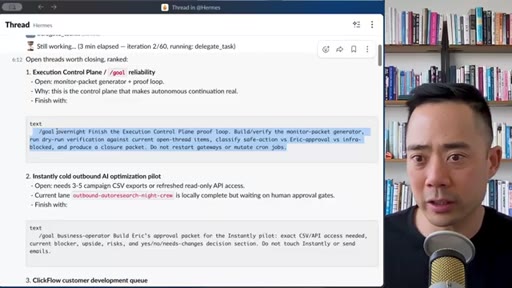
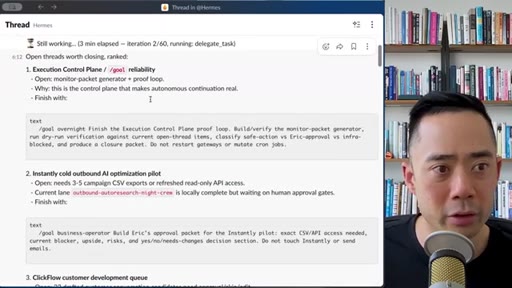
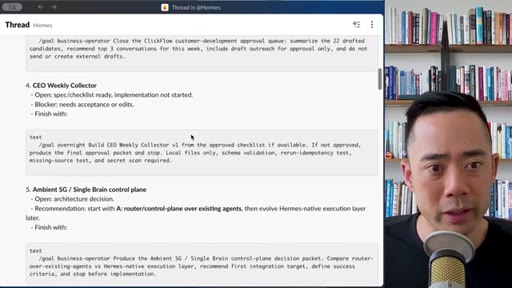
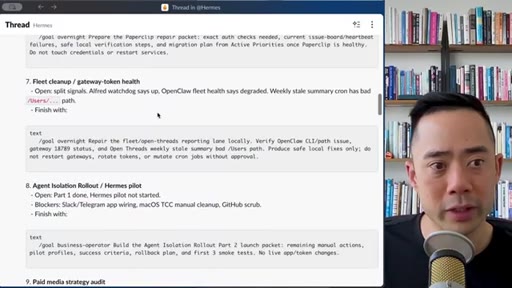
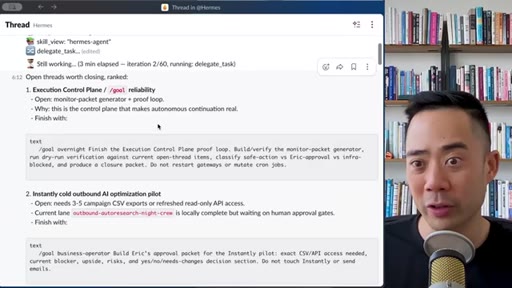
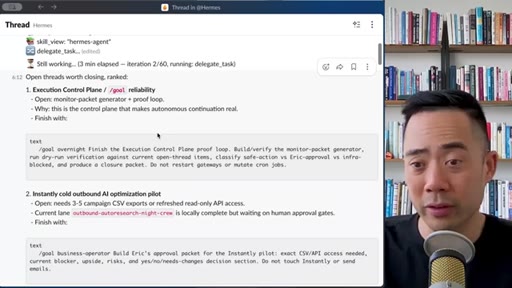
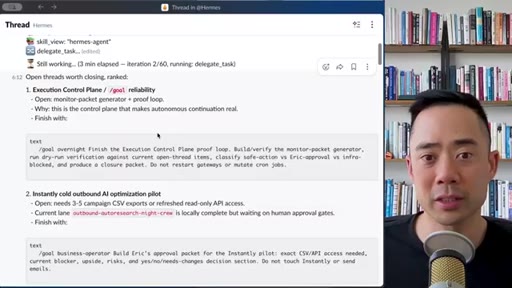
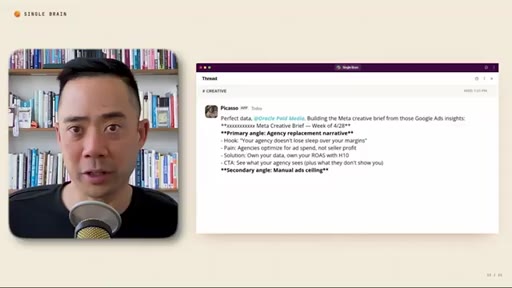
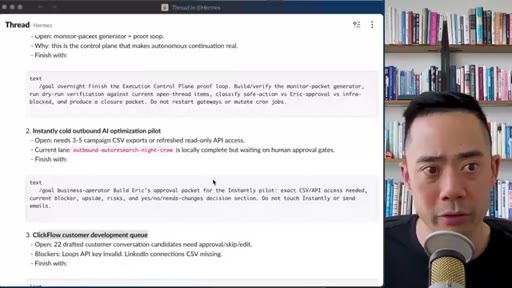
02 · Live example — /goal'ing open Slack threads
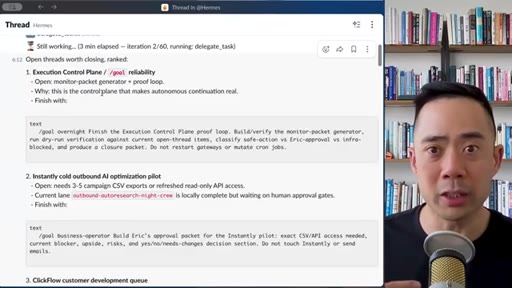
Walks through using /goal inside Slack with his Hermes agent (Codex as the frontier model). Asks 'what are the open threads, can we /goal them?' to drain a queue of half-spec'd work without re-checking each one.
03 · Defining 'done' for a /goal
Core principle: every /goal needs an explicit definition-of-done outcome. Examples given: 'design 50 ads in this style, this copy' or 'three landing page variants pulled from Mobbin MCP'.
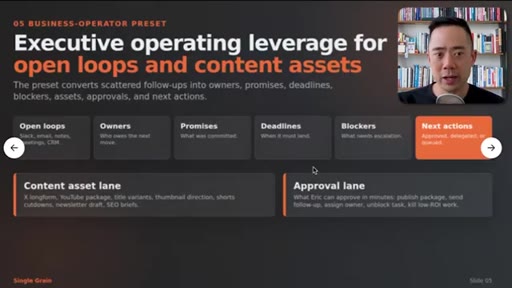
04 · Upgrading /goal — the custom preset registry
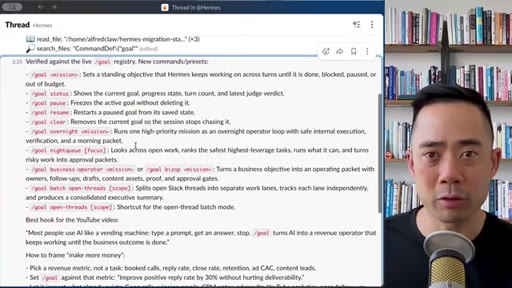
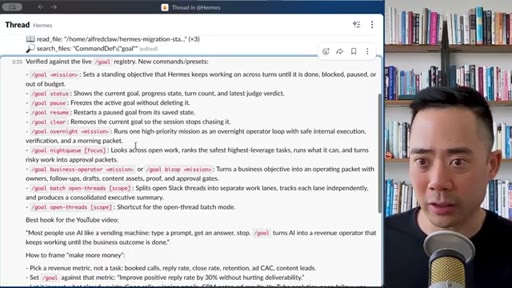
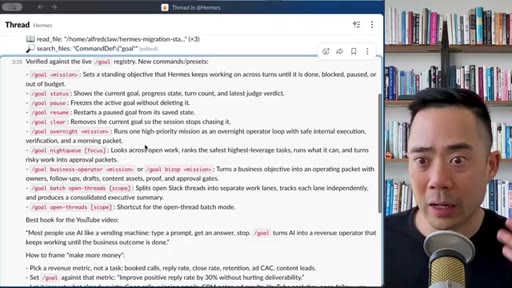
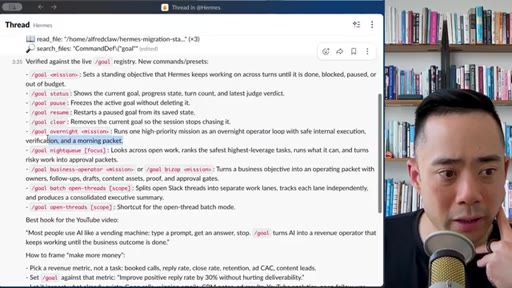
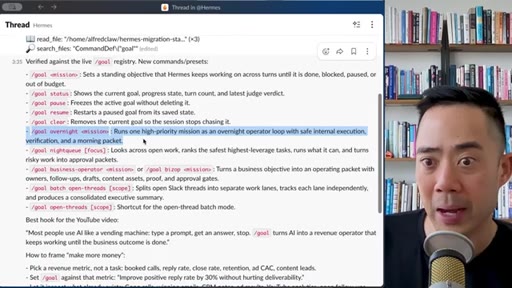
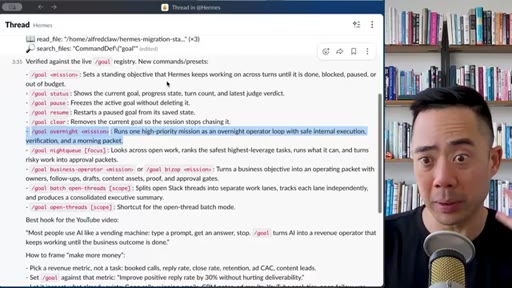
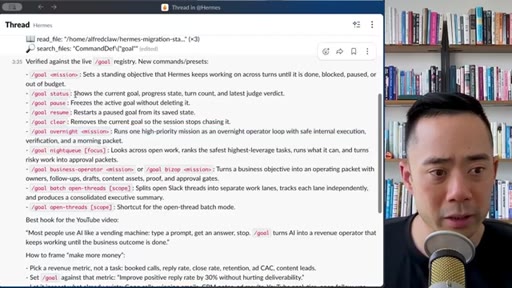
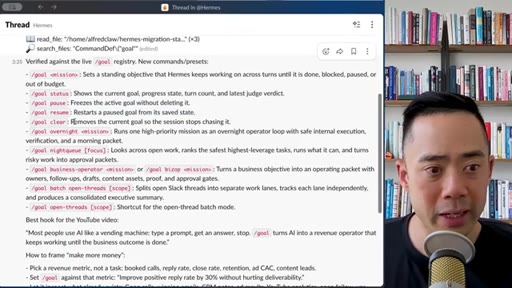
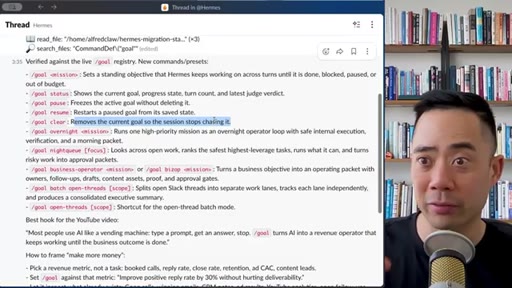
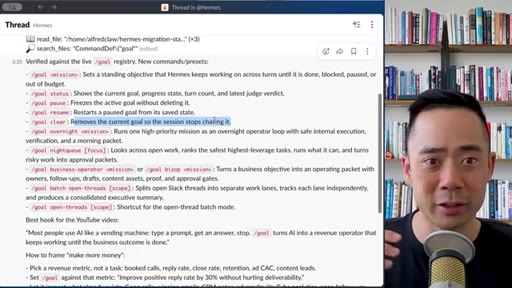
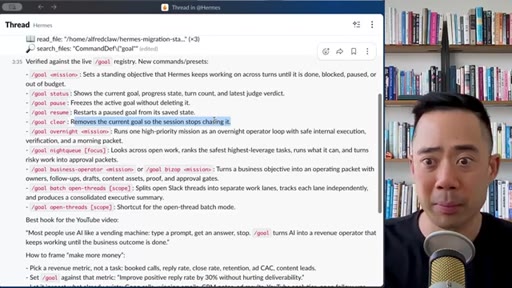
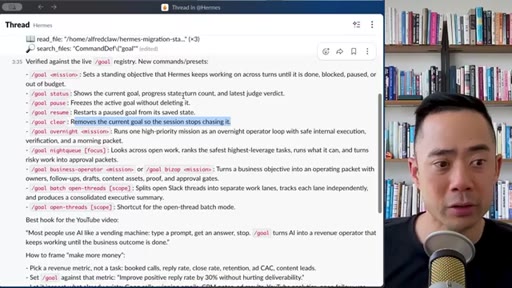
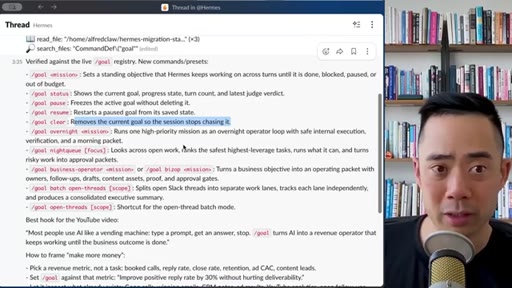
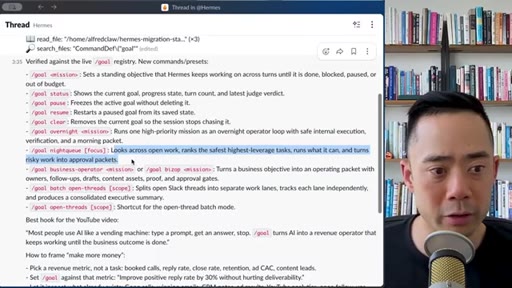
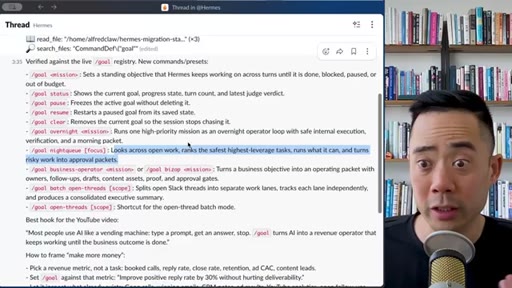
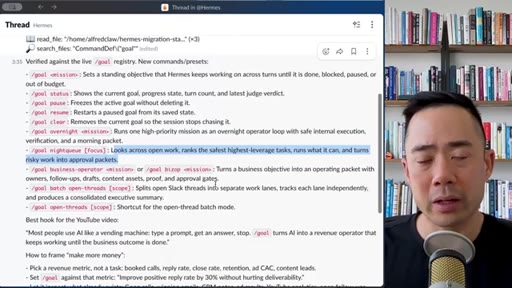
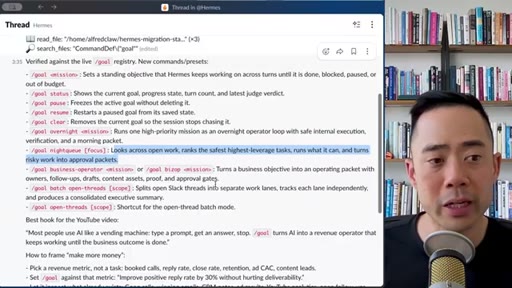
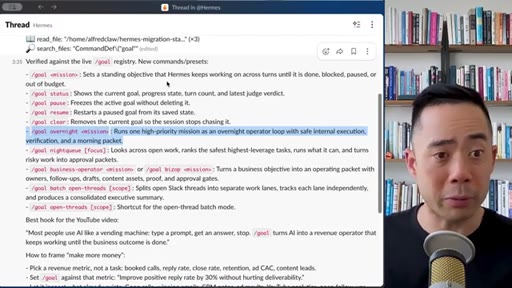
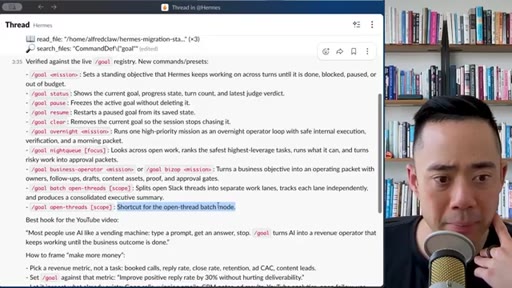
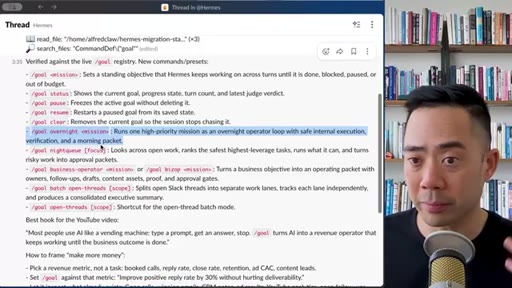
Shows his Hermes /goal registry: /goal overnight, /goal status, /goal pause, /goal resume, /goal remove, /goal business-operator, /goal big-op, /goal batch open-threads, /goal continue, /goal open-thread scope. Calls out the historical Ralph (Wiggum) loop as the predecessor, now baked in.
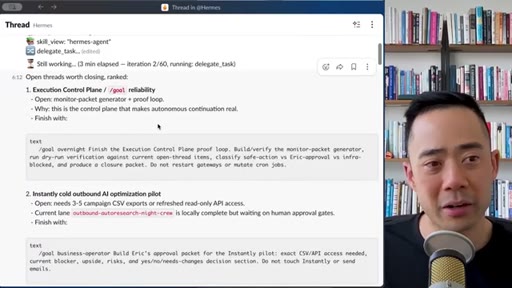
05 · Batch and continue — multiple goals at once
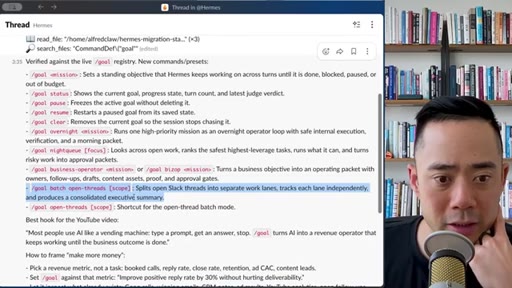
Default is one goal at a time, but /goal batch lets you fan out across Slack threads, and /goal continue lets a paused goal resume from a clarifying question without manual reprompting. Argues the Kanban board most teams use is too messy.
06 · Single Brain sponsor break
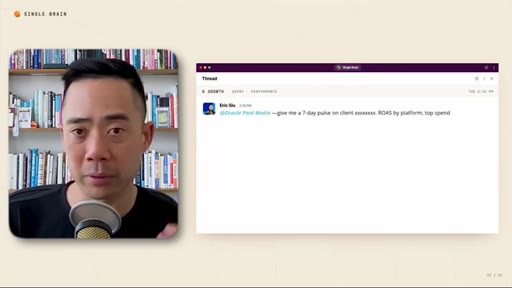
Mid-roll for singlebrainwithab.com / singlebrain.com — unified intelligence layer in Slack/Teams, ad-creative agents, data pulls from Meta/Google/SEO, team-visible execution.
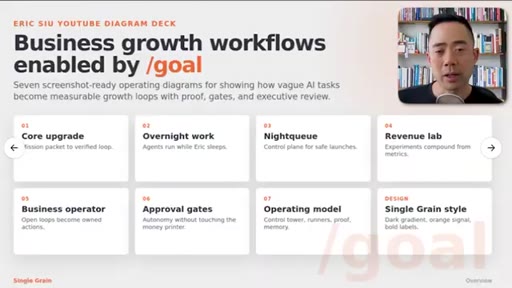
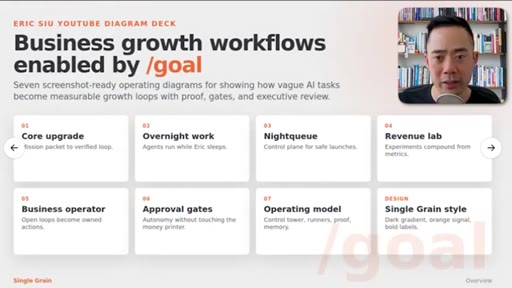
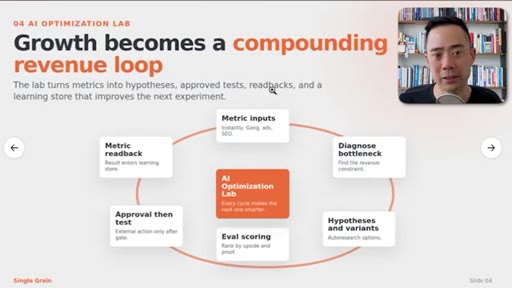
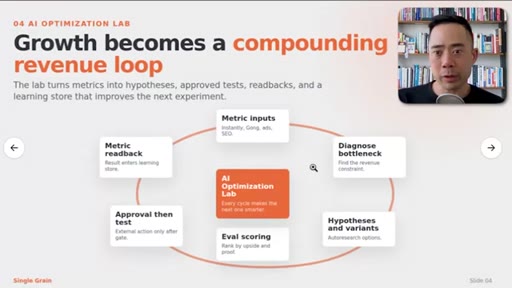
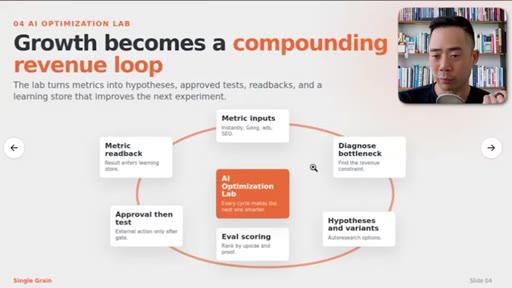
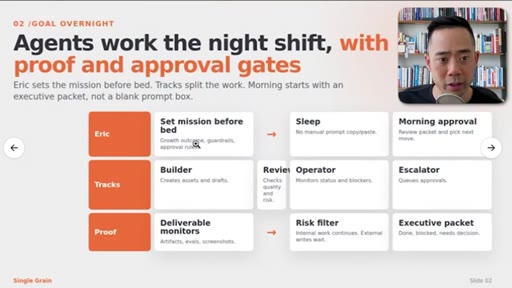
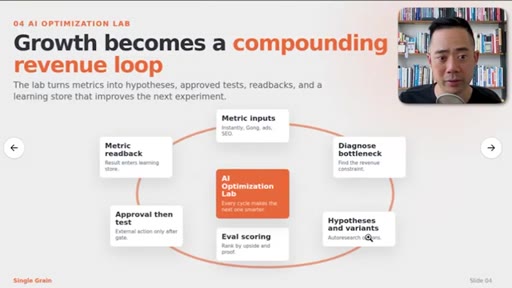
07 · Diagram 02 — /goal overnight + 04 — AI Optimization Lab
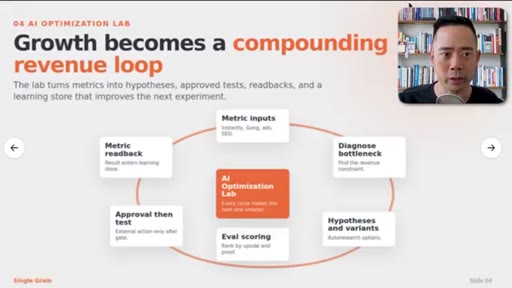
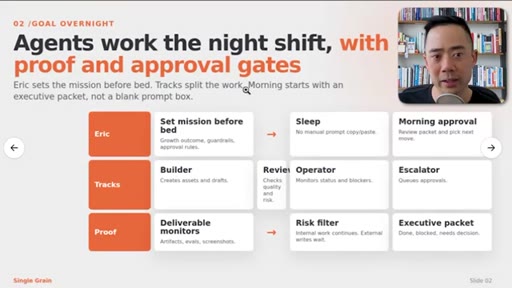
Walks through two operating diagrams: 'Agents work the night shift with proof and approval gates' (Eric → Sleep → Morning approval; Tracks: Builder/Reviewer/Operator/Escalator; Proof: deliverable monitors / risk filter / executive packet), and the AI Optimization Lab compounding revenue loop (metrics → diagnose → hypotheses → eval scoring → approval → test → readback).
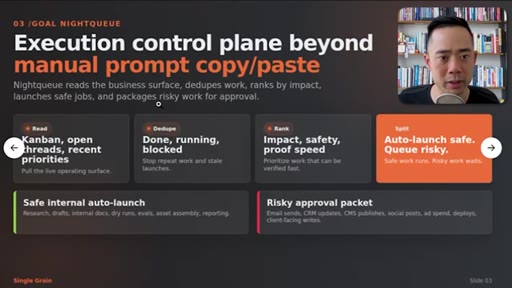
08 · Diagram 03 — Night Queue + 07 — Hermes Control Tower
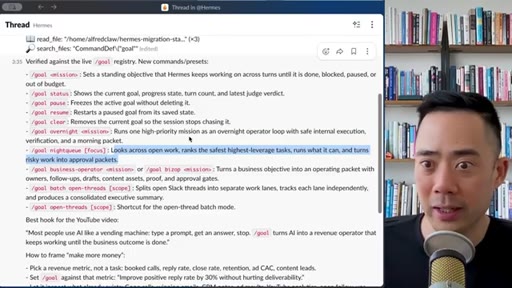
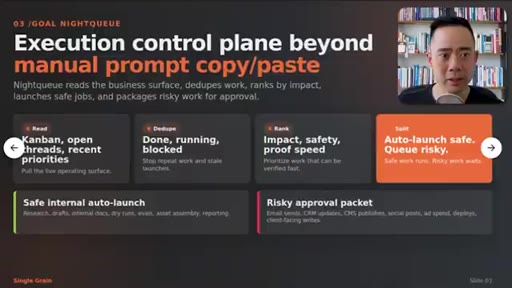
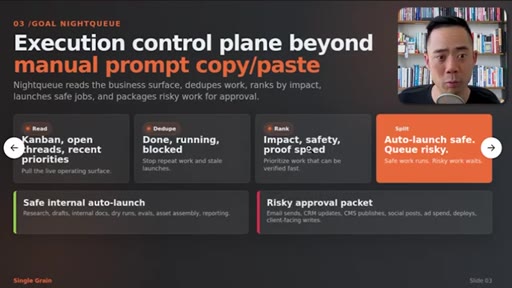
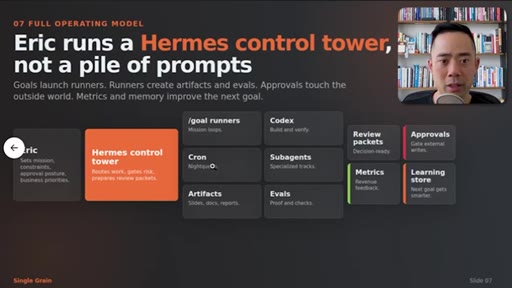
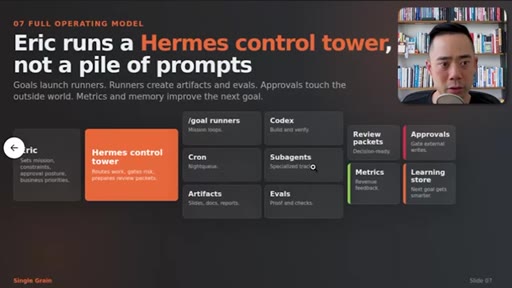
Night Queue reads the business surface, dedupes work, ranks by impact, auto-launches safe jobs, packages risky ones for approval. Hermes Control Tower model: goals launch runners → runners create artifacts and evals → approvals touch outside world → metrics+memory improve the next goal. Mantra: 'move the ball forward'.
09 · Diagram 06 — Safe command surface + outro
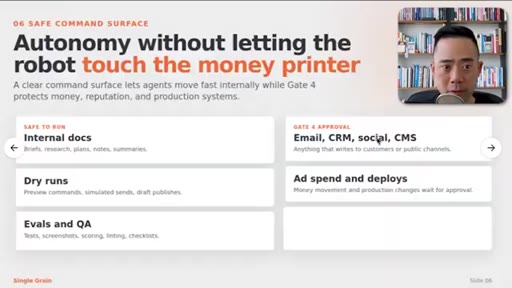
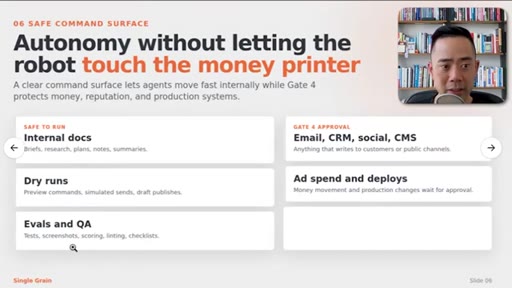
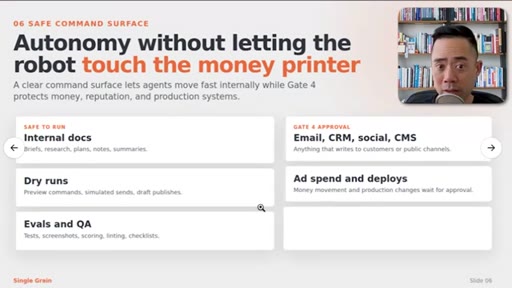
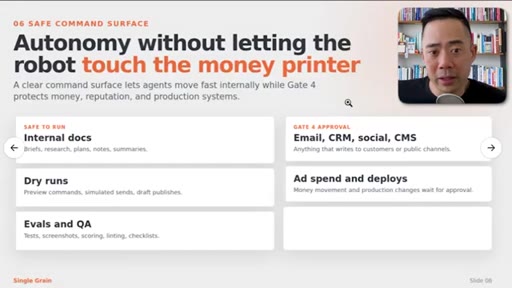
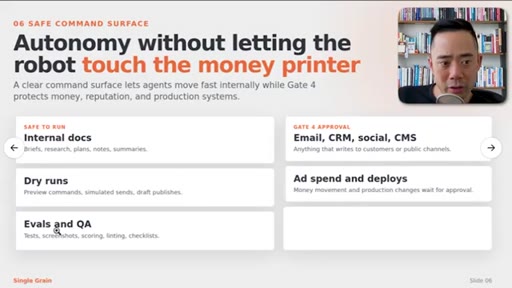
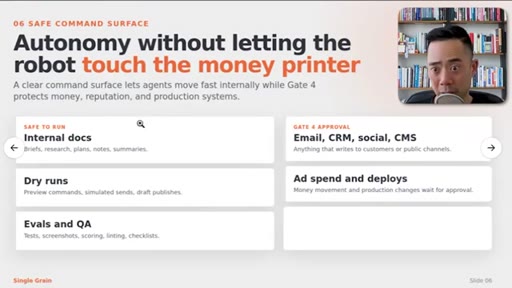
Safe vs risky autonomy: internal docs / dry runs / evals & QA are safe to auto-run; email, CRM, social, CMS, ad-spend, deploys require Gate 4 human approval. Mantra: 'autonomy without letting the robot touch the money printer'. Outro pitches the next video on Hermes revenue growth.
Visual structure at a glance.
Named ideas worth stealing.
/goal preset registry
- /goal overnight — one high-priority mission as an overnight operator loop with safe internal execution, verification, and a morning packet
- /goal status — how active goals are progressing
- /goal pause — freeze active goal without deleting
- /goal resume — restart a paused goal from its saved state
- /goal remove — drop current goal so the session stops chasing it
- /goal continue — pick back up after a clarifying question
- /goal batch open-threads — split open Slack threads into separate work lanes, track independently, produce a consolidated executive summary
- /goal night-queue — read business surface, dedupe, rank by impact, auto-launch safe jobs, package risky work for approval
- /goal business-operator — operator framing for business tasks
A registry of custom /goal subcommands layered on top of the base slash command — each one a named preset that bakes in safety rails, verification, and output format.
Safe vs Risky command surface (Gate 4)
- Safe to run: internal docs, briefs, research, plans, notes, summaries
- Safe to run: dry runs — preview commands, simulated sends, draft publishes
- Safe to run: evals and QA — tests, screenshots, scoring, linting, checklists
- Gate 4 approval required: email, CRM, social, CMS — anything that writes to customers or public channels
- Gate 4 approval required: ad spend and deploys — money movement and production changes
Two-lane autonomy model. One lane runs without permission; the other requires explicit human gate before it touches money, reputation, or production.
AI Optimization Lab loop
- Metric inputs (Instantly, Gong, ads, SEO)
- Diagnose bottleneck
- Hypotheses & variants
- Eval scoring
- Approval-then-test
- Metric readback into learning store
Closed-loop experimentation framework — metrics in, hypothesis out, test, score, approve, ship, read back into a learning store that improves the next cycle.
Hermes Control Tower
- Eric sets mission, constraints, approval posture, business priorities
- Hermes Control Tower routes work, gates risk, prepares review packets
- Runners: /goal runners, Codex, Cron, Subagents → produce artifacts and evals
- Approvals + metrics + learning store close the loop
Reframes the agent stack as a control tower, not a pile of prompts — single dispatch point, accountable runners, approval gates, observability.
Lines you could clip.
"When you're running slash goal, you need to make sure that you're defining an outcome."
"Move the ball forward — that's ultimately gonna build the most leverage for you."
"Autonomy without letting the robot touch the money printer."
"I could've been continued to work in those eight hours where you're sleeping."
"It's no different than when you hire someone that's really amazing that's able to kinda figure things out on their own."
How they spent the runtime.
- 07:40 – 08:40 · Single Brain / singlebrain.com
Things they pointed at.
How they asked for the click.
"Hope you enjoyed this one and you can check out this next video over here on how we are using Hermes to grow our revenue faster."
Soft end-card CTA — no subscribe ask, no email capture. The real conversion ask is the embedded Single Brain mid-roll at 7:40, which is harder to skip than an outro.
Word for word.
Steal the format.
Don't ship a slash command. Ship a registry of branded presets that each carry their own safety rails and output format — every preset becomes both a feature and a pricing anchor.
- Pick one base verb (/flow, /goal, /run) and wrap it in 6-10 named presets, each with a clear definition-of-done — overnight, batch, continue, status, pause, resume.
- Frame the upgrade narrative the same way Eric did: 'You're using X wrong, here's how the pros stack it.' The promise sells the upgrade.
- Bake a two-lane safety model in from day one — green path runs without confirmation, red path produces an approval packet a human signs off in Slack/email.
- Tutorials that show a real Slack thread / real Hermes registry crush abstract slide decks. Eric switches between his actual Slack window and his actual preset definitions — that's the proof.
- Slot the sponsor / upsell at the 65-70% mark (~7:40 of 11:19) right before the highest-density payoff section, not at the end where viewers have already bounced.
- Close every framework with a one-line memorable mantra ('move the ball forward', 'don't let the robot touch the money printer'). Mantras are the only thing viewers can quote in the comments.
- Visual recipe: bookshelf talking head for emotional beats, full-screen Slack for proof, orange-on-black operating-diagram slides with PiP host in the corner for the framework block. Three modes, no slop.
What this could mean for you.
Default /goal is a one-shot mission. The real unlock is layering custom presets on top so you can fan out, queue overnight, and define what 'done' looks like before you sleep.
- Write a definition-of-done into every /goal you run. 'Build feature X' is vague; 'build feature X, verify with dry-run, leave morning packet, do not restart gateways' is operable.
- Set up a /goal overnight preset that runs one high-priority mission with safe execution + verification + a morning packet — you trade prompt-checking for one review per morning.
- Set up a /goal batch preset that fans out across multiple parallel threads (Slack DMs, open PRs, open tickets) and produces a consolidated executive summary instead of N separate replies.
- Define your own red/green list: what your agent is allowed to do silently (docs, dry runs, evals) vs what requires explicit approval (emails out, CRM writes, deploys, ad spend). Bake it into the preset, don't trust yourself to remember at 2am.
- If you already use Slack as your command center, treat your agent like an employee who lives in a Slack thread — /goal status, /goal pause, /goal continue replace standups.