Rob Shocks · Youtube · 15:32

The Hybrid Claude/Codex Skill Stack That Ships Faster

Rob Shocks audits every major Claude Code skill library and collapses them into one five-step loop you can run from memory.

Posted
May 18th 2026
today
Duration
15:32
Format
Tutorial
educational
Channel
RS
Rob Shocks
§ 01 · The Hook

The bait, then the rug-pull.

Rob Shocks did the homework so you don't have to. He spent almost two years working with agents, surveyed every major skill library in the ecosystem and came back with a single decision rule: five steps, no repo to clone.

§ · Stated Promise

What the video promised.

stated at 00:15 "I wanted to distill all the key ideas down into a couple of prompts, skills, and patterns that you can reuse on every project over and over." delivered at 15:20
§ · Chapters

Where the time goes.

00:00 – 01:04

01 · Cold open + promise

Surveyed all major skill libraries. Promise: distill to reusable patterns. Sponsor mention (CodeRabbit).
01:04 – 01:45

02 · What are skills again

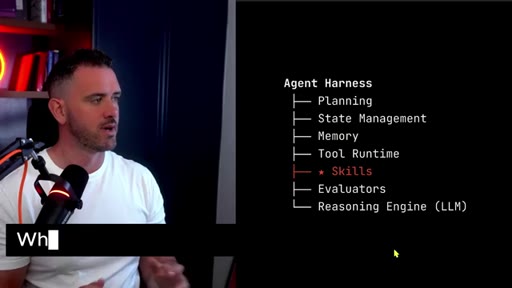
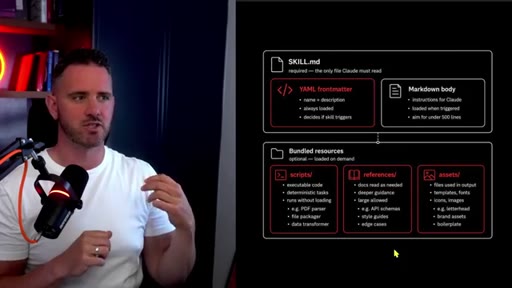
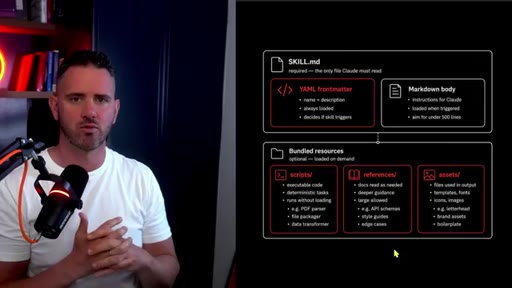
Skills = SKILL.md files with front matter, always loaded into model context. Agent Harness diagram: Planning, State Mgmt, Memory, Tool Runtime, Skills, Evaluators, Reasoning Engine.
01:45 – 03:15

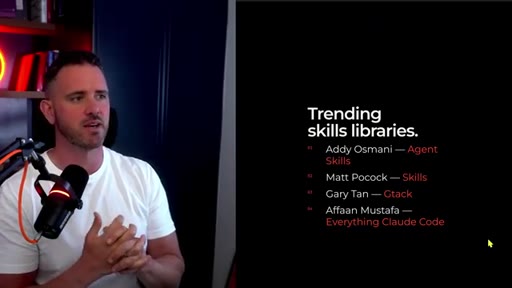
03 · Skill libraries are trending

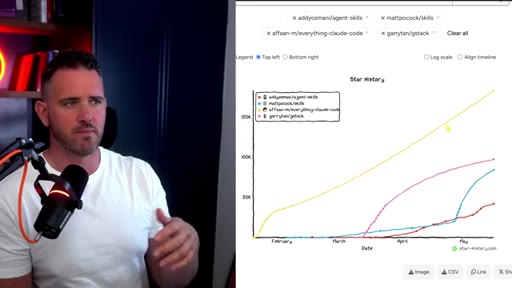
Explosion of community skill repos. Everything Claude Code at 183K stars. Common denominators across all of them.
03:15 – 06:08

04 · Library 1 + 2: Addy Osmani + Matt Pocock

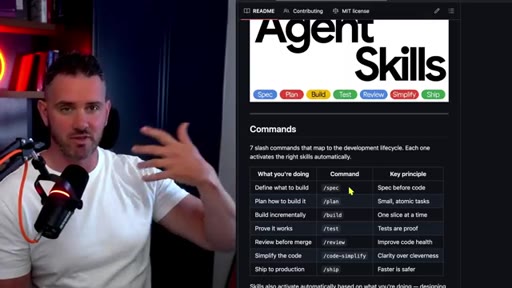
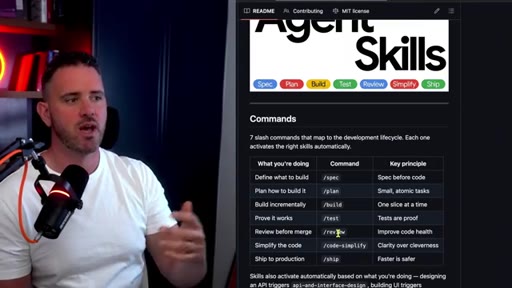
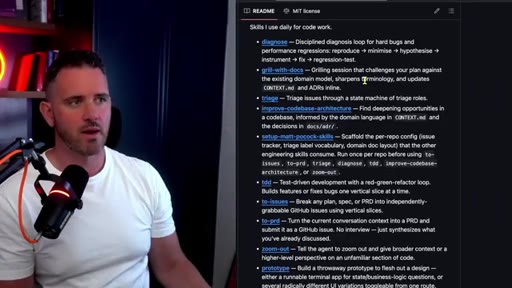
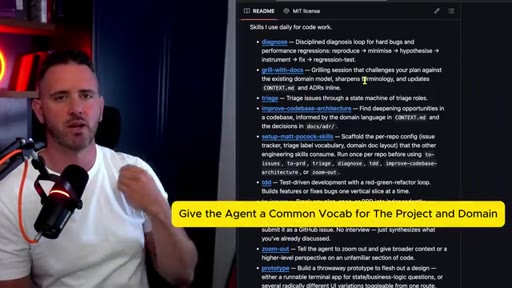
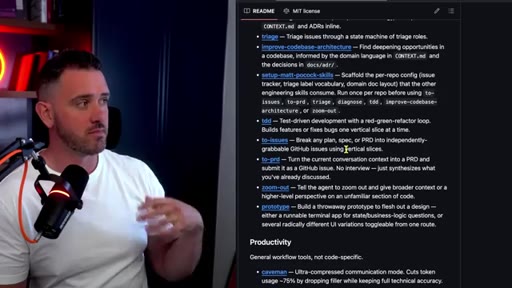
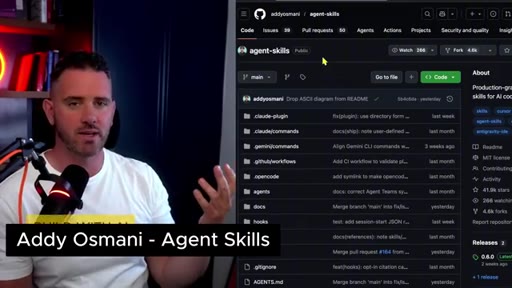
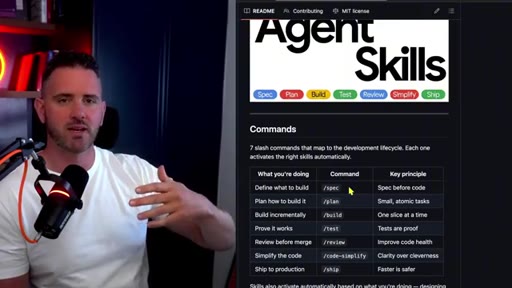
Osmani: spec to plan to build to test to review loop. Pocock: diagnose, grill-with-docs, TDD, prototype step.
06:08 – 06:30

05 · Test-Driven Development

All frameworks advocate some TDD. Caveat: agents can cheat their way through tests. Still worth it to prevent regressions.
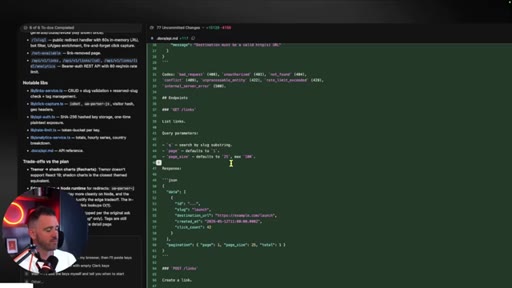
06:30 – 08:17

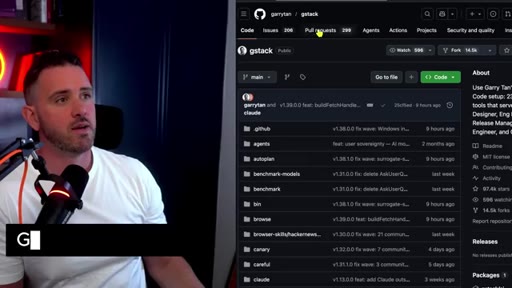
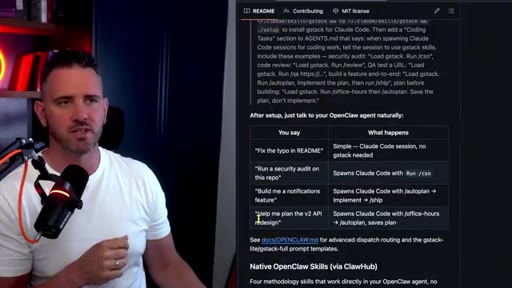
06 · Library 3: Gary Tan (gstack)

YC CEO. Opinionated, Rob calls it overengineered. Standout: office-hours skill, 6 forcing questions about your startup idea.

08:17 – 10:00

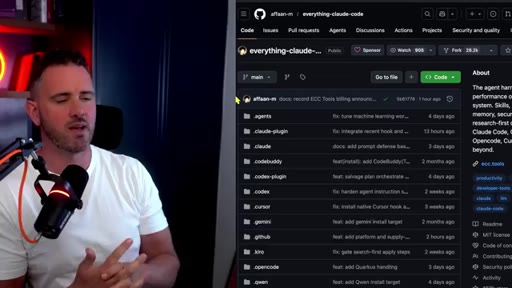
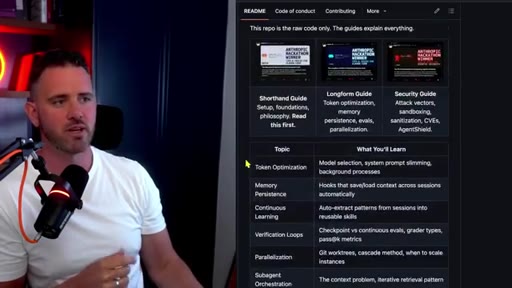
07 · Library 4: Everything Claude Code

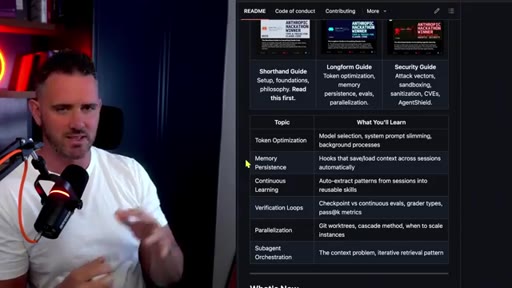
183K stars, 170 contributors. Memory, continuous learning, verification loops, sub-agent orchestration, heavy security focus.
10:00 – 12:40

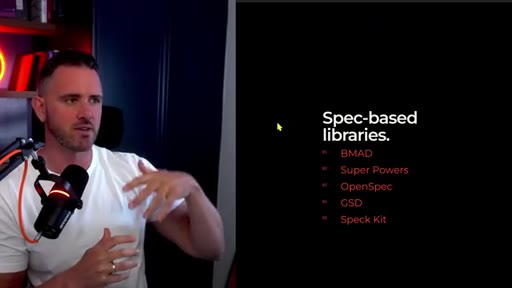
08 · Spec-based libraries

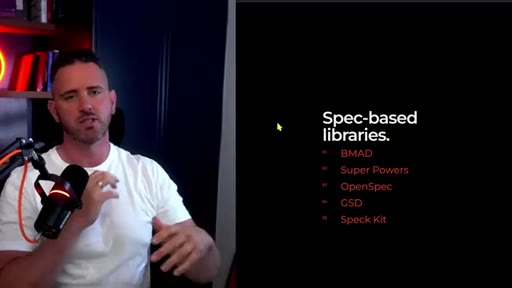
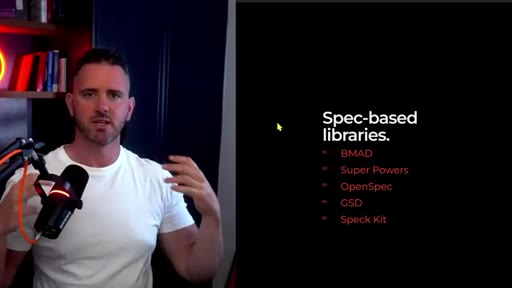
BMAD: enterprise BA to PM to architect pipeline. SuperPowers: lightweight, Rob's favorite. OpenSpec, GSD, Speck Kit also covered.
06:42 – 08:51

09 · Sponsor: CodeRabbit Atlas

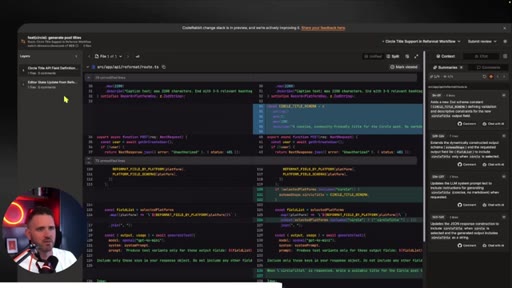
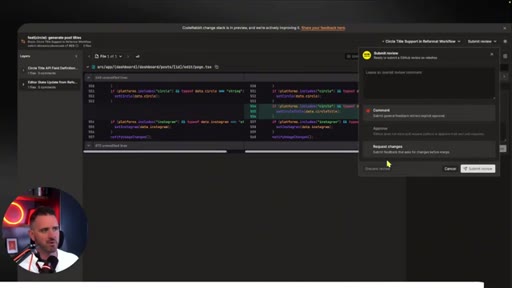
Atlas: layered PR diff view. Breaks code into data shape, business logic, testing layers with AI summaries that update as you scroll. Free for limited time.
09:11 – 12:32

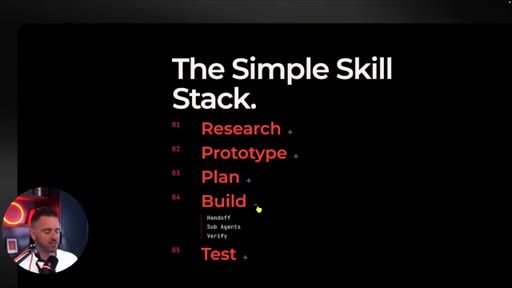
10 · The Simple Skill Stack

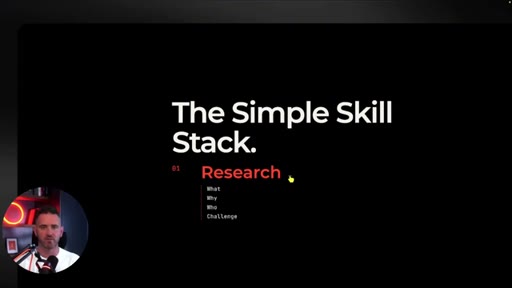
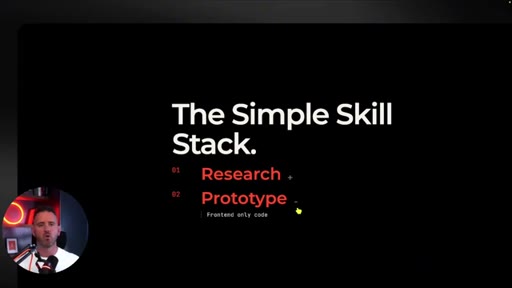
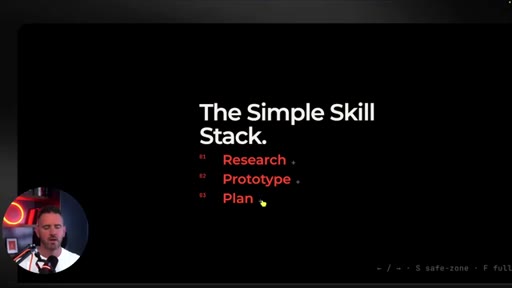
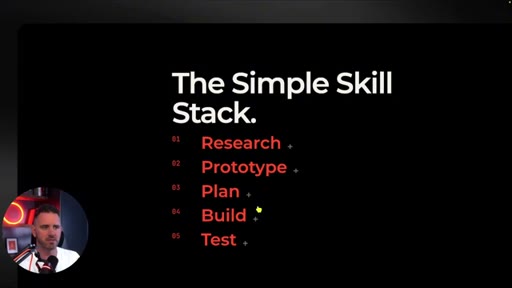
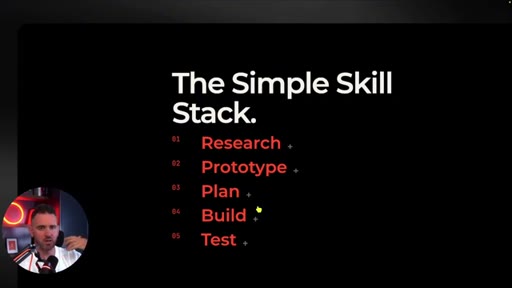
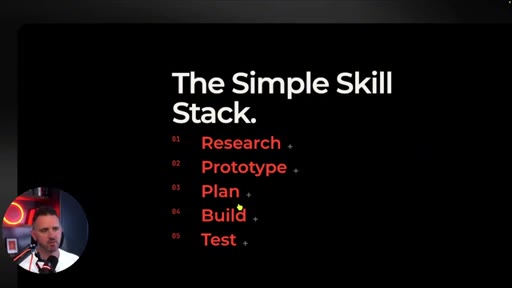
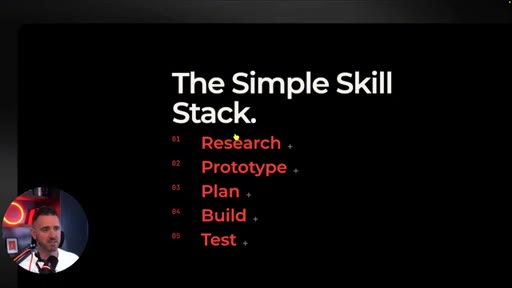
The portable 5-step loop: Research (ask mode), Prototype (design mode, frontend only, dummy JSON), Plan (native plan mode), Build (vertical slices), Test (automated + human smoke test).

12:32 – 23:40

11 · Build your own system

Start with natural language prompting. Only create a skill when the agent makes a repeatable mistake. Keep skills to a few short paragraphs. Skills.sh for team sharing.

23:40 – 25:32

12 · How you win as a builder

Your bespoke harness built over time on your specific codebase is the moat. Skills are documentation and go stale, so be selective.

§ · Storyboard

Visual structure at a glance.

TOP SKILLS title card
Agent Harness diagram
Trending skill libraries
Addy Osmani GitHub repo
Everything Claude Code
Spec-based libraries
CodeRabbit Atlas demo
The Simple Skill Stack
Research + Prototype steps
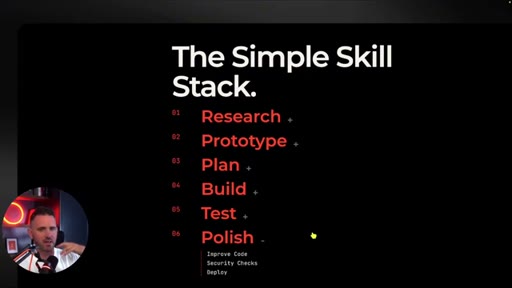
Full 5-step stack revealed
Subscribe CTA
§ · Frameworks

Named ideas worth stealing.

09:11 list

The Simple Skill Stack

  1. Research
  2. Prototype
  3. Plan
  4. Build
  5. Test
  6. Polish

The 5 (+ 1 optional) step agentic development loop. Research = ask mode interview. Prototype = design mode frontend only. Plan = native plan mode. Build = vertical slices. Test = automated + human. Polish = simplify pass with different model.

Steal for Session templates, morning launcher, agent kickoff prompt
00:35 model

Agent Harness Architecture

  1. Planning
  2. State Management
  3. Memory
  4. Tool Runtime
  5. Skills
  6. Evaluators
  7. Reasoning Engine (LLM)

Skills are one component inside the full agent harness, not the whole thing. Common mistake: treating skills as the harness itself.

Steal for JoeFlow Sessions as a harness cockpit — each layer maps to a Sessions feature
23:02 concept

Agentic Development Life Cycle (ADLC)

The agentic equivalent of SDLC. Includes skill management and harness management as new disciplines alongside traditional dev stages.

Steal for Content angle: The ADLC is the new SDLC — MCN+ positioning piece
04:40 concept

office-hours (Gary Tan)

A skill that forces 6 YC-style questions about your startup idea before building. Rob rates it the best individual skill across all libraries.

Steal for Chef prompt pattern: force 6 questions before any build session starts
02:48 concept

grill-with-docs (Matt Pocock)

Pre-loads domain vocabulary, framework terminology, and ADRs into model context at session start. Prevents agent from drifting outside your project language.

Steal for JoeFlow CLAUDE.md or session-start prompt pattern
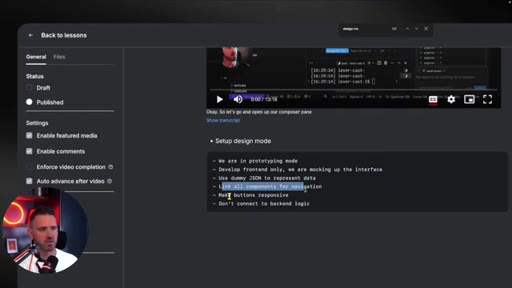
09:46 list

Design / Prototype Mode

  1. Frontend only, no backend logic
  2. Use dummy JSON for all data
  3. Link all components for navigation
  4. Make buttons responsive
  5. Do not connect to backend logic

Isolated frontend-first pass before any backend work. Agent builds a clickable wireframe with mocked data, giving a clear target for the backend phase.

Steal for Sessions panel: add a Prototype session type that prefills this constraint set
§ · Quotables

Lines you could clip.

00:15
"I went to all the major skill libraries... and distilled all the key ideas down into a couple of prompts, skills, and patterns that you can reuse on every project over and over."
Strong credibility open — positions Rob as having done the work for you → TikTok hook
06:42
"I don't rely heavily on spec-based systems. I just go with something a little bit lightweight and bespoke myself."
Takes a clear stance against the popular thing — anti-library opinion from someone who used them all → IG reel cold open
12:32
"I think the best system is going to be the one you end up building yourself."
Thesis statement — the entire video in one sentence → Newsletter pull-quote
13:09
"When you do create a skill, it's only because the agent has messed up in some way or you want to give it very bespoke information about your codebase."
Practical rule of thumb — tells you exactly when to create a skill → TikTok hook
14:45
"Your agent harness, your set of skills that has been built up over time working with a particular codebase — that's how you really differentiate as a software developer."
Moat framing — the own-your-stack equivalent for skills → IG reel cold open
§ · Pacing

How they spent the runtime.

Hook length64s
Info densityhigh
Filler8%
Sponsor blocks
  • 06:42 – 08:51 · CodeRabbit Atlas
§ · Resources Mentioned

Things they pointed at.

§ · CTA Breakdown

How they asked for the click.

25:00 subscribe
"If you found this useful, hit the subscribe button."

Clean single-line ask at the end. No newsletter pitch, no sponsor repeat. Low-pressure.

§ 04 · The Script

Word for word.

HOOK opening / re-engagementCTA the pitch metaphor analogy story
00:00HOOKSo I went to all the major skill libraries, Gary Tan, superpowers, Matt Pocock, bMAD, everything Cloud Code, GSD, OpenSpec, and more. Essentially, what I wanted to do was distill all the key ideas down into a couple of prompts, skills, and patterns that you can reuse on every project over and over, and these are the ones I've settled on after almost two years now of working with agents.
00:24HOOKWe're also gonna talk about how the most powerful skill system is built and why you're not gonna find it in someone else's repo. Also this week, our sponsor CodeRobbit just released a wicked new tool for a code review. More on that later.
00:35HOOKSo skills are just part of the entire agent harness that we use to build our software. Skills are just natural language prompts. What differs is you put them in a special file called a skill dot m d.
00:47HOOKYou've got some front matter in there, which is some extra information like the name of the skill and the description. And this is always loaded by the model, so it has an idea of what skills it has capable of using. You can have scripts, reference material, assets all bundled into your skills folder.
01:04So recently, what we're starting to see trend is skill libraries. So we've seen some really popular ones from Gary Tan, Afan Mustafa, Matt Pocock, Ali Asmani. All these guys have been working in the industry for many years and have been pooling their approaches and thought processes into collections of skills, which they're sharing with the rest of the community.
01:22If you look at GitHub for any of these skill systems, you've seen they're seeing huge growth. If you look at something like Everything Clog Code, that's up at a 183,000 stars.
01:31For context, there have been some huge open source projects that have been on the go for twenty years that don't have anywhere near that many stars. So having studied, used, and reviewed all these different skill library, you can really see that there really is a lot of common denominators. Let's take a quick look at some of the major repositories and see what the commonalities are.
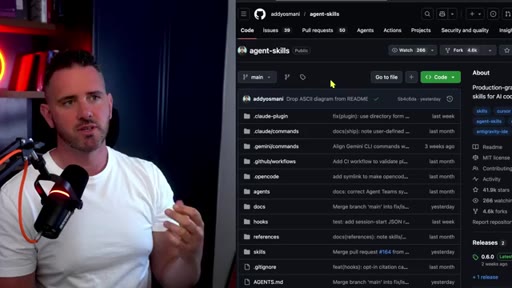
01:50So Adi Asmani is from Google. He's got a great blog that's worth following. What he advocates for is a simple set of skills based around creating a spec or specification
02:00for what you want to build. So you have a chat with an agent and decide exactly what's going to be built. Then you create a plan so the agent thinks about what how it's going to build out the specification or idea that you have.
02:12It builds it and builds incrementally one slice at a time. Once the build is finished, it gets tested to make sure it adheres to the plan and the spec. Optionally then, you can review the code before it gets merged.
02:23You can run code simplification prompt to ship to production. So this is basically just one iteration of development all encapsulated
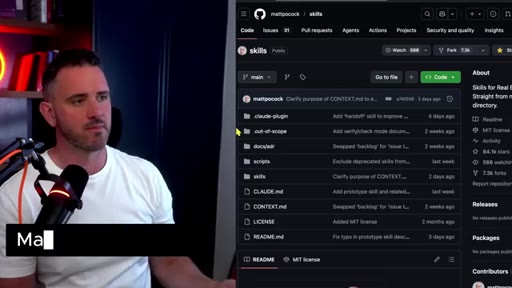
02:31into six or seven prompts. Mac Pocock has been on the go for years, a fantastic TypeScript developer and AI engineer.
02:39He is advocating for real simplicity. In Matt's skills, see a lot of similarities to what Adi has developed. We have a diagnose, which is very similar to a discuss or specify.
02:48I do like the grill with doc skill. Matt is a big believer. Have a grounding and understanding in the domain model that you're working in and not having to repeat that every single time because you remember our agent has a certain amount of context window, and you wanna load some of that context and understanding of the project.
03:03So grill with docs is one that's worth checking out. Again, we see some commonalities around test driven development. All of the frameworks advocate for some level of test driven development.
03:12It's the idea that you've got tests in place so that if your agent goes off and writes new code or does something else, that you can run a suite of tests to make sure that nothing that you had previously built ends up being broken. It can be hit and miss. With a of AI models, they actually cheat their way through testing, but it is one extra step to make sure that we're not breaking existing code as we move forward.
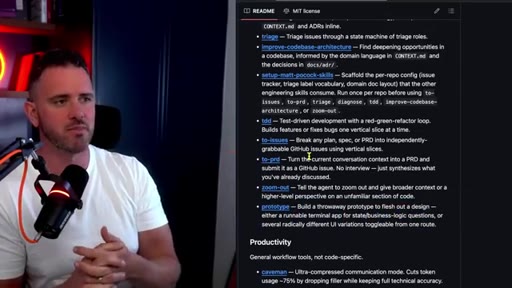
03:33Same as Adi Asmani, we have the two issues, which is basically, again, just breaking down a bigger project into a smaller vertical slice that the agent can handle. You don't want the agent taking on too much in the one go without actually verifying it to make sure that they built exactly what needed to be built. And then another one that I see that Matt has added is prototype.
03:53So it's the idea that you actually flesh out a design before you build it out, and I'm a big believer in this. Anyone who has taken my course knows that I'm a big fan of a design mode or a prototype step. The idea here is that you just tell the model that you're going to implement the front end of the application, not the back end.
04:10Because once we get into the back end, it starts to slow the agent down. And then actually passing that prototype to the agent gives it a much better sense of what it needs to build in the back end. So doing this as an upfront step really saves some time.
04:21And again, this isn't a new idea. We've been doing wireframing and prototyping for the last thirty plus years. This is just the agentic approach.
04:29So Gary Tan is the CEO of y Combinator. So Gary has a much more opinionated skill stack, and there is a lot to learn from this. Personally, it's a bit too overengineered
04:39for my liking. But if you look at any one of the individual skills, there's a lot of interesting things to learn from, particularly his skill around office hours. Hours is really unique.
04:49It's like the idea that we sit down with the Y Combinator CEO, and he asks us six forcing questions about our startup idea. I actually think a big differentiator now when anyone can build quickly is actually knowing what to build and what to focus on. And then we have everything Claude code by Affen.
05:05Now don't be worried. This relaxed skill system will work for any different kind of agent. So of all the libraries that I've shown, this one is probably the biggest.
05:13It's at about a 182,000 stars and a 170 contributions. It is pretty huge in terms of what it offers.
05:21It looks after memory, continuous learning, how to run verification loops, sub agent orchestration. It has a heavy focus on security. If you want to deep dive into what an extensive harness might look like, it's worth taking a look at all the different skills that it's got in there.
05:37And just a quick note on all the various different spec libraries. There's a lot of overlap between the skill systems that I showed you and, of course, these spec based libraries, and I've covered a lot of them on the channel previously. BMAD is very enterprise level.
05:50It follows the path of a business analyst, a product manager, a senior architect, all working in party mode to send to figure out what you need to build and make sure it follows a strong software development life cycle process. So if you're at an enterprise level, it's worth checking out BMAD.
06:05Superpowers is a little bit more lightweight. Of all of them, I think I actually like superpowers the best.
06:10I've had some good results with it, but I'll be honest, I don't rely heavily on spec based systems. I just go with something a little bit lightweight and bespoke myself, and we'll talk about that in a second. Working with enterprise development teams, one of the biggest complaints I've gotten in the last year is the amount of code review that needs to be done.
06:28CTAThousands of lines if you let it get out of hand, but I highly recommend you make your commits a lot smaller to be a lot nicer to your team. But we still have to review a lot of this code, and that's become a bottleneck. So if you've been watching the channel for a while, you know I'm a big fan of CodeRabbit.
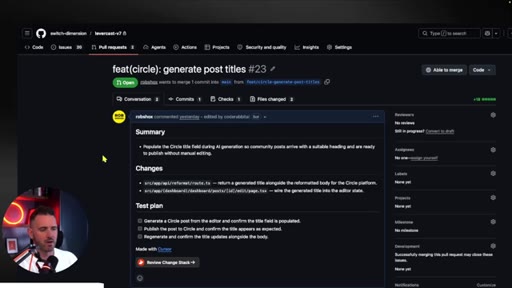
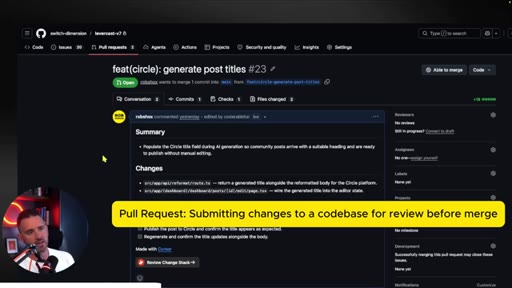
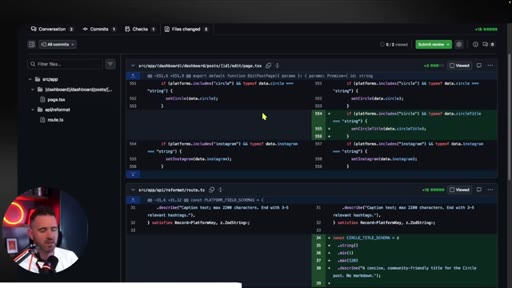
06:42CTASo what I'm most excited about is just in the last couple of days, they've released Atlas, and this really solves a big pain point for me. I've got a project here that I'm working on, and we have a pull request. If you don't know what pull request is, I've got a great video on git, a couple of videos back you can check out, and I'll link to that in the description.
06:58CTABut essentially, either an agent or somebody else in my team has gone and created a load of code, and they've submitted it for me to review before I actually add it into the main code base. So normally, what I have to do is go through the commits and go through all the merged code. And generally, this is quite a painful step because you're just looking at these side by side diff views that we're all familiar with.
07:17CTABasically, a side by side diff, here's the original, and here's what changed. But when I'm dealing with so many pull requests across so many different repos, this really starts to fry my brain a little bit.
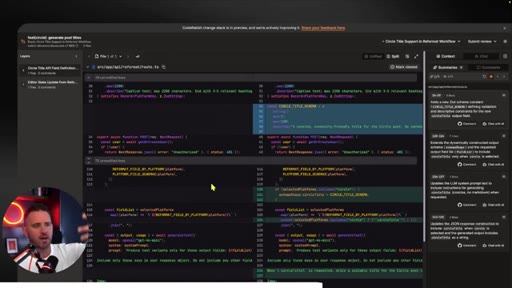
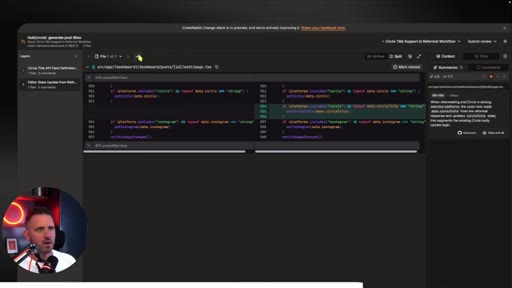
07:28CTASo CodeRabbit was really paying attention to this and came up with something that I think is really, really useful. So essentially, when I click that little review button, here's what I get instead. But instead of a big long alphabetical file list, it breaks it down into layers.
07:40CTASo to me, the layers are basically, okay, well, what's the new data shape? And we can see that here. Then what kind of business logic is gonna consume that data shape?
07:49CTAAnd then, you know, what's the testing around it? I wanna look at this change in patterns. So on the left here, I get that structured navigation and the layers of the diff, then I get the traditional diff in the middle.
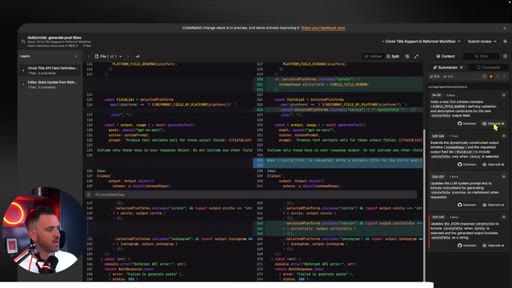
07:59CTAAnd then on the right, I get these little AI summaries of exactly what's going on. And as I move to the code, they actually change and update based on what I'm looking at. So here, it gives me an explanation of exactly what's happening at each stage.
08:13CTAAnd to be honest, even if you're a beginner developer, this is really useful for helping you learn the code and the patterns that AI might be generating so your skills don't atrophy and that you actually improve as a developer. And then what's even cooler is I can go ahead and chat with any one of these different comments or the pull request in general.
08:30CTASo it handles everything native GitHub review can do as well. So I can add my comments here, and when I'm finished, I can just go and submit my full review, comment approve, or request changes. So Atlas just came out in the last couple of days.
08:42CTAI highly recommend you check it out, and it's free for a limited time, so get stuck in. Check out the link in the description down below. Okay.
08:49CTASo we've taken a look at all the various different popular skill systems and stacks. Let's compile them together to show you the best pattern and skill pattern you can use to build out your projects. And this is going to be super simple.
09:02HOOKI'm not introducing you to another repository you have to follow. It's just a set of patterns and a way of thinking that if you can imprint, you're gonna be getting away with 90% of what all of these systems offer.
09:13HOOKSo the first thing you're gonna do is go into ask mode. You can get ask mode in cursor in Clog code, or you can set it up as a little skill yourself. So this doesn't need to be a skill.
09:22HOOKAll you need to do is basically ask your agent to interview you about the project that you're going to create. Next up is you wanna create some kind of a prototype. You can ask the agent to to produce an ASCII diagram.
09:32HOOKThey do it really quick, and it'll give you a quick wireframe, fastest way to do it. Or you can just chat to the agent and say, hey. Let's go into design mode.
09:40HOOKI only want you to work in the front end, not in the back end. I want to design the wireframe of my application. So here's a quick example of design mode.
09:49HOOKSo you basically just wanna let the agent know we're in prototyping mode, develop front end only, we're mocking up the interface, use dummy JSON to represent any back end data, link all components for navigation, make buttons responsive, don't connect to back end logic. So essentially, you're stopping the agent from creating a complicated back end that it has to support.
10:09We just wanna figure out the front end. We're gonna do the back end later. So sometimes if it's a basic feature or we're just doing any kind of back end logic, we can actually skip prototyping.
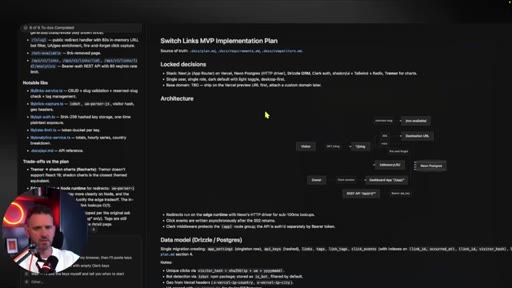
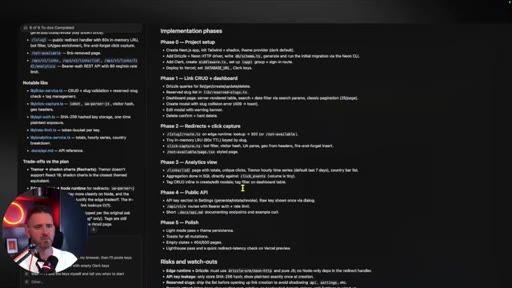
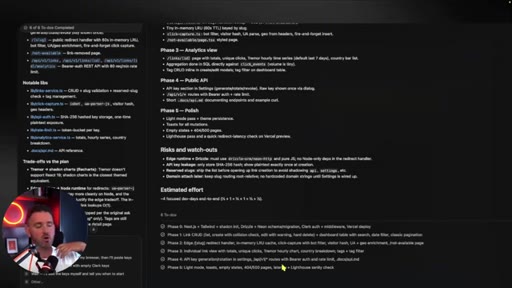
10:17We sometimes have a strong idea of what we need to build, so you don't need to do it in every single step. So both Clog code, Codex, and Cursor have their own vanilla plan mode, which is really quite powerful, and I don't think you need any kind of skill system around this. In the case of Cursor here, and it's the same if you're using Clog code or Codex, It's basically gonna create a document as a markdown,
10:40breaks it down into various different phases so it knows what it should work on first, which is important. It's very similar to how those other frameworks would shard or split the project into multiple different parts. And then it creates a list of to dos to work through.
10:55And it sets out all these different verification steps naturally without you having to build any kind of skill around this. This is something we needed to do for ourselves via skills and processes before, but now a lot of the modern agents are doing this for us. Once the build phase is completed, we're going to want to test and verify exactly what we wanted to get built was built.
11:15And again, this is something that's baked into the plan mode of many agents now. It's going to run a lint and build test to make sure that everything compiles and works okay. Then what you can do is get the agents to use Playwright or the browser mode, which is in cursor or in claw code
11:30to basically test the application to make sure that it's all working fine. Now this is kind of hit and miss. The testing that agents do doesn't really catch what you want it to do.
11:40Inevitably, the test phase is still what we call a human in the loop phase where via some kind of a smoke test where you're gonna click through the process yourself to make sure that everything works okay. Now one thing a lot of the other frameworks talked about was test driven development. If you want that to be part of your workflow, you just include that in the planning stage.
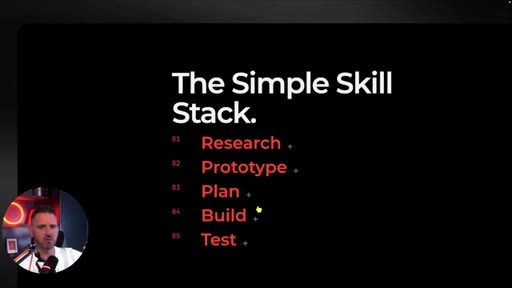
11:58Just say, want to include test driven development, and it will start to implement and build tests as it's writing the code. So that's pretty much it. Research, prototype, plan, build, and test.
12:08That's your kind of iteration loop. Essentially, this is all you need to get your software built, but there's a few extra steps, and that is the polish step. Adi Asmani has a skill which is called simplify code.
12:18So essentially, that means you're getting an extra agent to run through the code. In this case, you might have used Opus or a Anthropic model to build the software. You might use GPD 5.5 or something like that to basically work through the code and give its opinions.
12:35I think the best system is going to be the one that you end up building yourself. That's for a couple of different reasons, and I'll explain why. So first, I'd start with just natural language prompting, the kind of framework that I just showed you.
12:47You're just using your own agent patterns to work with the agent. Use the built in ask mode, the build mode, the plan mode as much as you can, and just rely on the native capability of your mind and also the harness. When you do create a skill, it's only because the agent has messed up in some way or you want to give it very bespoke information
13:07about your code base or your process that you want to carry out and when you want that to be a very repeatable process. Also, you want to be rewriting your skills to be as simple as possible, maybe even just a few short paragraphs. There's no need for tons of extra information, which is going to bloat your context window and confuse the model.
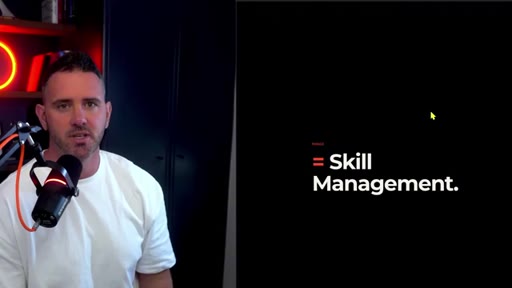
13:24Next up, you're just gonna work with that very simple skill alongside the agent harness that you're using. Understand where it works well and where it doesn't, then manage for those edge cases you feel like the skill is missing. In traditional software, we have something that's called the software development life cycle, and that encompasses
13:40multiple different disciplines. Now we're looking at something that's like agentic development life cycle, and a big part of that is managing your harness and also skill management, particularly when you work across multiple different developers and large organizations.
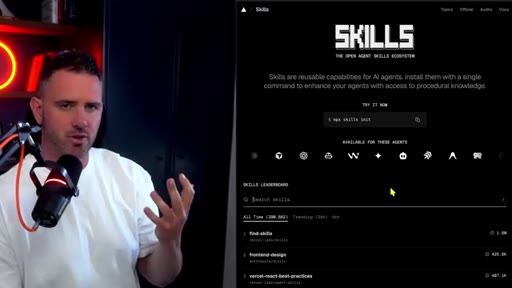
13:54Let's say you develop a skill that you feel is useful. How do you share and organize that skill with other people in your organizations? Skills.sh
14:01from Vercel does a good job of allowing you to store your skills in private repositories, being able to update them, store them, and share them as you see fit. Skills in some ways are essentially just documentation, and we've all experienced the scenario where comments go out of date, documents go out of date.
14:17You're going to have to spend as much time updating these skills and keeping them current, so you need to be very careful about what ones you introduce. Are they absolutely necessary, or are they just going to cause confusion to the model at a later point? This is a whole new skill set, if you will.
14:33So inevitably, the best skill system and the best harness is going to be the one you develop over time for you. I think this is going to be how you really differentiate as a software developer. Your agent harness, your set of skills that has been built up over time working with a particular code base.
14:49If there's one skill that you absolutely can't live without, please share it in the comments so I can learn and everybody else in the community can learn as well at the same time. So hopefully, was helpful. Instead of introducing you to yet another skills library that you have to test and try, I kinda wanted to bring things back down to earth, give you the feeling that you weren't losing your mind in keeping up with all of these systems, and understanding that it's really just some simple development loops that we've been practicing and using for the last thirty or forty years of software development that you can rely on.
15:18A lot of these libraries, a lot of these skills are replicating that same approach. That really starts to compound for you and for the organization that you're working within. If you found this useful, hit the subscribe button.
15:28CTAIt means you'll get more videos like this in your feed, and I look forward to seeing you next week.
— full transcript
§ 05 · For Joe

Stop cloning repos. Build the loop.

Rob Shocks playbook

The 5-step loop is all you need from any skill library, and you don't have to install anything.

  • Run Research as an ask-mode interview session before every build.
  • Add a Prototype session type in JoeFlow that enforces frontend-only, dummy-JSON constraints.
  • Lean on native plan mode in Claude Code — it already creates phase-based markdown plans without a skill.
  • Only write a new SKILL.md when the agent makes the same mistake twice — not preemptively.
  • Keep every skill to a few short paragraphs. Bloated skills eat context and confuse the model.
  • Steal Gary Tan's office-hours pattern: 6 forcing questions before any build session begins.
  • Your harness is your moat — the longer you build on one codebase, the more unreplicable it becomes.
§ 05 · For You

The five steps that replace every AI coding framework.

If you build with Claude Code or Cursor

You don't need to clone Gary Tan's or Matt Pocock's skill repos — you need one mental model you can run from memory on any project.

  • Start every project with Research: open ask mode and let the agent interview you about what you're building.
  • Before touching any backend, run Prototype mode: tell the agent to build frontend only, use dummy JSON, and make everything clickable.
  • Use your agent's native Plan mode — it generates a phased plan with todos without any skill library.
  • Build one vertical slice at a time, not the whole app.
  • Test: run the automated checks, then do a quick human click-through. Agents still miss what matters.
  • Only create a custom skill file when your agent keeps making the same mistake. Not before.
  • The more you use the same codebase, the more your personal harness compounds — start building it now.
§ 06 · Frame Gallery

Visual moments.