Tristen O'Brien · Youtube · 08:23

Claude Code Just Dropped /Goal. (Master it in 8 Minutes)

An 8-minute blueprint for the new /goal command — two agents, one finish line, zero babysitting.

Posted
May 17th 2026
yesterday
Duration
08:23
Format
Tutorial
educational
Channel
TO
Tristen O'Brien
§ 01 · The Hook

The bait, then the rug-pull.

Claude Code shipped a command that turns one sentence into a self-running agent. Tristen O'Brien spent 48 straight hours with /goal before making this video — and the horror story buried in the middle (4.2 million tokens, $107 burned on one vague prompt) is reason enough to watch the whole thing before you touch it.

§ · Stated Promise

What the video promised.

stated at 00:10 "In this video, I'm gonna walk you through how you can use this tool. I'm gonna show you the magic behind why this works so well, and I'm gonna give you a real example on how this works." delivered at 05:49
§ · Chapters

Where the time goes.

00:00 – 00:31

01 · Cold open — what is /goal

Sets the hook: /goal is a new slash command that lets Claude work indefinitely without user input until a job is done.

00:31 – 00:48

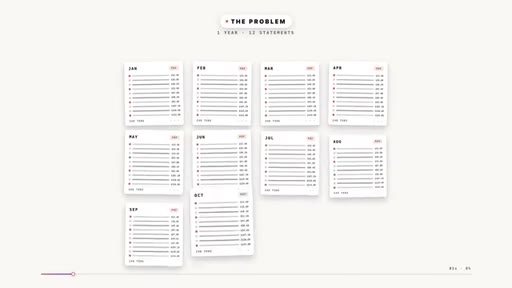
02 · The babysitting problem

Without /goal, Claude stops after each step and waits for 'keep going' — turning a 1-hour job into a day of babysitting.
00:48 – 02:37

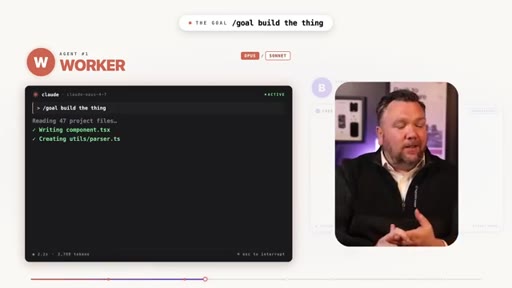
03 · Worker / Boss — how it actually works

Two agents run simultaneously: the Worker (Opus/Sonnet) executes; the Boss checks after every turn whether the finish line is met and either re-kicks the worker or stops.

02:37 – 04:27

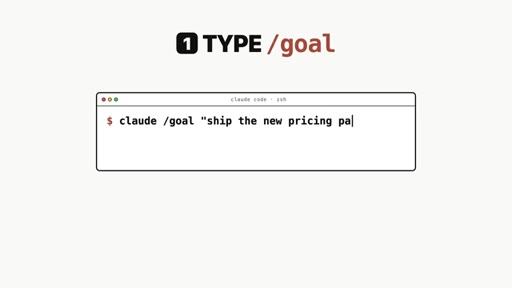
04 · Setup: /goal + auto-approve

Two required steps for hands-off operation: type /goal with a finish condition, enable auto-approve. Covers safety tradeoffs of auto-approve. Shows /goal status dashboard (turns, tokens, timer).

04:27 – 05:28

05 · Critical failure mode — vague goals

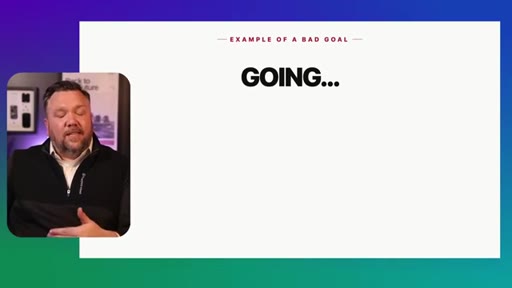
The most important section. Vague conditions cause infinite loops. Real horror: 4,287,950 tokens, $107.52 wasted. Introduces the verifiable finish line concept with bad/good examples.
05:28 – 05:49

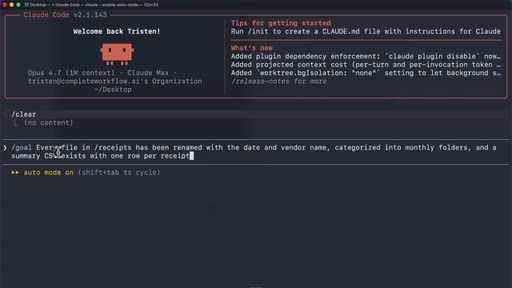
06 · Good goal live demo + safety cap

Shows the correct /goal command typed into Claude Code terminal. Introduces the safety cap: 'stop after 30 turns' appended to every condition.

05:49 – 06:54

07 · Demo 01 — Pizza shop social calendar

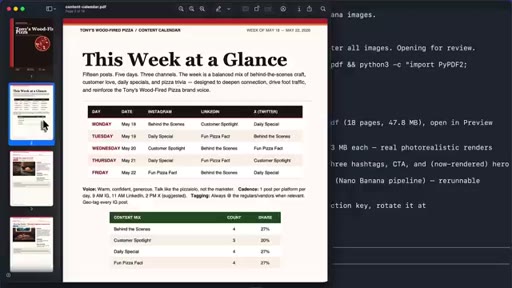
15 posts across Instagram/LinkedIn/X with captions, hashtags, and AI-generated images via Nano Banana API, output as a professional PDF. Full result shown.

06:54 – 07:13

08 · Demo 02-04 — More use cases

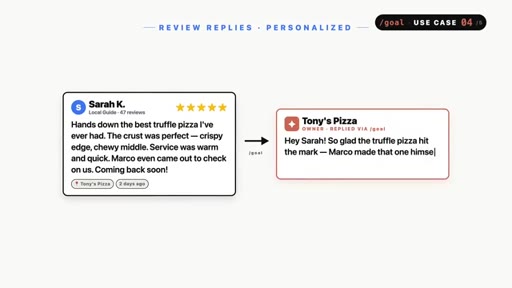
Dog grooming loyalty program (Paw Perks Rewards), coffee shop daily specials, personalized review replies written in owner voice.
07:13 – 08:07

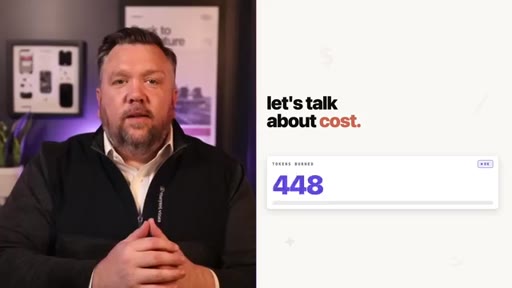
09 · Cost talk + 3 rules

Pro/Max plan required. Three rules: always add safety cap, check /usage before walking away, start small and scale up. Token cost escalation shown per plan tier.
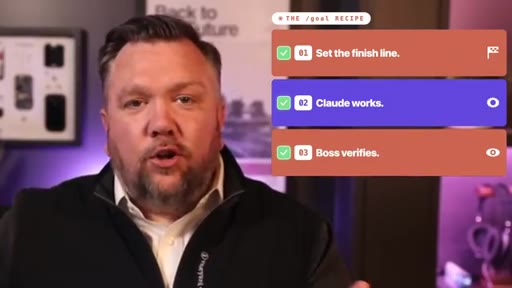
08:07 – 08:23

10 · Recap + CTA

/goal recipe: set the finish line, Claude works, boss verifies. Subscribe ask + related video end card.

§ · Storyboard

Visual structure at a glance.

open
agenda card
problem
worker/boss
goal active
warning
finish line
good goal
pizza demo
recipe CTA
§ · Frameworks

Named ideas worth stealing.

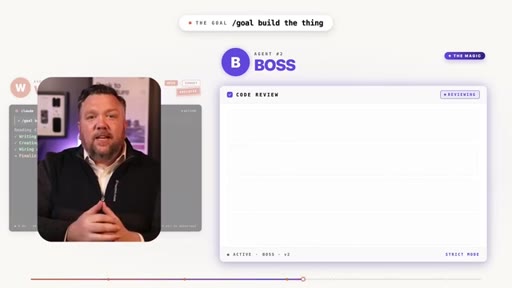
01:40 model

Worker / Boss dual-agent loop

Agent #1 (Worker) executes tasks. Agent #2 (Boss) evaluates after every turn: goal met? If no, explain why and re-kick. If yes, stop.

Steal for Any agent orchestration explanation — clean mental model for JoeFlow Sessions panel or batch launcher
04:27 concept

The Verifiable Finish Line

A finish condition must be: (1) specific artifact-based, (2) confirmable from worker reports alone, (3) include a turn or time safety cap.

Steal for CLAUDE.md design — any time you write goals for autonomous agents
07:13 list

3 Rules for /goal

  1. Always add a safety cap (turns or minutes)
  2. Check /usage before walking away
  3. Start small, scale up

Steal for Any AI automation onboarding or safety guide
§ · Quotables

Lines you could clip.

04:30
"The boss can only see what the worker tells it. It can't go check your files on its own."
Clean one-liner that lands the core constraint — no setup needed → TikTok hook
04:12
"I've already burned through a day's worth of tokens on one task, and I learned the hard way."
Admission + stakes — emotionally hooks anyone worried about AI costs → IG reel cold open
06:48
"This kind of thing right here is what a social media manager would charge hundreds of dollars a month to do, and that's just one example."
Value anchor — tight ROI statement, no context needed → newsletter pull-quote
01:30
"You can think of the second worker like the employee's boss."
Instantly graspable analogy — sets up the whole mechanism in one sentence → TikTok hook
§ · Pacing

How they spent the runtime.

Hook length31s
Info densityhigh
Filler5%
§ · Resources Mentioned

Things they pointed at.

04:25linkAnthropic Security & Privacy document
05:50toolNano Banana API (image generation)
08:13channelClaude design video (end card)
§ · CTA Breakdown

How they asked for the click.

05:49 subscribe
"If this has been helpful so far, please subscribe, like the video, leave a comment."

Mid-video ask before demos, plus end-card. Animated SUBSCRIBED badge overlaid twice. Low-friction, no heavy pitch.

§ 04 · The Script

Word for word.

HOOK opening / re-engagementCTA the pitch metaphor analogy story
00:00HOOKClaude just released one of the most powerful tools to date. It's a slash command, and it's called slash goal where you give it a task, and it will work for as long as it takes to get the job done without you having to touch anything. In this video, I'm gonna walk you through how you can use this tool.
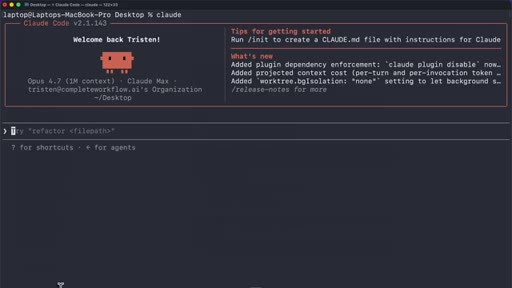
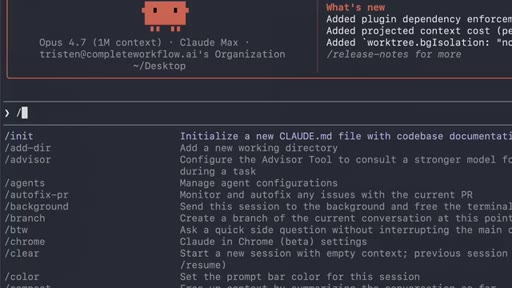
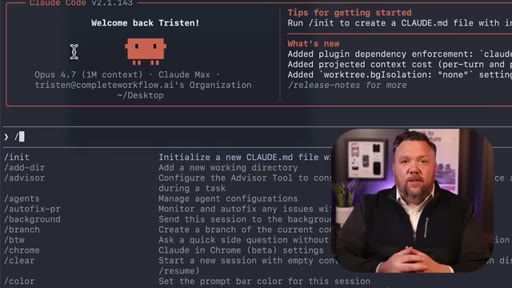
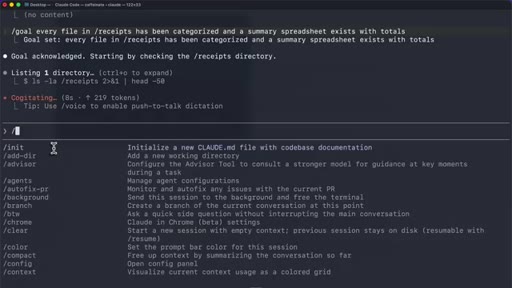
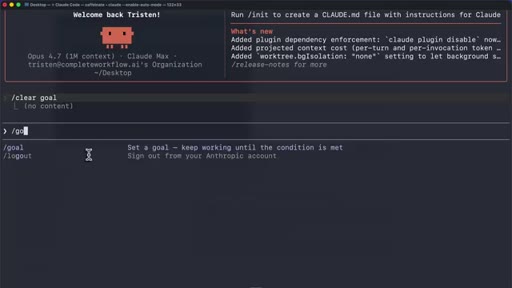
00:15HOOKI'm gonna show you the magic behind why this works so well, and I'm gonna give you a real example on how this works. But let's start with what slash goal actually is. In Claude code, when you type in forward slash, a little menu pops up with a list of built in commands.
00:29HOOKNow these aren't prompts, these are tools. Each one is doing something very specific, and slash goal is one of those commands.
00:36It's brand new. And let me tell you, it's so powerful that I've been using it for the past forty eight hours straight. So here's the problem that slash goal is solving.
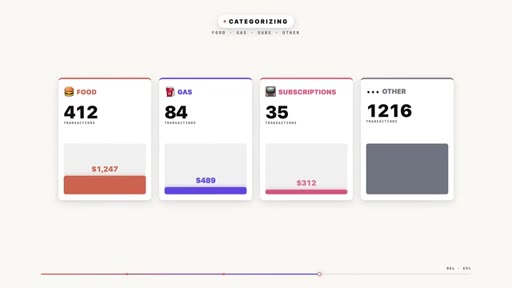
00:44Let's say that you have a year's worth of bank statements that are in PDFs, and you want every transaction to be pulled out. You want them categorized into things like food and gas and subscriptions and a monthly spending breakdown that you can put into a spreadsheet at the end.
00:58That's a big job. Without slash goal, Claude will do it. It does a really good job, but it would pull the transactions from the first statement, and then it would stop.
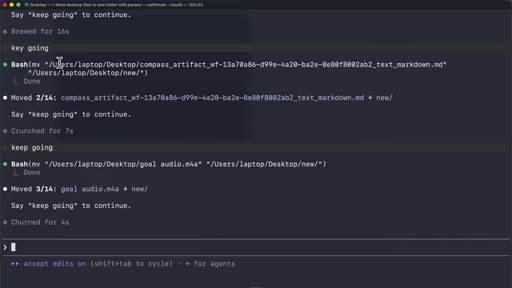
01:06And then it waits for you to type something like keep going. And that keeps happening over and over and over again, and you're just sitting there babysitting your computer for over an hour. Now that's how it used to work, but slash goal fixes that completely.
01:17You type in slash goal followed by one sentence describing exactly when Claude Coach should stop, and then Claude just works turn after turn. It's running on its own until the job is fully complete. Alright.
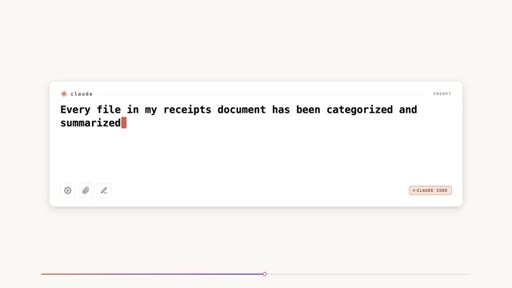
01:27So take a look at this. You type in slash goal and then a finish line. A finish line is something that can be verified by Claude.
01:33HOOKYou would type in something like this. Every file in my receipts document has been categorized and summarized into a spreadsheet that exists with totals. That's the finish line.
01:42HOOKAnd then Claude just starts running. And you see that little indicator right here? That shows that the goal is active with a timer.
01:48HOOKThat's your proof that Claude is working on its own, and it's not waiting for you. It's not waiting for me. It's just going.
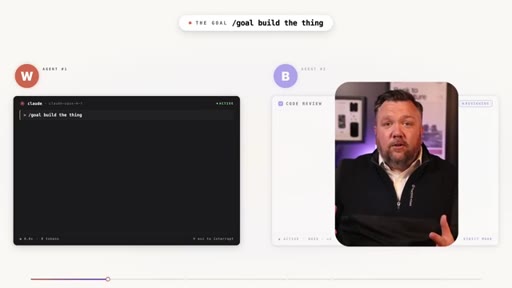
01:53HOOKBut there's something that's really interesting about this. So I wanna talk about why and how this actually works so well. When you set a goal, there's actually two AI agents working at the same time.
02:01HOOKThere's the main model. That's the actual worker. It's using Opus or Sonnet.
02:05HOOKThat's the one that's actually doing the job. It's building the files. It's writing the code.
02:09HOOKIt's organizing your stuff. That's your employee. But the magic, the magic comes in with the second worker.
02:14HOOKYou can think of the second worker like the employee's boss. After every single step that the worker takes, the boss is jumping in. It's reviewing everything that just happened.
02:22HOOKIt's asking one simple question. Is the goal net yet? If the boss says no, then it tells the worker exactly why the job's not done yet, and then it kicks off another turn.
02:31HOOKThe worker goes back to work, and then the boss checks again and again and again, and this loop continues until the boss finally says, yes. That is done.
02:39It is complete. And that is when Claude will stop. And that's the magic behind slash goal.
02:44If you type slash goal with nothing after it, it shows you how long the report's been going. It shows you how many turns. It shows you how many tokens have been used.
02:51It's kind of your your dashboard. You can always check-in on your employee. But let's talk about the setup really quick because I think this is really important.
02:57If you want the full hands off experience where you actually walk away and come back to a project that is completed, you need to do two things. First is type in slash goal. That's the easy part.
03:06We just talked about it. But there's a second thing. The second thing is turning on auto approve.
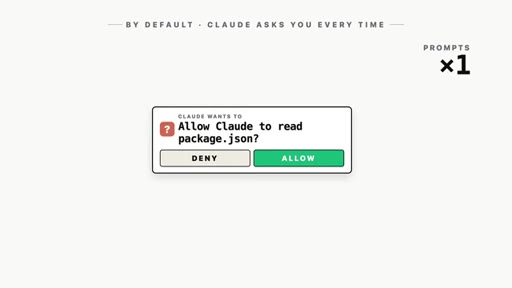
03:10By default, every time Claude wants to run a command or edit a file, it's gonna ask for permission. It's gonna say, can I do this, or can I run that? If you don't turn on auto approve, Claude will pause and then wait for you to click yes on every single action even when slash goal is running.
03:23But that's okay. That is a safety feature. But if you want it to run automatically, you need auto approved turned on.
03:29Now there are some things to consider here. You are giving AI permission to do everything on its own. The good news here is Claude does have some safety nets built in.
03:37Claude's not gonna run anything dangerous without asking you first. It stays within the project that you're giving it, and you can always set limits on what it's allowed to do. I would say that auto mode's a little bit more of an advanced feature, and you should fully understand what Claude has access to and how your data is being handled before you turn it on.
03:52So Anthropic has a full security and privacy document. I'll link it in the description. Read it.
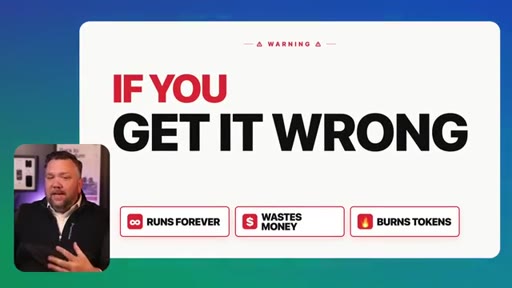
03:57It's powerful, yes, but you should really be using it responsibly. And there's one more really important thing that we need to talk about in this video because if you get it wrong, slash goal will either run forever, which can waste money or not work or use all of your tokens. And trust me, I've already burned through a day's worth of tokens on one task, and I learned the hard way.
04:15But I'm here to show you what that is so you don't have to learn the hard way. Remember the boss? The boss can only see what the worker tells it.
04:21HOOKIt can't go check your files on its own. So your goal condition, your finish line, has to be something that the boss can confirm just with what the worker has reported back.
04:30HOOKIt can't be something vague. You can't say make no mistakes or do a good job. Those are real examples that I've tried, and the boss just has no way to confirm them.
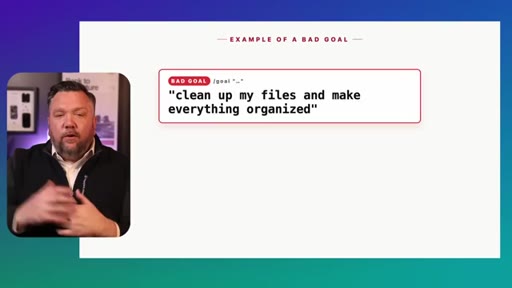
04:38HOOKIt's too vague. So Claw just spins in a circle and using tokens every single time. For example, you do not wanna say, clean up my files and make everything organized.
04:47HOOKHow does the boss know when everything's organized? It doesn't. It's too vague.
04:51HOOKSo Claude will just keep going and going and going, and it won't stop. And it'll use all of your tokens, or if you're using your API, even real money.
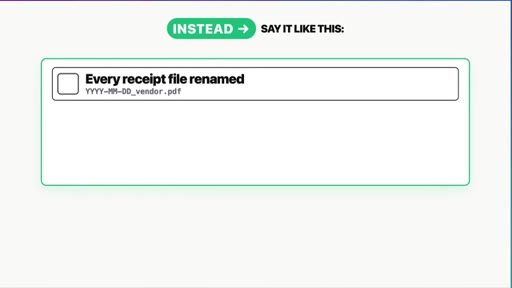
04:59HOOKInstead, you would say something like this. Every file in my receipts folder has been renamed with the date and the vendor name. It's categorized in the monthly folders, and a spending CSV exist with one row per receipt.
05:11HOOKYou see the difference there? The second one has a finish line that the boss can actually verify. It's a specific file that needs to exist, a specific
05:19HOOKfolder that needs to be created, something that the boss can look at in the conversation and say, yes. That is actually done. And there's one more thing.
05:26HOOKYou could always add a safety cap. At the end of your condition, you can always say something like, stop after 30 turns or stop after forty five minutes. That is your seat belt.
05:35If something goes wrong, Claude is going to stop instead of running all night and burning through all your credits. You always wanna do this every time. Trust me.
05:43CTAYou wanna add that safety net. Hey. Before we get started with the demos, if this has been helpful so far, please subscribe, like the video, leave a comment.
05:50CTAIt's something that will really help out my channel, and, of course, I would really appreciate. But let's get to some real demos. Okay.
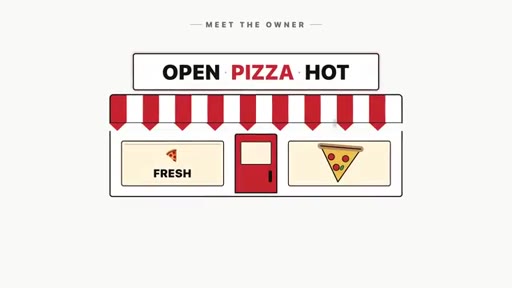
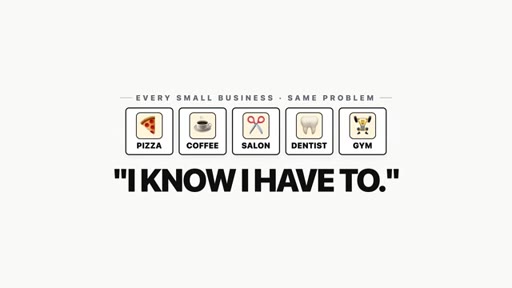
05:55CTASo let's say that you own a pizza shop. You know that you need to be posting on social media every single day, but you don't have the time to do it. You don't have the time to plan it or write it or come up with ideas every single day.
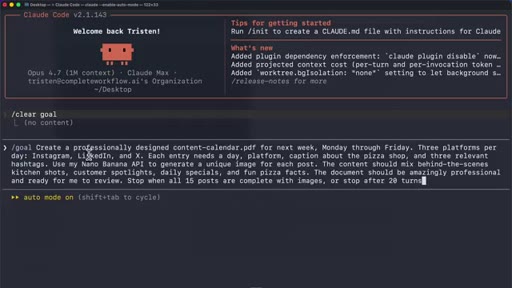
06:05And I think most small businesses are like that. They know they have to do it, but it takes forever to create those. So if we were gonna use the goal command, I would say slash goal and then give it a detailed finish line.
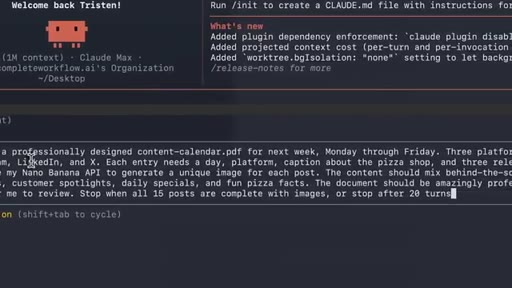
06:16Take a look at this one. It's basically asking Claude to build a full week of social media content for this piece of shop with captions and hashtags and real images that's gonna pull from my Nano Banana API, and it's gonna put it all in a professional PDF for me to use. And if it's not done in 20 turns, it's going to stop.
06:32And, of course, the boss is making sure that all 15 posts are there with images before it signs off. And this is what it looks like. We have a full week content here, 15 posts, three platforms, every caption written, the hashtags, the images, everything is there.
06:45I didn't have to do a single thing besides type in that prompt, and then I came back, and here it is. This kind of thing right here is what a social media manager would charge hundreds of dollars a month to do, and that's just one example. You could use slash goal to build a loyalty program for a dog grooming business or plan a full month of daily specials for a coffee shop or write a personalized response to every single review.
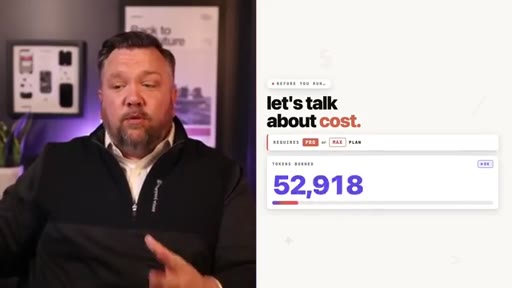
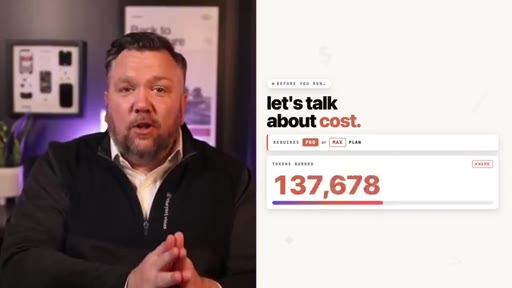
07:05You could generate invoices for all of your clients. Anything that takes multiple steps and takes a lot of time, you can use slash goal to handle it. Now before you run this thing, uh, let's talk about cost.
07:15First, you do need a pro or max plan. So slash goal can get expensive if you're not careful. Like I mentioned before, the boss keeps Claud running until the job is done.
07:24But if your condition is bad, the boss will never be done. It'll never be satisfied, and Claud will just keep going and going through a loop and using your tokens.
07:32Now there are three rules here to help avoid this. Number one, always use that safety net. Again, you can say stop after 25 turns or stop after forty five minutes.
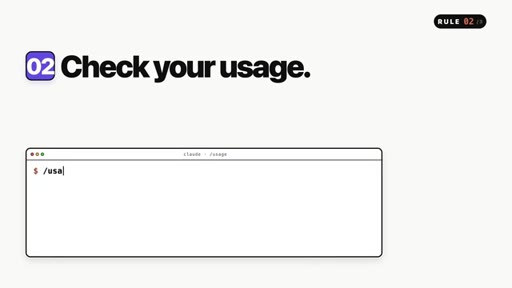
07:40Number two, check your usage before you walk away. You can always type slash usage and see where you're at with your credits. And number three, start small.
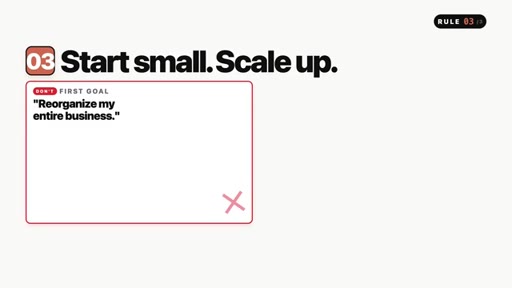
07:47You don't need to set your first goal to reorganize your entire business. No. You wanna start with one folder.
07:52You wanna do one batch of receipts or one set of reviews. You wanna get comfortable with it and then scale up. If you do those three things, you should be in a good spot.
07:59But that's slash goal. You set a finish line. Claude's gonna work on its own.
08:03CTAThe boss is gonna watch over everything until the job is done. If you feel comfortable, turn on auto approve. If you don't, then don't turn it on.
08:09CTAYou're gonna write a specific condition with the safety cap and then let Claude do all of the work. Now a quick plug. If you haven't seen my claw design video, you can check it out here.
08:17CTAI encourage you to do so. And if this helped, leave a like. Please subscribe, and I will see you in the
— full transcript
§ 05 · For Joe

Write the finish line before you write the prompt.

The /goal playbook

The command is trivial; the finish condition is everything — vague means infinite loop, specific means done.

  • Every /goal condition needs three things: a specific artifact, a verifiable state, and a turn/time safety cap.
  • The boss agent can only check what the worker reports back — it cannot browse your filesystem. Design conditions accordingly.
  • The worker/boss loop is a reusable architecture — steal it for your own agent orchestration docs and Sessions panel explanations.
  • Four ready-to-clone use cases: receipt categorization, weekly social calendar PDF, loyalty program card, personalized review replies.
  • Always run /usage before walking away from a long-running task.
  • Start with one folder, one batch, one set of reviews — not 'reorganize my entire business.'
  • The $107.52 horror story is your best hook if you ever teach /goal — open with it.
§ 05 · For You

Let Claude finish the job while you do something else.

If you want to try /goal yourself

The only thing standing between you and a hands-off Claude session is writing one very specific sentence.

  • Instead of 'organize my downloads folder,' say: 'Every file in my downloads folder has been moved into a subfolder named by file type, and a summary.txt exists listing the count per folder. Stop after 20 turns.'
  • Turn on auto-approve only after you understand what Claude has access to — read the Anthropic security and privacy document first.
  • Add a safety cap every single time: 'stop after 30 turns' or 'stop after 45 minutes' appended to your goal.
  • Check /usage before you walk away from a long task — you'll see exactly where you are on credits.
  • Start with something small (one folder, one batch of receipts) before giving it a large project.
§ 06 · Frame Gallery

Visual moments.