Paul J Lipsky · Youtube · 13:08

12 Hidden Tricks To Level Up Claude Cowork

A 13-minute listicle tutorial dissecting Anthropic's agentic desktop app — from controversial structural opinions to money-saving scheduling hacks.

Posted
May 17th 2026
yesterday
Duration
13:08
Format
Listicle
educational
Channel
PJ
Paul J Lipsky
§ 01 · The Hook

The bait, then the rug-pull.

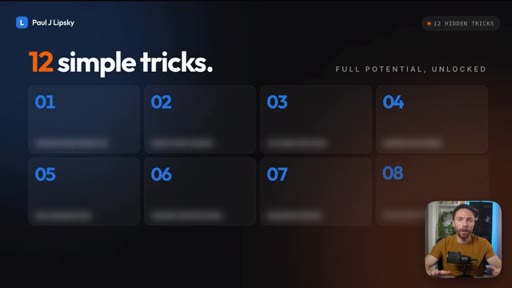
After a wave of updates turned Claude Cowork into one of the most capable agentic tools for non-coders, most users are still treating it like a chatbot. Paul Lipsky argues the gap between casual user and power user comes down to twelve decisions — and most of them take under a minute to make.

§ · Stated Promise

What the video promised.

stated at 00:12 "If you just learned the 12 simple Claude Cowork tricks that I'm about to share with you, you'll finally unlock its full potential." delivered at 12:14
§ · Chapters

Where the time goes.

00:00 – 00:19

01 · Cold open

Establishes the gap between most users and full Cowork potential after recent updates.
00:19 – 02:28

02 · Tip 1: Projects = folders only

Controversial take: never put instructions in project settings. Keep instructions in CLAUDE.md files so they travel when you switch tools.
02:28 – 03:31

03 · Tip 2: CLAUDE.md in every folder

Store all agent instructions in a claude.md file at the folder level. Each subfolder gets its own scoped instructions file.

03:31 – 04:31

04 · Tips 3 & 4: Multiple folders + default folder

Select exactly the folders each task needs. Set a default parent folder so new tasks start there automatically.
04:31 – 06:06

05 · Tip 5: Dispatch limitations

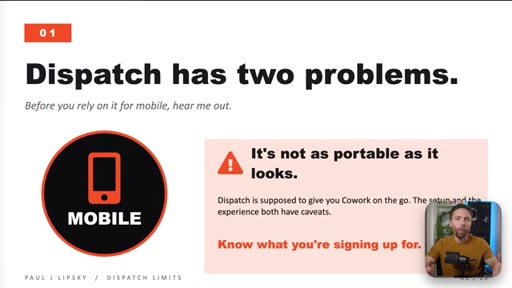
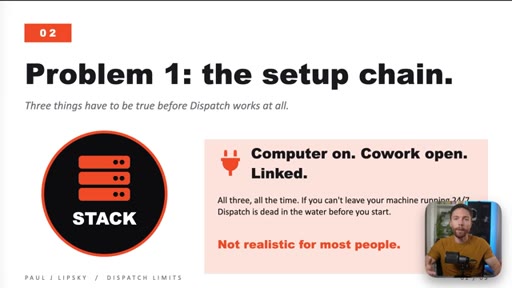
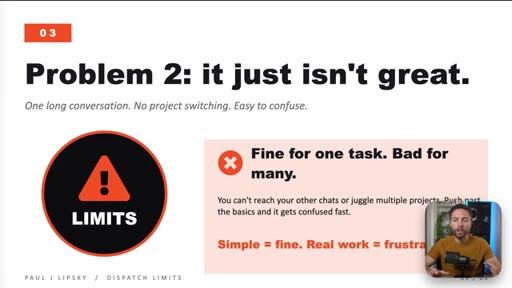
Dispatch requires computer on + Cowork open + linked. One continuous conversation, no project switching.
06:06 – 07:12

06 · Tip 6: Voice dictation toggle mode

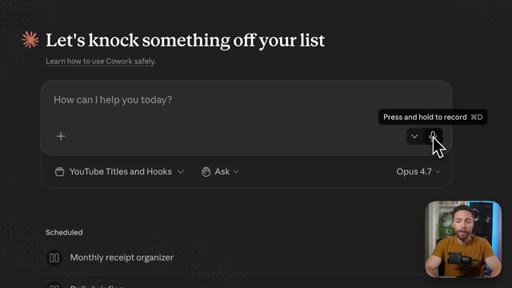
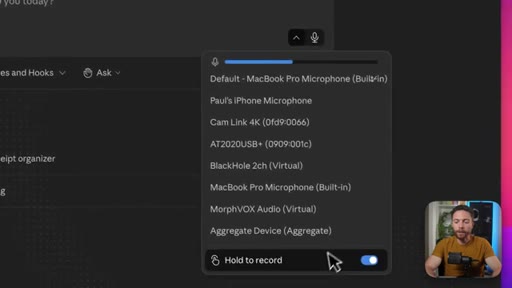
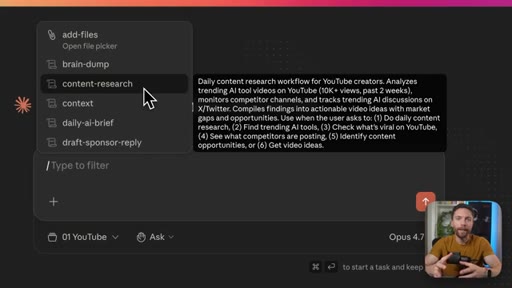
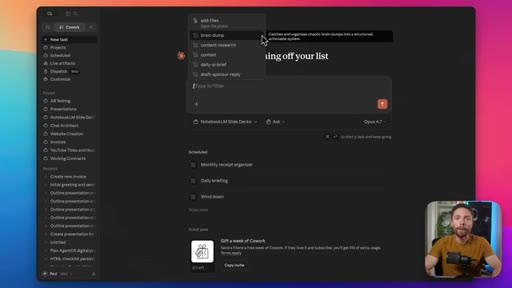
Hidden drop-down behind the mic icon switches from hold-to-record to toggle mode. Brain-dump ideas and let Claude structure them.
07:12 – 08:10

07 · Tip 7: Off-peak scheduling

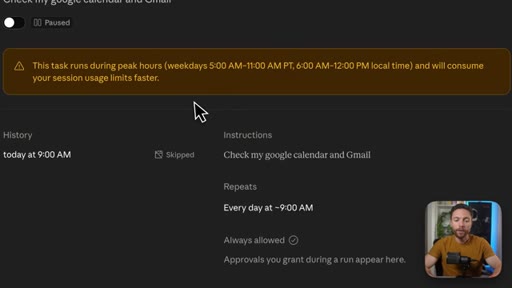
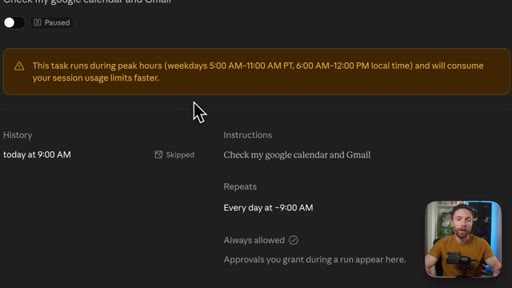
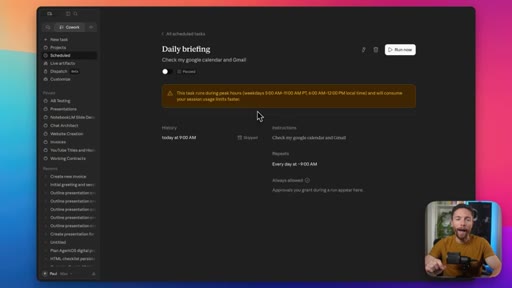
Peak hours are 5AM-11AM Pacific. Schedule automations for off-peak or when limits will reset.
08:10 – 09:51

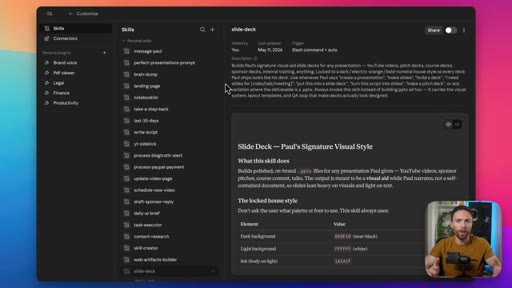
08 · Tip 8: Skills over long instructions

Skills load on demand; a bloated CLAUDE.md loads every time. Replace long instruction blocks with modular skills.
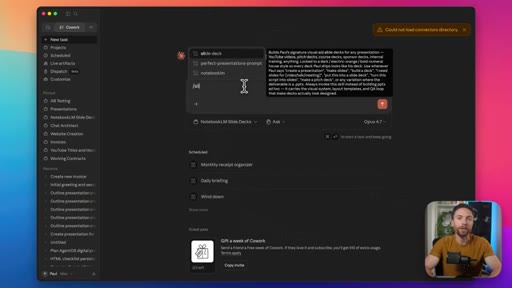
09:51 – 10:18

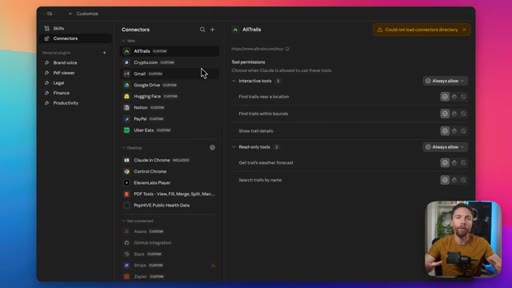
09 · Tip 9: Use connectors

Connect the apps you already jump between. Goal: one central Cowork command hub.
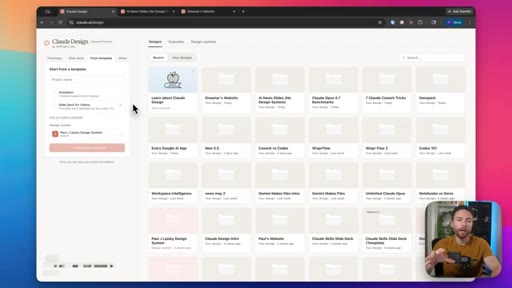
10:18 – 10:51

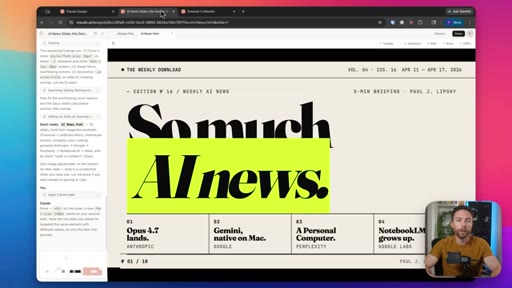
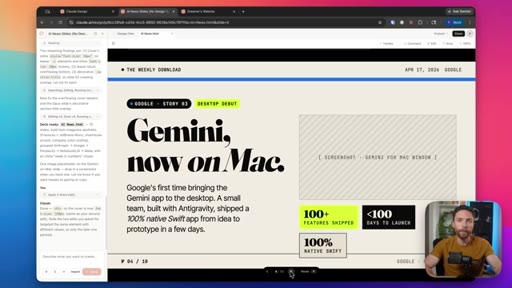
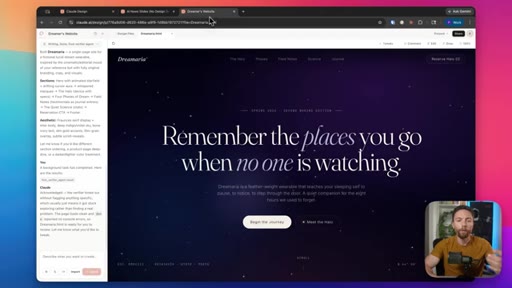
10 · Tip 10: Claude Design has separate limits

Slide decks, websites, motion graphics built in Claude Design do not touch Cowork usage limits.
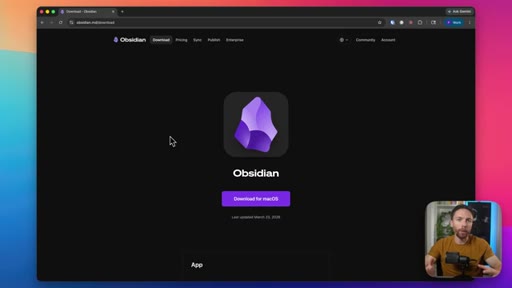
10:51 – 12:14

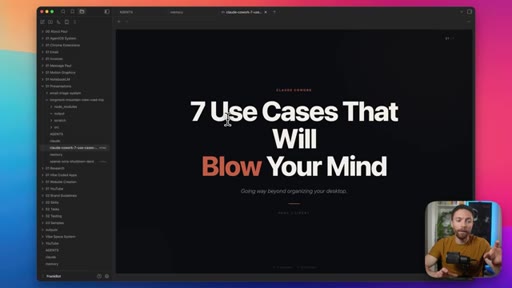
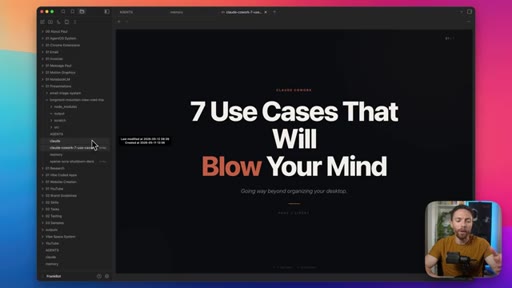
11 · Tip 11: Obsidian as file viewer

Free cross-platform app. Point it at your agent folder. Renders markdown, HTML, and nested subfolders.
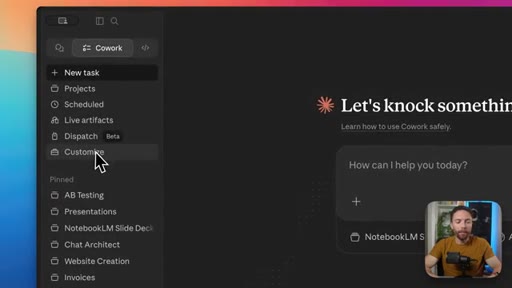
12:14 – 13:08

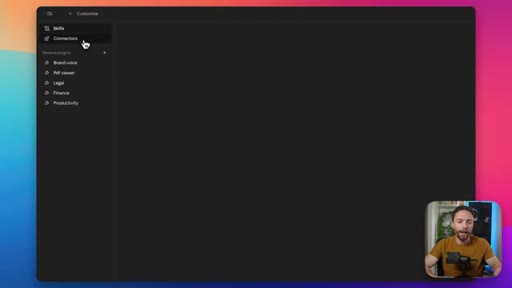
12 · Tip 12: Prune skills and connectors monthly

Too many active skills or connectors degrades performance and burns token limits faster.

§ · Storyboard

Visual structure at a glance.

open
12 tricks grid
Tip 1 slide
20 prisons slide
FrankBot finder
multi-folder select
Dispatch screen
dictation dropdown
peak hours warning
skills menu
Obsidian download
Customize panel
§ · Frameworks

Named ideas worth stealing.

02:28 model

CLAUDE.md folder hierarchy

  1. Root folder claude.md = global context
  2. Subfolder claude.md = scoped instructions
  3. Keep instructions minimal, offload to skills

Portable instruction architecture: store all agent rules in text files at the folder level so they survive tool switches.

Steal for Claude Code project setup, any CLAUDE.md-driven workflow
08:10 concept

Skills over Instructions ratio

  1. CLAUDE.md should be lean
  2. Skills load on demand only
  3. One skill per repeatable workflow

Load instructions lazily via skills instead of eagerly via a bloated CLAUDE.md. Reduces token burn and keeps context clean.

Steal for JoeFlow skill architecture, MCN agent system design
07:12 concept

Off-peak scheduling system

  1. Peak = 5AM-11AM Pacific
  2. Off-peak = afternoon or evening
  3. Schedule depleted-limit tasks to auto-start at reset time

Treat usage limits like compute credits: batch heavy tasks during cheap hours.

Steal for JoeFlow scheduled batch sessions, MCN automation scheduling
§ · Quotables

Lines you could clip.

00:52
"We shouldn't fool ourselves into believing that it will be the best tool forever."
Contrarian take that hooks skeptics and loyalists alike → TikTok hook
01:08
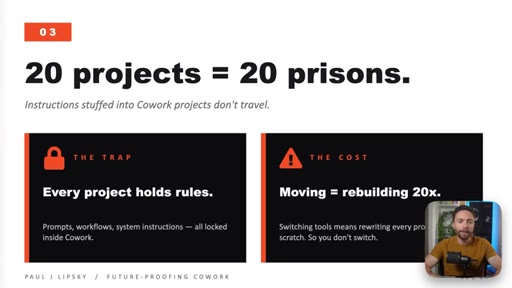
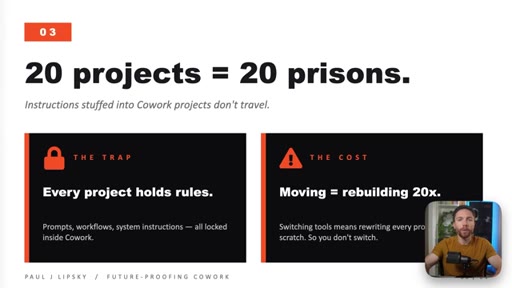
"20 projects = 20 prisons."
Punchy slide headline with immediate visual impact → IG reel cold open
08:56
"Skills fix that because your agent will only load the skills that it needs."
Clean before/after contrast on a concrete problem → newsletter pull-quote
§ · Pacing

How they spent the runtime.

Hook length19s
Info densityhigh
Filler5%
§ · Resources Mentioned

Things they pointed at.

10:51toolObsidian ↗
10:18productClaude Design ↗
03:31toolOpenAI Codex
§ · CTA Breakdown

How they asked for the click.

12:11 newsletter
"If you wanna get on the wait list for my new school community, make sure to do that at the link in the description down below."

Soft community waitlist pitch repeated twice: mid-video at ~3:31 and again at outro. No hard sell, description link only.

§ 04 · The Script

Word for word.

HOOK opening / re-engagementCTA the pitch metaphor analogy
00:00HOOKClaude CoWork, after receiving an incredible number of updates over the past few weeks, is now one of the most powerful AI agents for non coders, but most people are only using a fraction of its capabilities. If you just learned the 12 simple Claude Cowork tricks that I'm about to share with you though, you'll finally unlock its full potential.
00:19And I wanna start with what is probably my most controversial take. My first tip is that Claude Cowork projects should only be used as a way to organize your chats and not as a way to give Claude instructions.
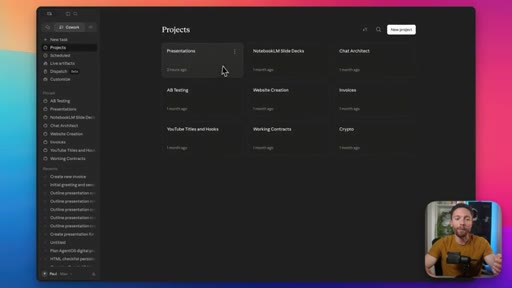
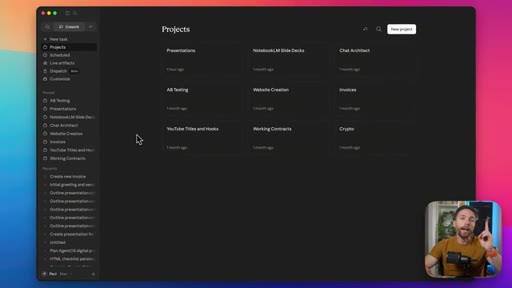
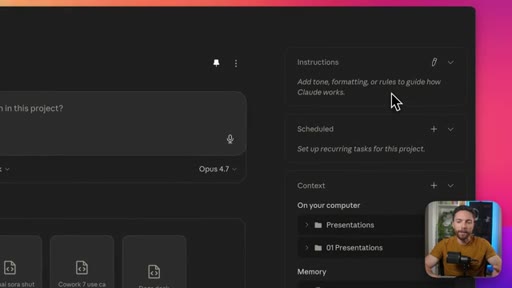
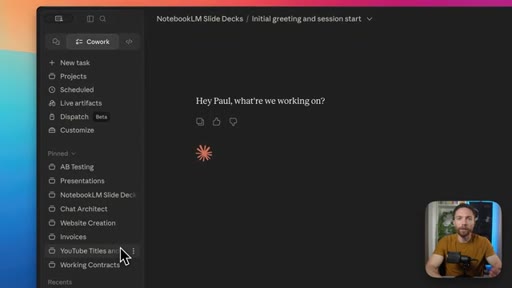
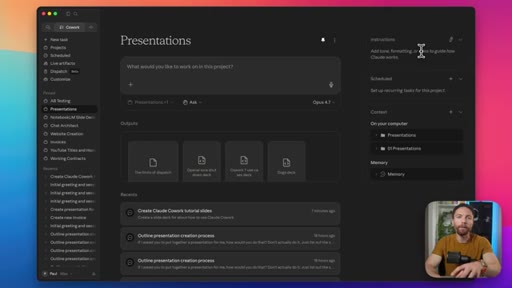
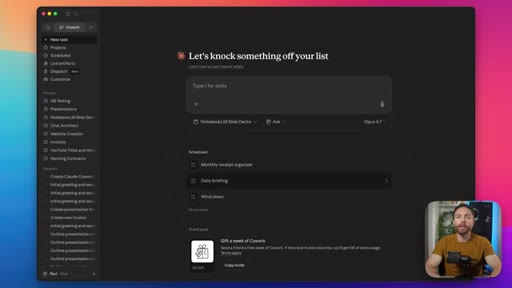
00:32So inside of Claude Cowork, there are these things called projects. Here are my projects. And if you open up any of these, you'll notice that over here on the right, you can give the project instructions.
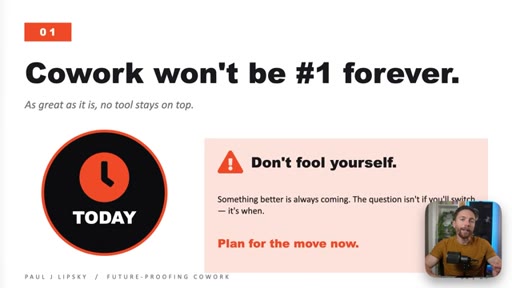
00:43The idea behind this is that you can put some instructions in here so every time you start a chat from within a project, it will automatically apply those instructions. The problem is, as great as Claude Cowork is, we shouldn't fool ourselves into believing that it will be the best tool forever. To future proof your setup, you wanna make it as transportable as possible.
01:05But if you have instructions inside of 20 different projects, it's gonna make it very hard to move from Cowork to another tool. So what do I use projects for?
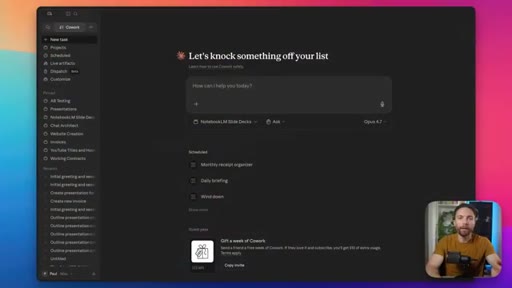
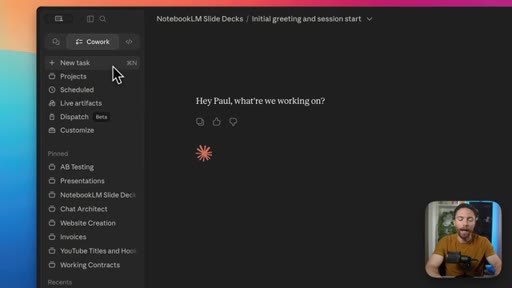
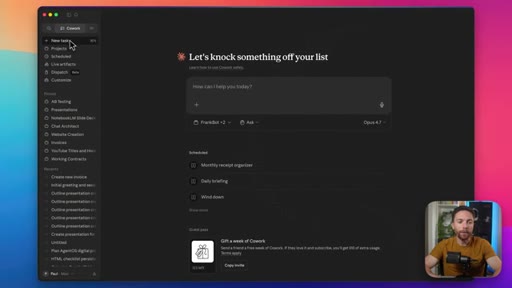
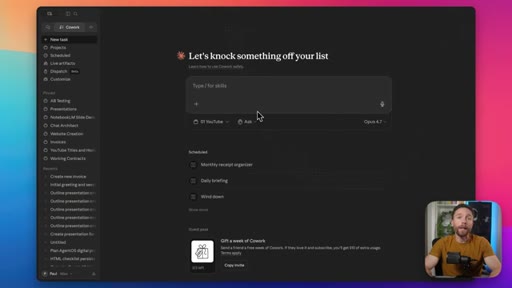
01:17Well, I only use them for one thing, which is to organize chats. So inside of Claude Cowork, every time you click on new task, is Cowork's name for a new chat, and you start a task from here,
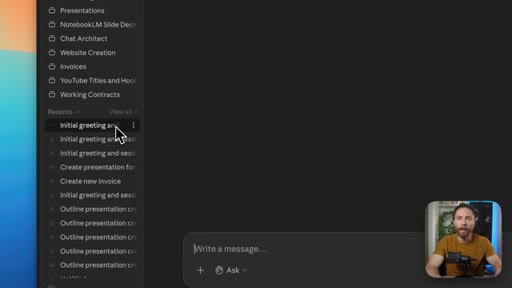
01:30it will appear in the recent task section here on the bottom left. But this isn't organized, so it makes it difficult to find important tasks that you wanna locate later. So I've set up projects that I use as folders.
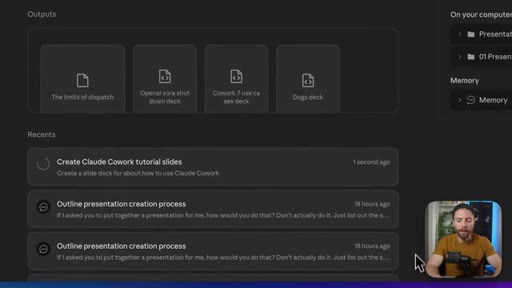
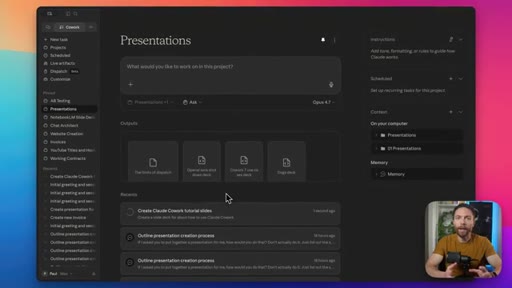
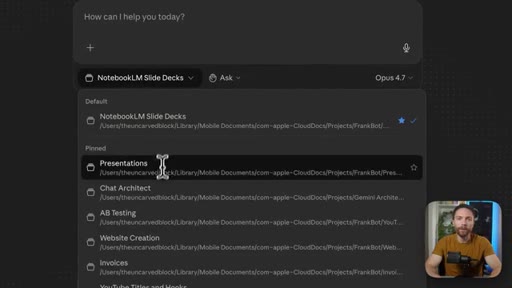
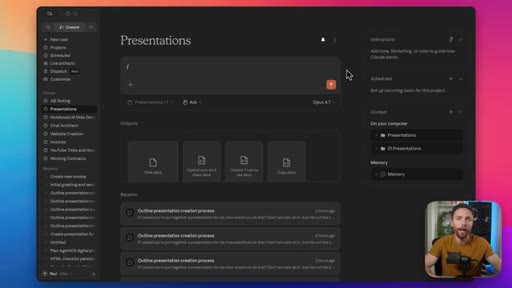
01:44For example, here's one I've called presentations. Anytime I wanna create a new presentation, instead of clicking on new tasks at the top, I instead click on the presentations project.
01:57I tell it what I want it to create for me, and then that task will appear down here inside the project, and any outputs it creates like the slide deck will appear in this output section.
02:11That way it's all neatly organized in one place. So projects for me are basically a folder system for tasks. But if I don't use instructions
02:21in projects, how do I tell Claude Cowork how I want it to work? For that, I suggest you utilize trick number two.
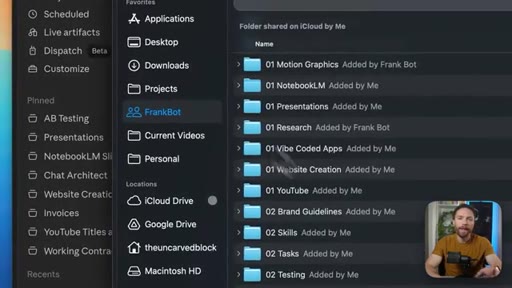
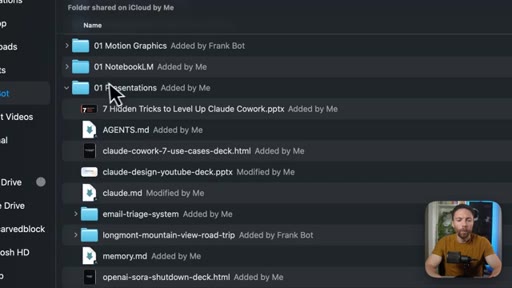
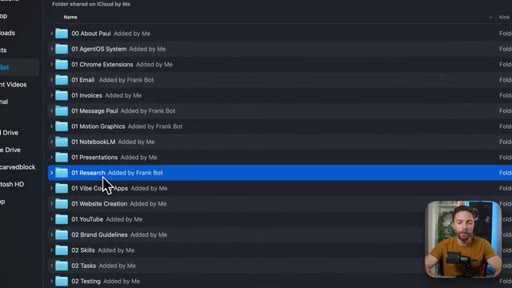
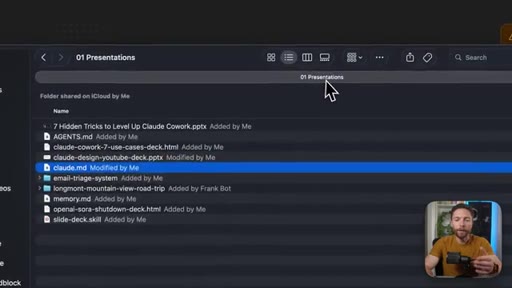
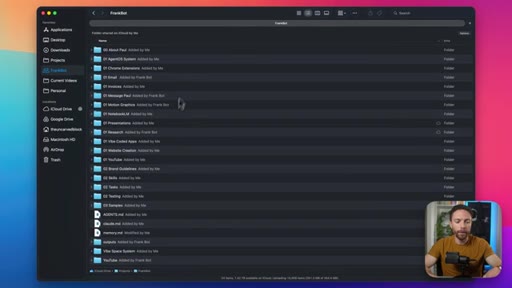
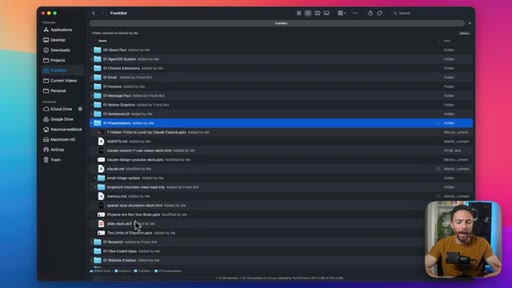
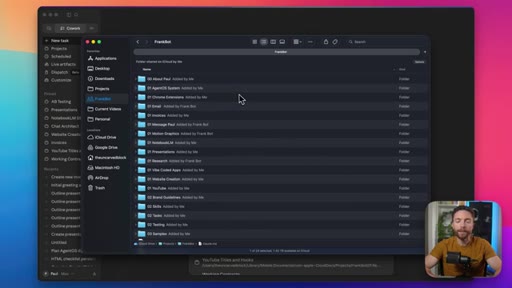
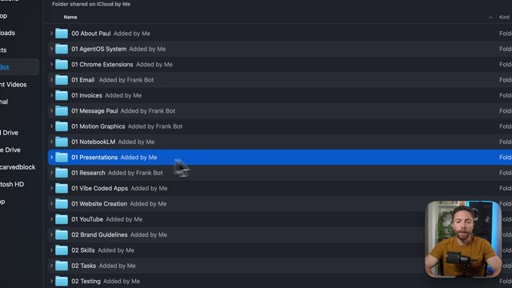
02:28As you already know, Claude Cowork works directly with files and folders on your computer. Opening up my finder, this is the main folder that I have Claude Cowork work inside of. I've called it Frank Bot.
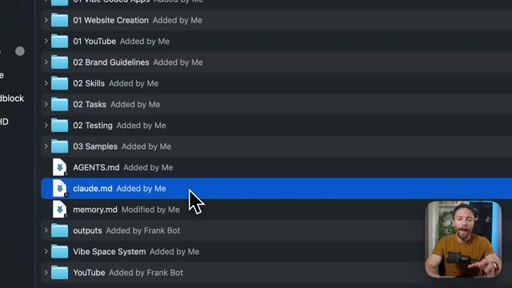
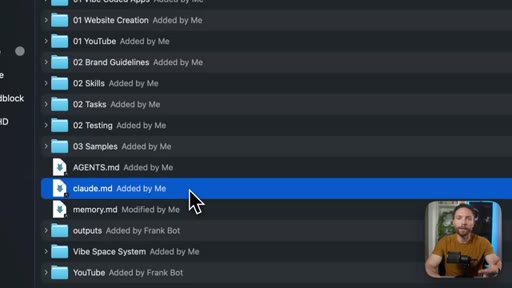
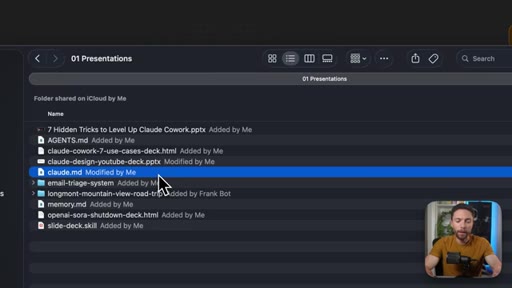
02:42Inside of this folder is a file called Claude dot m d. This is just a text file that gives instructions to Claude Cowork. Anytime it goes into this folder to do work, it will read this file and it will give it all the context it needs to help me and the general instructions for working in this folder.
03:03Another way of putting it is instead of putting all of your instructions inside of the project instructions,
03:11you take everything you would put in there and you just put it in a text file called claud dot m d. That's it. And then within each of these subfolders,
03:21CTAwhich I basically use as different projects, there's another Claude dot m d file with more specific instructions for that subfolder.
03:31CTAWith this setup, anytime you switch to a new tool like Codex, you can just tell it to find all the Claude dot m d files and to change it to the name that it uses for its instruction files, and then it'll be ready to go. I've made videos about this system before and have received a ton of great questions about it. So I'm actually planning to build a school community where I'll share with members a step by step guide on how to set this up along with a lot of other AI tutorials that I don't share here on YouTube, live q and a's, and a member's forum.
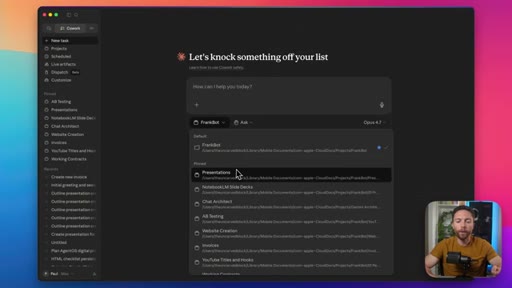
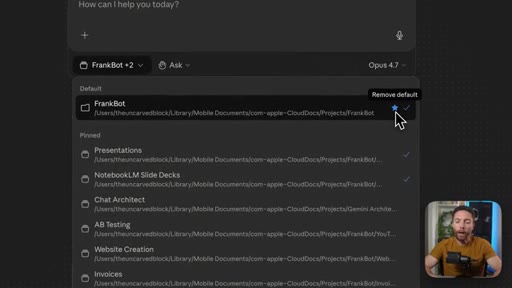
04:01CTAIf you wanna find out more about that or get on the wait list, all the details are in the description down below. Tip number three. Did you know that when you start a new task and choose which folder on your computer you wanna work inside of, you can actually choose multiple folders.
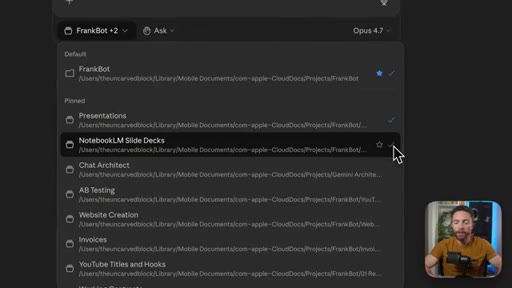
04:16CTAAll you have to do is select a new folder, and you'll see which ones are selected with this check mark on the right. I find this really helpful when I want the agent to have access to information in two different folders, but I don't want it to have access to all the folders because then it will have too much information that may not be relevant to the task.
04:35So for instance, if I have it do some research for me, I might have it pull that research into the research folder, but then I might ask it to create a presentation for me about what that research was. So then I would give it access to both the research folder and the presentation folder.
04:50And while I have this drop down open, tip number four is to set a default folder if you find yourself using one folder more than all the others. So I've set my default as the parent folder that contains all the other folders that I have my agent work on. That one is called Frank Bot.
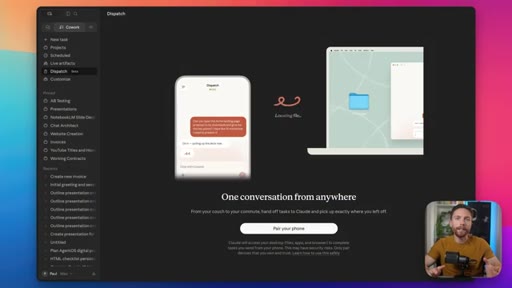
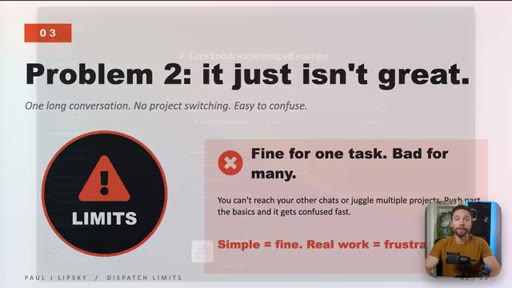
05:08So if I start a new task, it will always select that one by default. But if I want to, I can always change it. Tip number five may also be a bit of a controversial one, but you need to understand the limits of dispatch.
05:21Dispatch is a feature that's supposed to give you mobile access to Claude CoWork, but there are two issues with it. One, in order for it to work, your computer needs to be on, CoWork needs to be open, and then you need to link up Dispatch with it, and then it will work, which is impossible for everyone.
05:40They can't just leave their computer on all the time. And the second problem is that it honestly doesn't work that well. Just like one continuous
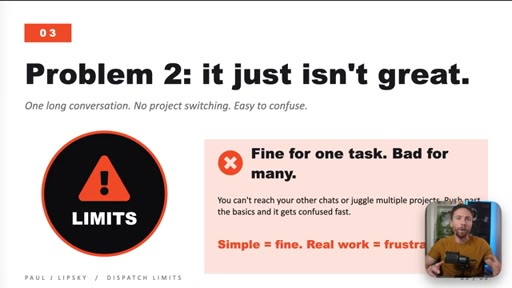
05:49conversation that you have with co work, so you can't access all of your chats. It's hard to have multiple projects going at the same time. Like for simple tasks, it works fine, but whenever I try to use it for multiple things, it just ends up frustrating me and getting confused.
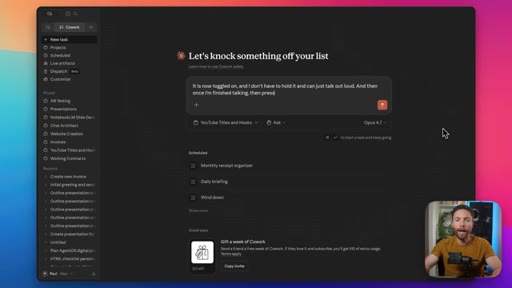
06:06Tip number six I have for you is to use voice dictation the right way. Inside of CoWork, instead of typing in here, you can use a voice dictation button.
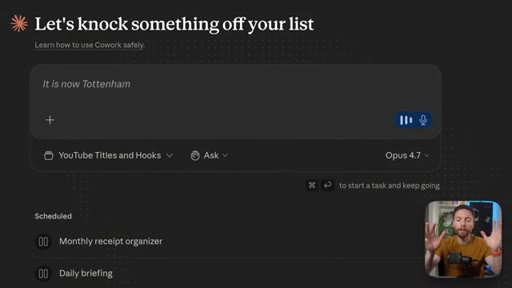
06:17It's right here. But you can also access it just by pressing command d, and it will start listening to what you're saying.
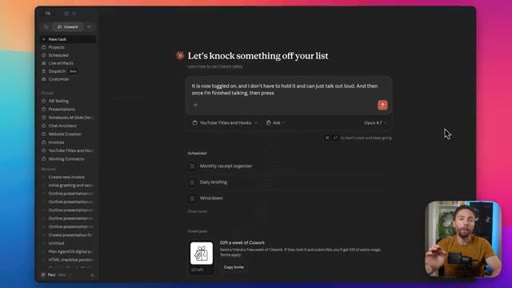
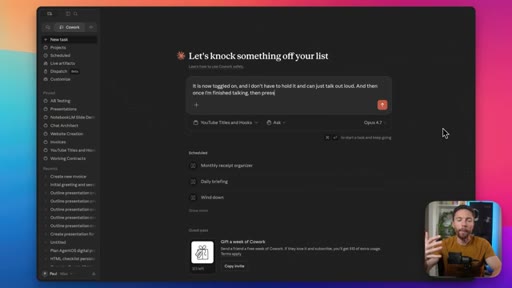
06:25But there's a secret hidden menu here. On this drop down, you can select whether you want to hold to record, which is like push to talk, or you can toggle it. So if I turn this off and now I press command d, it is now toggled on and I don't have to hold it and can just talk out loud.
06:42And then once I'm finished talking, then press command d again and it will toggle off dictation. Dictation is a very important tool when it comes to using AI agents like Claude Cowork Because a lot of times our best ideas
06:55come to us as we're talking out loud about them and just sort of rambling. And the AI agents are really good at taking our unstructured brain dumps and turning them into structured output.
07:09So don't be afraid to turn on dictation and just brain dump a bunch of ideas and let Claude do the work of sorting through all of it. Tip number seven is a quick one, but it has saved me a lot of money.
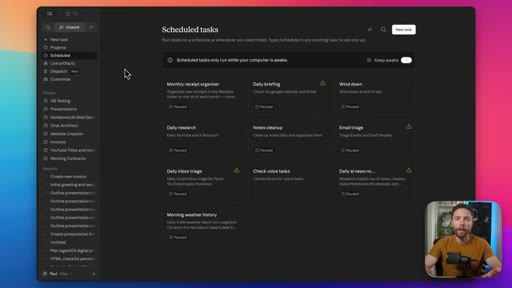
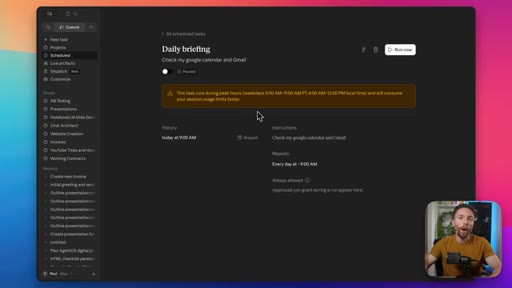
07:23When you schedule tasks, and you should be using these because this is a great way to automate your work, you wanna make sure you schedule them for off peak hours. If you schedule them for peak hours, you'll see a warning like this. And opening it up, you'll see that it tells you that you've scheduled this for peak hours, which are between 5AM and 11AM Pacific Standard Time, and that will consume your usage limits faster.
07:48So make sure if it's possible to schedule these for off peak hours. Another tip along the same lines is if you have a task that you need to run, but you know you don't have enough limits for it, just set it up as a scheduled task to run later in the day when you know your limits are going to reset. Even if you're gonna be away from your computer, then it will just automatically start.
08:13And when you get back to your computer, it will be done. Tip number eight is to use lots and lots of skills. You can think of skills as prompts that you load into Claude CoWork once so you never have to type them out every time you wanna use them.
08:27Instead of using skills though, a lot of people will create a very long set of instructions either in their claw dot m d file or worse inside their project instructions. It may say something like, every time I tell you to triage my email inbox, I want you to do x y z.
08:44And then every time I tell you to update my CRM, I want you to a do a b c. The problem with that approach is that every time you use the agent, it will read through all of those instructions, which is very inefficient. Skills fix that because your agent will only load the skills that it needs or the ones that you tell it to load.
09:04So it's incredibly efficient. And because of that, you should be using less instructions and more skills.
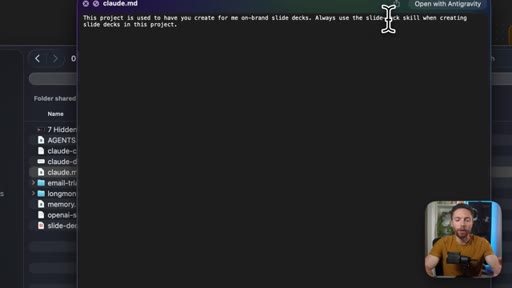
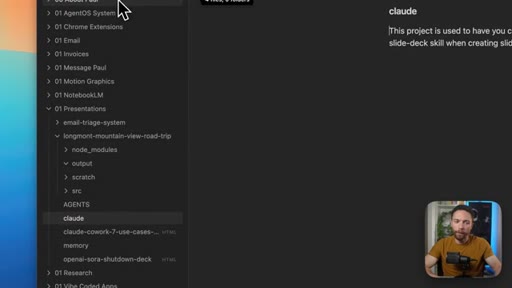
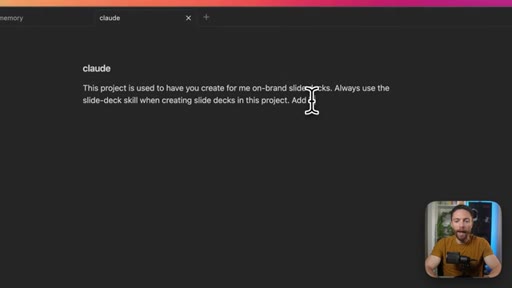
09:11For example, if we return back to the folders that I've set up for my agent, I have a subfolder project folder here called presentations. And inside of that, I have a claw dot m d file, which again are the instructions for the agent. But if you look at this, literally, all it says is this project folder is used when I want you to create on brand slide decks for me.
09:33And when I tell you to do that, use the slide deck skill. That's literally all it says to do. And then inside of Claude,
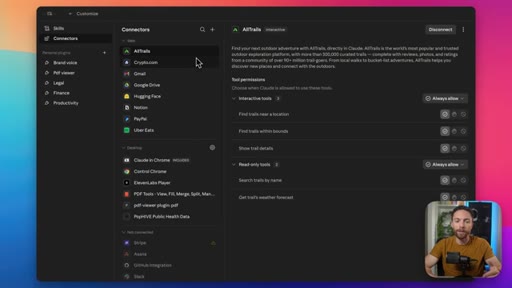
09:40we have the slide deck skill in here. So it's only going to load that when it needs to use it, which is a lot more efficient. And tip number nine is to use lots and lots of connectors.
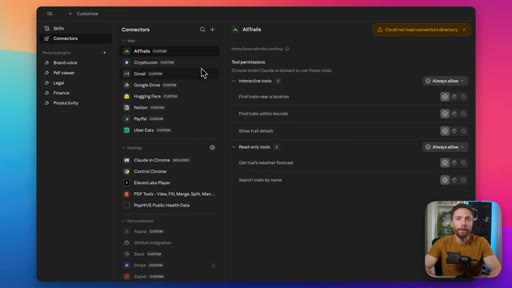
09:51If you find yourself jumping between lots of apps to get your work done, see if there's a connector for it. What I'm trying to build for my school community is a system where people can log into one tool like Claude CoWork and be able to control everything from there like one central command without jumping between all these different apps.
10:11Tip number 10 is another one that will hopefully also save you some money. Take advantage of Claude design. This is included
10:18with your Claude subscription that you use to access Claude CoWork. And with this, you can create slide decks. You can create websites.
10:25You can create motion graphics. So instead of setting those up inside of Claude CoWork, which is going to use those usage limits, instead use the usage limits that are for Claude design.
10:37They're separate. So you might as well burn through those ones first before you start burning through the ones inside of Claude CoWork, which you may wanna use for other tasks. Tip number 11 I have for you is to download and use the app Obsidian.
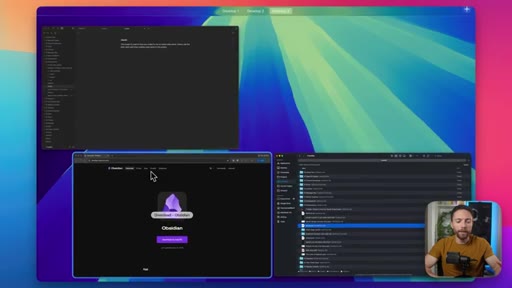
10:51It's free to use and this will be a viewer that you can use to view the files that Claude Cowork makes for you. Like I was saying before, everything it makes for you lives inside of folders on your computer.
11:05So this isn't the most user friendly way to view what it's made. You can open up each folder and then you have to use a different app to actually view the different outputs,
11:17whether that's slide decks or websites it's made for you or even just text documents. So if you download this app Obsidian, it's free.
11:26It's available for iOS, Android, Windows, Mac, Linux, then you get an experience like this. This is the same folder, my Frank bot folder.
11:35You can see all the subfolders in here, and it's a lot easier to view what was created. So here's a text file, and I can come in here and add anything to it that I want. And even if it makes something for you that's HTML,
11:49like this slide deck it made for me, you can view that in Obsidian. Obsidian can get very complicated very quickly. You don't need to know 95%
11:58CTAof what it can do. You literally just download it, point it to your folder, and use it like this, and don't worry about all the extra complicated stuff. And tip number 12 I have for you might seem like a contradiction, but it's really not.
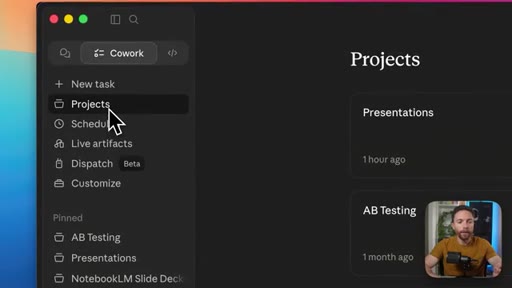
12:11CTASo I'd say about once a month, you wanna come into customize, look at all the skills that you have turned on, and just turn off the ones that you no longer use. If you have too many skills, especially ones that you're not even using,
12:26CTAit can degrade the performance and push you closer to your limits limits faster, your token limits. Same thing with connectors. If you have too many connectors that you're not even using,
12:38CTAthen that can confuse Claude Cowork, and it may try to load a connector that you don't even want it to use. So just disconnect anything you're not using or turn off any skills that you're no longer using. So there you go.
12:5012 tricks for leveling up Claude Cowork. Hopefully, you learned something new today. If you did, let me know by giving this video a thumbs up.
12:58Then if you wanna get on the wait list for my new school community, make sure to do that at the link in the description down below. Otherwise, thanks so much for watching the video, and I'll see you in the next one. Bye for
— full transcript
§ 05 · For Joe

Steal the architecture.

Claude Code / JoeFlow playbook

Paul is selling a community around a workflow that Joe already runs at a higher level.

  • The CLAUDE.md-in-folders system Paul describes IS what Claude Code already does natively. Joe has the edge, not Paul.
  • The skills > instructions insight maps directly to JoeFlow batch templates. Ship it as a named framework.
  • Off-peak scheduling applies directly to MCN Trigger.dev jobs and Claude batch sessions. Apply immediately.
  • Obsidian is the viewer Paul recommends for non-coders. JoeFlow can position as the owned-stack alternative for creators who want power without file-browser UX.
  • Paul pitches his community at 3:31. He is charging for the workflow explanation, not the tool. Watch this monetization model.
§ 05 · For You

How to actually get more out of Claude Cowork.

If you use Cowork daily

These 12 tweaks are the difference between using Cowork like a chatbot and using it like an actual agent.

  • Stop putting instructions in project settings. Use a claude.md file in your folder instead so your setup travels to any future tool.
  • Switch voice dictation to toggle mode (the hidden dropdown behind the mic icon). Push-to-talk kills the flow of real thinking.
  • Schedule heavy automated tasks for after 11AM Pacific to avoid peak-hour limit burn.
  • Install Obsidian (free) and point it at your Cowork folder to see everything the agent built for you in one clean view.
  • Once a month: open Customize, turn off skills and connectors you have not used in 30 days. Fewer active tools means better performance.
§ 06 · Frame Gallery

Visual moments.