ICOR with Tom | AI Productivity · Youtube · 09:02

I Talk to My Phone. Saved in Local Folder. Claude Links my Thoughts for Me.

How a free built-in iPhone Shortcut plus Whisper.cpp plus Claude replaced every note-taking app Tom used to pay for.

Posted
May 16th 2026
4 days ago
Duration
09:02
Format
Tutorial
educational
Channel
IW
ICOR with Tom | AI Productivity
§ 01 · The Hook

The bait, then the rug-pull.

Tom opens on the outcome, not the problem: a local folder replaced every note-taking app he used to run. Then he names the crack in the system: what happens when you are away from the desk and an idea hits? The answer turns out to be hiding in plain sight on every iPhone, completely free.

§ · Stated Promise

What the video promised.

stated at 08:30 "I can be sure it ends up in this local folder." delivered at 05:25
§ · Chapters

Where the time goes.

00:00 – 00:50

01 · The premise

Local folder replaced all note apps. Problem: capturing on the go without a third-party app.
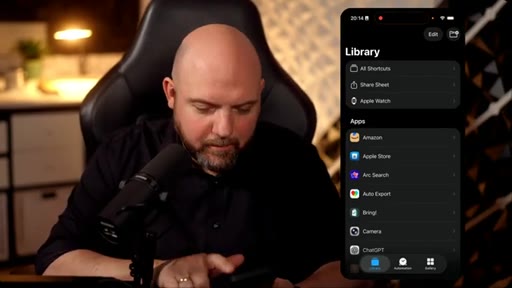
00:50 – 01:13

02 · The free tool nobody uses

iPhone Shortcuts: built-in, free, and completely ignored by most people.
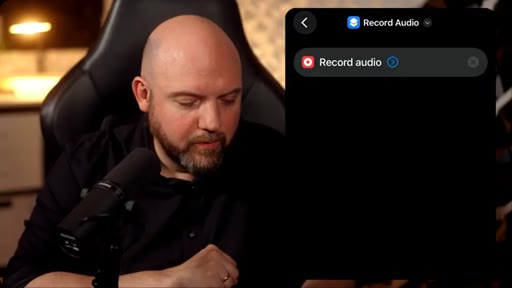
01:13 – 01:58

03 · Build the shortcut

Create myPKA folder in Shortcuts, add Record Audio action set to start immediately.
01:58 – 03:04

04 · Wire to Dropbox

Add Save File action, navigate to Dropbox > myPKA > Team Inbox > Audio Captures folder.
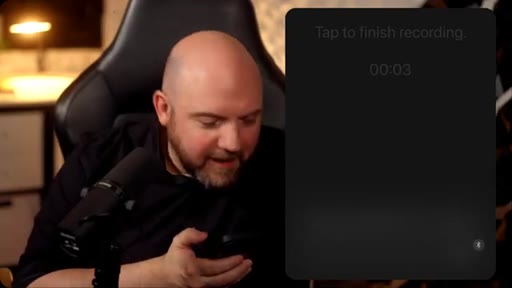
03:04 – 03:25

05 · Live test

Runs the shortcut live, records test audio, confirms it saves and appears correctly.
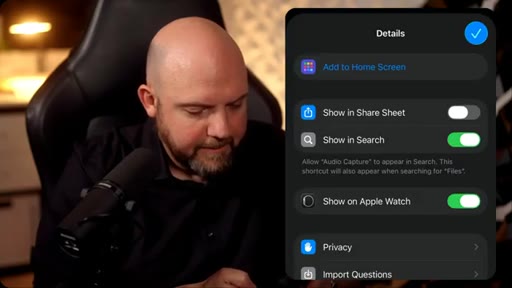
03:25 – 03:52

06 · Apple Watch trigger

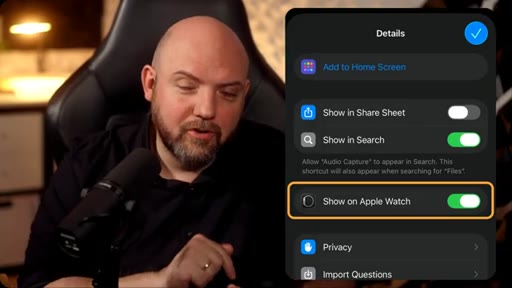
Enable Show on Apple Watch in shortcut Details. One tap from wrist triggers a capture.
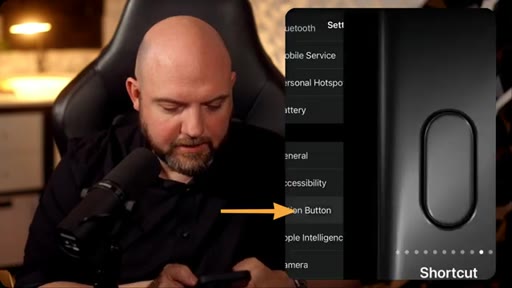
03:52 – 04:27

07 · Action Button

Assigns Audio Capture shortcut to iPhone Action Button. Press and hold = instant recording.
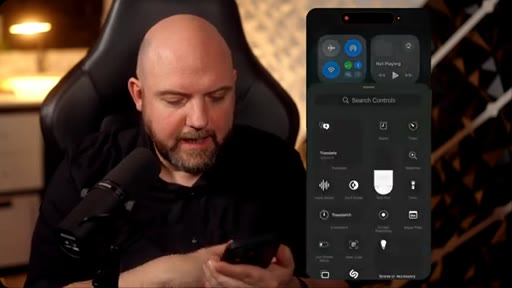
04:27 – 04:57

08 · Control Center tile

Adds shortcut to Control Center as a second trigger point.
04:57 – 06:11

09 · Audio lands on Mac instantly

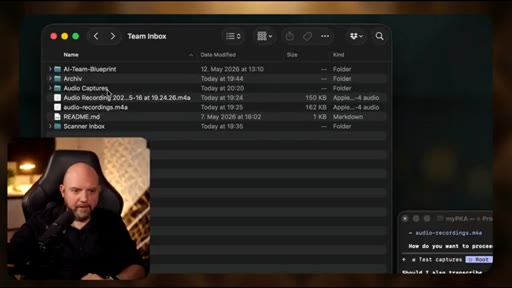
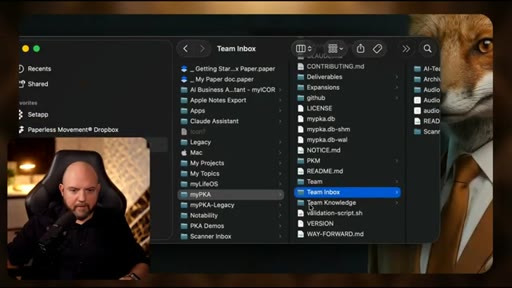
Opens Finder: audio files appear in Audio Captures via Dropbox sync in real-time.
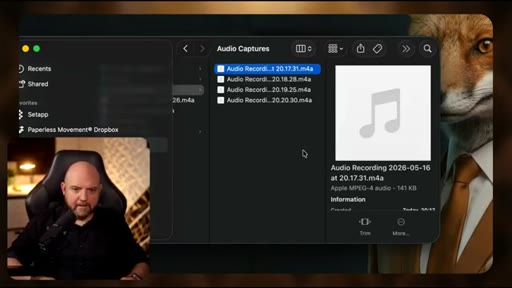
05:11 – 06:11

10 · Hand off to Claude

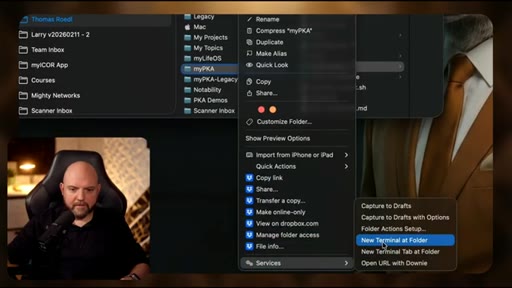
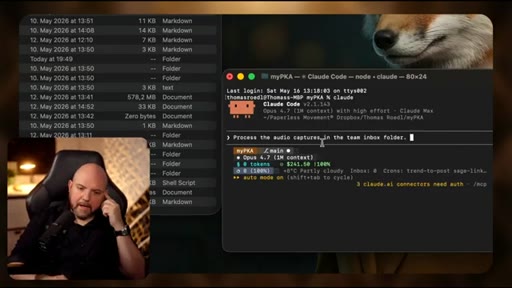
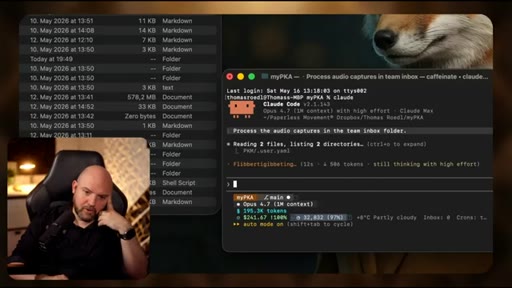
Right-click myPKA > New Terminal at Folder, runs Claude, types: process the audio captures in the team inbox folder.
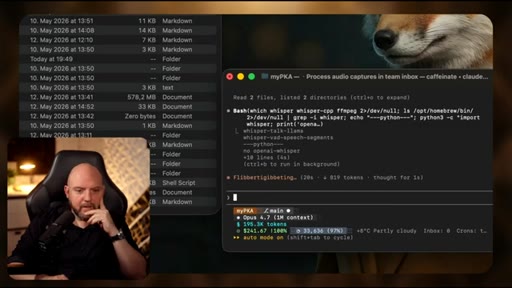
06:04 – 07:35

11 · Free transcription stack

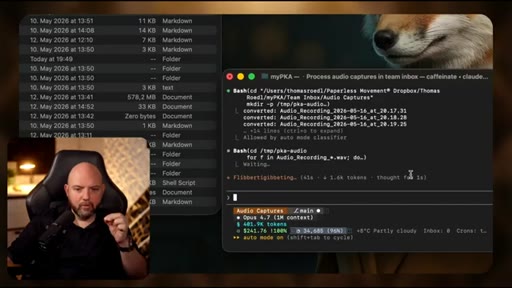
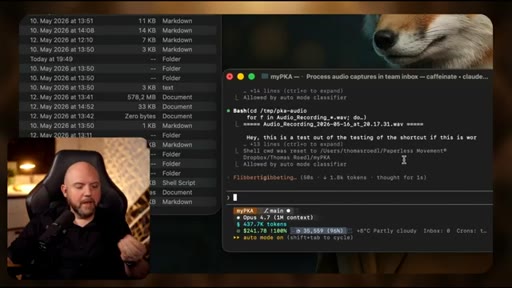
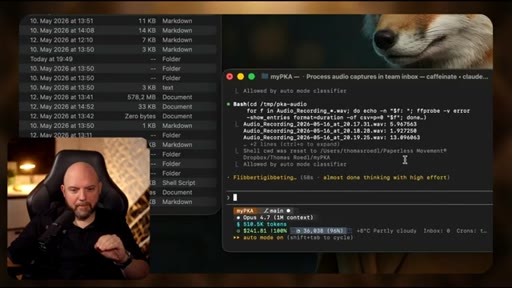
Claude discovers Whisper.cpp and ffmpeg are missing, auto-installs them, converts audio, runs transcription on all files.
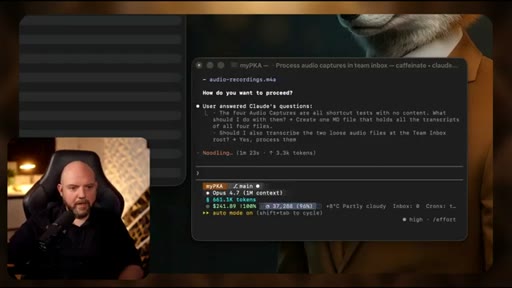
07:35 – 08:07

12 · Self-organization

Claude creates a transcript MD file in Deliverables, reports what it found and what it did. No manual linking.
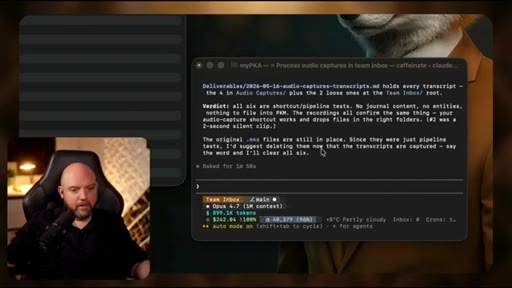
08:07 – 09:02

13 · Wrap and CTA

Three free tools. One personal knowledge assistant. Soft subscribe ask.

§ · Storyboard

Visual structure at a glance.

open payoff first
myPKA folder created
Record Audio action
Dropbox file browser
live test recording
Action Button settings
Mac Finder audio lands
Claude terminal session
Whisper transcription running
Claude self-organizes
wrap and CTA
§ · Frameworks

Named ideas worth stealing.

05:11 model

Inbox-to-PKA Pipeline

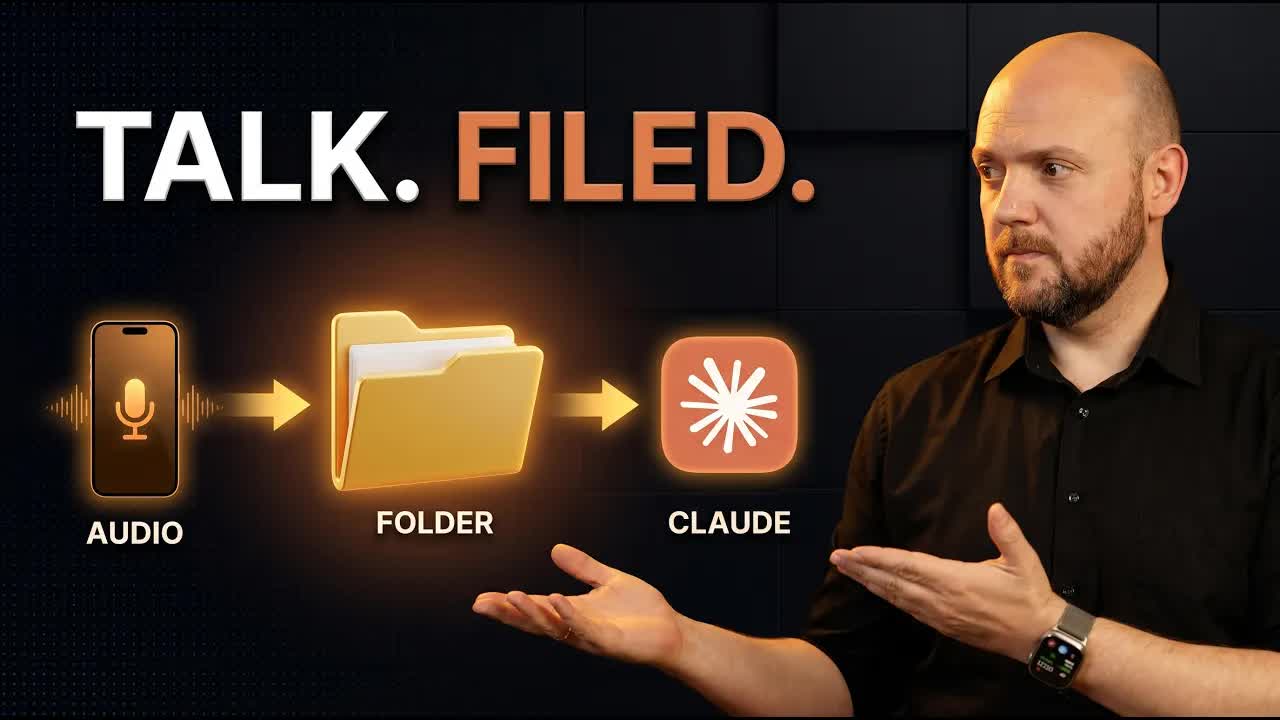
  1. Record via iPhone Shortcut into Audio Captures folder
  2. Dropbox syncs to Mac local folder automatically
  3. Claude picks up folder via terminal session
  4. Whisper.cpp and ffmpeg transcribe audio locally
  5. Claude routes transcripts to Deliverables
  6. myPKA self-organizes from there

Six-step fully local, fully free voice-to-organized-knowledge pipeline using only built-in and open-source tools.

Steal for JoeFlow positioning: this is exactly what JoeFlow does with less friction (no terminal, no Dropbox, no manual claude launch)
08:07 list

Three Free Tools Stack

  1. iPhone Shortcuts (capture)
  2. Whisper.cpp + ffmpeg (transcription)
  3. Claude Code (organization)

The minimum viable local AI productivity stack. All free, no subscriptions.

Steal for The dollar-6 Stack narrative angle; Joe could position JoeFlow as this stack collapsed into one app
§ · Quotables

Lines you could clip.

00:22
"I never need to link things again manually."
Clean standalone sentence, zero context needed, speaks directly to PKM pain → TikTok hook
00:51
"You can have it all for free just using your iPhone if you have one."
Contrarian hook, undercuts every subscription app in one line → IG reel cold open
01:35
"I want to have it in the final destination, in my local folder, on my MacBook, ready for my AI to pick up."
Slow deliberate delivery, three-part build, strong local-first philosophy moment → newsletter pull-quote
§ · Pacing

How they spent the runtime.

Hook length22s
Info densityhigh
Filler5%
§ · Resources Mentioned

Things they pointed at.

06:09toolffmpeg ↗
00:50tooliPhone Shortcuts
03:40toolDropbox ↗
05:11productmyICOR ↗
§ · CTA Breakdown

How they asked for the click.

08:30 subscribe
"Subscribe to the channel so I can catch you up in the next one."

Clean and short. Zero pressure, no product pitch, ends on a community question to drive comments.

§ 04 · The Script

Word for word.

HOOK opening / re-engagementCTA the pitch analogy story
00:00HOOKIf you're following me on this channel, you know that a local folder just replaced all my note taking apps. And this channel was all about note taking and personal knowledge management using all the different tools in the past years. But just with their latest releases of AI that allows us to access local files, everything ended up local.
00:17HOOKTo make my own personal knowledge management that we call personal knowledge assistance based on this folder structure that self organizes everything. I never need to link things again manually.
00:28So the thing is, this is all nice if you're sitting on a MacBook, but what if you're on a go? I could now connect this to my cloud and I can start typing and even talking to it, but that's maybe not something that you want, that you want to use the apps or you might want to have a much more asynchronous input. And that's where people use then third party tools just to capture information.
00:51But that's something you don't really need. You can have it all for free just using your iPhone if you have one. I'm pretty sure on Android you can do something similar, but on the iPhone, you have an app that's called shortcuts.
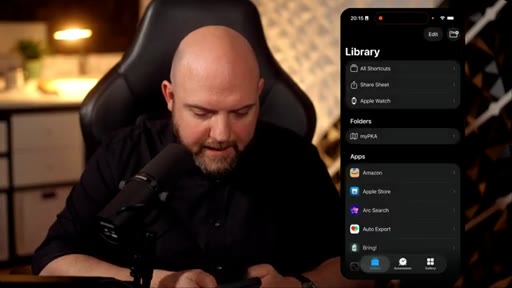
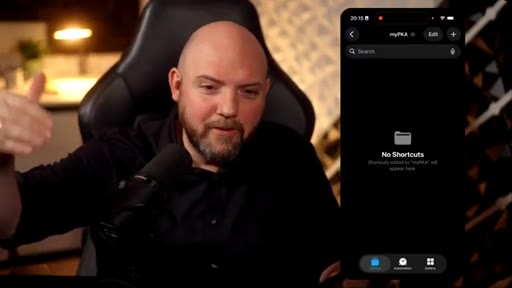
01:04It's for free. It's already on there, but let's open this up. And here, I just deleted all the shortcuts we can start from scratch.
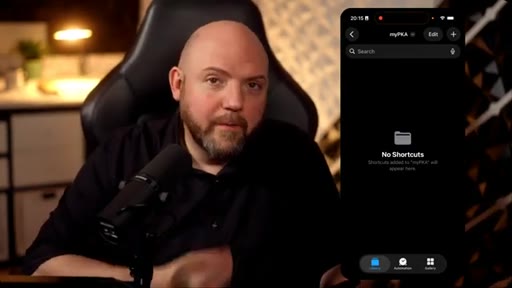
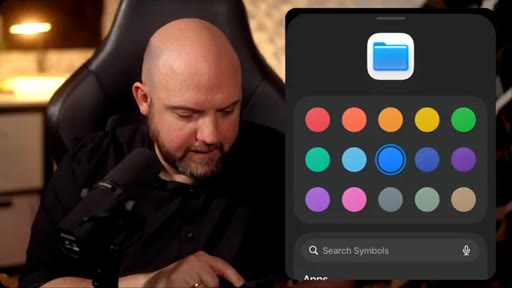
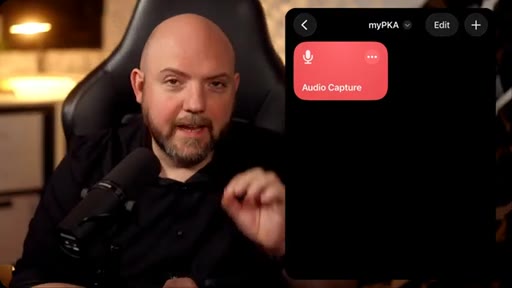
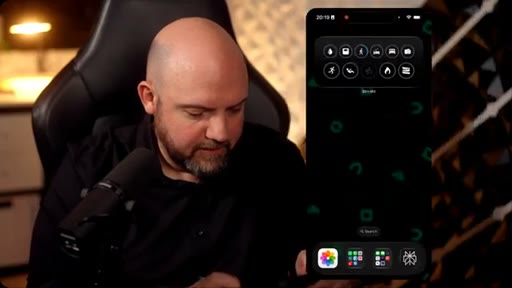
01:11On top right, you can create a folder. I call this folder simply my p k a. Give it a icon.
01:17Now we have this folder, now I start creating these shortcuts in here. Something I want to do is capture audio on the go. Whenever I have some insights or inspirations, I want to quickly save it.
01:29But I don't want to have it in the voice memos that I need them to extract later. I want to have it in the final destination, in my local folder, on my MacBook,
01:38ready for my AI to pick up and to process. And this is how we do it. We just create a new shortcut.
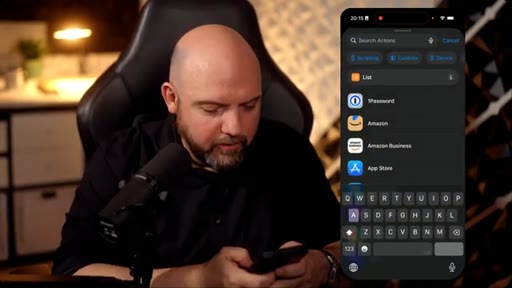
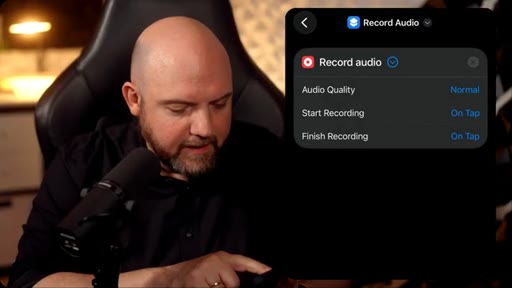
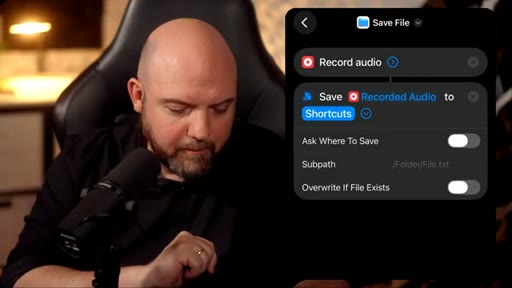
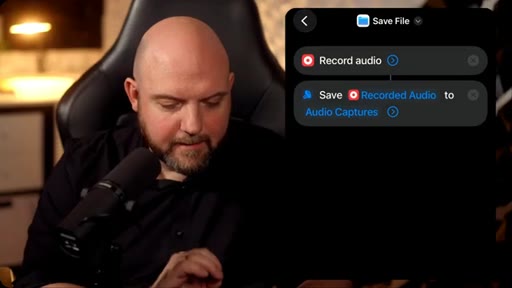
01:43Search here for audio. We can use here record audio, and here when we use the drop down, we can change the quality.
01:51On start recording, we have on tap or immediately. I like this to happen immediately when I call the short cut. And now we would already just record the audio, but we want to have it end up in the folder.
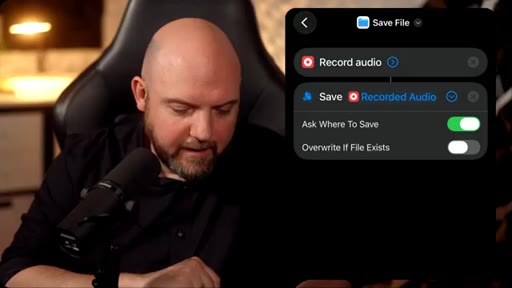
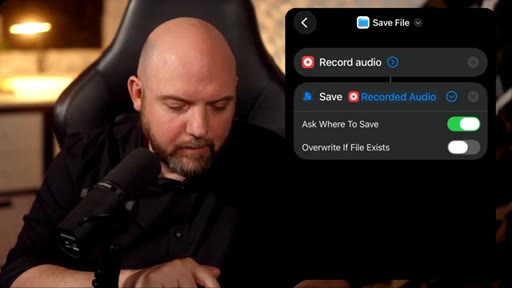
02:02So I just simply search for save, save file. I use the drop down. You see it picked already up here, recorded audio.
02:08So save the recorded audio from the previous step. Ask where to save. No.
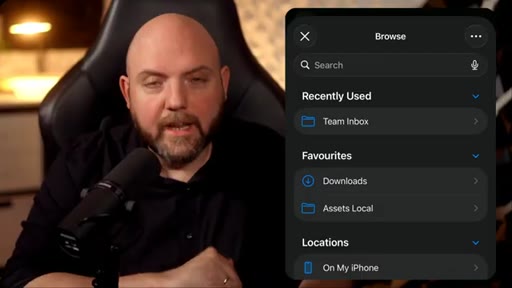
02:13I want to have it fully automated. So therefore, I will say here, two shortcuts. Instead, I will just tap on this shortcuts.
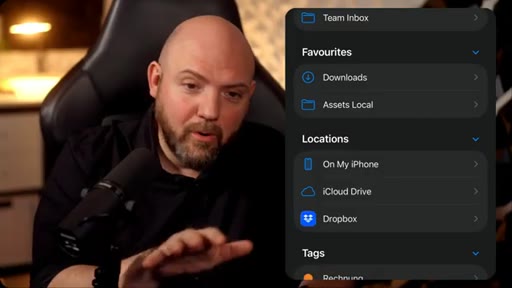
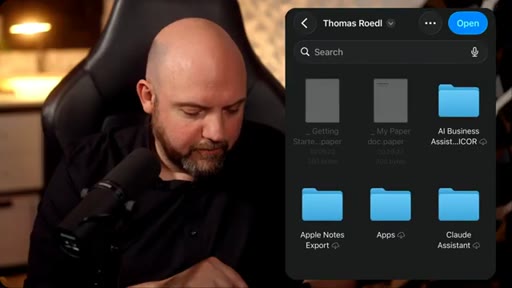
02:20Now I'm in the file system, and I can go into files, and the amazing thing is I can connect any external cloud services too, like Dropbox, g drive, and so on. You see here already Dropbox. I like to synchronize my local folder with Dropbox.
02:33I could also use iCloud to synchron ize this. In this case, I'm using Dropbox. Here's already the folder that I have on Dropbox.
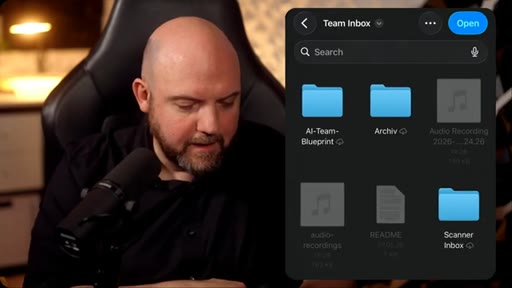
02:40Here's my p k. That's the folder that I'm using for my knowledge base, and here's a team inbox. And I want to have it saved in here.
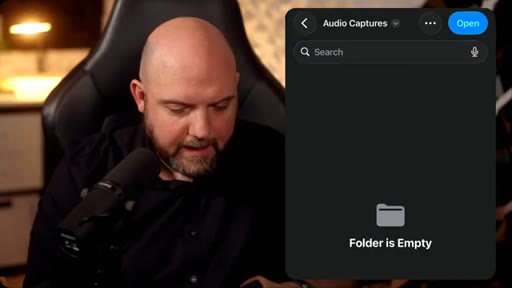
02:48I can create here a new folder called audio captures, and here we are, and I'm opening this up, and that's it.
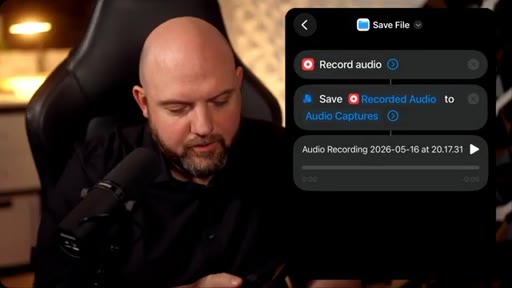
02:55I don't need to use a sub path here. I just keep it as it is, and it is as simple as that. And we can give it a go by simply tapping now the play button on the bottom right.
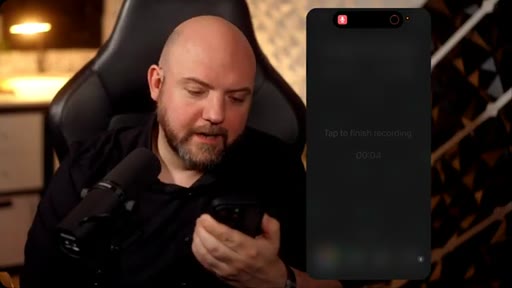
03:04Hey, this is a test. Out of the testing of the shortcut, if this is working. I tap again and it just recorded it.
03:11It asks me now if it allows it, shows me the result. Okay? So now it's ready.
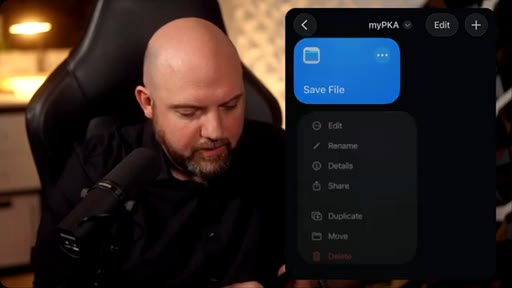
03:16Here it is, save file. We can just hold down and rename this. We just say audio capture.
03:25We can go to details, and in here, we can have it now also on Apple Watch. So I can, on my Apple Watch, trigger this shortcut and talk something to end up in the local folder. I go to edit and I can quickly here choose a different icon.
03:40Mic. Here we go. And different color.
03:43And there we go. All you capture. So I can just tap on it and run it.
03:47But obviously, this takes forever. That's why I can go now to my settings, and here I can go to the action button if you have one on the side.
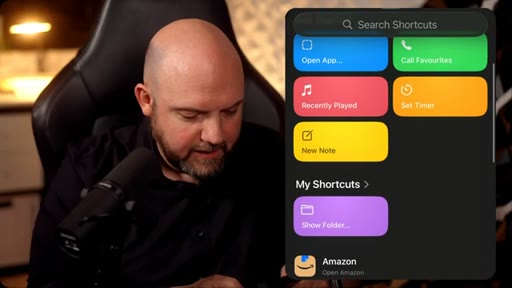
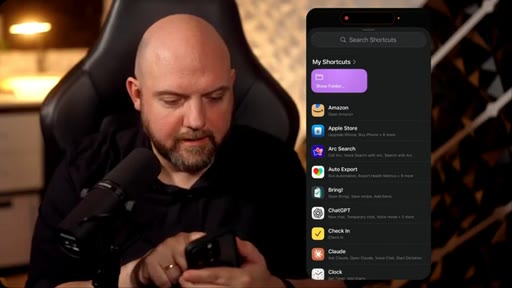
03:55And here I can actually pick up a shortcut. So here, if I click here, I can go to show my shortcuts. Here's the audio capture, and there we go.
04:05And now, I'm going outside. Boom. And I just need to press and hold on the side button.
04:10Alright. This is just a test if this is working. I'm not just holding down the side button now to see if this is actually going into the folder on my local drive
04:20on my MacBook. I tap, and that's it. Nothing else.
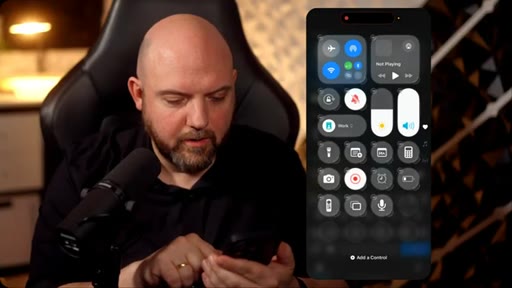
04:23You can also get the control center, press and hold, and here you can add a control, and here you can search for shortcuts, and you tap on shortcut. Now you can choose the shortcut.
04:34I can go into here. There's the audio capture. Now I have it.
04:38Here it comes up. Now I can make this just small. And now I have it in here, and I can do exactly the same thing.
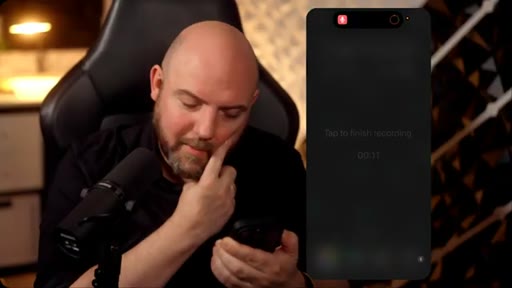
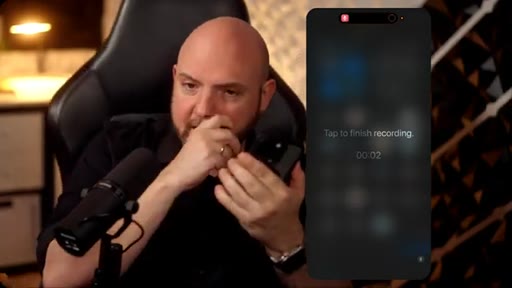
04:44Just drop down, click, hi everybody. This is a test. I just want to make a journal entry about x and y, and that's it.
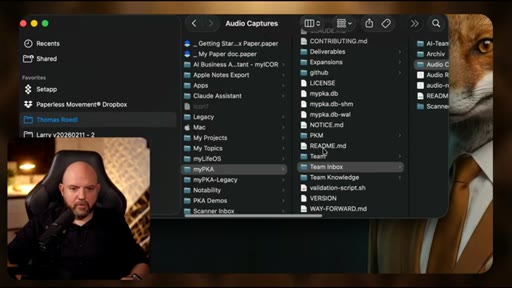
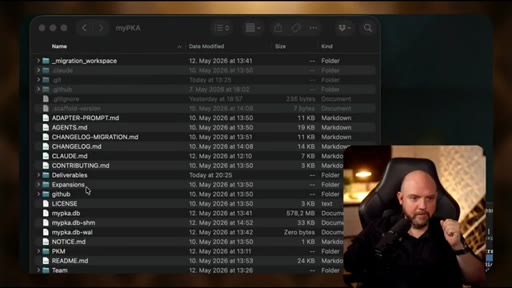
04:51I tap and this is it. It recorded it and it saved it to Dropbox. And now when I go to my local folder here on the Mac, here we are.
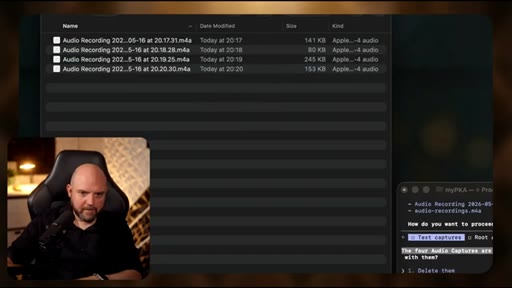
05:00This is my folder team inbox and here we see already audio captures, and here are the things that we just recorded. It instantly appeared here. I can go through them, and the beautiful thing is now there's no title, nothing.
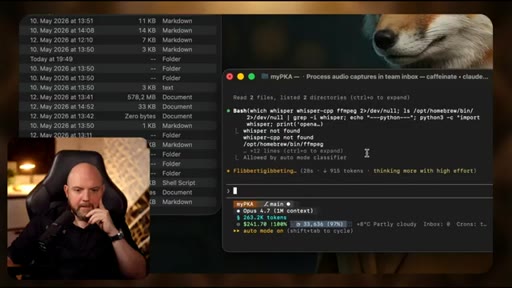
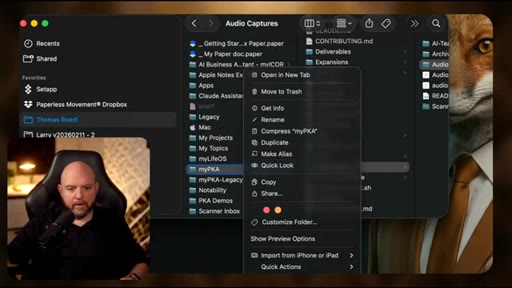
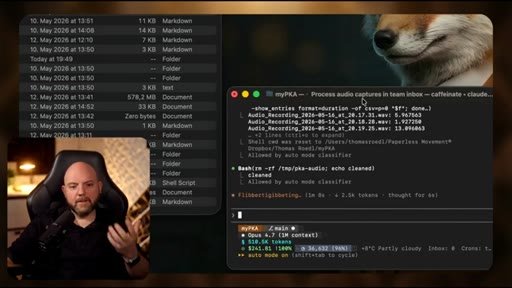
05:14As I show you, you can open this now simply in Claude Coburg or anything else. I always prefer to run this in a terminal or even better in code, but for the sake of demonstration, I show you just right click and then go down to services and new terminal at folder.
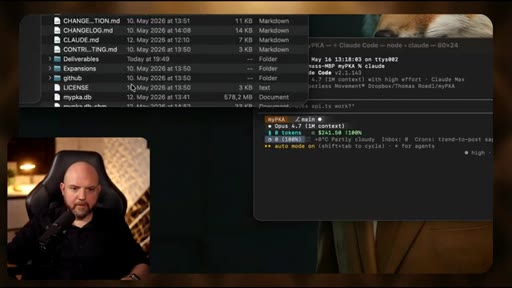
05:30I launch Claude, and what this does, Claude opens up now in this folder for the sake of it. Here's the folder.
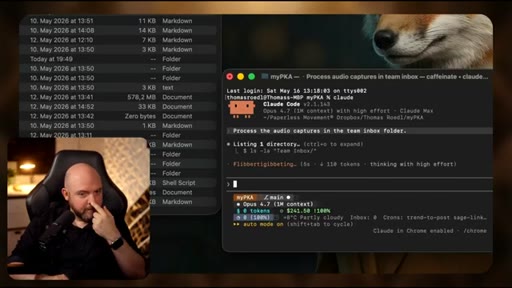
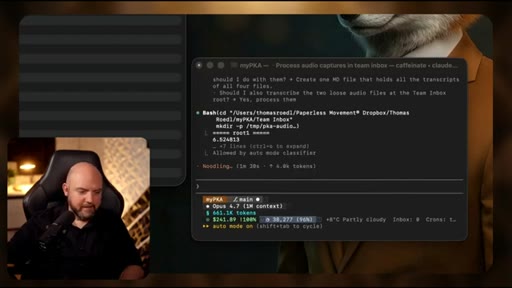
05:37And all I now say is process the audio captures in the team inbox folder. And here I could have now re routines and I can even trigger this on autopilot to check every now and then there's anything in my team inbox. So this would happen automatically.
05:51So it reorganizes everything on the fly. I could even give instructions what it should do next. So I can really go wild when it comes to this to automate the things simply simply by sending audio messages this way.
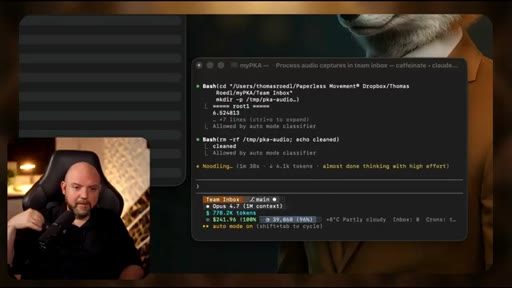
06:04And the thing is you see here already, it's taking up something called Whisper CPP. It's completely for free. It's open source.
06:11FFmpeg is also something that is open source. So all these things do.
06:16It converts the audio into the right format, so it's perfect to read. Then it uses the whisper to transcribe it. Obviously, in my shortcut, I could have also added a transcription step.
06:27I trust Claude to do a better job here together with this whisper to get a right transcription, and this is what they are doing right now. Uh, we provide this as a whole expansion pack to have all out of out of the box. But if you don't know, you just ask, hey, can you transcribe the audio in my inbox?
06:44And it says, no, I can't, and gives you the resolutions. Alright? Because that's very common things that you can download, and Claude will do it for you or Gemini or Codex.
06:55They will just download these functionalities, and they can convert audio into a different version. They can transcribe it, all the things.
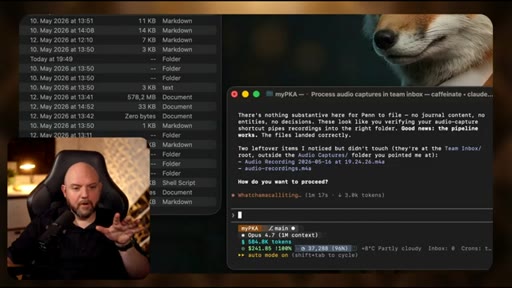
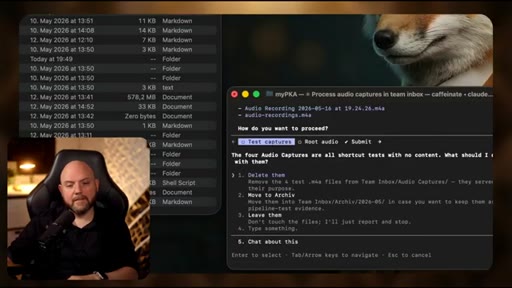
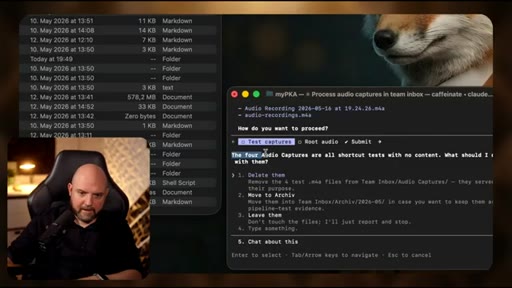
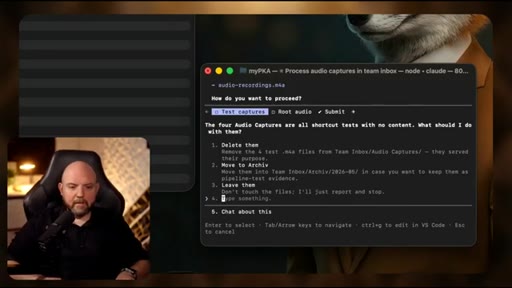
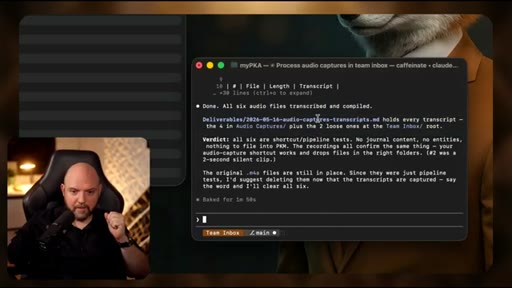
07:02So now it says here, the four audio captures, it recognized it, so we can go here. Tom inbox, audio captures here.
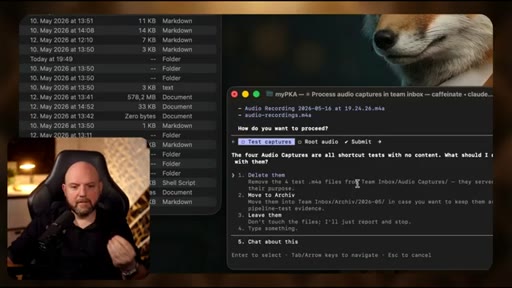
07:10All short cast tests with no content. What should I do with them? So is there really no content?
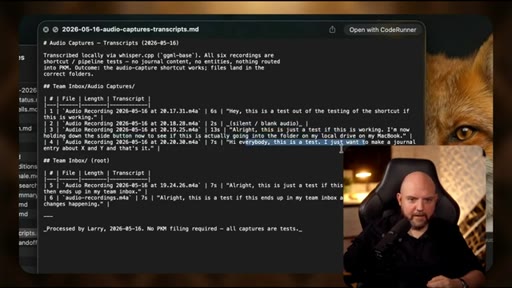
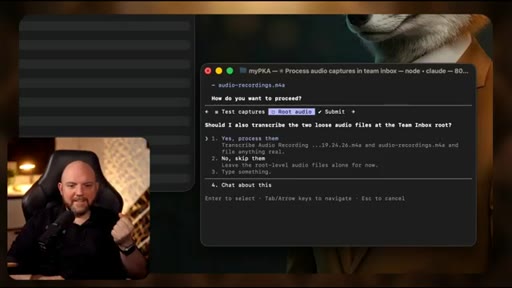
07:15Create one MD file that holds all the transcripts of all four files. So obviously, I should have used proper text to test this properly because now it says there's nothing because it's just tests. See, it even found it recognized there are two others that I did from earlier testing.
07:32So, yes, I want to have them too. So it even picked them up. Now we have this audio capture folder, so you can do this however you like.
07:40And then you train your team accordingly, so it knows next time how to process this, and that's how you streamline the process. You could have even, for example, trigger words, where you have a specific trigger word.
07:50If this is part of the transcript, then Larry and his team or your AI team will process this accordingly, and that's how you can really think forward.
08:00CTAThis is where we are so independent in a local folder using these three tools to build really use specific personal knowledge assistance system. So done.
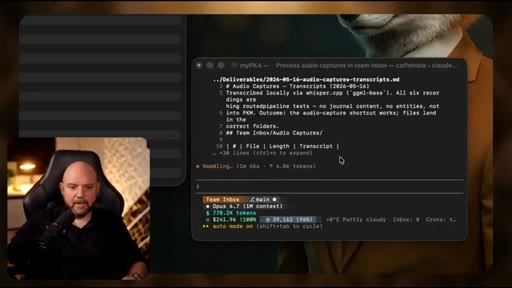
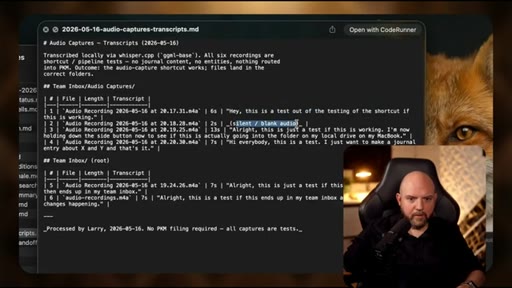
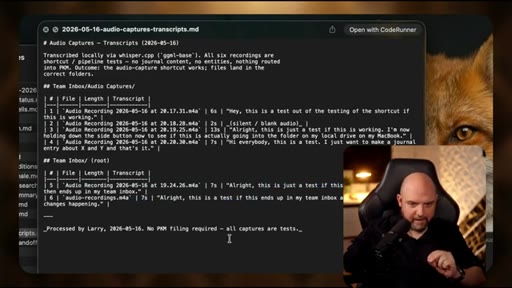
08:10CTAAll six. It shows me now there is a transcript and where it is and where is it. It's in deliverables because our team works with a deliverables inbox that is here where it shares everything that it was working on.
08:21CTAAnd here it is. Hey. This is a test.
08:24CTAThere we go. Silent. That was the quick things that I tested.
08:28CTAAlright. This is just a test. And it's exactly what I was saying to the phone as you you can go back in the video and double check, but this perfectly worked out of the box, guys.
08:39CTAAnd therefore, all I need to do next, I have an idea, hold down this button and start talking, and I can be sure it ends up in this local folder. What about you? Would you pick this up, or do you rather use a third party tool where you go to the tool and and unlock your phone first and all these things?
08:55CTAOr are you migrating now to the solution? Let me know in the comments below. And if you haven't already, subscribe to the channel so I can catch you up in the next one.
— full transcript
§ 05 · For Joe

Steal the pipeline.

local-first capture playbook

The iPhone you already own is one Shortcut away from being a zero-friction voice inbox that feeds directly into Claude: no app, no subscription, no friction.

  • Build the two-step Shortcut: Record Audio (start immediately) + Save File (to Dropbox or iCloud folder).
  • Assign it to the Action Button. That is the only hardware move that makes this actually frictionless.
  • Create a Team Inbox folder in your synced drive. Claude learns its purpose from the folder name alone.
  • Let Claude install Whisper.cpp + ffmpeg on first run. It will do it unprompted if you ask it to process audio.
  • Name the pattern in your content: capture anywhere, organize automatically is the hook Joe can run with JoeFlow.
  • The real unlock: the folder IS the interface. No app UI, no login, no vendor. Joe has the same story with JoeFlow.
§ 05 · For You

Try it this week.

for the person who keeps forgetting their ideas

You already have everything you need on your iPhone to stop losing ideas the moment you have them.

  • Open the Shortcuts app (free and already installed), create a new shortcut with Record Audio + Save File.
  • Point it at any cloud-synced folder you already use. iCloud, Dropbox, or Google Drive all work.
  • Assign it to the Action Button or Control Center so capture is a single press, not three taps.
  • Once the audio is in a folder, ask any AI to transcribe and summarize it. No special setup required.
  • Start with one capture per day for a week. The friction is zero; the habit locks in fast.
§ 06 · Frame Gallery

Visual moments.