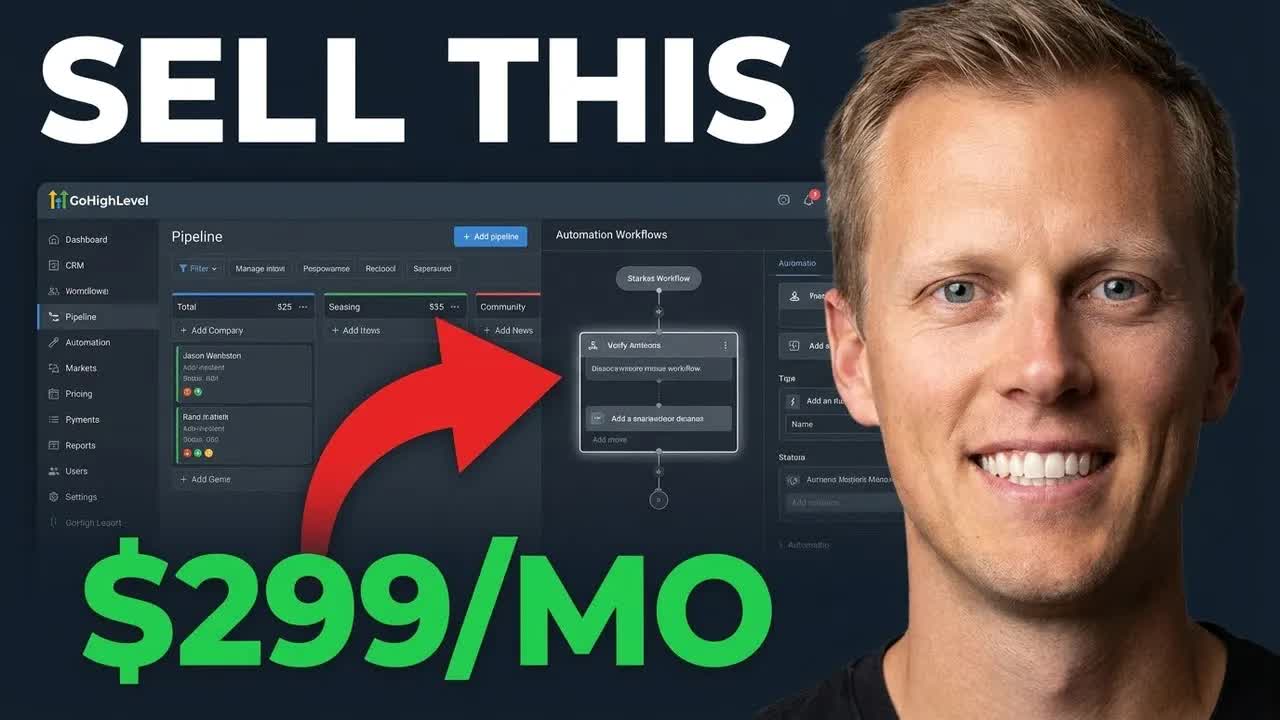
Jason Wardrop · Youtube · 18:28

Build This Once, Sell It to Every Local Business

An 18-minute GoHighLevel affiliate tutorial disguised as a business model reveal: build one AI voice agent and resell it to every local business in your area for 299/month.

Posted
May 15th 2026
3 days ago
Duration
18:28
Format
Tutorial
hype
Channel
JW
Jason Wardrop
§ 01 · The Hook

The bait, then the rug-pull.

Ten seconds in and Jason Wardrop has already handed you the entire business model. One system. Every local business. Two hundred and ninety-nine dollars a month. What follows is eighteen minutes of GoHighLevel screen share that functions simultaneously as tutorial, objection removal, and affiliate sales funnel.

§ · Stated Promise

What the video promised.

stated at 00:42 "I'm gonna show you exactly how this business model works and how you can implement it for yourself even if you're a total beginner." delivered at 02:42
§ · Chapters

Where the time goes.

00:00 – 00:51

01 · Promise hook

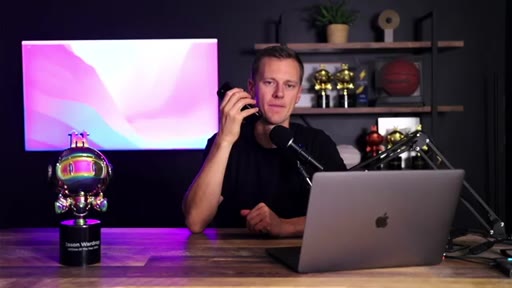
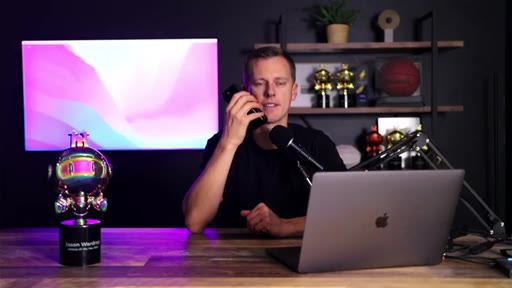
Talking head opens with full outcome: build one AI system, sell to any local niche for 299/mo. No intro, no logo, straight to claim.
00:52 – 02:32

02 · Disclaimer + CTA 1

Results disclaimer, then reverse-psychology CTA: I have no course to sell you. Free course unlocked by liking + commenting. Teases 30-day extended GoHighLevel trial.
02:33 – 03:45

03 · Transition to screen share

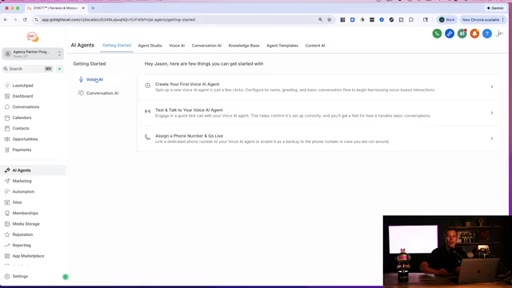
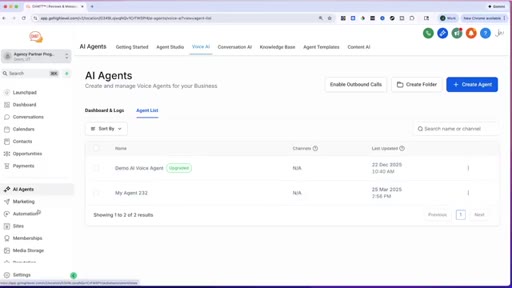
Jumps to GoHighLevel dashboard. Navigates to AI Agents section.
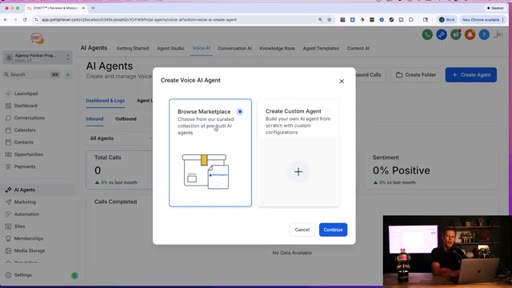
03:45 – 08:12

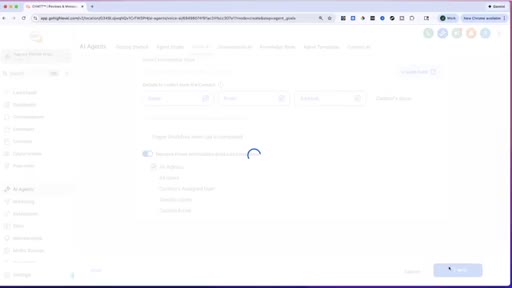
04 · Voice AI agent setup

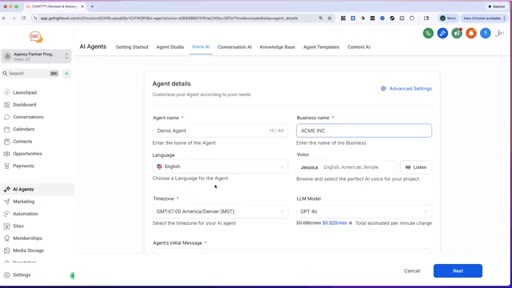
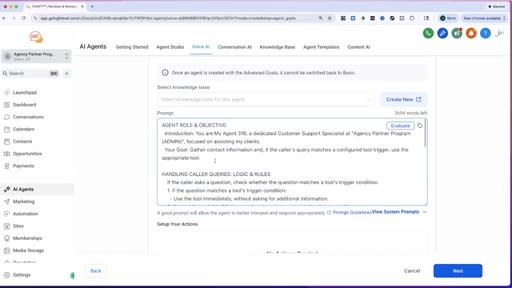
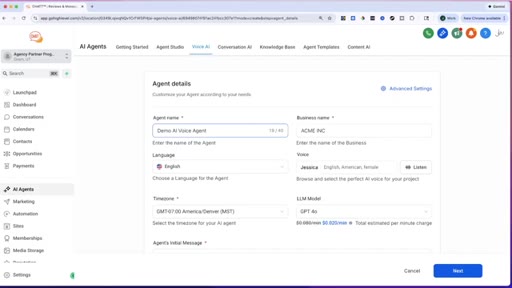
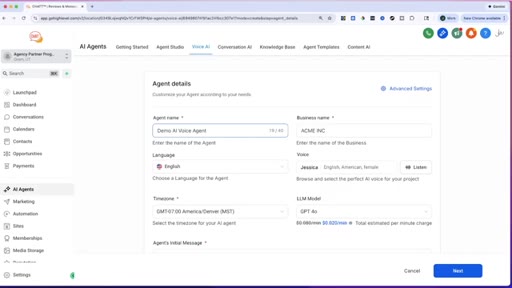
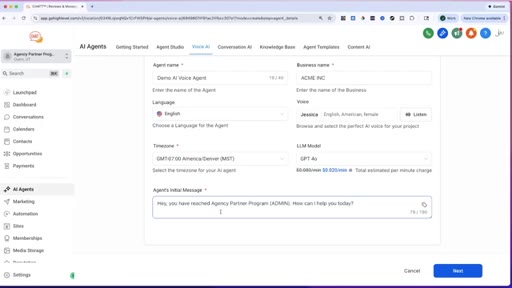
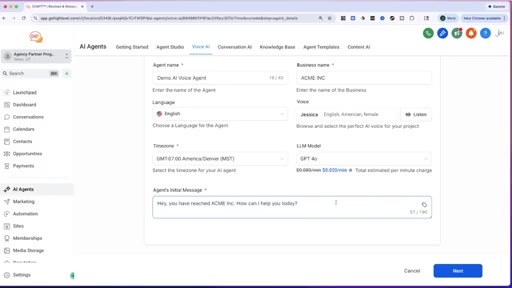
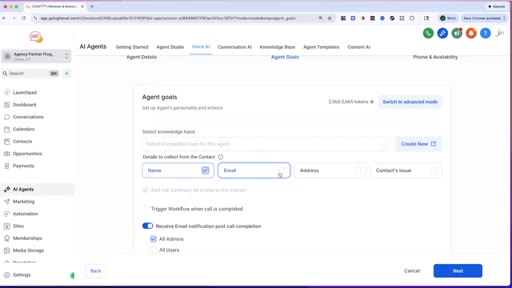
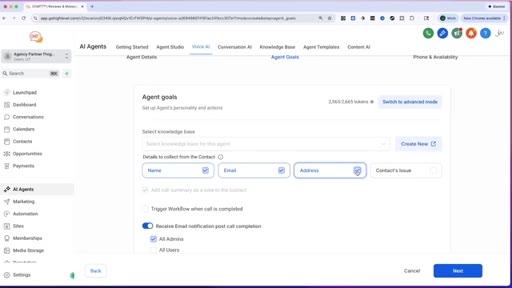
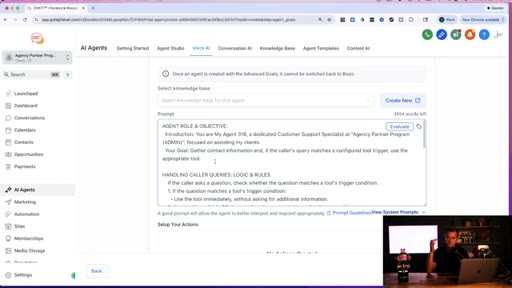
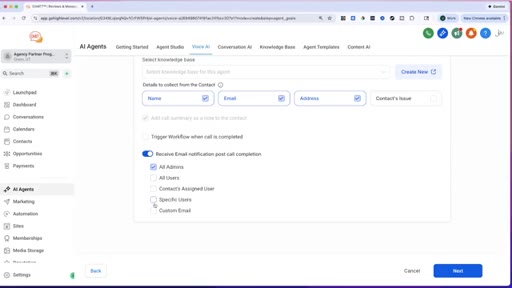
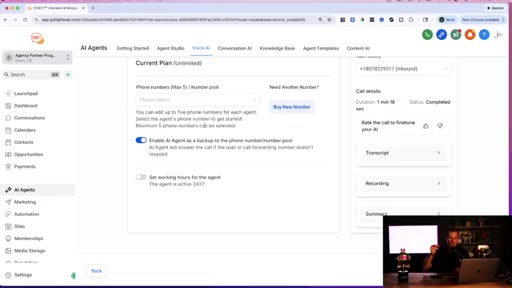
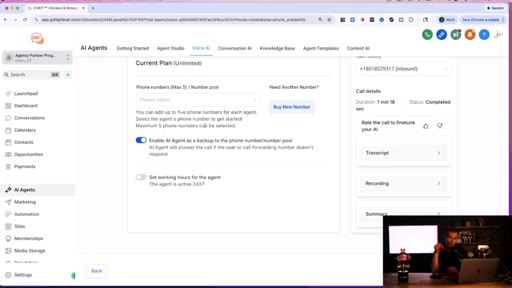
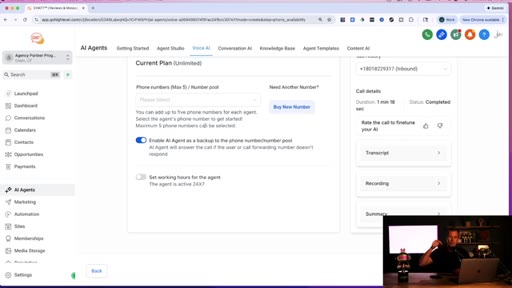
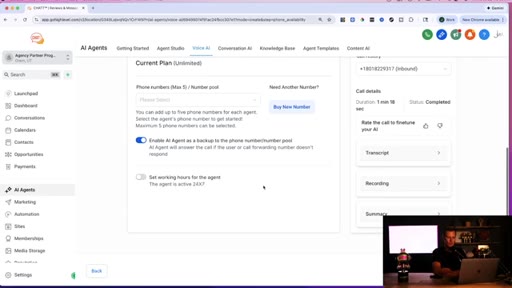
Step-by-step: agent name, business name, voice (Jessica), LLM (GPT-4o), initial greeting, goals (collect name/email/address), advanced prompt via ChatGPT copy-paste.
08:13 – 09:57

05 · Live phone call demo

Jason calls the AI agent live on speaker. Full conversation: AI greets by name, collects contact info for a plumbing inquiry.

09:57 – 11:38

06 · Website deployment framing

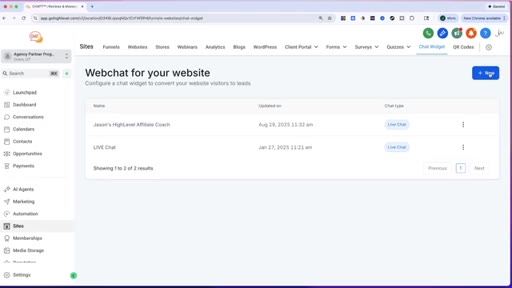
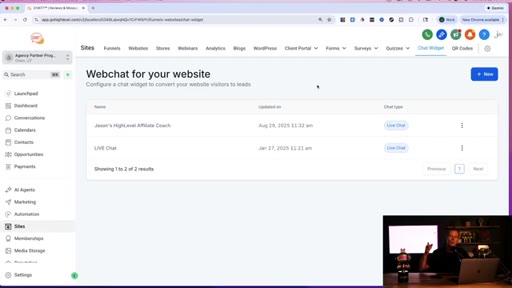
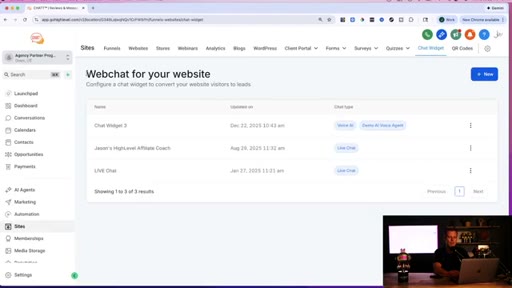
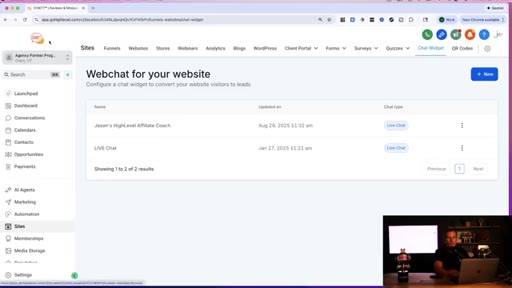
Pivots to website embed: what if someone could call the business right from the website? Navigates to Sites > Chat Widget.
11:38 – 12:38

07 · White-label pitch

Delivers business math: 299/mo x 10 clients = 3000/mo. White-label: own logo, domain, payment processor. 297/mo for unlimited clients.
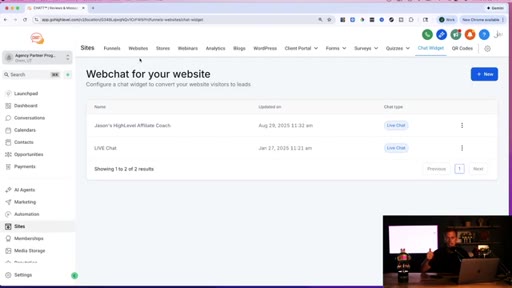
12:39 – 14:50

08 · Chat widget + get code

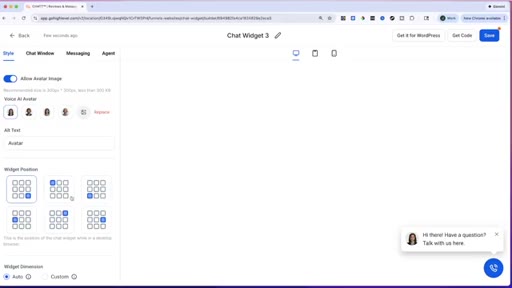
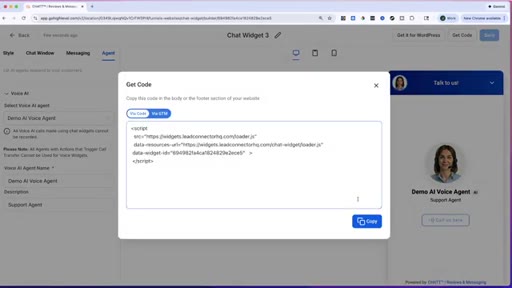
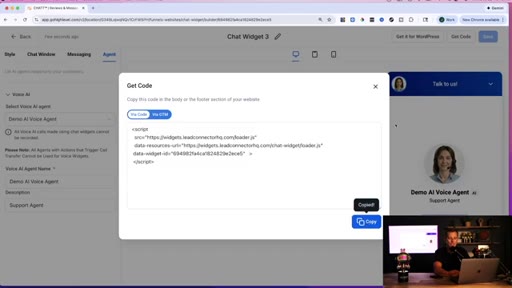
Creates Voice AI chat widget, customizes position/avatar, generates embed code. Two methods: copy-paste script tag or platform built-in settings.
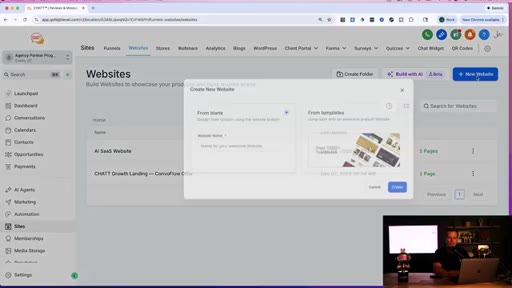
14:51 – 16:35

09 · Website builder + deploy

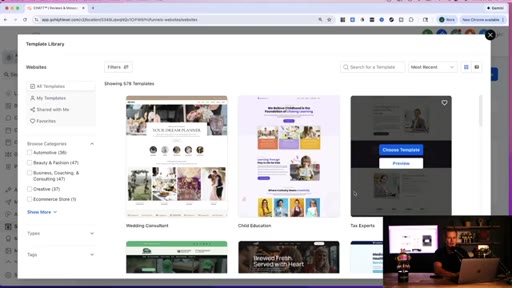
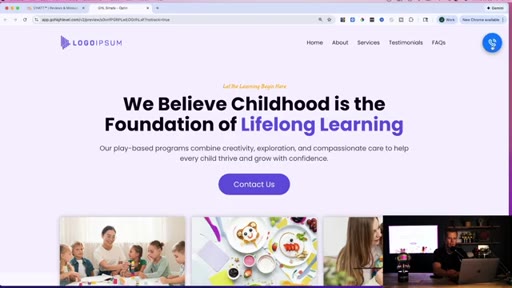
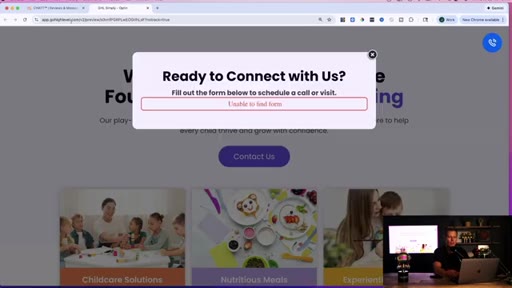
Picks child-care template from 578 available, adds chat widget via header tracking code, publishes and previews. Widget shows as floating call button.
16:36 – 17:04

10 · Alternative no-code method

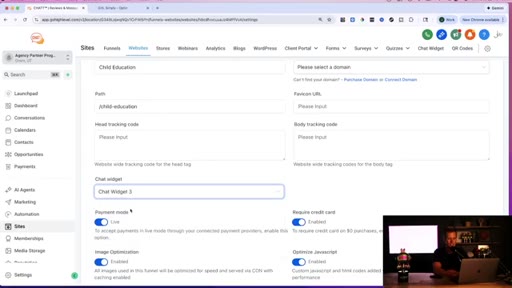
Website Settings > Chat Widget dropdown: attaches widget without copy-paste.

17:04 – 18:28

11 · Outro + CTA 2

Recommends bundling services for 300-500/mo. Repeats free course + free trial offer. Signs off pointing to members area.

§ · Storyboard

Visual structure at a glance.

hook
CTA 1
screen share
agent setup
live demo
business math
deploy
CTA 2
§ · Frameworks

Named ideas worth stealing.

00:00 model

Build Once, Sell Many

Create one white-label AI system in GoHighLevel, replicate for every client. No custom builds per client.

Steal for Positioning any productized service or template-based offer
06:36 concept

ChatGPT Prompt Generation

Describe business type and goal to ChatGPT, have it write the full agent prompt, copy-paste into HL. Removes the I do not know how to prompt objection.

Steal for Any AI agent setup workflow for non-technical clients
11:51 model

The 297/299 Arbitrage

  1. 297/mo = GoHighLevel unlimited plan
  2. 299/mo per client charged
  3. 10 clients = 3000 revenue
  4. 297 cost regardless of client count

Flat-rate unlimited licensing means cost stays fixed as client count scales.

Steal for Pricing frame for any white-label or flat-rate SaaS reseller model
§ · Quotables

Lines you could clip.

00:29
"They need simplicity. They need the basics."
Distills the local business value prop in one beat → TikTok hook
14:06
"If you can copy and paste, you can make this happen."
Universal technical objection killer → IG reel cold open
12:14
"You can literally have your own AI software business set up and running in less than twenty-four hours."
Aspirational speed claim → TikTok hook
18:08
"If you had a hundred clients or even a thousand clients, you're still just 297 per month."
The scalability reveal — stops the scroll → newsletter pull-quote
§ · Pacing

How they spent the runtime.

Hook length10s
Info densitymedium
Filler15%
§ · Resources Mentioned

Things they pointed at.

01:59productGoHighLevel ↗
06:36toolChatGPT ↗
§ · CTA Breakdown

How they asked for the click.

02:00 link
"Just smash the like button, drop a comment down below, consider sharing this video with a friend, and I'll hook you up with a private link to unlock everything 100% for free."

Double-gated: engagement action triggers DM with affiliate link. Positioned as generosity but routes to 30-day GoHighLevel trial. Repeated at 12:38 and 17:43.

§ 04 · The Script

Word for word.

HOOK opening / re-engagementCTA the pitch analogy story
00:00HOOKImagine being able to build one simple AI system one time and then being able to take that same AI system and sell it to every local business in your area. Dentists, roofers, med spas, chiropractors,
00:13HOOKreal estate agents, and be able to sell it to every single one of these clients for $2.99 per month.
00:20HOOKThat's exactly what I'm gonna showing you in this video. And it's because these small local business owners, they don't need some massive, complicated AI tech.
00:29HOOKThey need simplicity. They need the basics, and that is exactly what I'm be showing you in today's video.
00:36HOOKThey need to answer missed calls faster. They need to follow-up with more of their leads. They need to be able to book more appointments on autopilot on their calendar.
00:45HOOKCTAThey want to be able to save time and money, and we can do that for them with simple AI tools and systems.
00:53CTAAnd this is the exact same business model that total beginners are using to see their very first results online. So if you're watching this and thinking, well, I'm not technical. I don't know how to code.
01:04CTAI'm not an AI expert. Or I don't just have some large audience on social media. Don't worry because you don't need any of that to see your first results online.
01:14CTABut with that said, results are not guaranteed. Your results will be determined by your own efforts and energy, and no one can guarantee that you're gonna see results with this.
01:24CTABut what I can do is I can show you these simple AI tools, how to use them for these small businesses even if you're a total beginner, and how to package them so you can price them and sell them for $299
01:39CTAor more per month per client. Now if you like the ideas that I'm showing you here in this video and you want a more full step by step detailed guide, I have no course or high ticket coaching program to sell you.
01:52CTAIf you want my full step by step course, plus templates, plus scripts, plus everything else that I have for free, just smash like button, drop a comment down below, consider sharing this video with a friend who might also find it valuable, and I'll hook you up with a private link to unlock everything 100% for free.
02:12CTAAll of my courses, templates, scripts,
02:15CTAso you can get started with this exact business model. I'll even hook you up with an extended thirty day free trial to the AI software I'm about to show you, plus a free live boot camp and a free one on one kickoff call to help you get oriented once you get started with the software. So now that you smashed the like button, drop the comment down below.
02:35Let me jump onto my computer so I can show you exactly how this business model works and how you can implement it for yourself even if you're a total beginner. So let me just jump onto my computer so I can show you guys how to set this up step by step.
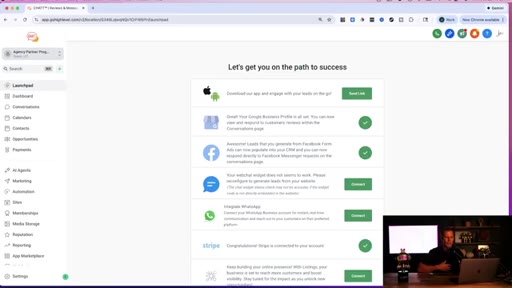
02:50So this is an AI automation software that I use to run my entire business. And you can see over here on the side, we've got the AI agents.
02:58So that's the first thing that we're gonna do is click on right here. And the cool thing about this is we're gonna create an AI voice agent from scratch. Step by step in this video, you'll have a working
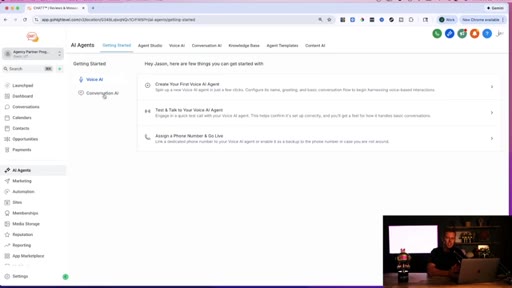
03:08AI voice agent by the end of this video. But you can also create conversational AI
03:13chatbots. So be able to go back and forth on a web chat widget on somebody's website. And you can even create AI conversational bots for your Instagram DMs and your Facebook messages,
03:24which is super cool. But we'll cover that in another video. But if you like this software and you wanna go play around and try it out, I actually have an extended thirty day free trial down below in the description,
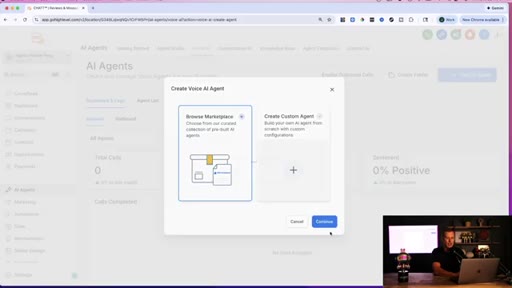
03:35um, which normally is a fourteen day free trial, so you get a couple extra weeks to go through and play with this. So what we're gonna do here is we're gonna go through and create our first voice AI agent. And I'm gonna just zoom in here a little bit so that you guys can see this.
03:47And there are pre built ones that you can go through and build. But we're gonna do in this video, I wanna show you just how easy this is to go through and set up. I'm just gonna go and date I'm gonna create a custom agent right here, completely from scratch.
04:00Okay. Now, I might just move my head right here just so you guys can see this a little bit better. But we're just gonna give the agent a name.
04:06So we're just gonna say demo agent, and then the business name, we're just gonna say Acme Inc. Alright?
04:12Obviously, you're gonna change that to whatever your agent name is because you could have one be like the the well, actually, we just might put this right here. Demo AI voice agent because you could have a voice agent, you could have a chat agent.
04:25I honestly like to have different agents for different things in my business. So if it's gonna be like an Instagram DM agent or if it's gonna be, hey, this is the live website chat agent, support agent, Facebook messaging agent. So I like to go through and have different ones because they're all trained for different reasons.
04:41Some people, some of these agents, they're working with current customers and some of them are trying to go through and get more in the door. Alright.
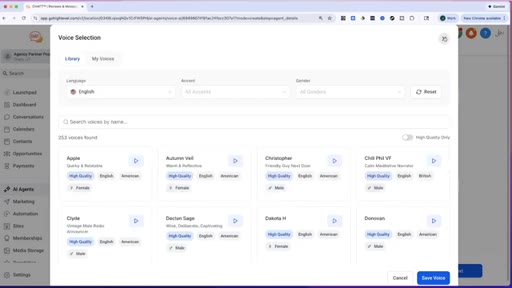
04:49So now we got here, we could choose the language, and then you could choose, there's a bunch of different voices we can go through and select. K? And for this video, I'm just gonna leave it as Jessica.
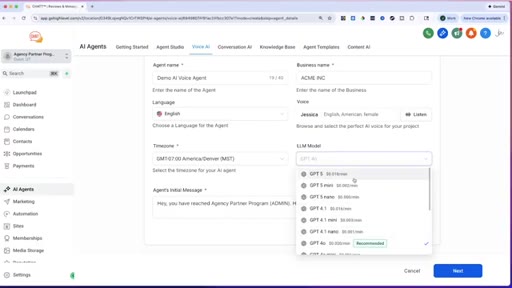
04:59You can listen to the demo right here. You can set the time zone so it's all set up with where where you're located. Uh, you can also choose the LLM model.
05:07So this one is the one that's recommended, but you could see you could even go through chat GPT version five, and they're always updating this. So if you're like, oh, it doesn't have the latest version,
05:16it does. And they're always going through and making updates with this. K?
05:19And then right here, you just have what the agent's initial message is. So if somebody calls in, and this is the AI voice agent, you can say like, hey, you've reached, you know, whatever your business is. So this one, we were saying
05:32it was Acme Inc.
05:35Right? How can I help you? And you can obviously go through customize that.
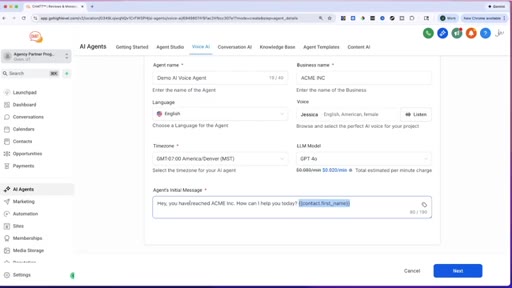
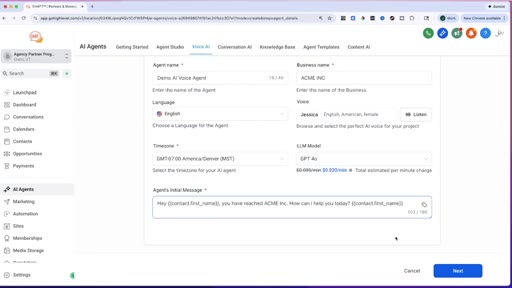
05:39And this is something also very cool, is you can come in here and you can have these pre built things. So like contact, if you wanna have the contact's first name.
05:47So you could say, hey, contact first name. This obviously only works if they've already gone through a form.
05:54Right? But this is kinda something that you could do. So, hey, you know, Jason.
05:57My name is Jason. Hey, Jason. You've received, um, yeah.
06:00You've reached Acme Inc. How can I help you today? Alright?
06:03Now, guys, if you're I hope you're seeing how simple this is, because this is just a very simple step by step wizard. So we're just gonna click on next right here, and then we're gonna say, hey, what are the agent's goals?
06:15What do we want it to actually accomplish? K? So we could say, hey, we want them to grab their name, their email,
06:22and their address. You might be thinking, well, why don't I have their the phone number here? Well, these AI voice agents, they're already pulling in the phone number that they're calling in from.
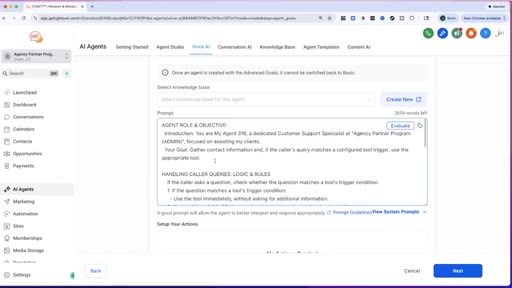
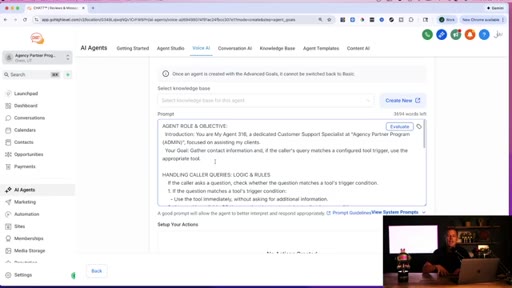
06:32So they're automatically able to go through and update that, which makes things super easy. Now, you can switch to advanced mode, and you can say, hey, I'm gonna give this a specific prompt. And what I typically do, because you might be thinking, well, Jason, that's like really technical.
06:46I don't know how to do that. I don't know how to train it with prompts. You can just go to ChatGPT
06:51and just say, hey, I am making an AI voice agent for my dental practice, or whatever type of business it is. Or if you're running a software agency, and you're trying to resell this service, which that is the ideal thing for the software,
07:05is basically be able to go through and sell these AI voice agents, conversational agents, all these different AI agents to these small businesses. And so you just go into ChatGPT and say, hey, I'm working with a chiropractor, a plumber, a dentist, whatever it is, and we need to be able to field these calls of people calling in to schedule an appointment.
07:26And so then, just say, I write a prompt to train my AI voice agent on how it should behave and how it should handle. The end goal is go through and book appointments.
07:36And then ChatGPT is just gonna go through and write everything out for you. And then you literally just copy it and paste it right in here. K?
07:43And so this is obviously the advanced mode. We're just gonna switch back to the basic mode for this video. And I'm just gonna remove my face real quick for a second.
07:52And so you have all these different options where obviously, you can go through and get some more custom AI voice setups and all that stuff where you transition it to a live human. But we're not gonna get all that advanced stuff here in this video.
08:04You can find all that stuff in my free course and all the details if you just smash like button, drop a comment down below. Right? So now we're just gonna go through and hit next.
08:13And then from here, we can just go and test this out. So let's test this out really quick to see how this works. Alright.
08:20I've got the call coming in right here. I'm put on speaker.
08:25Hey, Jason. You have reached ACME Inc. How can I help you today, Jason?
08:30Yeah. I'm looking to get some help with my toilet that's leaking. Got it, Jason.
08:36I'll make sure a team member reaches out to assist you with the leaking toilet. Let me first grab some details to ensure we can follow-up properly. Can I start with your full name, please?
08:46Yes. Jason Wardrop.
08:50Thanks, Jason. That's Jason Wardrop, j a s o n w a r d r o p. Right?
08:56Yes, it is. Perfect. Now, could you share your email address so we can contact you?
09:02Yes. Jwar1088@gmail.com. Got it.
09:09So that's jwar1088@gmail.com. Correct? Correct.
09:17Great. Thanks. Lastly, could you provide your address so we know where to assist with the issue?
09:23Yeah. It's 123 Main Street in Dallas, Texas. Thanks, Jason.
09:29Just to confirm, that's 123 Main Street, Dallas, Texas. Right? Correct.
09:35Perfect. A team member will reach out to you shortly to assist with your leaking toilet. Thanks for reaching out, Jason, and have a great day.
09:42Awesome. Thank you. K.
09:45How cool was that? Now, guys, that was a simple setup. And, obviously, we could go through and get a little bit more customized.
09:51But now, let's jump back on the computer because we are not done yet. I wanna show you guys how you guys can actually set this up on a website for a client where this AI voice agent, if somebody's visiting their website, so this this example I used was a plumber.
10:06I was looking to go through and get my toilet fixed, but it could be like, I'm looking for a teeth cleaning or I'm looking for a personal trainer, whatever it might be. We can actually put this AI voice agent on their website. So you guys have probably seen the little website chat widgets
10:21on websites where you can go through, type in a message, and it responds and all that stuff. Well, what if you could actually call into the website right from or call into the business right from the website, and it's the AI voice agent that we just created
10:36that you're able to have a conversation with and learn more about the business, book an appointment, or anything like that. Guys, check this out. So what we're gonna do now,
10:44we've gone through. Let me just make sure that I have finished up. I'm just gonna save right there.
10:49We're all good to go. We have created our demo AI voice agent.
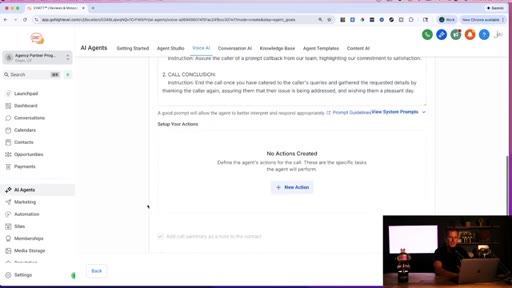
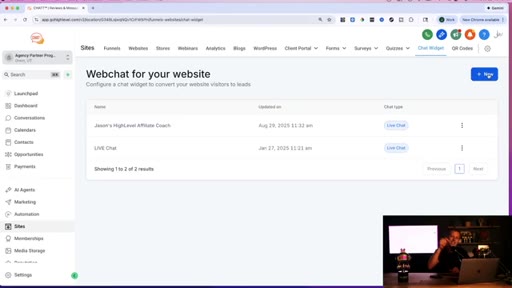
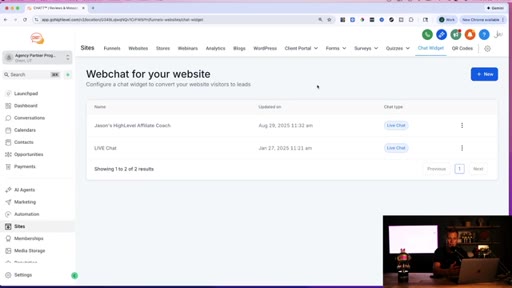
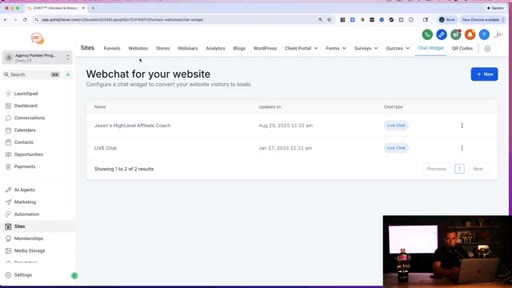
10:56Right? So now what we're gonna do is we're gonna come over here to sites, and we are gonna go up here to chat widget,
11:04and we are gonna create a new chat widget. And I hope as you're going through this and seeing how I'm setting this up, you're thinking, man, that actually is so easy. I totally could do this, and I could totally sell this to small local business owners for a 100, 200, $300 per month.
11:23I know a lot of people that are selling this exact service just like this for $299 per month. So if you think about that, you get 10 clients, that's $3,000
11:34per month. And the thing about this software is not only does it make it so easy to set up, but you see right here, this is my own logo. You can go and white label this software, so connect your own logo, connect your own domain,
11:48and then also connect your own payment processor, so that you could keep and collect 100% of the payments that are coming into the business.
11:56So if you're charging 299 per month, you get to keep $299 per month.
12:01You're not doing any commission splits with this software. And this software, it's already pre built, pre coded for you. It's very simple to white label, just throw in your own logo, attach your own domain,
12:13connect your own payment processor, and you can literally have your own AI software business set up and running in less than twenty four hours. So that is the cool thing about that.
12:24And like I said, I've got an extended thirty day free trial to the software down below in the description. Or if you want my full step by step course, plus a thirty day extended trial, just smash the like button, drop a comment down below, and I'll hook you up with all of those freebies and bonuses. K.
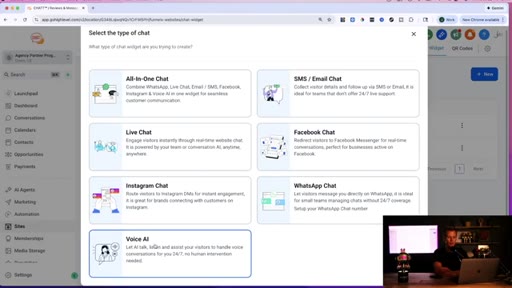
12:39So now, let's get into this. We're gonna create this AI voice chat widget for a website. So I'm just gonna click on new,
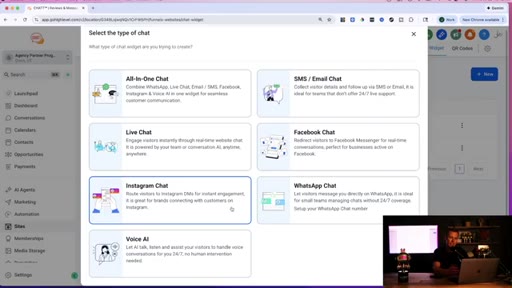
12:46and I'm gonna come down here and click on this voice AI. And we can you can see all the different web chat widgets we can create. One for an all in one chat, SMS email, Facebook,
12:56live chat, Instagram chat, WhatsApp. So you have all these different solutions which we'll cover in different videos. But this one we're going for specifically voice AI.
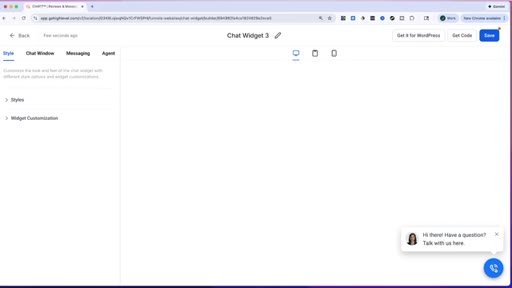
13:06Alright? So now, we come over here and we Let me just move my head so you guys can see this. So you can see this little chat bubble.
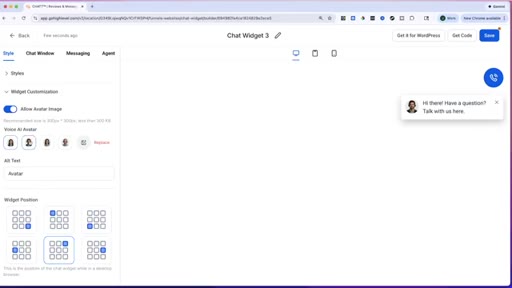
13:13Now, a lot of times, the, um, website site chat widget of like typing is down in the bottom right hand corner. So maybe I wanna go through and I wanna say, hey, let's keep this, but I want to go and change the position of this message. So I will order this little widget.
13:31So I'm gonna put it up in the top right hand corner. So see, we're gonna put up right here. Then we have the little chat widget.
13:37If someone doesn't wanna like call in, They have both options ready and available for them. So we can go through and customize this. You can change what your avatar looks like.
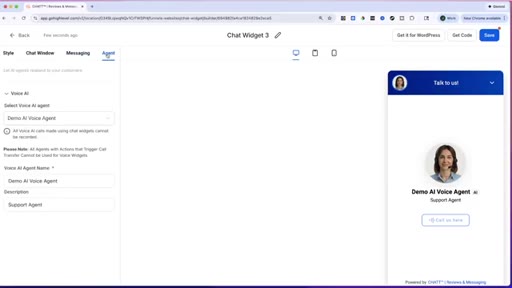
13:46You can customize what the actual like message right here says. And then you can see all these different options of what you can go through and tweak and customize for this AI chat widget voice agent.
13:59Alright? So now what I'm gonna do is I'm just gonna click on save right here. K.
14:04So chat widget is saved. Let's go like this. And then I'm just gonna click on get code.
14:09K? Now, for those of guys looking at this and like, well, Jason, I thought you said we don't know how to know how to code. You don't know how to code.
14:16If you can copy and paste, you can make this happen. And I'll also show you another way where you don't even have to copy and paste this code. So what I'm just gonna do is I'm gonna go and I'm gonna copy this code, and this is what we would put on their website.
14:29And you might be thinking, well, Jason, what if I don't have access to their website? Or what if the business doesn't have a website? Well, let me show you how to solve that problem right now, right here.
14:39What we'll do is we're gonna come over here to websites, and you can actually just create a brand new website from
14:48thousands of different templates. And I'm also working with the team here. They wanted me to help them with their AI website builder, where you can literally just copy and paste a URL of another website and say, hey, I like the design of this website.
15:01I want you to build me one just like that, Which once again, I'll cover in another video and I cover that inside of my free course. So let's just say, obviously you can see there's all these different templates you can go through and choose from. Doesn't really matter which one we choose.
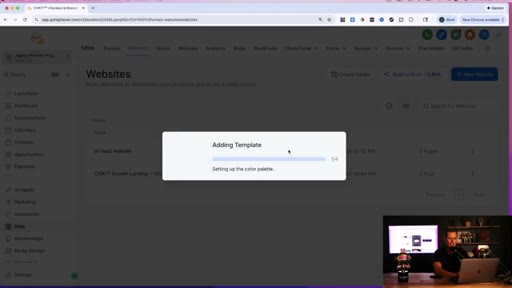
15:15So let's just choose this top one right here. We're gonna say choose template. It's gonna go through, create the template, and we're gonna put this little AI voice chat widget on the website by simply copying and pasting it into the website.
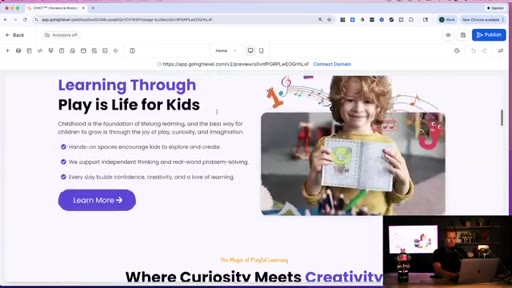
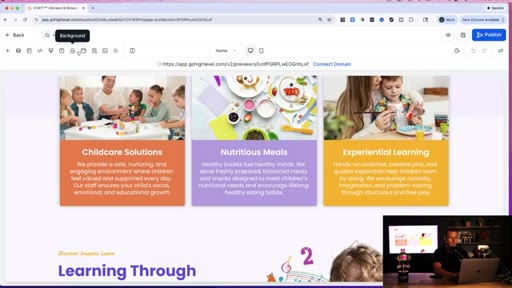
15:30K. So now what we do, you can see this already pre built, professionally designed, looks really nice. This looks like it's for like a, um, little kids care or maybe a preschool or something like that.
15:40Like I said, there's all these different templates for all these different styles of websites. Now, in order to get this onto the website, all we have to do is come up here and we want to click
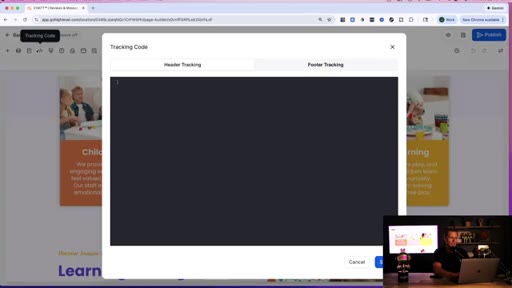
15:51on I always forget which one it is up here. The tracking code right here.
15:57So we're just gonna paste this right here in this header tracking code. We're gonna click save, and then we're gonna hit publish.
16:05And we're gonna be able to see this. Actually, we're just gonna hit preview because I don't wanna connect to domain right now. Uh, we're gonna hit preview.
16:12Alright. So this pulled up and you can see right here, this is the little chat wedges. So if we hover over this, it kind of like lights up a little bit.
16:18And we can go click on this. We can call the business right there. And that is it.
16:23That was how easy it is to go through and add this. And if you don't wanna go through an ad code, you can also go in this website we just created, and you can click on what is the settings right here.
16:34And you scroll down, and you have the chat widget, and you have all these different options of what you can add. So this is like one I've added before. This is another demo, and this one is the one we just did, the chat widget number three.
16:46Move my head again. We just click save. And then that is the another way.
16:53If you don't wanna do the copy and paste, if you like code just is like really confusing and scares you, you can also do that method as well. Anyway, guys, I hope this was helpful for you to see how easy it is now to build these AI voice agents. How you don't need any prior technical skills,
17:07no previous experience with this, And you can go set these up for these small local businesses where you can charge 200, 300, $400 per month for these businesses.
17:19CTANow, I kinda like to bundle it with some other services so that I could charge a little bit more, the $3.04, $500 range. And that's what I cover inside of my free course. And like I said guys, there's no hidden paywall.
17:29CTAThere's no upsells or anything like that. And I also have an extended thirty day free trial to the software that I just showed you that you could white label for your own business, connect your own logo, connect your own domain, your own payment processor, so that all of those payments that you're collecting are just going straight into your bank account.
17:48CTAAnd for just $297 per month, you can have unlimited clients that you bring on. So literally, if you think about that, if you were charging $299
17:56CTAper month, you brought in 10 clients, you're making $3, your expenses for the whole software, all the automations is just $2.97 a month. If you had a 100 clients or even a thousand clients, you're still just $297
18:08CTAper month because that is unlimited accounts. And so that is why I love this software. So if you like this video, go ahead smash the like button, drop a comment down below, consider sharing it with a friend who might also be interested in this video or who might wanna go through and do this business with you.
18:23CTAAnd with that said, I'll in see the free course in the members area, and I'll see you in the next video.
— full transcript
§ 05 · For Joe

The show-and-tell funnel.

Steal this structure

The tutorial IS the sales pitch: every step of the demo simultaneously teaches, removes an objection, and points back to the CTA.

  • Open with the full outcome in the first 10 seconds. No intro, no logo, just the promise.
  • Use 'I have no course to sell you' before your biggest CTA. The reverse ask is more persuasive than the direct one.
  • Gate your free resource behind a social action (like + comment): you get the algorithm signal and a qualified lead in DMs simultaneously.
  • Repeat the business math with specific numbers. Specificity reads as credibility, not hype.
  • Show the product working live on screen. Proof beats explanation every time.
  • Give two paths for every technical step. Every fork you remove is another viewer who stays in the funnel.
  • Frame your flat-rate cost as a scalability story: the cost never changes, only the revenue grows.
§ 06 · Frame Gallery

Visual moments.