Better Stack · Youtube · 07:26

Open Design: Why 40k Developers Abandoned Claude Design

Better Stack puts the open-source Claude Design alternative through its paces — and it works, even with a non-Claude model.

Posted
May 15th 2026
8 days ago
Duration
07:26
Format
Review
educational
Channel
BS
Better Stack
§ 01 · The Hook

The bait, then the rug-pull.

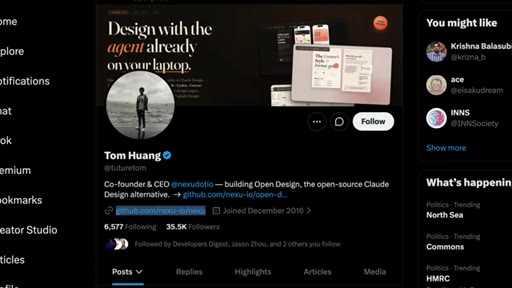
Eleven days. That is how long it took Tom and the Nexa team to ship an open-source answer to Claude Design — and 40,000 developers showed up. The question Better Stack sets out to answer is not whether it is popular; it is whether it actually works when you swap out Claude for a cheaper, weaker model.

§ · Stated Promise

What the video promised.

stated at 00:29 "Hit subscribe and lets find out if open-source with any model can compete with Claude Design." delivered at 07:08
§ · Chapters

Where the time goes.

00:00 – 00:33

01 · Cold open + hook challenge

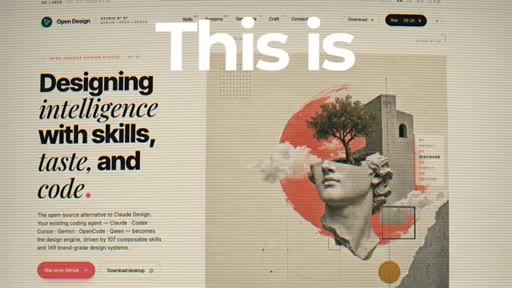
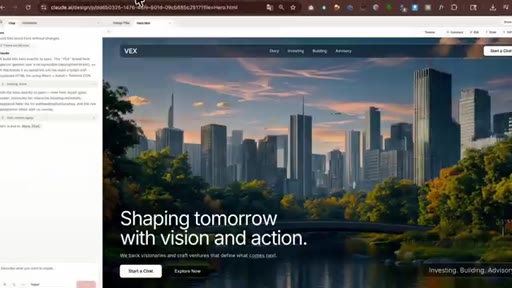
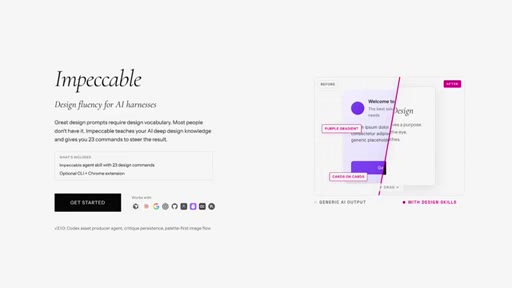
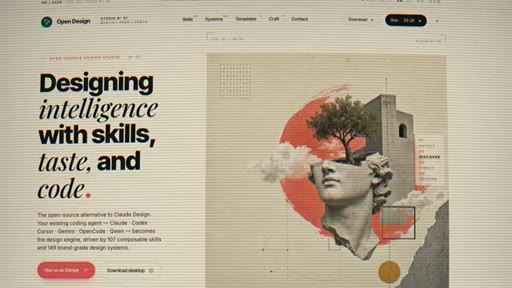
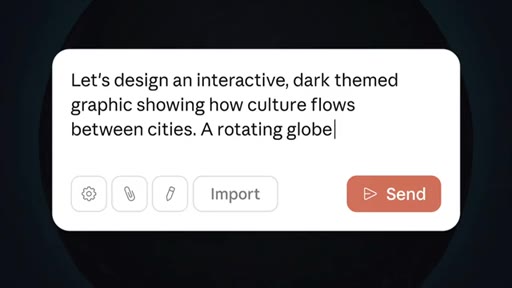
OpenDesign landing page splash. Host frames the core challenge: Claude is known-good at design — does an open-source alternative with any model actually compete? Subscribe CTA baked into the hook.
00:33 – 01:06

02 · Claude Design context + the Open pattern

Claude Design: instant hit, alternative to Lovable/v0. But proprietary, cloud-only, single model, $20/month. Eleven days later, OpenDesign shipped. The OpenCode-from-ClaudeCode naming pattern noted.

01:06 – 01:39

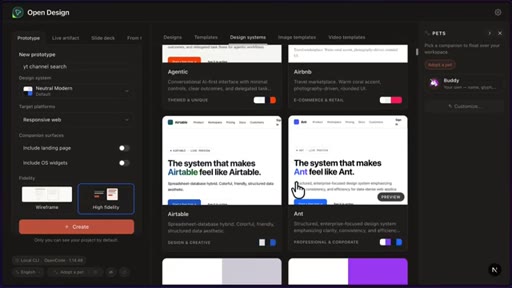
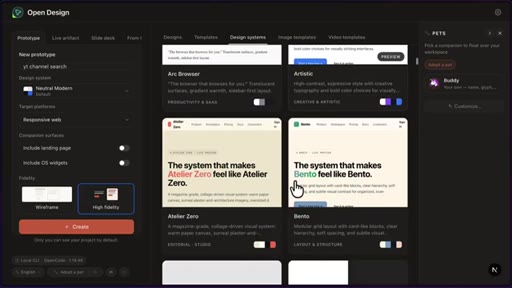
03 · Architecture: design systems + skills

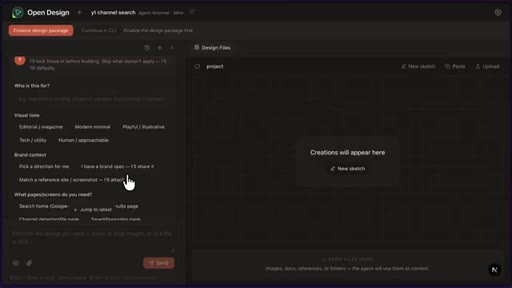
72 brand-grade design systems (Linear, Stripe, Spotify-inspired) and skills per output type (dashboard layout, slide structure). Anti-AI checklist in every prompt. Pre-generation audience/tone/brand intake.
01:39 – 02:33

04 · Setup + model selection

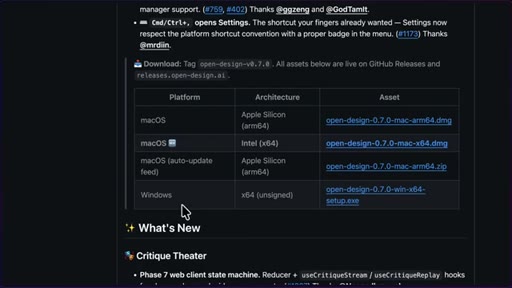
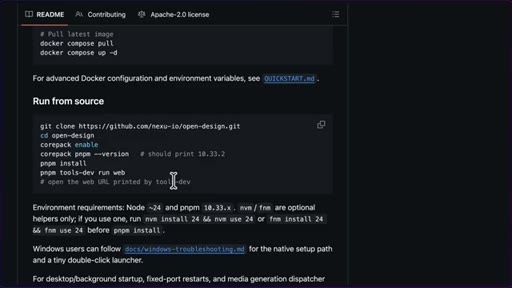
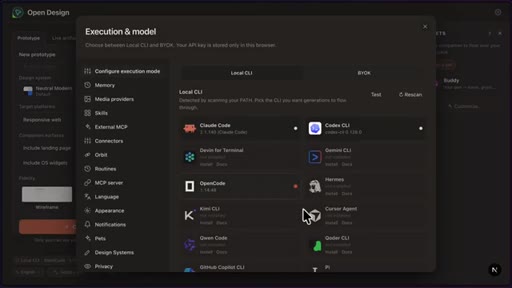
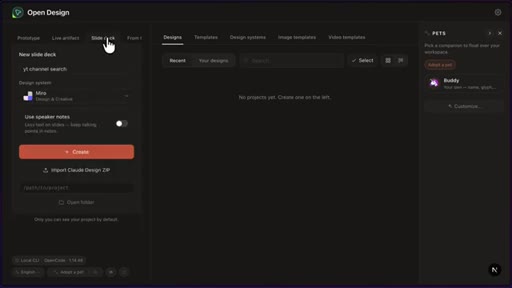
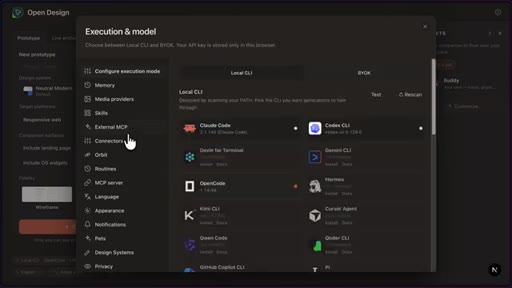
Three install paths: macOS/Windows download, Docker, from source. UI auto-detects installed agent harnesses (Claude Code, Codex, OpenCode). Model picker defaults to CLI selection. Host selects OpenCode + GLM 5.1.
02:33 – 03:22

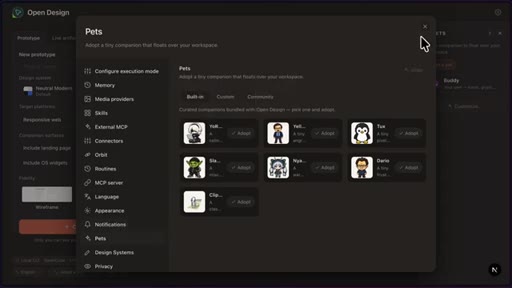
05 · Config tour: memory, media providers, skills, pets

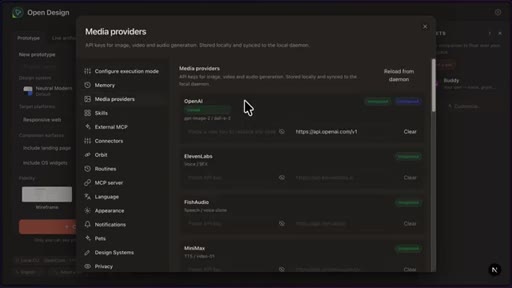
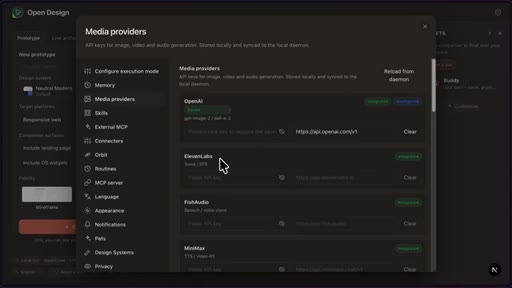
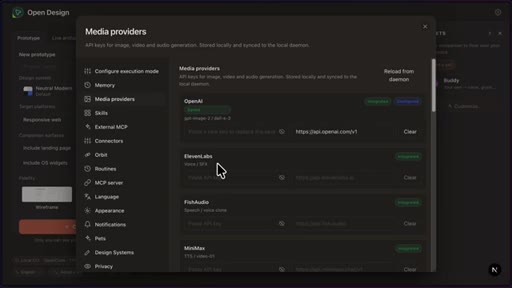
Memory = per-prompt instructions. Media providers = OpenAI (GPT Image 2 default), ElevenLabs (TTS/SFX), FishAudio. Skills panel shows all available output types. Design systems browsable. Pet selector (Codex-style).
03:22 – 05:25

06 · Live demo: YouTube channel search redesign

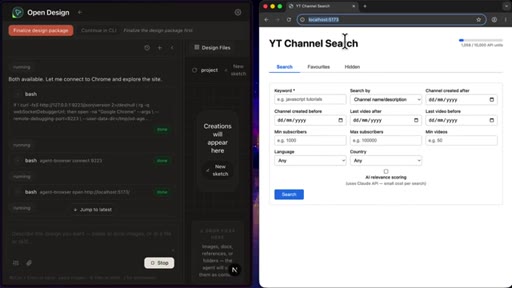
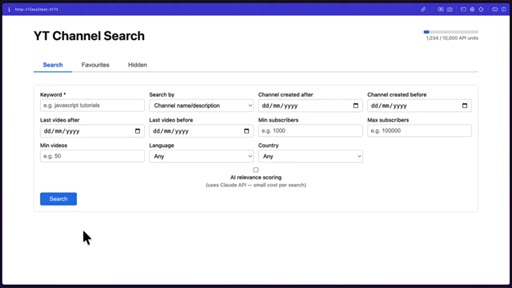
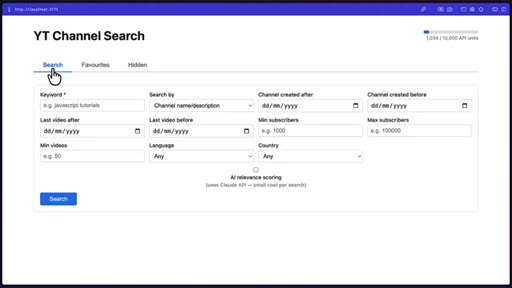
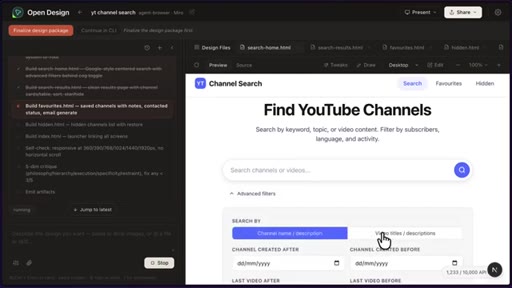
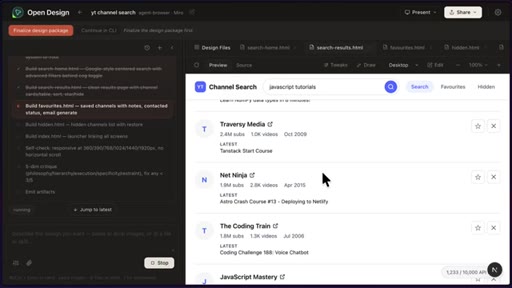
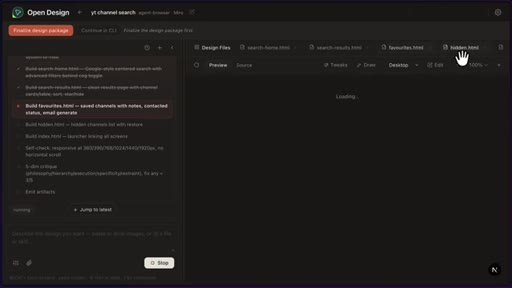
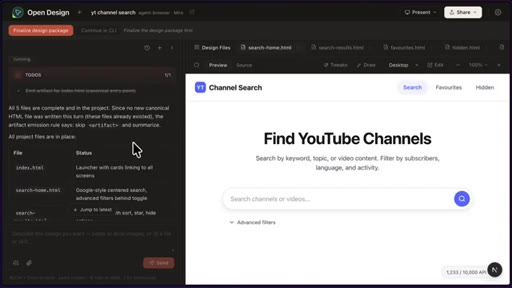
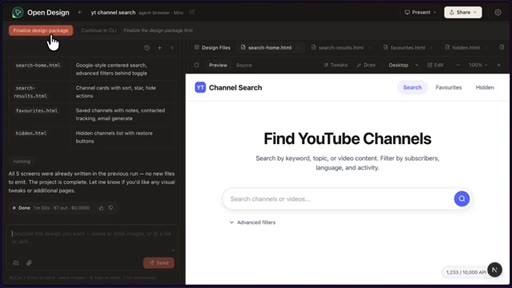
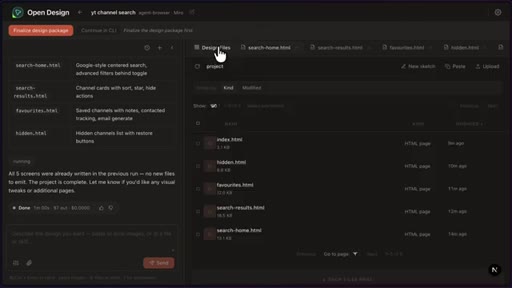
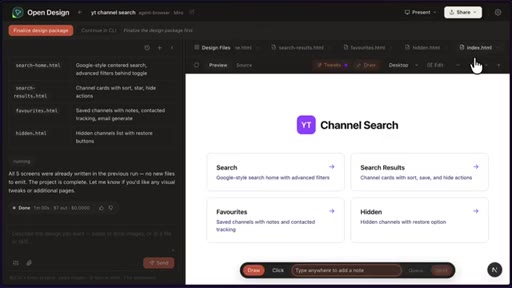
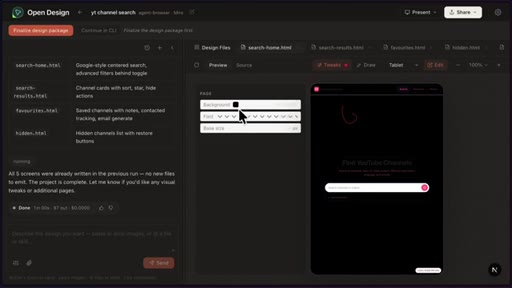
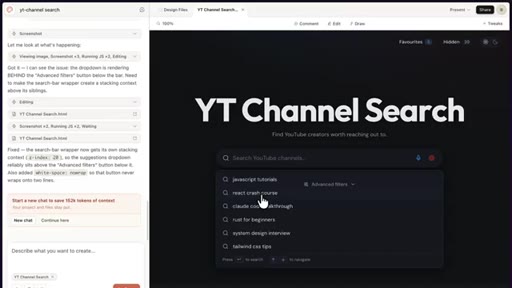
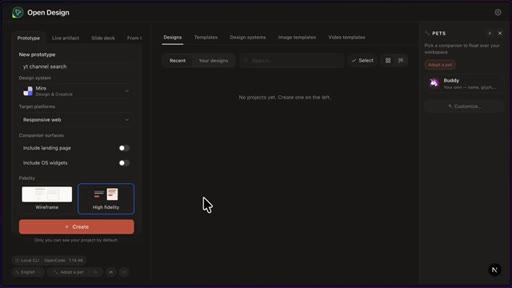
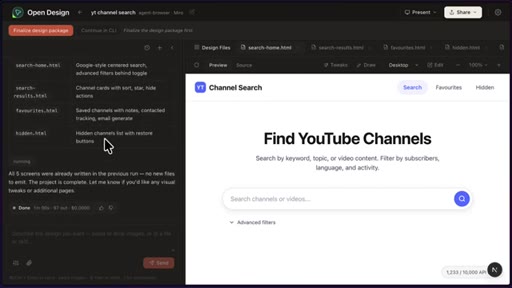
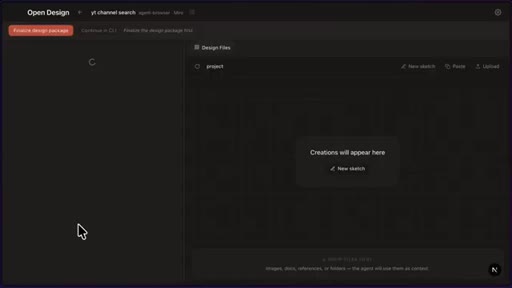
Host names the project, picks Miro design system, Prototype tab. Prompt: redesign an existing YouTube channel search app using the live URL as reference. Agent browser opens Chrome, navigates the site autonomously. GLM 5.1 takes ~20 min, produces 5-file output: search page with advanced filters, search results with real scraped data, favourites page with email-contact generation, hidden page.
05:25 – 06:16

07 · Output, iteration + export

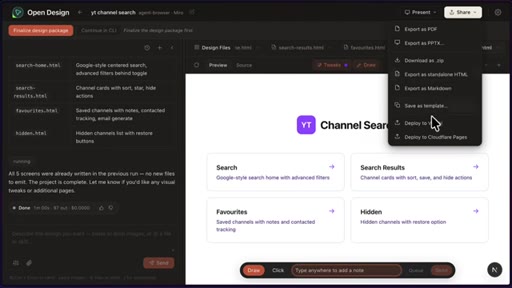
Finalize Design Package synthesizes all artifacts + design system. Share exports multiple formats. Standalone HTML export can be handed to Claude Code or deployed directly to Vercel or Cloudflare Pages.
06:16 – 07:08

08 · Comparison: OpenDesign vs Impeccable

Impeccable preferred for planning — asks everything upfront, generates visual mockups via image model, no design knowledge needed. OpenDesign requires choosing a design system upfront. OpenDesign wins on UI polish, export flexibility, MCP/skills extensibility, and model-agnosticism.

07:08 – 07:26

09 · Verdict + Claude Design side-by-side

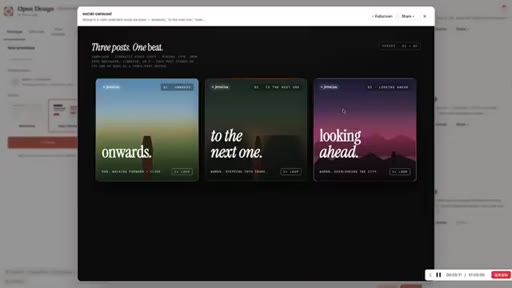
If you have a coding agent and some design direction, OpenDesign is a no-brainer try. For zero-design-knowledge users with money to spend, Claude Design wins. Final frame shows Claude Design output from the identical prompt.

§ · Storyboard

Visual structure at a glance.

open — product splash
host on camera — context
design systems browser
execution and model config
design systems gallery
YouTube channel search in progress
finished output — channel search UI
host — comparison verdict
final output + close
§ · Frameworks

Named ideas worth stealing.

01:06 model

Design Quality = Design Systems + Skills, not model quality

OpenDesign core architectural insight: you do not need a great model if you give it a great scaffold. 72 brand-grade design systems provide the aesthetic vocabulary; per-output-type skills provide the layout logic. The model just fills the gap.

Steal for Any AI content pipeline. Structured prompts + domain scaffolding beats raw model horsepower for writing, video scripting, and product copy, not just UI design.
01:00 concept

The Open in Front of It pattern

OpenCode came from ClaudeCode. OpenDesign came from ClaudeDesign. Naming a free alternative with Open prefix piggybacks on an established paid tool's search traffic and brand awareness.

Steal for Content hook: The free alternative to [paid AI tool] that dropped X days later — writes itself and targets searchers already interested in the paid product.
§ · Quotables

Lines you could clip.

01:00
"What is the next thing Anthropic is going to make that someone is going to put open in front of?"
Punchy rhetorical question, lands as a prediction, invites speculation in comments → TikTok hook
05:51
"It is a no brainer to try if you already have a coding agent installed and you pay for a subscription off of Claude."
Clean verdict sentence, no setup needed, directly answers the video question → IG reel cold open
06:33
"With Open Design, you kinda have to know a bit about design before going in."
Honest limitation stated plainly — contrast with Impeccable makes it a useful comparison pull-quote → newsletter pull-quote
§ · Pacing

How they spent the runtime.

Hook length30s
Info densityhigh
Filler5%
§ · Resources Mentioned

Things they pointed at.

00:44productLovable ↗
00:44productv0 (Vercel) ↗
02:33toolOpenCode ↗
06:00productVercel ↗
§ · CTA Breakdown

How they asked for the click.

00:29 subscribe
"Hit subscribe and lets find out."

Baked into the hook challenge before the host introduces himself. No CTA at the end — the subscribe ask is the hook's resolution mechanism.

§ 04 · The Script

Word for word.

HOOK opening / re-engagementCTA the pitch analogy
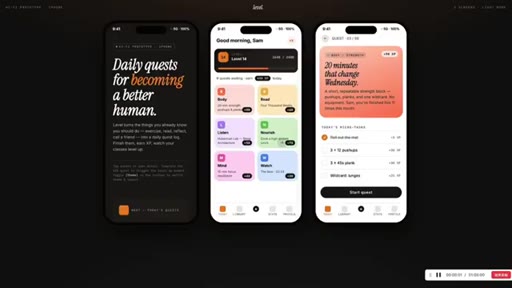
00:00HOOKThis is OpenDesign, an open source alternative to ClawDesign that lets you use any agent or model you already have installed to generate full web prototypes, mobile apps, and even slide decks in HTML. With 72 brand grade design systems built in, and every project stays on your machine.
00:17HOOKSo nothing is sent to the cloud. But we already know that Claude Opus 4.7 is really good at front end design. So does it make sense to allow the user to choose any model they want, since most of them could be really bad at design?
00:29HOOKHit subscribe and let's find out.
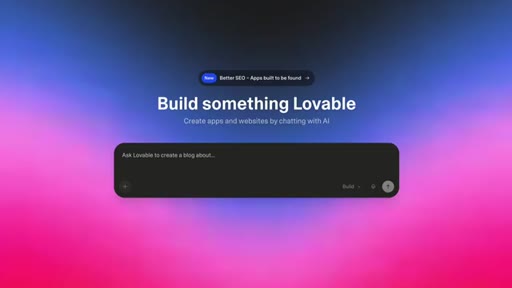
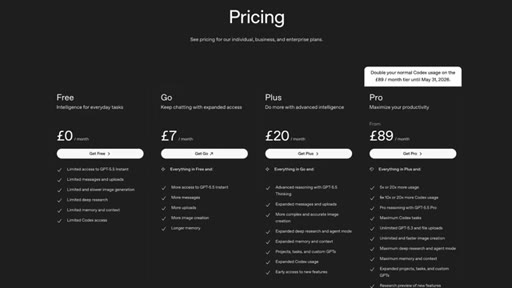
00:33Claude design from Anthropic was released earlier last month and was an instant hit. It gave people the ability to make really good looking designs using an impressive model. It gave people an alternative to lovable v zero and similar tools.
00:46But it's a proprietary cloud only tool that's to a single model and will cost you $20 a month to use it, which basically means it's not for everyone. So eleven days later, Tom and the Nexa team shipped an open source alternative, which was really popular. It kind of reminds me of OpenCode coming from ClaudeCode,
01:03and now OpenDesign is coming from ClaudeDesign. What is the next thing Anthropic is going to make that someone is going to put open in front of? But how is this open source tool able to create designs as good as Claw design?
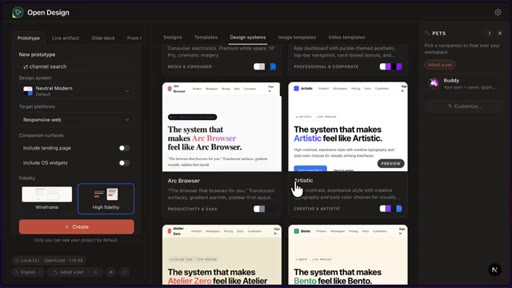
01:14Well, this is because two things are working together. The first is design systems. Open design contains many of these with full brand specs, typography,
01:21spacing, and color tokens inspired from brands like Linear, Stripe, and Spotify. The second is skills. Lots and lots of skills for every output type.
01:29So a dashboard skill knows how to lay out charts, and a deck skill knows how to structure slides. There's even an anti AI checklist baked into every prompt, and before it generates anything, it asks you about your audience, tone, and brand content.
01:42If you've watched my video on impeccable, this will seem very familiar, but it's different. And we'll go through the differences later on in the video. But for now, let's go through a simple demo.
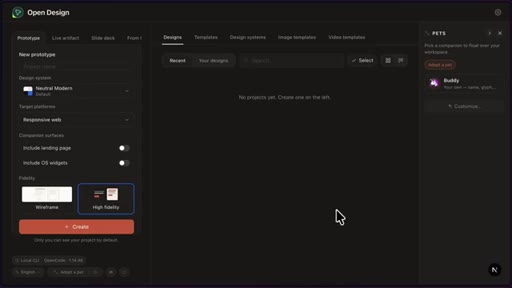
01:50So to get started, you can either download OpenDesign for Mac OS or Windows, claim the repo and install it using Docker, or run it from source, which is what I've decided to do. So with the project running, I can visit this port in my browser, which brings me to this UI, which looks pretty overwhelming for someone who's not used to Cloak Design, but let's just go through it.
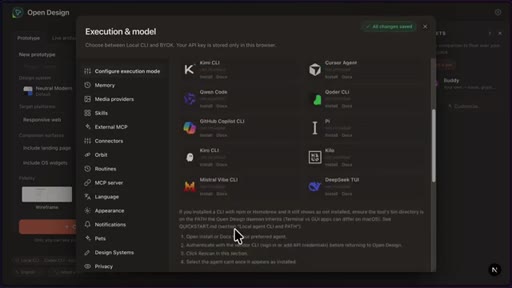
02:08So if I click down here, you can see it's picked up the agent harnesses I already have installed. So Claude's code codecs and open code. And if I click on Claude's code and scroll down, we can pick the model.
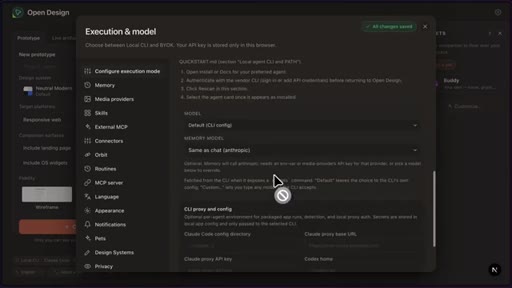
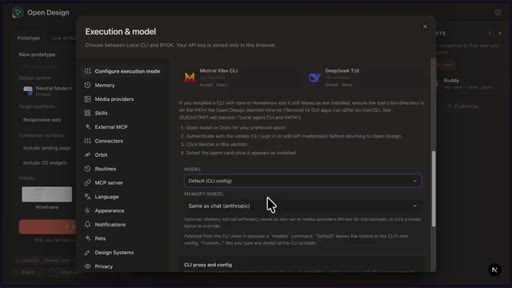
02:18So by default, it will pick the one that is chosen in the CLI, but I can pick one here. I can also do the same with codecs, but codecs allows me to change the reasoning effort, which is a nice touch. But I'm gonna go with open code.
02:29I'm scroll down and change the model to t l m 5.1. Now over here as well, I could pick the memory, so the instructions that will be added to each prompt, the media providers, and by default, it's picked up my OpenAI key, and it's going to use GPT image two to generate images, but I could also connect my 11 Labs API key for doing things like text to speech or different sound effects for animations you might have on your website.
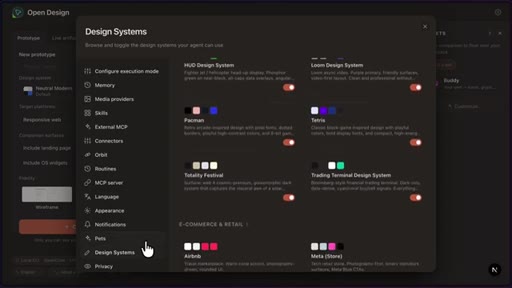
02:50Then over here, I could review all the skills that are available. I can view all the design systems, which we'll go through a bit later. And I can even choose a pet, which is something that Codex does.
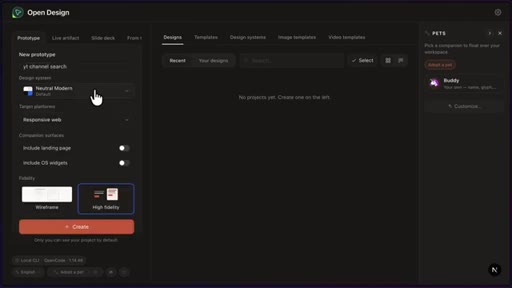
02:59Basically, we have a lot of options here. But I'm gonna close this and get to designing. So I'm gonna give my project a name and then pick a design system.
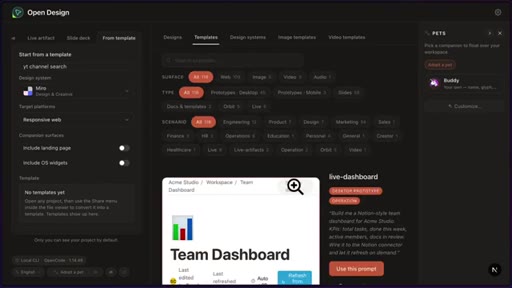
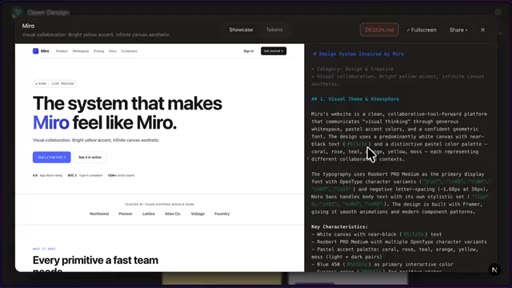
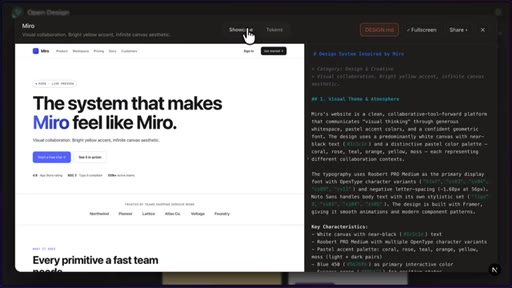
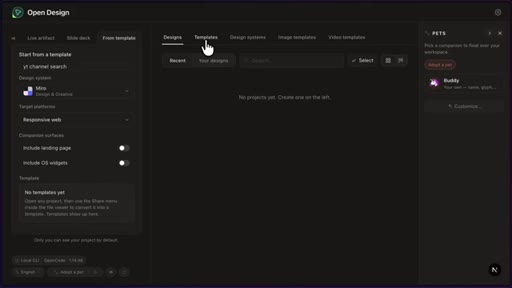
03:06Now, if you have no idea what these design systems are, you can click on the design system tab to view all of them, and there are lot. But I went through them before recording the video, and I think I like the Miro one, which looks like this and gives details of design tokens, as well as information in the design and default.
03:22Now notice I'm in the prototype tab, but there's also live artifacts for things that you want to update based on changing data, a slide deck to generate HTML based slides, or to build from a template. So I could click on the templates tab here and pick a template I want. Now, we will just stick with prototype and click on create.
03:40Now from here, we get taken to another page where we can give it a prompt. Now, I'm gonna try something a bit unique here. So right now, I have my YouTube channel search app running, and I wanted to create a much better looking version of this.
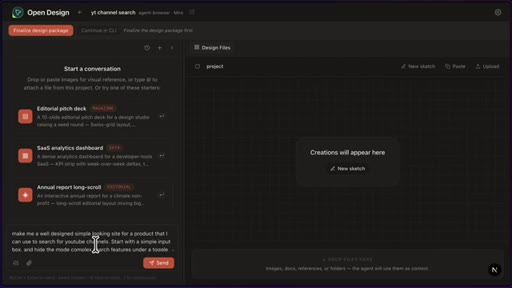
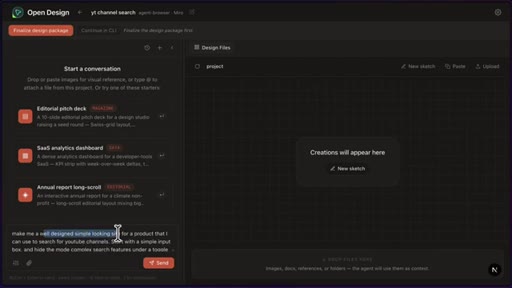
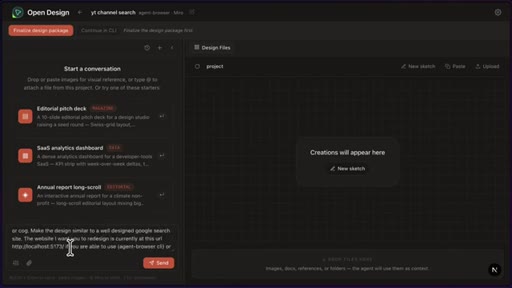
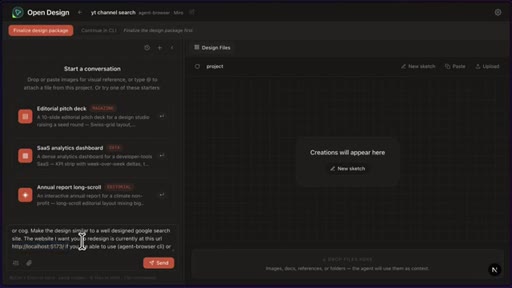
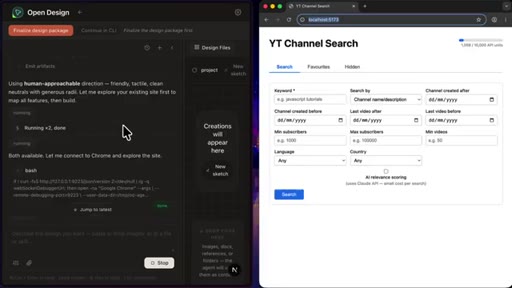
03:52So what I'm gonna do is give it this URL and see if GLM is able to search through the tabs and the inputs and use that for its design. So here, I've given it a prompt to make me a well designed simple website for a product I can use to search YouTube channels. I've also given it the link of the website for it to visit using agent browser or whatever tool it feels fits.
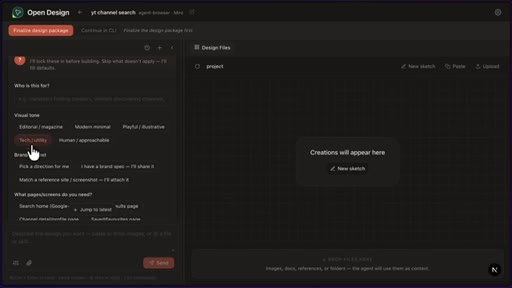
04:11That In way, it can view the inputs and go through all the pages. So let's see what it does. So now it's asked me some questions around the visual tone, brand context, and a few other things, which I'm going to answer.
04:20And then we'll continue with the design process. And check this out, it was able to run a curl command to open the site using Chrome, and now it's using agent browser to connect to the site. So I didn't open any of this or go to the URL, and it's going through the site in the browser.
04:33We can see a few more agent browser commands to understand how it works. Okay. So at this point, it's still going.
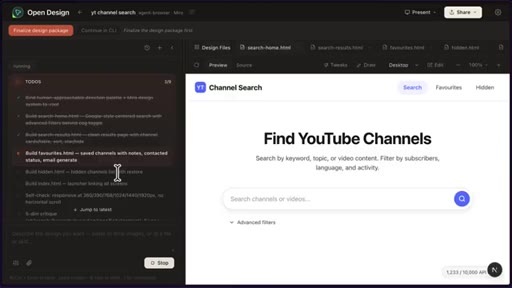
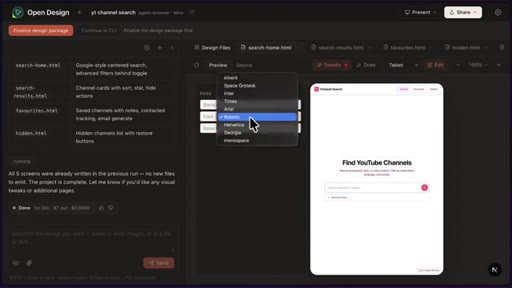
04:39It's not quite done yet. It still has a few things to do, but I like the direction of where things are going. I like the search page that it's made with the advanced filters down here, and I can toggle between video titles and channel name for the search.
04:50We've got the search results, which looks very impressive. And it's using data from the actual website, so I'm not sure what it did, if it scraped and saved it somewhere. But this is actual data apart from missing thumbnails.
05:01We also have the favorites page. So if I favorite a person over here, this is where they'll go. And I can generate an email to contact them or remove them.
05:08And there's also a hidden page over here. So for example, if I press x, then a person would end up on this page. And it looks like after around twenty minutes, yep, g l m 5.1 is not the fastest model.
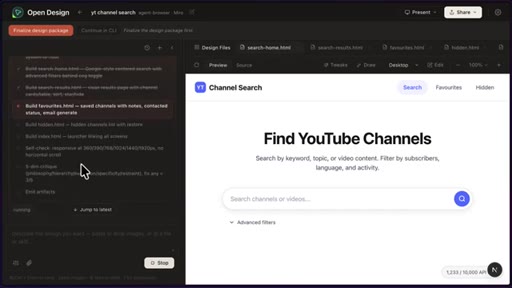
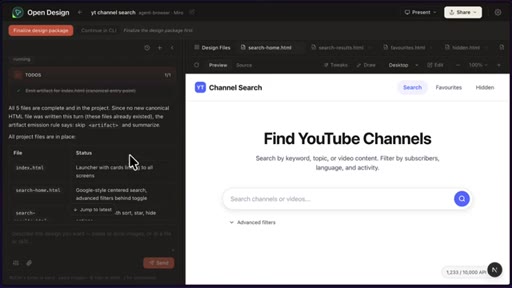
05:20Everything is finished. And so here's what it's told me. It's given me all the five files it's made.
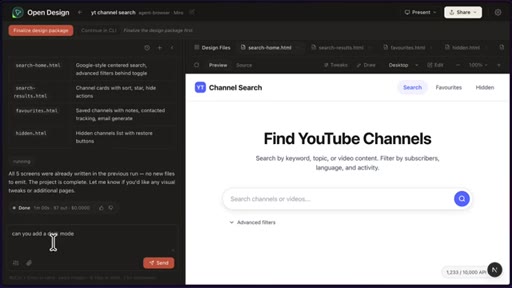
05:25And I think it exported everything into a temporary location. So what I can do now is I could give it another prompt. So if I wanted to add a dark mode, I could do that.
05:34But I could also click on finalize design package, which will synthesize everything into a single design and d file. So if the transcript, the design system, and any artifacts that were generated. Basically, these five pages.
05:45CTAI could also click share to export in different formats, and I can even export a standalone HTML and give it to Claude's codes to implement in my actual project, and even deploy to Vercel or Cloudflare pages, which is a very nice touch. So that's a quick overview of Open Design.
06:00CTAIs it worth using? Well, if you already have a coding agent installed and you pay for a subscription off of Van Claude, then it's a no brainer to try. The combination of design systems and skills means that it can actually produce something pretty decent regardless of the harness or model.
06:14CTABut how does it compare to something like impeccable? Well, personally, I prefer the way impeccable does its planning. It asks you everything upfront and designs different mock ups using an image model, which you can pick and iterate from there.
06:28So you can pretty much have no idea of what you want the design to look like at the start, but end up with something pretty decent. Whereas, with Open Design, you kinda have to know a bit about design before going in. I mean, it does ask you what design system you want before you start, and I know the model can generate one, but the fact that it asks you means it's geared towards someone who knows a bit more about design.
06:50But I've got to admit, OpenDesign does have a great UI, giving you the option to see responsive views, export any way you want, add skills, MCP tools, and even pets, which is nice for someone who's used to using the Codex UI or the Clawd desktop app. And it did a great job of designing an app using d l m 5.1, which isn't the best model for designing out there.
07:11So, if I wanted to design something relatively quickly and I had a bit of an idea of the direction I wanted to go in, then I definitely try open design. But if you don't mind spending a bit of money, Clot Design is pretty good. I mean, look at what it was able to do with the exact same prompt.
— full transcript
§ 05 · For Joe

Steal the Open in Front of It hook.

Better Stack playbook

Find the AI tool everyone wants but cannot afford, cover the free alternative that dropped eleven days later, and let the comparison do the work.

  • The content hook writes itself: [Paid Tool] is great — but here is the open-source version that dropped [X days] later.
  • Bake the answer-tension into the hook: pose a genuine question about whether the free version can actually compete, then answer it honestly at the end.
  • Acknowledge the limitation clearly — OpenDesign requires design literacy upfront. Honest reviews build trust faster than hype.
  • The design systems + skills = quality floor regardless of model framing is a teachable insight. Lead with the mechanism, not just the demo.
  • Export path matters: OpenDesign Vercel/Cloudflare deploy + standalone HTML handoff to Claude Code is the bridge between design and ship — show that explicitly.
§ 05 · For You

How to get good-looking UI without paying $20/month.

For developers who want to own their design stack

Design quality in AI tools comes from the scaffold around the prompt, not the model itself — which means you can get professional-looking results for free if you pick the right scaffold.

  • Open Design is free and runs locally — nothing leaves your machine. Install it from open-design.ai.
  • Pick a design system that matches the brand feel you want (Miro, Linear, Stripe-inspired options are all built in).
  • Let the tool ask you questions before it generates — the audience/tone/brand intake is where the quality gap closes.
  • When done, export standalone HTML and hand it to your coding agent (Claude Code, Cursor, etc.) to implement in your real project.
  • If you have zero design intuition, Impeccable is an easier starting point — it generates visual mockups via image model and you pick from options rather than needing to know what Miro aesthetic means.
§ 06 · Frame Gallery

Visual moments.