Austin Marchese · Youtube · 10:45

How Anthropic Engineers ACTUALLY Prompt Claude Code

Four rules extracted from Anthropic's own engineering team -- why almost everyone is prompting Claude Code wrong, and what to do instead.

Posted
May 15th 2026
3 days ago
Duration
10:45
Format
Tutorial
educational
Channel
AM
Austin Marchese
§ 01 · The Hook

The bait, then the rug-pull.

Austin Marchese walked out of the AIE/Code summit with a finding most Claude Code users won't stumble on by accident: the engineers who built the thing aren't writing prompts at all. They're building skills -- reusable, tool-backed, self-improving slash commands that get sharper every session. Four rules. No technical experience required.

§ · Stated Promise

What the video promised.

stated at 00:10 "I uncovered four rules for how they actually prompt Claude code. And it turns out you don't need any technical experience to implement these rules." delivered at 10:25
§ · Chapters

Where the time goes.

00:00 – 00:18

01 · Cold open + promise

Pattern-interrupt claim: everyone is prompting wrong. Four rules from Anthropic engineers, no technical experience required.

00:18 – 02:05

02 · Rule 1 -- Prompt skills, not Claude

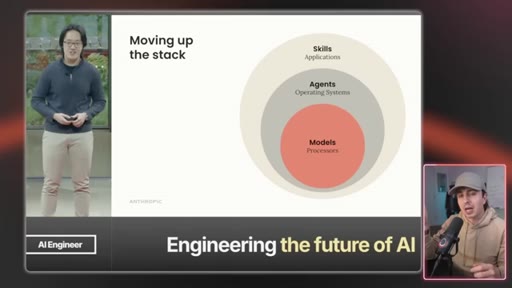
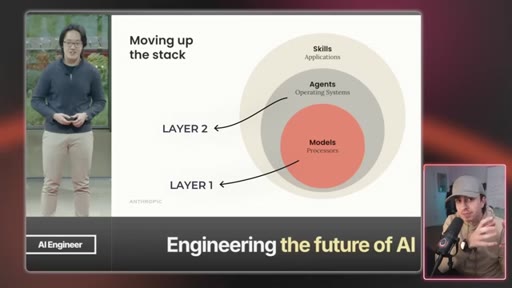
Mental model shift from one-off prompts to reusable skills. Skills = folders of composable procedural knowledge. Layer diagram: AI models -> agents/prompts -> skills (the app layer). Frame: Anthropic builds the phone, you build the apps.
02:05 – 04:36

03 · Rule 2 -- Skills are more than prompts

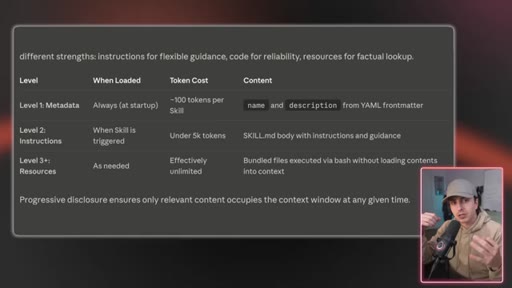
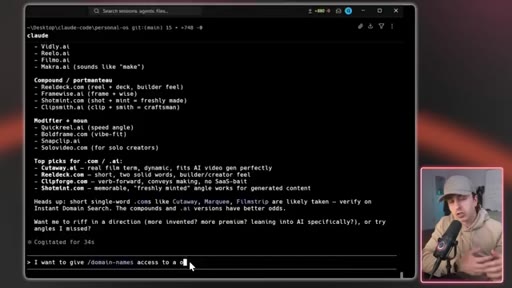
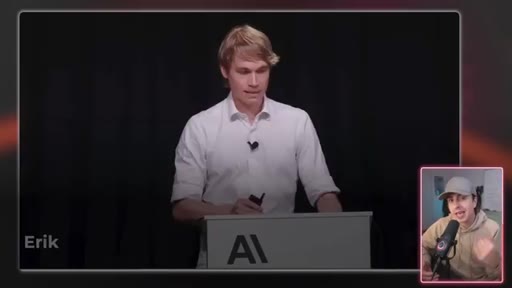
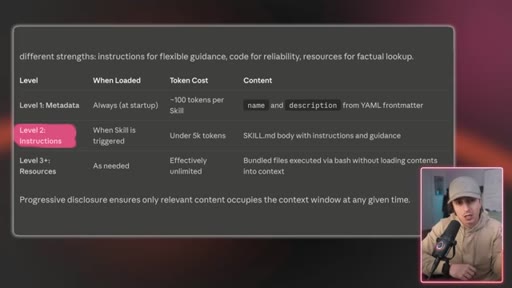
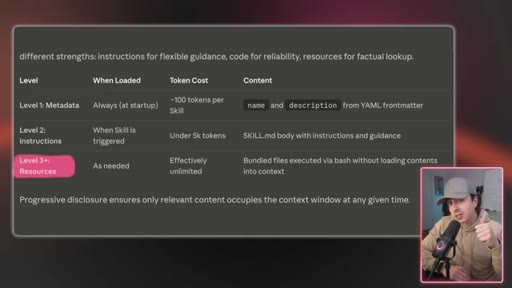
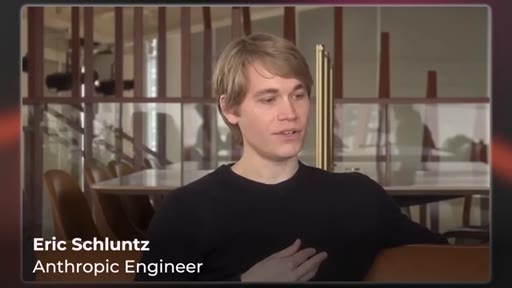
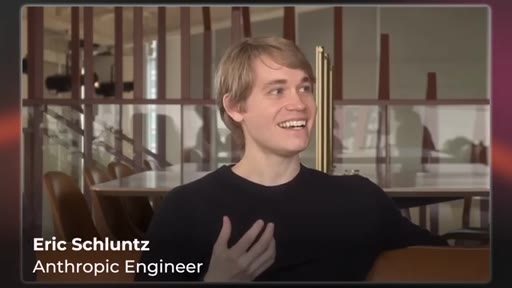
Three layers inside a skill: description (when to invoke), instructions (how to execute), tools (scripts/APIs/files). Most users stop at layer 2. Eric Schluntz (Anthropic) clip mocking bare-bones tool definitions. Live domain-checker skill demo.
04:36 – 06:30

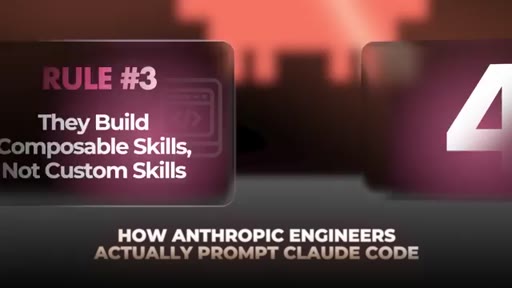
04 · Rule 3 -- Composable skills, not custom skills

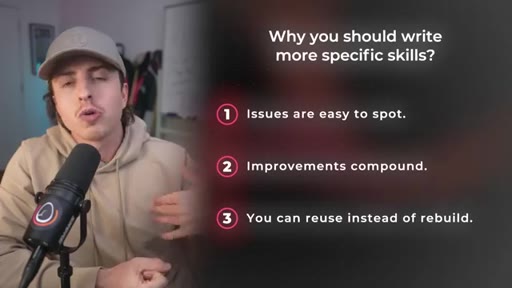
Composable, portable, efficient, powerful. One giant skill became unmanageable; split into focused skills. Three benefits: issues are easy to spot, improvements compound, reuse instead of rebuild.

06:30 – 07:35

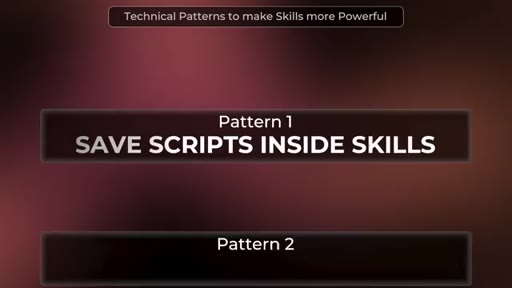
05 · Pattern 1 -- Save scripts inside skills

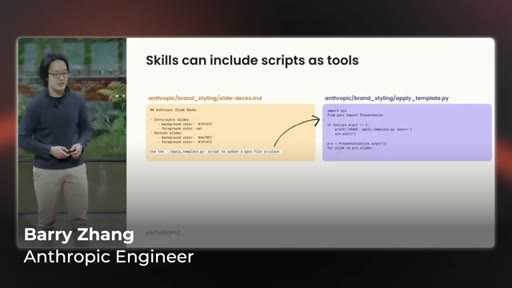
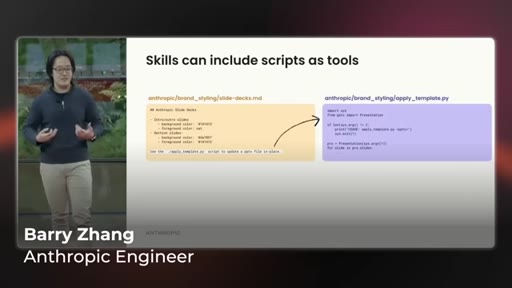
Barry Zhang (Anthropic): Claude kept rewriting the same Python slide-styling script. Save it in the skill folder once. Code is deterministic; AI is not. Trading tokens for code compute = cheaper, faster, repeatable.
07:35 – 08:42

06 · Pattern 2 -- Control who invokes what

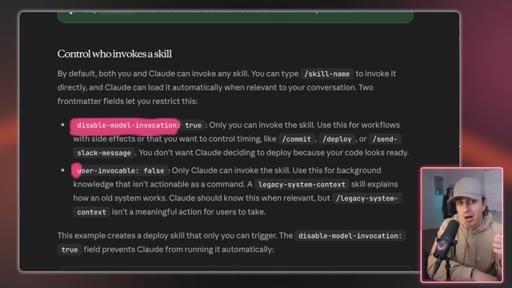
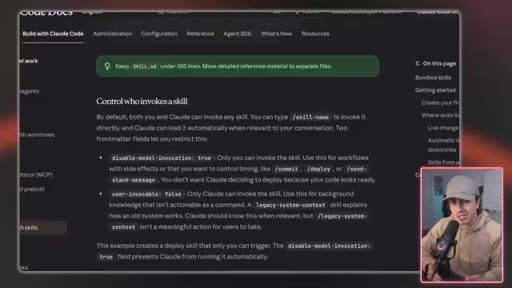
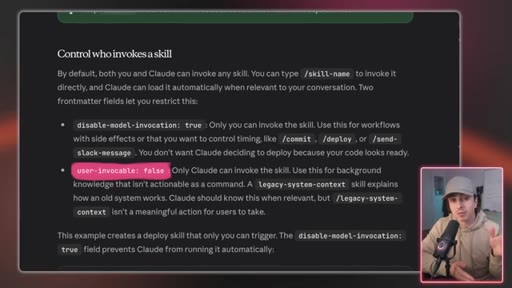
Two YAML frontmatter flags: user-invocable: false (agent-only) and disable-model-invocation: true (human-gated for high-risk actions like deploy or send-message).

08:42 – 10:45

07 · Rule 4 -- Skills get smarter every session

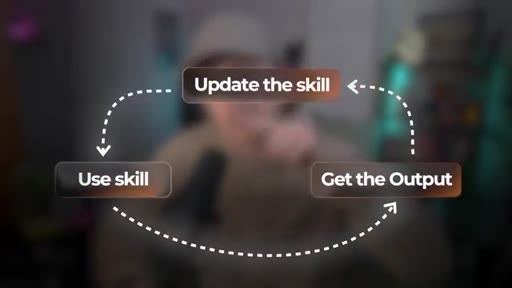
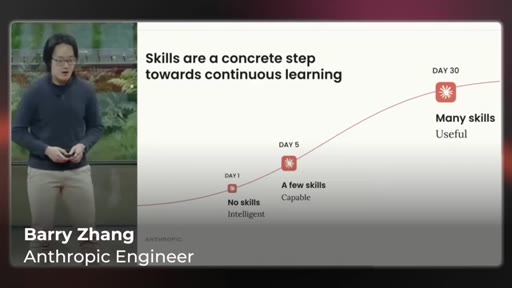
Barry Zhang: Claude on day 30 is better than day 1. After every run: one-time fix or permanent rule? If permanent, update the skill. The compounding loop: Use skill -> Get output -> Update skill.

§ · Storyboard

Visual structure at a glance.

hook
rule 1 intro
skills defined
layer diagram
rule 2 intro
three layers table
eric anthropic clip
rule 3 composable
barry zhang scripts
invocation flags
rule 4 compound
session loop diagram
four rules recap
§ · Frameworks

Named ideas worth stealing.

02:20 list

The Three Layers of a Skill

  1. Description (metadata -- when to invoke)
  2. Instructions (playbook -- how to execute)
  3. Tools (scripts, APIs, files -- what it can do)

Layer 3 (tools) is where all the leverage lives and where most users stop short.

Steal for Any skill-building content, MCN+ onboarding, JoeFlow framing
04:36 list

The Composability Rules

  1. Issues are easy to spot in focused skills
  2. Improvements compound across every workflow using that skill
  3. Reuse instead of rebuild

Keep skills small and single-purpose so they chain cleanly instead of collapsing into monoliths.

Steal for Workflow architecture decisions, teaching Claude Code structure
09:20 model

The Session Compounding Loop

  1. Use skill
  2. Get output
  3. Ask: one-time fix or forever?
  4. If forever: update the skill
  5. Next session starts smarter

Skills accumulate institutional knowledge across sessions. The loop turns day 1 AI into day 30 AI.

Steal for MCN+ pitch, JoeFlow session loop, own-your-AI-stack content
07:35 list

The Two Invocation Flags

  1. user-invocable: false -- agent-only, hidden from slash menu
  2. disable-model-invocation: true -- human-gated, model cannot auto-run

Fine-grained control over who triggers what. Essential for high-risk skills.

Steal for Advanced Claude Code setup guide, MCN+ tooling docs
§ · Quotables

Lines you could clip.

01:02
"Stop thinking in traditional prompts. Start thinking in prompting Claude skills."
Clean pivot line -- the mental model shift in one sentence → TikTok hook
03:40
"A skill is more than a prompt."
Ultra-short refrain, repeated several times -- works standalone → IG reel cold open
04:06
"People obsess over the prompt and skip the tools, the third layer of a skill. Anthropic engineers do the opposite."
Contrarian claim with built-in authority. No setup needed. → TikTok hook
07:30
"Code is deterministic. If you give it the same input, it will give you the same output every single time. Whereas in the AI world, that's not necessarily the case."
Practical distinction most AI users have never articulated. → Newsletter pull-quote
09:27
"Claude on day 30 of working with you is gonna be a lot better on Claude on day one."
Aspirational Anthropic engineer quote. Replayable as proof point. → IG reel cold open
09:50
"Is this a one-time fix or should this be in the skill forever?"
Decision heuristic in a single question. Works without context. → TikTok hook
§ · Pacing

How they spent the runtime.

Hook length18s
Info densityhigh
Filler5%
§ · Resources Mentioned

Things they pointed at.

00:00channelAIE/Code Summit (Anthropic)
04:00linkAnthropic engineering blog (skills docs)
10:40channelBoris Churney Claude Code skills video
§ · CTA Breakdown

How they asked for the click.

10:30 next-video
"if you like this, you will love this video where I break down how Boris Churney, the creator of Claude code, uses Claude skills"

Clean next-video CTA with explicit relevance bridge. Subscribe ask buried inside an anti-slop agreement bit mid-video at 8:42 rather than at the end -- unusual placement but effective for watch time.

§ 04 · The Script

Word for word.

HOOK opening / re-engagementCTA the pitch analogy
00:00HOOKI listened to Anthropic's engineers at the AI code summit and I learned something I wasn't expecting. Almost everyone is prompting Claude code wrong. So I decided to dig deeper and after studying everything Anthropic engineers have published, I uncovered four rules for how they actually prompt Claude code.
00:14HOOKAnd it turns out you don't need any technical experience to implement these rules. So rule number one is they prompt skills, not Claude.
00:21HOOKBefore we get to the rules that will transform how you work, we need to understand the foundation of how they use Claude. Generally, when people first start using AI, they start writing new prompts for everything they do. But the reality is, most of what people do is repetitive tasks.
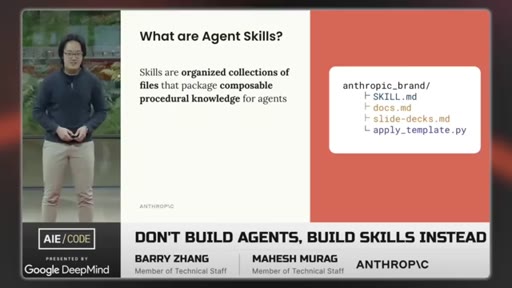
00:34So, Anthropic engineers created Claude's skills to help tackle these repetitive tasks. Here's them describing what they are and don't get worried about the technical terms. Skills are organized collections of files that package composable procedural knowledge for agents.
00:47In other words, they're folders. Barry describes it as procedural knowledge for agents, which is a fancy way to say a way to get a task done. And there's an art to actually creating these skills, we'll cover in rules two, three, and four.
00:58But first, you need to have the mental shift. Stop thinking in traditional prompts. Start thinking in prompting Claude skills.
01:05This may sound complicated, but it really, it's quite simple. Here's what it could look like if you wanted to draft a response to an email. Instead of you having a crazy prompt to help you respond to an email with your voice, your tone, and your writing style, you would just type slash draft email and then bring in the email you wanna respond to.
01:19So that's how you do it in practice, but conceptually, how should you think about this? I pulled this graph from the Anthropic engineering presentation and added a slight tweak to it. Layer one, you have the AI models.
01:28This is the AI that you're using. Layer two is you have the AI agents and the prompts. This is likely how you've been interacting with AI to date.
01:35But you wanna move up a layer to layer three, which is skills. This is the application layer of the AI world. If you were to compare this to your cell phone, Anthropic is building the phone itself.
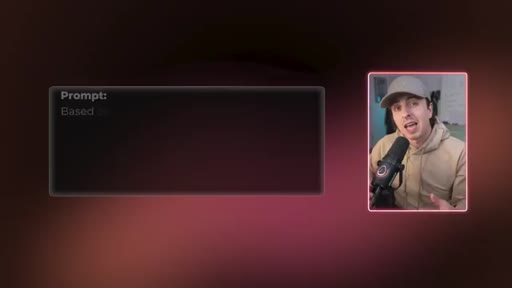
01:44You have to create the apps. That's the layer to control. And before we get to how to best create these skills, here's a prompt you can run to help you identify these skills that are worth creating.
01:54So you're no longer writing custom prompts, you're writing more specific prompts that clearly reference skills. And this leads to the next topic which most people get wrong, which is how do you actually build a skill that works? Rule number two is skills are more than prompts.
02:07So you're convinced you need to change how you prompt to prompt skills. So the next question is how do you actually create skills that work? There's an art to this, lot like when prompt engineering went viral when ChatGPT first came out, and it's important that you get this right.
02:18The act of actually creating the skill is super easy. You can just write in Claude, build me a skill for x, and I'll just create a skill for you. But to use these skills well, you need to understand what's actually inside them.
02:29Because it's not just a prompt that lives in a folder. A skill is more than a prompt. Inside a skill, there are three layers.
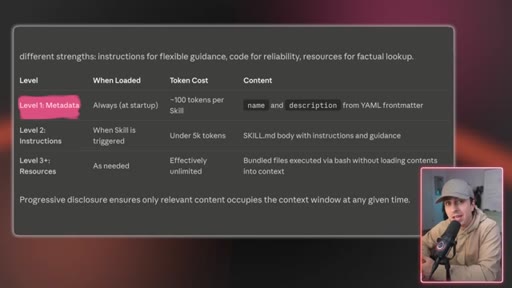
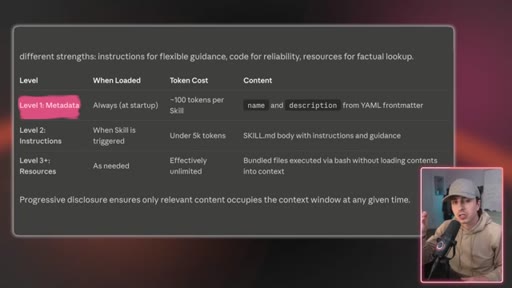
02:35Layer one is the description. This is what Claude checks every time you ask a specific question and it determines if it should use the skill or not. Think of it like a title on a folder.
02:44If the label's vague, Claude's gonna have tough time identifying when to use it. If it's specific, it'll know exactly when it needs to use it. And yes, when you're prompting Claude, don't need to explicitly call a skill if it's properly described.
02:55Claude will automatically know when to use it, which is awesome. Layer two is the instructions. Once Claude grabs the skill, this is the playbook it follows.
03:03This is a step by step process on how to actually complete the task. And layer three are the tools it has access to. This is code scripts, API calls, reference files.
03:12This is where a skill becomes a lot more than prompts. And this layer three is where most of the leverage lives, but most people stop at that layer two. Here's Eric from the Anthropic team talking about exactly this.
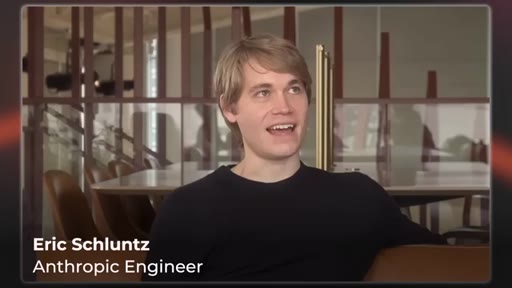
03:23And I think maybe the funniest things I see is that people will put a lot of effort into creating these really beautiful detailed prompts. And then the tools that they make to give the model are sort of these incredibly bare bones, like, you know, no documentation
03:39func like the parameters are named a and b. Yeah. And it's kinda like, oh, like, an an engineer wouldn't be able to, like, you know, work with this as a Right.
03:47You know, work with this as if this was a function they had to use. People obsess over the prompt and skip the tools, the third layer of a skill. Anthropic engineers do the opposite.
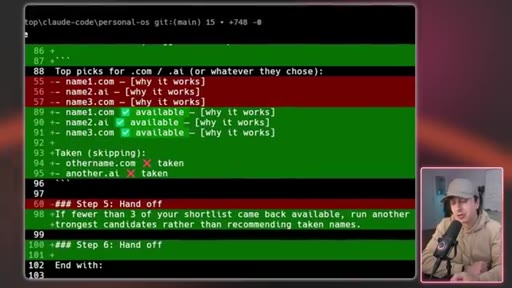
03:57They focus on these tools. So instead of this whole back and forth, I created my own custom skill that could check these domains programmatically so that whatever domains it was telling me, it is already verified that I could go and buy it.
04:08So I gave this skill access to the right tool and it leveled up the entire process. And like I mentioned in rule one, instead of manually thinking about domains, I could have 10 different sub agents using this skill to look through 10,000 plus domains to find the right one.
04:22Now I can do something that I literally would have never been able to do before. Here's a prompt you can use to think deeper about the skills you create so when you actually go ahead and prompt them, they'll be that much more effective. So rule number two covers how anthropic engineers make skills.
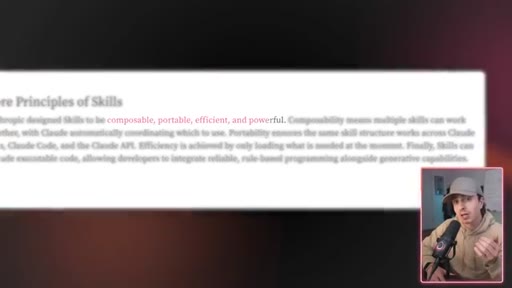
04:34But what skills do they actually create? Rule number three is they build composable skills, not custom skills. Pulling directly from Anthropic's engineering blog about what skills are and how to position them, they are composable, portable, efficient, and powerful.
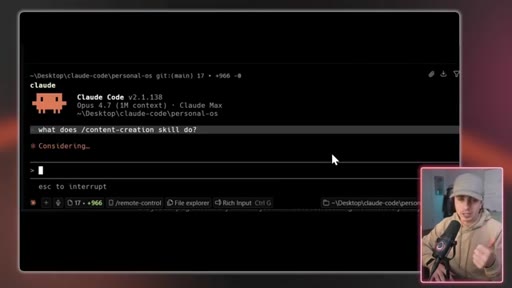
04:47Composability means multiple skills can work together with Claude automatically coordinating which to use. What this means is you should have small, focused, and reusable skills that can work together versus having a single massive skill that does everything. A concrete example that I experienced when I first started building skills for my content engine, I built a single slash content creation skill that did everything.
05:10Generate ideas, wrote scripts, drafted social posts, all of it, one skill, a million possibilities. And it just became unmanageable. Every time I wanted to change how scripts were written, I had to rewrite the whole skill and I didn't know what it actually impacted.
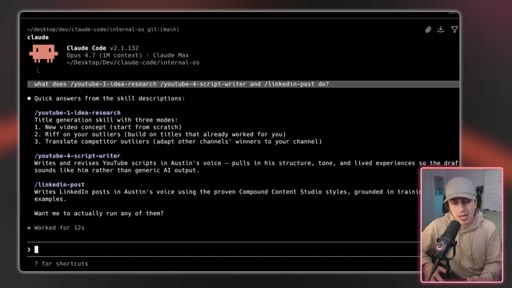
05:23And so instead, I split it up to more specific skills. Right? YouTube idea research,
05:28YouTube script writer, LinkedIn post. Each skill had a specific goal in mind. And the benefit is that each can call the other skills so that they start chaining them together.
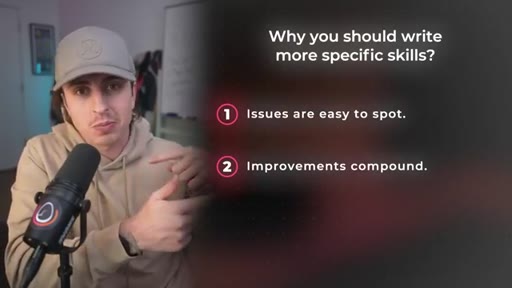
05:38This may seem a bit overkill, but it really isn't for three specific reasons. The first is that issues are easy to spot. When a focused skill breaks, you know exactly where to look.
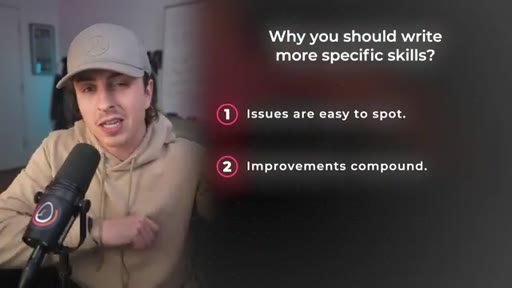
05:47Whereas, if it's a giant skill, you don't know what exactly the issue was. The second is that improvements compound. If you update, let's call it YouTube idea research, every workflow that uses the same skill automatically gets upgraded.
06:00Whereas if you're using a giant skill, you're going to have overlapping functionality, which means you'll fix it in one skill and it will still be broken in the other. The third is that you can re instead of rebuilding.
06:11If you build something like the check domain skill I mentioned earlier, you can plug that into any workflow you want. You're not rebuilding the wheel every time with a new workflow. So you know you should break them up, but what's some more technical patterns that you should consider to make these even more powerful?
06:25So both of these come from directly how Anthropic engineers actually use them. So pattern one is save scripts inside of skills. This is part of the tools layer of a skill and it's how you actually make them sharper.
06:36Here's Barry at the AI Engineering Code Summit talking about how he does exactly this. We kept seeing Claude write the same Python script over and over again to apply styling to slides. So we just asked Claude to save it instead of the skill as a tool for his versions for his future self.
06:50Now we can just run the script and that makes everything a lot more consistent, a lot more efficient. Let me break down what he said. Claude kept rewriting the same Python script every session, and instead of them letting it rewrite it, they saved the script inside of a skill folder.
07:01So now the next session, Claude doesn't have to rewrite the script, it just reruns it. And this is so powerful because code is deterministic, which essentially means if you give it the same input, it will give you the same output every single time. Whereas in the AI world, that's not necessarily the case.
07:16It interprets it, it guesses, it uses tokens that cost money. And when you have a script inside a skill, you're trading AI tokens for code compute, which is cheaper, faster, and repeatable.
07:26A general rule of thumb is if you can use code instead of AI, you should. And you don't have to write the code, you can just have AI write it for you once, and then you can reuse it as much as you want. The second pattern is you can control who invokes what.
07:37Most people don't know this exists, but Anthropic built two flags into Claude's skills that are important to understand. The first is user invocable. If you set this to false, it hides the skill from your slash menu.
07:48It means that the user, you or me or whoever, can't directly invoke the skill. It's only a skill for agents. This is perfect for any AI agent specific tools that you don't even wanna think about.
07:59And then disable model invocation. This does the opposite. Only you can run it and the model can't.
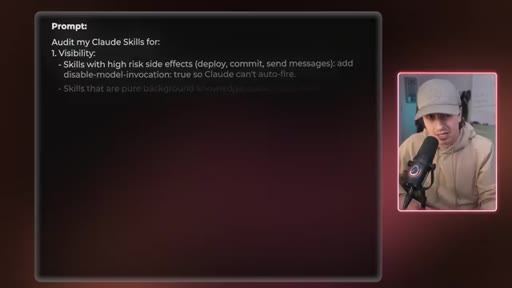
08:04This is great for higher risk things like a skill that sends a message or deploys a new version of your code to production. Most of you watching this have likely never heard of either of those things, but now you have it in your bag when you're designing these skills. Here's a prompt you can run to audit your setup to make sure that you're properly applying these things into your skills.
08:21Screenshot this and just send the photo into Claude, and I highly recommend you do this. So you know how to build skills and what to build, but how do you make these improve over time? And before I get to that, if this is your first video of mine, welcome the channel.
08:34HOOKBut if it's your second or more, here is our anti slop agreement. The visuals, the testing, the time I put into this video, that's entirely built for humans, not for AI robots or data scrapers.
08:44HOOKSo all I ask is you subscribe as part of this agreement to help this content reach more people so I can keep making videos like this. Numeric number four is their prompts get smarter every session. Here's where Anthropic engineers really pull ahead.
08:56Their skills and, in turn, their prompting doesn't just work. They get better every session. When you prompt Claude with a sentence, that prompt advantages the moment you close the chat.
09:05When you prompt with a skill, the skill states, and every time you use it, you have a chance to sharpen it. Listen to their engineering team talk about exactly this.
09:13When you first start using Claude, this standardized format gives a very important guarantee. Anything that Claude writes down can be used efficiently by a future version of itself. Our goal is that Claude on day 30 of working with you is gonna be a lot better on Claude on day one.
09:27Every time Claude learns something about how you work, your voice, your process, your edge cases, you write it down in the skill. Next session starts smarter than the last. So how do you actually do this?
09:37Every time you run a skill and the output isn't exactly what you want, ask yourself one question. Is this a one time fix or should this be in the skill forever? If it's forever, update the skill.
09:48Add the rule, the example, the edge case. And a lot of people skip this entirely. They're just like, okay.
09:52Run the skill, get an output, like, continue with their day. But anthropic engineers use a skill, get the output, then update the skill so that there's a compounding loop that improves over time. And it's really quite simple.
10:04Like, it's literally you can just use your chat history as a reference point to improve the skill itself. Just say review the back and forth I just had after using this skill. Can we enhance the skill so this is handled automatically
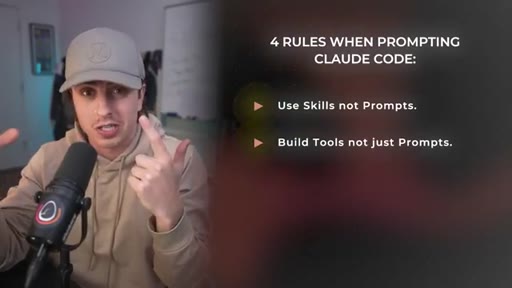
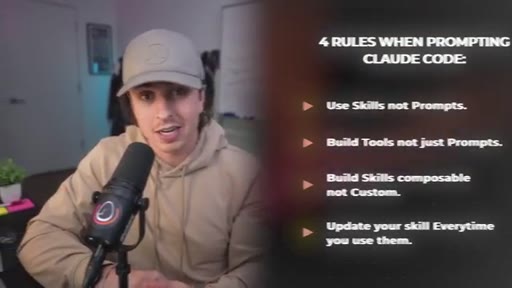
10:17or we don't make the same mistake again? So zooming out, these four rules are clear. Use skills, not prompts.
10:23CTABuild tools, not just skills with prompts. Build skills that are composable, not custom, and update your skills every time you use them. Using Claude like an engineer doesn't have to be complicated.
10:33CTAAnd if you like this, you'll love this video where I break down how Boris Churney, the creator of Claude code, uses Claude skills. It's pretty wild and builds on a lot of what we covered here. I'll see you over there.
10:44CTAPeace.
— full transcript
§ 05 · For Joe

Build skills, not prompts. Then make the skills smarter.

Claude Code operator playbook

The Anthropic engineers who built Claude Code are not writing prompts -- they are accumulating a library of self-improving slash commands backed by real tools and scripts.

  • Audit every existing skill for layer 3: does it have scripts or API calls, or just instructions? Add the tools.
  • Any script Claude regenerates every session: save it inside the skill folder once, then rerun it forever.
  • Flag high-risk skills (deploy, commit, send-message) with disable-model-invocation: true -- you probably have some that should be human-gated.
  • After every skill run, ask one question: one-time fix or permanent rule? If permanent, update the skill before closing the session.
  • The day 30 framing is a JoeFlow/MCN+ content angle: your skill library is the asset, not the AI.
§ 05 · For You

How to get Claude to stop forgetting everything.

If you use Claude regularly

The reason Claude feels inconsistent session to session is that you are starting from scratch every time -- skills are the fix.

  • Create a skill for any task you do more than twice: draft an email, research a topic, summarize a doc.
  • After a session where Claude did something exactly right, tell it: save this approach as a skill I can reuse.
  • Ask Claude to review your last conversation and update the skill with what it learned -- one prompt, permanent improvement.
  • Use the three-layer check: does your skill have a clear description (when to use it), clear steps (what to do), and any supporting files or scripts?

§ 06 · Frame Gallery

Visual moments.