The bait, then the rug-pull.
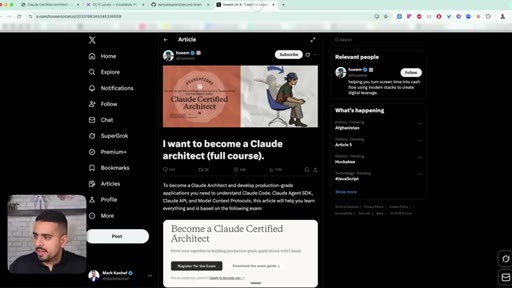
Anthropic just shipped a real, pass-or-fail Claude Certified Architect exam, and the 40-page exam guide doubles as the best Claude Code syllabus in print. The host reads every page, then translates the five domains into plain English with diagrams and live demos so you do not have to.
What the video promised.
stated at 00:22 "I went through the entire exam guide myself, not through an LLM. I'm going to synthesize this entire exam guide into this video and break down each and every concept for you. And as a bonus, I'll share some resources that should supercharge your learning journey." delivered at 38:07
Where the time goes.
01 · Anthropic just dropped a real certification
Cold open + pitch: a 40-page exam guide is the best Claude Code syllabus available, and the host has read it cover to cover.
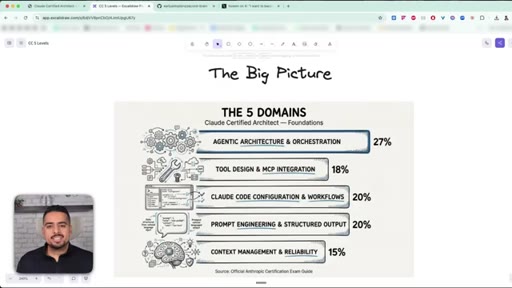
02 · The 5 domains explained
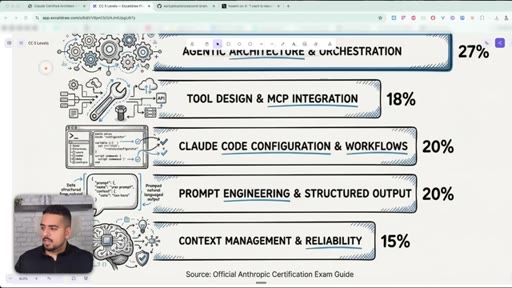
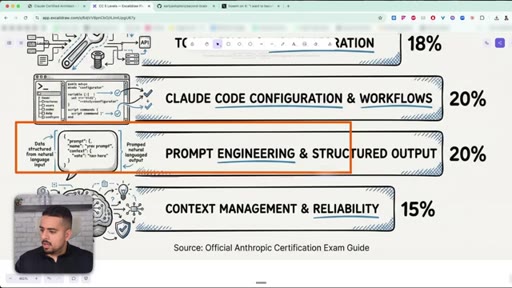
Pie-chart breakdown of the exam's five domains and their weighting.
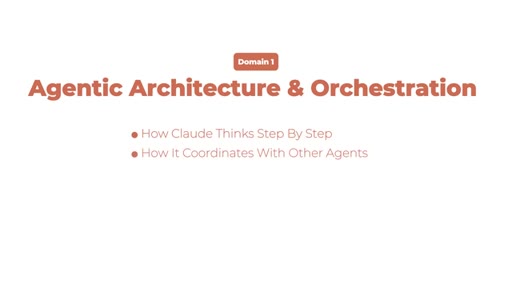
03 · Domain 1: Agentic Architecture (27%)
Why agent architecture is the single most important domain - how Claude thinks, coordinates, and enforces rules.
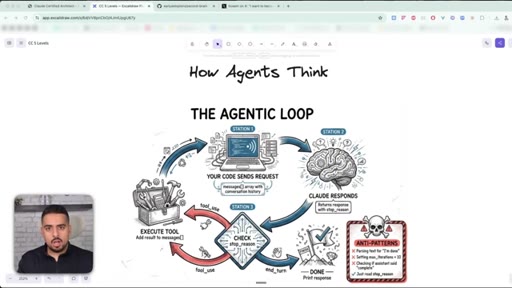
04 · The Agentic Loop
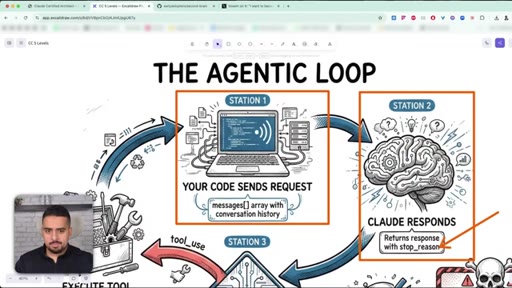
Request -> response -> tool_use -> execute -> repeat. The only field that decides when the loop ends is stop_reason.
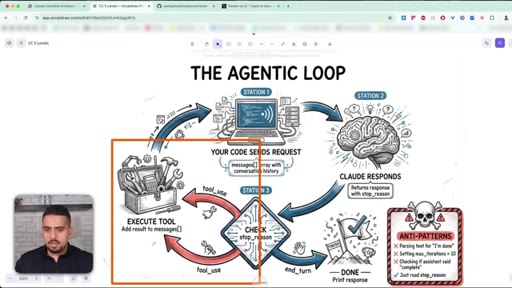
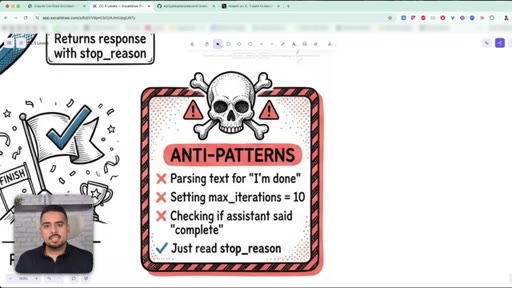
05 · Anti-patterns to avoid
Three mistakes: parsing text for 'I'm done', setting hard iteration caps, and ignoring stop_reason.
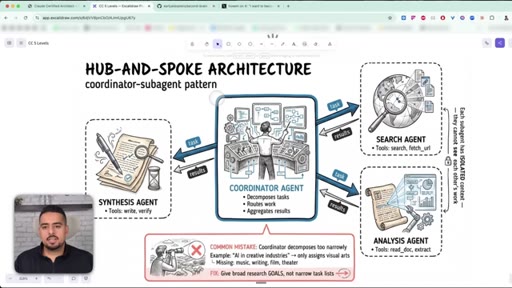
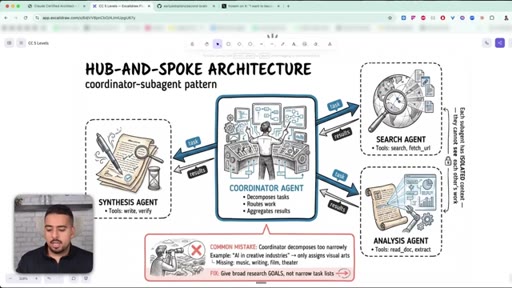
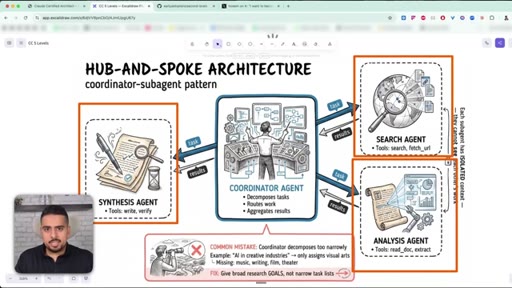
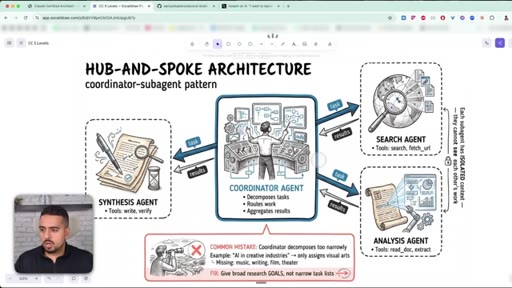
06 · Hub-and-Spoke: coordinator + subagents
One coordinator agent decomposes the task, subagents run in isolated contexts, results merge at the end.
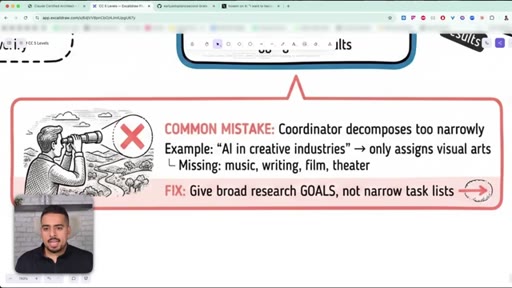
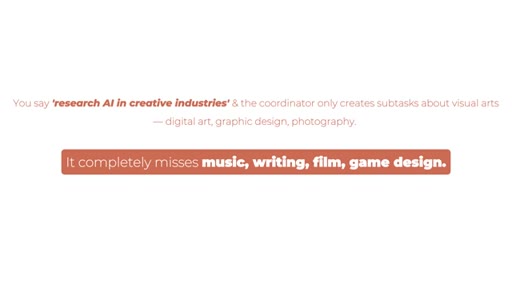
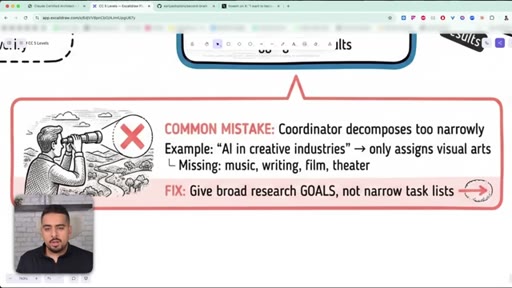
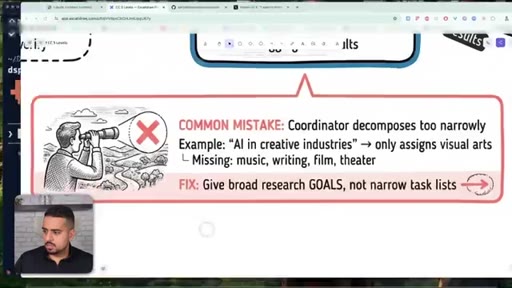
07 · The narrow decomposition mistake
Coordinators that decompose too narrowly miss whole branches of the problem - fix by giving broad goals, not narrow checklists.
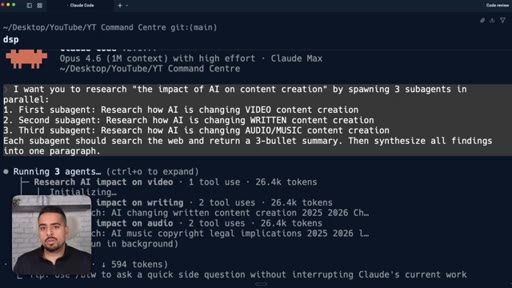
08 · Live demo: spawning 3 subagents in parallel
Terminal demo: a single prompt spawns video/written/audio research subagents in Claude Code, each using its own tools and tokens, with a final synthesis.
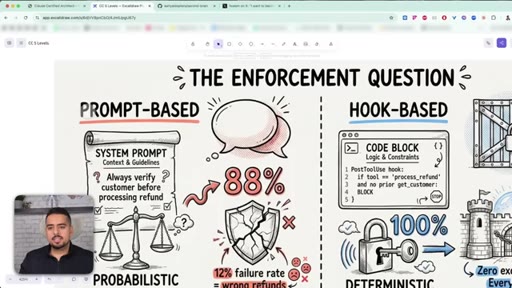
09 · Prompts vs Hooks (most important concept)
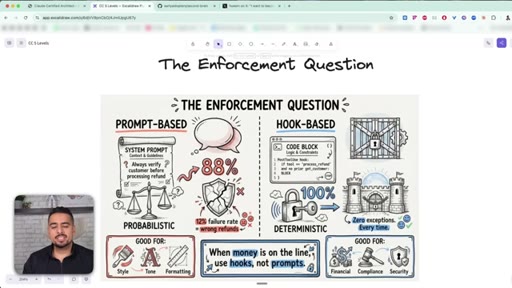
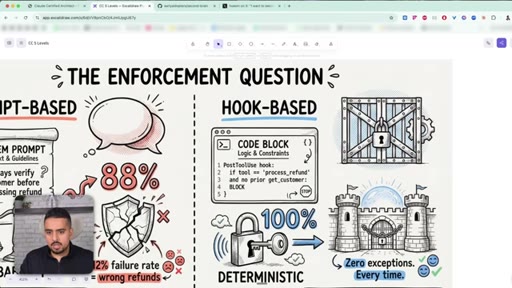
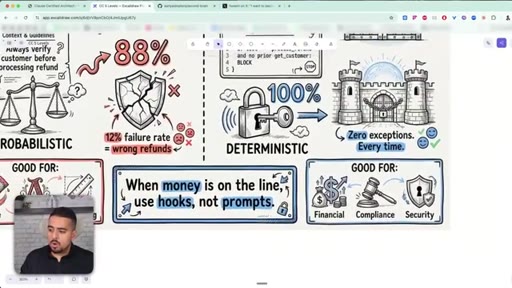
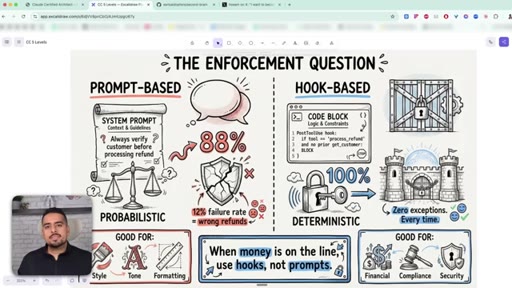
Prompts are best-effort suggestions; hooks are deterministic scripts that physically block actions. The exam guide's most contentious section.
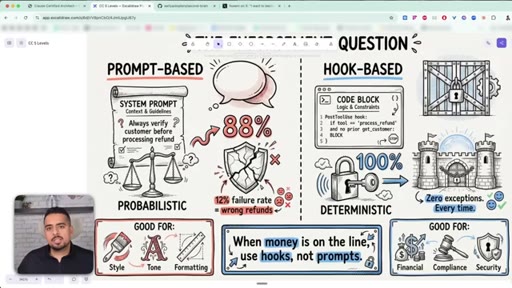
10 · When to use hooks over prompts
Prompts for style/tone/formatting; hooks for compliance, financial, and security. When money is on the line, hooks every time.
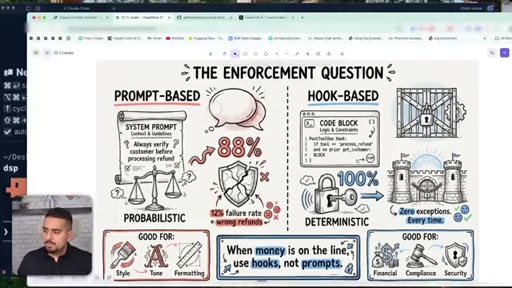
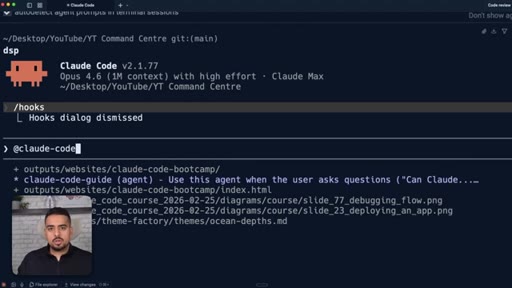
11 · Live demo: /hooks in Claude Code
Walk-through of /hooks in the terminal and the claude-code-guide agent as a second way to discover the right hook.
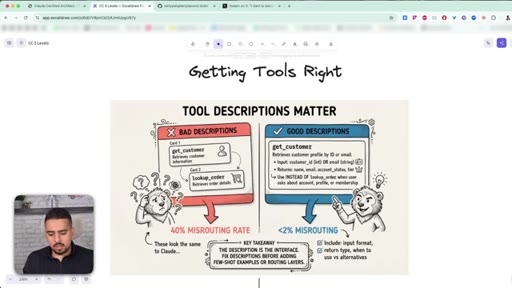
12 · Domain 2: Tool Design & MCP (18%)
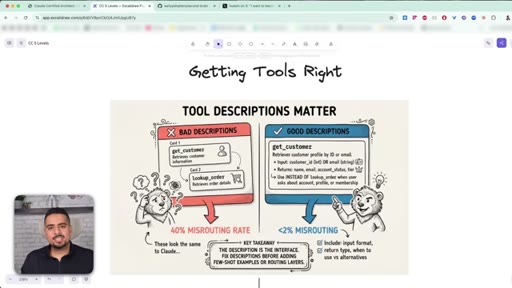
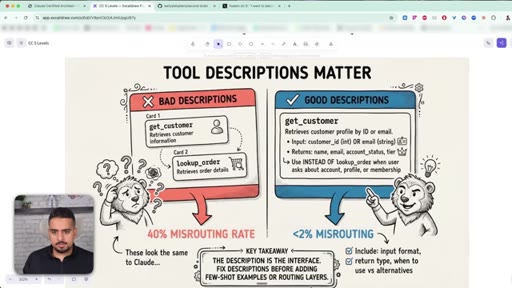
Tool descriptions are the single highest-leverage thing you can fix - they decide which tool fires when descriptions overlap.
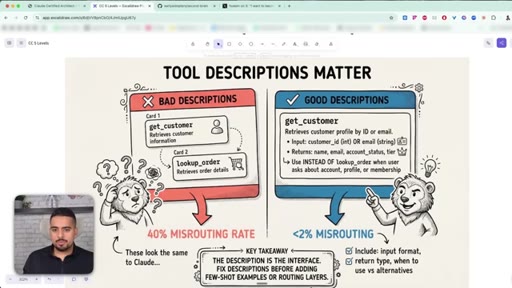
13 · Why tool descriptions matter most
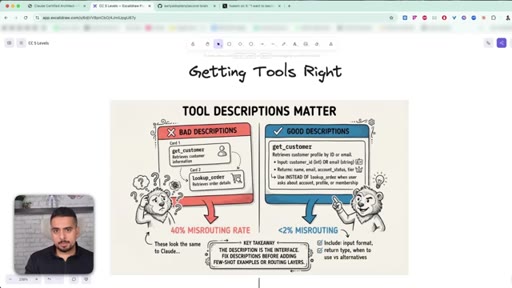
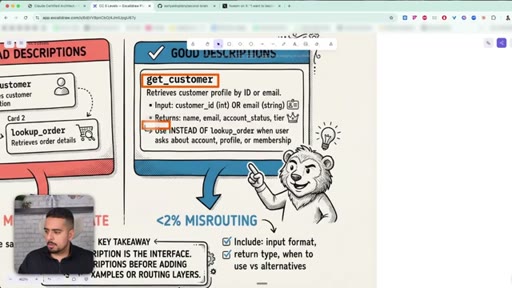
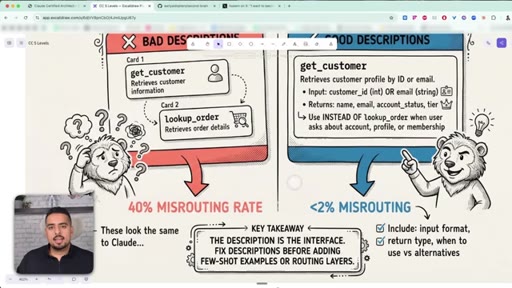
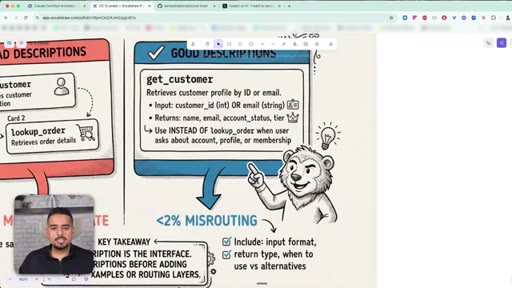
Bad descriptions cause 40% misrouting; good descriptions with explicit do-not-use clauses drop misrouting to under 2%.
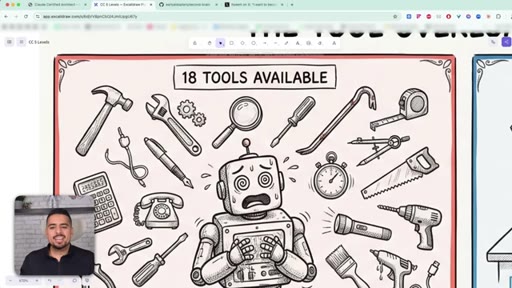
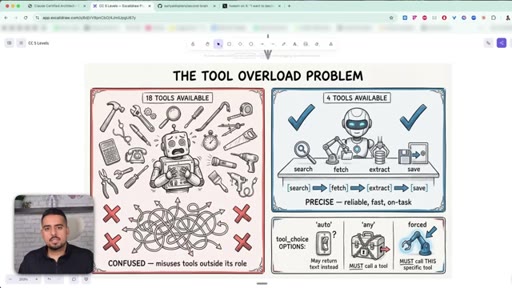
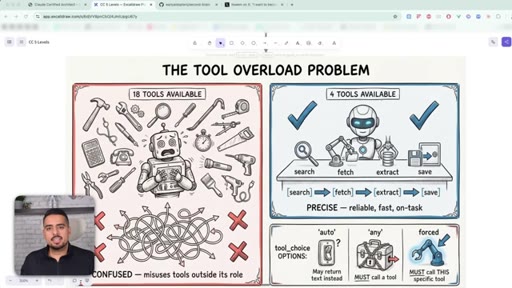
14 · The tool overload problem
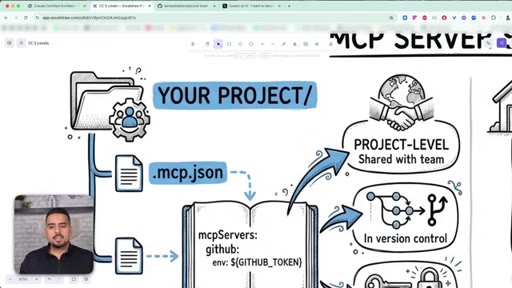
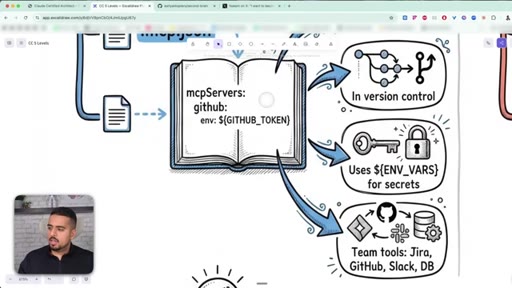
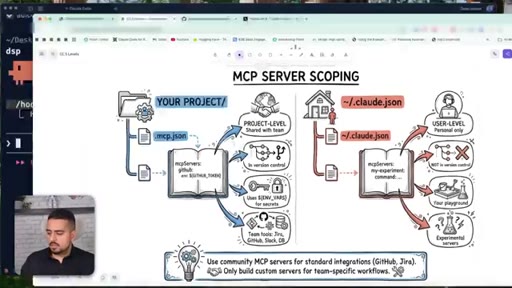
Project vs user-level MCP, where to put .mcp.json, how to keep API keys in environment files.
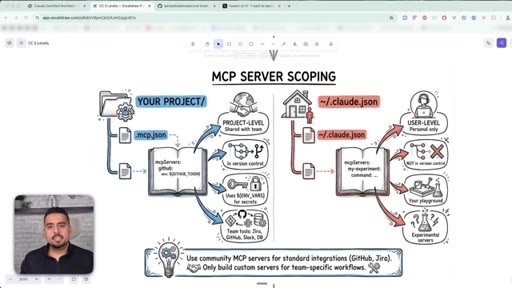
15 · MCP server scoping: project vs user level
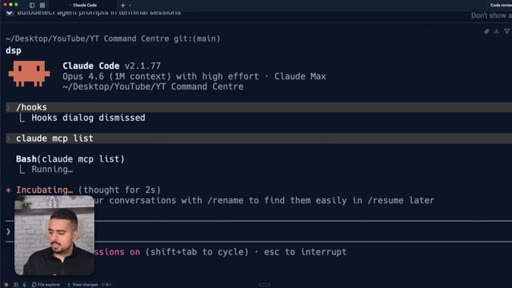
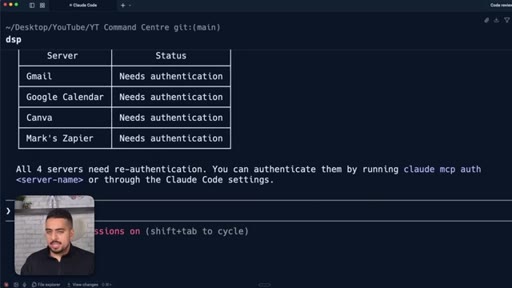
How project-level and user-level MCP differ; community vs custom servers; checking what is wired up with claude mcp list.
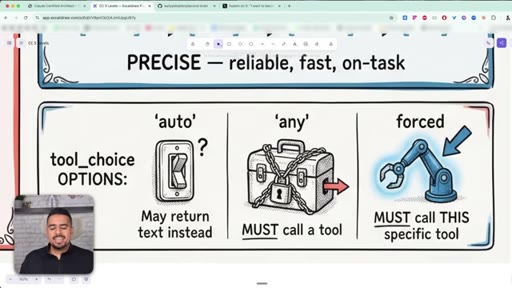
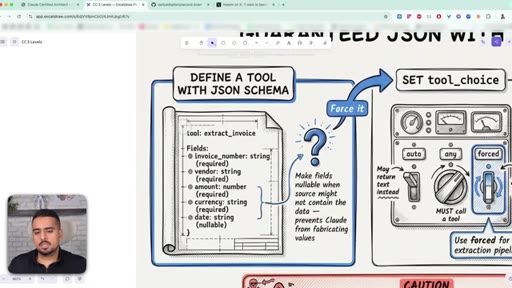
16 · tool_choice: auto, any, forced
An agent with 18 tools makes worse decisions than one with 5. tool_choice can be auto, any, or forced - force the first move, then loosen the leash.
17 · Domain 3: Claude Code Configuration (20%)
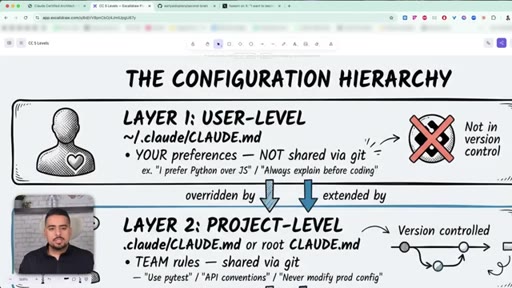
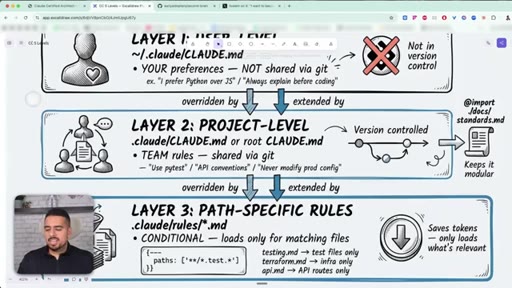
Most people dump everything into one CLAUDE.md. The guide splits it into three layers: user, project, and path-specific.
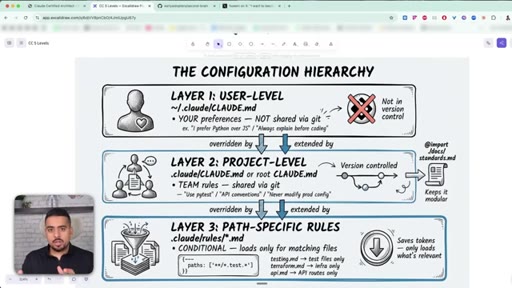
18 · The 3-layer CLAUDE.md hierarchy
Layer 1 user-level (~/.claude/CLAUDE.md), Layer 2 project-level (.claude/CLAUDE.md, version-controlled), Layer 3 path-specific (.claude/rules/*.md).
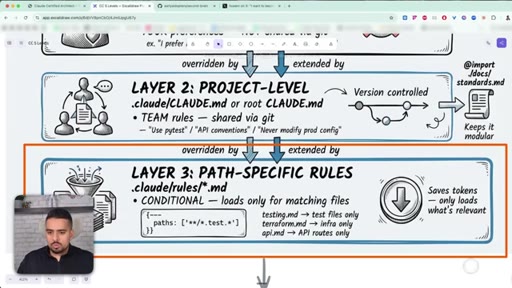
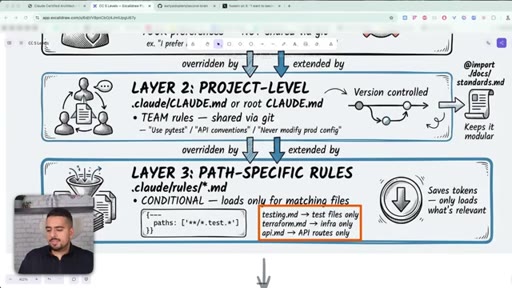
19 · Path-specific rules (.claude/rules/)
Rule files load only when their glob matches - testing rules for test files, API rules for the API folder. Keeps CLAUDE.md lean.
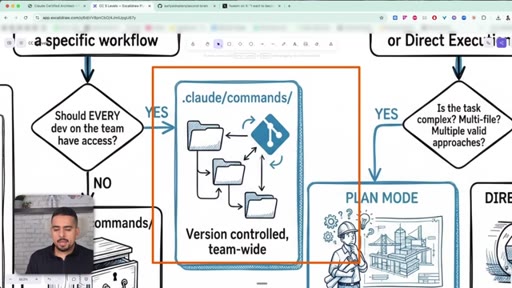
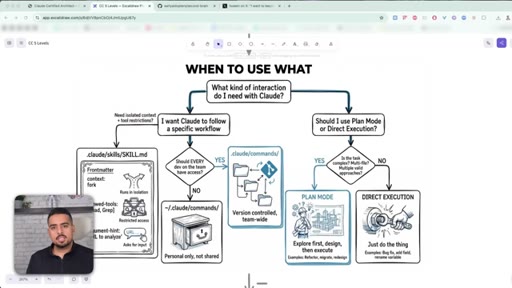
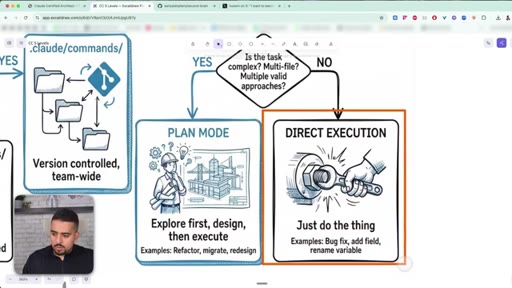
20 · Commands vs skills vs plan mode
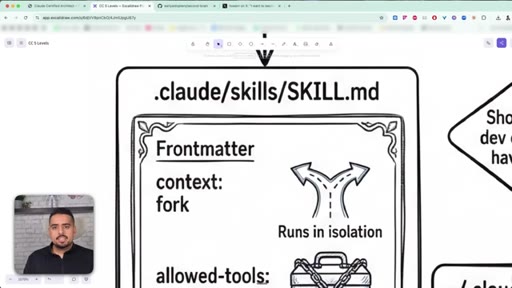
Commands are reusable slash prompts; skills are scoped, isolated mini-agents with their own tool allow-list; plan mode is for ambiguous multi-file work.
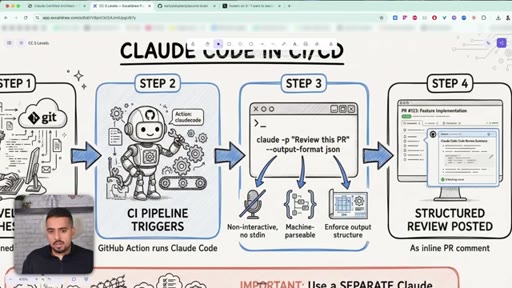
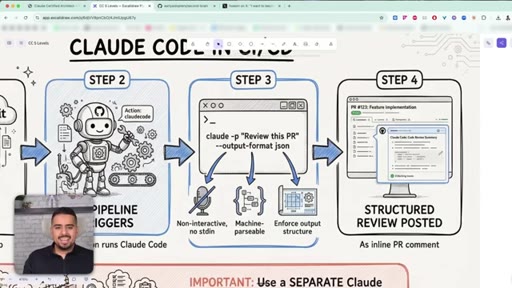
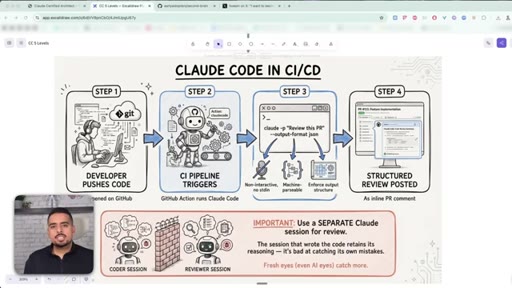
21 · Claude Code in CI/CD pipelines
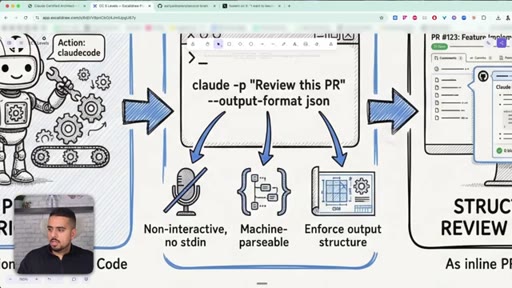
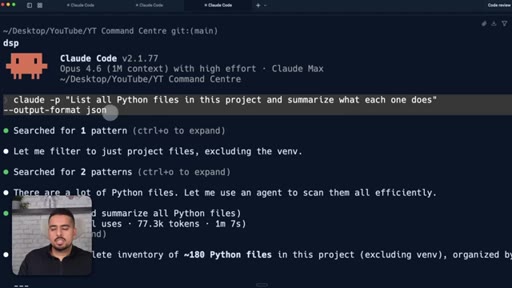
Using claude -p with --output-format json to make Claude Code run non-interactively inside a GitHub Action.
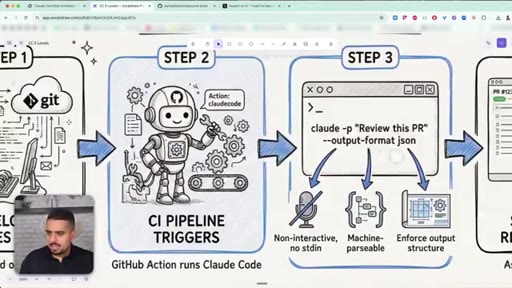
22 · The -p flag and --output-format json
How the -p and --output-format json flags turn Claude Code from a chat tool into something a pipeline can drive.
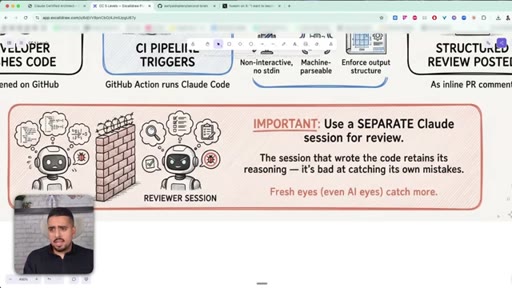
23 · Why you need a separate review session
A session biased by writing the code is bad at reviewing it. Always spin a fresh, stateless session for review.
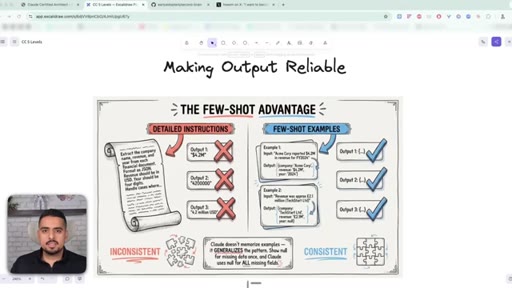
24 · Domain 4: Prompt Engineering (20%)
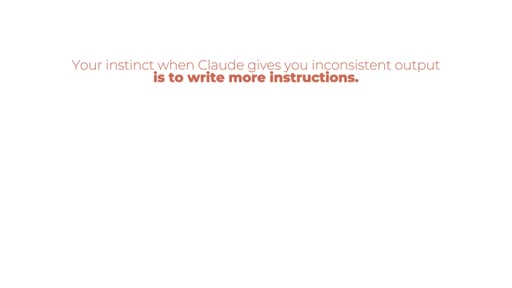
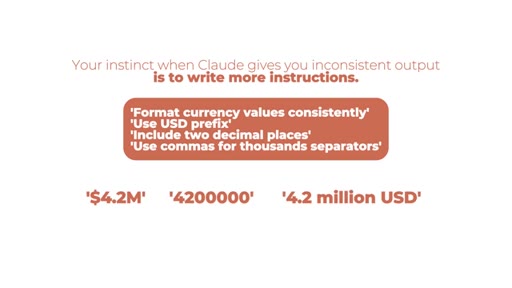
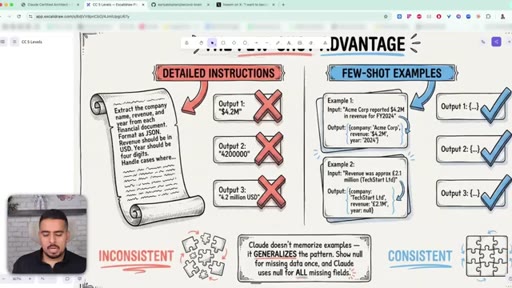
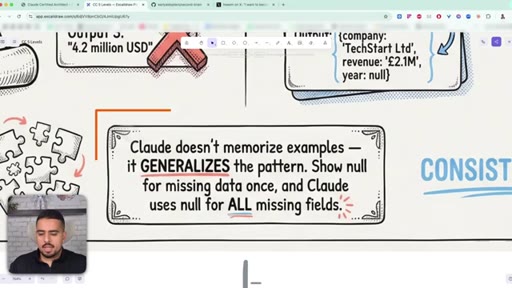
When Claude is inconsistent, the instinct is to write more rules. The exam guide says: show 2-3 examples instead.
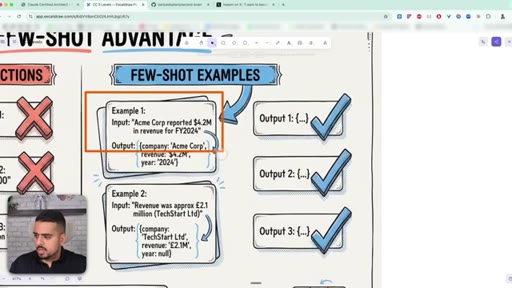
25 · Few-shot examples vs instructions
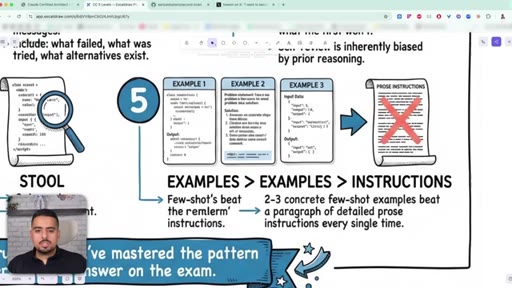
Two or three concrete input/output examples beat a paragraph of detailed instructions every single time. Claude learns the underlying pattern.
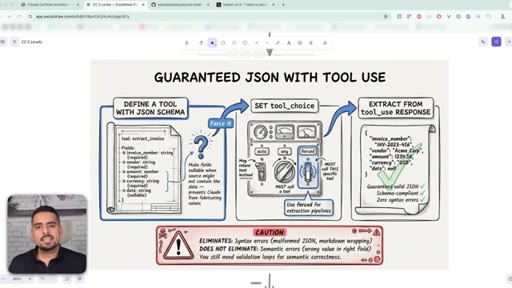
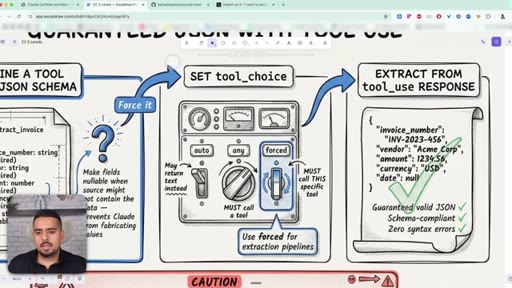
26 · Guaranteed JSON with tool_use
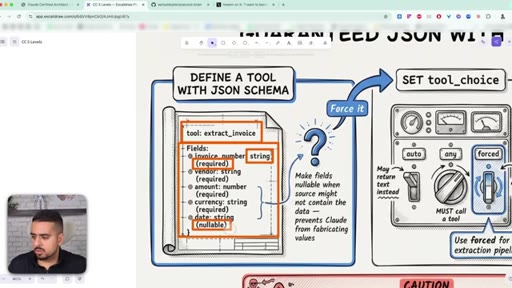
Define a tool with a JSON schema, set tool_choice to forced, and extract from the tool_use response. Eliminates syntax errors, not semantic ones.
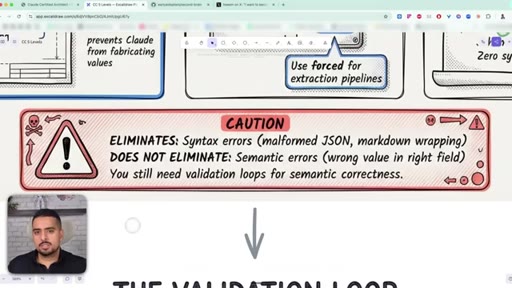
27 · The validation loop
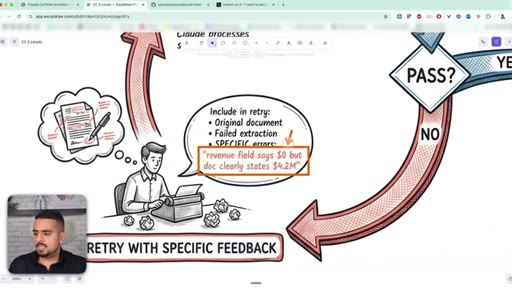
When the model misreads data, retry with specific feedback - the original document, the extracted field, the literal mismatch. Not just 'try again'.
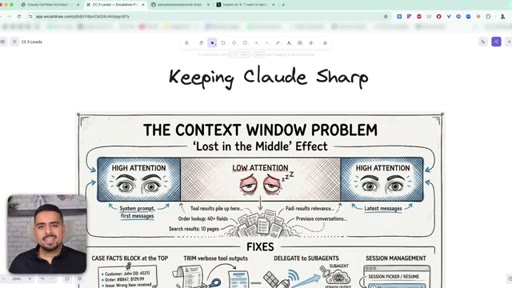
28 · Domain 5: Context Management (15%)
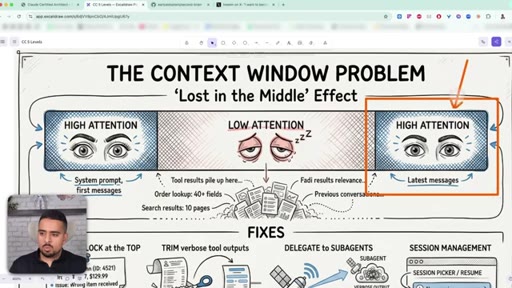
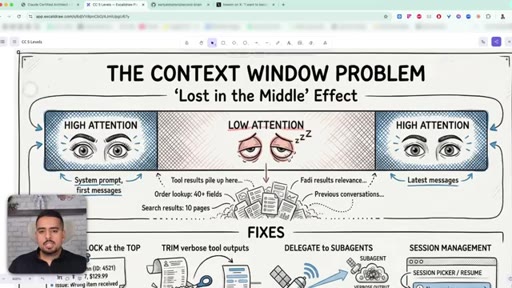
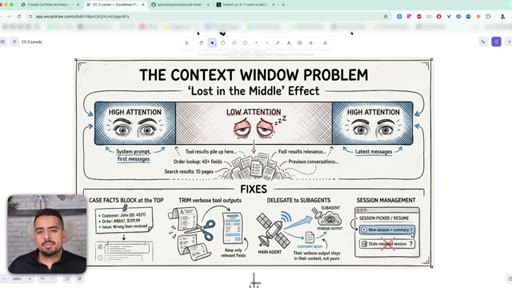
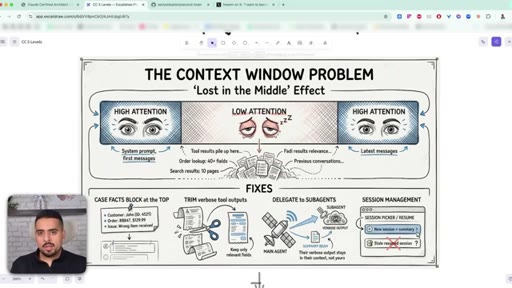
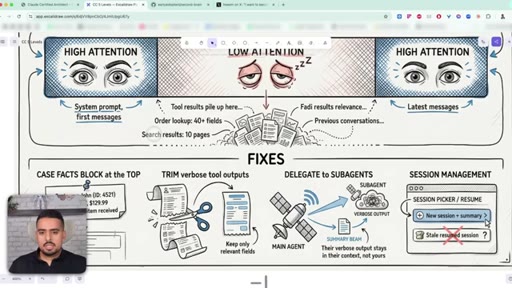
Why Claude pays attention at the beginning and the end of context but goes fuzzy in the middle, and what to do about it.
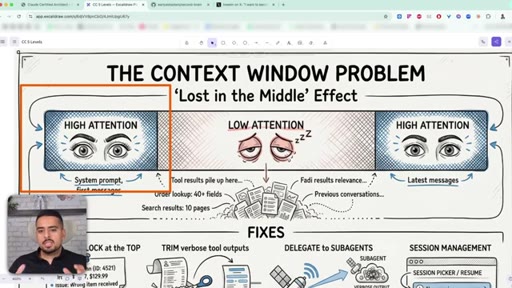
29 · The lost in the middle effect
The first 40% of context is well-primed, the end has recency bias, and the middle drifts. Tool outputs push the important stuff into the fuzzy zone.
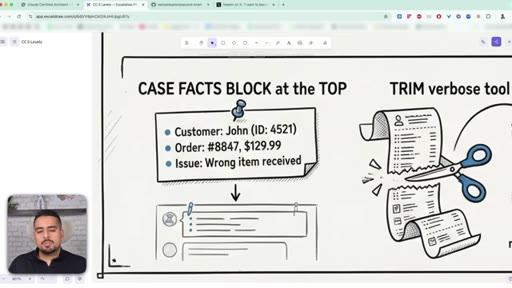
30 · 3 ways to fix context bloat
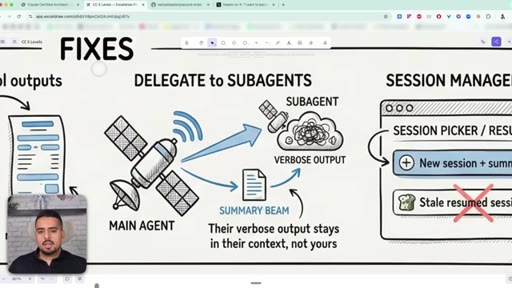
Pin a key-facts block at the top, trim verbose tool outputs, delegate messy work to subagents whose context never pollutes yours.
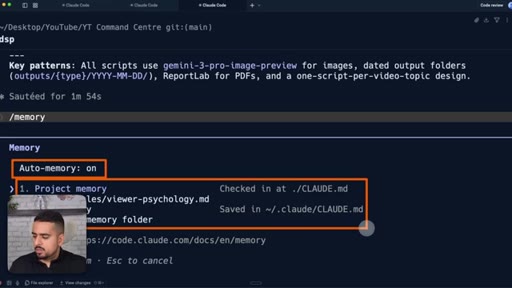
31 · /memory in Claude Code
/memory shows what is actually in scope right now - project memory, user memory, auto memory - so you can audit before a fresh session.
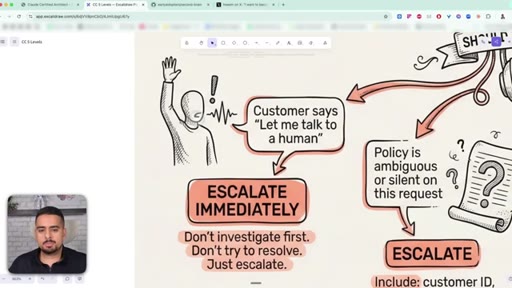
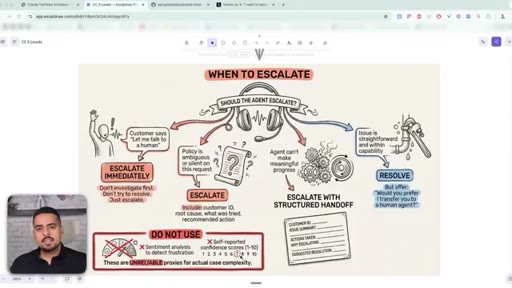
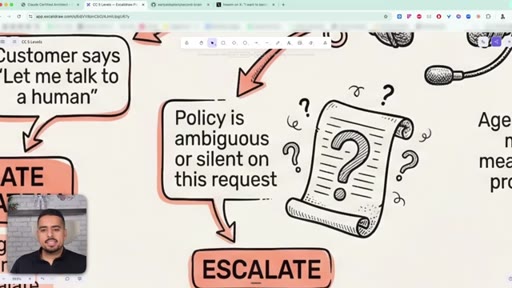
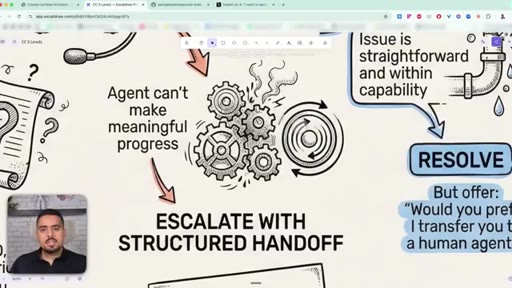
32 · When to escalate to a human
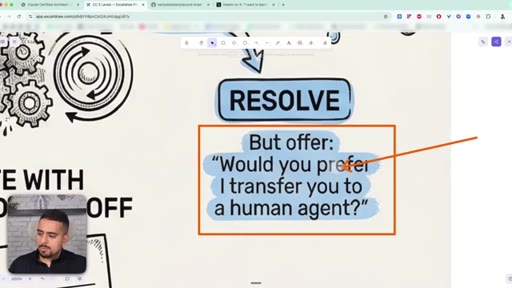
Three escalation scenarios: customer asks for a human (escalate immediately), policy is ambiguous (escalate with a structured handoff), or issue is straightforward (resolve, but still offer a human).
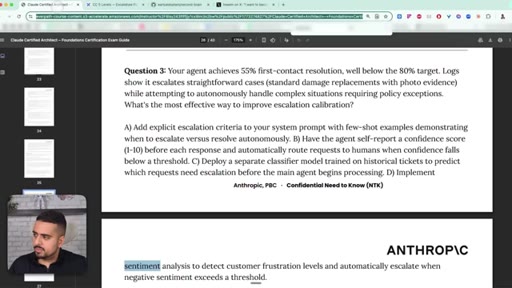
33 · Error propagation done right
Never return a generic 'failed'. Include what broke, what was tried, what partially worked, and what alternatives exist.
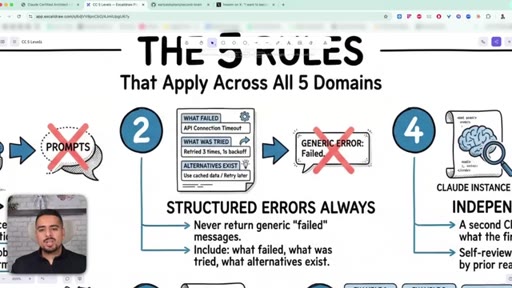
34 · The 5 rules that apply across every domain
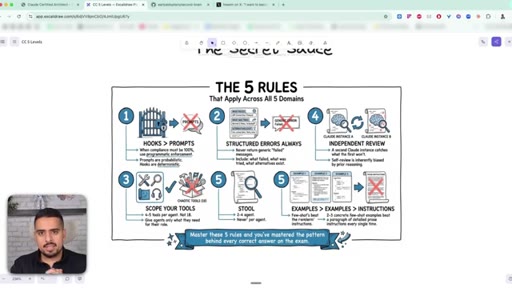
Closing recap: hooks for high-stakes work, structured errors, 4-5 tools per agent, separate session for review, few-shot examples beat instructions.
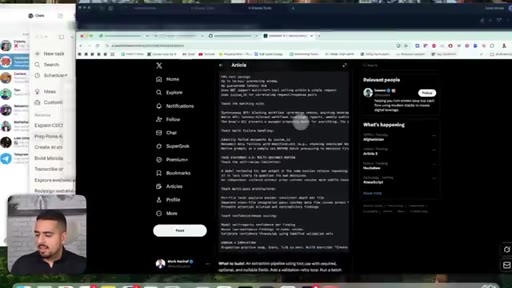
35 · Interactive study prompts (X post resource)
A community-built prompt set turns Claude Code into an interactive instructor that quizzes you on each domain.
36 · Free study guide + where to go next
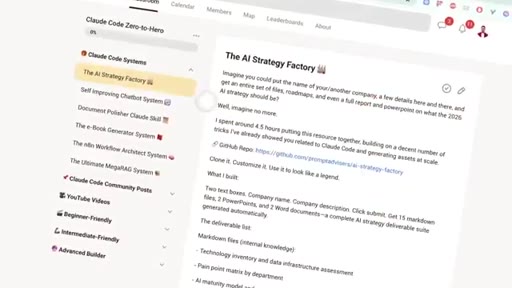
Mark plugs his own mega-guide and Skool community as deeper next-step resources.
Visual structure at a glance.
Named ideas worth stealing.
The Five Exam Domains
- Agentic Architecture & Orchestration (27%)
- Tool Design & MCP Integration (18%)
- Claude Code Configuration & Workflows (20%)
- Prompt Engineering & Structured Output (20%)
- Context Management & Reliability (15%)
Anthropic's exam weighting tells you where to spend prep time - agent architecture alone is more than a quarter of the test.
The Agentic Loop
- Code sends request
- Claude responds with stop_reason
- If stop_reason = tool_use, execute the tool
- Feed result back, loop again
- If stop_reason = end_turn, stop
Every Claude agent - SDK, Claude Code, custom framework - runs this loop. The exit signal is the stop_reason field, not text in the response.
Hub-and-Spoke (Coordinator-Subagent) Pattern
- Coordinator decomposes the task
- Specialised sub-agents run in parallel, each in its own context
- Sub-agents do NOT communicate with each other
- Coordinator merges results at the end
The canonical architecture for complex multi-step work. Each sub-agent keeps its own tools and tokens; the coordinator only sees summaries.
Prompts vs Hooks
Prompts are best-effort suggestions (probabilistic, ~88% reliable in Anthropic's refund example). Hooks are deterministic scripts that physically block actions. Style/tone -> prompt. Money/compliance/security -> hook.
Tool Description Anti-Pattern
Vague overlapping descriptions cause ~40% misrouting between similar tools. Adding explicit 'use INSTEAD OF X when Y' clauses drops misrouting under 2%. The description IS the interface.
The 3-Layer CLAUDE.md Hierarchy
- Layer 1: user-level (~/.claude/CLAUDE.md) - personal preferences, never shared
- Layer 2: project-level (.claude/CLAUDE.md) - team rules, version-controlled
- Layer 3: path-specific (.claude/rules/*.md) - conditional, only loaded when matching files are open
Split CLAUDE.md across three layers so Claude only loads what is relevant to the current task. Most people dump everything into one giant file and waste tokens on every session.
The Five Cross-Cutting Rules
- If it has to work 100% of the time, use a hook not a prompt
- Always return structured errors - what failed, what was tried, what alternatives exist
- Cap each agent at 4-5 tools max
- Always review code in a separate Claude session from the one that wrote it
- Two or three concrete examples beat a paragraph of instructions
The closing distillation - five rules that apply across every domain. The unifying principle is determinism: pick the tool with the right level of predictability for the job.
Lines you could clip.
"Giving an agent 18 tools is like hiring a brand new employee and giving them access to every single system from day one."
"Prompts are suggestions and hooks are laws."
"Fresh eyes, even AI eyes, catch more."
"Claude doesn't just copy paste your examples. It learns the underlying patterns behind them."
"Two to three examples will beat a full page of instructions each and every single time."
"It's infinitely better to start a brand new session with a summarized version of outputs from before versus pushing through a conversation even if you're at that million context window."
"The description of the tool is really the interface of tooling."
Things they pointed at.
How they asked for the click.
"Check out the first link in the description and maybe join me in my early AI adopters community."
Soft, value-led. Framed as a community of learners with a course coming, paired with a free mega-guide so the ask does not read as purely commercial.
Word for word.
Five rules that decide how reliable your Claude agents will be.
Reliable Claude systems come from picking the right level of determinism for each problem - hooks where it must work, prompts where it just needs to read well, and structured handoffs everywhere in between.
- Use a hook, not a prompt, anywhere money, compliance, or security is on the line - prompts run at roughly 88% reliability, hooks at 100% because they physically block the action.
- Cap each agent at four to five tools max; more options actively make routing worse, not better.
- Fix tool descriptions first when an agent calls the wrong thing - bad descriptions misroute 40% of the time, good ones with explicit do-not-use clauses drop that under 2%.
- Split CLAUDE.md across three layers - user, project, and path-specific - so each session only loads the rules that match the file you are actually editing.
- Always review code in a separate, stateless Claude session; the session that wrote it is biased toward thinking it is correct.
- Show two or three concrete input/output examples instead of writing a paragraph of instructions - the model learns the underlying pattern and stays consistent.
- When you escalate to a human, send a structured handoff - customer ID, root cause, what was tried, recommended action - not just a 'sorry, transferring' note.
- Never return a generic 'failed' error from a tool; include what failed, what was tried, what partially worked, and what alternatives exist so the next agent can act.
- Pin a key-facts block at the top of long context and trim verbose tool outputs - Claude pays close attention to the start and end of context and goes fuzzy in the middle.
- Force the first tool call with tool_choice when you need a predictable first move, then loosen the leash so the agent can run freely once it is pointed in the right direction.