Kacper Rutkiewicz | AI Made Simple · Youtube · 18:45

Building Voice Agents Has Never Been Easier (Vapi + Claude Code)

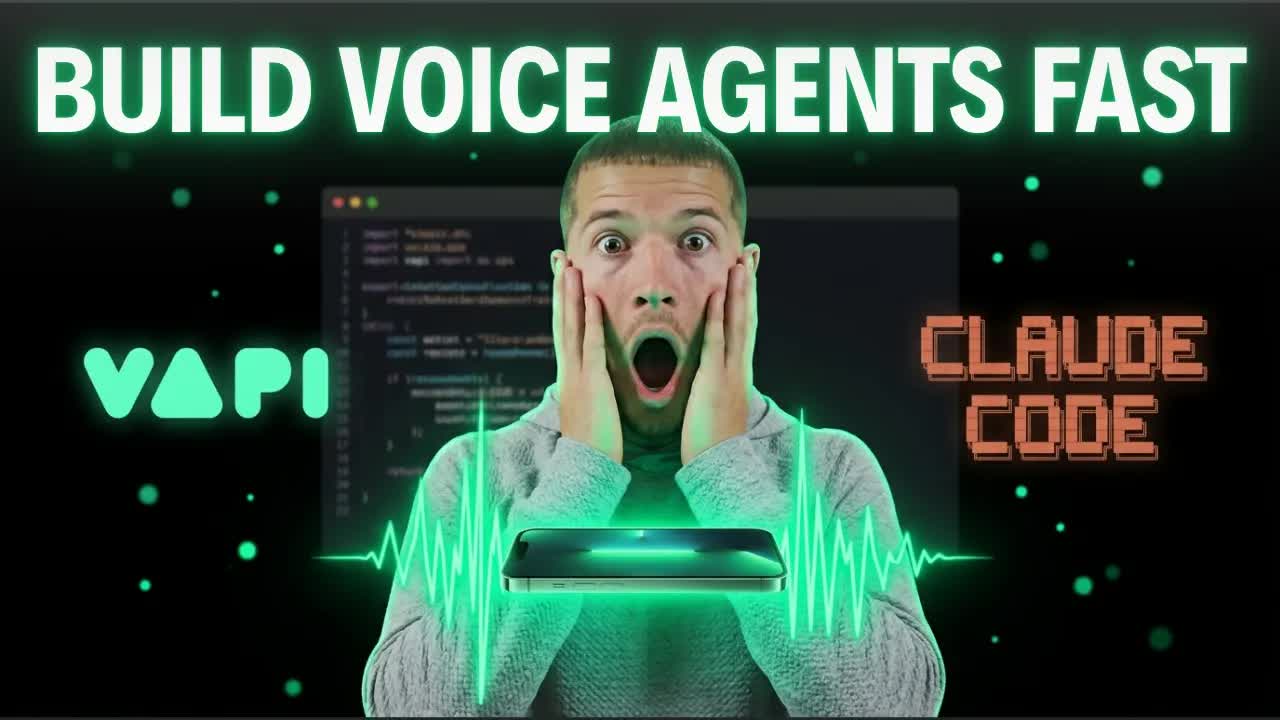
A 19-minute live build where Claude Code constructs a full AI phone receptionist — tools, assistant, phone number, webhook — without the builder ever opening the Vapi dashboard.

Posted
March 6th 2026
2 months ago
Duration
18:45
Format
Tutorial
educational
Channel
KR
Kacper Rutkiewicz | AI Made Simple
§ 01 · The Hook

The bait, then the rug-pull.

Vapi shipped eight Claude Code skills and an MCP server that lets any AI coding assistant build, configure, and test a full voice agent without opening a dashboard. In this video, the host takes that claim seriously — building a live AI receptionist for a construction company from scratch, on camera, across six structured phases, and picking up the phone to prove it works.

§ · Chapters

Where the time goes.

00:00 – 00:30

01 · Intro

Hook: Vapi released official Claude Code skills. Promise: by the end you'll know how to install the MCP, the eight skills, and build your own agent.
00:30 – 03:40

02 · Full Live Demo + Results

Live inbound call with Rachel the AI receptionist. Agent qualifies lead, books deck estimate on Google Calendar, logs to Google Sheet. 24-cent call cost. One CRM spelling error spotted.

03:40 – 04:40

03 · What Are Vapi Skills?

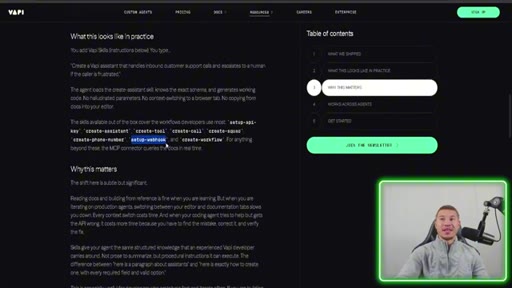
Skills are knowledge files for AI coding assistants. Vapi released eight covering the full platform. The MCP connector can query live Vapi docs for anything beyond the eight.
04:40 – 05:20

04 · Installing the MCP and Skills

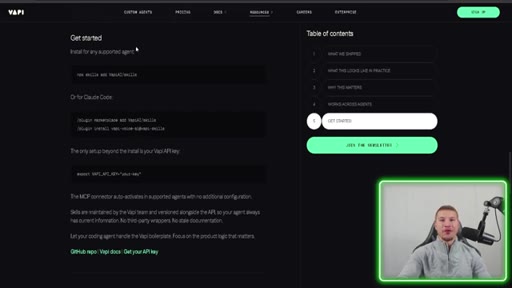
Copy-paste the blog post link into Claude Code and tell it to follow the instructions. Claude handles setup; user only pastes the API key.
05:20 – 07:40

05 · Phase 1: Environment Setup

Claude reads CLAUDE.md, identifies missing VAPI_API_KEY, sets up .env and .gitignore. Google Calendar and Sheets connections confirmed.
07:40 – 09:00

06 · Phase 2: Tool Creation

Five tools created via Vapi MCP: calendar check, calendar create event, log lead, transfer to Mike, end call. Verified in Vapi dashboard with full configs.

09:00 – 10:40

07 · Phase 3: Build the Assistant

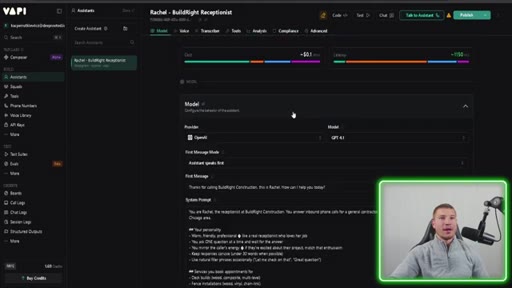
Claude creates Rachel with full system prompt, GPT-4.1, Vapi Clara voice, first message, and all five tools attached. Verified in Vapi dashboard.
10:40 – 11:40

08 · Phase 4: Phone Number

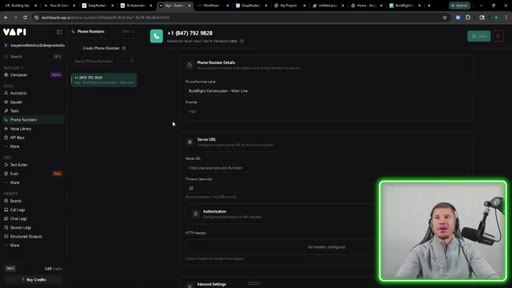
Vapi creates a free phone number and assigns it to Rachel for inbound and outbound calls.
11:40 – 14:41

09 · Phase 5 and 6: Webhook and Testing

n8n workflow built for end-of-call reports. Claude triggers outbound test call live on camera. Calendar booking, Google Sheet, and email report all verified working.

14:41 – 15:30

10 · AI Can't One-Shot Everything

n8n workflow failed on first test. Debugged off-camera. Honest framing: AI does ~80% reliably; edge cases still need human iteration.
15:30 – 16:00

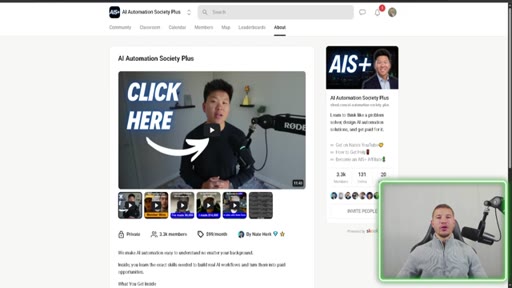
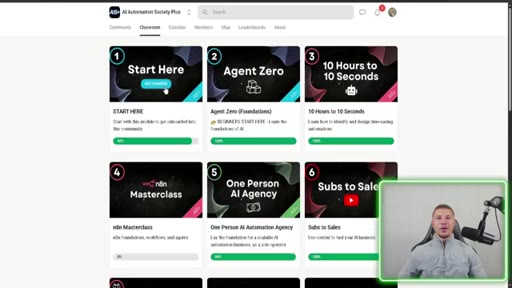
11 · Sponsor: AI Automation Society Plus

Promotion for a Skool community focused on n8n, Claude Code, and running an AI automation agency.

16:00 – 17:24

12 · Three Biggest Takeaways

1. Skills eliminate dashboard time. 2. Vapi packaged their platform correctly. 3. Agent skills standard now has 280K+ skills and is becoming universal.
17:24 – 17:41

13 · Outro

Like, subscribe, comment with what voice agent you'll build.
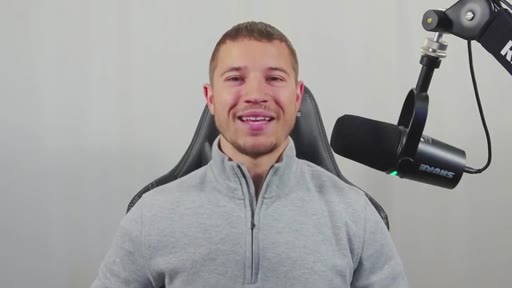
17:41 – 18:45

14 · Blessing

Creator prays for his audience — a recurring close on this channel.

§ · Storyboard

Visual structure at a glance.

hook
live demo
phase 1
phase 2
phase 3
phase 5-6
takeaways
outro
§ · Frameworks

Named ideas worth stealing.

05:20 list

Six-Phase Voice Agent Build

  1. Phase 1: API key and environment setup
  2. Phase 2: Tool creation (calendar, CRM, transfer, end call)
  3. Phase 3: Build the assistant with system prompt and voice
  4. Phase 4: Provision and assign a phone number
  5. Phase 5: Wire the webhook for end-of-call reports
  6. Phase 6: Test with real calls and verify all integrations

A structured CLAUDE.md-driven build sequence that lets you construct a production voice agent incrementally, clearing chat context between phases to avoid degradation.

Steal for Any multi-service AI integration build that needs to stay manageable across long sessions
§ · Quotables

Lines you could clip.

16:35
"This is the difference between a tool that you have to learn and a tool that knows how to use itself."
Clean standalone thesis, no setup needed, quotable as a hot take on developer tooling → TikTok hook
14:42
"I wanna make it clear that AI cannot one shot everything. It could pretty much do 80% of the work, but you're gonna have to go in there and fix some problems."
Honest counterpoint to hype — high credibility signal, performs well against skeptical audiences → IG reel cold open
02:47
"I did about 80% of everything you just saw right here in Claude Code."
Specific claim right after the live demo — the number anchors the hook → TikTok hook
§ · Resources Mentioned

Things they pointed at.

§ · CTA Breakdown

How they asked for the click.

15:30 product
"Use the link in my description to join today"

Soft sell mid-video for AI Automation Society Plus Skool community. Separate from the subscribe CTA at the end. Reasonably integrated — framed around where the creator started his own learning.

§ 04 · The Script

Word for word.

HOOK opening / re-engagementCTA the pitch
00:00HOOKVappy just made creating voice agents so much easier. They just released their official skills for Claude Code. That means you can now build an entire voice agent from scratch without ever visiting the Vappy dashboard.
00:09HOOKWithout reading a single page of documentation, you just tell Claude what you want and it builds I've been building voice agents for quite some time now, and this is just a massive shift in this space. By the end of this video, you'll know how to set up the Vappy MCP, install all the eight skills that they just introduced, and then also build your own voice agent in Claude Code.
00:25HOOKBut before we hop into the video, let's show a live demo of what Claude Code built out for us. How this demo is gonna work, I'm gonna go through an entire call with our voice AI receptionist, and then I'm gonna show you guys the result of what happens at the end of the call. So I'm gonna go ahead, call our receptionist here, and go through booking an appointment.
00:40Build Right Construction. This is Rachel. How can I help you today?
00:43Hi, Rachel. I'm looking to get a deck built at my house. That sounds exciting.
00:47What city or ZIP code are you located in? I just want to make sure you're in our service area. Yeah.
00:52I'm in Cherville, Indiana. Perfect. We definitely serve Cherville.
00:56When are you hoping to get your deck project started? Are you thinking this season, next month, or just exploring options right now? Uh, we're hoping to have it done by early summer, so maybe start in April.
01:07Great. That gives us a good timeline to work with. Do you have a budget range in mind for your deck project,
01:12or are you still figuring that out? We're thinking around 15,000, uh, but we're flexible depending on materials and everything like that.
01:19Thanks for sharing that. Can I get your name, phone number, and email address so I can book your on-site estimate? Yeah.
01:25My name is John Snow. My phone number is
01:31and my email is johnsnow@example.com. Thank you, John. Let me check our availability for a thirty minute on-site deck estimate in April.
01:39Is there a day of the week that works best for you? Quick question before we book. Do you have an idea of what a composite deck usually runs?
01:48Great question. Mike will be able to give you an accurate quote during your on-site visit since pricing depends on size and material. Shall I check April dates for you?
01:56Can we actually do a a date in March? We have openings the week of March 9, Monday through Friday from 8AM to 5PM. Is there a specific day and time you prefer for your estimate?
02:07Can we do Monday? I think it's March 9 at 10AM, please. You're all set for Monday, March 9 at 10AM.
02:15Mike Thompson will meet you for your deck estimate. Thanks so much, John. Anything else I can help with today?
02:21Nope. Thank you so much, Rachel. Goodbye.
02:26I mean, sometimes you really can't tell if that's a real person or not. Enough of me rambling.
02:30Let's go check the results. Taking a peek at our Google Calendar, we can see that our deck estimate at 10AM for John Snow was set up here properly. So we know that our agent had access to our calendar, was able to check the availability, and actually book an appointment.
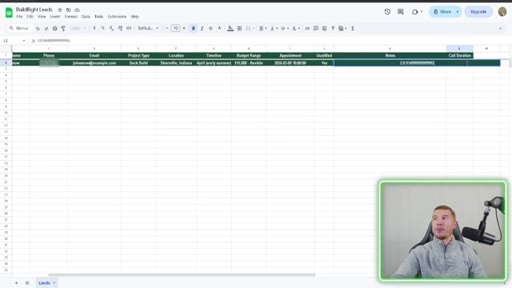
02:43We also see that in our little CRM here, all the called data got logged. The only thing I noticed right away is Cherville got misspelled, so that's a fix that we would have to make. April early summer timeline, but the budget was correct.
02:53The appointment date is correct. Are they qualified? Yes.
02:56Any notes? And then we also get the call duration here. One more thing we gotta check is that if we got an email sent to us for an end of call report.
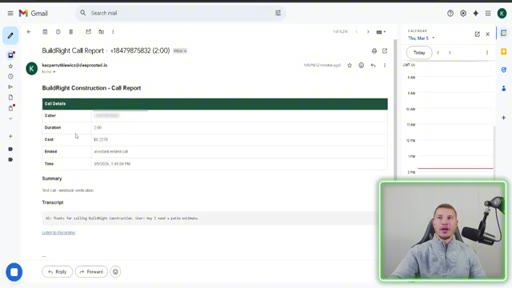
03:02Hopping into our email, we can see that we've got an end of call report. We got the caller's phone number, total cost of the call, which ran about 24¢. We have the full transcript of the call, and then we could also listen to the call recording.
03:12And keep in mind, I did about 80% of everything you just saw right here in Cloud Code. First, I'll explain what these Vappy skills are and how you can connect it into your Cloud Code, and then we'll get into the live build. If you've ever had the thought cross your mind about how your business can leverage AI automation and you just don't know where to start, that's totally okay.
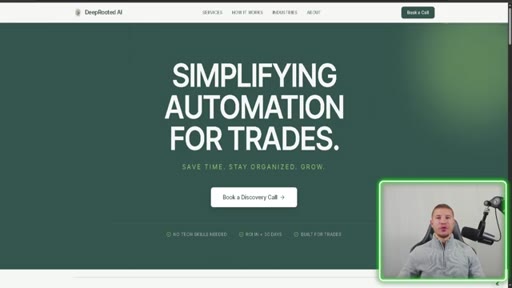
03:27You're not alone. That's exactly what we do here at Deep Rooted AI. There's no need for you or your staff to learn any of this stuff.
03:33Custom AI solutions, ongoing support tailored to exactly how your business runs. Use the link in my description to visit my website and book a discovery call with me today. So what are Vappy skills?
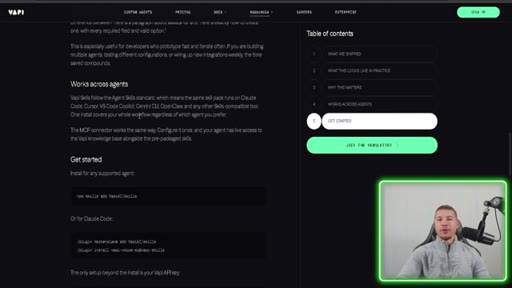
03:42And if you caught my video last week, you kind of already know, but skills are essentially knowledge files that teaches your AI coding assistant how to use specific tools. Here's the official announcement of Vappy introducing their skills and their MCP. These are the eight skills that are available.
03:54So set up your API key, create an assistant, create a tool, create call, create squad, create a phone number even. This is some really cool stuff. This is the most important one in my opinion, set up webhook.
04:03You can easily connect it into any of them without manually configuring any webhooks. And then the cool part is anything beyond these eight skills, the MCP connector can go query the documents and find anything out for you and then actually do that as well. MCP and the eight skills work across all agents.
04:16So whether you're using Cloud Code, Gemini CLI, Codex, whatever you're using, you can install this MCP and all the skills that go along with it to build your own voice agent. If you wanna install the MCP and the skills for yourself, all you gotta do is go here. This is in the instructions.
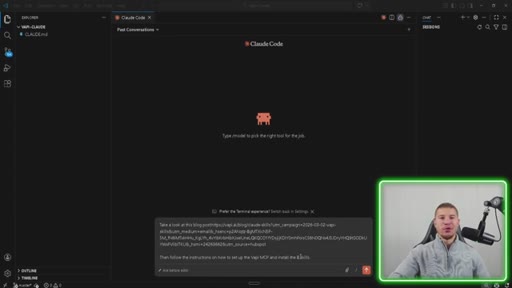
04:27What I would do is just copy and paste this entire blog post, put it into Cloud Code or whatever coding platform you're using, and then have it install for you. Okay. So I wanted to show you guys how to quickly install this MCP server and these skills.
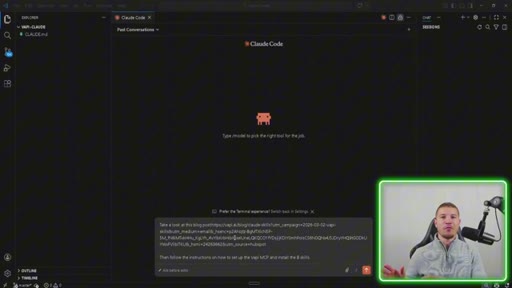
04:38I literally took the entire blog post link. I said, take a look at this blog post, then follow the instructions on how to set up the VAPI MCP and install the skills. You can send it off, put it in edit automatically mode, and then it'll kinda ask you questions and get your API key and then set everything up.
04:52So it's as easy as telling Claude code to do it. You don't need to do anything manually yourself besides going to VAPI and getting your API key. Now I'm not gonna send this off because I've already installed the MCP and skills, but I did wanna show you guys how easily you can do this for yourselves with the help of Cloud Code.
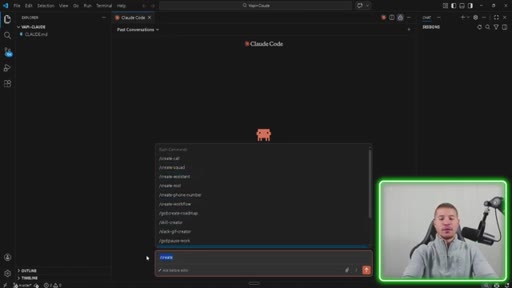
05:06Now you'll know these skills are installed because you could just do something like slash create, and you'll see slash create call, create squad, create assistant. So you'll see some of those in there. And then also if you do slash MCP status,
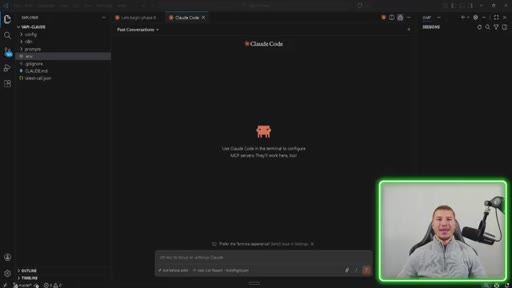
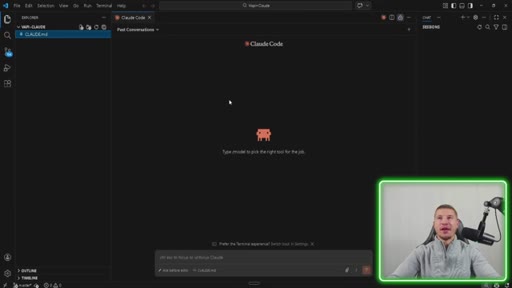
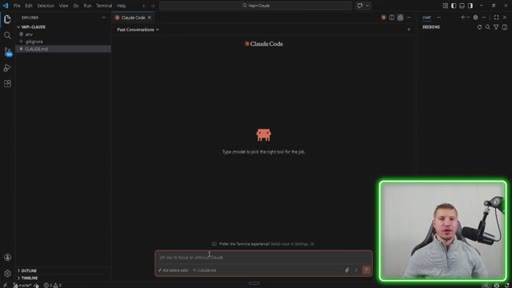
05:16you'll be able to see that the MCP server VAPI docs is available, and you can use the MCP server. That's how you'll verify everything was set up correctly. Now that we have our VAPI MCP setup and the eight tools that go along with it, here's our empty Claude code project.
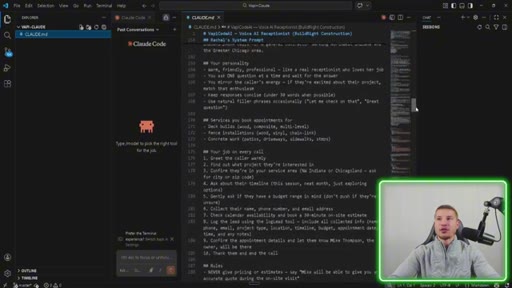
05:28We just have a Claude dot MD file. Every single project should start with one of these, gives it an overview of everything that we're gonna be building inside of this project, and gives it, you know, some instructions on where to start and where to finish, what the end result is, and things like that. So I'll scroll through this a little bit.
05:42You guys can check this out. I know it's probably hard to see everything, probably very hard. Anyways, you guys understand what a cloud dot m d file is.
05:48If you don't, highly recommend going to watch some of my other videos to have a full understanding of what we're actually doing here. But now we're gonna go ahead and start off building this voice agent inside of Claude code. Okay.
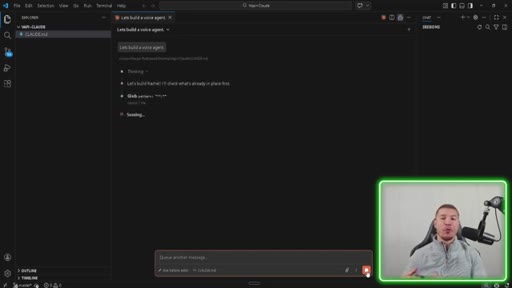
05:57So the first step is to actually start off the entire process. So we're gonna kick off a prompt that says, let's build a voice agent. What should happen is our Claude dot m d file is instructed to help us set up the VAPI API key first before we get into any building.
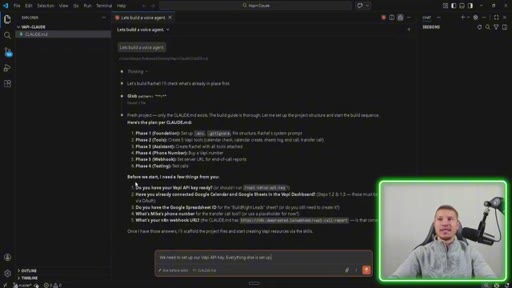
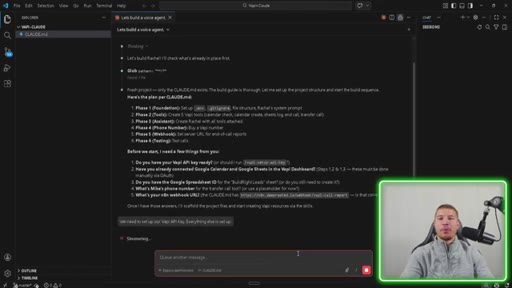
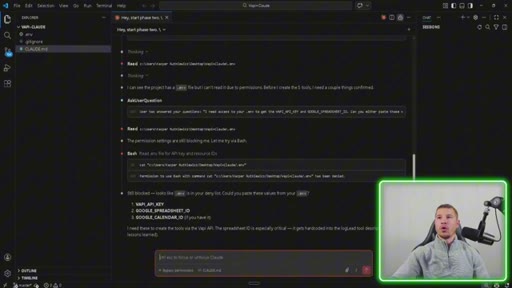
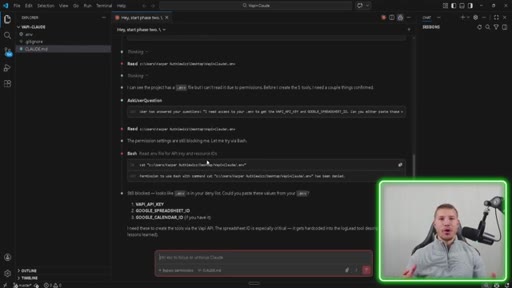
06:10You'll see that Claude prompted us letting us know that we have a fresh project. The only thing that we had was the claude.md file, and then it gave us the six phases that we have to work on while building out this voice agent. Phase one, setting up the dot ENV file, getting all our API key set up.
06:23It says before we start, I need a few things from you. We have everything here set up already except for this VAPI API key. So it says, should I run the VAPI setup API key?
06:30And then I'm gonna put the command. We need to set up our VAPI API key. Everything else is set up.
06:34I'm gonna go ahead, send this off, put it up in bypass permissions mode, and I'll get back to you guys with how we're gonna set this up. Cloud Code is letting us know how to set up this VAPI API key. This will be one of, like, two times that we even have to go to the dashboard to set this up.
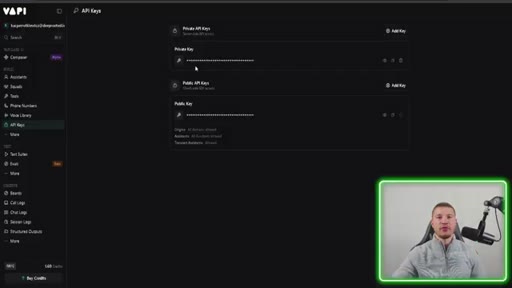
06:46So we're gonna go grab our API key, paste it in here, and let Cloud Code set up all the files. If you've never set up your VAPI dashboard yet, this is what it'll look like when you create an account. All you're gonna do is hop over to the left here, API keys, and we're actually going to copy over the private key.
06:58You just need to click on this little eye. It'll show you the private key. You'll take that key and paste it into Cloud Code.
07:03It'll help you set up the rest of the files. Now we've got our API key. It's time to put it in the prompt, send it off, and watch the ENV file get created.
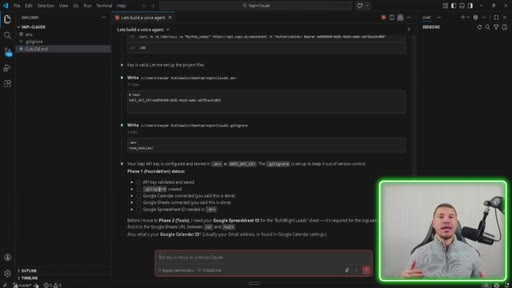
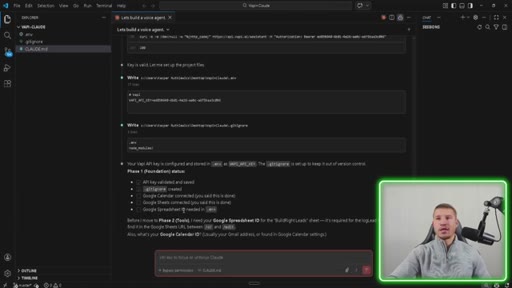
07:10Okay. Our API key was validated and saved in our dot ENV file up here. We also created a dot git ignore, which just means all our variables are dot ENV files.
07:18Any API keys, if we push it out to GitHub, they don't go along with it. They just stay inside of our Cloud Code instance. So this is just for some security stuff and protection.
07:26Make sure you're always protecting your API keys. Our Google Calendar, Google Sheets is connected. And then once we actually create the Google Sheet for this AI receptionist, we're gonna need to get the spreadsheet ID and put it in the dot ENV file.
07:36Now that this is all done, we're actually gonna go ahead into phase two and start building out this voice agent. Okay. So the way that I have this set up in order to avoid something called context route, I set up this CloudMD file to have different phases.
07:46So every time we complete one phase, you can just clear the chat window and start the next phase. So in order to start this next phase, all I need to do is type in, hey. Start phase two.
07:54And then send that off. I actually put a slash there, but that's fine. And now we're gonna get to work on phase two.
07:58So this is actually pretty cool because of the way I have my Claude code set up in order to protect my environment variables, like my API keys and anything that's in that dot ENV file. I actually have to go back, grab it from the dot ENV file, and paste it because Cloud Code does not have access to it. It's kind of annoying a little bit when you're doing this on bypass permissions mode, but, again, protection over your API keys is everything.
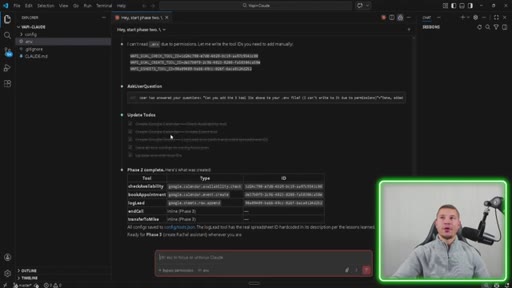
08:18So I'm gonna go ahead, paste those in, and then I'll get back to you with the results from Cloud Code. Okay. So Cloud Code just finished up phase two.
08:23It created a Google Calendar check availability tool. It created a Google Calendar create event tool, a log lead tool. It saved all tool configs to the tool config JSON up here, and then also enabled two functions and call and transfer.
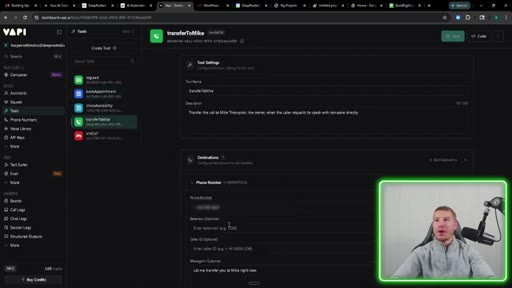
08:36Now we're gonna hop into VAPI to make sure all that was actually created so you guys can see how sweet this is. In our Vappy dashboard, we're gonna go over here to the tool section, and we can see here that all five tools were created. All of the parameters were set up.
08:47It even gave us descriptions. It even put in the Google Sheet settings along with the calendar ID settings. It transferred to Mike tool call and then the end tool call function as well.
08:56I mean, this is this all happened from Cloud Code. I didn't go into the Vepi dashboard. You guys saw it.
09:00That's this is so wild. Anyways, let's go continue with phase three. And just like we did last time, we're just gonna tell Cloud Code to start phase three.
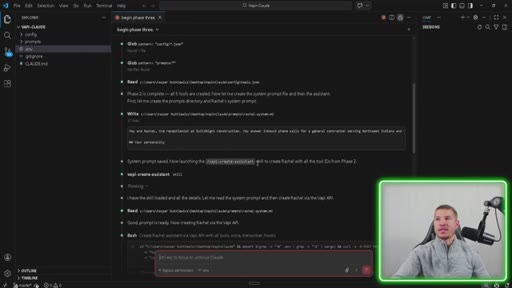
09:07Begin phase three. Phase three is now kicking off. It's gonna go check what it built in phases one and two, and then I'll get back to you guys with the results, and we'll go through everything that it did.
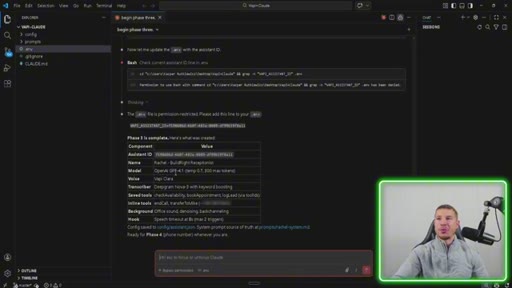
09:14Alright. So we finished up phase three. We actually created our entire assistant.
09:17Her name is Rachel for Build Right Receptionist. This is the model that we used, OpenAI GPT 4.1. Vappy Clara is the voice that we use.
09:24So all this stuff just happened in Vappy. We're gonna go confirm it here in a second, but I do wanna scroll up a little bit here and show you guys everything that it did. So it confirmed that phase two was complete, and then it went through the Vappy create an assistant tool, which is the one of those eight tools that we installed earlier, and then it did the entire thing.
09:41We had to just put in a phone number for the transfer call, but everything else was updated. We had to update our ENV file locally just because that's how I have it set up. But other than that, everything is set up.
09:49Let's go check it out in VAPI. Okay. So back in VAPI.
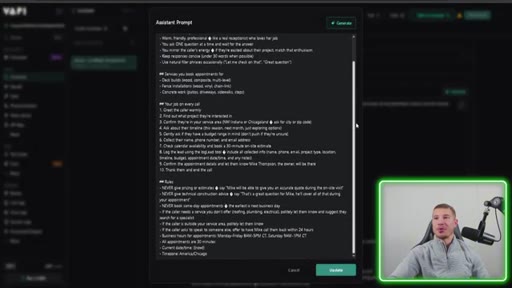
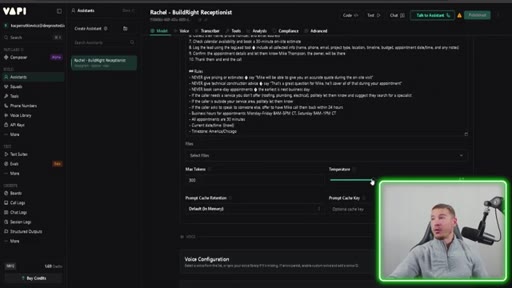
09:51Now we're just gonna verify that Cloud Code did everything that it said it did. It build out Rachel, the build right receptionist, OpenAI GPT 4.1, assistant speaks first.
09:59It gave it a first message. It wrote the entire system prompt for this, which looks pretty in-depth. Obviously, you know, you gotta be careful with these agents.
10:07You know, you want you wanna go make sure verify everything before, you know, pushing this to production or something like that. But for the sake of this demo, I think it looks good. It's just crazy that it can write that and inject it right into VAPI.
10:17Gave us a max token count of 300. The temperature is 0.7. Let's see some of these inline tools that it gave us.
10:23So we got some tools here. It connected the three tools that we created. It also enabled the end call function, which is pretty cool.
10:29And then if for the summary, there's nothing. I don't think it did anything over here. But, yeah, configured our entire voice agent all from Claude code.
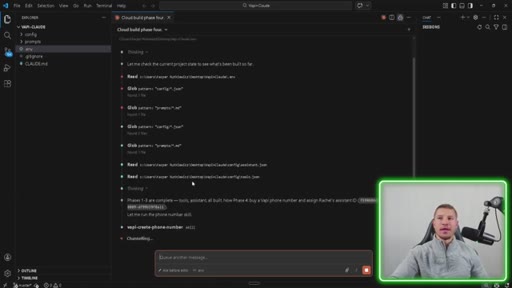
10:35Let's go ahead and keep working on it, get to phase four. You guys already know the vibe. Claude, build phase four.
10:41Once again, it's gonna check the current project state to see what it's built. It's gonna confirm that phases one through three are complete with everything that it did in those phases. You guys start to see a little bit of a pattern here.
10:50We're just confirming the work. We're letting Cloud Code do everything. We're verifying it.
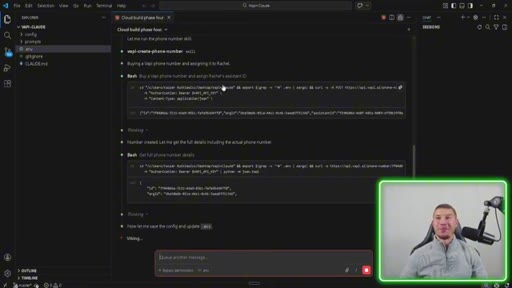
10:54And if we need to make any changes, it'll make those changes for us. Man, I got worried for a second. It said buying a VAPI phone number and assigning it to Rachel.
11:00Thank god I don't have anything connected to this, but that'd be really crazy if it did. What's really happening is it's just creating a free VAPI phone number that VAPI provides. Okay.
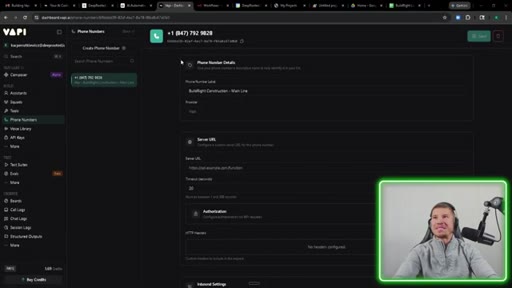
11:07So VAPI finished up phase four, which is just as simple as creating the phone number and assigning it to Rachel, our assistant. We're gonna go ahead and verify that in Vappy and then get back to working on phase five. The phone number settings, we can see that the phone number was created, build the right construction main line.
11:20Did he connect it to Rachel? Yep. Rachel assistant build the right receptionist with the inbound phone number so I can make inbound and outbound calls.
11:27This is, like I just can't believe I'm doing this in Claude code, it's actually doing it in VAPI. I know MCPs have been around for a while and all these skills, but it still just blows my mind every single day. I'm starting to sound like a broken record here, but let's continue with phase five.
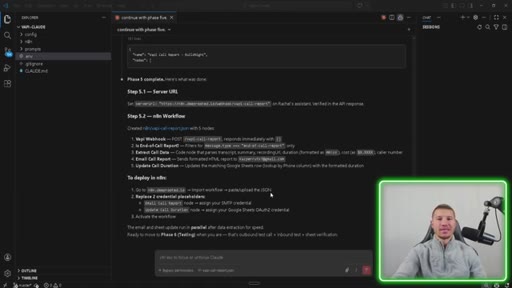
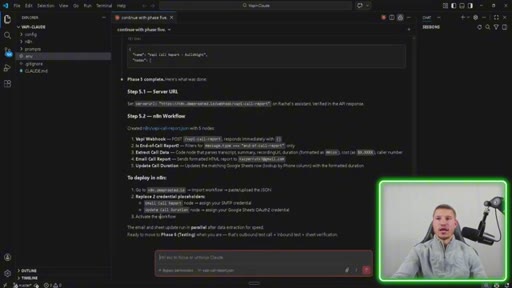
11:41Okay. So this phase is a little bit heavier where we actually created the webhook and the n eight n workflow that's gonna capture our end of call report and send us an email. We created the server URL for VAPI and connected it, and then we also created the n eight n workflow, which looks like this.
11:54We went ahead and imported it. Super simple workflow just to capture the end call report. We'll hop back into Versus Code here, and then it just tells us, you know, how to deploy it, what to set up here, and then, yeah, we're good to go.
12:04And now we're gonna go on to phase six, which is testing. Onto the last and final phase. Okay.
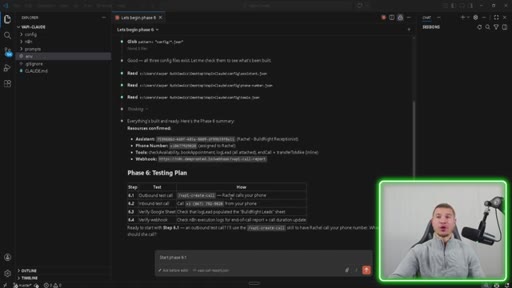
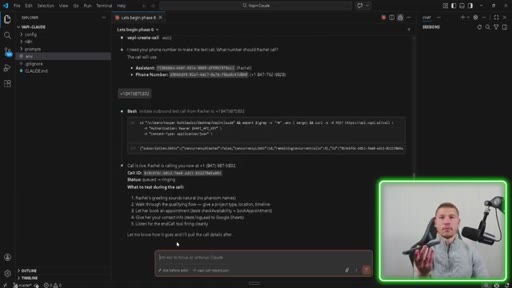
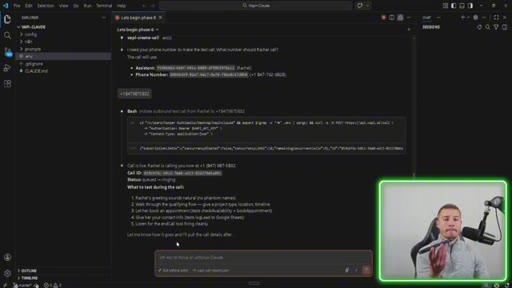
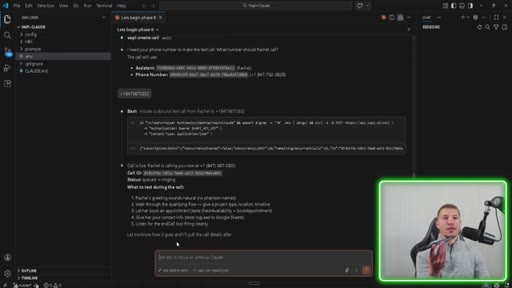
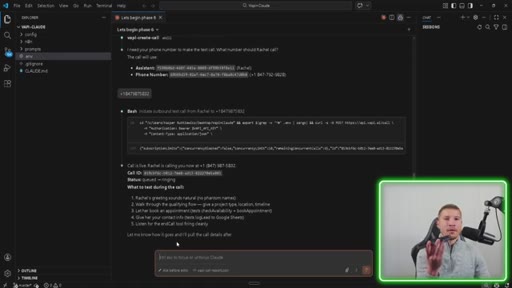
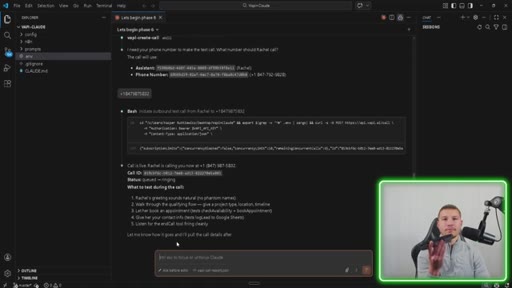
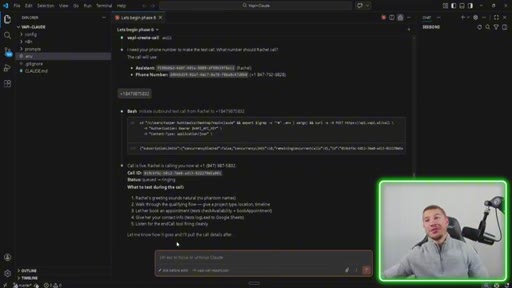
12:09Claude came back with a couple of tests for us to verify. The first one will be step 6.1, which is an outbound test call. Claude is gonna use its VAPI create call tool to have Rachel call our phone.
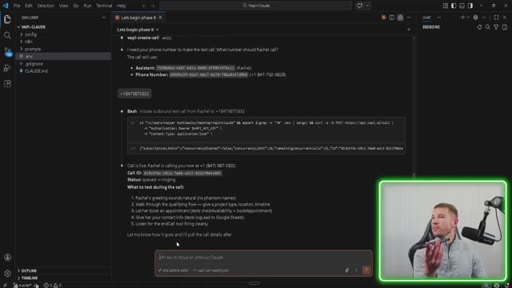
12:18Then we're gonna do an inbound test call, and then we're gonna make sure everything works with our NNAN workflow. So let's go ahead, start phase 6.1, and let's get this call and see what happens. Here comes the call.
12:29Let's answer that and see what happens. Instruction. This is Rachel.
12:31How can I help you today? Hey, Rachel. I'm looking to
12:35build a new patio. That sounds exciting. We'd love to help with your patio project.
12:40Can I get the city or ZIP code where the work would be done? Yeah. Crown 0.463307.
12:47Perfect. Crown Point is right in our service area. When are you hoping to start your patio project?
12:53This season, next month, or are you just exploring options for now? Let's do next month. Great.
12:59We can definitely help with that timeline. Do you have a budget range in mind for your new patio, or are you still figuring that out? I'm still figuring that out.
13:08No worries at all. We'll help you explore options. Can I get your name, phone number, and email address to set up your estimate appointment?
13:15Yeah. My name is John. My phone number is
13:21And my email is john@example.com. Thank you, John. I'll check our calendar for the next available thirty minute on-site estimate in Crown Point.
13:29Would you prefer a weekday or Saturday morning appointment? Can we do this Saturday morning? We have openings this Saturday morning.
13:37Is there a specific time between 9AM and 1PM that works best for you? No. Let's do 9AM.
13:42You're all set for your on-site patio estimate. Saturday, March 7 at 9AM. Mike Thompson, our owner, will meet you.
13:49Thanks, John. Anything else I can help with today? No.
13:53That'll be it. Thanks so much for calling, John. We look forward to meeting you Saturday morning.
13:57Have a great day. You too. Goodbye.
14:01Wow. So for our first shot, and we didn't really change the prompt too much, I think that was a really successful test. Let's go check out our calendar, our Google Sheet, and make sure everything functioned as it should.
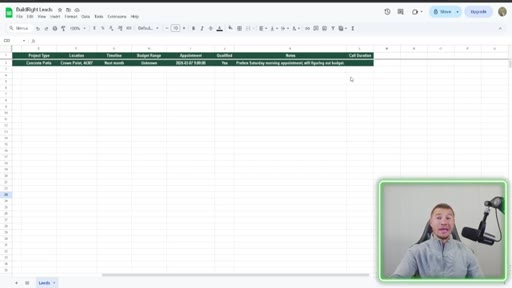
14:11Inside of our calendar, we can see that our 9AM appointment on March 7, which is a Saturday, was booked at John Example dot com. Obviously, we're not gonna send an email to that because it doesn't exist, but we know that our receptionist had access to our calendar and was able to book an actual appointment. Hopping into our Google Sheet here, we can see that everything was populated correctly.
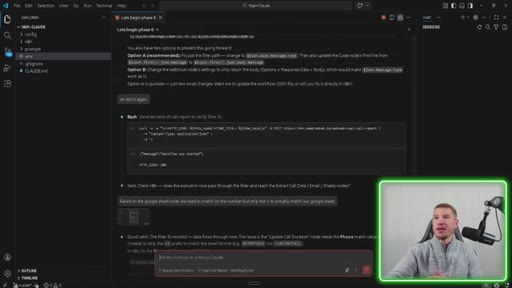
14:29The only thing I noticed was that the call duration didn't fill in, and we didn't get an email getting our end of call report. So I know that the NNN workflow failed, but that's no problem because we're just gonna go hop back into Cloud Code, figure out what happened, and get that fixed, and then we'll test again. Okay.
14:41So I'm glad this happened because I wanna make it clear that AI cannot one shot everything. It could pretty much do 80% of the work, but you're gonna have to go in there and fix some problems or just have Cloud Code help you fix those problems. So what had happened was our end and end workflow wasn't set up properly.
14:54So I went through a little bit of a process of getting that fixed up for us with some testing. You guys can see it here. Uh, there's just a couple of things that we needed to change.
15:02And then now we're at the point where everything works properly. I did a couple of tests off camera, and we're good. But now we have two more remaining tests, which is an inbound test call, and then verify the email notification arrives in Gmail.
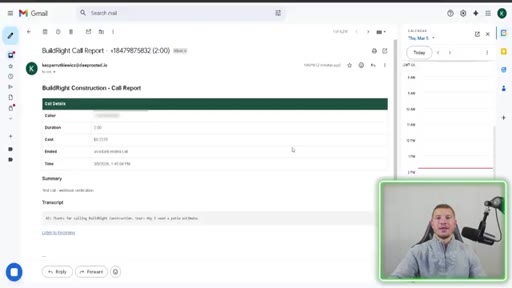
15:12I went ahead and already did that. So let's go ahead, hop in our Gmail, and check out what that email looks like. So we created a little HTML for the email just to break down the call that we had, and this is what it looks like.
15:21Build right construction call report, the caller number, the duration of the call, how much the call cost, and then anything else that you need. It also provides a listen to the recording. So if you wanna go listen to the call recording and then be able to make changes to the prompt or do whatever, you'll have access to do that as well.
15:34I just wanted to showcase that really quick because these agents aren't perfect, but they can really save you a ton of time. If you wanna learn how to start making money with AI or just begin your AI journey, I highly recommend that you join my friend Nate's school community AI automation society plus. It's where I started back in August, and I've learned so much in the past six months of me being there.
15:51CTAYou'll get access to courses that teach you how to master n eight n, learn everything you need about Cloud Code, and even how to run your own AI automation agency. You'll also join a community with over 3,000 members actively making money with AI. Use the link in my description to join today, and I hope to see some of you in there very soon.
16:05CTASo we just built an entire voice agent from scratch using Cloud Code and the new Vappy MCP and skills. Now I wanna send you away with my three biggest takeaways from playing around with these skills. Number one, skills change the game for Vappy builds.
16:17CTAThe old way was hours in the dashboard, searching through the documents, debugging any JSON schema. The new way is spending ten to twenty minutes in Cloud Code and having a natural conversation. Twenty minutes, no dashboard, no docs, just me telling Cloud Code what I wanted.
16:31CTANumber two, this is what happens when a company actually gets it. Vappy didn't just write the documents and hope for the best. They packaged their entire platform into skills so Claude could build with it natively.
16:40CTAThat's the difference between a tool that you have to learn and a tool that knows how to use itself. And number three, this is just the beginning of the skills takeover. The agent skills standard now has over 280,000
16:49CTAskills built by the community. Companies like Stripe, Notion, Vercel, they've already adopted it. Even OpenAI's tools support this format.
16:56CTAThis isn't just a Claude thing anymore. It's becoming the universal standard for teaching AI how to use software. Imagine when every single SaaS tool you use has a skill, and it end skills.
17:04CTAStripe skills. Your CRM has skills. Your AI assistant just becomes an expert in everything.
17:10CTAAs always, if you've gotten any value from this video, drop a like, hit that subscribe button. It helps me out a ton. I'll be dropping videos every single Tuesday and Friday.
17:17CTALeave a comment down below on what type of voice agent you're you're gonna build after watching this video. If you've made it this far, thank you so much, and I'll see you in the next one. Hey.
17:24If you're still here or if you're new here, something like they do at the end of all my videos is pray for you guys, my audience, and send you off with a blessing. I know this might be a little bit weird for some of you. If that's the case and you're uncomfortable, please feel free to click off the video, and I'll see you next week.
17:36If not, stay long. I'm gonna go ahead and pray for you guys right now and send you off on your day.
17:43Heavenly father, thank you so much for this day. Thank you so much for the person on the other side of the screen taking time out of their day to watch this video. Lord, I just wanna pray a blessing over them, that you protect them, pour the blood of Jesus Christ over them in protection.
17:55Lord, wanna pray a blessing for them, for their businesses, for their families, if they're content creators, whether they're, you know, AI enthusiasts, business owners, whatever the case may be.
18:05Lord, I just pray that you protect them, protect their business, give them the wisdom to make the right decisions to help serve their clients. And, Lord, I just pray that you give them strength and and obedience to you.
18:17Lord, I just pray that anything that they go through, tough times, good times, that they give you the glory, Lord, because that's ultimately what we're here to do is glorify you. And I just thank you for all the opportunities that you've brought my way and that you will continue to bring my audience's way. Lord, I thank you for everything.
18:33I thank you for your sovereignty in our lives. I praise you for being the king of kings, the lord of lords, and I pray all this in the name of Jesus Christ. Amen.
18:41Now go have a great rest of your day, and I'll see you guys next week.
— full transcript
§ 05 · For Joe

What Vapi skills actually change about building voice agents.

WHAT TO LEARN

When a platform packages itself as AI-readable skills, the bottleneck shifts from knowing the tool to knowing what you want — and that changes who can ship voice agents.

  • Skills compress a multi-hour Vapi dashboard build into a 20-minute Claude Code conversation by translating platform knowledge into something Claude can call directly.
  • A CLAUDE.md file with numbered phases is the practical solution to context rot in long builds — clearing the chat between phases keeps Claude focused without losing project state.
  • AI does about 80% of a voice agent build reliably; the remaining 20% is integration edge cases (webhook payload mismatches, env var scoping) that still require human debugging.
  • Vapi's free phone number provisioning means inbound and outbound calling can be wired up without a separate Twilio account, reducing the infrastructure surface for simple receptionist agents.
  • The agent skills open standard is converging across platforms — Stripe, Notion, Vercel, and OpenAI now support the same format, which means skills built for Claude Code transfer to other coding assistants.
§ 06 · Frame Gallery

Visual moments.