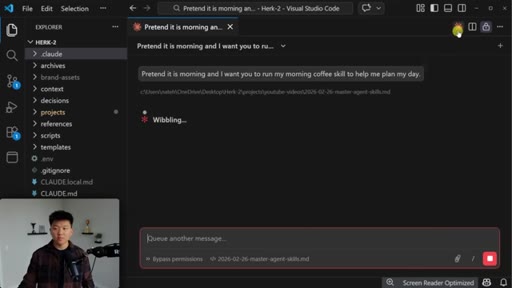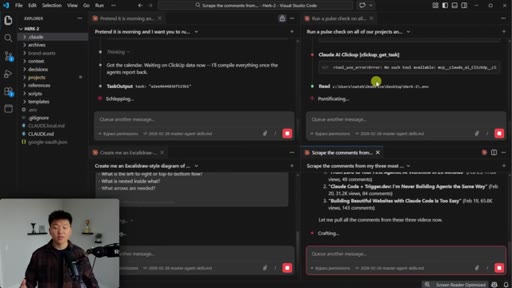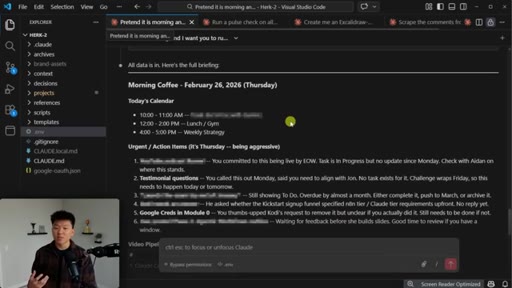
The bait, then the rug-pull.
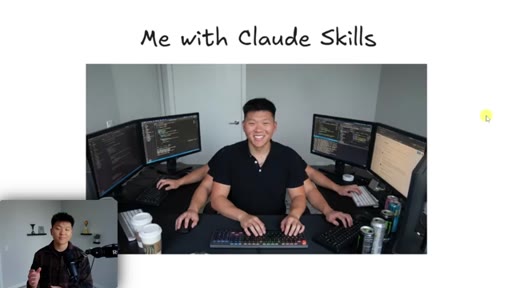
Open the video and the first thing you see is Nate at a desk with six monitors and a caption that reads "Me with Claude Skills." The joke lands because the rest of the video earns it — by the four-minute mark he has four Claude Code agents executing four unrelated workflows in parallel, all because each one is wrapped in a skill.
Where the time goes.

01 · Intro and live demo
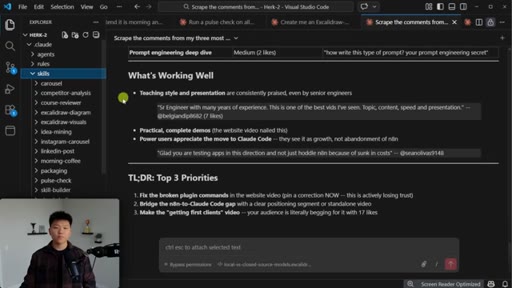
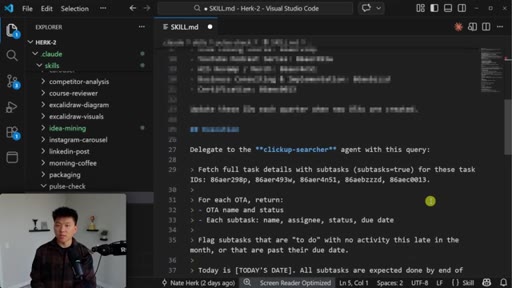
Four agents in parallel — morning coffee, project pulse check, Excalidraw diagram, YouTube comments analysis — to dramatize the leverage skills give a single operator.
02 · What are skills?
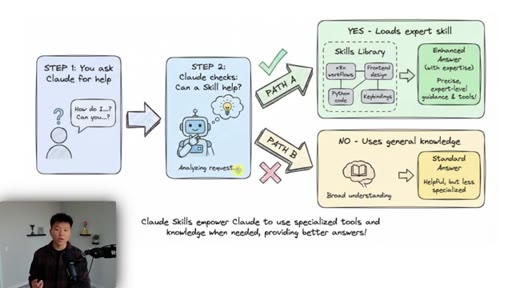
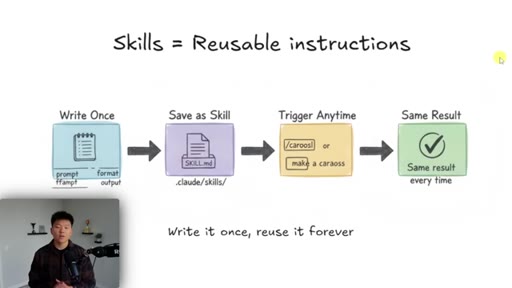
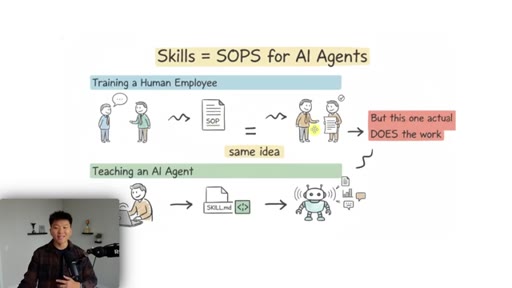
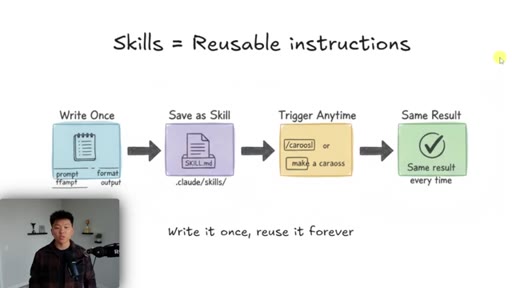
A skill is reusable instructions: write it once, save it as a skill, trigger it anytime, same result every time.
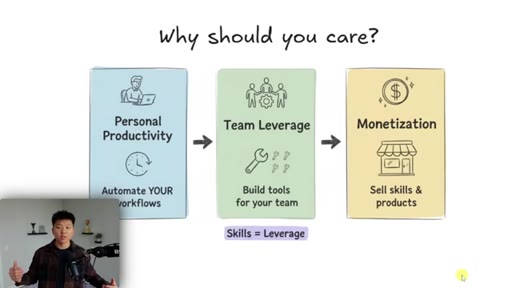
03 · Why you should care
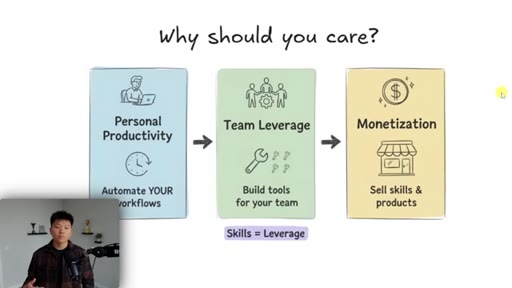
Three reasons: personal productivity, team leverage, and a brief monetization window. The unifying word is leverage.
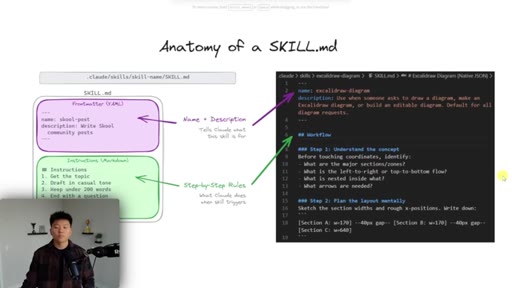
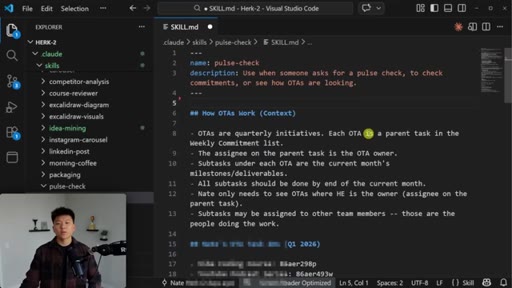
04 · Anatomy of a skill
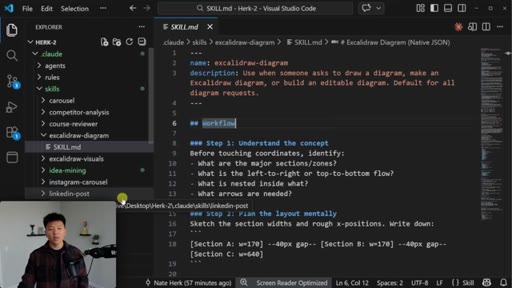
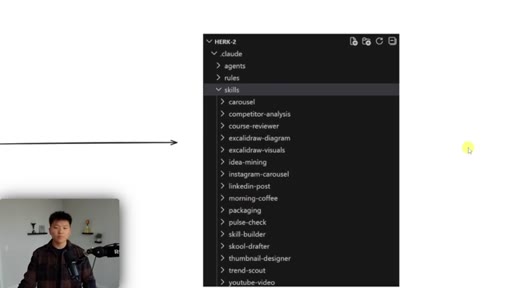
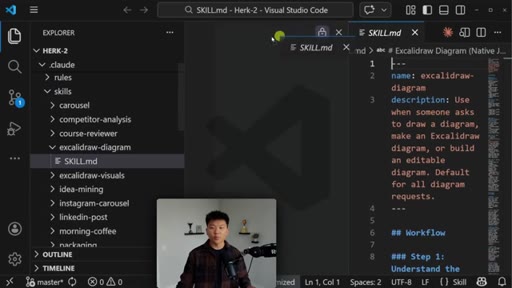
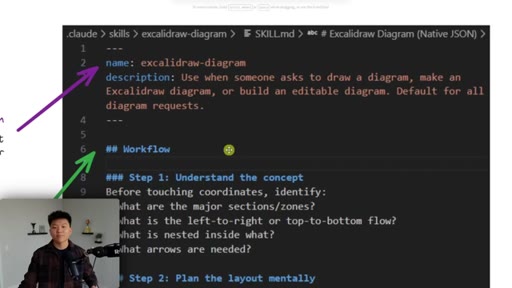
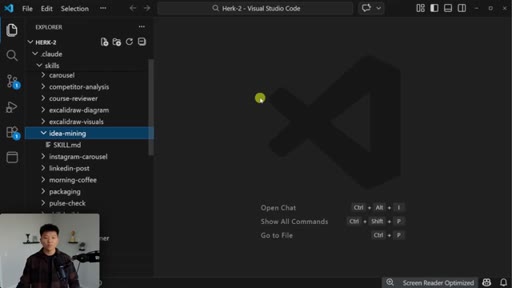
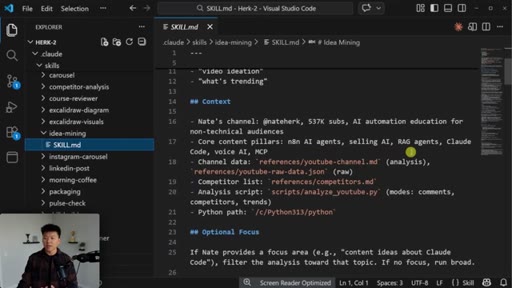
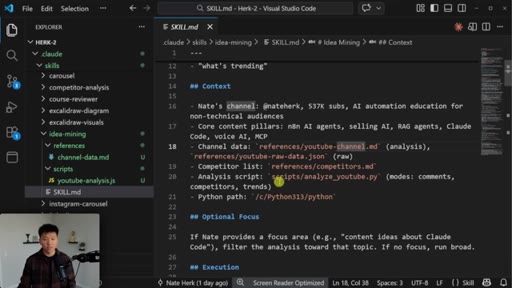
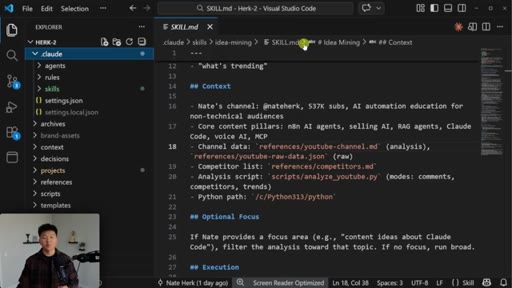
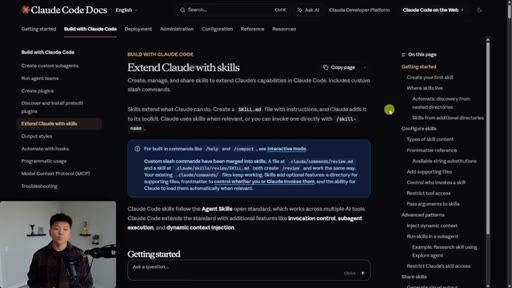
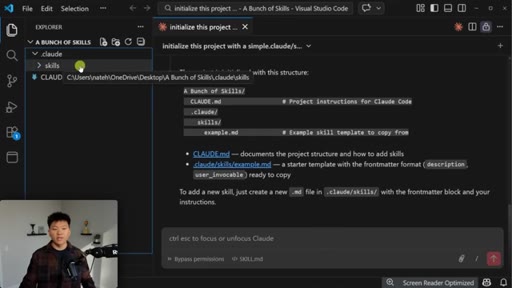
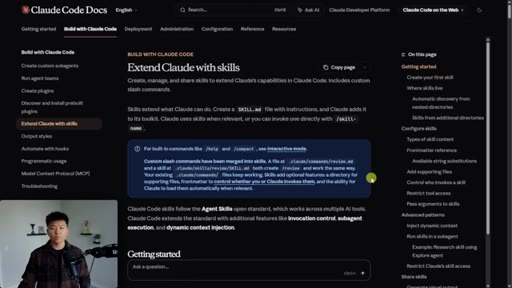
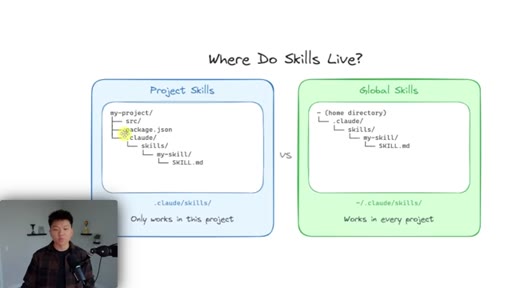
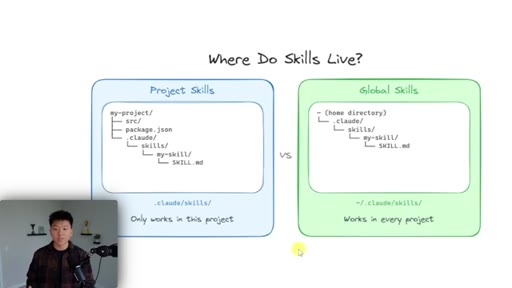
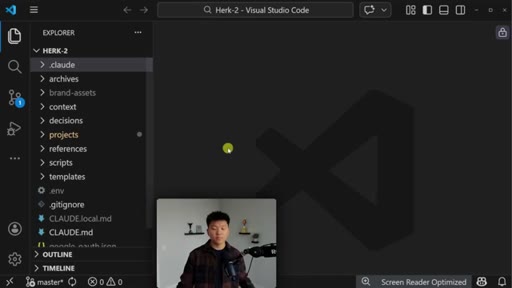
A skill is a folder at .claude/skills/<name>/ containing SKILL.md with YAML front matter (name + description) and a step-by-step body.
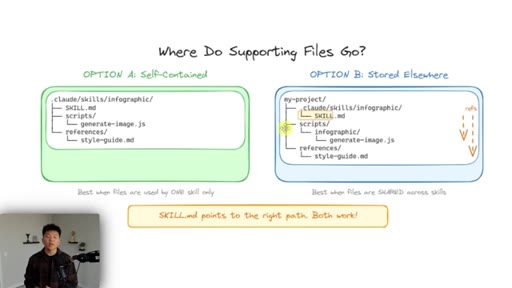
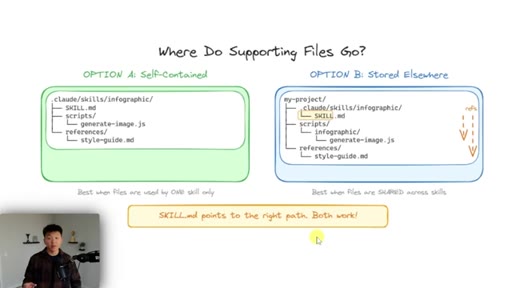
05 · Reference files
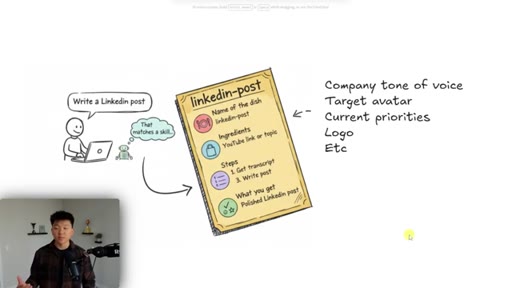
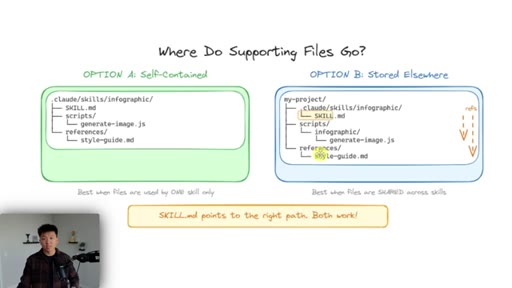
Two options for supporting files: nested under the skill folder, or anywhere in the project as long as SKILL.md points at the right path.
06 · How Claude knows when to use a skill
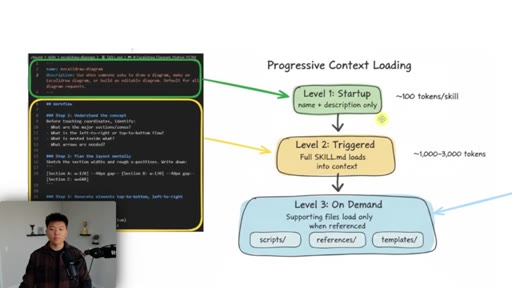
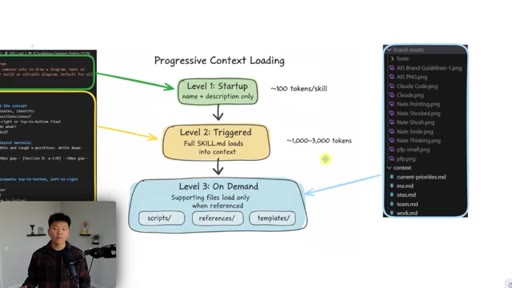
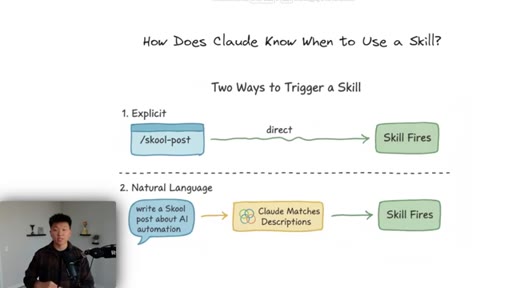
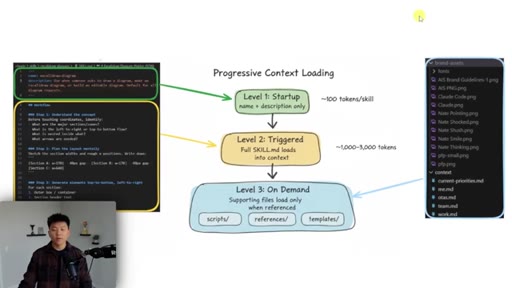
Two trigger paths (explicit slash command vs natural language match on description) and the three-level progressive context loading that keeps it cheap.
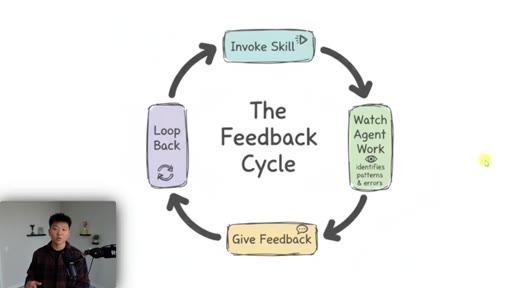
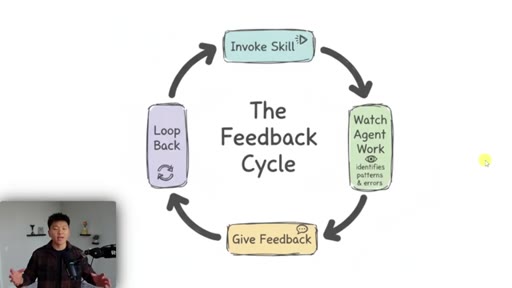
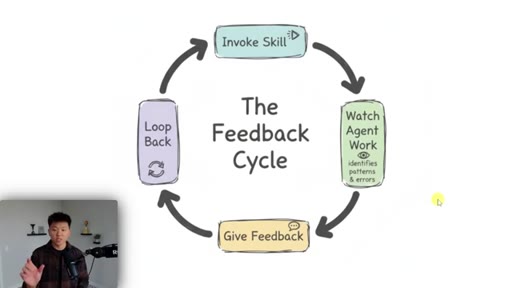
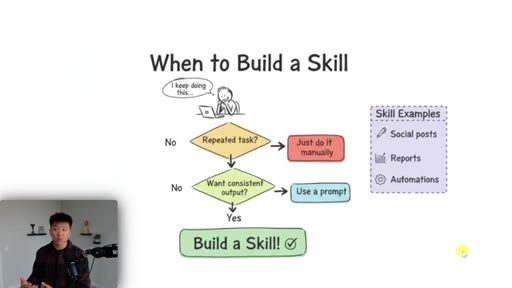
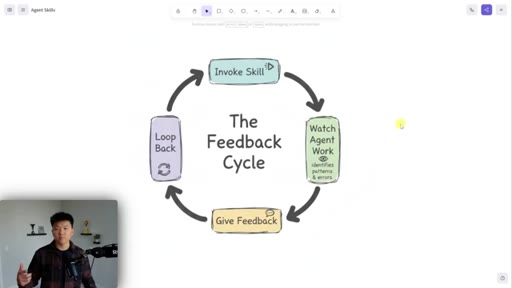
07 · The feedback cycle and when to build a skill
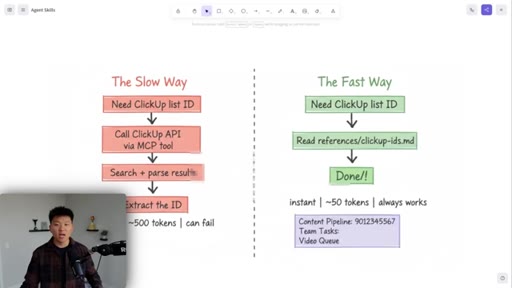
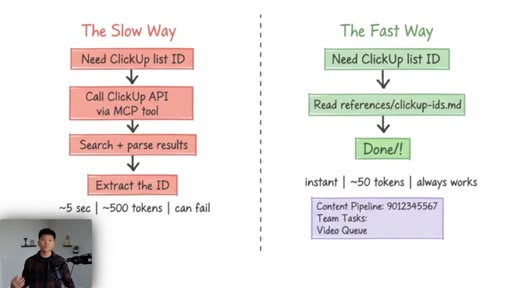
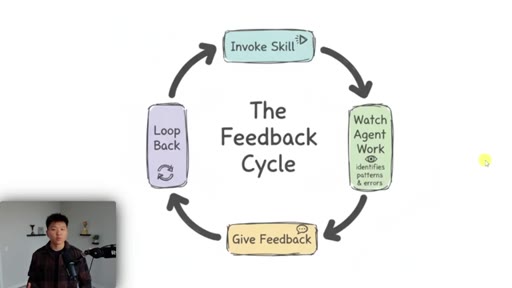
Watch the agent work, give feedback, repeat — the skill compounds over 10-30 runs. Includes the ClickUp list-ID optimization as a concrete example.
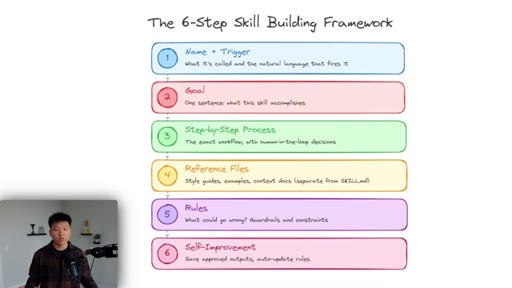
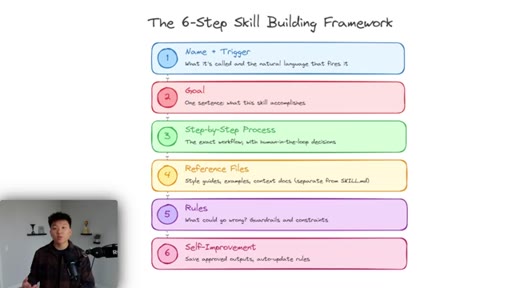
08 · Six-step skill building framework
Name + trigger, one-sentence goal, step-by-step process, reference files, rules and guardrails, self-improvement loop.
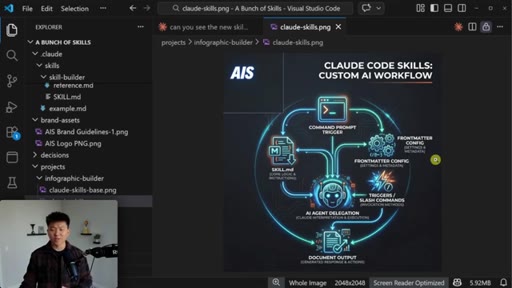
09 · Live skill build
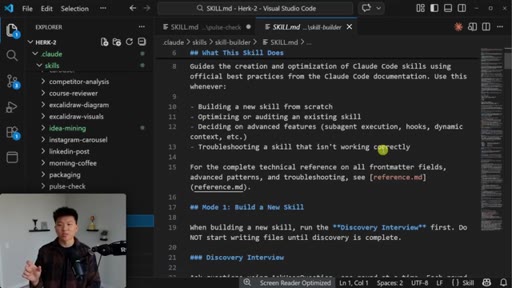
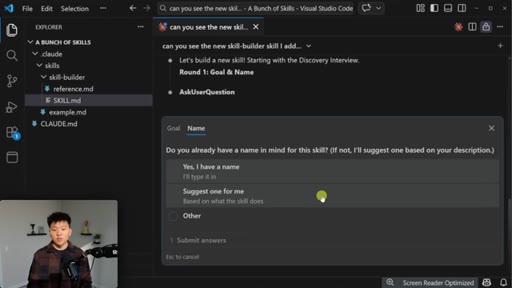
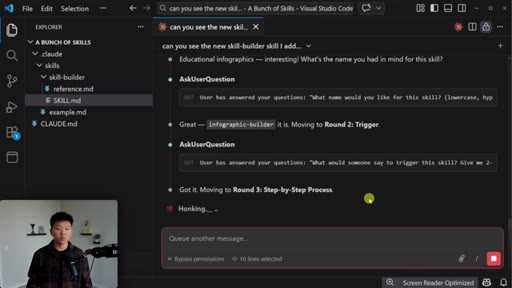
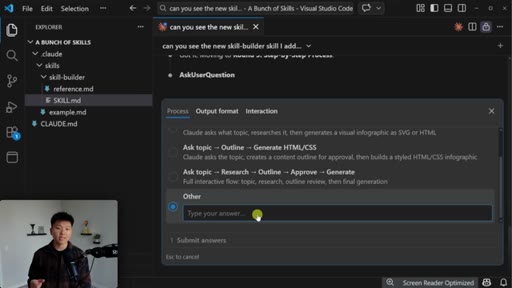
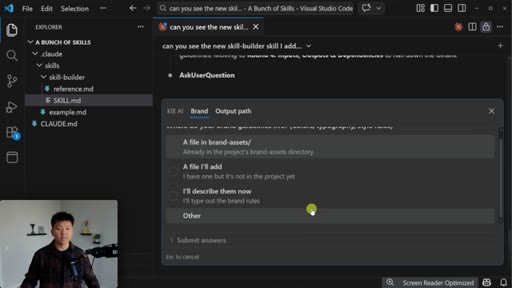
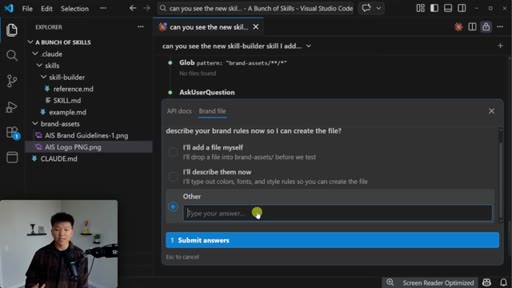
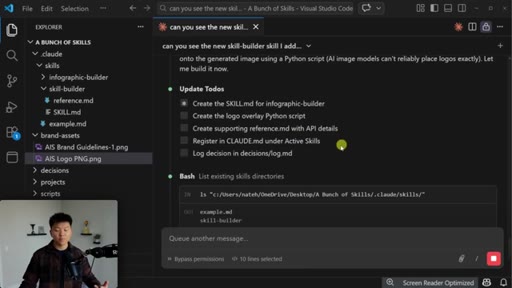
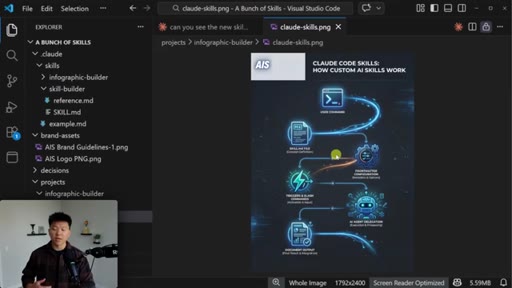
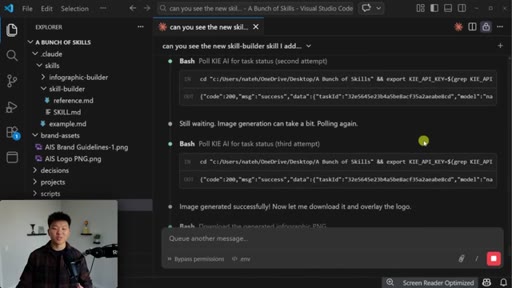
Nate uses his skill-builder skill to author an infographic-builder skill that calls Kie.ai Nano Banana, overlays the AIS logo, and produces 1:1 PNG infographics. Iterates once on feedback.
10 · Testing the skill and iterating on results
Symptom-to-fix mindset: bridging the gap from a 90%-good skill to one that produces consistent output by run five or six.
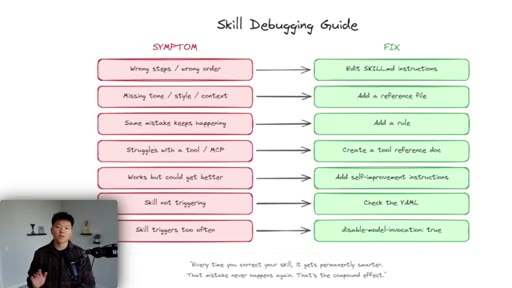
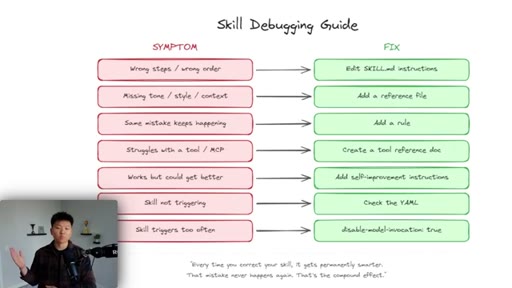
11 · Testing, debugging, and common fixes
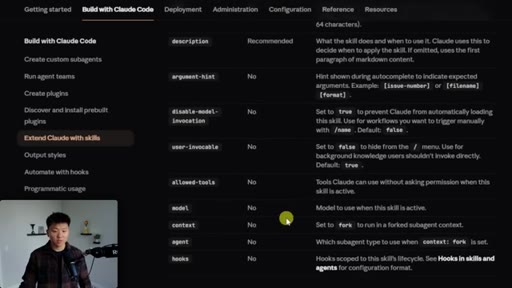
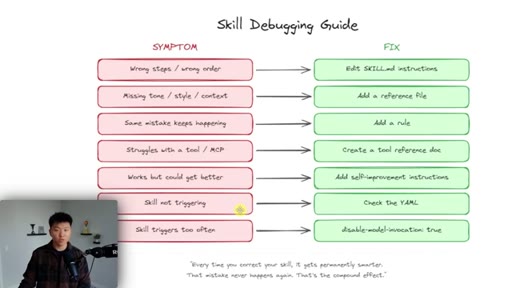
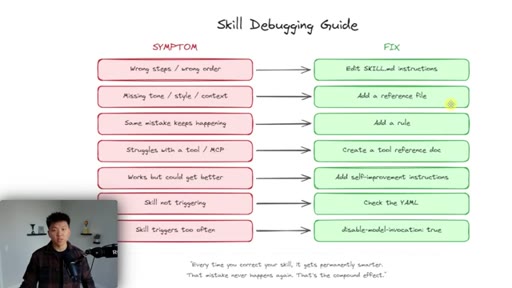
The debugging matrix — wrong order edits SKILL.md, missing context adds a reference file, repeated mistake adds a rule, etc. Plus front-matter advanced fields.
12 · Project vs global skills and outro
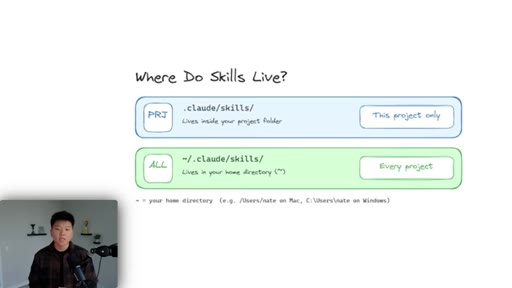
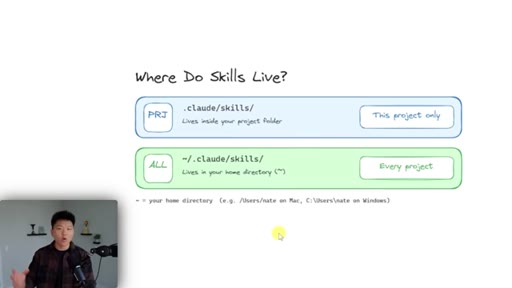
Project skills (.claude/skills/) vs global skills (~/.claude/skills/). Soft CTA to Skool community for the free skills.
Visual structure at a glance.
Named ideas worth stealing.
Six-step skill building framework
- Name and trigger — what is it called and what natural language fires it
- Goal — one sentence describing the end output
- Step-by-step process — the exact workflow with decision points
- Reference files — context, style guides, brand assets
- Rules — guardrails against likely failure modes
- Self-improvement loop — feedback-driven iteration
Nate's canonical structure for designing a skill from scratch.
Progressive context loading
- Level 1 (startup): YAML front matter only — name + description, ~100 tokens per skill
- Level 2 (triggered): full SKILL.md loaded — ~1k-3k tokens
- Level 3 (on demand): supporting files loaded only when SKILL.md references them
The token-budget mechanism that lets you keep dozens of skills installed without bloating context.
Skill debugging matrix
- Wrong steps or wrong order → edit SKILL.md instructions
- Missing tone, style, or context → add a reference file
- Same mistake every time → add a rule
- Struggles with a tool or MCP → create a tool reference doc
- Works but could be better → brute-force run 5+ more times
- Skill not triggering → check YAML description specificity
- Skill triggers too often → set disable_model_invocation: true
Symptom-to-fix matrix for diagnosing a misbehaving skill.
WAT-to-skill translation
If you've built with the WAT framework (Workflows + Agents + Tools), skills map cleanly: workflows become SKILL.md, tools become scripts, agents become sub-agent delegations.
Lines you could clip.
"I have genuinely never been as productive as I am right now because of Claude's skills."
"It just comes down to one simple word and that is leverage."
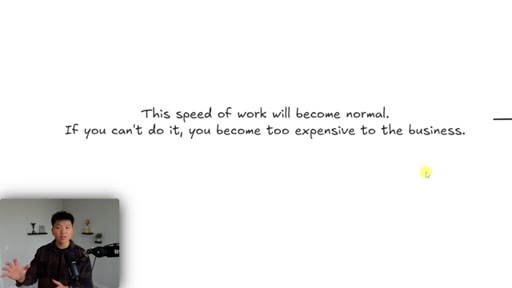
"This speed of work will become normal, and if you can't do it, you instantly become way too slow and way too expensive for the business."
"Skills are basically SOPs for AI agents."
"You're never ever ever going to write a perfect skill the first try."
"Every single time you correct the skill, it gets permanently smarter. That mistake never happens again. That's the compound effect."
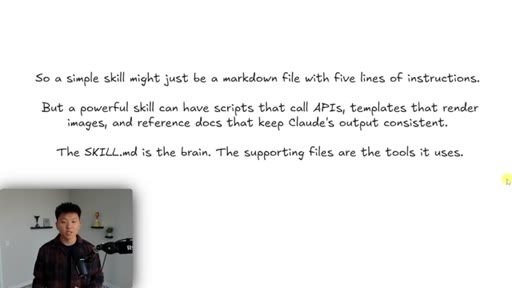
"Skills don't have to be complex — they could literally just be a 50-line markdown file."
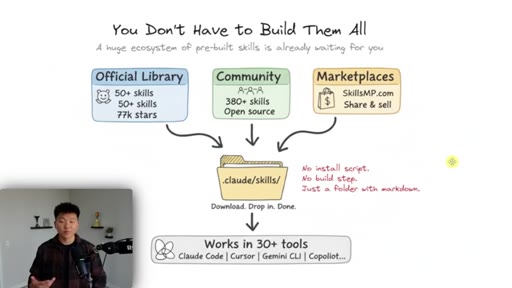
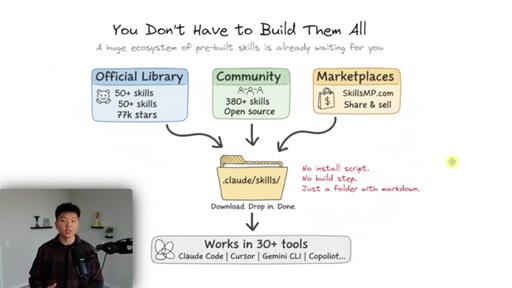
"The same skill format works in Cursor, Codex, Anti-Gravity, Copilot — because it's so based in markdown and it's essentially just a prompt, tons of different AI models can use them."
Things they pointed at.
How they asked for the click.
"If you guys love nerding out about this kind of stuff, then definitely check out my paid community. The link for that is also down in the description."
Soft, under 20 seconds, no urgency. Two-tier: free Skool for the skills, paid Skool for the community. Conversion-friendly because the free tier is genuinely useful.
Word for word.
How to make Claude Code skills that compound.
Skills are SOPs for AI agents — they only become valuable when you watch them run, give feedback, and let progressive context loading keep them cheap as you accumulate dozens.
- Open Claude Code, type /<skill-name>, and the agent reads only the YAML front matter to decide which skill to load — keep that description specific or natural-language triggering won't fire.
- Drop new skills in <project>/.claude/skills/<name>/SKILL.md for project-only, or ~/.claude/skills/<name>/SKILL.md for global access across every project on your machine.
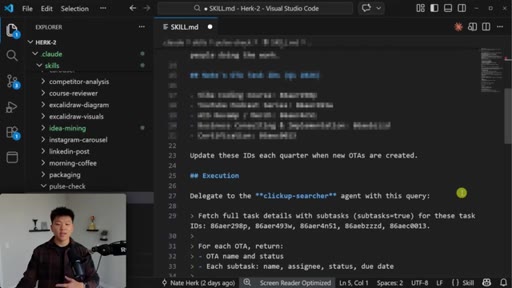
- When the agent does the same wasteful step twice in a row, hard-code the answer into SKILL.md — Nate cut ClickUp list lookups from 500 tokens and 5 seconds to 50 tokens and instant by pasting the IDs directly.
- Use the six-step framework when authoring: name and trigger, one-sentence goal, step-by-step process, reference files, rules and guardrails, self-improvement loop.
- Keep SKILL.md under 500 lines per Anthropic's guidance — anything longer should be split into reference files loaded only when SKILL.md explicitly points at them.
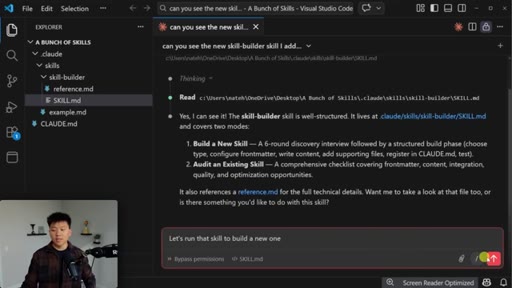
- Build a skill-builder skill that interviews you about the new skill, generates the SKILL.md, registers it in CLAUDE.md, and logs the decisions — you'll never hand-write skill markdown again.
- When a skill triggers too aggressively, add disable_model_invocation: true to the YAML so it only fires on the explicit slash command and stops hijacking unrelated prompts.
- Test a new skill by running it five to six times back-to-back and giving feedback after each run — that's how it crosses from 90% useful to consistently shippable.
- Treat community marketplaces (SkillMP, official Anthropic library) as a starting point, but always vet the markdown for malicious instructions before installing.
- The skill format is portable — the same SKILL.md works in Cursor, Codex, Anti-Gravity, Copilot, and Gemini CLI, so you're not locking into any one IDE.