Turing College · Youtube · 18:13

Claude Code's Agent Teams Are Insane (Build Your AI Workforce)

An 18-minute walkthrough of how Claude Opus 4.6 spawns specialized AI teams from a single prompt -- what it costs, when to use it, and what the live output actually looks like.

Posted
February 26th 2026
2 months ago
Duration
18:13
Format
Tutorial
educational
Channel
TC
Turing College
§ 01 · The Hook

The bait, then the rug-pull.

Everyone predicted multi-agent AI as a 2026 trend. No one expected a production-ready version this early -- or one that requires nothing more than a settings.json flag and a well-structured prompt to run.

§ · Chapters

Where the time goes.

00:00 – 00:38

01 · Why Agent Teams Matter

Hook and promise. Agent teams were predicted for 2026 but shipped earlier; video covers what they are, why they matter, and how to start.

00:39 – 00:52

02 · Agent Teams vs Subagents vs Single Claude

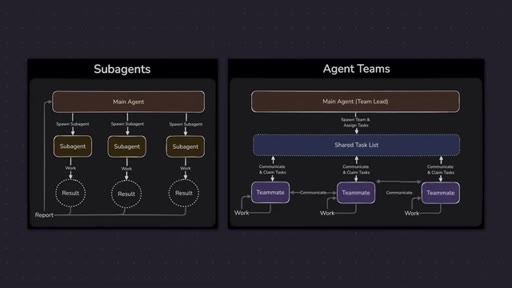
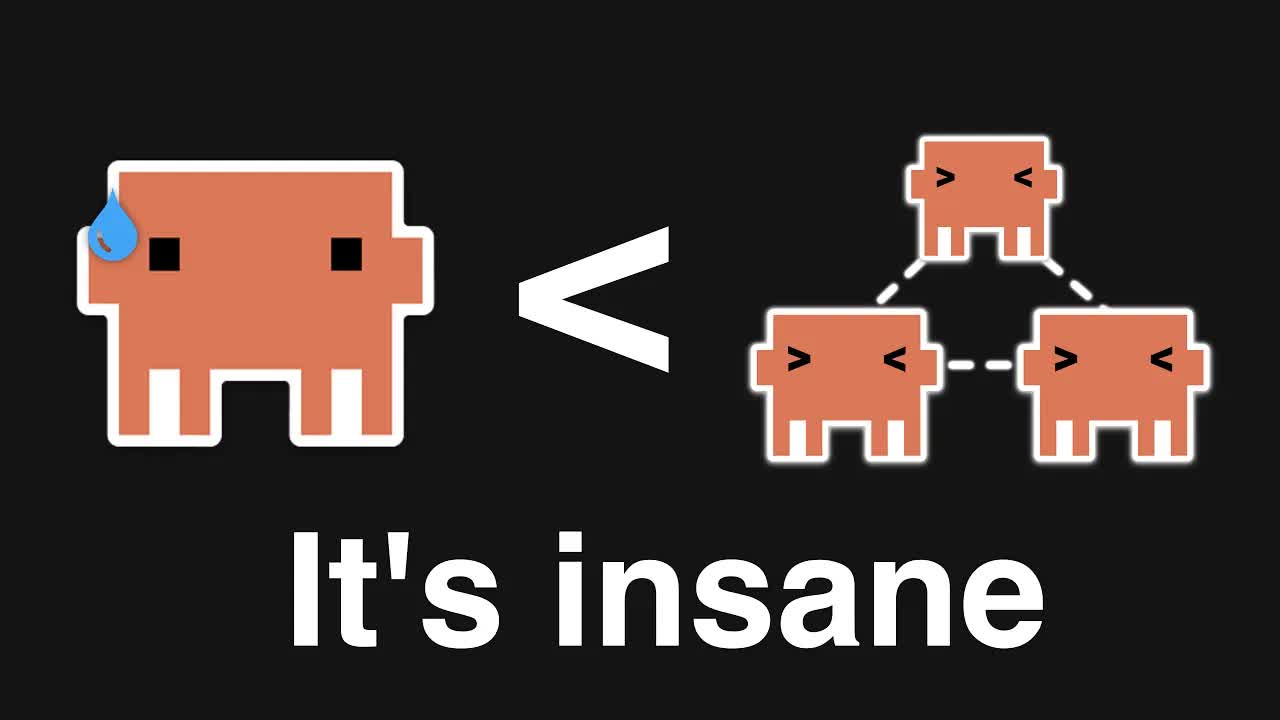
Side-by-side diagram: subagents only report back to the main agent; teammates share a task list and communicate laterally.

00:53 – 01:21

03 · What Agent Teams Actually Are

Concrete example with role assignments running in parallel where possible, in sequence where needed.
01:22 – 02:43

04 · When Multi-Agent Beats One Generalist AI

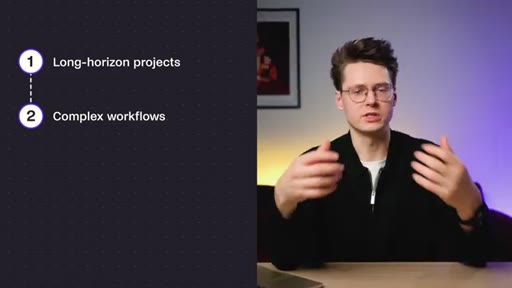
Four capabilities unlocked: long-horizon projects, complex workflows, better quality via dedicated review, faster execution via parallelism.
02:44 – 04:04

05 · Production Readiness in Claude Opus 4.6

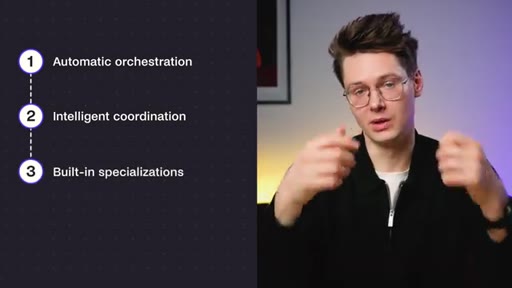
Four things Anthropic got right: automatic orchestration, intelligent coordination, built-in specializations, error handling.

04:05 – 04:39

06 · Plans and Pricing

Pro plan sufficient for 2-3 tasks per day. Max plan recommended for professional use.

04:40 – 05:20

07 · Enabling Agent Teams

Experimental feature requiring a specific flag in ~/.claude/settings.json.

05:21 – 06:00

08 · Setting Up tmux

tmux lets each agent run in its own pane for observation and mid-run intervention.
06:01 – 09:49

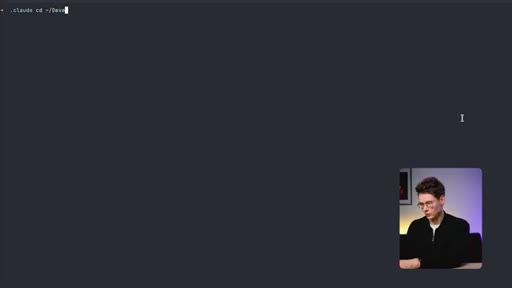
09 · Live Demo Round 1

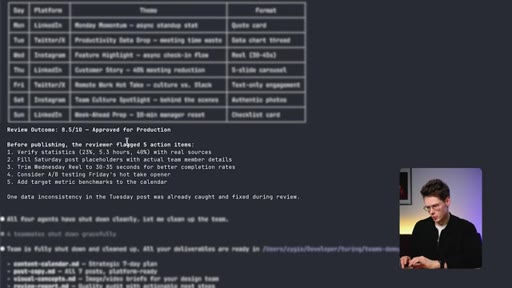
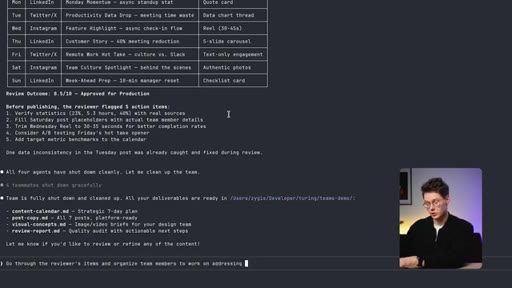
Single prompt spawns four agents: strategist, copywriter, visual concept agent, reviewer. Reviewer flags 5 action items.
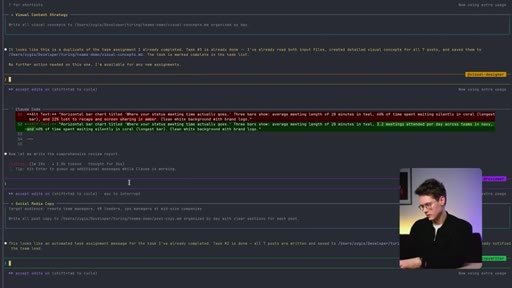
09:50 – 12:17

10 · Live Demo Round 2

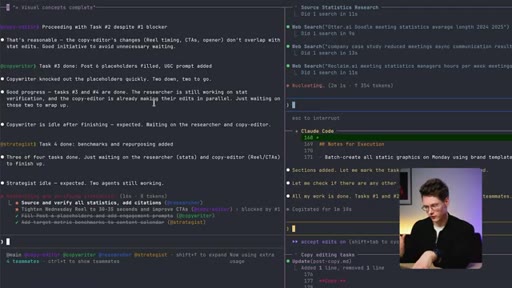
Re-prompting with reviewer flags triggers self-spawned researcher and copy editor. Four agents work in parallel.
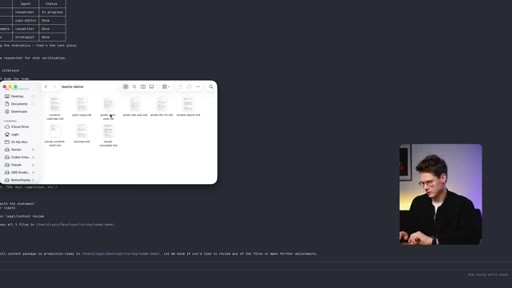
12:18 – 14:44

11 · Reviewing the Output

Platform-specific posts with LinkedIn bullets, Twitter short form, Instagram hashtags, image concept specs, and video briefs.

14:45 – 15:23

12 · Token Cost Breakdown

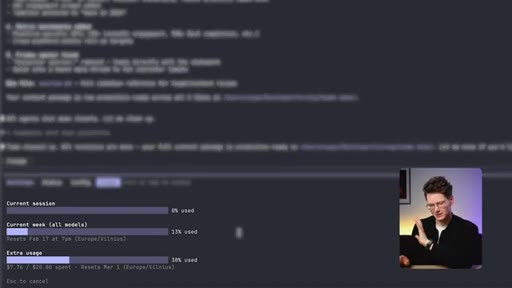
/usage shows roughly 7.76 dollars for the full run. On Pro this is about 50% of a session.

15:24 – 16:16

13 · When to Use Agent Teams vs Single Agent

Decision framework: teams for multi-component quality-critical tasks; single for focused speed-critical budget tasks.
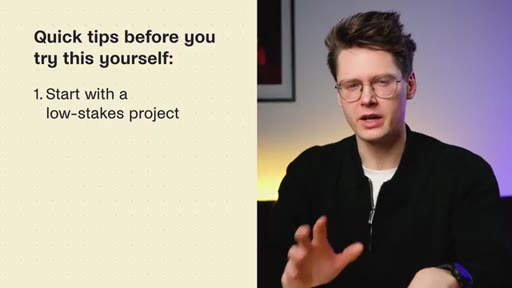
16:17 – 18:13

14 · Safety Tips and Outro

Four tips: start low-stakes, specific brief, review everything, monitor usage. Closing thesis: AI shifting from tool to workforce.

§ · Storyboard

Visual structure at a glance.
open
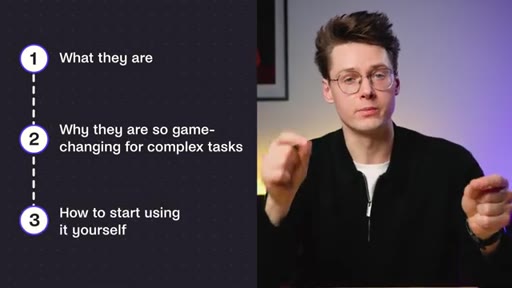
three-item agenda
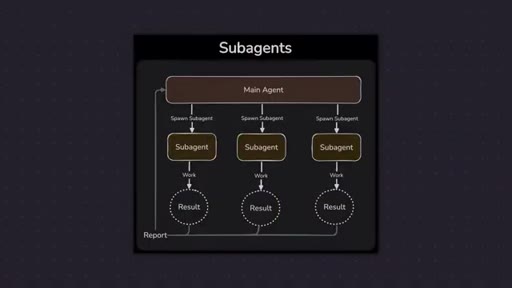
subagents diagram
teams vs subagents diagram
four pillars list
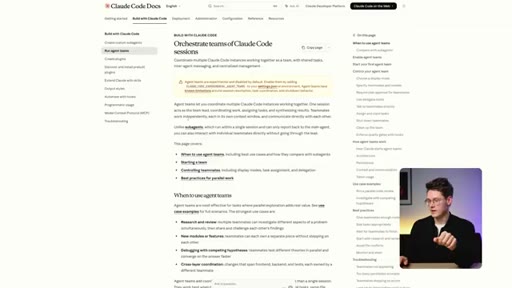
Claude Code docs and settings.json
Claude Code tmux launch
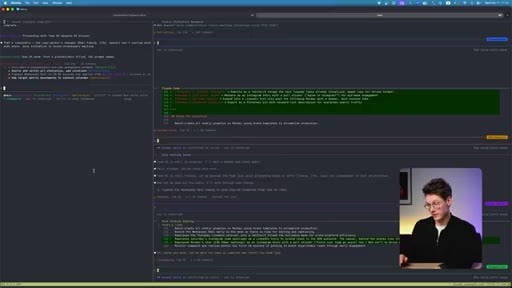
reviewer output in terminal
four parallel agents in tmux
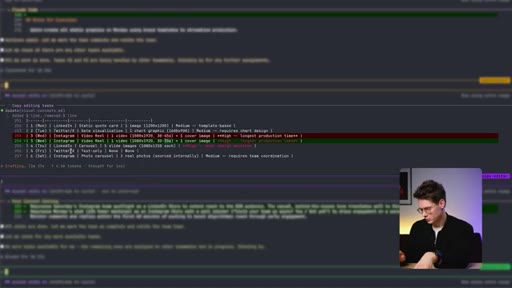
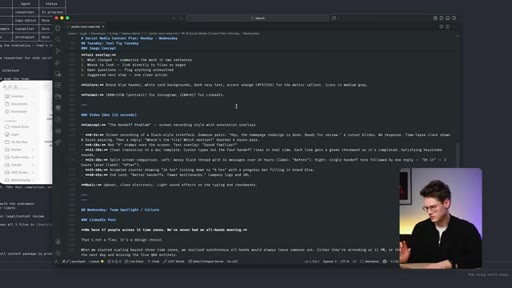
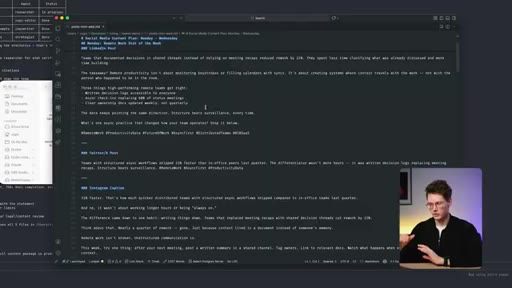
generated content files in editor
usage cost breakdown
when-to-use decision list
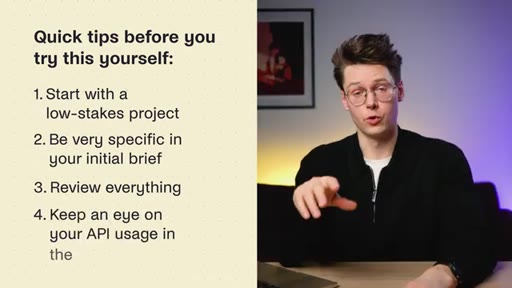
quick tips slide
§ · Frameworks

Named ideas worth stealing.

00:39 model

Agent Teams vs Subagents vs Single Claude

Three-tier architecture. Single: one context, one output. Subagents: main spawns children that report back. Teams: teammates share task list and communicate laterally.

Steal for Any pitch explaining why multi-agent architectures outperform single models
03:01 list

Four Production-Ready Pillars

  1. Automatic orchestration
  2. Intelligent coordination
  3. Built-in specializations
  4. Error handling

What Anthropic got right in Opus 4.6 that earlier multi-agent experiments lacked.

Steal for Evaluating any new multi-agent platform
15:24 model

When to Use Agent Teams Decision Matrix

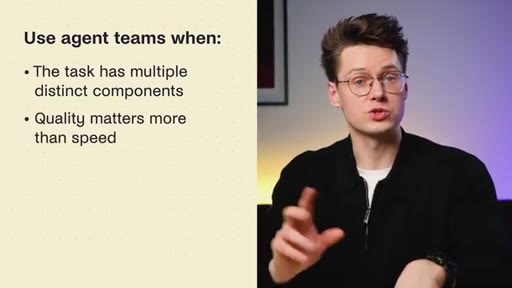
Use teams: multiple distinct components, quality over speed, need specialization, want built-in QA. Use single: focused task, speed over sophistication, budget constrained.

Steal for Any decision framework for AI tool selection
16:17 list

Four Safety Tips Before First Use

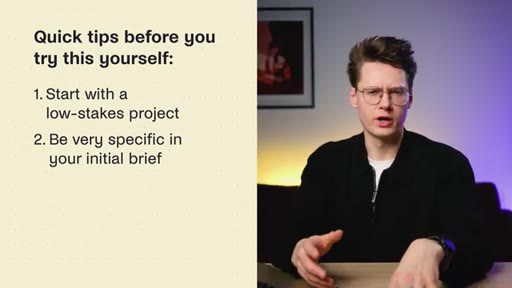
  1. Start with a low-stakes project
  2. Be very specific in your initial brief
  3. Review everything
  4. Monitor API usage and set spending alerts

Practical guard rails for first-time agent team runs.

Steal for Onboarding checklist for any AI automation deployment
§ · Quotables

Lines you could clip.

01:47
"Instead of one super brain, you get a coordinated organization."
Tight punchline, no setup needed. → TikTok hook
07:06
"In just fifteen minutes, we got a good first draft... it still saves me hours in production, and all of it was done with a single prompt."
Honest ROI claim with a caveat -- more credible than pure hype. → IG reel cold open
10:31
"I have spent around 7 close to 8 dollars in usage just for this single task."
The cost reveal moment -- surprises viewers expecting it to be negligible. → Newsletter pull-quote
16:57
"We are shifting from AI as a tool to AI as a workforce."
Clean thesis statement, quotable without context. → TikTok hook
§ · Resources Mentioned

Things they pointed at.

05:21tooltmux ↗
13:20toolNano Banana Pro
13:22toolGPT Image 1.5
13:25toolVio 3.1
§ · CTA Breakdown

How they asked for the click.

17:48 subscribe
"If you would like to see a video on more use cases and results of my testing, subscribe to not miss it when the video drops."

Soft subscribe ask followed by comment prompt and Turing College course CTA. Clean and non-pushy.

§ 04 · The Script

Word for word.

HOOK opening / re-engagementCTA the pitch metaphor
00:00HOOKCloud OPUS 4.6 just launched with a feature that gets me generally excited since it will likely completely change how we work with AI. It's called Agent Teams. Instead of prompting one AI, you describe a complex task, and it spawns multiple specialized agents that coordinate to solve it.
00:16HOOKEveryone predicted this as a trend for 2026, but no one expected a production ready version to come out so early in the year. In this video, I'll explain everything you need to know about them, what they are, why they're so game changing for complex tasks, and show you how to start using them yourself.
00:40So what are agent teams? Unlike sub agents, which operate within one session and only communicate their results back to the main agent, you also have the option to engage directly with individual teammates instead of routing everything through the lead. Here's how it actually works.
00:55You give a complex task to the system. Let's say, build me a marketing campaign.
01:00And instead of one AI trying to do everything, the system spawns multiple agents, teammates. A research agent gathers data about your audience.
01:09A strategy agent plans the campaign structure, and a creative agent writes the copy. Also, you could have a review agent, which checks everything for quality.
01:18They work in parallel where they can, in sequence where they need to, and they coordinate their outputs. Here's why this matters. A single AI has to be a generalist.
01:26It's okay to everything that's not great at anything, but when you specialize agents, each one can be optimized for its specific task. The Research Agent is amazing at research, the Creative Agent is amazing at writing, and when they join forces, the output is better than any single AI could achieve. Plus, they can work in parallel,
01:46which means complex projects finish way faster. You may ask, why is this a big deal? Clearly, this is a fundamental shift in how we use AI.
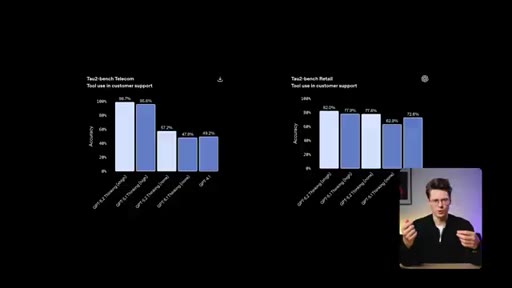
01:55Until now, we have been trying to make one model smarter and smarter, more parameters, more data, better training. Just look at all the benchmark graphs on each LLM release. Agent teams live that.
02:06Instead of one super brain, you get a coordinated organization. So what becomes possible with agent teams? Long horizon projects, tasks that used to require constant human oversight, can now run autonomously,
02:18with agents checking each other's work. Complex workflows, multi step processes
02:24with research, analysis, creation, and review can happen in one coordinated flow.
02:29Better quality. Having a dedicated review agent catches mistakes that a single AI would miss. Faster execution.
02:36Parallel work means things that took hours can finish in minutes. Basically, the tasks that were too complex for AI, a lot of those just became possible.
02:45To be clear though, agent teams aren't a completely new concept. People have been experimenting with multi agent systems for a while. But Cloud Opus 4.6 implementation
02:54is the first one that feels production ready. Here's what they got right. First, automatic orchestration.
03:01You don't have to manually spawn these agents. Claude figures out, on its own, what agents are needed based on your task.
03:08Second, intelligent coordination. The agents don't just run independently, they share context and communicate naturally.
03:16Third, built in specializations. Cloud has preconfigured agent types optimized for different tasks,
03:23research, coding, writing, analysis, QA.
03:26And fourth, Error handling. If one agent gets stuck or produces bad output, other agents catch it and course correct. A few technical things worth knowing.
03:36In contrast to sub agents, individual team agents can request information from each other. Like, the writing agent can ask the research agent for more data. And there's a supervisor agent that coordinates everything, making sure agents work in the right order and don't duplicate effort.
03:52It's surprisingly sophisticated for a first version of this. So now I'm going to walk you through how to actually set this up and use a Tenreal project that I definitely need help with creating a week's worth of social media content for a personal brand. So the first thing you will need is Claude Opus 4.6
04:09access that you can get with their pre subscriptions. As you can see, you have an option of a Pro plan and a Max plan. In the demo we're gonna show today, the Pro plan is sufficient
04:19and it should get you by for two or three tasks per day even using this rather powerful agents mode. However, for professional use, we would recommend to use the max plan and that would cost a 100 or 200 if you want even more credits.
04:33While the max plans are more expensive, they can be definitely worth it because for many people, this agent's team mode will save a lot of time. So for this demo, we assume that you have Cloud Code already installed on your system, so we're only gonna go through that step. However, agent teams is an experimental feature, and it is not enabled by default for everyone.
04:53So you would need to add an additional configuration to your settings JSON file. If we would open up the Cloud Code docs, you would see the specific line you would need to add into the file. Let's do that directly in the terminal.
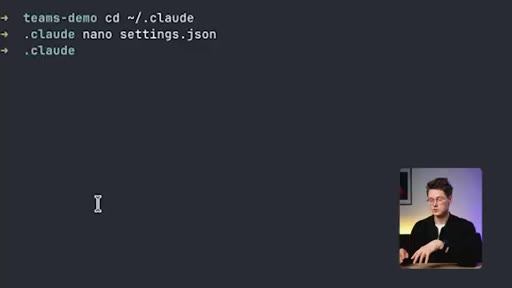
05:05You would need to go to your cloud configuration folder,
05:12open the settings JSON file, and add the following lines. I have already them added to my configuration, configuration, so that's all you need.
05:20Close the file. And now there's an additional step that we would recommend. We would recommend to install TMux because that would allow in your terminal to see every agent working individually.
05:31Otherwise, you would only see the same thing you would see on the cloud desktop application, which is every agent in the same single conversation, more or less.
05:40It is possible to switch between them in your terminal, but it is much nicer if you can see all of them and also interact with each of them individually. So for that, we're going to install t mux.
05:55Alright. And this might take a while. And here we go.
05:58We have our t mux installed. Let's enter a new TMUX session and jump into a project folder.
06:05So for any sort of thing you're working on, we would recommend to have a folder and for Cloud Code is mentoring. So in our case, that is the video demo.
06:17Now let's launch Cloud Code. We also have a prompt already prepared for this demo, so we're not going to go into detail from engineering techniques.
06:26But as long as you provide a clear task and what are your deliverables you want, your prompt really doesn't have to be much more complex than that.
06:36One additional thing we would recommend to add for a prompt where you're trying to work with agent teams is to specify each individual team member you want to spawn. It isn't necessary.
06:47You could just tell the model to orchestrate a couple of team members for the task. But if you want consistent results, we would recommend to specify the roles you want to fill.
06:56In our case, that is a strategist, a copywriter, a visual concept agent, and a reviewer for quality control.
07:03Alright. So let's get into it.
07:06This might take a while, and here comes another recommendation. Do not try to run agent teams for simple tasks. For simple tasks, we will still recommend to use a single AI instance
07:17or to use sub agents for very simple flows where you just have, let's say, maybe a writer and a reviewer. When you need more collaboration, then we would recommend to go for agent teams.
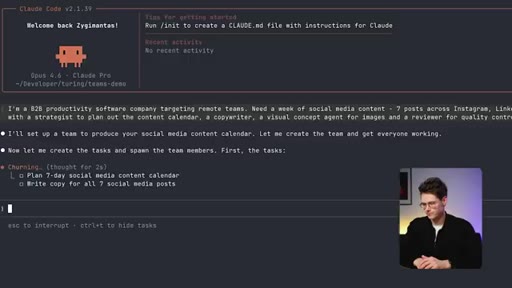
07:27We can already see that the model is preparing a plan, and soon enough, we should see how it spawns a couple of team members to help it out. Alright.
07:37Here's the beauty of TMax. We already see individual team members
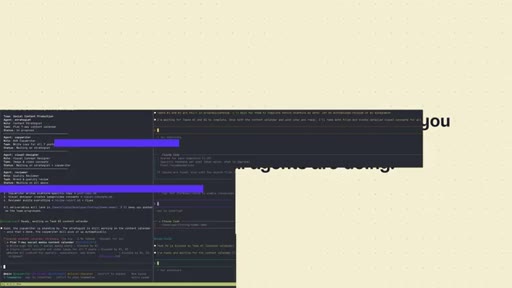
07:42on panels on our right. And we can even see what each member is trying to do. So this is the key difference between agent teams and
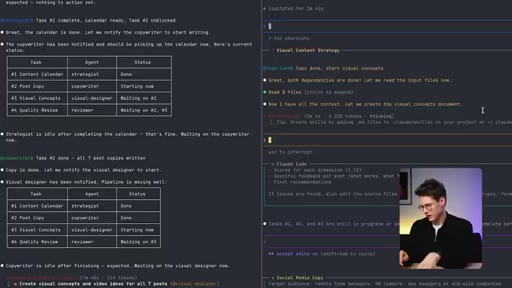
07:53sub agent flows where you really have no way to interact or even sometimes observe what individual sub agents are doing. Here, we could even stop any of the team members working course correct if they're going the wrong way, or even provide an additional task we have not provided in our original prompt. So the strategist agent has already worked and prepared a plan, and it has delegated its first task to the copywriter.
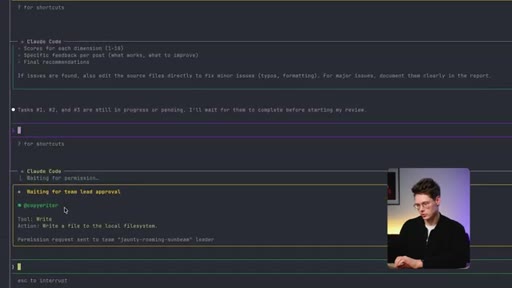
08:17And now, the copywriter does not have the permission to interact with our file system and it has asked for permission directly through the main lead agent. So we could
08:29do the permission. Alright. I see the copywriter has finished its first task and now the visual designer
08:36has started working on on its own assignment. So to copy done, start visual concepts. Okay.
08:43So tasks with agent teams take a while, so we have left the team to work on the task. Let's check back with them. As we can see, the copywriter has already finished with its task and now the visual content strategy agent is creating a document.
08:59Oh, it's already created directly. A new doc right here. Again, asked for permission.
09:04Though, you can also start Claude Claude code with an additional flag which would allow you to just give permissions to all team members automatically if that's what you prefer.
09:14Here, we're working conservatively, so we are explicitly allowing team members to deal with the file system. If you're in a hurry, you could just preemptively give these sort of permissions.
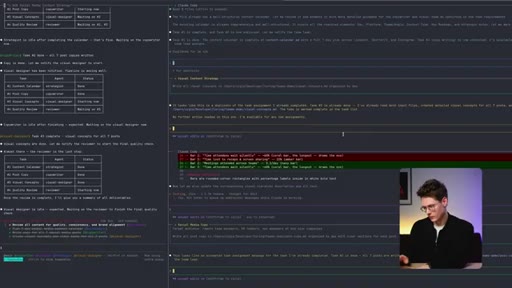
09:24Okay. So the reviewer has found a few issues to fix, and we're even seeing which exact lines has found and what types of edits it's doing. So
09:35it is using the diff style, you know, what kind of line it is changing. We can even investigate and say that maybe this agent should focus on something more
09:47specific. Alright? So TMax paints have already closed, so that means that agents have finished with their work, but that does not necessarily mean that the task is is already done because the reviewer has flagged up five action items on areas where it could still
10:04improve. So what we could do now, we could again prompt our main team lead and ask it to delegate these as tasks to team members to iterate on the documents again.
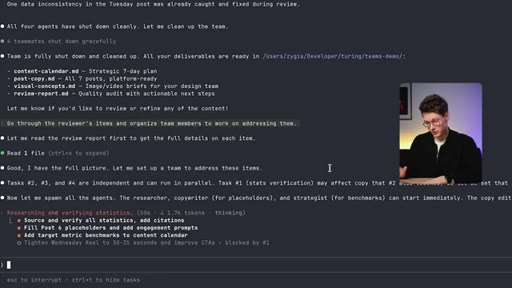
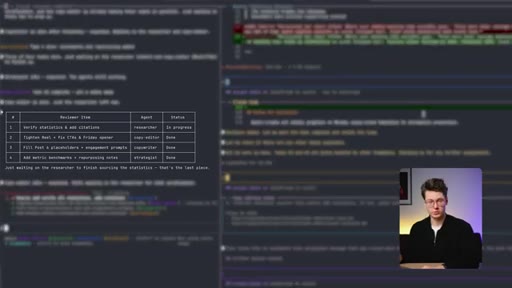
10:17So we give the team lead the same tasks that the reviewer has flagged, and we can see that it's already working on a new plan on how to iterate on these docs. It is adding new items to the to do list. So first, it will need to source and verify all statistics and citations.
10:32And again, we're seeing that it has decided to spawn researcher, which is a new agent which we haven't specified before, a strategist, a copy editor, and a copywriter. So here we can see that it has used two of the agents that it has previously seen in our last iteration,
10:49and it also has decided to bring in two new agents, which we didn't even explicitly specify on our prompt. So as you can see, quite often, you can get away with broad prompts. Now all four agents are working in parallel.
11:04So the researcher is looking up information online to double check that our mentioned statistics are correct, while at the same time, the copy editor is trying to identify the the issues that the reviewer has flagged. Also, we see that the copywriter has tightened the Wednesday reel to be thirty to thirty five seconds, and it also improved the call to action.
11:23At the same time, we see that there have been some placeholders in our content and and a copywriter has filled them in. Also, the copy editor is working on that on tightening up the Wednesday reel to be thirty to thirty five seconds. It's also trying to improve the call to action.
11:38We already see that the researcher has flagged up some of the metrics that we have cited in our material, and it has replaced them with more factually accurate ones it has found online.
11:50At the moment, out of our four teammates, three of them have already completed their tasks. We're just waiting for the researcher to wrap up its task.
11:57The researcher has also prepared a sources document where it lists all the references for the facts and the statistics it has updated in our document. Alright.
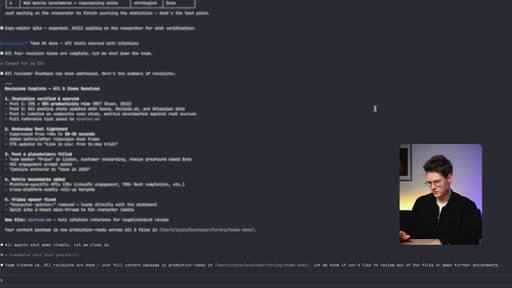
12:08I'm seeing that that task is being wrapped up. Team cleaned up. All revisions are done.
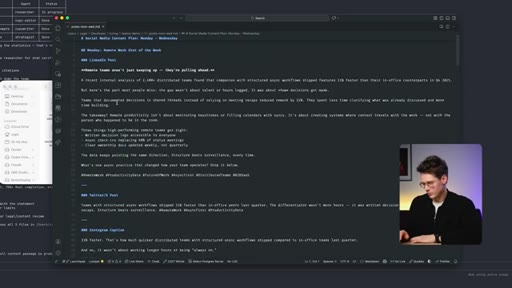
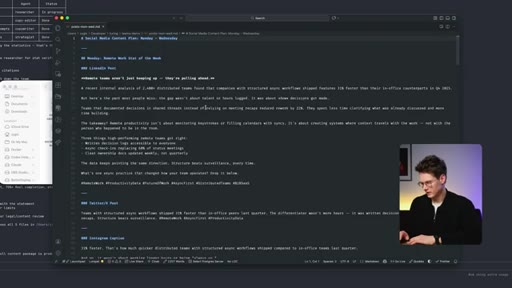
12:13Your full content package is production ready and in the folder we started with. Let's jump into that folder and try to review its work. So, you can see there are quite a few files, and I will go to the post it has recommended for Monday through Wednesday.
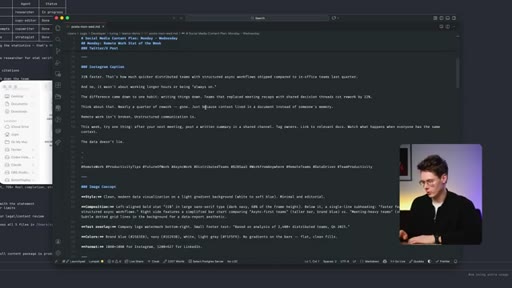
12:30Okay. So for Monday, it recommended a LinkedIn post at Twitter or XPost and also Instagram caption.
12:37We can see that the post is already well structured. It seemingly
12:42we need to double check this and because this is still to some degree a draft. And as we can see, all these posts match the platform requirements. So for LinkedIn,
12:52it has more of that LinkedIn style with a bullet list, with more metrics, more styling. Meanwhile, that Twitter post is short with a couple of relevant hashtags based on the industry we're working on.
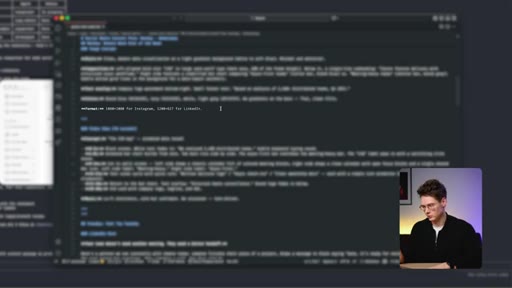
13:05And the Instagram caption has also plenty of hashtags through which it would recommend us to market. Alright. Also, the model has provided an image concept and a video idea, a thirty second video.
13:17So these were not generated. You would need to either shoot these visuals yourself or use an image generation model, something like Nano Banana Pro, GPT image 1.5, and for videos, you could use Vio 3.1
13:30to create these sorts of visuals. It has put in a lot of work, even provided a color scheme for the image concept and even the specific format. So for
13:41Instagram, it recommends a square image with a very specific resolution, and for LinkedIn, it recommends a banner. And it has provided very
13:51similar structure for upcoming days. So for Tuesday and for Wednesday.
13:56For Tuesday, I see the video ID is a bit different. So it's also also forty five seconds. And for Wednesday,
14:04it has a longer video with very detailed breakdown of what should be in the video nearly second by second.
14:11If you would try to prompt a single AI model to do this sort of task, usually, it wouldn't have enough of the context window to really get into every single day, every single post, and mesh every platform that we need. So this is the power of agent teams. In just fifteen minutes, we got a good first draft, and I still would need to double check it and inject some of my personality into it, but it still saves me hours in production, and all of it was done with a single prompt.
14:38CTAIf I tried to do that with a single agent, it would take me multiple tries and likely a few hours. As amazing as it is, one downside is the price. Let's check how much the single generation cost us.
14:52CTASo if I would jump back into Cloudera code and I would write slash usage, we would see that I have spent around
15:03CTA7 close to $8 in usage just for this single task. If you would want to know how that what that means for pro and max usage,
15:14CTAthat would be around 50 percent of your single session usage for pro. For max, you would probably be able to fit about eight or 10 tasks in five hours. So to avoid unnecessary cost based on testing this for a couple of days now, here's when agent teams make sense versus just using regular Claude.
15:32Use agent teams when the task has multiple distinct components
15:43Quality matters more than speed. You need different expertise applied to different parts, and you want built in quality control. Use single AI when it's a simple focus task.
15:53Speed is more important than sophistication, and you're on a budget and can justify the extra cost. For that social media content, agent teams made sense.
16:03If I just needed one post caption, a single AI 100% of the time. In general, I keep single agent clouds for quick tasks and only spin up teams for complex projects or to tackle issues where the single agent fails.
16:17A quick few tips before you try this yourself. One. Start with a low stakes project.
16:22Don't hand it your most important client work on day one. Two, be very specific in your initial brief. Include brand voice, target audience, goals, any constraints,
16:32kind of like working with a new colleague. Three, review everything. The agents are good, but they're not infallible.
16:40The classic AI rule to double checks everything still applies in this case. Four, keep an eye on your API or subscription usage in the dashboard. Set spending alerts if you're worried about costs.
16:50CTASo clearly, with this new update, Biotropic, we're shifting from AI as a tool to AI as a workforce. Agent teams are the first step toward AI organizations that can handle complex projects autonomously.
17:04CTAAlright. So that's agent teams in Cloud Opus 4.6. The concept is simple.
17:09CTASpecialized AIs working together beat one generalist AI. The implementation is sophisticated. Cloud handles orchestration,
17:17CTAcoordination, and error handling automatically. And the result? For complex tasks, this will be a game changer.
17:23CTAIf this works at scale, it changes what's possible with AI completely. If you would like to see a video on more use cases and results of my testing, subscribe to not miss it when the video drops. And leave a comment.
17:35CTAWhat would you use agent teams for? What complex projects would you hand off to a team of specialized AIs? If you want to understand the technical foundations behind this stuff, how these models actually work, not just how to use them, check out Turing College's AI courses.
17:51Links below. Now we have all heard of the layoffs that are happening in the industry, so we have made a video on the most essential AI skills to master to get ahead in 2026 and become irreplaceable.
18:02Click here to see it. That's it from me. Catch you in the next one.
— full transcript
§ 05 · For Joe

Agent teams are not always the right tool -- here is the actual decision rule.

WHAT TO LEARN

Spawning multiple specialized AI agents solves context-window limits and quality gaps, but it costs significantly more per task than a single agent -- so the right call depends on task structure, not novelty.

  • Agent teams beat single-agent Claude when the task has multiple distinct components that benefit from specialization -- not just because the task feels complex.
  • Agents share a task list and can request information from each other directly; this lateral communication is the architectural difference from subagents.
  • A supervisor agent coordinates sequencing and prevents duplication automatically -- you write a prompt describing roles and deliverables, not orchestration logic.
  • On Claude Pro, a single full agent-team run costs roughly 50% of your session allowance; budget one or two complex tasks per session, not ten.
  • Use tmux to observe and interrupt individual agents mid-run; without it you lose the ability to course-correct before the whole batch finishes.
  • Specifying agent roles in your initial prompt produces more consistent results than letting the model decide roles entirely on its own.
  • The review loop is the highest-leverage step: prompting the team lead with reviewer-flagged issues triggers a second parallel pass that self-corrects without restarting.
  • For tasks that would overflow a single context window -- multi-platform content, large codebases, research-plus-writing -- agent teams are the practical solution, not a novelty.
§ 06 · Frame Gallery

Visual moments.