John Kim · Youtube · 46:12

How I use Claude Code (Meta Staff Engineer Tips)

A Meta staff engineer who lives in Claude Code 12 hours a day shares 50 tips in 4 acts.

Posted
February 7th 2026
3 months ago
Duration
46:12
Format
Tutorial
educational
Channel
JK
John Kim
§ 01 · The Hook

The bait, then the rug-pull.

The hook is the credential. Forty-seven seconds in, John has already told you he's at Meta, he's in Claude Code twelve hours a day, and he's not writing code by hand anymore. Then comes the promise: the best tips he's learned, the ones he wishes he'd known. Then a 4-act roadmap card. Forty-six minutes of dense, numbered insight follows, with one mental model — context is king — quietly threaded through every single slide.

§ · Stated Promise

What the video promised.

stated at 01:00 "I thought it would be great to show you the best tips that I've learned along the way, and these are tips that I wish I knew when I was first getting started." delivered at 46:12
§ · Chapters

Where the time goes.

00:00 – 01:04

01 · Cold open + credential drop

Meta engineer, 12 hours a day in Claude Code, no longer writing code by hand. Promises 50 tips he wishes he'd known.
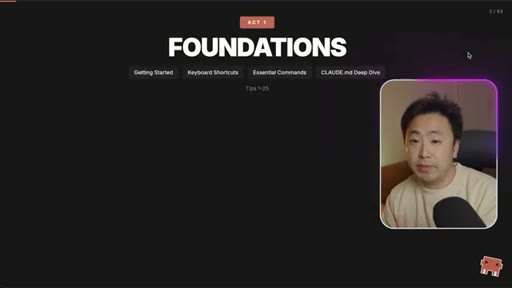
01:04 – 01:18

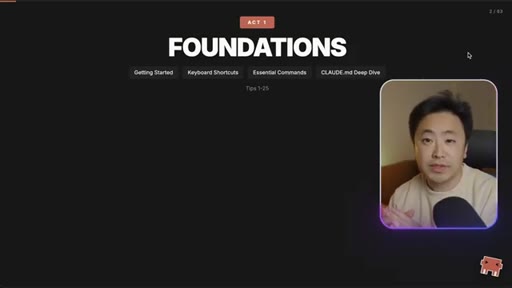
02 · Act 1 card: FOUNDATIONS

Full-screen act break — Getting Started, Keyboard Shortcuts, Essential Commands, CLAUDE.md Deep Dive — Tips 1–25.
01:18 – 01:56

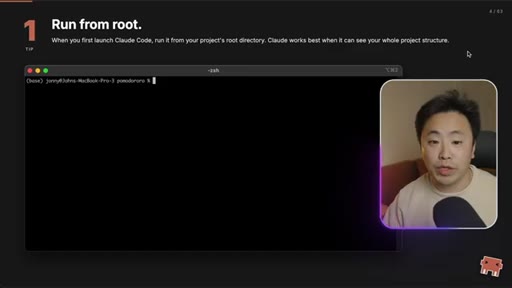
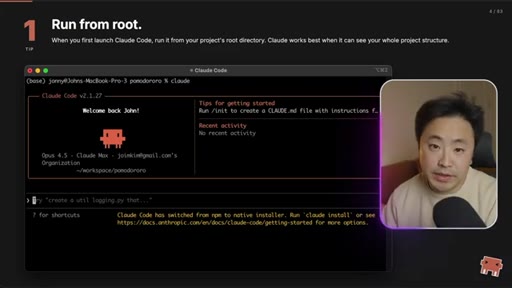
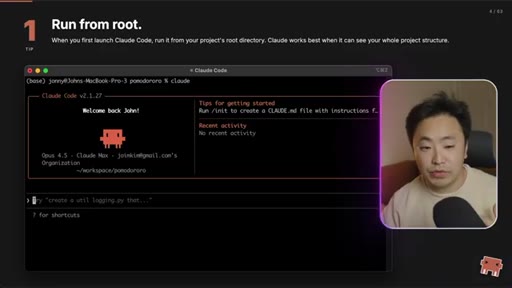
03 · Tip 1: Run from root directory

Run claude in your project root because the initial context window is built from whatever directory you launch from.

01:56 – 02:54

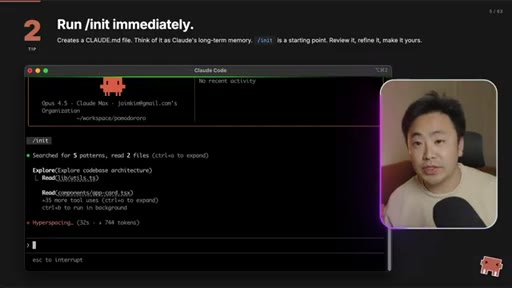
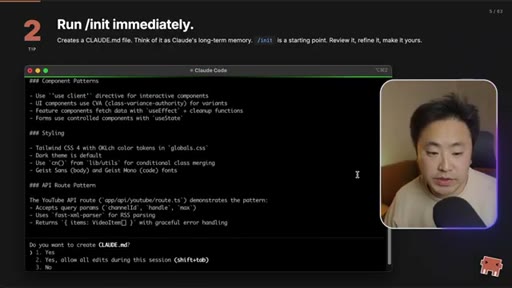
04 · Tip 2: Run /init immediately

/init reads the codebase and produces an initial CLAUDE.md. Always your first move on a new project.
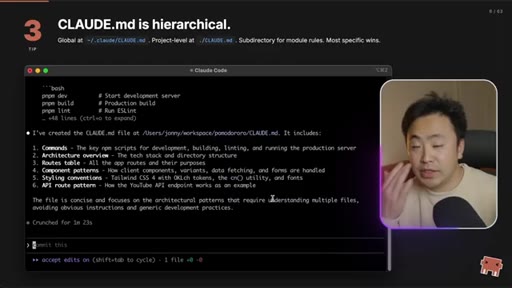
02:54 – 03:27

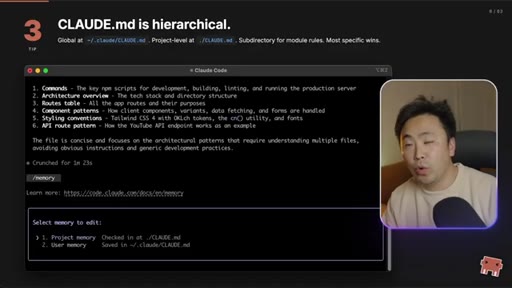
05 · Tip 3: CLAUDE.md is hierarchical

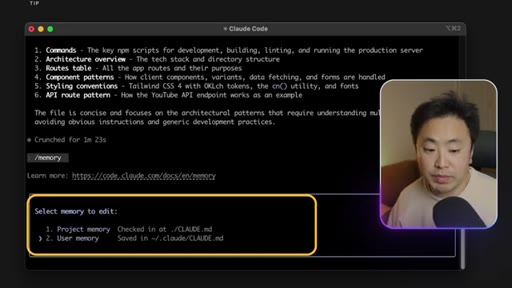
Global at ~/.claude/CLAUDE.md, project-level at ./CLAUDE.md, subdirectory rules also. Most-specific wins. /memory shows the stack.
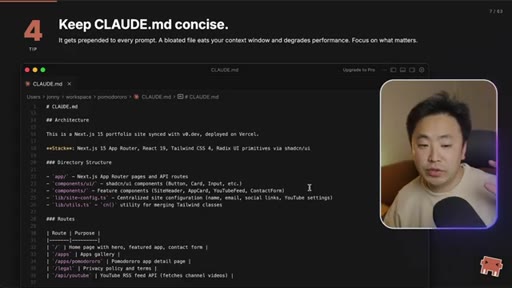
03:27 – 03:58

06 · Tip 4: Keep CLAUDE.md concise

It's prepended to every prompt. A bloated rules file eats context and degrades performance. Aim ~300 lines.
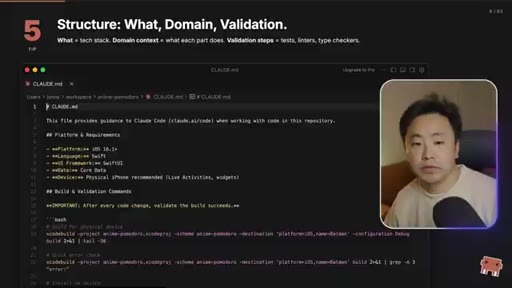
03:58 – 05:36

07 · Tip 5: What / Domain / Validation

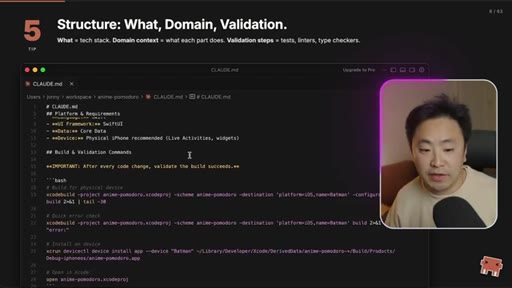
The three sections every CLAUDE.md needs: what the stack is, domain context for each part, and validation commands (build/lint/type-check).
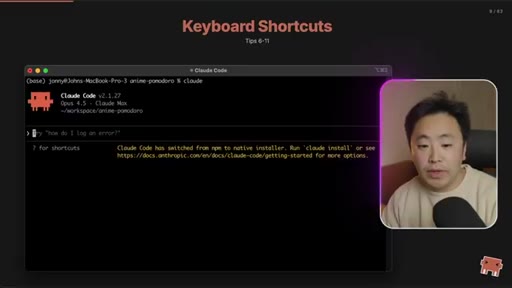
05:36 – 05:58

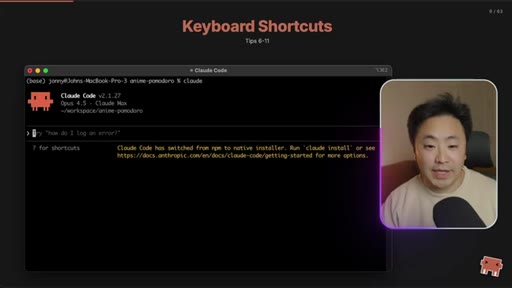
08 · Keyboard Shortcuts section

Section transition card.
05:58 – 06:40

09 · Tip 6: Shift+Tab toggles modes

Cycle between plan mode, accept edits, and normal. John lives in plan mode for every new feature.
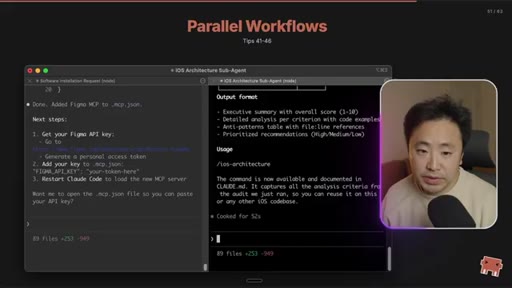
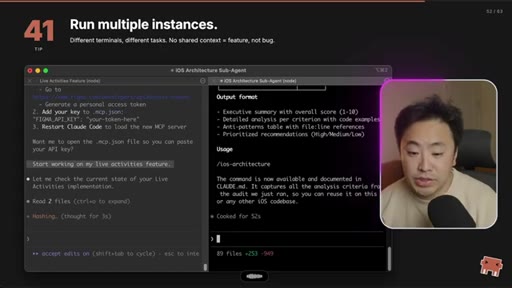
06:40 – 07:43

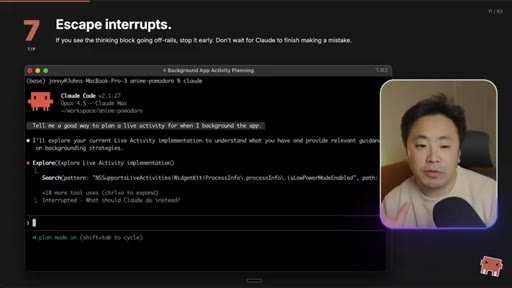
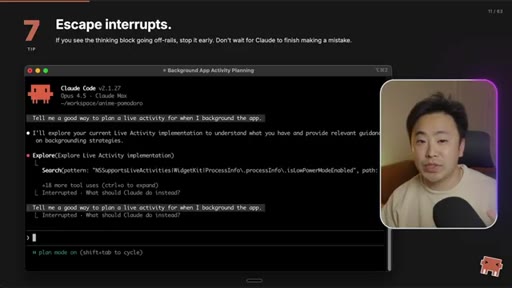
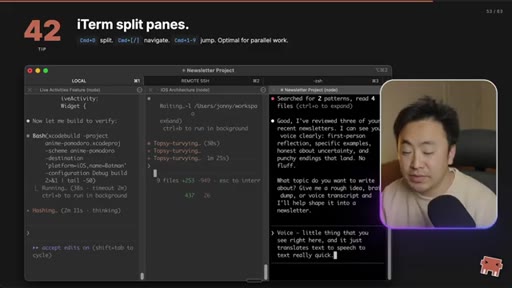
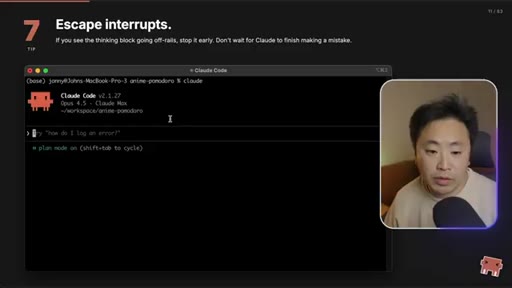
10 · Tip 7: Escape interrupts

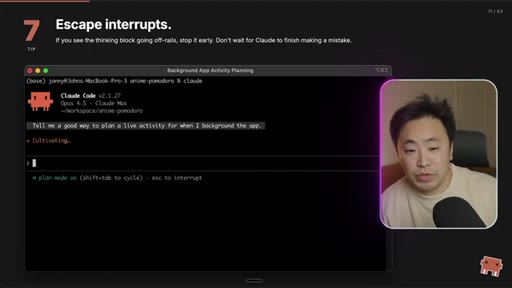
Don't be afraid to hit escape when Claude goes off-rails. Up-arrow returns to your last input. Course-correcting is encouraged.
07:43 – 07:59

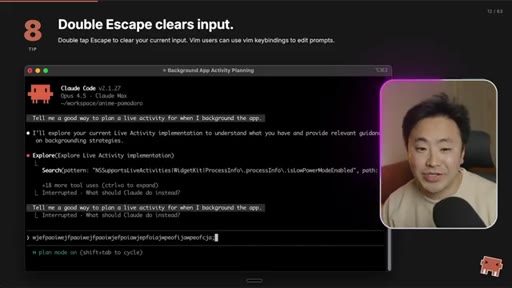
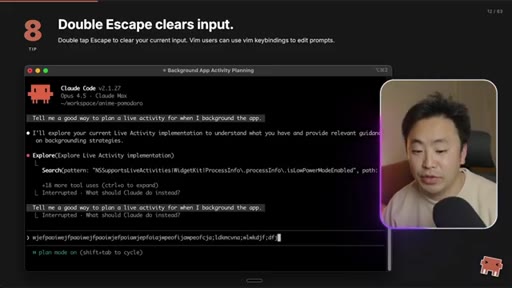
11 · Tip 8: Double-Escape clears input

Wipe a big pasted block without backspacing. Vim keybindings also available.
07:59 – 08:29

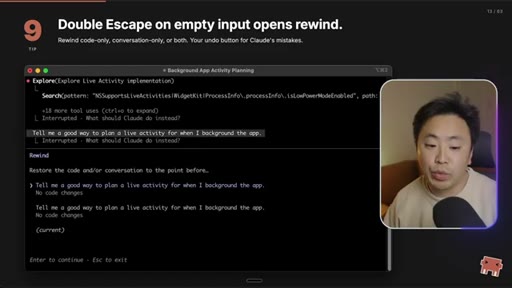
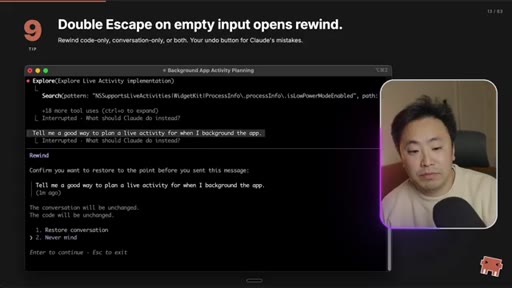
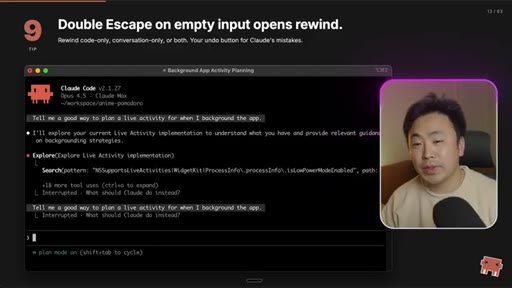
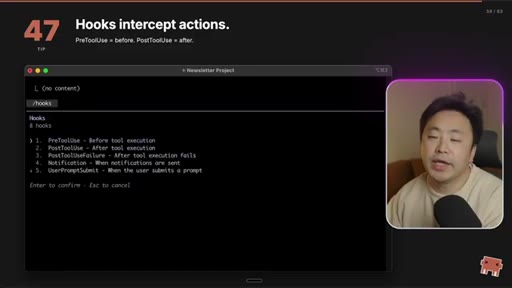
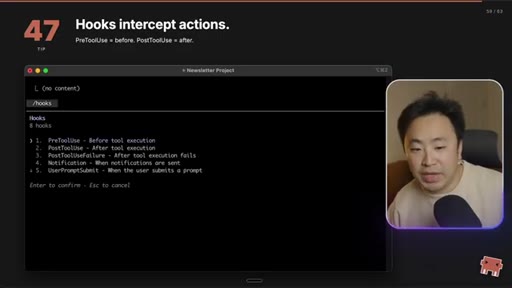
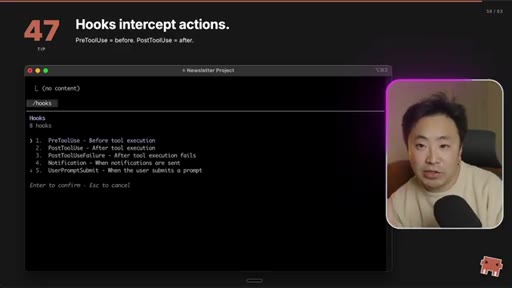
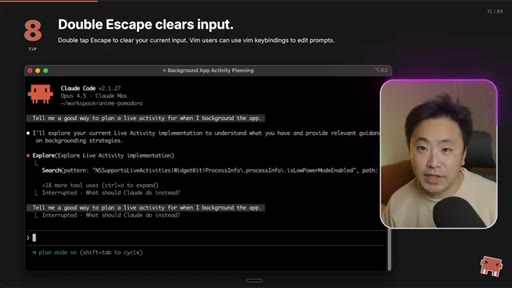
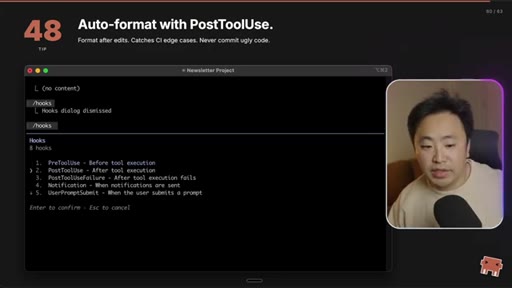
12 · Tip 9: Double-Escape on empty = rewind

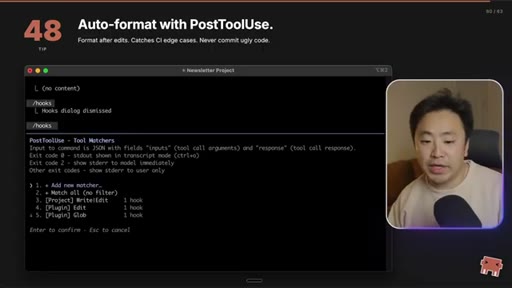
Restores the conversation to a previous point. The undo button for Claude's mistakes.
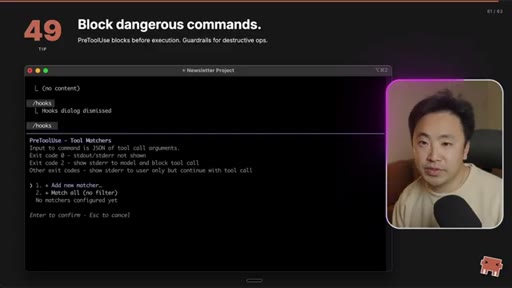
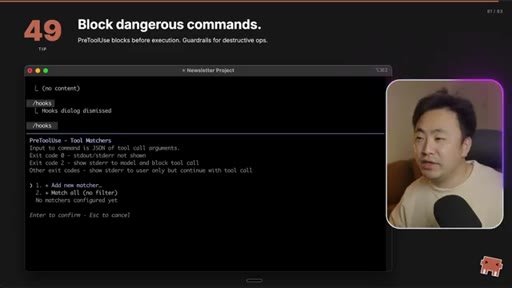
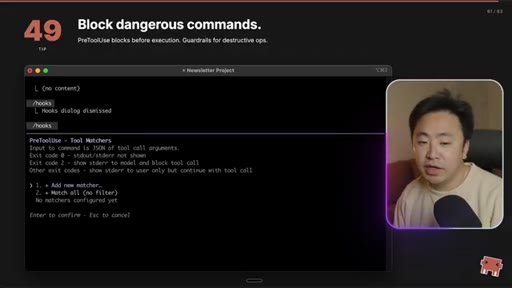
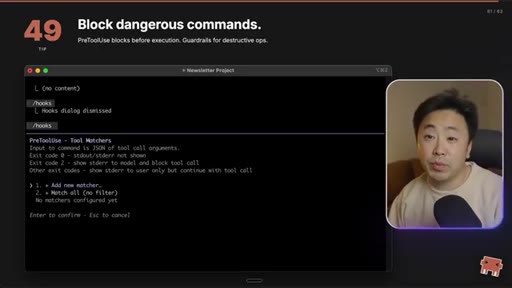
08:29 – 08:44

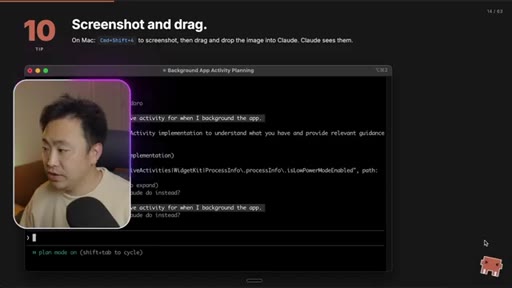
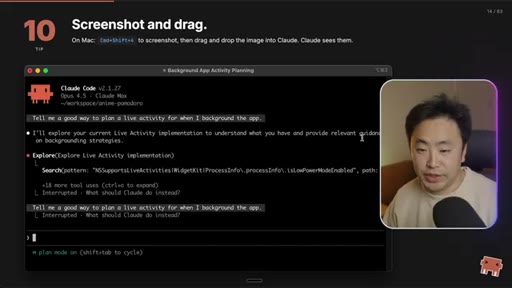
13 · Tip 10: Screenshot and drag

Mac shortcut Cmd+Shift+4 then drag the image straight into the terminal. Claude sees it.
08:44 – 09:09

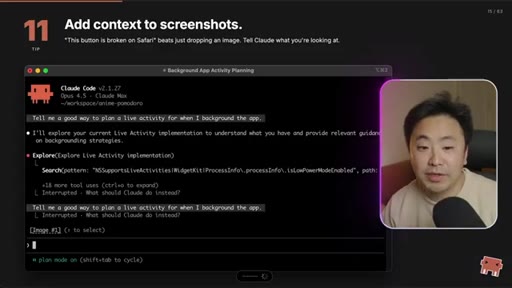
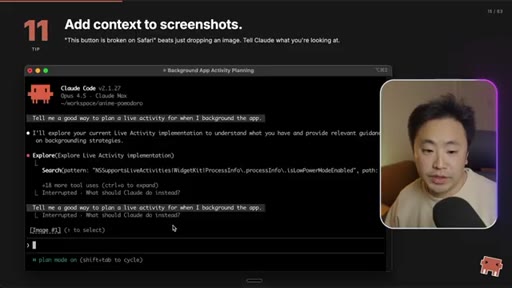
14 · Tip 11: Add context to screenshots

'This button is broken on Safari' beats just-dropping-an-image. Tell Claude what you're looking at.
09:09 – 09:41

15 · Essential Commands section

Section transition card — slash-commands act.
09:41 – 10:13

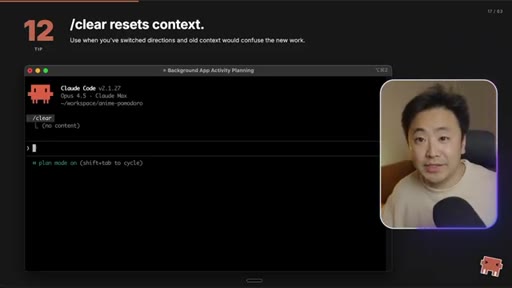
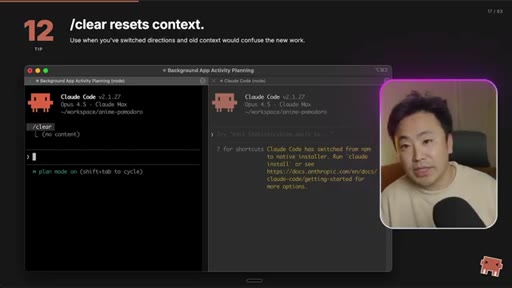
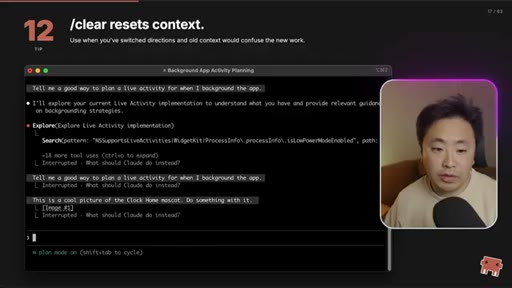
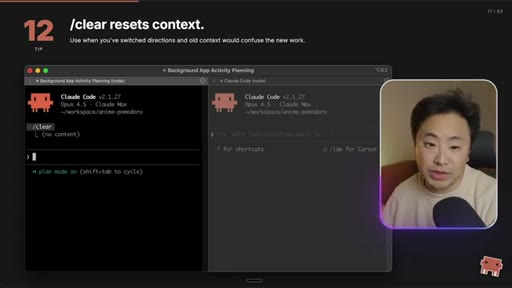
16 · Tip 12: /clear resets context

When switching to a new feature, wipe the old context instead of letting it poison the new task.
10:13 – 11:42

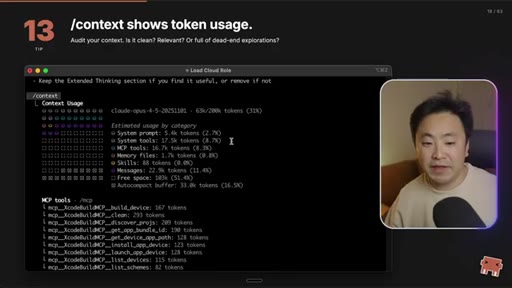
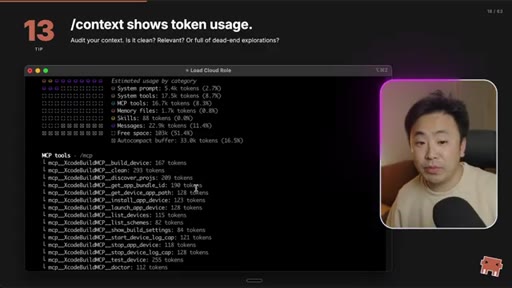
17 · Tip 13: /context shows token usage

Audit your context. See which MCPs and memory files are the biggest token offenders.

11:42 – 12:23

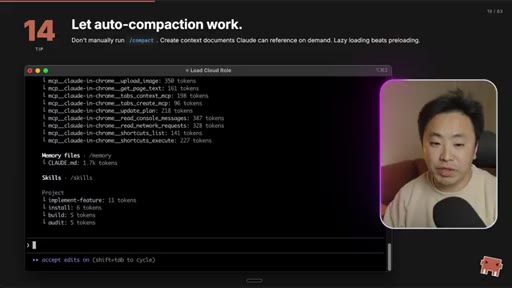
18 · Tip 14: Let auto-compaction work

Don't manually /compact. Trust auto-compaction. Lazy-load context documents instead of preloading.
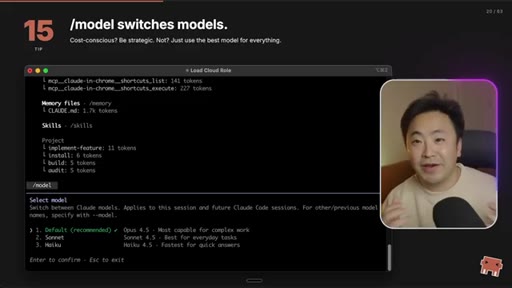
12:23 – 12:49

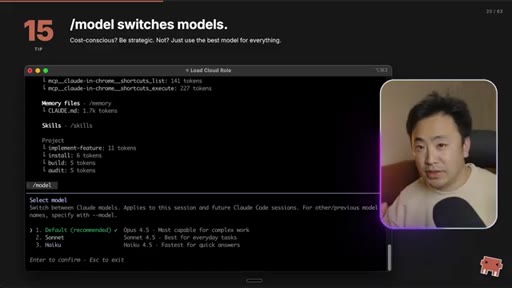
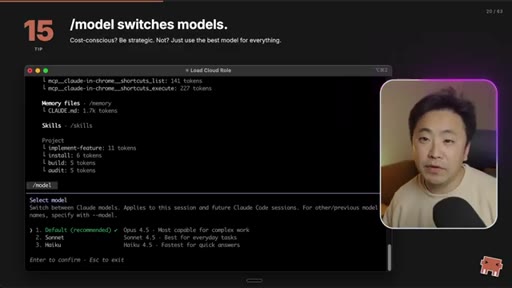
19 · Tip 15: /model switches models

Default Opus 4.5 when budget allows; Sonnet for cost-sensitive workflows; Haiku for fast lookups.
12:49 – 13:21

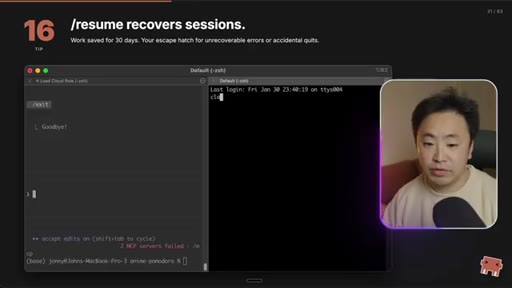
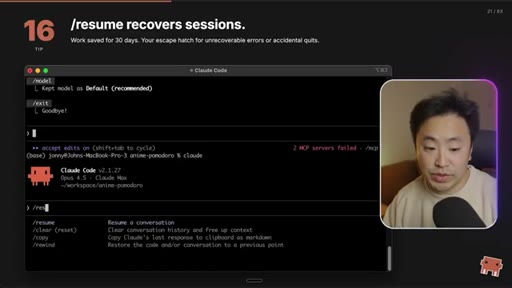
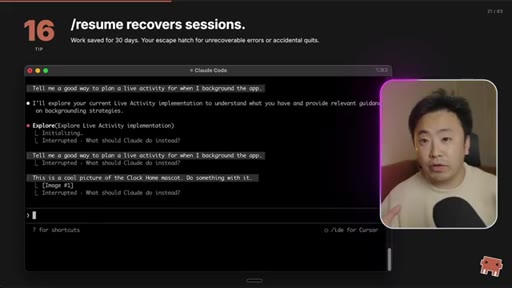
20 · Tip 16: /resume recovers sessions

Sessions saved 30 days. Escape hatch when you accidentally kill the wrong terminal.
13:21 – 14:19

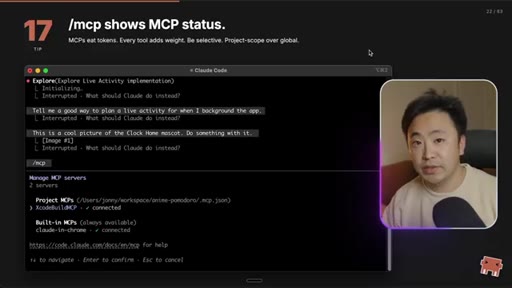
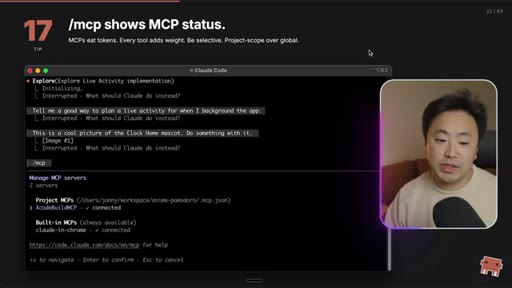
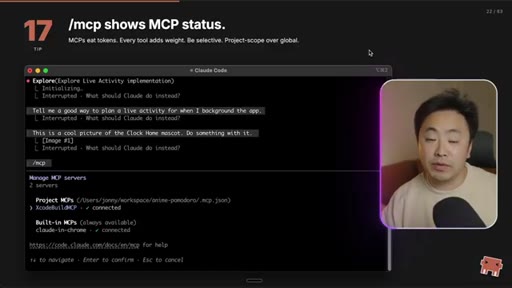
21 · Tip 17: /mcp shows MCP status

MCPs eat tokens. Every tool adds weight. Be selective; project-scope over global.
14:19 – 14:33

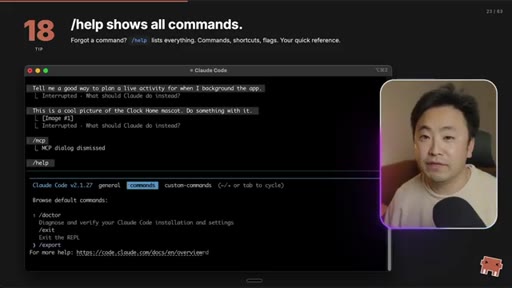
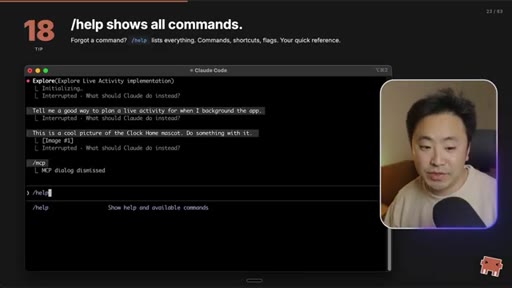
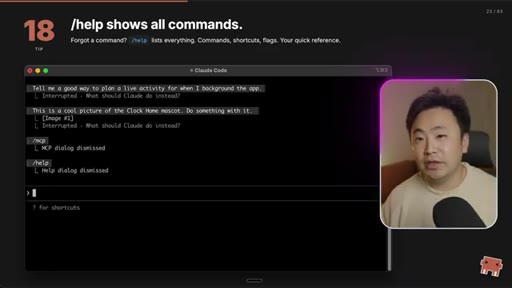
22 · Tip 18: /help shows all commands

Forgot a command? /help lists everything — commands, shortcuts, flags.
14:33 – 15:24

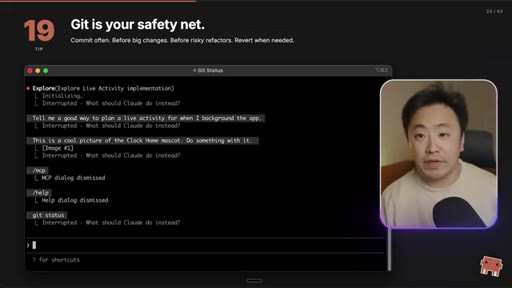
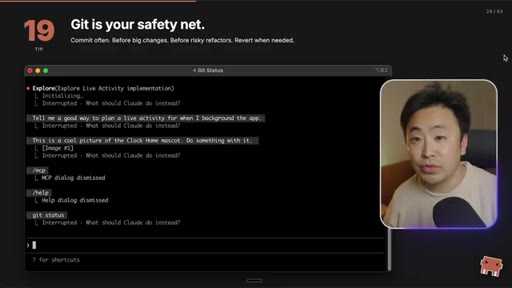
23 · Tip 19: Git is your safety net

Commit often. Use Claude to write summaries with your own templates. Git beats /rewind.

15:24 – 15:52

24 · CLAUDE.md Deep Dive section

Transition into deeper rules-file engineering.
15:52 – 17:08

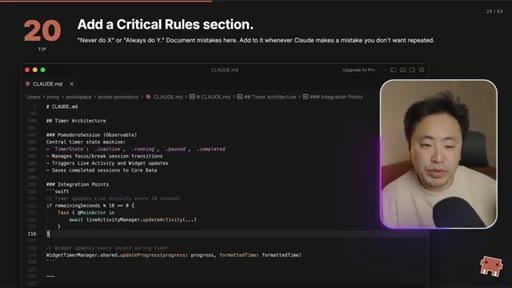
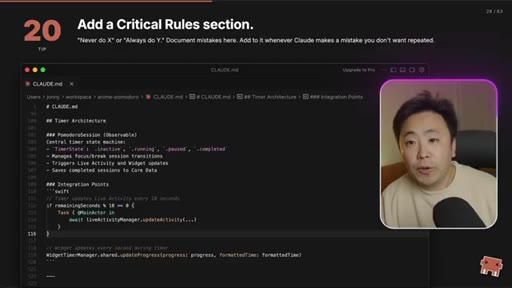
25 · Tip 20: Add a Critical Rules section

Top-to-bottom priority. 'Never do X' / 'Always do Y'. Document mistakes here once and never repeat them.
17:08 – 17:46

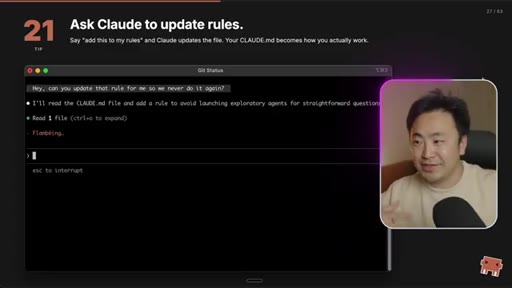
26 · Tip 21: Ask Claude to update rules

Don't hand-edit CLAUDE.md. Say 'add this to my rules' and let Claude maintain it.
17:46 – 18:27

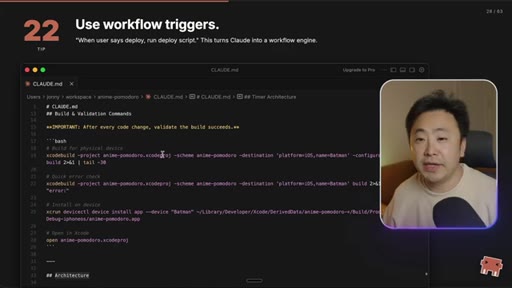
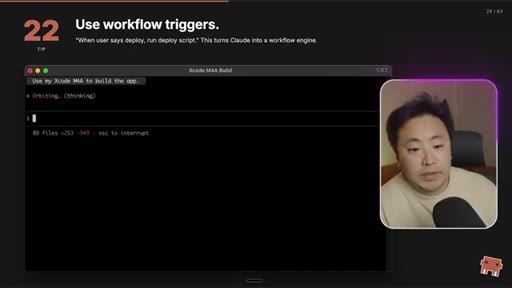
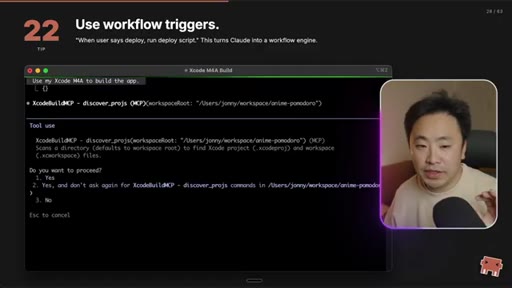
27 · Tip 22: Use workflow triggers

Trigger words in CLAUDE.md — 'when user says deploy, run deploy script' — turn Claude into a workflow engine.
18:27 – 19:34

28 · Tip 23: Commit CLAUDE.md to git

Compound engineering: commit your rules so the whole team's AI coding improves. Strip personal paths first.
19:34 – 20:39

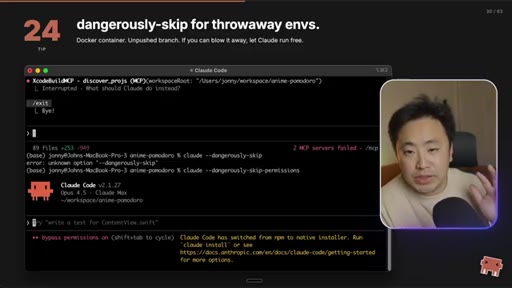
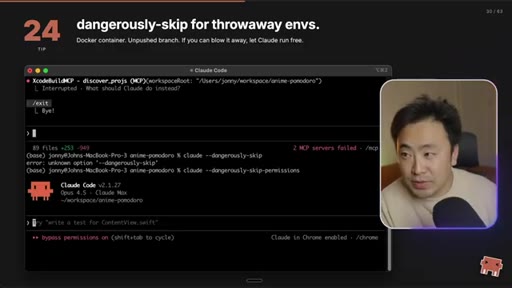
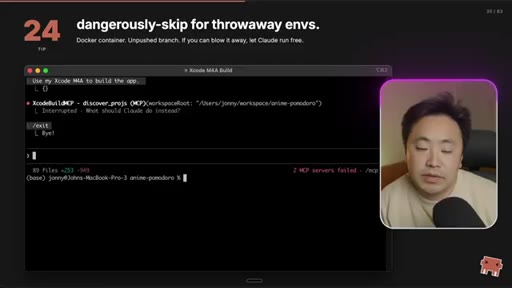
29 · Tip 24: --dangerously-skip-permissions

YOLO mode. Use only in throwaway envs / unpushed branches / Docker containers.
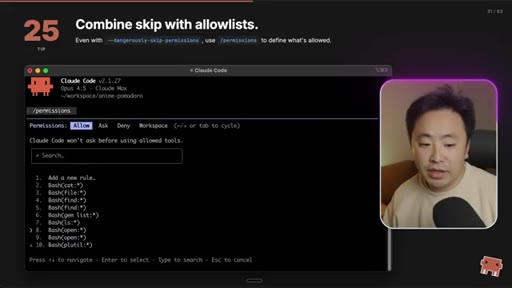
20:39 – 20:59

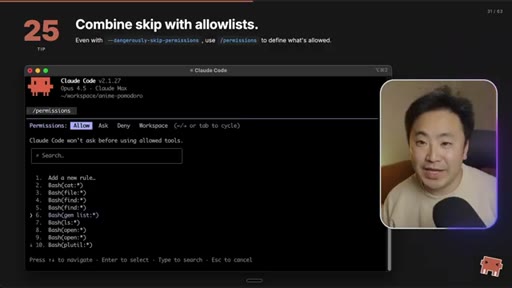
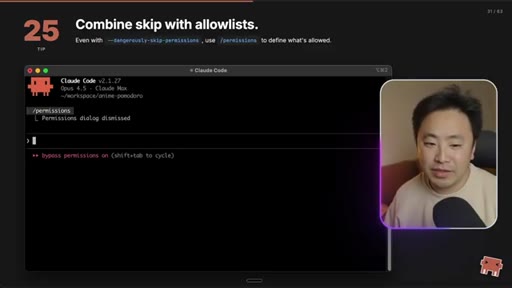
30 · Tip 25: Combine skip with allowlists

Even with --dangerously-skip-permissions, use /permissions to whitelist what's allowed.
20:59 – 21:38

31 · Act 2 card: DAILY WORKFLOW

Tips 26–32. How John actually works inside Claude Code every day.
21:38 – 23:46

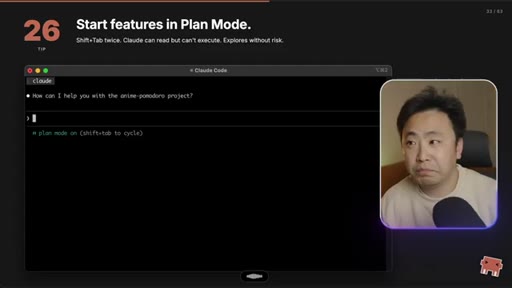
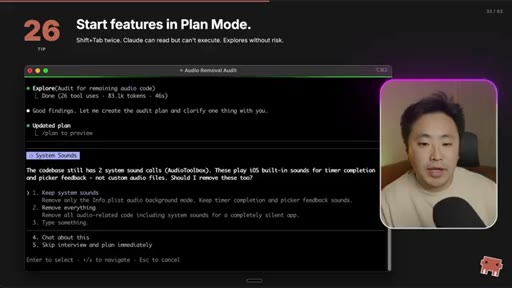
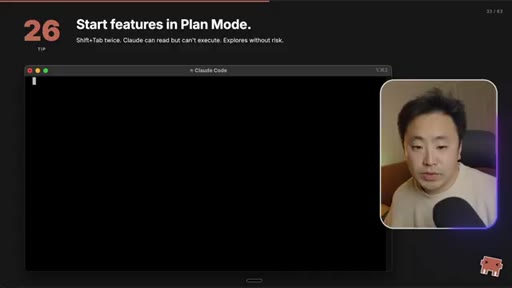
32 · Tip 26: Start features in Plan Mode

Shift+Tab twice. Claude reads but can't execute. Explore the codebase, argue with it, build a plan before you let it touch files.

23:46 – 24:29

33 · Tip 27: Fresh beats bloated context

The next-level engineering move is juggling Claude instances. Once execution starts, generation is the easy part — building the context was the hard part.
24:29 – 25:03

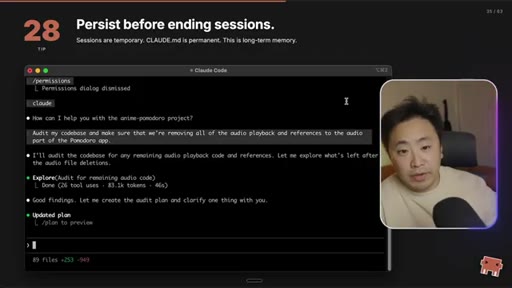
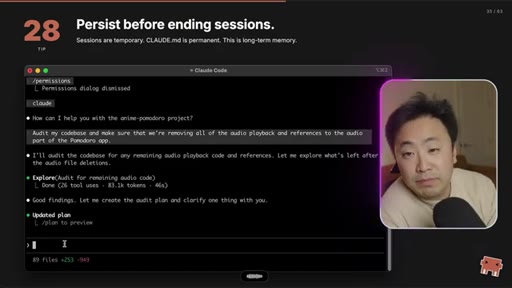
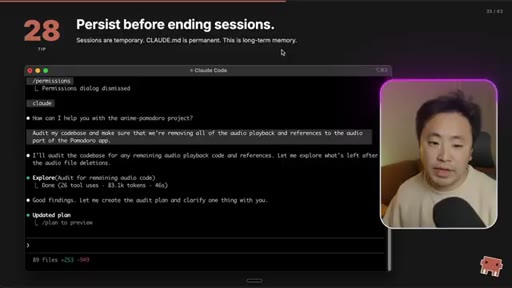
34 · Tip 28: Persist before ending sessions

Sessions are temporary. CLAUDE.md is permanent. Save important context before /exit.
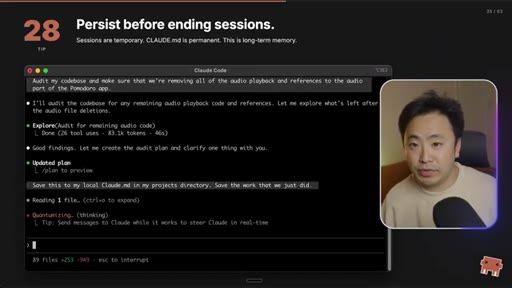
25:03 – 26:09

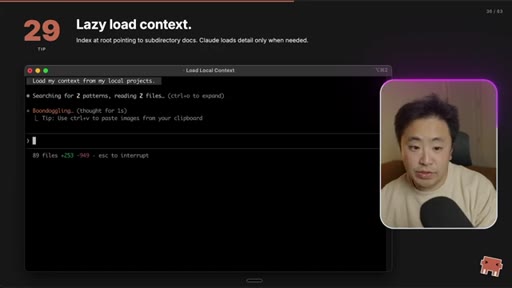
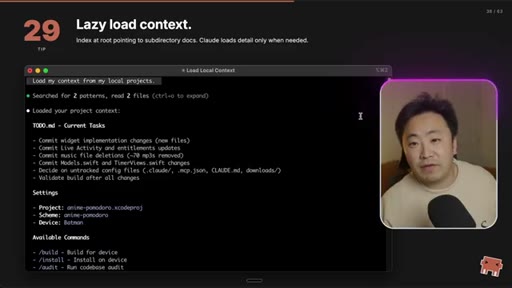
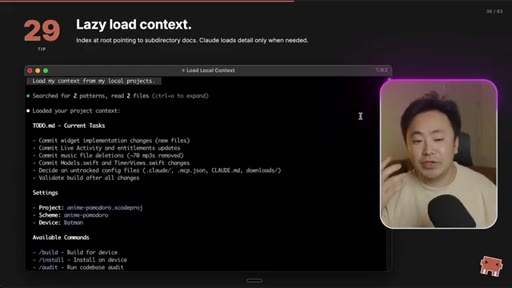
35 · Tip 29: Lazy load context

Index at root pointing to subdirectory docs. Claude loads detail only when needed. Second Brain pattern.
26:09 – 27:32

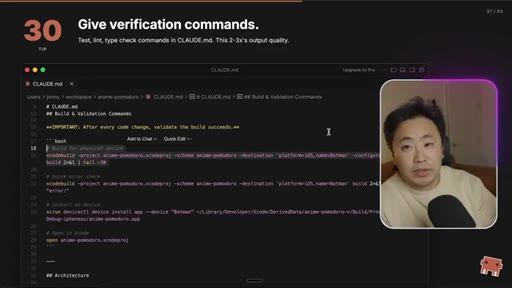
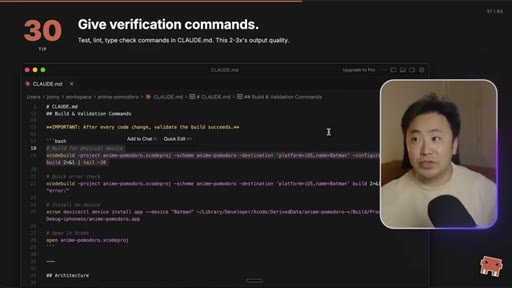
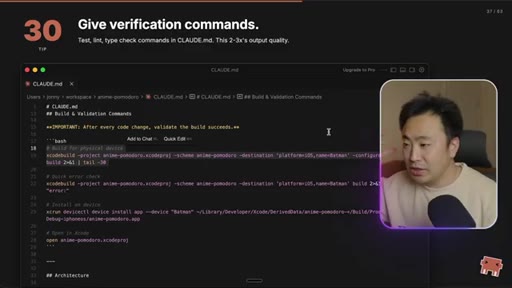
36 · Tip 30: Give verification commands

Test, lint, type-check commands in CLAUDE.md. This 2–3x's output quality because the AI can self-correct against the build.
27:32 – 28:18

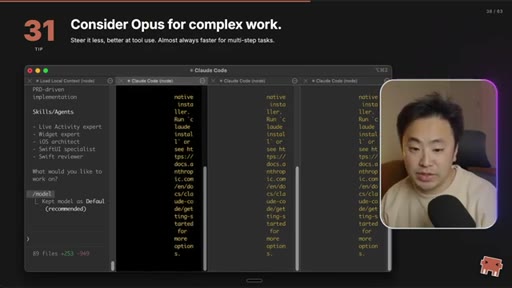
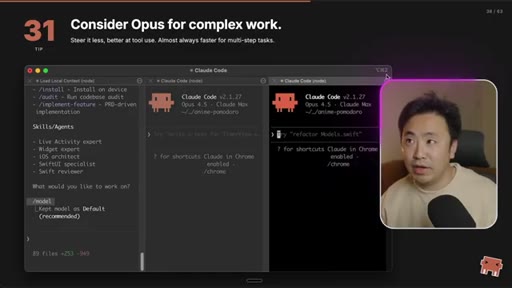
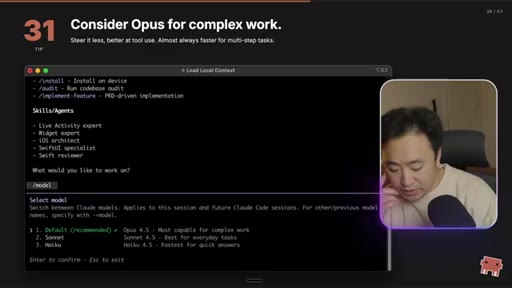
37 · Tip 31: Consider Opus for complex work

Opus is slower per call but you steer it less. Almost always faster wall-clock on multi-step tasks.
28:18 – 29:01

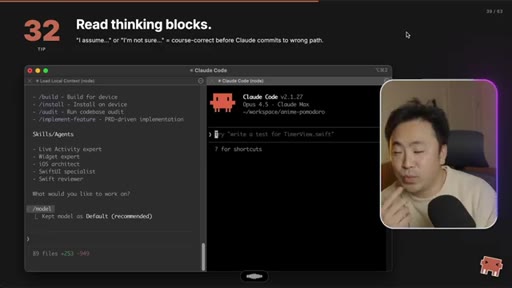
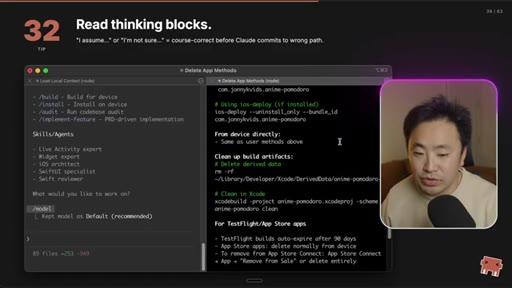
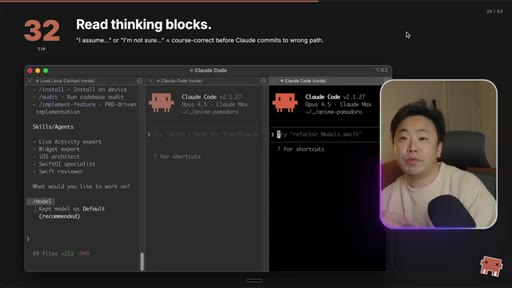
38 · Tip 32: Read thinking blocks

When Claude says 'I assume...' or 'I'm not sure...' — interrupt and course-correct before it commits to the wrong path.

29:01 – 29:34

39 · Act 3 card: POWER USER

Composability Framework — tips 33–40.
29:34 – 29:54

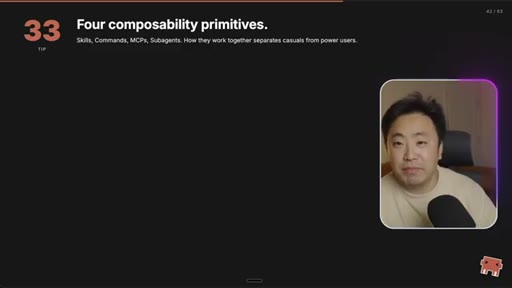
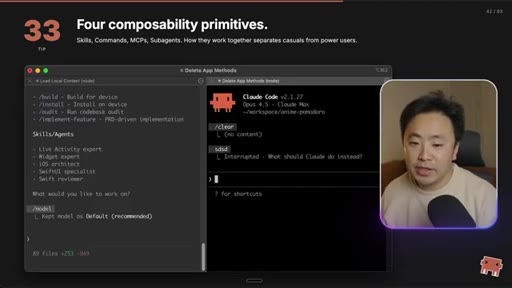
40 · Tip 33: Four composability primitives

Skills, Commands, MCPs, Subagents. How they compose is what separates casuals from power users.
29:54 – 31:33

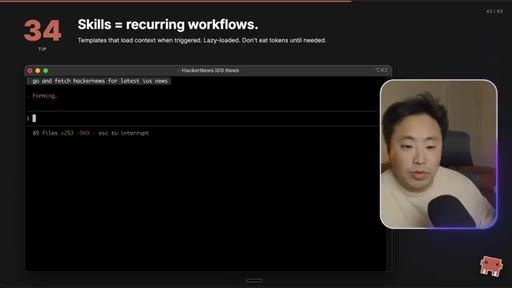
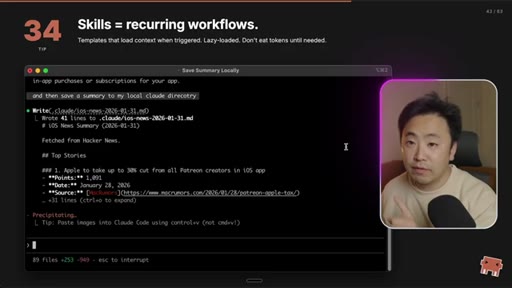
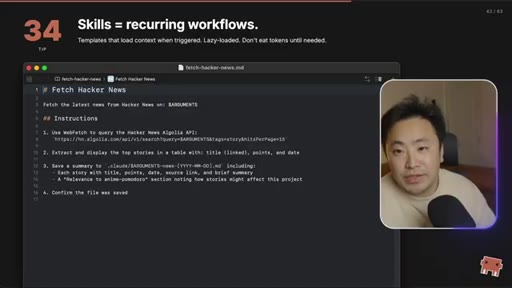
41 · Tip 34: Skills = recurring workflows

Templates that load context when triggered. Lazy-loaded — don't eat tokens until needed.
31:33 – 32:18

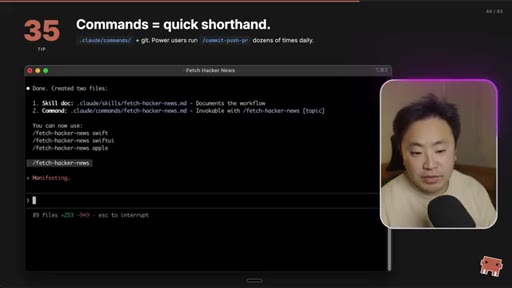
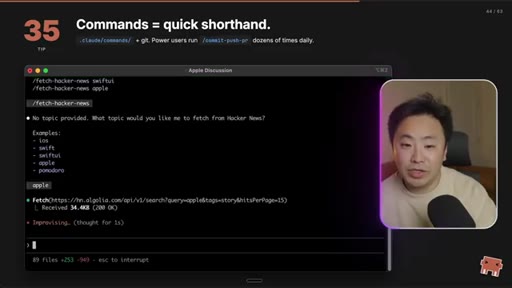
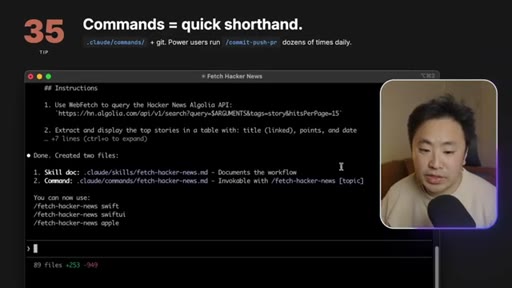
42 · Tip 35: Commands = quick shorthand

.claude/commands/ + git. Power users run /commit-push-pr dozens of times daily.
32:18 – 33:02

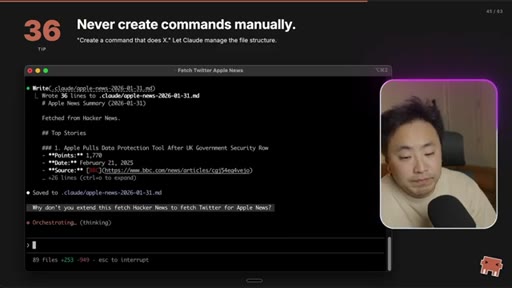
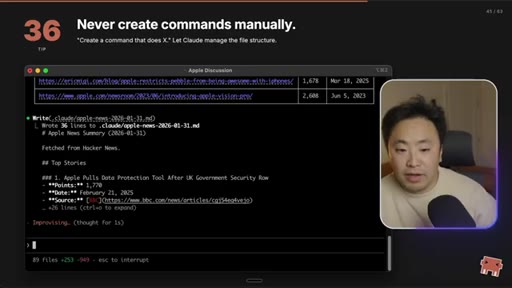
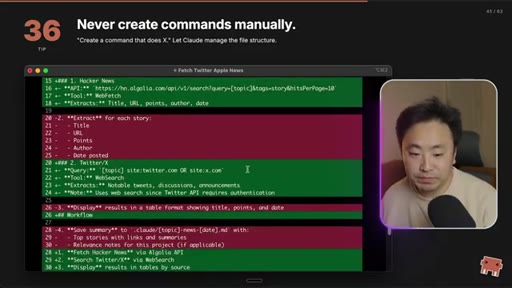
43 · Tip 36: Never create commands manually

Tell Claude 'create a command that does X.' Let it manage the file structure.
33:02 – 33:52

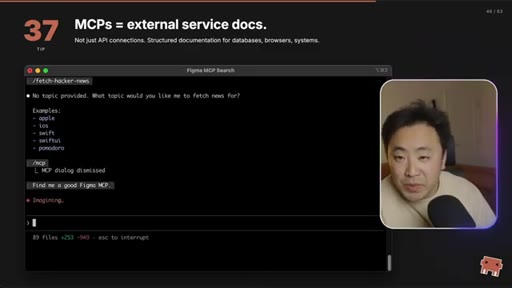
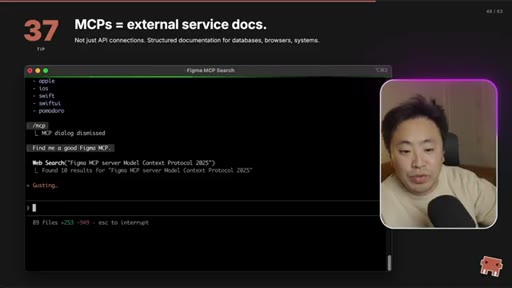
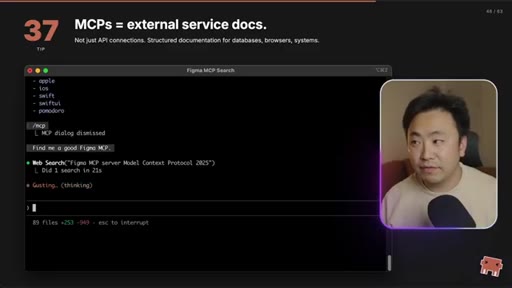
44 · Tip 37: MCPs = external service docs

Not just API connections. Structured documentation for databases, browsers, systems.
33:52 – 34:15

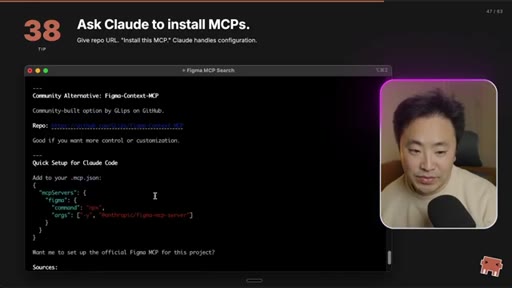
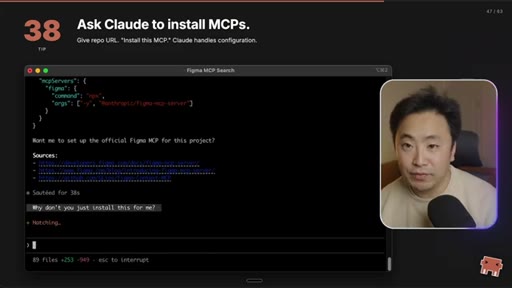
45 · Tip 38: Ask Claude to install MCPs

Give the repo URL. 'Install this MCP.' Claude handles configuration.
34:15 – 37:10

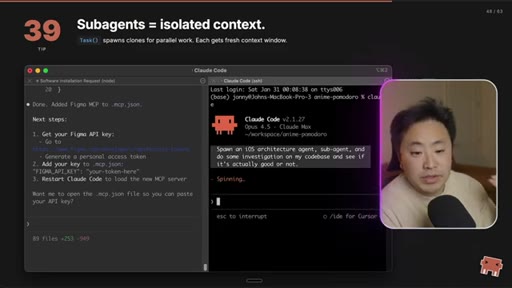
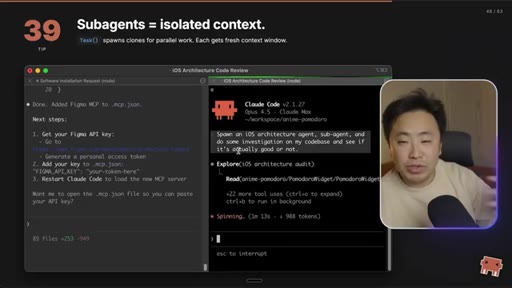
46 · Tip 39: Subagents = isolated context

Task() spawns clones for parallel work. Each gets a fresh context window — but only the output returns. Use for atomic side-effects.
37:10 – 37:48

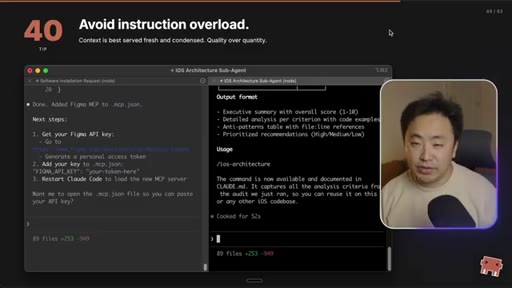
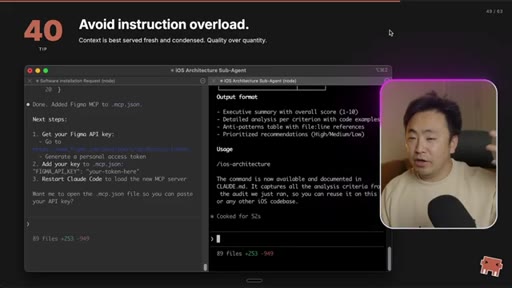
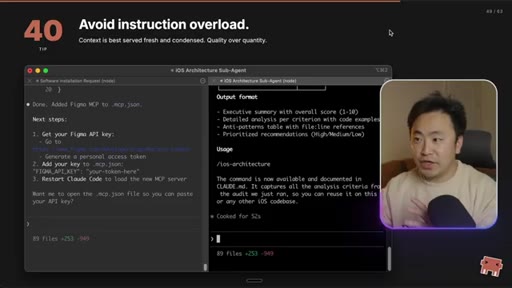
47 · Tip 40: Avoid instruction overload

Context is best served fresh and condensed. Quality over quantity.

37:48 – 38:02

48 · Act 4 card: ADVANCED

Tips 41–50 — Parallel Workflows + Hooks & Automation.

38:02 – 39:06

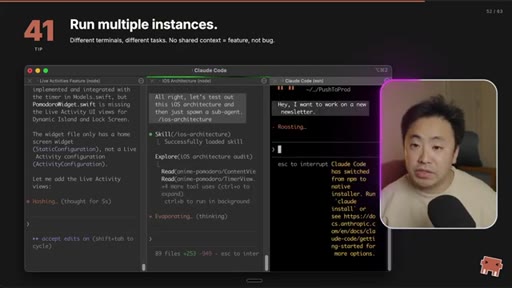
49 · Tip 41: Run multiple instances

Different terminals, different tasks. No shared context = feature, not bug. This is the Starcraft-style next-level engineering.
39:06 – 40:33

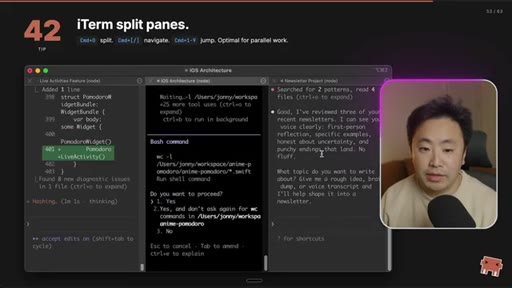
50 · Tip 42: iTerm split panes

Cmd+D split, Cmd+[]/[ navigate, Cmd+L jump. Optimal for parallel work.
40:33 – 41:10

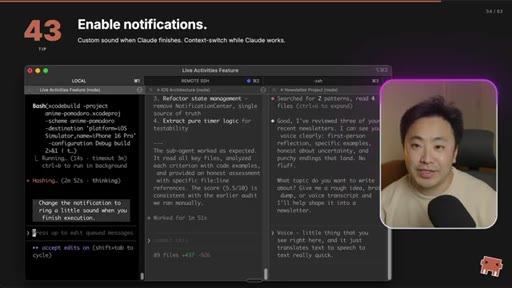
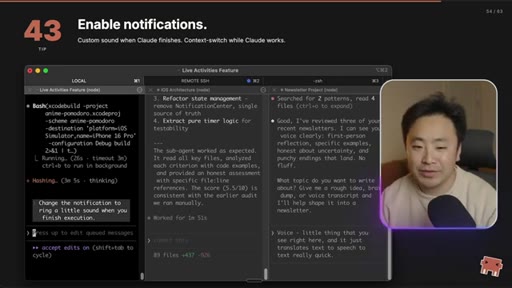
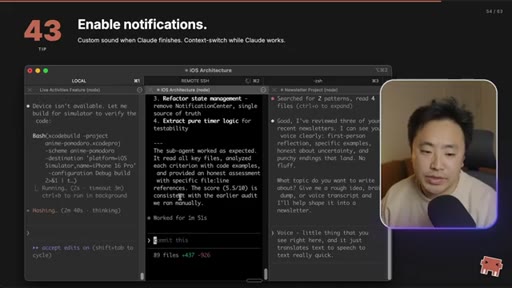
51 · Tip 43: Enable notifications

Custom sound when Claude finishes. Context-switch while Claude works.
41:10 – 41:40

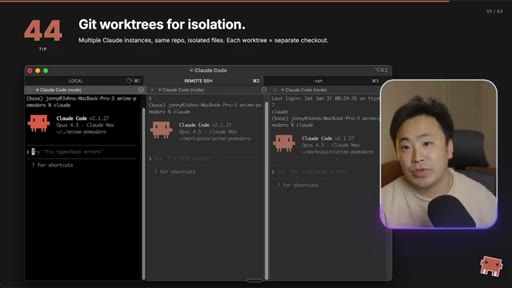
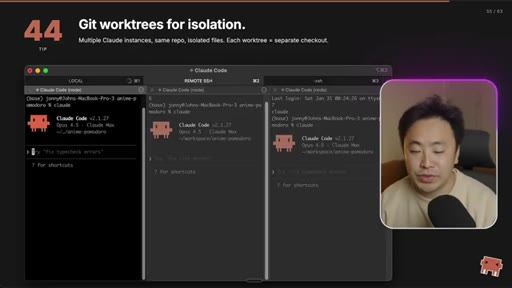
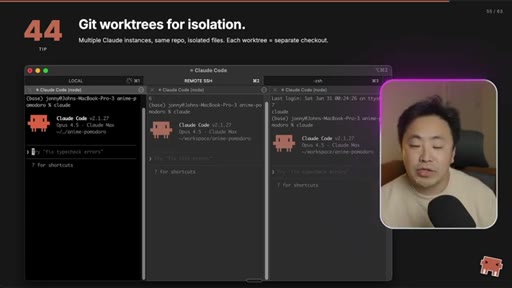
52 · Tip 44: Git worktrees for isolation

Multiple Claude instances, same repo, isolated files. Each worktree = separate checkout.
41:40 – 43:17

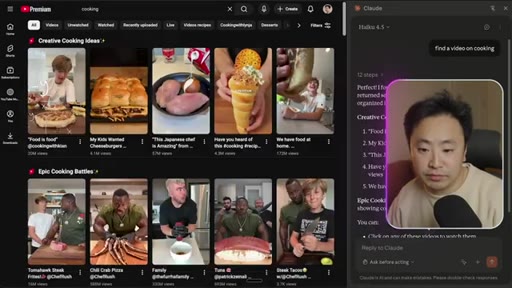
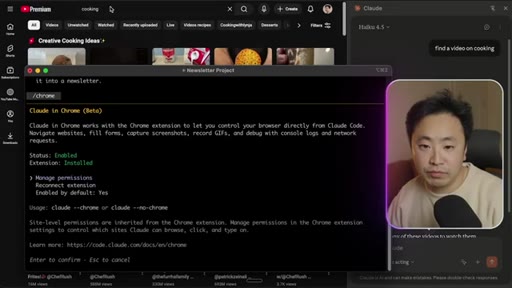
53 · Tip 45: /chrome connects browser

Claude controls Chrome. Navigate, click, fill forms, capture screenshots, record GIFs, debug with console + network requests.
43:17 – 43:28

54 · Tip 46: Powerful for debugging

Navigate, click, fill forms, read console. 'Fix the error in console.' One flow.
43:28 – 43:41

55 · Hooks & Automation section

Section transition card — tips 47–50.
43:41 – 44:10

56 · Tip 47: Hooks intercept actions

PreToolUse = before, PostToolUse = after, PostToolUseFailure, Notification, UserPromptSubmit.
44:10 – 44:24

57 · Tip 48: Auto-format with PostToolUse

Format after edits. Catches CI edge cases. Never commit ugly code.
44:24 – 44:43

58 · Tip 49: Block dangerous commands

PreToolUse blocks before execution. Guardrails for destructive ops like rm -rf or DB drops.
44:43 – 45:32

59 · Tip 50: Explore the plugin ecosystem

Plugins = pre-built combinations of skills, commands, hooks, MCPs, subagents. Install and use immediately.

45:32 – 46:12

60 · Context is King (outro + CTA)

Keep context fresh, keep it relevant. Give Claude what it needs and nothing more. Soft CTA to two prior videos (AI coding thought process + Second Brain).

§ · Storyboard

Visual structure at a glance.

credential cold open
Act 1 — Foundations card
Tip 1 slate
What/Domain/Validation tip
CLAUDE.md Deep Dive begins
Act 2 — Daily Workflow
Act 3 — Power User
Four composability primitives
Act 4 — Advanced
Parallel Workflows section
Tip 50 — plugin ecosystem
Context is King outro
§ · Frameworks

Named ideas worth stealing.

29:34 list

Four Composability Primitives

  1. Skills
  2. Commands
  3. MCPs
  4. Subagents

The four building blocks of advanced Claude Code workflows. All of them compose with each other — a Skill can trigger an MCP that spawns a Subagent attached to a Bash script. Plugins are just shipped combinations of these four.

Steal for the JoeFlow Sessions architecture story — frame Templates, Hotkey Macros, MCP integrations, and Cooks/Crew agents as Joe's 4-primitive composability framework
03:58 model

What / Domain / Validation (CLAUDE.md structure)

  1. What: tech stack
  2. Domain: what each part does
  3. Validation: tests, linters, type checkers

Every CLAUDE.md should be organized into these three sections. The Validation section is the unlock — it gives the AI a self-correcting loop.

Steal for any AI-coding tutorial Joe makes. Lift this verbatim as a section template for his own rules-file content.
18:27 concept

Compound Engineering

Commit your AI configuration (CLAUDE.md, skills, subagents) into the repo so the team's AI-coding experience improves with every PR. Each landed rule is a permanent productivity boost for the whole team.

Steal for MCN+ pitch — frame the platform itself as compound engineering for creators: every workflow Joe ships becomes a permanent capability for members
45:32 concept

Context-Management Mental Model

'Context is king. Keep it fresh, keep it relevant. Give Claude the context it needs and nothing more.' Every Claude Code feature is reframed as a context-management primitive — slash commands manage it, skills lazy-load it, subagents isolate it, MCPs blow it up.

Steal for the universal mental model for any AI tool Joe builds — frame every feature in his apps as either 'add fresh context' or 'remove stale context'
21:38 concept

Plan-Mode-First Workflow

Always Shift+Tab into Plan Mode before letting Claude execute. Argue with it. Spend tokens on the plan, because once execution starts, generation is the easy part — context was the hard part.

Steal for Builder Joe character — codify 'Plan Mode' as a teaching beat, the discipline that separates serious operators from prompt-and-pray users
26:09 concept

Validation Loops

If your AI is regressing, your validation loop is broken. Declare your build/lint/test commands in CLAUDE.md so the AI can self-correct against the build instead of asking you.

Steal for any 'why your AI agent sucks' content — universal diagnostic: 'what's your validation loop?' is the first question to ask
§ · Quotables

Lines you could clip.

00:08
"I'm one of those engineers that are basically not writing code anymore. I'm still in Claude Code, like, twelve hours a day, actively pair programming with Claude Code."
credential drop + status quo violation in one line — perfect for cold-open hook → TikTok hook
01:00
"Tips I wish I knew when I was first getting started."
universal frame for any 'learnings from the trenches' content → newsletter pull-quote
04:40
"Validation, as a side tip, is probably one of the most important topics that you should really think about when you're thinking about trying to build good AI agentic coding systems."
the actual unlock buried inside a tutorial — the meta-lesson → X thread opener
23:46
"Once Claude Code builds up that context and has good execution specs, the generation of the code is actually the easy part."
inverts the popular take that AI coding is about better prompts — it's about better context → IG reel cold open
40:00
"It really feels like I'm playing Starcraft to some degree. And all of this, I'm just doing with my keyboard."
vivid metaphor for the multi-instance workflow — sticky image → TikTok hook
45:40
"Context is king. You gotta keep it fresh, keep it relevant. You essentially need to give Claude the context that it needs and nothing more."
the thesis statement — buries 46 minutes of tutorial into one bumper-sticker line → end card / pull quote
18:27
"Take your CLAUDE.md and start committing it into the code base... once that's in, you essentially make that AI coding experience better for your teammates."
compound-engineering distilled — names a new behavior, gives the why in one sentence → X thread
34:15
"A lot of people are using subagents incorrectly... you really want to have this concept of bringing the work to the context rather than trying to spread out the context that gets created."
contrarian take with a tight prescription — the strongest 'most people are doing X wrong' moment of the video → TikTok hook
§ · Pacing

How they spent the runtime.

Hook length47s
Info densityhigh
Filler8%
§ · Resources Mentioned

Things they pointed at.

24:27channelSecond Brain concept (his previous video)
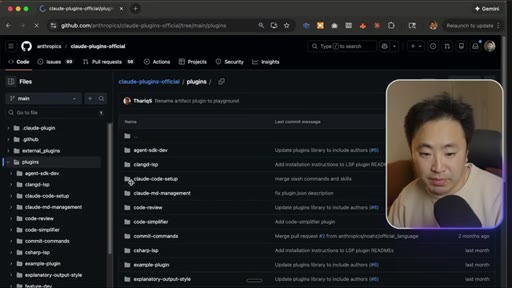
44:00toolAnthropic claude-plugins-official repo (GitHub)
08:44toolFigma MCP
41:40tool/chrome (Claude in Chrome extension)
40:55toolGit worktrees
39:06tooliTerm2
18:27conceptCompound engineering (recent industry term)
23:46channelNode.js creator (Ryan Dahl) — 'era of writing code by hand is over'
40:10toolWhisper (voice-to-text dictation)
§ · CTA Breakdown

How they asked for the click.

45:40 next-video
"Go and build something amazing. I hope this was valuable to you. If you're interested in this kind of video on Claude Code, I did a whole video on the high-level thought process of AI coding and also talked a little bit about my Second Brain thing. Those two videos are right here."

Soft, low-pressure. No newsletter, no Patreon, no sponsor. Two end-card video pointers — both his own back-catalog. The entire 46-minute video is the audience-build; he doesn't pitch anything else. This is the trust-first move.

§ 04 · The Script

Word for word.

HOOK opening / re-engagementCTA the pitch metaphor analogy
00:00HOOKWell, hello there. How's it going, everybody? Today, we're gonna go over my 50 Cloud Code tips.
00:05HOOKI've been working with Cloud Code basically every day for about six months now, and I feel like I've learned a ton of things. And, yes, I am one of those engineers that are basically not writing code anymore.
00:18HOOKI'm still in Cloud Code, like, twelve hours a day, actively pair programming with Cloud Code, basically, and reviewing a ton of code. I still read every single line of code.
00:28HOOKThat's actually my biggest bottleneck right now, the reviewing of the code. But I thought it would be great to show you kind of the best tips that I've learned along the way, and these are kind of tips that I wish I knew when I was first getting started. We're gonna start off with some foundation stuff like setting up very quick setup stuff, a little bit about, like, Cloud.
00:47HOOKMD rules, like, what you should put in, what you should think about, and kinda some of the advanced stuff for later. But without further ado, let's dive into 50 Cloud Code So I got my terminal here, and I just have some slides behind to
01:02HOOKtell you guys what I'm doing. So here is the foundations that I mentioned.
01:06We're gonna cover getting started, keyboard shortcuts, some essential, like slash commands, and a little bit of a deep dive into the Cloud. Md.
01:15So let's get started. Alright. So for tip number one, you wanna run Cloud Code in your root directory
01:22of whatever project you're working on. So for example, I have this Pomodoro app that I'm, like, kinda been working on. So I'll type in, like, Claude here, and that's essentially how you get started.
01:33And you really wanna do this because later we'll talk about this, but if you have rule files or any kind of setup, the initial root directory is where Cloud is gonna zip up the context into that first token.
01:46So if you ever wonder why you had a bunch of tokens used even though you just opened up Cloud, this is probably the reason why. It's because Cloud's getting your project ready. Alright.
01:55So one of the first things that you wanna do is run slash init like that. And what this does is cloud will go and look at your code base and do an analysis of your code base and then create that initial cloud dot m d file in the dot cloud directory
02:11of your code base. Now there is, like, different directories that you could source from.
02:16Like, you could have a global one or, this one. But, yeah, at a high level, what this is doing right now is just is just looking at the code base, looking for the architecture, and then, basically, it's creating that Cloud.
02:28Md. Alright. So it just finished.
02:30It does take some time. And as you can see, it's kinda going and saying, oh, this is this is like a Next.
02:37Js 15 app. It's like a portfolio site. But, yeah, it's just going over high level things about this particular project,
02:45and then you could just essentially hit yes to commit that to your dot clot. So this is, like, really important for new projects, so I highly recommend you to run it. Alright.
02:55So the tip number two is that clot dot m d file that we just created, it kinda runs on a hierarchy. So if you go to memory slash memory, you could kinda see right here that there is a checked in memory, which is the current root directory, and then there's a user memory.
03:10This is like your global one. So that's, like, in your tilde dot claud slash claud.
03:16So you could kinda choose between it, but it's it's really there so you can know what the core rule that the cloud code is operating on right now. Looking at the cloud.md that Cloud just created, like, this is a pretty good one to get started.
03:30Right? It just has, like you you don't want it to be too large. It's, like, very small.
03:34Right? I I think around 300 lines is about a decent place that you wanna aim for. And to be honest, going larger is fine, but just remember that every time you increase that initial context window, you're gonna use more tokens, first of all, but also the more bloat you have in your context,
03:52the less likely the AI will do exactly what you're trying to do. Alright. So for structure and what you should be thinking about putting into your Cloud.
04:01Md, I just opened another project. This one is my Anime Pomodoro.
04:07This is an iOS app, so I wanted to show you a little bit more examples. But, basically, the things I like to put is, like, high level technical architecture and the requirements, You know? Like, what is the project?
04:19Like, that's kind of important. And then you wanna give it, like, some domain context. Right?
04:23Like, oh, it's using Swift UI, and I probably would add high level architecture and, like, kinda the file path and things like that. And just some of the high level design patterns, like, you'll see, like, all of that should go in here.
04:38And then one of the important thing is kind of having your build flow, like, your validation flow, and this is, like, kinda where my build and validation is. So you can see that I'll, like, build the Xcode and then build a project, make sure things compile. Just having this loop of validation is so amazing because the AI will just be able to self improve
05:00and keep going until it fixes itself. So, like, if you're ever in that situation where you just, like, ask cursor to do something or ask some AI code agent to do something and it just doesn't work, a lot of that gets resolved when you fix the validation. And validation,
05:17I think, as a side tip is probably one of the most important topics that you should really think about when you're thinking about trying to build good AI agentic, like, coding systems or any workflows is really what is the validation loop because that will dramatically improve how good your AI will be.
05:36Alright. So let's go to some keyboard shortcuts. And the reason why I even have this entire section for this is because if you're gonna be in Cloud Code all day, every day,
05:48like, you're an engineer, you're just gonna be on this workhorse for quite a while. So you should learn how to actually use most useful hotkeys, and there's essentially
06:00shift tab toggle modes is pretty useful, and that's just like hitting shift and tab. And then you can see right here that we're switching from accept edits to plan mode. I actually use plan mode quite heavily.
06:13I I think I use plan mode almost exclusively whenever I start a new feature. It's rare that I start in edit mode.
06:20I always just want to verify and double check that my assumptions about the code base that I'm working on and the the direction that I'm trying to go with is the best option. So I usually start in plan mode and spend a decent amount of time before I go to accept and just, like, start execution. Alright.
06:38Escape interrupts. Let me just get something started here. Tell me a good way to plan a live activity
06:45for when I background the app. Okay.
06:48So I'm gonna let this go to show you guys what escaping the interrupts is, but you can see that Claude is, like, thinking here, and it's, like, going through and doing things. Sometimes if especially during plan mode, you wanna kinda, like, look at this and look at the thinking and see if it's going off track.
07:07If it is, you just hit escape, and then it interrupts. Now a lot of people might be, like, kind of, like, scared to interrupt it, but you can just, like, hit up and then go right back to where you're doing,
07:18or you could just interrupt it and tell it something else. The whole point is Cloud Code has a really good way of, like, deducing and entering prompts in a nice queue. It, like, it logically knows what to do.
07:31So you don't have to be so scared to, like, enter more than one prompt and also, like, escaping early and interrupting and changing course. Like, it's actually recommended to do that. Tip number eight is if you ever had something, like, really big where you copy paste something
07:47and you're like, oh, I don't wanna delete everything, a handy shortcut here is just double tap escape, and it'll clear the input. There's also a VIN mode if you're into that, but I use this all the time. Another thing is when you're on an empty input, if you double tap escape, you'll see that you can rewind to, like, a previous point
08:06and then restore that context point. This is kinda common with clock code, but a lot of the tools, I feel like, is really built to manage your context and context engineering. And then there's just, an agent
08:19that is wrapped around the orchestration. But a lot of the, like, slash commands and stuff that we'll be going over, I feel like it's it's really to manage that context window. Alright.
08:29Screenshots is obviously a pretty common thing to do. There's a lot of ways to do it, but you can essentially take a screenshot and then drag it over and just drop it in.
08:40And then, obviously, another good tip is to add context. This is a cool picture of the Clockholm mascot. Do something with it.
08:48I don't know. But yeah.
08:50So that's a really good example of, like, taking a screenshot and bringing it over. If you are doing any kind of UI work, you'll definitely use this workflow. I also highly recommend finding, like, a Figma MCP or some form of MCP that works really good with the specific validation that you're trying to do.
09:09Alright. Moving on to essential commands, and this is slash commands. Before I end on the keyboard shortcuts, there's a lot more keyboard shortcuts, things that I don't use all the time.
09:19If you just go to, like, slash help, you'll be able to see a bunch of them. But the ones that I covered, I use all the time every day. So definitely just memorize it.
09:27I think it would be really useful. Now essential commands is, like, the slash commands that I think you should know about. There's way more slash commands, and you could, like, make your own slash commands, but these are the ones that I think is useful.
09:40Alright. So slash clear is basically a way to
09:45clear the context. Now you could actually do this by just creating another instance of Claude. Right?
09:51That's basically the same thing. But if you don't wanna, like, do that, you could just clear the context. And this is really good if you wanna start a new feature and you're completely done with the old task, and you don't want the old context to blow up the new context and influence the new project that you're doing.
10:08Alright. So I just loaded some stuff. Let's go into slash context.
10:13What this does is it will give you, like, a visual representation of the current context that
10:20Cloud Code is operating in. Now why is this useful? So the main reason why this is useful is because it gives you an opportunity to reason about the context that Cloud Code is making assumptions on on your code base.
10:36Now I always say context is best served fresh and condensed, and you really want to take a look at this from time to time. If you ever felt like Cloud Code has regressed and, like, things are not working the way it is or your, like, cost and usage, like, bill is going up, you really wanna look at this and then see which are, like, the most biggest offenders.
10:58Right? You just wanna, like, audit it. Like, MCPs are one of those very common things that blows up your tokens.
11:04I mean, like, look at all of this Xcode related MCPs. And every time it runs, they're like I mean, these are not a lot because I haven't been doing that much in this particular workflow, but you could just imagine that once I start doing those iteration cycles, this, like, usage will, like, blow up. But So if you look at this and you're like, oh, this MCP is using so much, then you could remove it or just disable it for this directory.
11:28So slash context is something that you probably should not ignore. Again, I think Cloud Code, all of the tools is really there to manage a lot of the context and doing really good context engineering, so this is a good slash command. Alright.
11:41So in terms of compaction, like, if you use CloudCode at all, if you had a long session, it'll start auto compacting at some point. All auto compaction does is it takes your current context window, like context that you created, and then it will just summarize it.
11:56And then it does a pretty good job. For my projects, I usually just let the auto compaction work, but if you really want to compact what you have right now, you could just compact. But I I rarely use this.
12:08The only time I use this is if I wanna save some version of my context into, like, my local, like, second brain.
12:16If you haven't seen that video, go and check it out. But I have the second brain concept when I work on projects, and that's where that goes. So for slash models, this is, like, very useful, I think, if you have unlimited tokens.
12:28Like, if you're doing this at work, for me, I usually just default it to Opus 4.5. But if you're very, like, cost sensitive and you know certain workflows work well in Sonnet or, like, Haiku, then you could just go and change that. Keeping at default is fine too, but I would try to use Opus as much as possible.
12:48Alright. So slash resume is really useful if you accidentally, like, lost your instance. Let's say you created another one and then you accidentally killed it or something like that.
12:59Right? Oh, you killed the wrong one or something. Then when you go back into ClawCode, you could just slash resume
13:06like so, and then it'll give you kind of the old context, and then you could, like, recover your context so that you don't lose the all the work that you did in building up that context window. Alright.
13:18Slash m c p is really about showing the MCPs that you have installed. If I have to be honest, I try very, very hard to not use MCPs
13:30because I think they blow up your context window. So I only install ones that are needed for that very specific project, and I try to just leverage Cloud Code and write scripts and, like, these kind of things manually, like myself,
13:45to do the validations and things like that. But some projects, you just do need MCPs. Like, this Xcode one, you kinda need it.
13:53And for other projects like my Next. Js apps, I have, like, a whole set of MCPs for that. But just be careful with MCPs, but it's a really fantastic way
14:02to teach Claude how to do certain things, especially with, like, third party software and things like that. You know, it's a protocol.
14:09Right? Model context protocol. So it's basically used everywhere, but, again, it's known to blow up your token usage and your context window.
14:17So just be careful. Alright. So slash help is the last thing I'm gonna teach you, you know, teach a man how to fish.
14:22So this, like, little wizard here will just teach you what they are and give you, like, descriptions of everything. So just go ahead and, like, try these out and just take a look and, you know, explore. Alright.
14:32So the next thing is around git. So you could ask Cloud Code to manage your Git.
14:37I think there's a bunch of, like, skills you could download to Cloud Code to manage all your Git, and I think that's something that you should do. Like, I write a lot of my summaries and test plans all using, like, Cloud Code now. Obviously, I have my own templates that I wrote, so Cloud kind of sounds more like me and is not too verbose and things like that.
14:56So I highly recommend you to use Git as a safety net. There is actually a rewind feature, like I think I told you, where you could restore the code in the conversation, but this is a little confusing to me. Like, Git is just better.
15:09I use this as, like, a last resort if I didn't have Git for a certain checkpoint. So now that you know how to just navigate around Cloud Code and things like that and just kinda high level important, like, commands and things like that, I think it's a good time to deep dive into the cloud dot m d file.
15:28I think for most people, most users, like, 80% of users, if you just have a really good cloud dot m d file for your project, you could get really, really far without learning, like, all the advanced stuff. Just having a really good rules file will save you a lot of headaches.
15:48HOOKLet's kinda dive a little bit deep into this. Okay. So one of the most important things in
15:54HOOKthe claw dot m d files is first of all, it's like, it actually reads top to bottom, and it keeps the priority from top to bottom. I think that's, like, a very small nuance. I'm pretty sure that's true.
16:05HOOKI think I read that somewhere. But So you wanna go top to bottom as, like, important to least important. And you wanna add things that are, like, never do something, but always do this.
16:16HOOKAnd then have, like, clear snippets of examples, I think, is really good. And I don't have that many on this particular project because it's stock SwiftUI, but the context here is that you should really think about how unique is your project, how many things about your project is, like, homegrown and, essentially, like, the AI may have never seen.
16:37HOOKLike, remember, a lot of this code is, like basically, a lot of the AI, like, coding is basically just an accumulation of, like, the best code that the AI is trained on.
16:50HOOKSo it might not know your, like, super special DSL language that you created or, like, some random archaic
16:58HOOKpatterns that your company has, and that's where you'll be like, oh, why is the AI never doing this? So whenever you run into something like that, you wanna fix it manually,
17:08and then you just update your cloud.md rules so that it never does that mistake again.
17:14Think of it as, like, Lint files kind of. And then when you ask Cloud to update the rules, you shouldn't ever do it manually. You should just go here into Cloud and and say, hey.
17:25Can you update that rule for me so we never do it again? Something like that. Like, as simple as that, we'll go and update the your Cloud dot m d files.
17:35You see how it's trying to do it? Obviously, there's nothing that I just did, so it says nothing to add. But yeah.
17:41Okay. It it added something that I thought, but you get the point. Alright.
17:45So this next one is really around using, like, keywords to trigger your skills.
17:51So, basically, I have these, like, build commands inside of my rules. So when I say, hey. Use my Xcode MCP to build, it'll try to build the app, for example.
18:02Use my Xcode MCP to build the app. Okay. My whisper stuff is, like, failing a little bit, but maybe you'll get the gist of it from build the app.
18:14HOOKAnd as you can see, it's it's asking if I can use the Xcode Build MCP. So that's kind of the high level of, like, using skills and, like, trigger words to be able to trigger a certain behavior. This next one is something called, like, compound engineering.
18:28HOOKThat's, like, kind of a new term that is being discussed, but it's essentially to take your Cloud. M d and start,
18:37HOOKlike, committing it into the code base. Now, obviously, you need to get rid of anything that's, like, generic for your code, like file paths and things like that, and you also wanna be mindful of how large this file becomes. Right?
18:51HOOKBecause, like I said, every time someone hits Claude in that directory or Claude is trying to read that directory, it will load that Claude dot m d file. So you don't wanna blow up other people's context windows, so you really wanna be have this be, like, a high bar when you're committing it.
19:08HOOKBut the nice thing is once that's in, you essentially make that AI coding experience better for your teammates. But you just need to make sure that whatever you're landing is actually helping. There's a lot of school of thoughts around this right now.
19:20HOOKI don't think it's, like, completely solved, but there's gotta be some form of evaluations here. And a lot of people are just using, like, Vibes.
19:27HOOKSo you just, like, test it for, like, a few weeks, and then you just try to land it aft and then ask for feedback, essentially. So dangerously skip is essentially like claw code in YOLO mode. You know?
19:40Like, just basically, if you use claw code, it'll ask you to accept a bunch of stuff. It could get really annoying.
19:46So a lot of people, they use, you know, clawed and then dash dash dangerously skip. Okay.
19:54So it's dash dash dangerously skip permissions. And when you run this,
20:01Claude code will no longer ask you essentially to accept that. I think it will completely just ignore it except for, like, anything you put into your slash permissions, which we'll talk about. But
20:12you only really wanna do this in in environments that you can kinda throw away and you're doing specific work that is not, like, super dangerous.
20:21Like, if you're gonna start touching the OS and stuff like that, you could really mess it up. I've messed up some of my Linux machines because I was just going too aggressive, and I was just testing it out, and I was trying to set up some of my Linux stuff using ClockCode, and then, like, I had to reflash the entire thing.
20:37Like I said, you can use slash permissions here to kind of, like, tell which ones are like, you still want to accept.
20:47So it does you know, like, r m dash r f or something, like, don't do that. Or yeah.
20:52Just like mutations. Like, just be careful with mutations, like, deletion mutations. Right?
20:58Alright. The next big one, I think, now that we talked a little bit about the CloudNMD rule of files, I think we should talk about workflows because
21:08I have a very specific way I'd like to work, and I've actually refactored my entire work so that it's works with Cloud Code.
21:17You know, I used to use Cursor or, like, Android Studios mostly and Versus Code to do a lot of coding and stuff like that, but I dropped basically all of that, and I use just iTerms now. Some people use, obviously, Vim, but I think iTerms is fine. So I'm gonna show you guys a few things.
21:36So like I said, I always start with plan mode.
21:41Let's go in, like, plan, like, a little feature for this Pomodoro app that I've been, like, kinda working on. I don't know. I actually need to remove a bunch of audio stuff.
21:49So let's just say, audit my code base and make sure that we're removing all of the audio playback and references to the audio of part of the Pomodoro app. I'll always start with plan mode, and I'm, like, iterating with Cloud Code.
22:06I'm arguing with it. I'm having a conversation with it. You know, Clocko, you're so beautiful.
22:11You're so amazing. No. But, like, I'm really treating it as, like, another, like, just good engineer that I'm, like, working with, and I'd never just, like, purely accept
22:22the first answers that it gives to me. I'm always kinda challenging it, and I spend a lot of time and put a lot of effort at this stage of the development. Because I feel like once CloudCode builds up that context and have good execution
22:38specs, the generation of the code is actually the easy part. And I I do wanna take a moment and talk about, like, kinda the news cycle about people saying,
22:47oh, like, people are no longer writing code. I think, like, the creator of Node.
22:53Js said, like, the era of, like, people writing code by hand is essentially over, and I actually truly believe that. And the thing is I love, like, being in the zone and writing code. At least I used to.
23:06The thing is it's really hard to get back into that mode. It's, like, very different levels of abstractions of the way you're working. And right now, I'm just doing one instance of it, but you could imagine
23:19just having, like, multiple cloud instances like this, and and and then you're just actively working on a bunch of different things at the same time. Because you have this, like, new superpower,
23:31the new next level of engineering is really, like, jumping between cloud instances and and really context engineering
23:40HOOKthat instance and then getting it good enough to start executing. And I keep talking about this, like, context. Right?
23:47HOOKAnd this tip is really around, like, fresh context beats, like, bloated context. I think I kinda cover this throughout this,
23:55HOOKbut that's why you wanna start with plan mode, make sure it's good, and then just go and execute. Instead of, like, having a bunch of, like, try this and then try that and then try this and then try that. Like, that will just bloat that context and then the AI will get really confused at some point because it it can't remember what what part of what was good and not good.
24:16HOOKSo that's why you wanna spend the time in the beginning building up the good context, have a good plan doc. So it always has something that initially was good to reference, and then it builds little by little.
24:28HOOKAlright. So this next one is really around persisting that context.
24:33I have a full video on this about, like, the second brain concept, so I'll link it here. But the idea here is that, let's say, you've finished something.
24:42You could just say, save this to my local cloud.md in my project's directory. Save the work that we just did.
24:50So you you could say something like that, and then, um, I I essentially have a full workflow for this to manage this. But, yeah, you you could do that. Load my context
25:01from my local projects.
25:04So once you have that second brain concept, you could say a command like this, and it will pull that context and then load it for your new session.
25:14So here's a good example. I like to do a lot of my to dos inside of Cloud Code itself. These are kind of the high level things that I still need to do for this next feature that I'm working on.
25:24So I'm, like, working on a widget for this Pomodoro app, and I have, like, a live activity, for example. And I'm also, like, deleting all the music stuff because I don't think it adds value. So I have a bunch of stuff that I'm tracking, but because I keep all the to dos in my local
25:40index, like, that I'm lazy loading, I don't always load it. I only lazy load it when I ask for it. It allows me to, like, context switch from project to project without, like, carrying around, like, complex, I don't know, Asana boards or whatever.
25:53I just keep it all in here, and it's this is this works because it's my own project. But you can technically do this with, like, an MCP with Asana or, I don't know, Jira or whatever as long as you can whatever project management that you can think of.
26:07Alright. So I think we covered this a little bit, but really think about the build cycle. Like, obviously, if you're mobile,
26:15think about x code building the x code. But there's a lot of other workflows that you could think of. Like, for example, you could ask Cloud Code to like, let's say you're debugging something that's, like, kinda tricky, has, like, race conditions or things like that.
26:28You could ask Cloud Code to, like, add debug logs, for example, and then run the app and then have Cloud Code control the emulator. You could just ask it to do that and then, like, do the actions that you're trying to do and then read the logs through a tail log or something and then debug that way.
26:46Or you could use, like, Perfetto or something like that for kind of performance things. You could hook into Perfetto MCPs, do a run, and then have it read the traces, and then see if it can find jank just from, like, the timings.
26:59Right? There's just so many validation loops that you could think of. Like, for web, you could do, like, Puppeteer and have Claude navigate it using a slash Chrome command and then just actually do the navigation or have it write just test or have, like, integration end to end integration test.
27:15You know, there's there's a lot of things that Cloud Code could do, and it really is up to your imagination. But it's the single most important thing in my opinion if you wanna have a more automated loop that, like, generates good code on, like, the first try.
27:30So going back to the slash models, really just consider using Opus if you can afford it. It's just the best way.
27:38All of these are a little bit slower, but because the way I work is I have multiple cloud instances, obviously, it's, like, very small, right, in here, but I have multiple cloud instances running at all times. And then the way I work is basically just juggling these cloud instances.
27:55So even if one of them takes a long time, it doesn't matter because I'm like, I gave the command, and I go to the next one.
28:03I'm building the context. I give a command, and I go to the other one, and then I give a command. So so, like, you end up, like, still
28:12can get into the zone, but it's, a different style. So I talked a little bit about interrupting earlier,
28:18but you really want to, like, look out for, like, assumptions or the keywords are like, oh, I'm not really sure, or you'll see, like, errors happening.
28:28I'm having a hard time, like, getting it to do this in this example, but just just know that, like, when you go and look for the
28:39best ways to delete an app. I don't know. I I'm just giving it a random prompt to try to make it go off course,
28:48but if you see it going and making assumptions about certain things okay. This time, it didn't even because it's just new. But you should just interrupt it like that.
28:57You know? And then and then just course correct it. So don't worry about course correcting.
29:01Okay. So the next section is around power users. I I don't really like to say power users, but most people that I've talked to don't really know, like, the differences between a slash command or a skill.
29:14They're they're kinda interchangeable now. And MCPs, sub agents, you know, post hooks, pre hooks, like, these kind of primitives that ClockCode is, like, known for and kind of, like, invented. And we're gonna cover some of that and and how this
29:28these are all, like, composable in nature. Okay. So I call it the composability framework, but it's I just really wanted to highlight that these are composable more than anything.
29:38But there's four primitive, like, composable things. All the slash commands are technically composable with each other, not directly each other, but anyways.
29:48So we're gonna just go over the fact that, like, how these are composable. Okay?
29:53So let's first talk about skills. All a skill is is is, like, you do a workflow. So let's say that
30:01I tell Claude, go and fetch Hacker News for latest iOS news. So let's say I tell it to go and fetch Hacker News for the latest iOS news, and then
30:15and then I tell it to save that. Okay. And then save
30:20a summary to my local
30:25claud.md. Claud directory. Okay.
30:31I misspelled that. But, basically, let's say that it went and found some, and then it's save it into my local directory.
30:38Let's say I wanted to build a skill around that. So you just saw me do two things. One is fetch something from a source like Hacker News and then save that thing to my local directory.
30:50That's technically a workflow. So all you have to say do is save what we just did into a new skill called fetch hacker news. And that's basically it to create a skill.
31:02It's basically a recurring workflow that you can just tell Claude to remember. And behind the scenes,
31:09it's actually just an MD file, as you can see right here. Oops. And as you can see here, it's literally just a system prompt.
31:17It's an MD file. But Claude has specific directories that is looking for skills, and it will be able to infer this next time I say, go fetch something from Hacker News or use my Hacker News skill to fetch articles.
31:32Yeah. And then commands is basically now interchangeable. It's it's a pretty recent change, but you can see that
31:39skills is written into the skills documentary, and it there's also now a slash command called slash fetch hacker news.
31:47This is a very recent change from Anthropic where they kind of, like, combined commands and skills. But yeah.
31:53So now you can just do slash hacker news, and then now it'll rerun that system prompt, for example. It added, like, an additional, like, assumption thing. That's pretty cool.
32:03It's not exactly what I did, but it kind of inferred that I would probably want that. So those are the little cool things. And and the thing is you could update these anytime you want.
32:12You know? You could just ask Claude to do do something else. Alright.
32:18So like I said, you never wanna manually create these kind of stuff. You wanna get in the habit of asking Claude to update and manage
32:27these skills. So we could say, why don't you extend this fetch hacker news to fetch Twitter or Apple news, for example. Now sometimes
32:37it won't work 100% exactly. Right?
32:40Okay. So you see this? It doesn't have Twitter authentication access,
32:44so it's trying to just do some other ways. Yeah.
32:48Multiple sources. So you can see how it's all updating that system problem that we wrote.
32:54Right? And then fetch hacker news and so forth.
32:58You you get the idea. Alright. So MCPs,
33:02I think we covered it a little bit during the the rules, but, basically, MCPs, you just wanna find MCPs like this.
33:11Right? Like, they're just model contexts. But kind of a hack is, like, you don't actually need to search the web for an MCP.
33:20You could just be like, find me a good Figma MCP. You could just ask Claude to find it for you, and then most of the time, it does a good job.
33:29The only thing is, like, sometimes it's outdated,
33:34so it'll it'll, like, know of one that's was popular a little while ago rather than doing a web search. So you just have to be mindful. And that's why I'm saying, like, for certain actions, you wanna read
33:45how what it's doing and look at the thinking and then cancel it if you want to. And you could have Claude also install the MCPs, so you don't have to, like, manage, like, the configs and stuff yourself like you had to with cursor.
33:57Yeah. So you could ask Claude to install the MCPs. So, like, right here, it says, go and do this.
34:03Right? But instead, I could just be like, why don't you just install this for me, for example?
34:09HOOKAnd then it will just go and install it for you. Alright. So in terms of sub agents, I don't know if I have one for this.
34:17HOOKI might have, like, an iOS I might have one, like, an iOS, like, context gathering
34:24HOOKor, like, architecture agent. Let me try it.
34:27HOOKSo spawn a iOS architecture agent sub agent and do some investigation
34:35HOOKon and on my code base and see if it's actually good or not.
34:42HOOKSo you can build subagents just like you can with slash commands and skills. All you do is just ask it to make a subagent
34:50HOOKafter you do the work once. The main reason why you want to create a subagent is really to do parallel work, but also it's to protect your context window.
35:04HOOKSo like I said, one of the key features of Cloud Code is to manage your context and do context engineering, and subagent is a huge way. And I think a lot of people are using subagents incorrectly
35:16HOOKbecause they do things like this where you have, like, an iOS subagent. Right? By the way, it's not triggering the subagent.
35:23HOOKI'll just make one after it creates it and show you guys what it looks like. It, like, highlights it in, like, a different color. But a lot of them have this, like, workflow where they'll tell it to go do something that does the context gathering,
35:38HOOKand then they ask to, like, bring it back. But that part that portion of the context that's bring brings back from the sub agent, it's only, like, the output. It's not, like, how it got there, so it doesn't have the full context.
35:50HOOKSo for those kinda works, I usually just keep it within the context window because those are the things that are really good. Use what we just did to create a iOS architecture sub agent.
36:03HOOKBut yeah. So so oftentimes, people mistake that you wanna, like, have a validator agent.
36:10HOOKYou wanna have, like, a testing agent and all these kind of things, but I try to keep the all the things that need that context to do its work within the same CloudCall session. Because, like, a good testing agent needs to know about the code that I wrote
36:26HOOKmost of the time, in my opinion. Of course, sometimes things could live in isolation.
36:31HOOKSo what are really good things for sub agents is really just, like, things that are atomic in nature that you wanna just have it run as side effects and just go and do. But, yeah, so that's what I use sub agents for.
36:44HOOKI don't use sub agents that often. I know some people, like, love using them. But one of the most common, like, clowny kinda use cases that I've seen is, like, CEO agent, product agent, design agent, and stuff like that, and I don't really believe in that particular workflow.
36:59HOOKLike, you really wanna have this concept of bringing the work to the context rather than trying to spread out the context that gets created. Alright.
37:07HOOKSo and this kinda ties into it. Like, you wanna avoid, like, having a lot of instructions and overloading
37:15the context all the time. You wanna keep your context condensed and fresh.
37:20So that watch my video on the second brain, and you like, that's it'll teach you a lot about, like, lazy loading and then having this, like, ongoing project domain thing that builds over time, and you wanna essentially use that as your rag system to build, like, a good context
37:38and then be able to just have fresh and good context all the time for your AI to execute on. Alright. So here is some interesting, like,
37:48advanced workflows, and I really think that the big game changer, in my opinion, for Cloud Code and why I think Cloud Code is just so amazing
37:59is that you can do a lot of parallel development. This is why I had to, like, fully change how I work using, like, terminal and stuff because you could run multiple instances.
38:09And I already kinda showed you guys this, but you could just swap between these and just have, like, multiple things running at the same time. So I could say, start working on my live
38:22activities feature. So I could just have that. Obviously, I would do it in plan mode, but I'm just showing you guys.
38:28And then over here, I could just say, alright. Let's test out this iOS architecture
38:33and and then just spawn a sub agent. So as you can see, I'm doing some investigation on one side, and then I'm doing live code editing. But the thing is, I could always just create another one, go to, like, a different project like this,
38:47and then now I could be saying, hey. I wanna work on a new newsletter, for example.
38:53So I could be doing a bunch of stuff all at the same time. So that's like a really so understanding how to juggle this and doing it effectively, I think, is, like, the next step function change.
39:05And I just wanna kinda shout out iTerms. I think it's, like, really good because,
39:12you know, you could do command d to create new instances like this. Right? And then you could juggle between
39:18the terminals using command the left bracket and right bracket. Like, ignore this, like, slash.
39:26It's like I'm just saying, oh, it's left bracket or right bracket, like slash.
39:31Right? But yeah. So and you could do that.
39:33You could also if you have multiple tabs like this, you can actually swap between it. And at work, what I do is I rename,
39:41like, what I'm doing in here. Like, I'll say local, and maybe here, I'll say, like, remote SSH or something like that. And then from the remote SSH, I could have Cloud, like, running like this, and I could spawn them more.
39:55You know? And then and then I could just be going back and forth here. So it really feels like I'm playing Starcraft to some degree.
40:04Right? And all of these, I'm just doing with my keyboard. And when I'm home, I'll just, like, be in Whisper
40:11using Whisper, which is, like, this voice little thing that you see right here, and it just translates speech to text really quickly. Sometimes it's not that accurate, but so I'm just, like, switching, switching, and I'm just basically talking to it, you know, just literally working as in multiple projects all at the same time.
40:28I think my bottleneck right now is really how much context switching I can do in my head. So, yeah, another thing is enabling notifications. You could tell Cloud Code to change the notifications.
40:37Right? You could just say, the notification to ring a little sound when you finish execution, for example.
40:45And then when it's now, it'll basically ring,
40:49like, a little notification. And and you could do a lot of things. At one point, I had, like,
40:54text to speech where it, like, reads a summary of one of wherever it finishes, it will read the summary.
41:02So I could be like, okay. I gotta go back to tab two and then go do something. But that was too much, so I disabled it.
41:08Gig Worktrees is another way to do multiple code execution. So one of the bottlenecks that you'll see is if you have these kind of, like, bunch of multiple instances, you'll soon realize if you're doing local development, you won't be able to make code edits to the same project
41:23unless you use Git work trees. And I'll add some descriptions on how to use git work trees, but, basically, it's it's a way to, like, clone multiple instances of your code base and have, like, different forking branches. So you could have, like you could work on, like, code, like, executions in the same project.
41:40Slash Chrome is actually a really cool tool in my opinion. So the way you get to it is by just doing slash Chrome like this, and then it'll go to, like, slash Chrome.
41:51And then it'll open this thing. You can't see it here, but there's, like, a little button. And it just opens it, and you could actually
41:58navigate the browser. So go to
42:03tip number 46. So what it does is it will look at the website, and it'll and you can approve the plan.
42:11You can allow the action. So, basically, it'll create the plan, and then it will, like, do it.
42:16Okay. It doesn't it doesn't really know how to do it. So
42:21I'll say hit let let's just try YouTube.
42:26I think YouTube might be easier. Okay? So we'll we'll open YouTube and then say,
42:32find a video on cooking,
42:37for example. Yep.
42:43So you can see that it, like, takes a screenshot. It will, like, click. It'll type cooking,
42:48and then it will, like, find cooking videos, for example. And then so I use this whenever I don't have API access to certain things,
42:57but I can get there via my web. And and because you could control it via slash Chrome, you can have it as part like I mentioned, that all of these are composable,
43:09you can have a command that goes to Chrome, scrapes bunch of stuff, and comes back to you with the data. Okay.
43:16So moving on. Like I mentioned, it's really good for a power for, like, debugging. Right?
43:21You can navigate the web with it. That's also part of the validation thing that I was talking about. You can fill out forms and stuff.
43:27Alright. Hooks and automation is really just, like, kind of the cherry on top, and this is very similar to, like, GitHub's prehooks
43:36and GitHub's, like, post, like, commit stuff, like, recommit stuff. So,
43:42basically, these are hooks. And as you can tell, it's just, like, something to do before you start executing or after executing
43:51and after executing fails. Like, there's all these things that you can do, and you shouldn't manually do this. You should just ask Claude to,
43:58like, add these for you. You know? Like, go back to that principle that you're no longer main manually maintaining
44:05your work environment. And a good example on what to put here for the post tool use is, like, you know, things like
44:14art like linting and and formatting your code and things like that. And I'm not really using this yet, but, basically, uh, this is really good if you wanna block, like,
44:25removing your entire, like, database or something like that. It's it's just, like, good good to prevent very disruptive things.
44:32I haven't really set it up because, you know, I have, like, remote backups, and, also, this is, like, side projects. But for real world, you probably want something. And finally, with that, I think you got the vast majority of, like, the best tips that I know for ClockCode.
44:49The last thing I'll leave with you is to explore the, like, the plug in ecosystem. All a plug in is is a just a combination of any of these composable things that I talked about, like a skill that triggers an MCP that triggers, like, sub agents or something like that, or maybe there's, like, a bash script that's attached to a skill,
45:09that can all be turned into a plug in. And then a lot of people share their plug ins online. So this is, like, a really good example.
45:16You know, Anthropic has their own, like, plug ins, like, structure, and they have a bunch of plugins here that you could download, for example, um,
45:26CTAlike, colon ISP and things like that. So that's basically it. And the last thing I wanna say is context is king.
45:34CTAYou gotta keep it fresh, keep it relevant. You essentially need to give Claude the context that it needs and nothing more.
45:44CTABut yeah. So go and build something amazing.
45:48CTAI hope this was valuable to you. I hope you learned something. Go and build something amazing.
45:53CTAAnd if you're interested in this kind of video on CloudClode, I did a whole video on, like, kind of the high level thought process of, like, AI coding
46:03CTAand and also talked a little bit about my second brain thing. Those two videos are right here, so go and check it out. But, yeah, until I see you guys on the next video.
— full transcript
§ 05 · For Joe

Steal the format.

The '50 tips' tutorial template

Fifty numbered tips, four acts, one mental model — shot once, becomes a week of feed.

  • Pick a tool/stack you have 12-hours-a-day expertise in. Substitute Claude Code with JoeFlow, $6 Stack, MCN, ClipLab — same scaffold works.
  • Write 50 tips you genuinely wish you'd known earlier. Quantity here is what makes it a library, not a video.
  • Split into 4 acts of ~12 tips each: Foundations, Daily Workflow, Power User, Advanced. Insert full-screen act-break cards as reset moments.
  • Build one slide template: numbered colored badge top-left, H1 title, one-line subtitle, screen recording underneath, webcam PiP bottom-right with a brand-colored glow during transitions. That's the entire visual system.
  • Open with the credential drop (47 seconds — 'I do X for Y hours a day') + the promise ('tips I wish I knew') + the roadmap card. No fluff, no story, no 'subscribe before we start.'
  • Thread one mental model through every single tip. John's is 'context is king.' Joe's could be 'own your stack' or 'fresh beats fancy.' One thesis quietly reinforced 50 times beats 50 unrelated lessons.
  • Close with a soft, trust-first CTA pointing at two prior videos. No newsletter pitch, no sponsor read. The 46-minute video IS the build.
  • Cut all 50 tips into 50 vertical shorts. One long-form shoot = 50 shorts = a full feed week.
§ 05 · For You

If you actually use Claude Code, here's the upgrade path.

From 'Claude writes my code' to 'I orchestrate Claudes'

Stop prompting and praying. Start managing context like it's the only thing that matters — because it is.

  • Always start a new feature in Plan Mode (Shift+Tab twice). Argue with Claude about your codebase BEFORE you let it touch files.
  • Run /context periodically and audit your token usage. MCPs are usually the biggest offenders — disable ones you don't need.
  • Write CLAUDE.md in three sections: What (tech stack), Domain (what each part does), Validation (the exact commands to build/lint/test). The validation section is the unlock.
  • When you fix something manually, immediately tell Claude 'add this to my rules.' Never edit CLAUDE.md by hand.
  • Run multiple Claude instances in iTerm split panes. Use git worktrees so they don't fight over the same files. This single change is the biggest productivity step.
  • Commit your CLAUDE.md, your skills, and your subagent definitions to the repo. Your team's AI-coding experience compounds with every PR.
  • Use --dangerously-skip-permissions only in throwaway environments (Docker, unpushed branches). In real repos, use /permissions to whitelist specific tools.
  • Set up PostToolUse hooks to auto-format after edits and PreToolUse hooks to block destructive commands. Cheap insurance.
§ 06 · Frame Gallery

Visual moments.