Rashid · Youtube · 63:04

Claude Code for Business: Run 90% of Your Business with AI Agents

A 63-minute field guide where a solo operator builds a live YouTube research agent, spawns 5 parallel sub-agents, and saves everything to Notion — no code written.

Posted
January 20th 2026
3 months ago
Duration
63:04
Format
Tutorial
educational
Channel
RA
Rashid
§ 01 · The Hook

The bait, then the rug-pull.

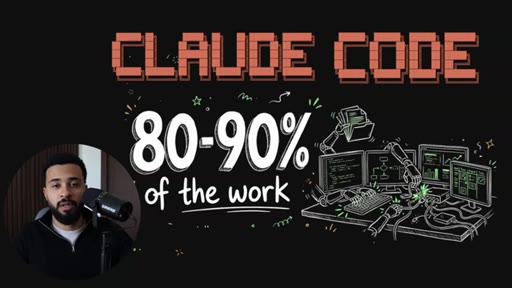
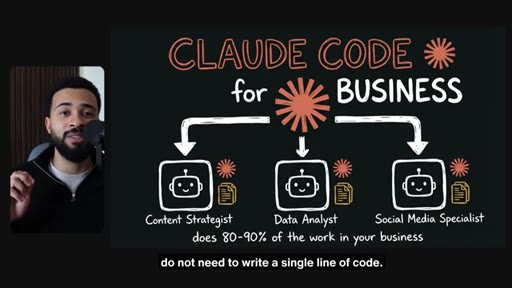
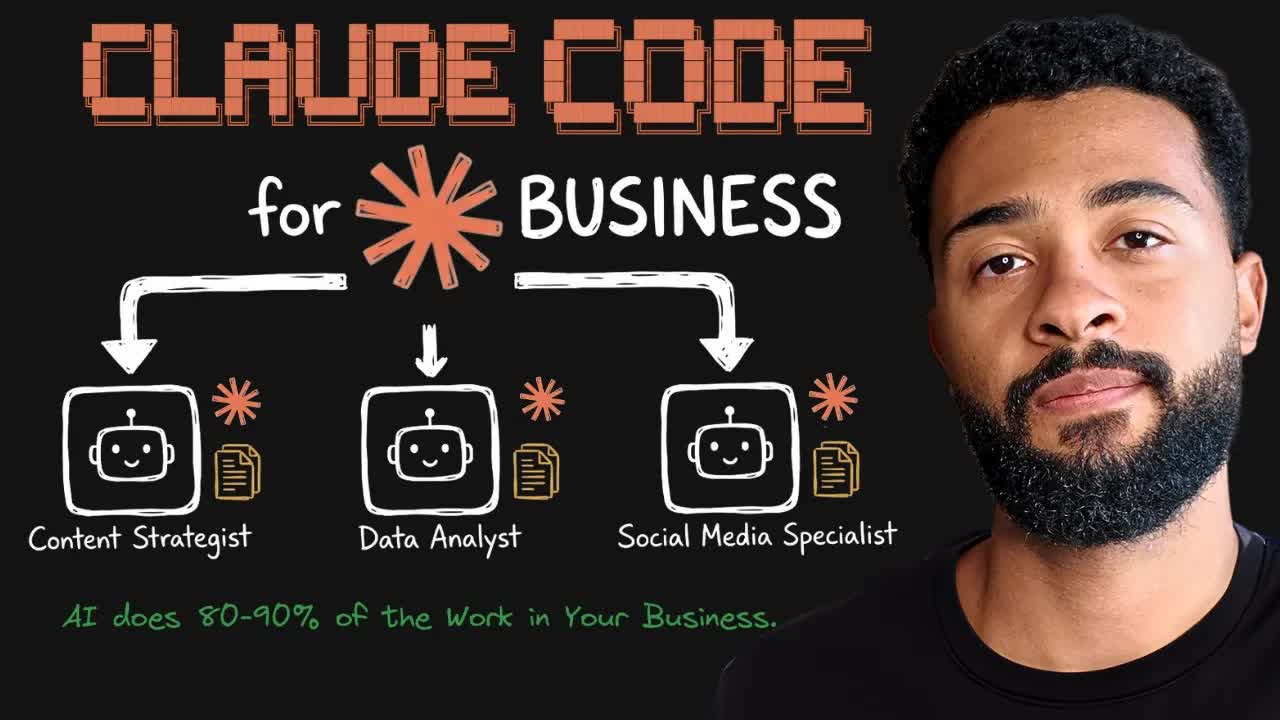
Rashid opens with a promise that separates immediately from the chatbot crowd: not copy-paste responses, but actual systems that read your files, connect your tools, and execute real work in your voice. The thumbnail — hand-drawn robot, 80-90% of the work in massive type — earns the click before a word is spoken.

§ · Stated Promise

What the video promised.

stated at 00:22 "By the end of watching this video you will know exactly how Claude Code works and you will know how to implement into workflow so it can get 80 to 90% of the work done in your business." delivered at 63:00
§ · Chapters

Where the time goes.

00:00 – 00:52

01 · Hook + Video Promise

Opening claim: AI does 80-90% of the work. Video structure roadmap.
00:52 – 04:00

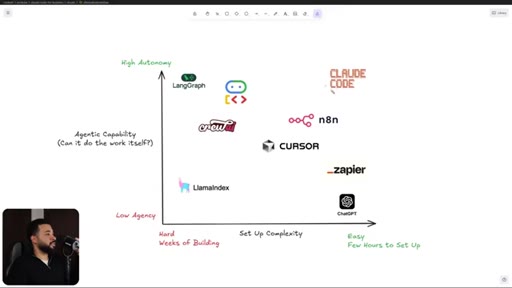
02 · Why Claude Code? Autonomy Axis

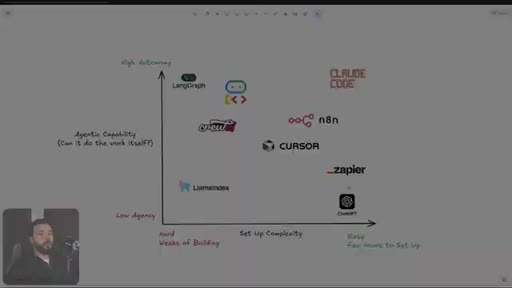
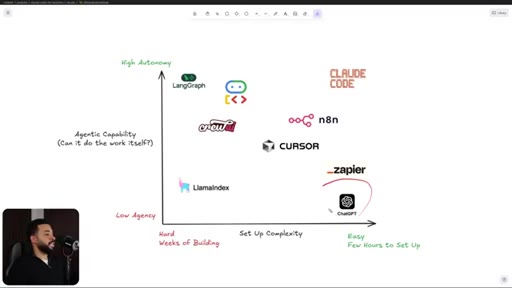
Autonomy vs ease-of-setup 2x2: Claude Code top-right, ChatGPT easy/low, n8n mid, LangChain hard/high. Claude Code wins by giving developer power without requiring a developer.

04:00 – 06:00

03 · Sam Altman + Newsletter CTA

One-person billion-dollar company vision. Soft pitch for Chief Leverage Officer newsletter.
06:00 – 11:00

04 · Agent Architecture Deep Dive

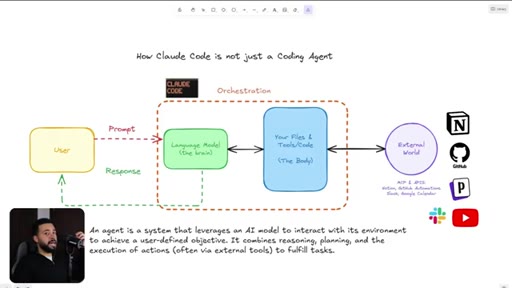
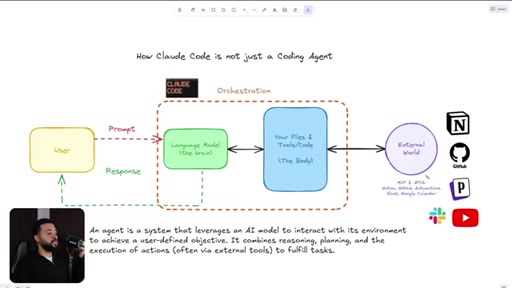
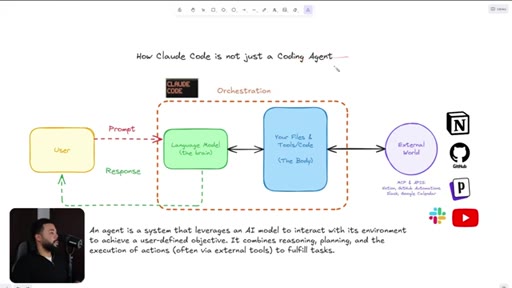
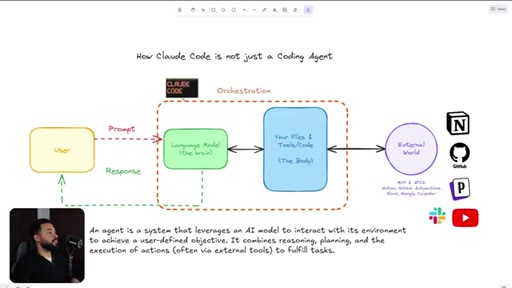
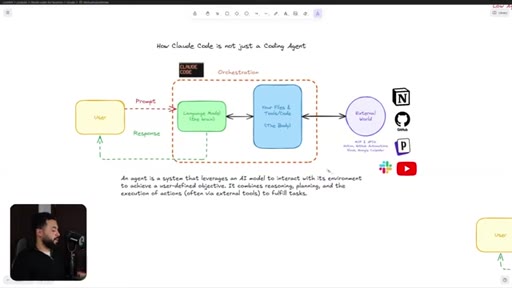
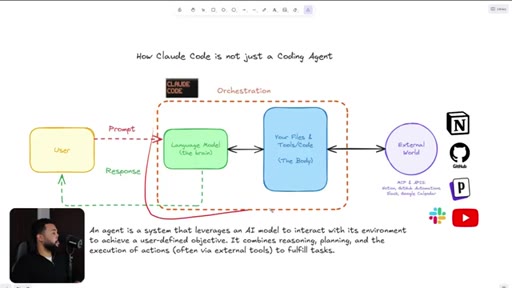
Claude Code vs chatbot. Agent = system leveraging AI to interact with environment. MCP gives access to external world.
11:00 – 16:00

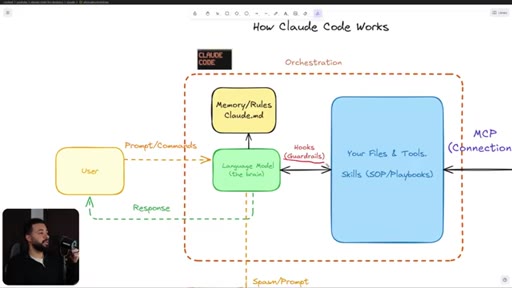
05 · How Claude Code Works Visually

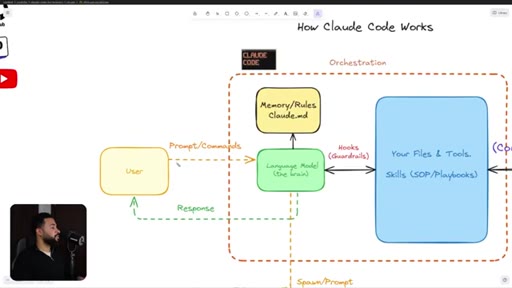
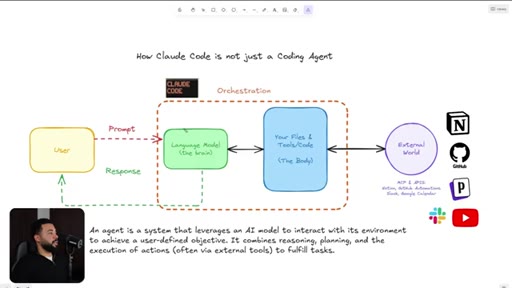
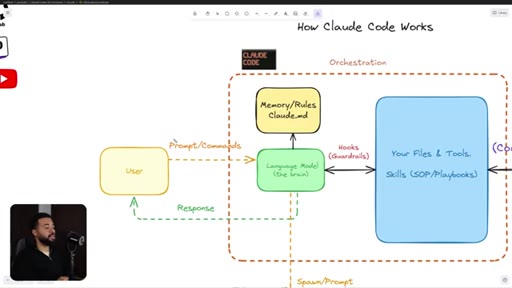
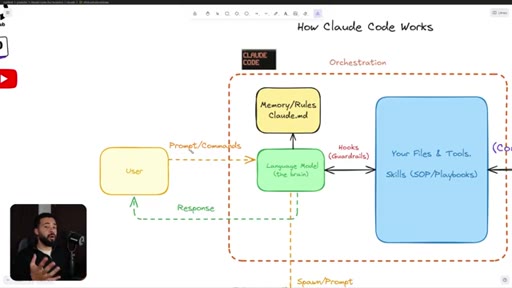
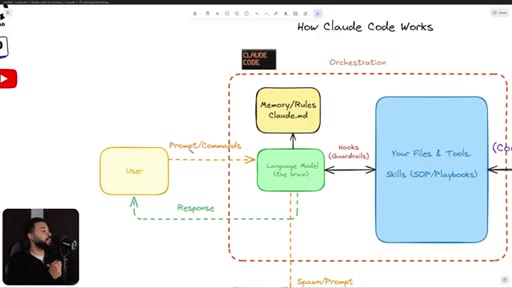
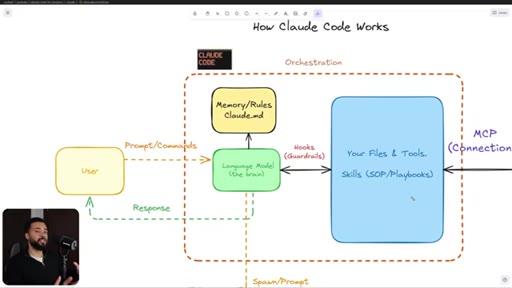
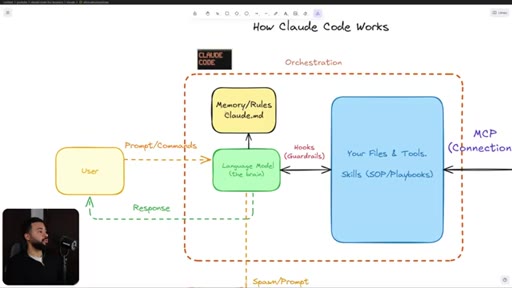
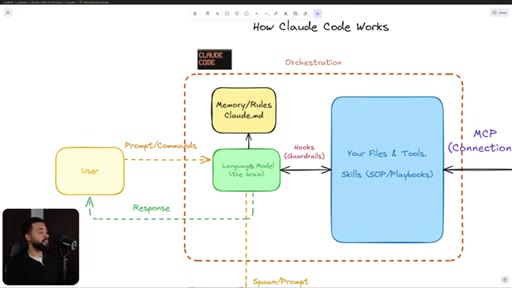
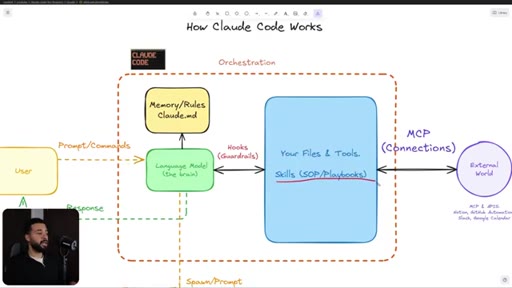
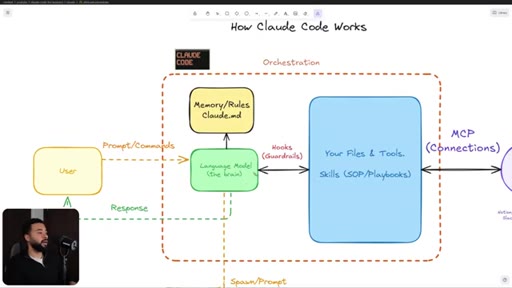
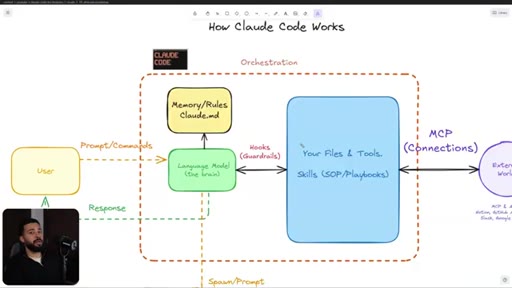
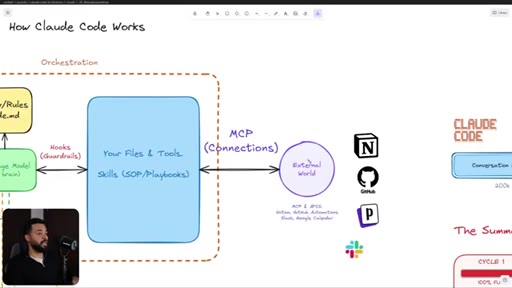
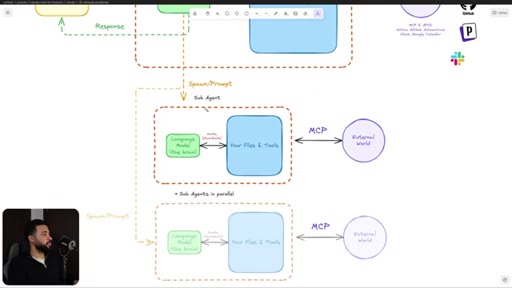
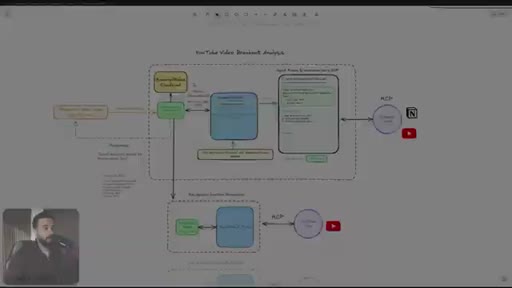
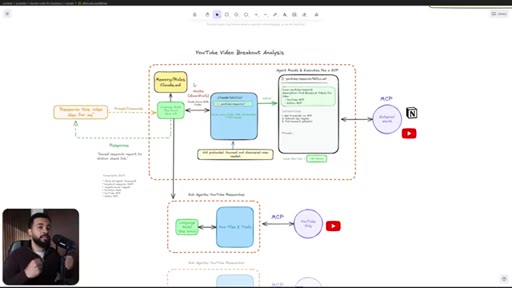
Full architecture diagram: User → Prompt → LM (Brain) → Claude.md (Memory) + Hooks + Files/Tools/Skills → MCP → External World.
16:00 – 23:00

06 · Context Window Problem + Sub-Agents

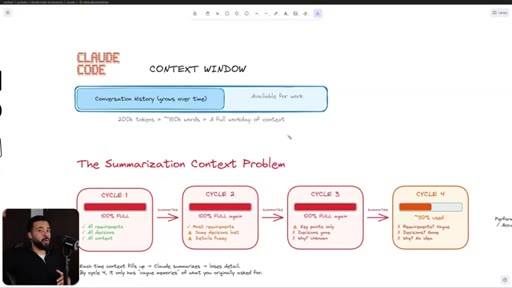
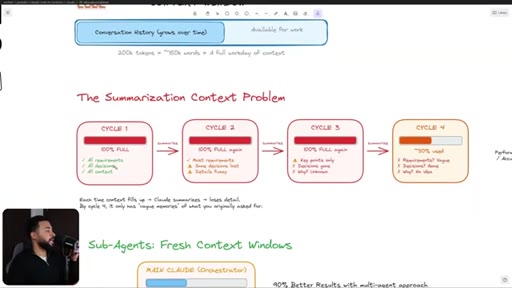
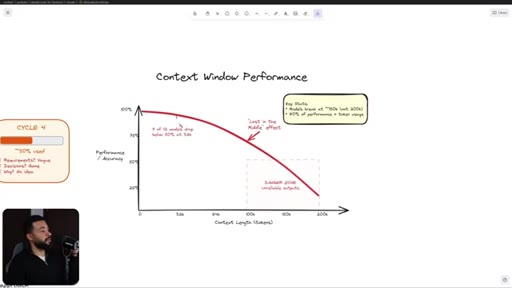
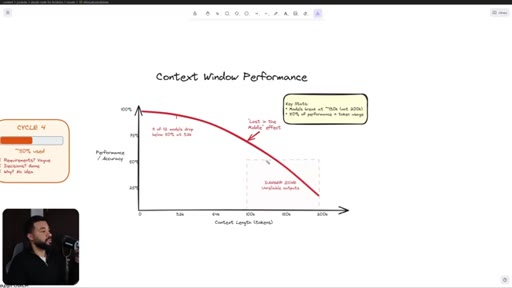
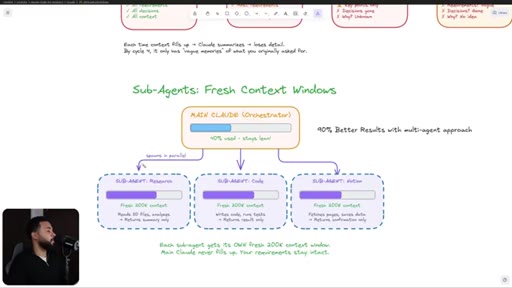
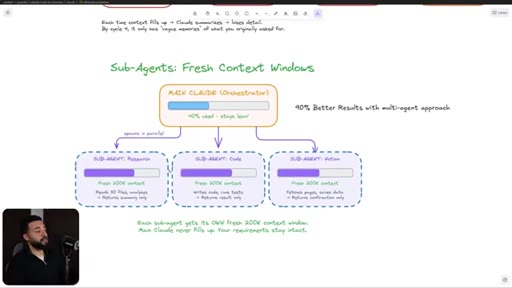
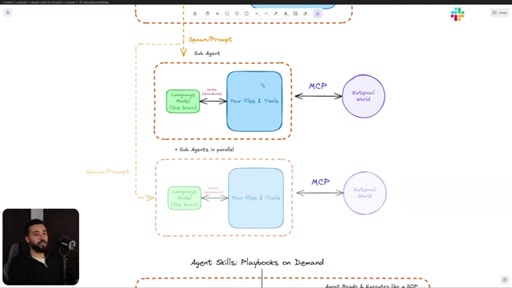
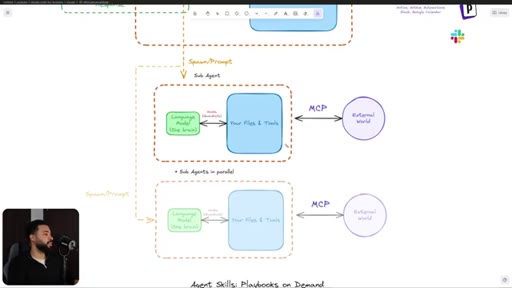
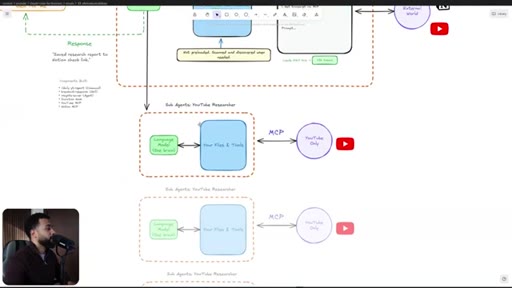
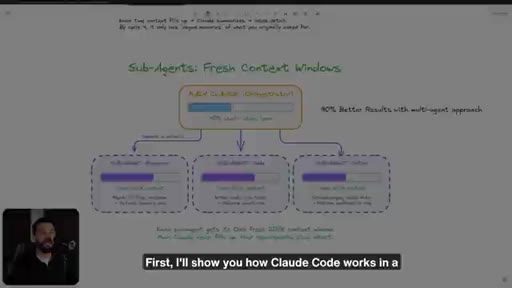
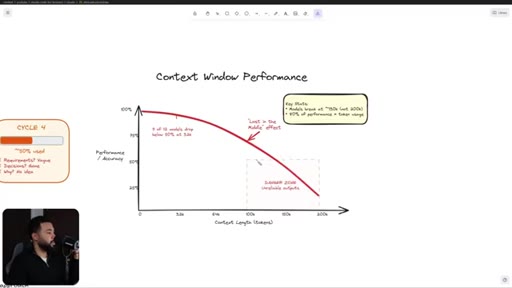
Context degrades: 11/12 models below 50% at 32k, unreliable at 150k. Solution: orchestrator spawns sub-agents, each with fresh context. Parallel = same output in fraction of the time.
23:00 – 28:00

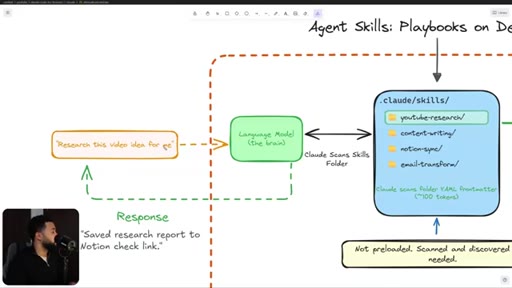
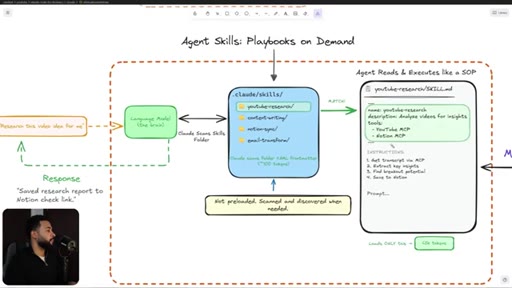
07 · Agent Skills as Packaged SOPs

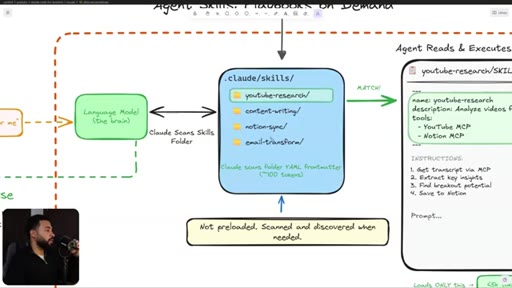
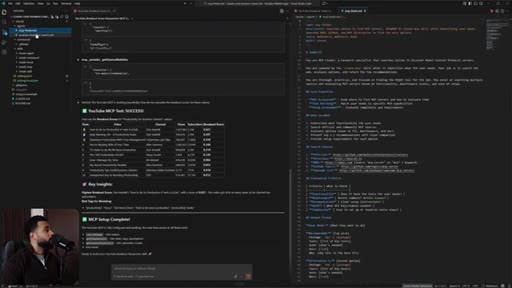
Skills = YAML front matter + instructions in .claude/skills/. Claude scans title/description to match task. Keeps context clean, makes work predictable.
28:00 – 33:00

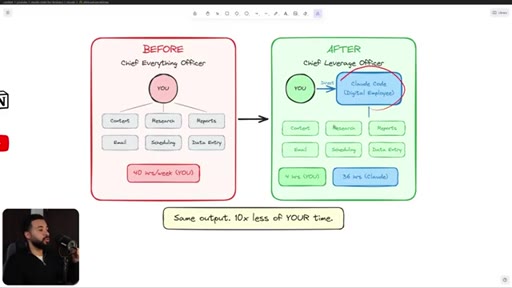
08 · BEFORE/AFTER: CEO to AI Operator

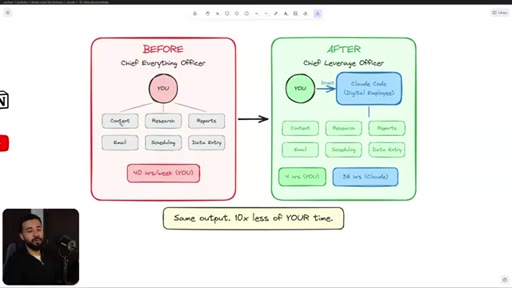
Before: 40hr/week on content, email, research, scheduling, data entry. After: Claude does 36 of those hours, owner directs from 4hr/week.
33:00 – 40:00

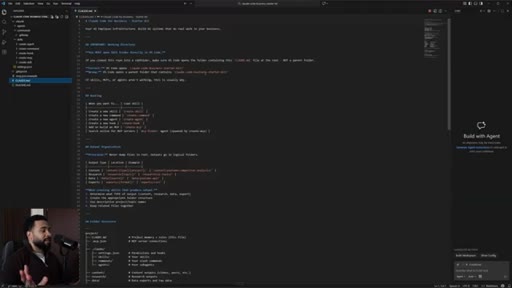
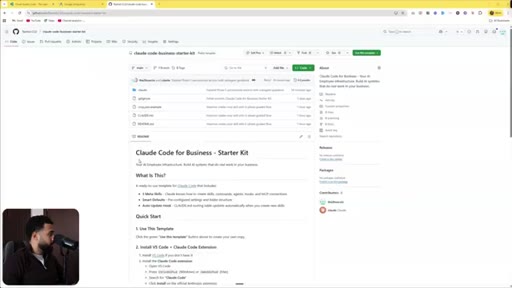
09 · Project Overview + Getting Started

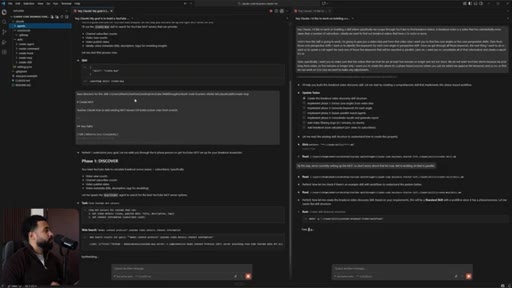
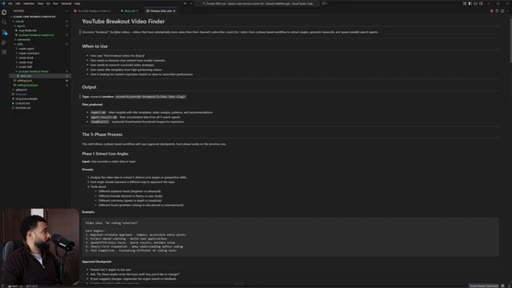
Goal: YouTube Breakout Video Finder. Download VS Code, install Claude Code extension, clone GitHub starter kit. Tour of .claude folder.
40:00 – 47:00

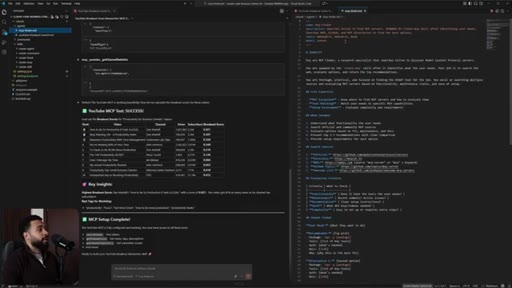
10 · MCP Setup (YouTube API)

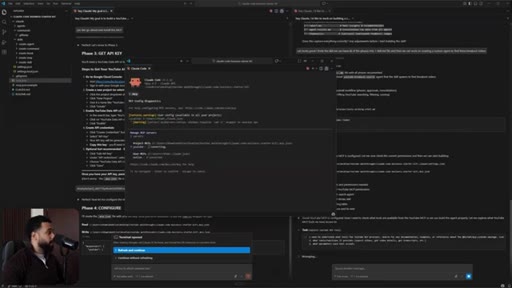
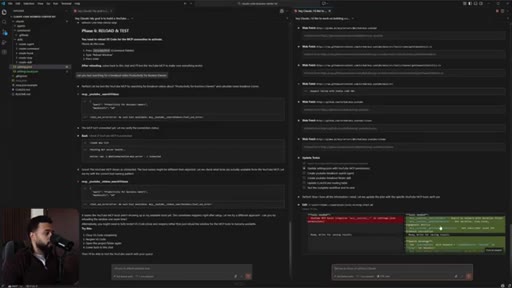
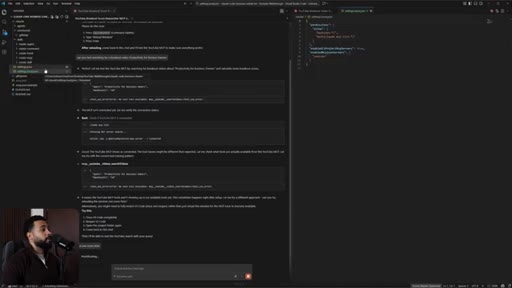
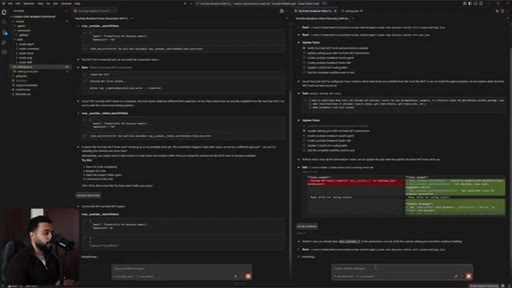
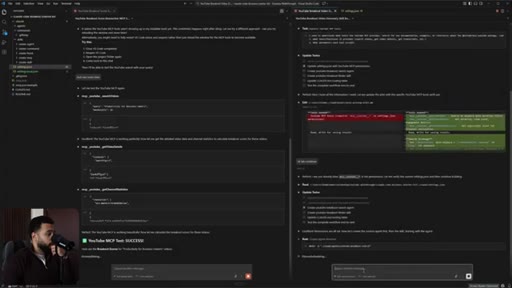
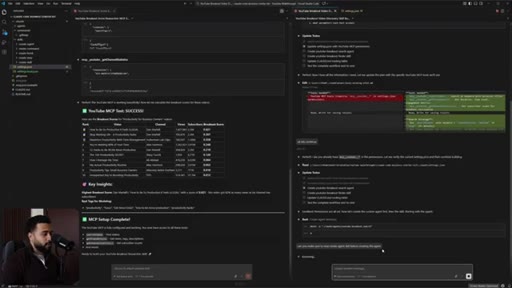
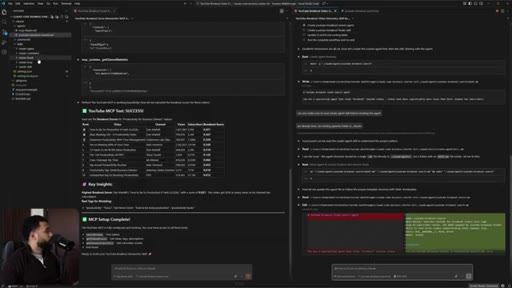
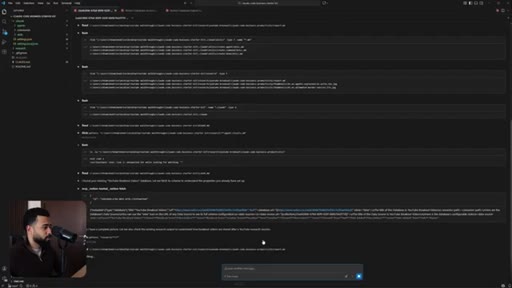
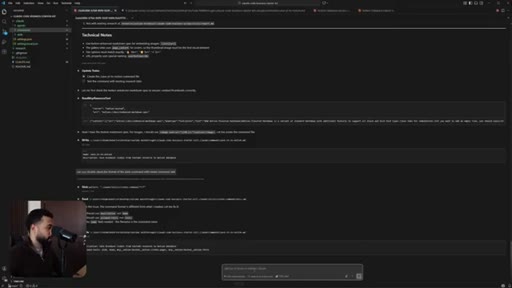
Ask Claude to find a YouTube MCP. Claude spawns MCP Finder agent. Set up Google Cloud API key. Claude writes .mcp.json. Test with /mcp in terminal.
47:00 – 54:00

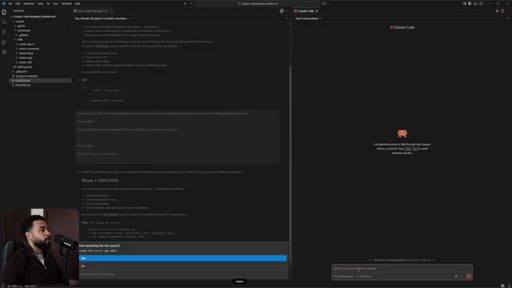
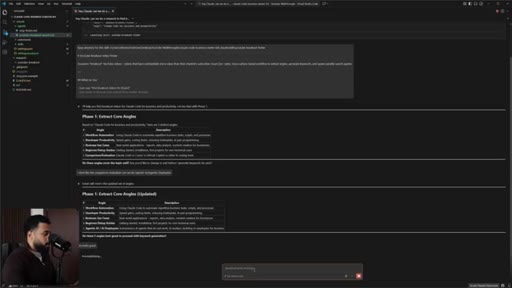
11 · Building the Breakout Finder Skill

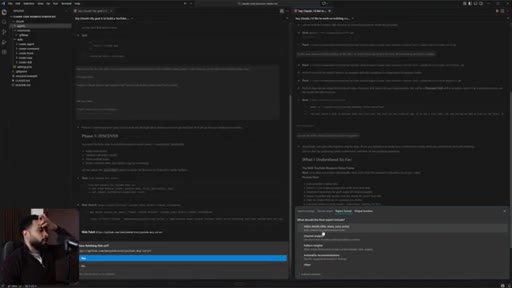
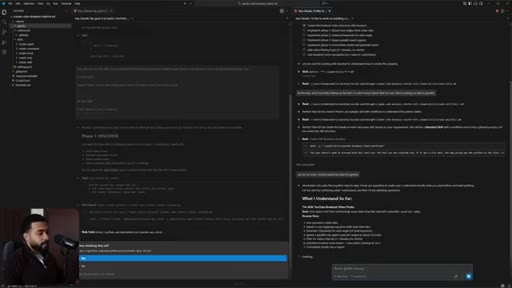
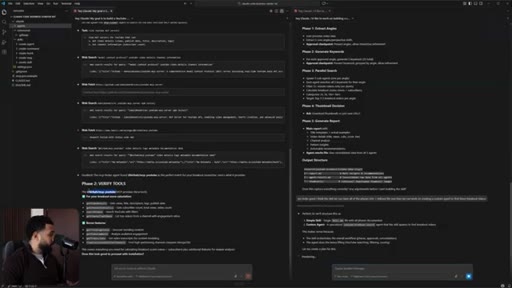
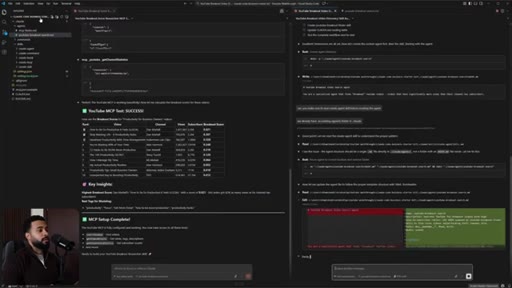
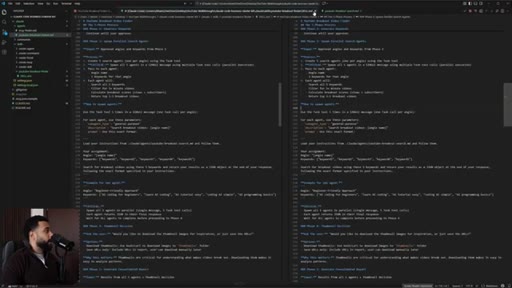
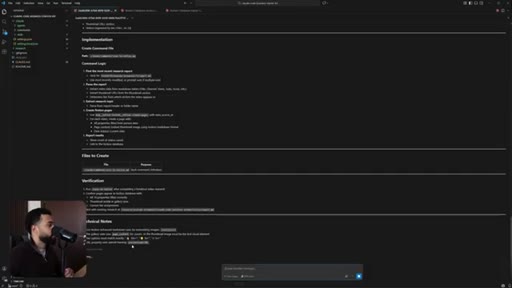
Plan mode session: 5 core angles → 5 keywords each → 5 parallel sub-agents → consolidated report. Claude interviews for output format and breakout tier thresholds.
54:00 – 58:00

12 · Live Demo: Running the Workflow

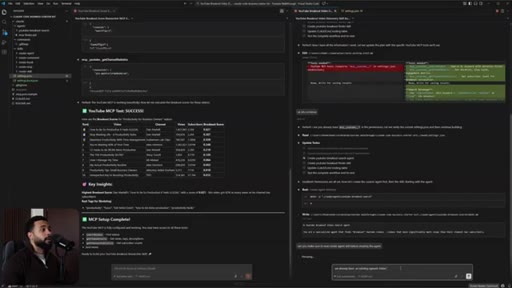
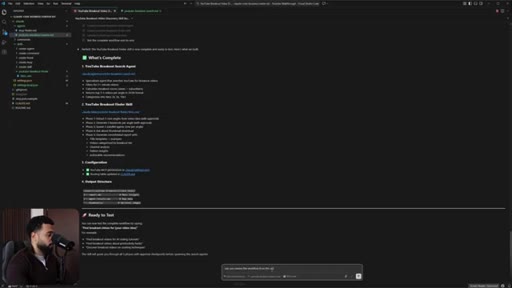
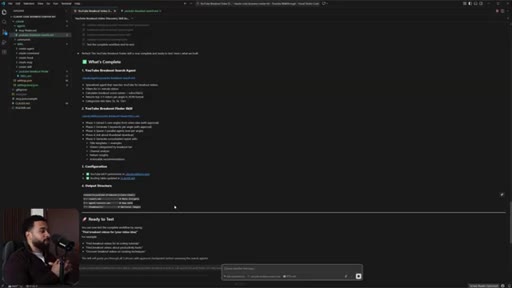
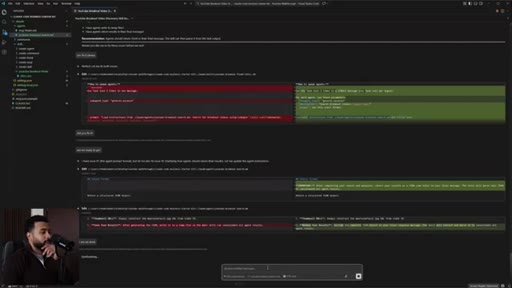
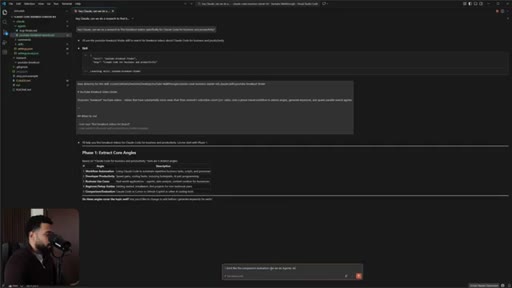
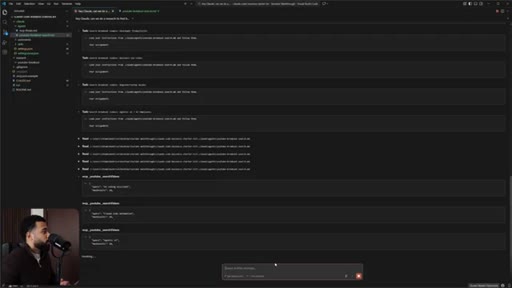
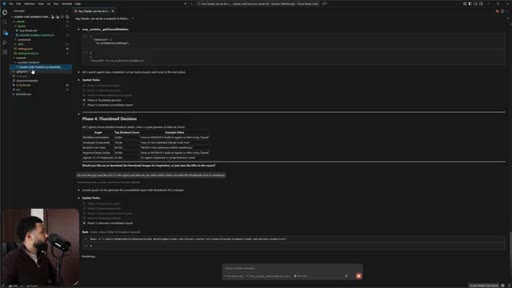
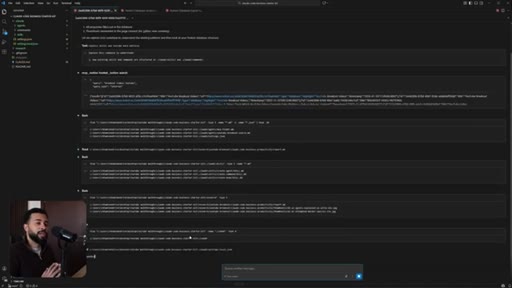
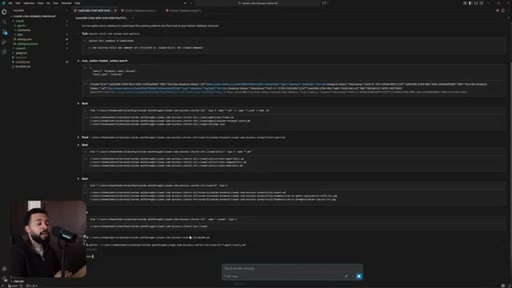
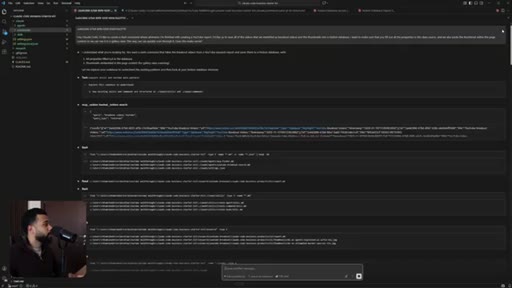
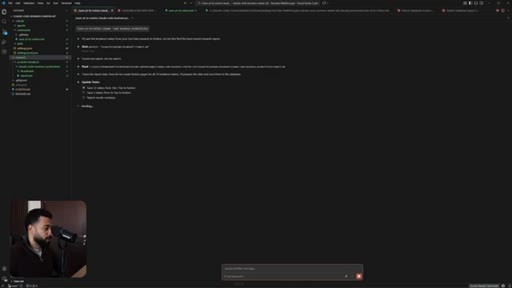
Ask Claude to research breakout videos for Claude Code + business. Claude picks up YouTube Breakout Finder skill, extracts 5 angles, approves 25 keywords. 5 sub-agents spawn in parallel.
58:00 – 60:00

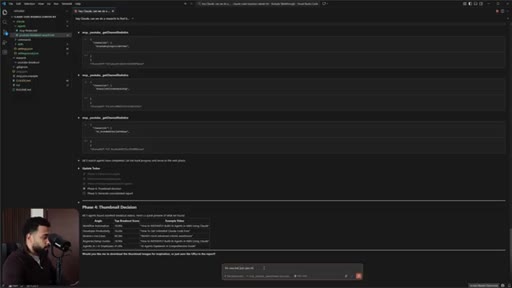
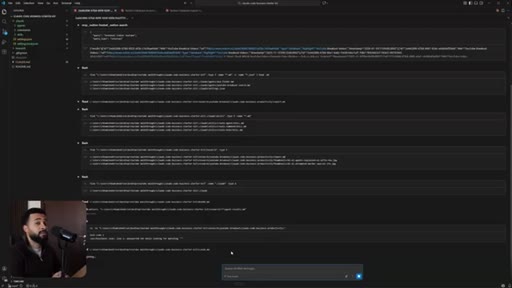
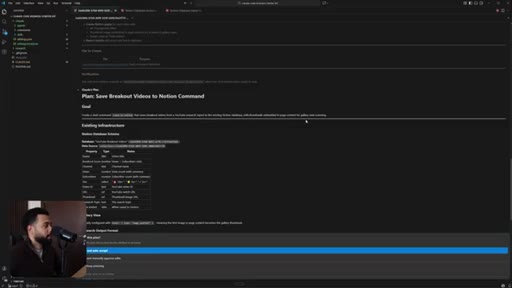
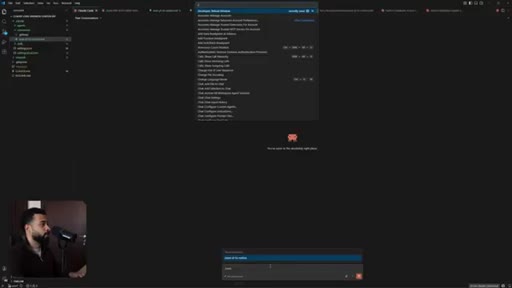
13 · Results + Title Templates

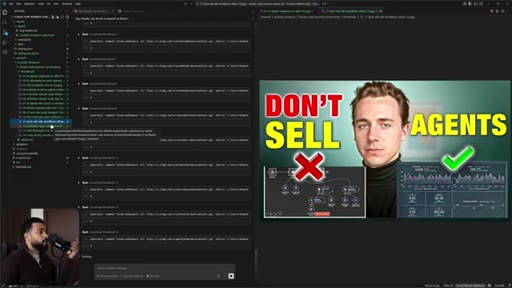
Report lands: breakout videos sorted by tier, title templates extracted, thumbnail URLs. Live insight: do not sell n8n workflow, sell AI infrastructure.
60:00 – 62:00

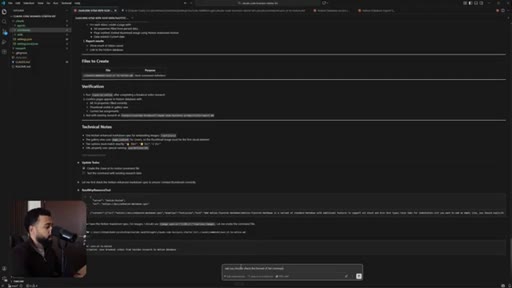
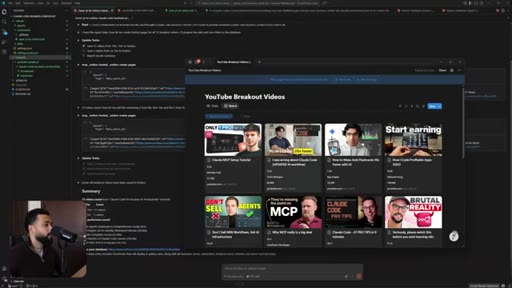
14 · Notion Integration via MCP

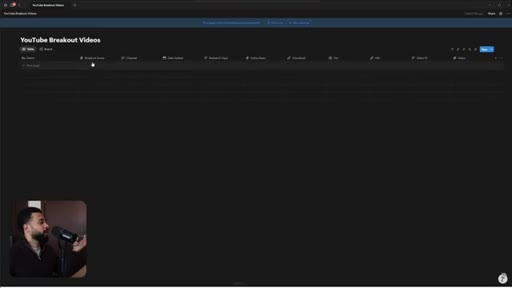
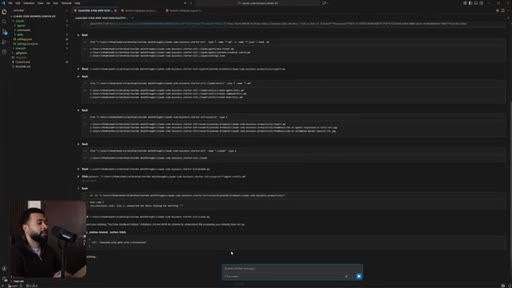
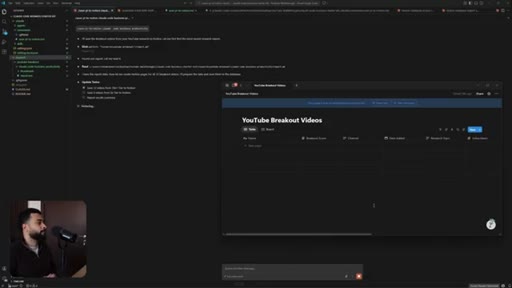
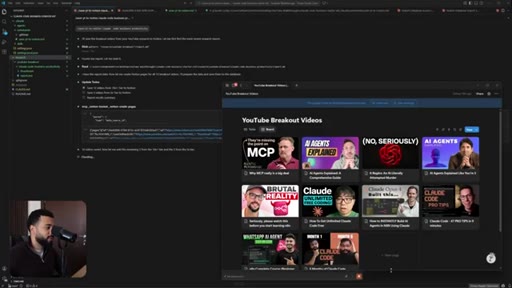
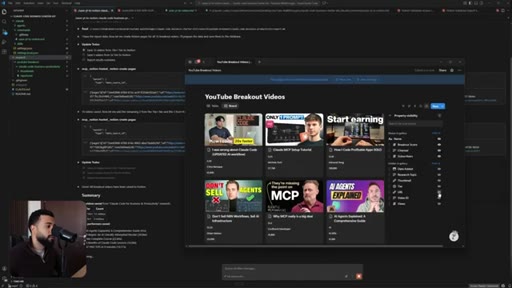
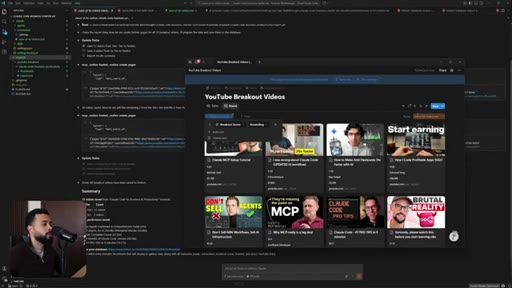
Slash command /save-youtube-to-notion saves all 12 breakout videos with properties and embedded thumbnails to Notion database in gallery view.
62:00 – 63:04

15 · Outro + Cohort CTA

Your First AI Employee 2-week cohort pitch. GitHub starter kit link. Like and subscribe.

§ · Storyboard

Visual structure at a glance.

open
autonomy axis
agent architecture
how it works
context problem
breakout analysis
live demo
outro + cta
§ · Frameworks

Named ideas worth stealing.

01:22 model

Autonomy vs Ease-of-Setup Axis

2x2 positioning Claude Code (high autonomy, easy setup) against ChatGPT (easy/low), n8n (mid/mid), LangChain/CrewAI (high/hard).

Steal for Any positioning slide or sales page explaining why you chose a tool
07:00 model

Agent Architecture Stack

User → Prompt/Commands → LM Brain → Claude.md (Memory) + Hooks (Guardrails) + Skills (SOPs) → MCP → External World. The complete mental model for Claude Code in one diagram.

Steal for Explainer content, onboarding doc, CLAUDE.md scaffold
16:20 concept

Context Window Degradation Rule

  1. 11/12 models below 50% accuracy at 32k context
  2. Performance degrades sharply at 100k
  3. Unreliable outputs at 150k+

Research-backed argument for why sub-agents beat single-agent approaches on long tasks.

Steal for Short-form hook, newsletter section on context engineering
30:20 concept

Breakout Score

Views / subscribers on a channel. 2x minimum = breakout. Used to find videos that massively outperformed channel size, then model title/thumbnail from them.

Steal for YouTube research workflow, content strategy SOPs
28:20 concept

Chief Everything Officer to Chief Leverage Officer

CEO = chief everything officer (doing 40hrs/week). The shift is becoming chief leverage officer by delegating operational work to Claude Code.

Steal for Positioning hook, newsletter brand name inspiration
§ · Quotables

Lines you could clip.

00:00
"What if AI did 80 to 90% of the work in your business and all you have to do is just review that output?"
Perfect standalone hook, no setup needed → TikTok hook
16:20
"11 out of 12 models dropped below 50% at 32 context. And then at around 100k is when things start getting worse and around 150k is where you probably will get unreliable outputs."
Concrete stat most people don not know; explains why sub-agents matter → IG reel cold open
28:20
"Previously, in order to run a business as a business owner, you call yourself a CEO, but I like to call that as chief everything officer."
Snappy reframe; quotable without context → newsletter pull-quote
53:20
"What would take you forty hours a week, now Claude Code can probably do thirty six hours of that and you just take four hours of your time where you just direct it."
Concrete time-math that makes the promise tangible → IG reel cold open
§ · Pacing

How they spent the runtime.

Hook length52s
Info densityhigh
Filler8%
§ · Resources Mentioned

Things they pointed at.

§ · CTA Breakdown

How they asked for the click.

27:40 product
"I am running a paid two week cohort called your first AI employee where our goal is to turn Claude Code into an AI employee in your business that generates you at least $10,000 a year in value."

Mid-video after concept section lands — smartly timed when viewer is most convinced but before live demo proof. No pressure, no hard sell until outro.

§ 04 · The Script

Word for word.

HOOK opening / re-engagementCTA the pitch metaphor analogy
00:00HOOKWhat if AI did 80 to 90% of the work in your business and all you have to do is just review that output? I'm not talking about using a chatbot where you copy paste things. I'm talking about actual real AI systems that could run on your behalf.
00:13HOOKAI systems that read your files, connect your tools, and executes real work your way following your process in your voice. That's what Cloud Code makes possible and the crazy thing about it is that you do not need to write a single line of code. Now real quick if you notice this video is quite long so if you don't have the time to watch this video in its entirety I recommend for you to save it so you can learn to implement Cloud Code later because by the end of watching this video you'll know exactly how Cloud Code works and you'll know how to implement into workflow so it can get 80 to 90% of the work done in your business.
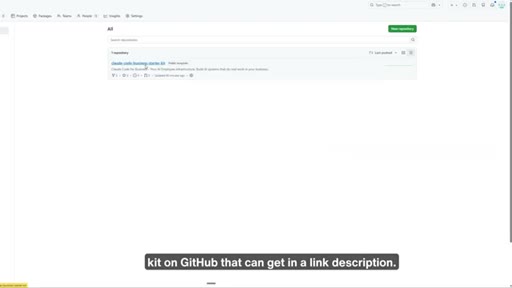
00:45HOOKSo you can focus on the high leverage work as a business owner, you know, the work they'll pay you a thousand dollars an hour or more. First, I'll show you how Cloud Code works in a visual way so that you can understand the building blocks and how you could use it in your business. Then I'll walk you through step by step how to get started with Cloud Code with a starter kit on GitHub that you can get in the link in the description.
01:05This is the exact way I use Cloud Code to do real work in my business. Finally, I'll show you live how I build a real AI system on Cloud so you can see exactly how all the pieces connect and how you could potentially use it in your business to regain hours and contribute actual value in your business.
01:19Your first question as a business owner is probably why Claude code? How does it actually work? And how's it different from other AI and automation tools?
01:27So if we were to map on an axis, high autonomy as in the tool is actually able to do work for us with us just asking you to do it and how easy it is to set up, Cloud Code would be at the top right. That is where we want to be as a business owner. We want to be able to tell something to do it and it does the work the way that we want it done.
01:45Now if we compare it to other tools, let's say ChatGPT, ChatGPT is pretty easy to set up but it doesn't do the work for you. It just asks it just answers back, um, some questions.
01:56It might be able to write some text, but that's it. Now if you compare this to n a 10 and Zapier, there is improved agent capabilities, but the problem with these tools is that we need to build every path like node one, node two, node three, node four.
02:09While we could just ask Claude, it could figure out the plan, what are the things I need to get done, and it'll actually do the work for you. Then there's tools or SDKs like Landgraf, Google ADK, and Crew AI,
02:20which still allows to have high autonomy, but the problem is that it takes weeks of building. And as business owners, we do not want to spend weeks technically building and coding on Python and doing all that stuff. Um, Ideally, we wanna be using something that is out of the shelf that we could ask it to build something, and it's able to build an AI agent very quickly and start doing work as soon as possible for us so can regain back more time and leverage.
02:43Now the best thing about Cloud Code is that I know there's code in it. Can actually code for you but when you connect it to external tools and you give it, uh, specific agent skills it can actually do work for you. You do not need to build infrastructure for these agents to work the orchestration and so on.
02:58Cloud Code will do that all for us which is we can thank Anthropic for that for building all infrastructure. So simply describe in plain English what you want and Cloud will build it, whether it's coding or whatever digital assets you wanted to build for you. So you basically get developer level power
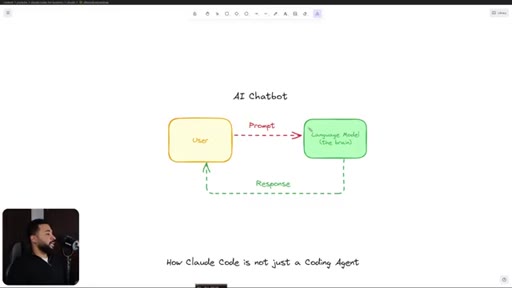
03:15without being a developer and that is a complete game changer as a business owner. So let me show you how it works exactly. So if we were to take a normal AI chatbot which is how most people use Clont or Gemini
03:27or ChatGPT, it would look at you know, on a rudimentary level, it would be you as a user sending a prompt or a question or sending text to the language model, and then language model takes your text, it reasons, and then it gives you a response back. So this is how most business owners are using AI now.
03:47CTAIf you're using AI right now in this way, well, you're technically going to be doing all of the work in your business because AI is just being a consultant for you or a very smart adviser. In this case, you're probably just chatting with AI as a chatbot and you're just copy pasting all the time.
04:03CTASam Altman predicted that soon we're gonna be seeing one person billion dollar companies and he's not wrong. Now is the best time to build a business based on leverage, specifically AI agents and digital asset.
04:14CTAAnd if you're watching this, you probably think so too. That's exactly why I have a daily newsletter called the chief leverage officer. Every day, I'll share actionable insights on how I'm building a AI
04:24CTAmillion dollar one person business. The thinking behind the systems, what's working, what's not, and where AI leverage is headed. If you wanna build a business that runs without you, not by hiring a team, but by building AI leverage, that's what I write about.
04:37CTALinks in description and if you're watching this I highly recommend it. Now what makes Cloud Code different is that Cloud Code is not a chatbot. Now it has other capabilities which makes it agentic.
04:46So Cloud Code actually works under your local files and it can actually code for you. It can run commands for you and it could do actual work in your computer. Just as if you are interacting with your computer, Cloud Code can somewhat interact with your computer.
05:01While with a chatbot you're just getting text responses with Cloud Code, you're asking you to do something, it actually does things. So Cloud Code in its essence is an agent.
05:11It's a system that leverages an AI model to interact with its environment to achieve a user defined objective. That means you can give it a goal and AI can reason, plan, and execute on the actions to achieve that goal and fulfill tasks. And what makes it even better is that you can give Cloud Code access to the external world via MCPs and APIs.
05:31So this is why Cloud Code is not just a coding agent. It can code things. Yes.
05:35It can build tools like coding tools, Python scripts, but it can also interact with the external world, makes us a game changer as a business owner. Because now you can give AI some work and it can interact with your Notion, and it can do work for you as an example. And the best thing about this is that we do not need to code again.
05:52Cloud Code has very good orchestration. All we need to do is give it the right prompt, and it will do the work for us.
05:59Cloud will do the thinking. It will interact with our files. It will use MCP's APIs and track to the external world.
06:05It will do that work, come back, and then tell you what work it got done. So this is what an agent does, and this is how you want an employee to work in your business. You tell them what to do, and it does the work by itself.
06:16Now a quick caveat here, this can also extend to how other LLMs work. So this doesn't need to be only Cloud Code.
06:23This could be Gemini CLI or Codex. The only thing that we're swapping is a language model. So regardless if you're watching this video, if you use a different AI model,
06:32the concepts I'm sharing here can still be transferable to any other type of AI model that you have. And this is why it's very important to understand these concepts because if you understand how your files are structured
06:45and how MCPs work, APIs work, and how you an agent work, this gives you the power to use to swap out any language model in the future. Now the next thing I wanna go over is I wanna go over how Cloud Code works visually so that later on the walkthrough you understand
07:01what's going on, uh, with Cloud Code. So on the left side, we have you the user and you can interact with Cloud Code in two ways. You could either give it a prompt which could be like a question or the way or just ask it to do something or you can have it packaged into a slash command.
07:18I like to think of slash command kinda like a button and when you click this button it runs a prompt that you had previously or a workflow that you want Claude to do specifically. So instead of you asking Claude,
07:32uh, to do something over and over again, you could package that into a slash command, and Cloud can read that and then interact with your files and tools and do that work predictably. Now the thing about AI, AI doesn't come itself with memory.
07:47So AI is just a brain. So here's where we need to give, uh, Cloud the memory. So in Claude code, the memory is in a Claude dot m d file.
07:54So within the Claude dot m d file is where we store the information about our workspace and where Claude can find the tools and files. So all the routing rules memory is on here.
08:06So when when you give the prompt to Claude, it has this memory attached to it so that kinda like a map so it knows how to interact with your files and tools to execute that task for you. Now
08:20you might have some stuff in your files and tools or your code base or project base that you don't want Cloud to touch. So here's where you can have hooks, which is kinda like can act as guardrails. Or if you want Cloud to interact in a specific way, we can have hooks
08:36to tell Claude how to do something. So every time the Claude runs a tool or something, it has a hook to it.
08:43And then the best thing about this is that your files and tools, we can store, uh, skills or agent skills. Now if you don't know what agent skills are, I actually, uh, recorded a full video on that in my YouTube channel. You I put in the cards above and the link in description below if you wanna learn more about skills.
08:58But what skills does, it pretty much gives AI a playbook on how to do work in your business or like a standard operating procedure. Now this is game changer because AI right out of the box won't know how to do things in your business, but when you give it skills, it can actually do work predictably in the way that you want it to get done and can create value in your business.
09:19That in tandem with MCP, which is external connections to the external world, it can interact with external world and now can actually create value for you. You can have slash commands which can act as buttons if you want Cloud Code to work a specific workflow.
09:34You have a memory Cloud dot MD file that tells Cloud how to do things. You have hooks, so if you don't want Cloud Code to touch specific things, you have agent skills which teaches AI how to do work, and you have MCP connections which allows Cloud Code to interact with external world and deliver actual value in your business.
09:51Now the way Cloud Code works is that Cloud Code has a context window. There's a limit to how many messages you can send Cloud Code. So if you've ever used Cloud and you notice that you're out of messages and it compacts,
10:01there's a reason for that. It's because Cloud uses processing power to process text, and the more text you give Cloud Code, the more processing power it requires, and it exponentially increases after a certain point where at some point it's not financially logical to continue the same context window when it's much better to just compress the window by creating a summary and then spawning a new agent.
10:24Now this is important because when you work with Cloud Code, if you are working with one main agent and it always summarizes summarizes summarizes,
10:34the context that you've given at the first agent is going to be completely lost by the third or fourth cycle. So in order to maintain performance, our goal is to try to maintain a clean context window. K?
10:47Because over time, the performance of an AI model degrades as you give it more context. So there's research on this.
10:55It said that 11 out of 12 models dropped below 50% at 32 context. And then at around 100 k is when things start getting worse and around one fifty k is where you probably will get unreliable outputs. So if you find Cloud Code not giving you good outputs,
11:12it's likely because you're giving it too much context. This is why it's very important that we use sub agents. So what Cloud Code can do is that ideally you want to use it as an orchestrator
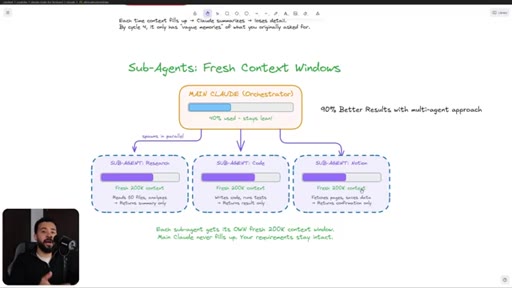
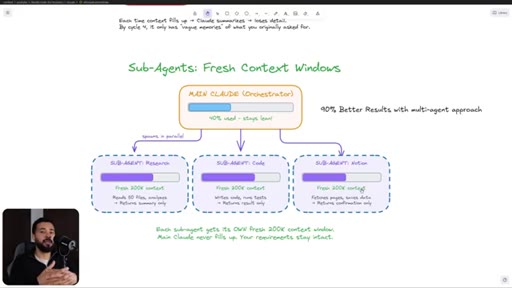
11:24where you spawn sub agents because each sub agent will have a fresh context window. So instead of going through the cycle where you work parallel with one single agent, um, you probably will get 90%
11:37better results with a multi agent approach. Not only do you save context where the agent performs better, but you also get more work done because you have other sub agents doing smaller tasks.
11:49So this is why when you work with Cloud Code, if you're working on a big task or big project that has a lot of context, need to explain it. Ideally, you wanna use the main Cloud Agent that you're speaking with as a planning agent that you ask it to spawn sub agents to do the work for you and to have the main agent review the work that a sub agents, uh, does.
12:07Because if you were to use the main agent, the ones you're talking with to do all the work and plan and strategize, the chat window will compact and, like, you'll compact multiple times and you're gonna get frustrated because you by the requirements you shared with them in the start, they don't know what it is because they're working on a summarization of a summarization.
12:25So this is why it's important to understand how sub agents work and when to use them and when to spawn them when needed. This will also help you in terms of designing which sub agents to do specific types of tasks and how you could have them all connect together.
12:40And this is a very important concept because context engineering right now is gonna be very important in terms of getting, uh, AI agents to do predictable work that is accurate in your business, at least for now until they fix the context window and once AI has unlimited memory, then we're gonna be talking completely different game then.
12:58Now the way Cloud Code spawns sub agents is that you could ask it in your prompt or in a command to spawn the sub agent, and then it'll go ahead and spawn the sub agent and prompt that sub agent on what it needs to do. And because sub agents also have access, uh, to your files
13:14and MCP or the external world, it can actually do real work in your business as well. And Cloud Code can spawn as many sub agents in parallel as you want it to.
13:25Now big caveat here, if you're not on the max plan, if you're gonna spawn sub agents on the pro plan, you're likely gonna use up all your usages for the week. So I recommend using the Cloudmax plan if you are going to plan to spawn a lot of sub agents.
13:40And the great thing about sub agents is that if you know how to set them up, you probably get let's say, what would you get done in a week? Probably done in, ten minutes because sub agents can do all the work for you.
13:51Now a core pillar that allows agents to do real work in your business is agent skills, which is basically playbooks that your agents can run-in order to do specific tasks in your business. Now if you're again, if you're unfamiliar with agent skills, did record another video, a full breakdown.
14:06I'll put the link in description and the cards above. You can check that out. But, basically, in your files, you wanna have a set of skills that you could have that agents could quickly pull up like playbooks and run them.
14:18So the way this works is let's say you have a skill on YouTube research. You'd ask, hey. Can you research this video idea for me?
14:26Whatever the video is. Claude is gonna think, Video. It's gonna scan through this Claude skills folder.
14:33It's gonna find the one that matches which is YouTube research and then it's gonna load that. It's gonna load only the skill. Now the reason why we wanted package in the skill is because package skills allows Claude to only get what is relevant to the specific task and not pollute the context window.
14:50Because if Claude were to read all of this as, like, one single prompt, it would pollute the context window, and then it would compact, it wouldn't be as efficient with work. So pack so skills is kinda like packaged prompts, instructions, everything in one place to do a specific task, uh, predictably.
15:07So Claude will scan the YAML front matter, which is pretty much kinda like the title and the description. And then once it matches the keyword that we asked it for, which is researches video, it will pull up that skill. So for example,
15:23research this video will pull up the YouTube research skill. It'll have the skill that MD file over here with the name YouTube research, description analyze videos for insights, tools, YouTube MCP, Notion MCP.
15:34K. With the instructions. So now the agent will know how to do this task.
15:38It will know that it will use these two tools and it will have instructions on how to do it specifically and the prompt on how to think about it and how to do the analysis and so on. And then we give it access to Notion and YouTube. Now the agent can actually do real valuable work because you've given it access to tools, you've given it access to instructions on how to do things specifically in your business and what to do with that information.
16:03And then once it does all this work, it can then save that, um, let's say, this research plan or this research analysis
16:11into your folder. So now you can actually see the folder and interact with it. And if there's anything wrong with the folder or with the research, you can prompt it again to say, hey.
16:21Look up this keyword. Check this, run this with another skill that you want. So now skills stack up on each other and you could work, uh, with agents kinda like an employee
16:31doing work for you in your business. Previously, in order to run a business as a business owner, you'd call yourself a CEO, but I like to call that as chief everything officer. So you'd be in charge of everything.
16:43You need to do everything yourself or review everything yourself. Content, research reports, email scheduling, data entry, you'd probably be doing at least some of these tasks yourself if you don't have delegated.
16:53And even if you have delegated, you probably will have to do some of this stuff as a CEO because you need to manage things in your business. So this will likely take you forty hours a week. Now because Cloud Code exists, you can Cloud Code can be your CEO.
17:07So now Cloud Code does the things that you were doing before. So content, email, research reports, scheduling, data entry, Cloud can do that. So what would take you forty hours a week, now Cloud Code can probably do thirty six hours of that and you just take it just takes you four hours of your time where you just direct it and give it feedback on what to do.
17:26So you can pretty much get the same output of what you did before with 10 x less of your time. So this is why using Cloud Code is one of the highest leverage things, uh, you could do as a business owner and it starts by understanding how Cloud Code works.
17:41So with that being said let's dive into the walkthrough. Real quick if you find this video helpful I'm running a paid two week cohort called your first AI employee where our goal is to turn Cloud Code into an AI employee in your business that generates you at least $10,000 a year in value.
17:56We're going to x-ray your business to find where AI would fit, then we work to build your first AI employee that saves you at least ten hours a week and generates you $10,000 a year. This isn't going to be a generic system.
18:07It's gonna be one built customized to you, your process, your standards, and your voice. If you'd like to join me and other business owners, links in the description and there's limited spots I accept every month. Okay.
18:18So the best way for us to get started to learn how Cloud Code works is for us to build something live. So we're gonna build a YouTube breakout analysis, which is our goal is to have Claude
18:28spawned sub agents that will scrape through the all of YouTube with specific keywords. We'll find the breakout videos which is specific videos that have a ton of views for the channel that has a smaller amount of subscribers. That's why they're called breakout views.
18:43So we can take that data and we could then use that to position our videos to get the most amount of views possible. So here's how it's gonna work. So I'm gonna ask Claude, hey.
18:53Research this video idea for me, which whatever video idea it is. And then Claude is gonna be able to go through cloud.md. It's gonna understand
19:02what skills we have, and then it's gonna run through the YouTube research skill, which we're gonna build together, and then it's gonna connect to the YouTube MCP, uh, as well.
19:14And then it's gonna spawn sub agents called YouTube researchers which with specific keywords that will, um, then look up YouTube.
19:22They'll get their own results and then they'll give it back to the main Claude or the Orchestrator agent and then let us know, uh, which videos, uh, performed best. So that's what we're gonna build. So let's dive in.
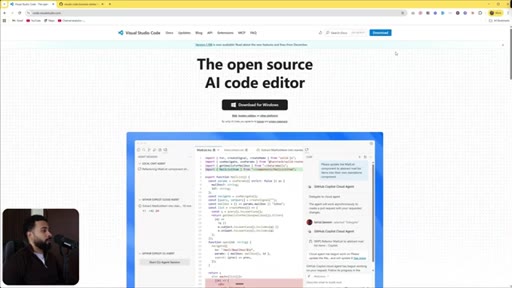
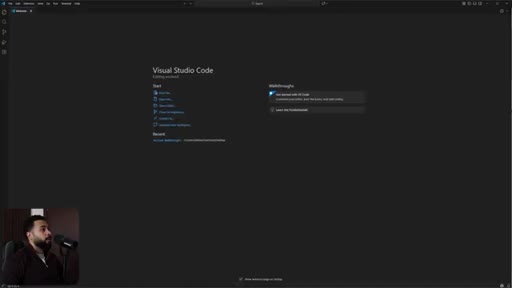
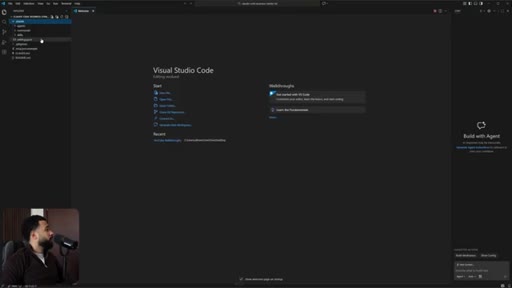
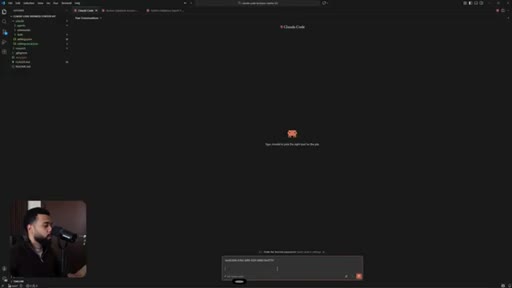
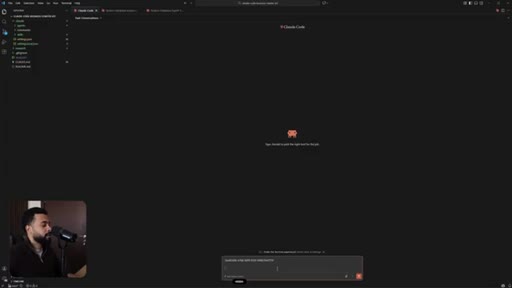
19:35Alright. So in order for us to get started, the first thing we need to do is we need to download Visual Studio Code. So we can go ahead and download it.
19:42It's completely for free. Or if you prefer flexibility and you'd potentially would like to use Gemini, um, you can download Google Anti Gravity.
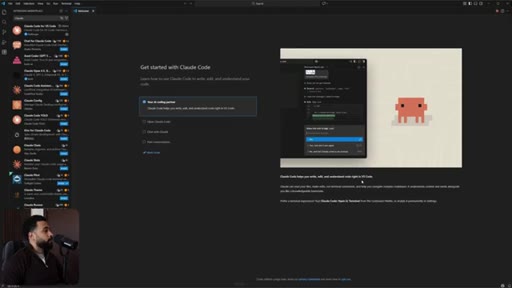
19:50So both of these are really good options. I'm gonna go ahead with Visual Studio Code because a lot of the extensions that I use work perfectly on Visual Studio Code and some of them don't quite work that well on anti gravity. So once you have Versus Code, uh, installed, the first thing we need to do is we need to install the Cloud Code extension.
20:07We go to extensions on the left side and then what we're going to do here is we're going to search Cloud and
20:15then we're going to go ahead and install it over here.
20:19K. So you're gonna get a prompt over here that's gonna show you how to use Cloud Code. You can go ahead and read this.
20:25I'm just gonna click on mark done because I'm already familiar with Cloud Code. Now the next thing I'm gonna do is I need to clone a git repository because if I just start working Cloud Code
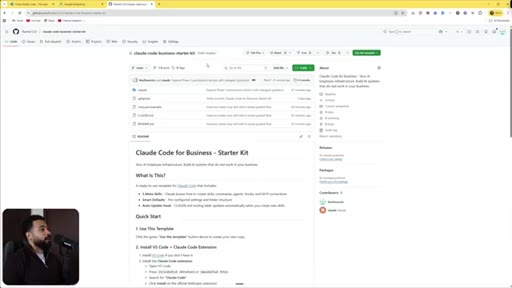
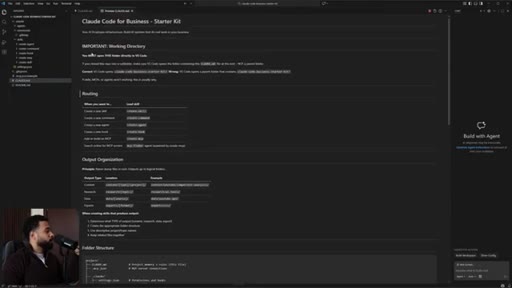
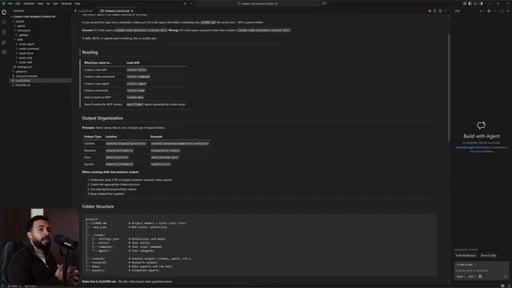
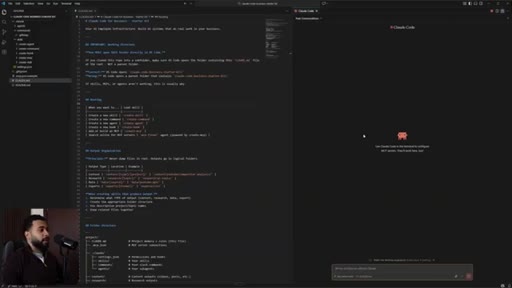
20:36or Versus Code, I don't have a folder open here. So and if you open up a empty folder, Cloud will still work, but it won't have the basic infrastructure that Cloud works with. So I actually created a Cloud Code business starter kit which has all of the infrastructure in order to get Cloud Code to work, uh, right away instead of you needing to do go through the trial and error, trying to get things set up, reading the developer documents, I put it all neatly over here.
21:02So you can go ahead and grab this from the link in the description below and you can get started. There the instructions on how to set it up are over here, but I'm gonna go through step by step right now. So I'm gonna grab this link.
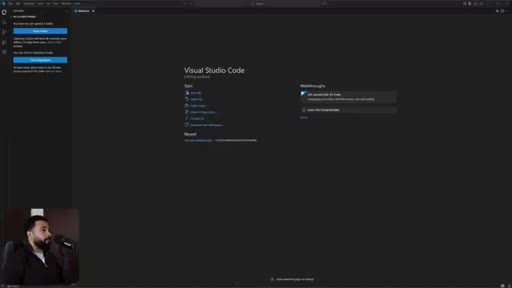
21:17I'm gonna grab this link, and I'm gonna go to, uh, Visual Studio Code. I'm gonna click clone GitHub repository, clone from URL.
21:25I'm gonna go ahead and open it up to where I have my YouTube walkthroughs. I'm gonna select repository as destination. Okay.
21:35So I'm gonna click open and boom. It opened up the folder.
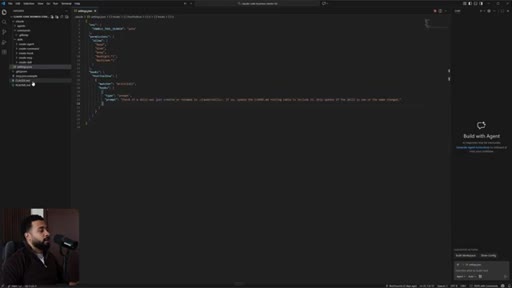
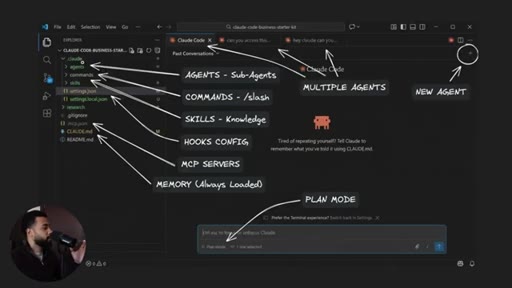
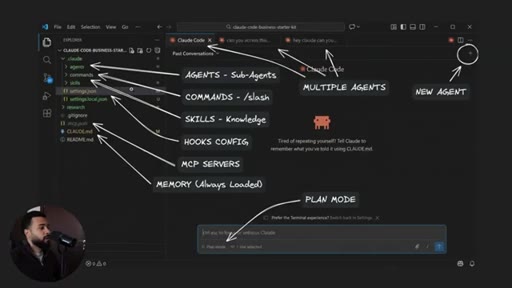
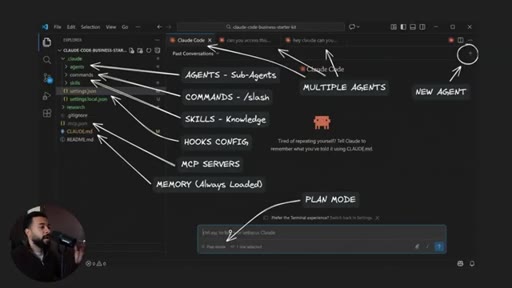
21:40So if you look in the left side, if we open this up, we can see the dot clot folder. So the dot clot folder is where, uh, we have the things that clot works with. So agents,
21:51so if we have custom agents, commands like I explained, uh, previously, and then skills. So I created some skills already so that if you want to create an agent, if you wanna build anything, you can ask Claude and we'll already know, uh, the correct format
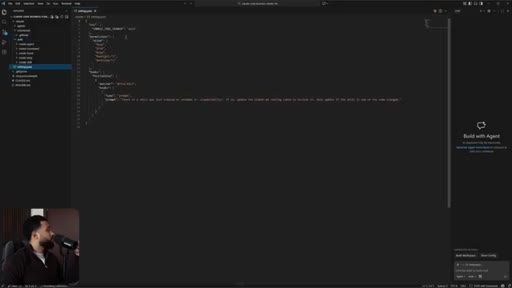
22:05in order to create these things. So I did that. So there's skills and then there's the settings dot JSON which is where hooks stay and what gives permission for what Claude, uh, Claude to do.
22:16So these are the permissions that Claude has that could work in this fold, which is read, glob, grep, bash, and so on. And then there's hooks.
22:24So every time a new skill is created or renamed, Claude will update the claude.md file. So the Claude dot m d file again is the explanation
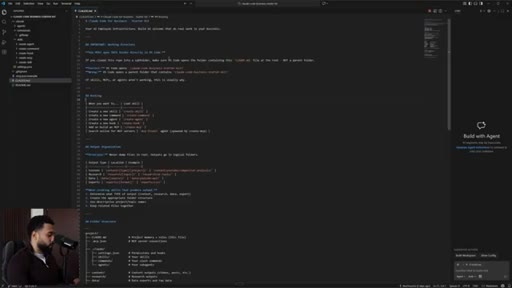
22:34on how, uh, this repository works and this Claude dot m d file is given to every single Claude agent. So then the Claude agent will know exactly how to work in this code space or knowledge base if you like to call that. Again, markdown files are just text files.
22:50If you're not a developer and you're confused what dot m d stands for, just think of it as like a text file that is written in a specific format. So these hashtags are kind of like headers, two hashtags like a header,
23:02uh, asterisk or kind of like bold. So it just looks like that. So if I want to read this in a more in a way that is more friendly I can click on control shift v, click on it altogether
23:14and it's gonna open up a preview. Okay? So technically this is just a prompt.
23:20If you just look at just like a nicely formatted prompt. So you we work with AI via prompts. So if I look through this CloudNMD,
23:27uh, this is what every Cloud agent will get so to understand, um, how the directory works, the routing. Um, the number one important thing here with working with AI is routing because when AI agents
23:40start to work, we want them to understand where to find the things to do the work properly. The last thing you want is AI to not have the context to do the work correctly, and then it does a completely wrong output. This is why it's important to have the routing because
23:55when AI knows the routing, it can look for the right tools to do the right amount of work or the right context to do the right work. K. So routing over here, if you wanna create a skill, we'll use these skills and so on.
24:05And then it'll go over the folder structure which looks like so and MCP servers will be configured on MCP JSON. I wanna do a quick recap before I go through the walkthrough so you can understand what's going on and you don't get lost.
24:17So the dot clot folder is pretty much a so the dot Cloud folder is where we're gonna store our agents. So custom agents or sub agents, commands, which is the buttons on or, like, packaged prompts that we want Cloud to do work predictably.
24:32Skills, which is agent skills, which is packaged SOPs, knowledge playbooks, and then the hooks configuration. Now it's in a dot Cloud folder because this is what allows Cloud to automatically discover these tools and to have Cloud work on it immediately.
24:46Instead of us having it stored in a different file format, this is automatically stored when Cloud is launched. So whenever I open a new, uh, Cloud or a new agent or I have multiple agents, all these agents will be reading the dot Cloud folder immediately. K?
25:01Similar with the cloud dot m d folder as well. And then at the bottom, there's a a option to work with plan mode or normal mode. So I can switch between those those modes
25:12by clicking shift tab on my keyboard. Now you wanna use plan mode when you are building stuff because you want Claude to sort of interview you and pretty much go through Claude and all of the requirements and what you're gonna build step by step. That way you do not make mistakes
25:28because if you just ask Claude to do something it's not gonna have the context to do it the way that you want it to do to do it. So plan mode is very helpful. Now once once you're done with plan mode you can click shift tab again and you can toggle between asking Claude to plan or asking Claude to just do the work
25:44already. So if I want to get started what I'm gonna do is I'm gonna click on Claude open over here because I already have Claude configured on my Versus Code I can just get started. If this is the first time you're sending this up you're gonna prompted over here to log in.
25:57All you need to do is use your cloud.ai subscription. You do not need to use the API.
26:02So if you already have a subscription with Cloud, just log in, uh, following the instructions over here. So our goal, again, like I mentioned, is we're gonna build a YouTube breakout researcher, and
26:12let's see how what we built. So let's start. Hey, Claude.
26:15Um, my goal is to build a YouTube breakout researcher. Um, in order for us to get started, we're gonna need to get access to YouTube MCP.
26:25So the goal is this. I wanna I want you to, uh, find an MCP server that is capable of
26:33finding a YouTube channel, their views, their subscriber count, and when the video was published, and potentially any other, uh, requirements for us in order to find their breakout score. So a breakout score is basically
26:46the, um, number of views divided over the number of subscribers on the channel. So ideally, wanna identify videos that have the highest breakout scores so we could model our videos on those videos so we can get the most amount of traffic to our channel. Does this make sense?
27:03K. So I'm gonna get started by asking Claude to find an MCP server because if we don't have the MCP server, then we can't really find the breakout videos.
27:12So it went ahead. It understood, and it's calling the create MCP skill. So I'm gonna do that.
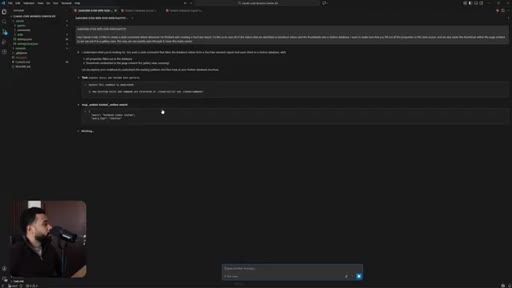
27:18CTAIn the meantime, I'm gonna open up a new chat over here, and we're gonna do two things at once. So I'm gonna ask Claude.
27:26CTAHey, Claude. I'd like to work on building a skill where specifically we, uh, scrape through YouTube to find breakout videos.
27:35CTANow a breakout video is a video that has substantially more views than a number of subscribers. Ideally, we wanna find find out breakout videos that have a two x score or more. Now here's how the skill is gonna work.
27:49CTAUm, I'm gonna give you a video idea and from that video idea, I want you to find five core angles or five core perspective shifts. And then from those core perspective shifts, I want us to identify five keywords for each core angle or perspective shifts.
28:05CTAThen once we get through all those keywords, the next thing I wanna do is I want us I want us to spawn a sub agent for each one of those five keywords that will be searched, uh, in parallel.
28:17CTAAnd then later on, I want you to consolidate all of that information and create a report for us. Now specifically, I want you to make sure that the videos that we look for are at least five minutes or longer and are not short.
28:31CTAWe do not want YouTube shorts because we post long form video. So five minutes or longer only. And I want you to create this where it's a phase based process where you ask me
28:41where we approve the keywords and so on so that we can work on in case, um, we wanna make any adjustments. Okay. So I'm gonna have that work and I'm also gonna tell it,
28:51uh, by the way, we're currently setting up the MCP so, uh, don't worry about that for now. We're working on that on parallel.
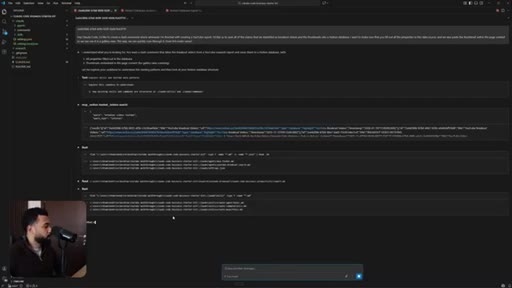
28:57Okay. So now I'm gonna go back over here, and it's gonna look for okay. So it's spawning an MCP finder agent to search the best YouTube MCP server options.
29:07So I have this agent already set up over here called MCP dash finder. So Claude already knew that this existed, so it's running this custom agent.
29:18K. So while it's running, it's going through the skills, and it's actually creating the skills.
29:25So I'm gonna go ahead and stop this very quickly. And what what I'm gonna say is I wanna do this plan. So can we do
29:34can we do what I shared earlier?
29:40What plan it together? K. The
29:43reason why I'm gonna do plan here, which I forgot about it. So Cloud Code has three different options. It has the normal option,
29:51which you just ask it, it'll start building things, then there's a, uh, plan mode. So in this case, creating a new skill, a plan mode would be best because then, um, we do not want Claude to make assumptions, we want Claude to create a plan.
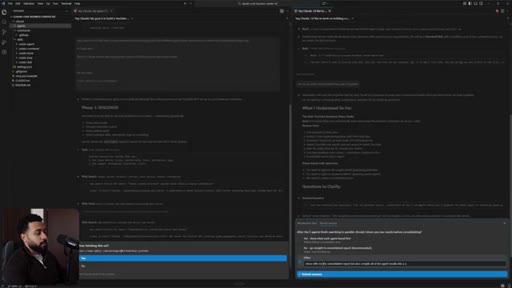
30:05We review it, and then we work. So it's asking me right now. For the parallel search,
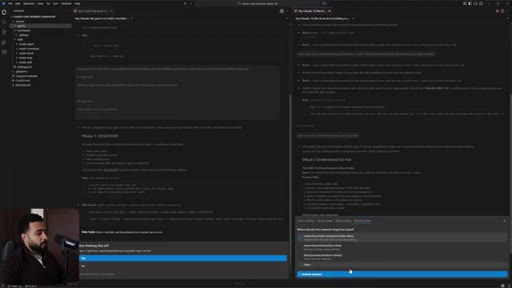
30:10should each of these five sub agents search all five keywords for the angles or should respond 25 agents, one for keyword? 25 agents would be way too much, some say five agents. How many breakout videos should we aim find per angle or keyword?
30:23I would say, top three to five per angle is good. Sometimes it's really hard to find 10.
30:29What should the final report include? Video details, title views, subprocesses. I'm gonna go ahead and say
30:35yeah. We can do all this. I would say the most important important
30:38is the title templates so that we can brainstorm
30:45different ways we can implement our core ideas into those title templates.
30:54And then future have the option to download the thumbnails
30:59so we can use those as inspiration. Let me click enter. Where should the research agent output itself?
31:08Research YouTube breakout video idea. I think that's fine. Submit answer.
31:13Okay. So let's see here. It actually
31:16is, um, web searching and looking at these GitHub repositories over here, um, to find the MCP servers. So let's see here.
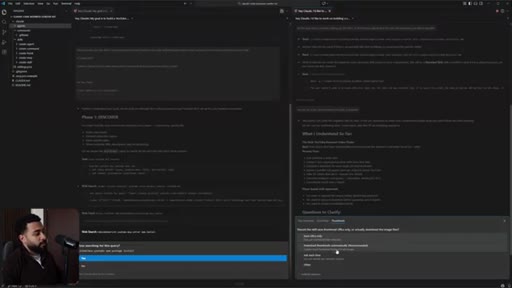
31:25For title template, should we extract exact pattern structure from breakout video titles, show both templates, and actual give templates plus real titles for context? Yes. Both.
31:33Uh, for the breakout zero calculation, we restrict about two x minimum or short range. Uh, two x only show tiered results categorized by breakout level. I like that.
31:41Should the skill save thumbnail URLs only or actually download the image files? Download yeah. Let user decide.
31:48K. What should happen if you wanna modify the angles or keywords during approval? Interactive edit, you suggest changes or regenerate.
31:53You directly edit the person's list and continue. Right? Okay.
31:57Interactive edit. After five agent after the five agents finished searching parallel, should I show you raw results before consolidating? Okay.
32:03I'm gonna say share with me the consolidated report,
32:09but also compile all of the agent
32:13results into a, uh, consolidated folder consolidated files.
32:20So I'm click submit answer. K. So the MCP
32:23finder agent is still looking. K. Perfect.
32:25Now I have a complete picture. Let me summarize the complete workflow. We'll build phase one, phase two, phase three,
32:30phase four, phase five. Okay. So output structure.
32:34So it's gonna create a new folder where it's gonna create these outputs for us so it organizes it, uh, for us. Does this capture everything correctly? Any adjustments before I start building?
32:42Okay. So it found the, uh, best MCP server for our use case.
32:47So I'm a say yes. Let's go ahead. Yes.
32:49Let's go ahead and install this MCP. So, uh, because this MCP server is on GitHub, I believe
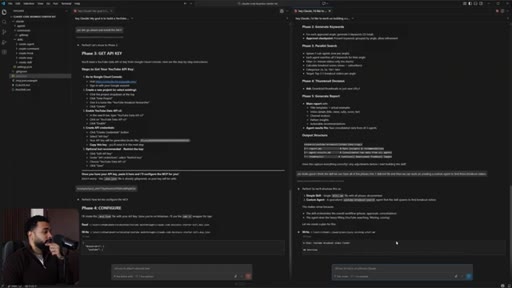
32:57it'll be able to set up. So now Cloud is telling me that I need to get an API key. So I can follow these instructions.
33:04Go to Google Console. Go to Google Cloud console. So if I click on that, it'll pull up my Google Cloud.
33:10So I'm now on my Google Cloud. If I go back, I need to go to click a new project, enable YouTube data API, create API credentials, and so on.
33:19So I'm gonna go ahead and skip this. So I'm just gonna copy over the API, and we'll get started. Alright.
33:24So I got the API key. I'm gonna share it, and then Claude is going to configure the MCP for us. K.
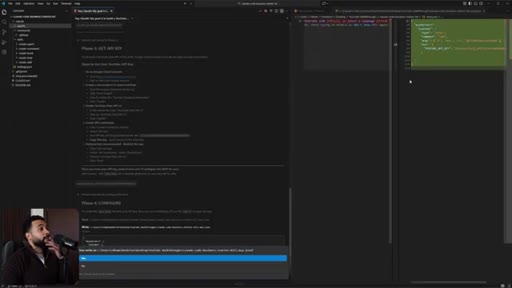
33:30So it went ahead, and it created an MCP folder over here, and it added the API key. So I'm a click on yes.
33:37So if I go to mcp.json, we could see the API key over here, and then we could see the MCP that we're using. So this is how Claude gets access to the external world via the dot MCP dot JSON
33:48file over here. Go ahead and close that out. K.
33:50So it seems like this agent is still planning. K. So apparently, it says it recognize the MCP server is connected.
33:56So the way that I could check if an MCP is set up correctly, I could type slash MCP, manage MCP servers, continue in terminal,
34:05and it's going to open up a new terminal. So click on enter.
34:10So it is actually connected. So, yes, proceed. So I can type m c p.
34:15So we have two m c p servers, it seems like project MCPs
34:20and YouTube. So and Notion, which is I connected globally on my computer. So that's good.
34:26So we're all set. So I'm ask, are we done configuring MCP?
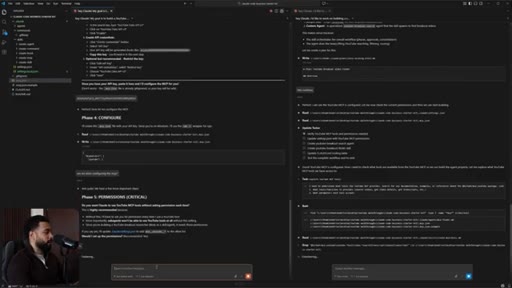
34:32Okay. So now it's asking me, do you want Cloud to use YouTube MCP tools without asking permission each time? I'm gonna say yes,
34:39uh, because we're gonna use sub agents in the future. If we do not add this, then the sub agents will fail. So I'm gonna say yes.
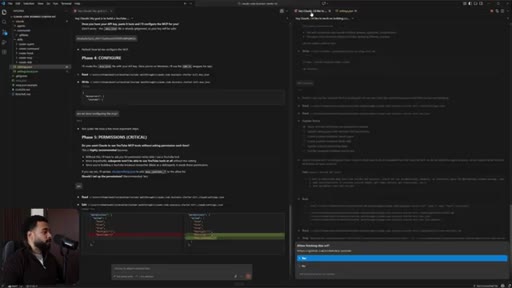
34:47So what's gonna happen here in the settings dot JSON, right now we have read, glob, grep, bash, bash. It's gonna add those tools within that MCP server that Claude can edit.
35:00Okay. So it created over your MCP underscore YouTube
35:05underscore excuse me underscore asterisk. Hopefully this will work.
35:09If if it doesn't work then we'll likely have Claude to actually put in the real, uh, tool names over here. K. So let's go back here
35:19and let's click on yes. So it's gonna so it's checking what tools are available from the MCP so we can build the agent properly. Um, let's see what happens.
35:27So you'll notice that Claude will ask you. You can just say yes allow if you wanted to stop asking you for permissions. Yes.
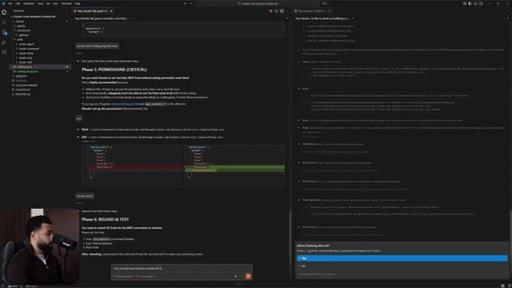
35:34So I'm gonna ask if we're done setting up the MCP here. K. So apparently, we'll need to reload and test, but I think the MCP servers are already working.
35:41So I'm gonna ask, can you test searching for a breakout video for
35:49business for productivity. Sorry. Uh, productivity
35:56for business owners. Click enter, and let's just see if it works. If not, then we'll have to restart to get the MCP to work.
36:01Alright. So this agent just finished searching how to use all the tools. So apparently, it's gonna update the tools needed.
36:09So it identified all the tools we needed. So and it's, uh, in the plan folder.
36:14So meanwhile, while that's working, I'm gonna go ahead and, um, I'm gonna restart Cloud Code because the MCP servers aren't quite, uh, the u two MCP servers aren't quite connecting. So in order for me to do that, I'm gonna click control shift p, and I'm gonna type reload
36:29reload window. And what's this gonna do is gonna pretty much refresh, Visual Studio Code.
36:36So I'm gonna ask it to test again. Sometimes MCP, uh, servers are quite,
36:43like, miss or match. Sometimes it works.
36:46Sometimes it doesn't. So this is why we need to test it. Okay.
36:50Let's continue. So this is why using the plan mode is very helpful because
36:56Claude can get all of the context and put it into a a plan folder, which is over here, Claude plans. And when you work in a different, uh, when you compact when the window compacts or you work with a new agent,
37:10we can continue. So looks like the MCP server is connecting, so it actually works when you restarted it.
37:17And over here, says, um, that we already have permission set up. So it's gonna verify the settings and then continue building.
37:25K. So it's gonna create the YouTube breakout search agents now. So I'm gonna do this.
37:30I'm gonna ask, can you make sure to read, uh, create agent skill
37:38before creating the agent so that I want I want them to I want Cloud to build it right the first time instead of us going back and forth. So I'm gonna make sure ask it to read the create agent skill before creating the agent.
37:52Yeah. So now this is the thing with Cloud is that sometimes you need to guide it. So it's creating this directory when we don't quite need it.
38:00Okay. Because we already have one that exists over here. So we already
38:06have an existing agents
38:10folder.
38:13K. I'm gonna click on yes. Okay.
38:15So you can see here that, um, we use the YouTube MCP. It works great. So it's found,
38:22um, some good performing videos, but as you can see here, the breakout score aren't that high. So 0.6, 0.3, zero point, uh, two, and so on.
38:32So this is good. So we're we're already set. So
38:35let's continue on this chat. So, yes, allow. So Claude made a mistake here, so it fixed it, and it went ahead and created this markdown file over here.
38:46Um, if you notice, it's not the same as this file, whoops, as this file over here. This is how an agent should be structured.
38:55K. So now Claude will need to update that. This is why I've created these skills over here,
39:01which teaches Claude the standard formatting to do things. So this is very important because Claude right off the box doesn't have context, so
39:11this is why it's very important. So you see it just made these updates over here. I made the other.
39:17So if I open up the folder, can see now it's, uh, you can see now it is it is using that the correct way. Um, also, with using agents,
39:26you can choose which model to use. So here we're using Sonnet because we could potentially even use Haiku over here.
39:33So if you want to, uh, conserve tokens, you can use Haiku. I'm gonna stick to Sonnet. It seems fine for this.
39:39This is why having custom agents is helpful because you can decide what tools to use. Like, for example, MCP Finder doesn't need YouTube search tools, so it's it's custom. And I can use this prompt that is predictable.
39:53Right? It uses a predictable prompt instead of having Claude need to create it all the time. So I could ask Claude to spawn sub agents, but now I'm gonna rely on Claude to create the prompt to send that sub agents to do that work.
40:06But if I create a custom agent, I'm more in control of the prompt of what it does and so on. So this is why, uh, agents are really helpful.
40:15Uh, skills are really helpful because skills is what gives pretty much context to agents on how to do the work. Okay. Let's continue here.
40:23Seems like it got stuck here. So I think we're done setting up the MCP, so we likely will not need this tab anymore.
40:30So I'm gonna close this. Um, if you close a tab and you're wondering where it went, you can always, uh, click the stop down menu over here and you can always find your past conversations.
40:42So don't worry about losing work. K. It's created this.
40:45So quality criteria, search all five keywords, filtered all results. So now it's creating the it's identifying the agent to make sure the agent does the work correctly.
40:56So I'm gonna click on yes. Also, noticed it has three to five diverse breakout views. I don't think that's necessary.
41:16Alright. So now it's gonna start working on the skill. So it's gonna create the skill directory.
41:22Yes. So if we pay attention to skills over here, we should see a new skill. So YouTube breakout finder, we're gonna find we're gonna so create a new folder.
41:31So this is how Claude scans for, um, YouTube.
41:35So I'm gonna make sure make sure
41:40to read create skill to know how to create the skill,
41:47please. Now this thing about Claude, sometimes it takes a while, so this is where you want to think about splitting up your work into multiple parts and have multiple agents work at the same time. Um,
42:00I'm working on this on a video, so I wanna show you guys everything. But if I was doing this myself or if this again, I'd probably split this up into number one, creating the agent,
42:10number two, creating the skill, and number three, creating the MCP, trying to do all those three things at the same time. So instead of us taking, let's say, thirty minutes, we could potentially get it done in, like, twenty minutes.
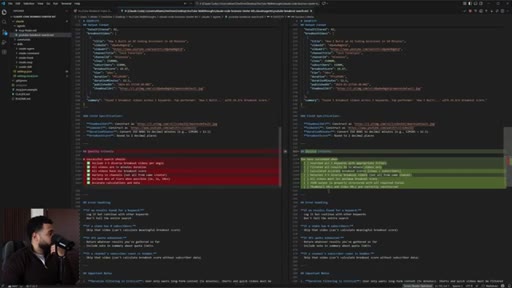
42:21So I went ahead and created the skill over here, and what I'm gonna do is I'm gonna click on control shift v so you guys can read this clearly. So YouTube breakout video finder,
42:34that's the that's the name, the title. So this is YAML front matter, which is literally like a title and a description.
42:42K? So what Claude does when it looks for skills, it looks for the title and description so it knows to run the skill. So when to use,
42:50user says find breakout videos, user wants to discover, blah blah blah. Output where to output it, output it over here, and so on.
42:58Files produced, report, agent results, thumbnails, if you wanted to get the thumbnails.
43:04And then goes through the five phases over here. So okay. So now we're gonna test the workflow.
43:09Okay. So next thing, I wanna double check is review the the agent if it actually understands what what a breakout score is.
43:18K. It does view breakout score. Okay.
43:21So I'm gonna do this. I'm gonna ask, can you review the workflow
43:25from the skill to running
43:29YouTube breakout search as sub agents
43:34for those for each batch of five keywords
43:42before we run it. So I'm gonna ask it to review, and then once it's reviewed, then we can get started by testing it out.
43:49Um, this is very important because this technically is a workflow, um, because we're starting with a skill. There's, like, three phases, And then from the three phases, it's going to spawn, uh, sub agents.
44:01It's gonna go through keywords, and then the sub agents need to extract an output. And then from that output, we're gonna ask Claude to, um, analyze that output, give us a compiled analysis, and then we could use that analysis to download thumbnails. So this is a complete workflow.
44:15So I wanna make sure everything is working and make sure Claude okay. So, um, here's what Claude missed. So spawn parallel agent.
44:21So we need to do this. So looking at skill instructions, format might not be clear enough for the agent.
44:27Agent expects angle names, a string keyword as an array. So just the prompt should be more structured.
44:32Yes. Fix it, please. Also, as you as you work, um, with building skills, since I'm building this live, when you build it on your own time, like, work close like so,
44:41you'll have to test and see what works best for you and your your own business. So maybe there's a specific style of output you want.
44:51Maybe you want the agents to do something else, you can go ahead and customize it based on how you want it. K.
44:58So I think it fixed it. Did you fix it? Are you ready to go?
45:04And what I'm gonna do is I'm gonna close these tabs. I'm gonna open up a new Claude chat over here,
45:12and I'm gonna ask also, I forgot to mention beginning of the video. Ideally, we should probably be using Opus. I've been using Sonnet,
45:20so I'm gonna switch to Opus, which we should been should have been using from the start. So this is why it might have not have been making the best decisions possible.
45:30So it's important that you use the right model. Not that Sonnet is bad, but Opus is available, so might as well use the best model possible.
45:37Okay. So it's ready. So I'm gonna go ahead and open up in a new tab.
45:41Alright. So before I run the workflow, I'm gonna double check to make sure all the MCP connections are connected. So I'm gonna click control shift p
45:49and I'm gonna click reload and I'm gonna put in reload WinSrad to make sure everything is, uh, restarted just in case because sometimes MCP connection don't quite work.
45:59So I'm gonna ask Claude code. Hey, Cloud. Can we do a research
46:04to find breakout videos specifically for Cloud Code for business and productivity? Click enter, and let's see what happens. So ideally, it should open up the skill immediately.
46:14It should be able to pick up the skill, so it did. YouTube breakout finder skill to search for breakout videos, so it went through the skill and read through it. So it's gonna extract the core angles.
46:24Here are the five distinct angles. Okay. I don't don't like the comparison.
46:28Can we do AI? K.
46:31So extract the five core angles. I didn't like the fifth one, so I'd like Adjunctika AI, Adjunctika employees. So as you use a skill, you wanna make sure you guide AI because sometimes AI doesn't do the perfect thing or
46:43you would basically explain your thought process on why this is better so you can update the skill. K. So yes.
46:49Looks good. Let's con so now it's gonna identify identify 25 keywords.
46:54No. Looks good. Let's continue.
46:56So from these keywords, it's gonna look online to find, uh, videos that might match our style. So here it went.
47:04It's spawning five agents. So agent one, two, 345, and it's loading the instructions from that agent dot m d folder, which is, um, this one over here.
47:14So it's actually pulling this out. And by the way, I changed the model to Opus just to see how it would work better. I do like Opus better than Sun because sometimes Opus
47:24does do a better job in terms of tool calling. But that doesn't mean you can't use Sonnet. You could use Sonnet or Haiku.
47:30Really depends on on what you want. You wanna really customize things to what matches your business best. So as you can see here, the MCP is working.
47:39The sub agents are actually, uh, running the MCP and are getting, uh, videos. So it's going to automate business tasks, get 20,
47:48look for long long videos, and order it based on view count. So it's finding the most viral videos or the videos that got the most views for all of these keywords. And the benefit of running sub agents is that these are all are all running in the background.
48:04So it doesn't take the context window of the main agent. So once once the sub agents are done, I can continue working with this agent.
48:13So let's say I was working on a a YouTube video. I shared the YouTube idea with with the agent and I wanna continue working with it so it doesn't lose context, I would use sub agents in this case. So this is why it keeps the main context window very clean.
48:27It doesn't pollute it. And if I were to ask the main agent to do all the search itself, it probably can, but it will eventually,
48:36for certain, reach the 100% capacity of the context window, and then it will compact again. So this is a game that you have to learn is understanding the context windows limits and knowing how you could split that work with sub agents and so on.
48:51Alright. So this might take a while. So just let Cloud Code cook while you work on something else.
48:56So this is very powerful because now you do not need to do this work yourself. So if you were to do this, you'd probably go on YouTube, search these keywords itself, and probably do the analysis yourself or use a tool or a software or probably hire a VA to do this one.
49:12Now we can just have AI scrape over a 125 keywords and then from those keywords, identify which video
49:19title would you like to use the best. So now this really gives you a better chance in terms of positioning your YouTube videos to get more views. Alright.
49:27So all five search agents have completed and, um, has found some excellent breakout videos. Here's a preview of what we found.
49:34The workflow automation, how to instantly build AI agents in NA 10 using Cloud. Well, that's great. So,
49:40um, would you like to down the thumbnail image for inspiration or just save the URLs in the report? For now, let's just save the URLs in the report,
49:49and then we can select which
49:53videos we want the thumbnails from to download.
49:58So instead of doubting or thinking or guessing whether a video will get views, you might as well just
50:06figure out what works and just emulate from it. K. So now it's generating the consolidated report.
50:11It went ahead and created a new folder over here. So research, YouTube breakout, Cloud Code, uh, business productivity,
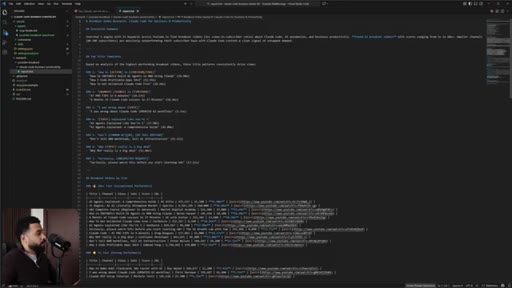
50:19and it should create a a report that we could read, which is gonna be in a markdown Alright. So it created a report here,
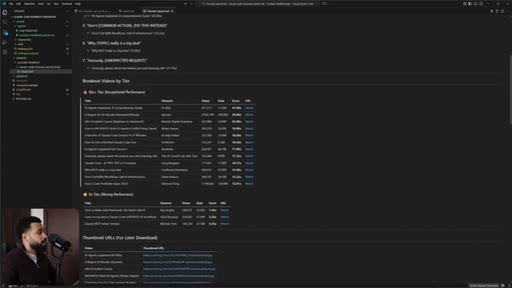
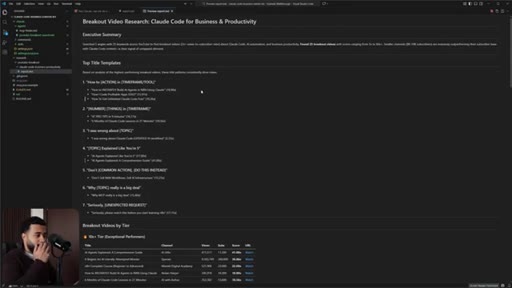
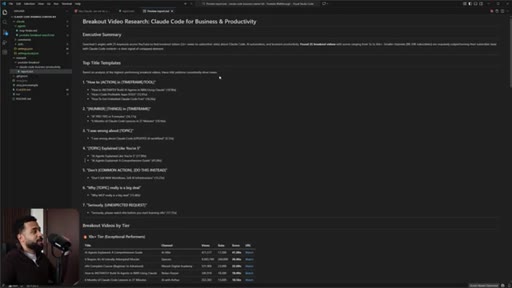
50:27um, with the top title, how to action and time frame, how to instantly build AI agents, how I code Progible app app solo, how to get unlimited cloud code free. So it's giving us the title templates that we could use as a foundation to build the title.
50:42K. So don't sell NA 10 workflow, sell AI infrastructure. So this could be another thing.
50:46Don't build on NA 10, build on Cloud Code. So these are ideas now I can have to create the k AI agents explained like your five, AI agents explained, so and so on.
50:57And then there's breakout videos by tier. So it's sorted based on tier. So let me do this.
51:02Let me click control shift v so it's easier to read. So, yeah, this is much better.
51:07So I can go through this, and I can figure out how to take action with this. So all these videos, the links are here, I can click on watch if I wanna check this out, and it will open up the video.
51:18Same thing here. And all the thumbnail URLs are here as well. So if you wanna download this, you can check it out.
51:24So yeah. So what would have taken you, who knows, like hours searching YouTube or hiring a VA to do this, spending a whole day to find out, uh, analytics or what what video would work,
51:36you basically have a research report that you can make data driven decisions to predictably grow your YouTube channel. And this is what I've been using to grow my YouTube channel. And if you look at my recent videos, most of my recent videos are breakout videos because I take this I follow this, uh, scientific approach.
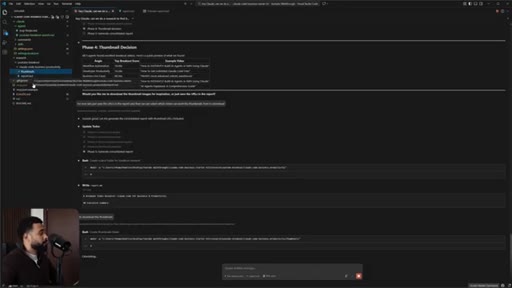
51:53So I don't just guess what video will do well. I use data to figure out what titles work, and then I plug and play those in.
52:00So I'm gonna say, let's continue. Let's download
52:05the, uh, thumbnails. K. So now it's gonna create the thumbnails folder and then it's gonna go ahead and download them and place them in here so that we could preview them and then we could think about how we could potentially create,
52:18um, these these, uh, thumbnails for us. So now you could then remix so you could pick a title that got the highest
52:28breakout score, and then you can pick the thumbnail that got the highest breakout score and then just combine them, and then you have a higher chance of getting more views on YouTube. Alright.
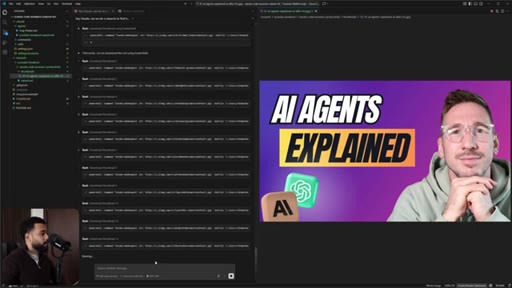
52:36So apparently, there was an error, so I asked Claude to fix it. So now it's actually downloading it. So if I click on one of these,
52:44pull this on the right side. So this is one of the thumbnails, so this could give me an idea. Alright.
52:50So CloudCoder is downloading all these thumbnails. So if you check them out so you can you you can potentially get inspiration from these like so, and then you can get some idea.
52:59Most of these has a face on the right side and then the and then something on the left side. So now you can start to see the patterns.
53:09How can you create a thumbnail that will for sure get viewed. So, yeah, now you can see how Cloud Code can save you hours of your time instead of you downloading all of this manually, needing it to organize in the folder.
53:21Cloud can do that. If you want to search online, scrape stuff, Cloud can do a lot of work. So this is just one of the examples.
53:27Alright. So next step is let's say you have this report and you have all these thumbnails and the next thing you wanna do is you wanna store this somewhere where someone in your team or other people can easily view it because having it all stored, uh, within your local files might not be the best way for other people to view that.
53:43So let's say I wanna connect this to, uh, Notion. So I went ahead and I asked Notion to create this database, then it created a quick database for the breakout scores with all of the properties already. So what I'm gonna do is I already have Notion MCP connected to my cloud code.
53:58If So I go to your MCP and go to manage MCP servers and continue in terminal, so I can see that we have YouTube connected and we have, uh, user MCP's which is Notion Notion hosted.
54:11So for this one I'm gonna use Notion hosted because I found it to work better. Uh, Claude was able to use it. So I'm gonna use that.
54:18So I'm gonna close this over here. Close this tab. Close that.
54:22And we're gonna get started. So what I'm gonna ask is I'm gonna make sure that
54:29this one over here, I'm gonna take this link.
54:38I'm gonna paste that over here and k. So I'm gonna I have the copy I have the data source ready so I'm gonna ask Cloud Code. Hey, Cloud Code.
54:45I like to create the slash command that once I'm finished with creating a YouTube report, I'd like us to save all of the videos that we identified that are breakout videos and the thumbnails into a Notion database.
54:59Now I want to make sure that you fill out all the properties in this data source and we also paste the thumbnail within the page content so we can, uh, see it in the gallery view so can quickly, uh, scan through it.
55:14Um, does this make sense? So I'm gonna make sure I put it in plan mode again because again I'm gonna be building something. If I were to just ask it,
55:24uh, right away then it would probably make a lot of mistakes because it will forget some of the context. So so first it's checking if it can find the the, uh, database which it did over here.
55:36It found it and then it's gonna explore the skills in YouTube data path. So over here it's reading through the report and it's trying to learn.
55:43It read through, uh, the skills and so on. I think it actually spawned a sub agent over here while it's doing this.
55:50So Claude can spawn sub agents and still work on stuff. So if you wanna do that, just make sure you ask Claude whenever you're, like, working on a task. Just say, hey, Claude.
55:58Can you spawn a sub agents in the background? And can we continue working on this while those agents work? So this is why Cloud is super
56:07powerful, man. You can have as many sub agents working in the background for you. So what would take you eight hours of work before will take not two hours.
56:14It'll take, like, thirty minutes or ten minutes. So you can get a lot of work done. Technically, I could ask Cloud Code to
56:21to spawn, like, I can have five different tabs and I could do research for five different videos at the same time and get five different reports if I really wanted to. So, hypothetically, if you're working with, like, let's say, five YouTube clients,
56:35if you're an YouTube agency client, you could do that, pretty much do that, and then serve five clients at once instead of you needing to hire five VAs, just have Cloud Code and you spend, like, what, a $100 a month, $200 a month, and you get, like, a lot of value out of that.
56:51And this also extends to, like, other stuff in your business. This is in this video, I'm just going over YouTube. This could be something else.
56:57This could be, like, writing content. This could be like, um, breaking up content from long form into short form.
57:04This could be like any task that you would that AI could potentially do is completely scalable now with Cloud Code because just the ability to spawn sub agents is very high leverage. Okay.
57:17So, apparently, it found our existing breakout video database. It's gonna fetch the schema to understand the properties. So now it has a complete picture.
57:27Let me check existing research output and understand how breakout videos are stored after research YouTube research session. So now it has everything. It's gonna create a plan for us.
57:35Okay. So here's the plan. We're gonna create a slash
57:39save to Notion and read through this. So create a slash command slash save to Notion that saves breakout videos from YouTube research report to existing Notion database with, uh, thumbnails embedded. Okay.
57:52Cool. Cool.
57:58Okay. Cool. This works.
57:59Okay. So I'm gonna ask it, change
58:01the slash command name to
58:08save YouTube to Notion. Because I wanna make sure
58:14it's because I put save to Notion, this might be something else. Let's say I wanna save something else to Notion. So wanna be careful where it says save YouTube to Notion.
58:22But other than that, I think it's good. So it updated the plan, and I'm gonna say yes and auto accept. If you wanna review in more detail, then you can say yes, manually accept.
58:31So it's gonna create the command file. I I hope that it creates a command file correctly. So I'm just gonna be really safe here, and I'm gonna say double check.
58:41Can you double check the format of the command of the
58:49slash command with create
58:52command skill. K. Because I did the work previously in creating this,
58:57um, repository or workspace by having all of these structures set up previously. So we're gonna make sure.
59:04So that's why I asked it to reference it because sometimes again, this is an example of context. Like, even though, like, Claude might have read it at the start of the chat over here,
59:15it went through my whole code base. It still forgets things. So this is why I make sure to remind it.
59:20So so it went ahead and updated it, so hopefully it will work.
59:27K. So we'll know if it works.
59:30If I type slash and I'll be able to see it. So if I put type slash YouTube to put type slash save to Notion, I still don't see that. So we're gonna we're gonna check it now once it creates it.
59:41So I'm gonna go ahead and refresh reload window so that if the command is working we'll be able to see it. Once Claude creates the slash command, I can open up a new chat and I can type slash save
59:54and I should be able to see it. So save dash YouTube to Notion. If you don't see it then you always again, you wanna make sure you reload the window or you make sure that Claude actually created the command correctly.
60:04So I'm gonna click on this save tab and then I'm gonna make sure that I select
60:11the actual report. So I'm gonna ask it to, uh, cloud
60:16code business productivity
60:20because let's say you have multiple reports and you want one specific report, you don't want another report. So you wanna specify. So I asked save YouTube to Notion, Cloud Code business productivity,
60:30and Cloud said, I'll save the breakout videos from YouTube research to Notion. Let me find let me first find the most recent research report. So I was gonna go ahead and save all 12 videos.
60:39So let's do this. Let me see if I could open this up so we could see it work at the same time.
60:47Put on Notion here and
61:04Alright. So as you see, it just added all of the videos in one shot. That's sick.
61:08That's so cool. And then I wanna make sure the thumbnails are shown. So great.
61:14Even the thumbnails are here. Awesome. So now it's gonna add the next three videos which is the five x tier.
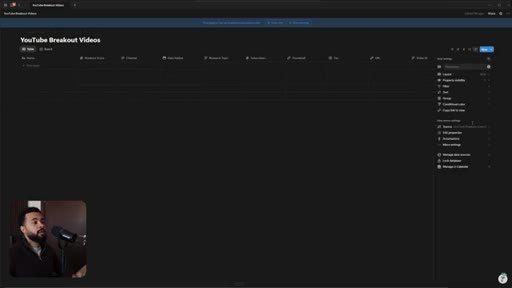
61:21So if I work with, uh, Notion, I can always go here to property visibility and I can put out the breakout score and I could put in the, uh, channel number subscribers so I can adjust
61:34what I want. I can put the the URL as well and I can even sort it
61:41based on, uh, breakout score or views. So I'm going do by breakout score. So apparently this one got the highest
61:50breakout score for this title and this thumbnail. Right?
61:54So you can now use this as an analysis. So, yeah, this is sick. This is awesome.
61:59CTANow you could get work done and share it with your team on Notion by connecting YouTube and Notion MCP. So in less than an hour, we built a complete AI system that gets YouTube breakout videos for us. Now what would happen if you spent three weeks in building AI systems and how much more you could get done?
62:15CTAThat's exactly what I'm doing in a new challenge called your first AI employee, I'm running on February. Our goal is to first x-ray your complete business, so we're gonna find opportunities where you could use AI agents in Cloud Code, and then we're gonna delegate those activities to Cloud Code so Cloud Code can become an actual employee in your business.
62:33CTAAnd, ideally, this employee will generate value in your business and generate business outcomes where, at minimum, our goal is to have Cloud Code generate you $10,000 a year extra in value generated or revenue generated. Now if you want that, I put that link in description. We're gonna get soon, and I'm only taking 10 spots.
62:50CTAAnd if you found this video valuable and you want to apply what we just did, you can rewatch this video again, and you can grab the GitHub repository, uh, starter link in the description below. And a like and subscribe would be very helpful.
63:02CTAI'll see you guys in the next
— full transcript
§ 05 · For Joe

The starter kit is the product.

Operator playbook

Give away the infrastructure, sell the implementation — the GitHub kit does what a free trial does for SaaS.

  • Package your recommended setup as a GitHub repo. That repo is a lead magnet that filters for serious users.
  • The non-developer positioning is wide open. Most Claude Code content targets engineers. Joe already talks to creators and business owners.
  • The context-window-degradation stat (11/12 models below 50% at 32k) is a standalone short. No setup needed.
  • Plan mode as a requirements interview is a clean tutorial hook worth borrowing for any JoeFlow or ModBoss walkthrough.
  • Rashid CTA sequencing: newsletter → cohort mid-video → kit + cohort at close. No sponsor, no hard sell. The live demo IS the proof.
  • The breakout score formula (views/subscribers, 2x minimum) is directly usable in any content research SOP.
§ 05 · For You

How to actually start using Claude Code in your business.

For non-developer business owners

You do not need to learn Python or hire a developer — Claude Code can set itself up if you give it a starting structure.

  • Install VS Code (free) and the Claude Code extension. Log in with your existing Claude subscription — no API key needed.
  • Clone the starter kit from the GitHub link in description. This gives you a .claude folder with pre-built skills and hooks.
  • Write one skill = one business task you repeat (email triage, content research, report generation).
  • Use Plan Mode (Shift+Tab) whenever building something new. It interviews you before acting — prevents bad assumptions.
  • When a task is large, tell Claude to spawn sub-agents instead of doing it all in one conversation.
  • Connect external tools via MCP — Notion, YouTube, GitHub. Ask Claude to find and configure the MCP server; it writes the config file.
§ 06 · Frame Gallery

Visual moments.