Self-Made Web Designer · Youtube · 14:21

The Only 5 Web Design Skills That Actually Matter (2026)

A 14-minute system that collapses a decade of web design learning into five skills every professional actually uses.

Posted
July 17th 2025
10 months ago
Duration
14:21
Format
Tutorial
educational
Channel
SW
Self-Made Web Designer
§ 01 · The Hook

The bait, then the rug-pull.

Ten years of reading books, taking courses, and building websites — and it comes down to five things. Not fifty. Not a platform, not a trend, not the latest AI tool. Five durable skills that every working professional actually uses, and that most beginners skip entirely in favor of chasing what looks impressive.

§ · Chapters

Where the time goes.

00:00 – 00:33

01 · Cold open and promise

States the premise: after 10 years, only 5 skills matter. Names the outcome the viewer will have by the end.

00:34 – 04:36

02 · Skill 1: Typography

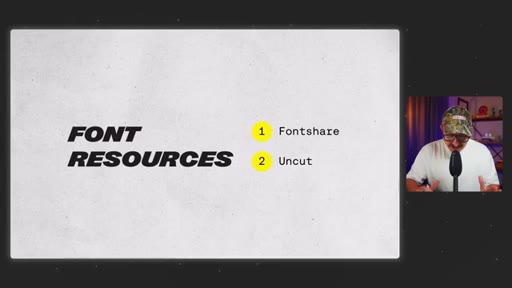
Two questions: how to pick fonts (fontshare, uncut.wtf) and how to set them up (major third type scale, REM values, letter spacing, line height). typescale.net as a shortcut.
04:37 – 07:37

03 · Skill 2: Layout

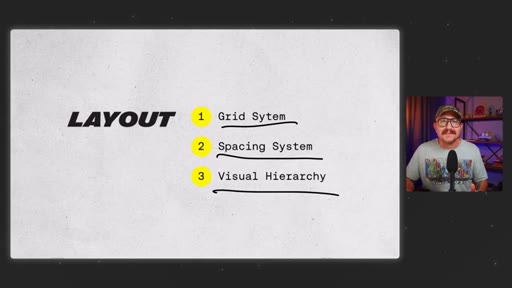
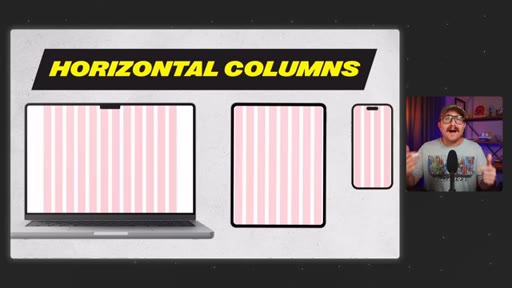
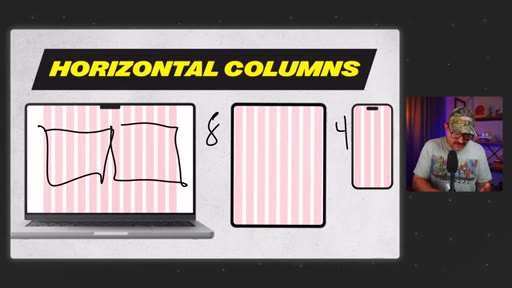
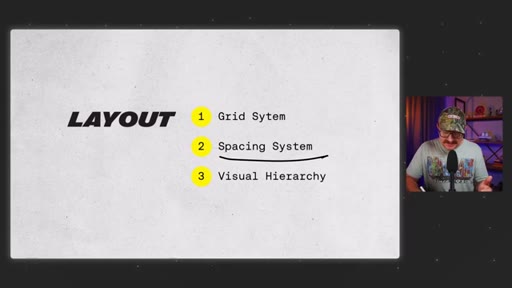
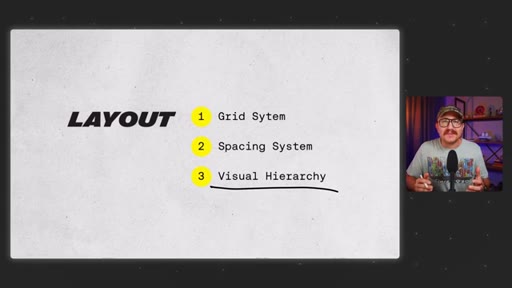
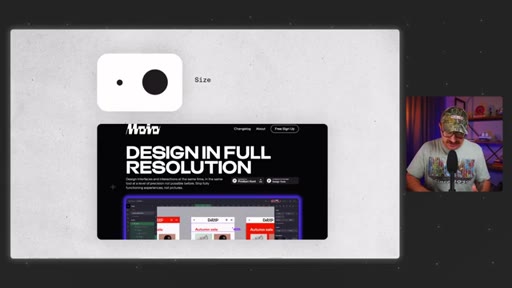
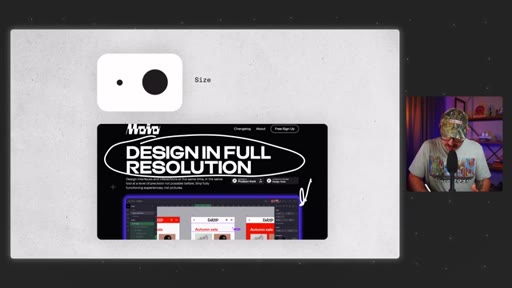
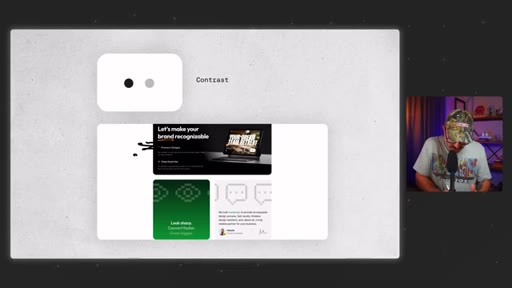
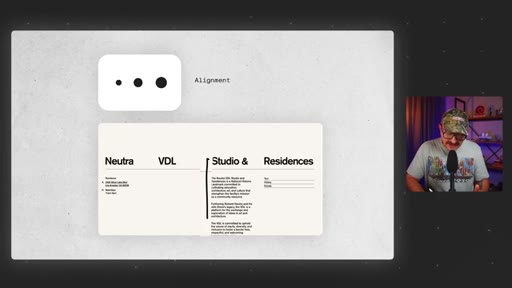
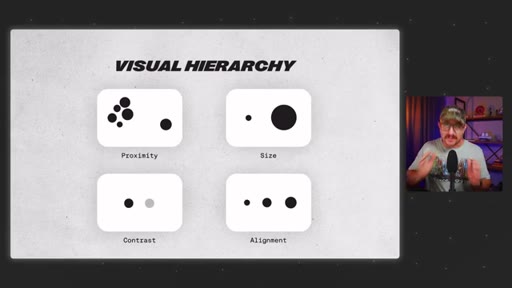
12-column grid on desktop, 8-column tablet, 4-column mobile. 8-point grid for spacing. Four visual hierarchy principles: proximity, size, contrast, alignment.
07:38 – 10:38

04 · Skill 3: Color

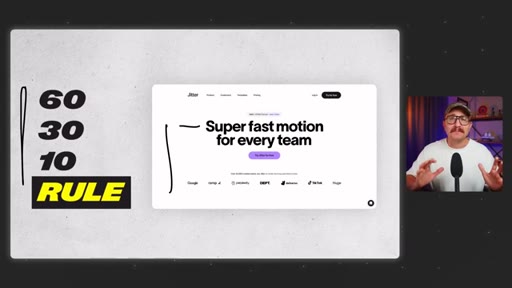
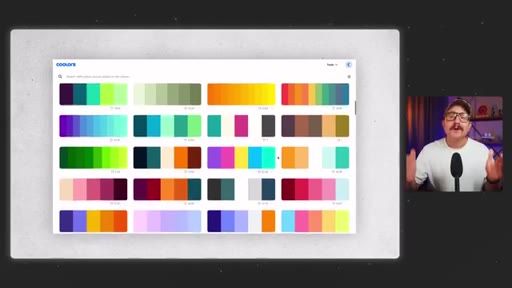
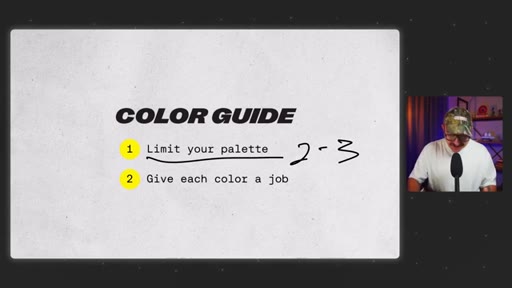
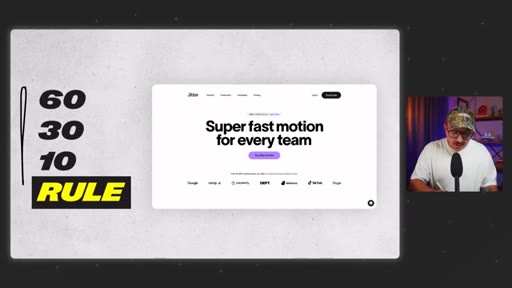
Limit palette to 2-3 colors. 60-30-10 rule for balance. Use opacity instead of adding colors. Prioritize contrast ratios. CSS Overview to steal palettes from professional sites.

10:39 – 11:56

05 · Skill 4: Code basics

HTML, CSS, JS, PHP basics are enough. Learn 80% via courses, vibe code the rest with snippets and AI.
11:57 – 13:49

06 · Skill 5: Conversion

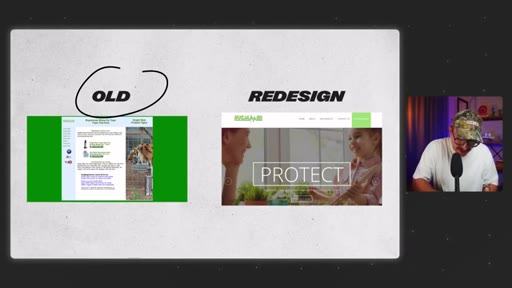
Pro designers design for action, not looks. Personal story: redesign that tanked a client's sales by ignoring the user journey. One goal per page. CTAs in hero + nav + every 2-3 scrolls. Trust, clarity, and feelings.
13:50 – 14:21

07 · Conclusion

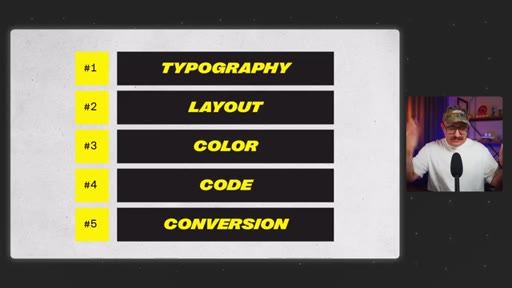
Permission to stop chasing everything. Focus on these five and grow faster than chasing trends.

§ · Storyboard

Visual structure at a glance.

open
typography
font resources
layout
color
code
conversion
close
§ · Frameworks

Named ideas worth stealing.

03:01 model

Major Third Type Scale

  1. Base: 16px
  2. H6: ~20px
  3. H5: ~25px
  4. H4: ~31px
  5. H3: ~39px
  6. H2: ~49px
  7. H1: ~61px

Scale each heading ~25% larger than the previous using REM values. typescale.net generates the full system automatically.

Steal for Any new web project or client site to eliminate arbitrary font size decisions
06:02 model

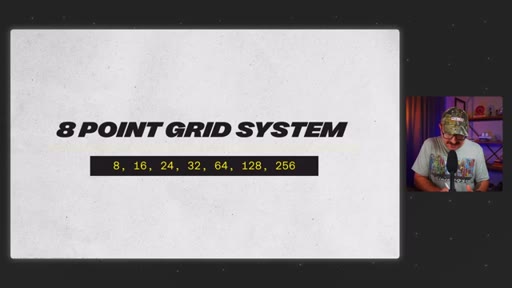
8-Point Grid System

  1. 8px
  2. 16px
  3. 24px
  4. 32px
  5. 64px
  6. 128px
  7. 256px

All spacing in multiples of 8. Used by Google Material Design and Apple. Set up in Figma as a grid guide.

Steal for Spacing system on any web project to create instant visual rhythm
08:12 model

60-30-10 Color Rule

  1. 60% neutral (backgrounds, body text)
  2. 30% secondary (section backgrounds, cards)
  3. 10% accent (buttons, CTAs)

Assigns a percentage and a job to each color in a limited palette, preventing visual chaos.

Steal for Any brand color system or client website redesign
12:39 concept

Single-Goal Page Architecture

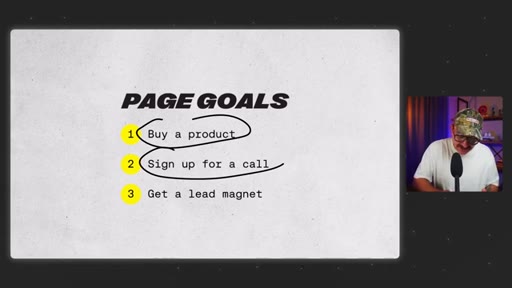
Every page has one goal: buy a product, sign up for a call, or capture a lead magnet. Multiple goals split user attention and reduce conversion.

Steal for Landing page strategy for any client or personal project
13:30 model

Know, Like, Trust, Feel

Extension of the classic KLT framework — adds feel as the emotional layer that moves people from interest to action.

Steal for Any homepage or sales page structure
§ · Quotables

Lines you could clip.

07:52
"Pro designers don't use more color. They use color more intentionally."
Clean, quotable reframe — 12 words, zero setup needed → TikTok hook
09:03
"One good color used well beats five random colors any day."
Punchy principle, instantly applicable → IG reel cold open
04:48
"Pro designers don't guess about where things should go on the page. They have systems that guarantee it every time."
Sets up the systems-vs-guessing contrast perfectly → newsletter pull-quote
12:24
"I had focused so much on the design that I ignored the user journey."
Vulnerability plus lesson — strong story moment → TikTok hook
10:26
"People don't read websites. They scan them."
Classic UX truth, delivered casually → IG reel cold open
§ · Resources Mentioned

Things they pointed at.

01:28tooluncut.wtf ↗
10:13toolCSS Overview (Chrome DevTools)
05:10toolFigma ↗
§ · CTA Breakdown

How they asked for the click.

13:50 subscribe
"If this video was helpful, make sure to hit that like button and subscribe so you don't miss another episode."

Soft, friendly close CTA. Mid-video CTA at ~1:39 for likes/subscribe plus slide download and font resource list.

§ 04 · The Script

Word for word.

HOOK opening / re-engagementCTA the pitch story
00:00HOOKIn this video, I'm gonna show you the only five web design skills that actually matter. You can usually tell right away if a site was built by a pro or by somebody who's still kinda figuring it out. And it's easy to think that that takes a ton of different skills.
00:13HOOKAfter ten years of reading books, taking courses, and plain old building a ton of websites, I can actually tell you there are really just five things you need to know. By the end of this video, you're gonna know exactly what to focus on to level up fast and finally feel confident as a web designer. Are you ready?
00:31HOOKLet's go. First up are your typography skills. Outside of white space, text takes up the most real estate on your website, but 99%
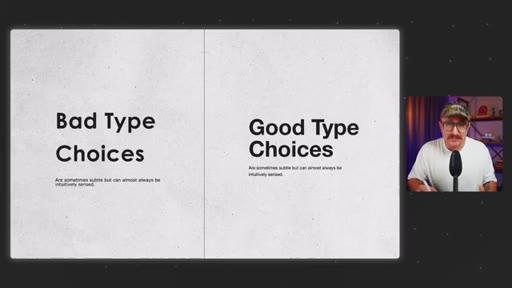
00:42of web designers can't tell the difference between bad type choices and good type choices. They might be able to feel when something's off, but it just kinda stops there. But here's the good news.
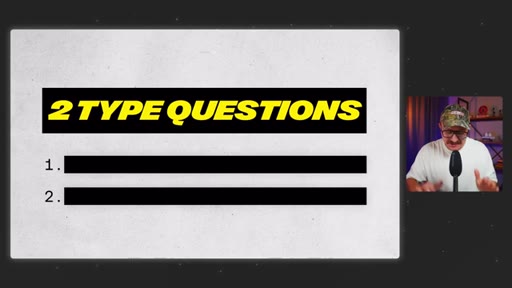
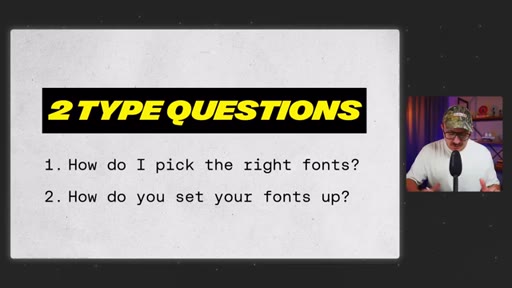
00:52You actually only need to answer two questions to master typography for websites. And when you can do that confidently on every project, you'll be in the top 1% of web designers.
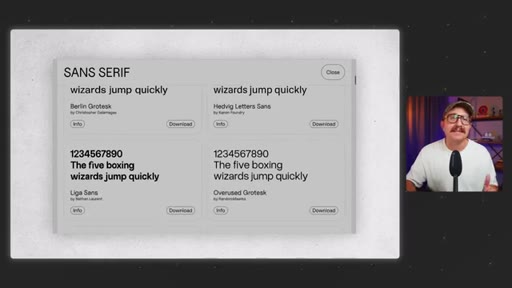
01:04So question number one is, how do I pick the right fonts for my project? Most web designers use the same free fonts over and over again.
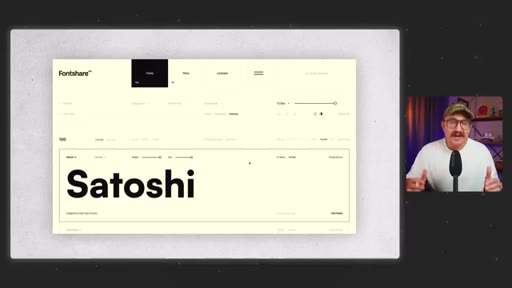
01:14And when you use those same fonts as everyone else, your designs start to blend in, not stand out. So you gotta find fonts from places that aren't overused. Two of my favorite resources are fontshare.com
01:27HOOKand uncut.wtf. Fontshare is clean, high quality, and completely free to use, while uncut is a bit more experimental.
01:39HOOKBut they're both packed with personality and tons of free fonts to use. Oh, and I've got a running list of free and affordable fonts that I found out in the wild. Every one of them are chef's kiss.
01:52HOOKSo you're gonna find the link to that list in the description of this video. Oh, and by the way, make sure that you like and subscribe so you don't miss another episode. And if you want the slides that I use to teach these five skills, there's a link for those in the description.
02:07Question number two is how do you set up your fonts in such a way that it actually improves your design and makes your site easier to use? If you've ever looked at a site that was designed by a true web pro, you're gonna notice something. Right?
02:21All the text feels cohesive yet predictable without feeling super robotic, like you're kinda reading a Wikipedia page.
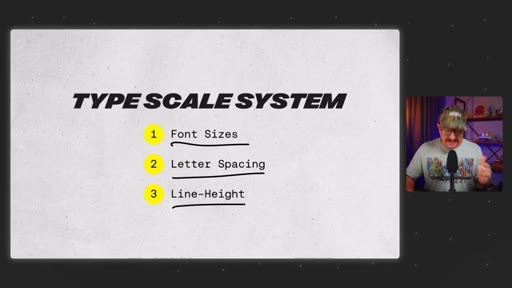
02:29That's because pro designers use something called a type scale system. And it's just a simple set of rules that determines things like font sizes, letter spacing,
02:40and line height. And once you set it up, your typography starts to feel intentional instead of just eyeballed. Let's start with font size.
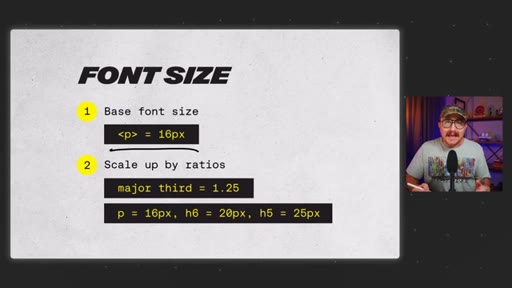
02:48What you wanna do is pick a base font size for your paragraph text. Typically, people start with about 16 pixels.
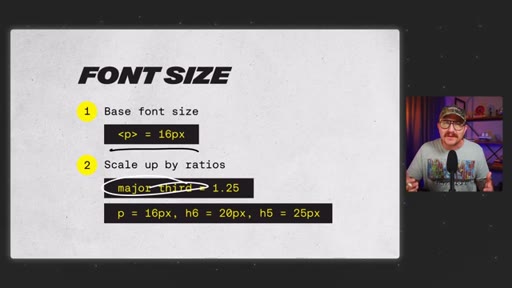
02:57And then you use a scale to make your headings consistently larger. A popular one is called the major third scale.
03:05And if you've ever learned an instrument, this might sound a little bit familiar. All it means is that you're actually going to scale up in size from one text to the next by about 25%.
03:18So if your base size is 16, your h six would be 20, and then your h five would be 25, so on and and so forth until you reach your h ones. And you actually don't have to calculate this
03:31manually. Instead of using pixels, just use the REM
03:36values. It does all the calculations right there for you.
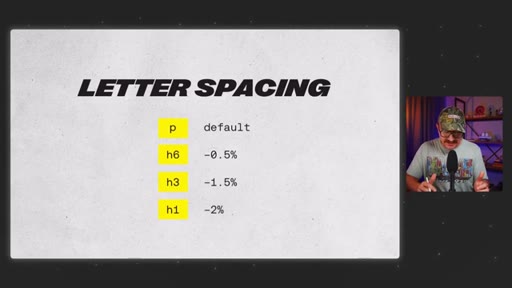
03:40Next up is letter spacing. For for body text, don't touch it. Right?
03:44We want that to be super legible, and so just keep it the default. But for headings, you wanna tighten it up a little bit as they get bigger. As text gets larger, it often looks cleaner with slightly reduced spacing.
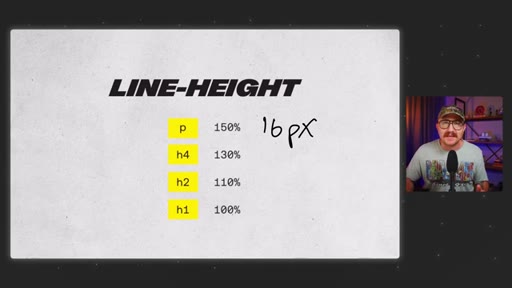
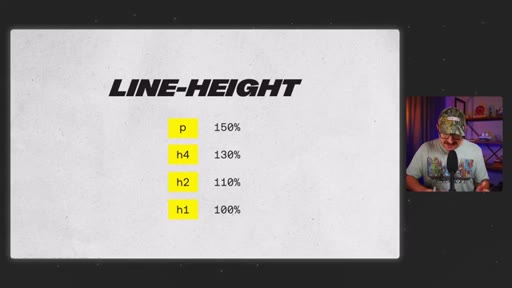
03:57And then finally, line height. For paragraphs, go with about a 150%
04:02of font size. So if the font size is 16 pixels, then you would take that and then multiply it by 1.5 to get your line height.
04:11That gives the text room to breathe and makes it easier to read. And then as text gets bigger, like with headings, you can tighten up the line height a bit to make it feel a bit more impactful and scannable.
04:22Now if all that sounds like a lot, here's a shortcut. Go to typescale.net. You pick your base size, choose a ratio, and then it just generates the whole system for you.
04:33It takes two minutes and makes your typography look like a pro. Set it up. Next up is layout.
04:39Most new web designers just kinda drag things around until it feels right. And, hey, you might even be following some design rules without realizing. But pro designers don't guess about where things should go on the page.
04:52They have systems that guarantee it every time. And you actually don't need to memorize a ton of layout rules. You just need three things.
04:58A grid system for structure, a spacing system for rhythm between elements and even vertical spacing, and then visual hierarchy to guide the eye.
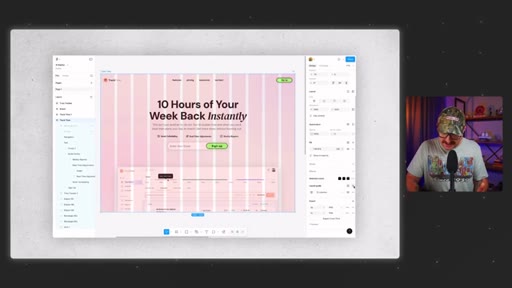
05:08Let's start with the grid. Think of this as your layout's foundation. I like to use a 12 column layout on desktop, eight columns on tablets,
05:17and then four columns on mobile. Why is that? Well, because it's super flexible to divide evenly
05:24to where you don't have to have 12 columns specifically. It could be two columns that take up six columns on the right and six columns on the left. And then you could make it three or four.
05:33It's just easy to work with. Figma actually makes this super simple to set up. All you have to do is select your frame, come all the way down to layout guide, add the plus sign, change grid to columns, and then add the amount of columns that you're wanting to work with.
05:48Next up is spacing, and this is what gives your design room to breathe. I use what's called an eight point grid system, and it just means that your spacing is always multiples of eight, like eight, sixteen, 24, 32, so on and so forth.
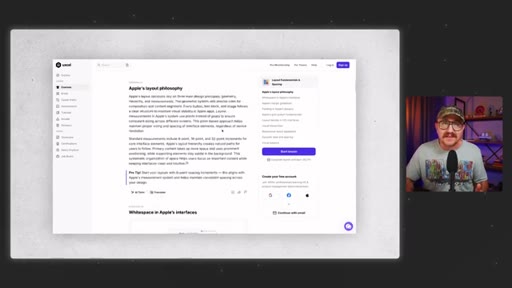
06:04It's the same approach that's used by Google for material design and Apple in in their design systems as well. And if major players like Google and Apple are using it, then you know you can't ignore it. This is also super easy to set up.
06:19You do the same thing in Figma as if you're setting up columns, but then when you add a guide, you just remain on grid and then change the size of the grid to whatever you're wanting to use. The last piece is visual hierarchy because here's the truth.
06:34People don't read websites. They scan them. So your layout needs to guide the eyes from the things that are most important to things that maybe don't matter all that much.
06:44Here are a few quick principles to do just that. Use proximity. So keep related things close together as if they're in the same space on a page.
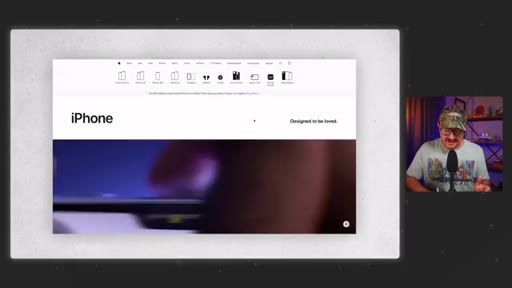
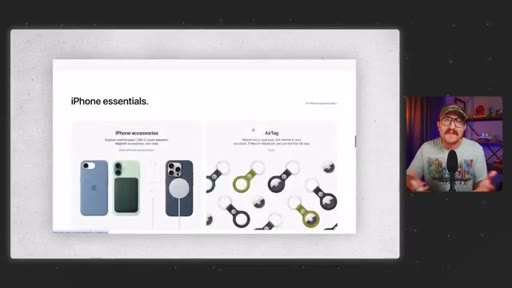
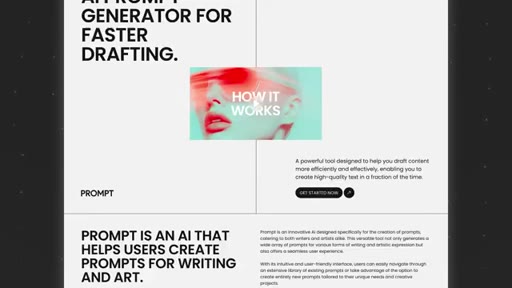
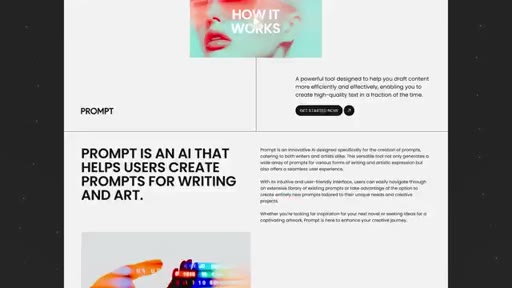
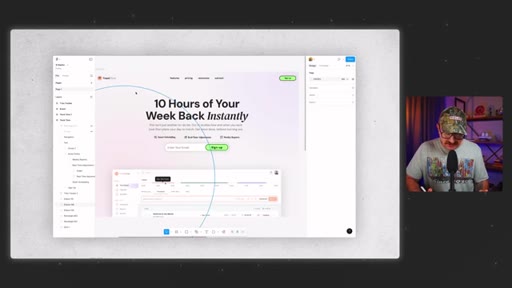
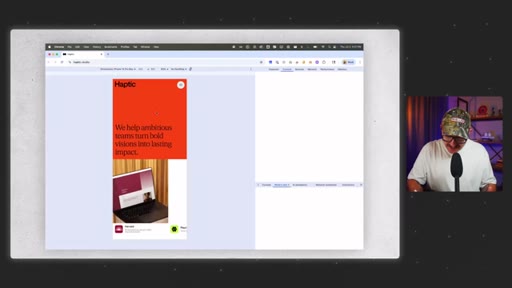
06:54Then use size to tell users what's more important or least important. You can see that this website's done a good job with that on their big text and the big image down here. Use contrast.
07:08Right? You can use size, weight, or color. And you can see that this website's done that really well with the opacity of their headers versus their body text.
07:18So they're signaling to you that they really want you to read this and this other stuff might not be that important. And then alignment because clean lines always equal a clear structure. When you use those four together, you're gonna build a layout that feels effortless to navigate, and that's what separates the pros from the beginners.
07:38Next up, let's talk about color. For a lot of designers, this is where things start to feel really overwhelming because there are millions of colors out there. So how do you know what works?
07:48Here's the secret. Pro designers don't use more color. They use color more intentionally.
07:54Let me show you some quick wins that are gonna instantly level up your color game. First, you wanna limit your color palette. Right?
08:01You don't need more than, like, two or three different colors for any project that you're working on. But here's the key. Each one should have a specific
08:12job. One of the most popular systems for creating visual balance is called the sixty thirty ten rule. So 60%
08:20are your neutral colors. Those are things like your whites and your blacks. You use that for your background and your text.
08:2730% are your secondary colors, and you use those for maybe different backgrounds or cards, headers, or visuals. And then finally, the 10% is your accent colors, and that's what you use if you want something to really stand out like buttons or CTAs. But that's all you need, really.
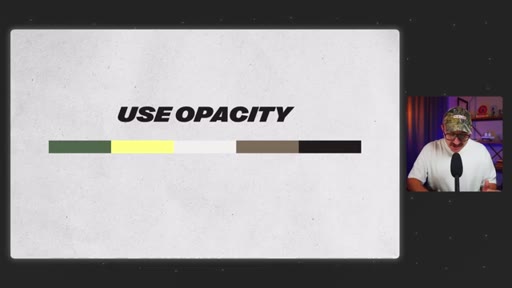
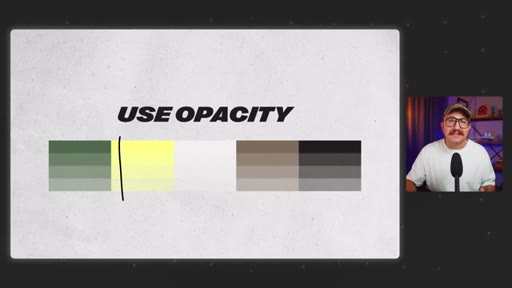
08:44As you get more confident with color, you can expand your palettes, but don't feel like you need to. Another tip is use opacity rather than adding more colors to your palette.
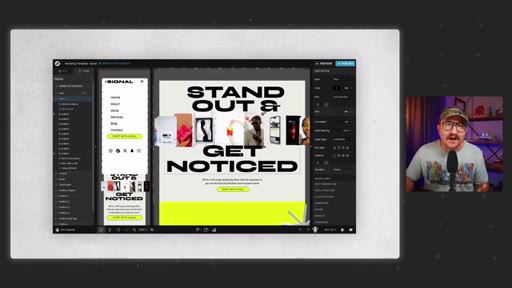
08:55So take your primary color like this yellow here, and then just scroll down on the opacity to create different color layers. This is something that I actually learned when I was looking through Google's material design. Noticed that they used opacity to create a lot of different color variations.
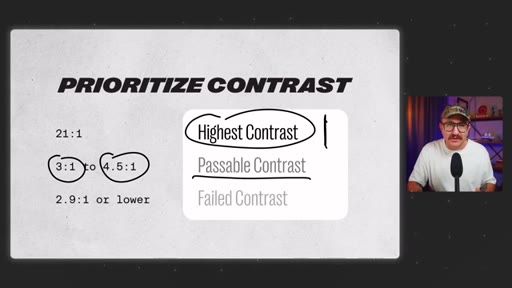
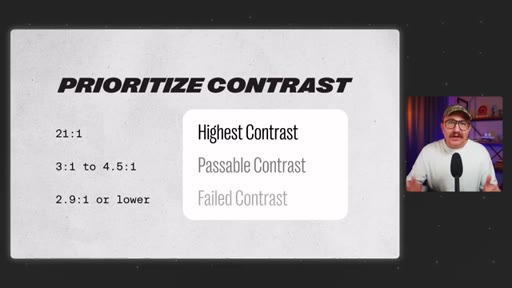
09:13So one good color used well beats five random colors any day. Next, you wanna prioritize contrast, and this one's huge, and it's one that a lot of new designers miss. Your color combo might look nice, but if your users can't read it, it doesn't matter how pretty it is.
09:29So always check your color contrast. Color contrast is the contrast between your foreground text and the background color that it sits on.
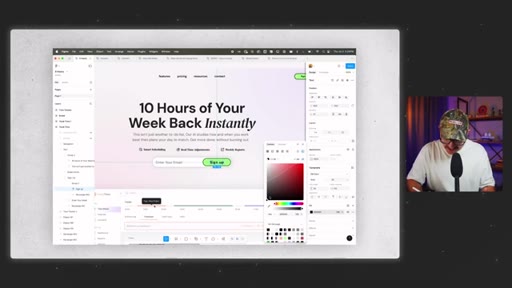
09:39And and you can see here that passable contrast is three to one on larger text and 4.5 to one on smaller text. Figma has a contrast checker baked right into its color system.
09:51All you gotta do is select the text that you wanna check, go to fill, and then there's a contrast icon right in the top right hand corner. It'll tell you whether or not it passes or doesn't. It's a great tool.
10:02Finally, don't build color palettes from scratch. Most great color palettes weren't made out of thin air. They were borrowed and then refined.
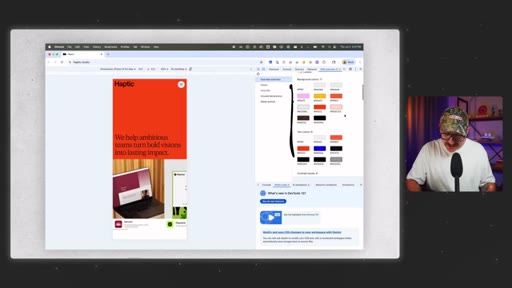
10:09You can actually find any site's color palette with a tool called CSS overview. All you've gotta do is go to Chrome developer tools
10:17and then select the three dot option right here in the top right hand corner. Scroll down, go to more tools, and then you'll see CSS overview. Capture the overview and then it'll give you all the colors for that specific site.
10:31It even gives you fonts. It gives you size settings. It gives you the type scale system.
10:37It's such a great tool to use. Now let's talk code. And I know code, boo, hiss, we don't need that anymore.
10:44But here's the truth. If you wanna be better than 99% of the other web designers out there, you're gonna need to at least get comfortable with it. But you don't need to know how to build a full web app.
10:54You just need to know the basics and then know how to use the right tools to get you the rest of the way. Start with the essentials. Right?
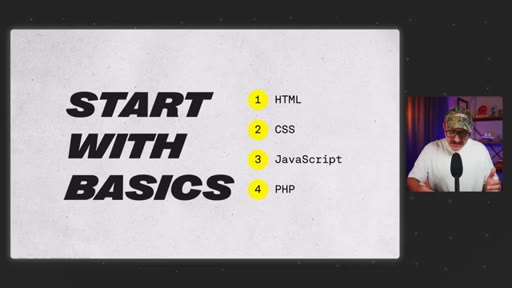
11:01You've got HTML for structure, CSS for style, then there's JavaScript for interaction. And if you're working with platforms like WordPress, PHP basics can go a long way.
11:13That alone is gonna take you further than most web designers would ever go. I started with free courses on Codecademy, and then I would learn more as projects that I worked on needed it.
11:23And once you get the basics down, here's the real trick. Find solutions that are about 80% of the way there and then vibe code the rest. So what do I mean by that?
11:34Use code pens or snippets, even chat gbt. Right? Whatever gets you close,
11:39and then you just tweak it until it does what you want it to do. I had a friend who's not a developer who customized WordPress WooCommerce plugin to have a custom checkout process
11:49for his wife's website. You don't need to be a full stack developer. You just learn by doing, don't overthink it, and use the tools that are available to you.
11:57And finally, the fifth skill to stand out as the top one percent of all web designers, conversion skills. Most designers design for looks, but pro designers design for action.
12:10Early in my career, I redesigned a client's website from the ground up, and it looked amazing. Right? Way better than the original.
12:19But here's the problem. After we launched, their sales plummeted.
12:25Why? Because I had focused so much on the design that I ignored the user journey. And that was a turning point for me and a really hard lesson to learn.
12:35So let's talk about what conversion thinking really means. First, every page needs to have just one goal.
12:44Right? That's it. And that goal should be simple.
12:47You either want somebody to buy a product, sign up for a phone call, or get a lead magnet, and that's it. You lose users when you're trying to do too much at once. Second, you you need to have clear strategic
13:01CTAs, and they need to be visible within seconds of someone landing on the page. I like to include a clear CTA in the hero section, one in the navigation, and then one about every two or three seconds as a user scroll down.
13:18Third, it's about trust, clarity, and maybe most importantly, feelings. You probably heard it said that people buy from brands that they know, like, and trust.
13:30But I like to take it one step further. They need to know, like, trust, and feel something from you.
13:37Your site has to speak to real motivations, clearly explain what they're getting, and it needs to show them that they're not alone. And that's where things like testimonials and reviews and social proof can really come in handy.
13:49CTASo there you go. Those are the five skills that separate beginner designers from the top 1%. And if you're still trying to learn absolutely everything,
13:58CTAtake this as your permission to just stop. Focus on these. Right?
14:03CTABuild around them, and you'll grow way faster than chasing every single trend. Hey. I hope this video was helpful.
14:09CTAIf it was, make sure to hit that like button and subscribe so you don't miss another episode that we've got coming out. And, hey, go design something great. Don't forget, if you don't quit, you win.
— full transcript
§ 05 · For Joe

Five systems that make web design feel intentional.

WHAT TO LEARN

Confidence in web design does not come from knowing more tools — it comes from having repeatable systems for typography, layout, color, code, and conversion.

  • Font selection matters more than most designers realize — overused free fonts make designs blend in, while independent repositories like fontshare.com offer high-quality alternatives that actually differentiate client work.
  • A type scale system based on a consistent ratio (the major third scales each level roughly 25%) eliminates guesswork and makes every typographic decision feel deliberate rather than eyeballed.
  • Spacing should never be arbitrary — the 8-point grid system, used by both Google and Apple, ensures all margins and padding are multiples of 8, producing instant visual rhythm without manual calculation.
  • Color palettes work best when limited to two or three roles: neutral for backgrounds and text, secondary for structure, accent for calls to action — adding more colors introduces visual noise without adding clarity.
  • Using opacity variations of a single primary color creates tonal range more coherently than expanding the palette — one well-chosen color at varying opacities reads as a system, not a collection of guesses.
  • Color contrast is not optional — small text below 4.5 to 1 contrast fails most users under typical screen conditions, and Figma's built-in checker makes verification a single click.
  • Code fluency for designers does not mean writing applications from scratch — it means knowing enough HTML, CSS, and JavaScript to modify existing solutions and use AI to close the remaining gap.
  • Conversion is the skill most often missing from visually polished work: a redesign that improves aesthetics while ignoring user flow can actively reduce sales, because beauty and usability are not the same objective.
  • Every page should serve exactly one goal — buy, call, or capture — with CTAs visible immediately on load and repeated at regular scroll intervals throughout the page.
§ 06 · Frame Gallery

Visual moments.